claude-cad
Health Warn
- License — License: MIT
- Description — Repository has a description
- Active repo — Last push 0 days ago
- Low visibility — Only 5 GitHub stars
Code Pass
- Code scan — Scanned 12 files during light audit, no dangerous patterns found
Permissions Pass
- Permissions — No dangerous permissions requested
No AI report is available for this listing yet.
The verification layer for AI-generated CAD. Make Claude Code prove a CadQuery part is valid before it fails in SolidWorks.
claude-cad
Make Claude Code verify its CAD parts — not just print [OK].
You ask an AI for a hollow enclosure. The script prints [OK], the STL preview
looks exactly right — and the exported part is a solid brick. The .shell()
silently did nothing: 158,048 mm³ of material where 2.5 mm walls should leave
33,370. Nothing raised, nothing warned, and from outside the two parts are
identical.
Don't count on CAD to catch it, either. In our test, a provably invalid solid —
claiming 51,185 mm³ inside a 32,000 mm³ bounding box — opened in SolidWorks
with no dialog and no import diagnostics
(the record).
Bad geometry doesn't announce itself — not in the [OK], not in the STL, not
always in CAD. What catches this brick is a volume that doesn't match what the
dimensions predict; what catches a port cut into the wrong wall is a point that
should be inside the plastic and isn't.
claude-cad is a Claude Code skill — a folder
of instructions Claude Code loads automatically from .claude/skills/ when you
open a project, so its rules are active with no install step (you confirm it loaded
by typing /skills). Those instructions tell Claude Code to write the checks below
into every part it builds and to treat a failing check as a stop, not an export — a
rule the model follows, like the rest of the skill:
  claude-cad diagnostic report
  IsValid     : True
  solids      : 1
  volume      : 32163.55 mm^3
  bbox (XYZ)  : 94.00 x 65.00 x 27.20 mm
  RESULT: PASS — validity, single-body, volume, bbox verified;
          safe to export as a valid single solid
  claude-cad — checks applied
Who it's for — all three assume you're comfortable working in a terminal:
- New to CAD. You're comfortable with a terminal but you don't write CAD.
Describe the part in plain English and the skill writes the
CadQuery (Python parametric-CAD), asking
about missing dimensions instead of inventing them. You answer the occasional
dimension question and read a few numbers to check the result — no modeling
software to learn. - You want STEP, not mesh. Most AI-CAD emits STL — a fixed triangle mesh, fine
to print but hard to change. You get STEP: a real solid that imports into
SolidWorks or Fusion as geometry you can modify (an imported solid you can cut,
fillet, and measure — not a native feature history, but far more than a mesh). - You already model. This is the verification block you'd otherwise hand-write
for every part, plus a re-tested record of the OpenCASCADE (OCC) kernel operations
that corrupt silently (OCC is the geometry kernel under CadQuery).
The clone is the workspace — the skill ships inside the repo, already active.
Commands below are Windows (PowerShell); on macOS/Linux use python3.11 in
place of py -3.11 (SolidWorks itself is Windows-only, but the modeling and
verification are cross-platform):
mkdir C:\dev; cd C:\dev            # a plain path, NOT OneDrive/Desktop/Documents (breaks SolidWorks later); skip mkdir if it exists
git clone https://github.com/0oKevino0/claude-cad.git
cd claude-cad
py -3.11 -m pip install cadquery   # Python 3.11 (newer Pythons lack the OCP binding); downloads ~300 MB
Open the folder in VS Code, open Claude Code, describe a part —
QUICKSTART.md walks it end-to-end in ~10 minutes (longer
if you still need to install Python or Claude Code).
What it checks
The skill has Claude Code end every part with a block like this and treat a failure
as a reason to fix the part, not export it:
from OCP.BRepCheck import BRepCheck_Analyzer
from diagnose import assert_points               # the skill's point-classifier
solid = part.val()

# Valid B-rep, exactly one body — true or raise:
assert BRepCheck_Analyzer(solid.wrapped).IsValid(), "invalid geometry"
assert len(solid.Solids()) == 1, "expected exactly one solid"

# Volume against a range DERIVED from the dimensions of a 94×65×26 enclosure blank
# with 2.5 mm walls — the shape behind the intro's numbers. The expression is the
# check; nothing is measured off the built result and pasted back. (The shipped
# part in the report above adds a lid lip and internal features, so it measures a
# bit less — 32,163 — and stands 27.2 mm tall; a derived range absorbs that.)
L, W, H, t = 94, 65, 26, 2.5
expected = L*W*H - (L - 2*t)*(W - 2*t)*(H - t)   # solid block minus the cavity ≈ 33,370
assert 0.85*expected <= solid.Volume() <= 1.15*expected, "hollow/cut did nothing?"

# The strongest check — features where you MEANT them, not just the right bulk.
# This is what caught a port cut into the wrong wall in the worked example.
# (Coords below assume this enclosure is modelled from its footprint centre.)
assert_points(part,
    inside=[(46, 20, 13)],     # a point inside the +X wall — must be solid
    outside=[(0, 0, 13)])      # a point in the open cavity — must be hollow
Order matters. IsValid and the solid count say it's a clean solid;assert_points is what says it's the solid you asked for — bulk and bounding box
can be right while a feature sits on the wrong face (see the
worked example). Volume is the weakest of the four: a derived
range, wide on purpose, to catch the gross failure — the un-hollowed brick reads
~158,000 mm³ where the walls should leave ~33,000
(Pitfall 4b) — not to certify a part correct to 2%. When a
part fails, the report names the problem and the pitfall it matches, and whether it
was safely auto-repaired.
Around the checks sit the rules that make them meaningful: the OCC kernel
operations with a history of silent corruption — every claim re-tested
against the current kernel, each with a Verified behaviour record — and the
safe patterns that replace them. See docs/verification.md
and docs/occ_pitfalls.md.
Why the checks are shaped this way — and how to tell a real check from one that
cannot fail — is docs/verification-theatre.md.
It stands on its own: no CAD, no CadQuery, nothing from this repo required.
What you need
| Thing | Notes |
|---|---|
| Python 3.11 | Not the newest release — the OCP kernel binding lags new Pythons. |
| Claude Code | VS Code extension or terminal CLI. Needs an Anthropic account with a paid plan or API billing. |
| SolidWorks | Optional. Modeling and verification run entirely in the terminal; the exported STEP is standard B-rep that other CAD (Fusion, FreeCAD) imports too. |
What's in the repo
| Component | What it is |
|---|---|
| Skill | Applies the verification + OCC-safe rules automatically inside Claude Code. The heart of the project. |
| Prompts | Copy-paste workflows + part-type templates, usable with any assistant. |
| Docs | Verification, the OCC pitfalls, SolidWorks integration — plus getting-started.md, the no-Claude-Code path. |
Worked example
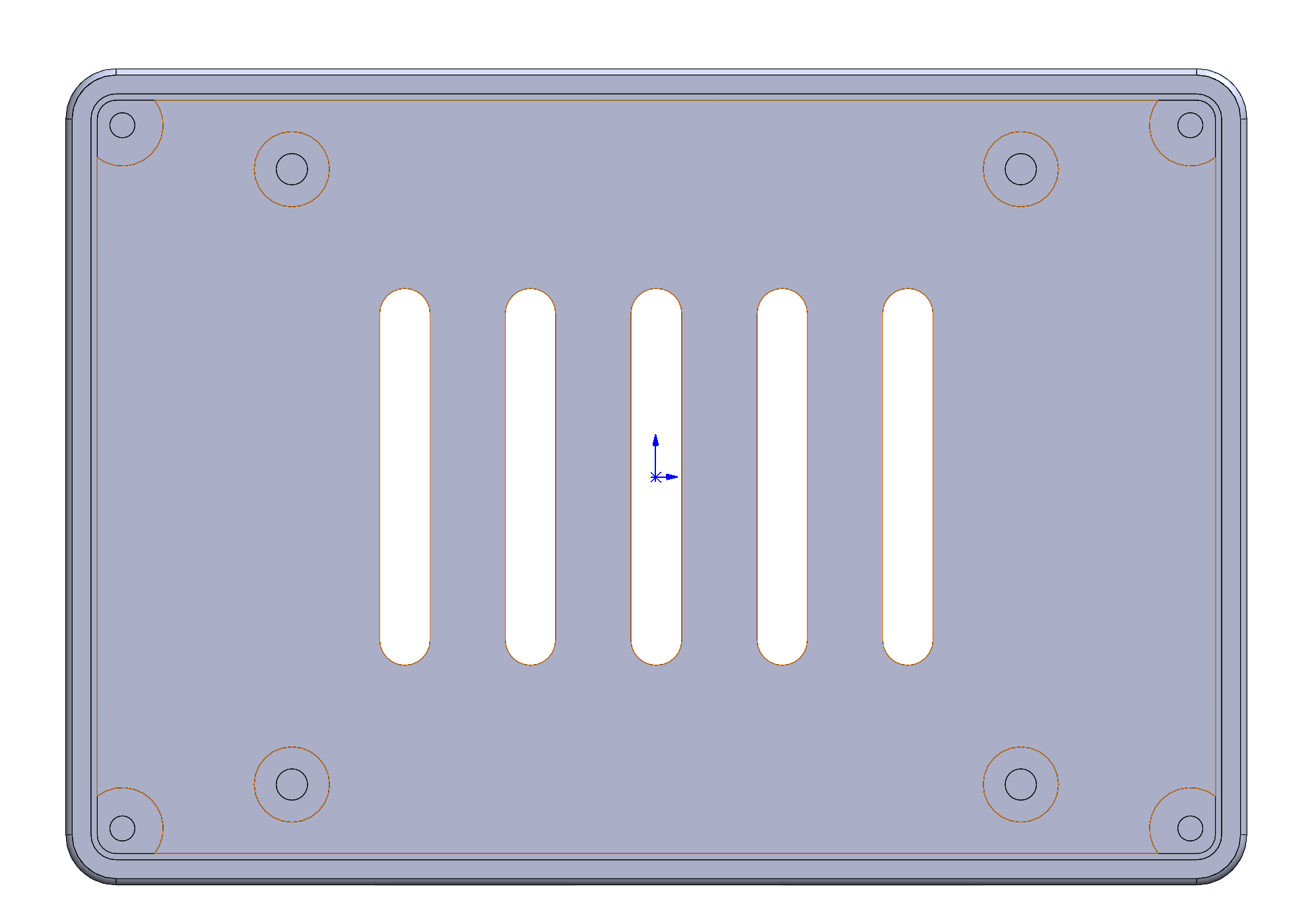
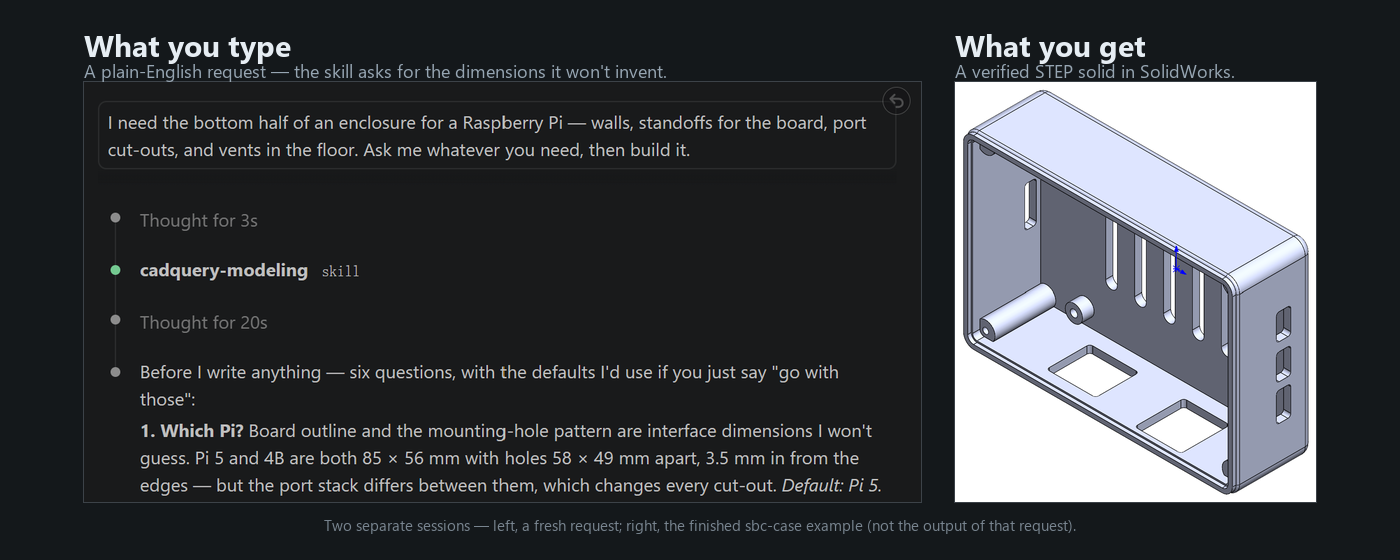
A single-board-computer case bottom shell — standoffs, vent slots, port
cut-outs, screw bosses — described to Claude Code in plain English and verified
before export. The full project, prompts, and verification record:examples/sbc-case/.
Scope & status
claude-cad is deliberately small: a verification-first workflow for
CadQuery → STEP → SolidWorks, not a general AI-CAD platform. It is
pre-release with a single maintainer, and "tested" means something specific
here: every pitfall claim is re-run against the current kernel
(CadQuery 2.7.0 / OCP 7.8.1.1), with the observation recorded in
docs/occ_pitfalls.md's Verified behaviour blocks
and regenerated by.claude/tests/repro_pitfalls.py.
Want to version your designs in their own repo, or keep several projects
apart? Set up a standalone project — the alternative described in
QUICKSTART.md. More examples and part templates are on the
roadmap. Contributions — especially new OCC pitfalls — are very
welcome (CONTRIBUTING.md).
License
MIT.
Reviews (0)
Sign in to leave a review.
Leave a reviewNo results found