boardstate
Health Warn
- License — License: MIT
- Description — Repository has a description
- Active repo — Last push 0 days ago
- Low visibility — Only 5 GitHub stars
Code Pass
- Code scan — Scanned 12 files during light audit, no dangerous patterns found
Permissions Pass
- Permissions — No dangerous permissions requested
No AI report is available for this listing yet.
Your dashboard is data. Any AI can build it; any human can edit it. A protocol + runtime for agent-composable dashboards — layout-as-data, one guarded control plane, sandboxed agent-authored widgets, MCP server included.
Boardstate


Your dashboard is data. Any AI can build it; any human can edit it.
▶ Live demo — press “Simulate agent” and watch an AI compose the board, then drag things around yourself.
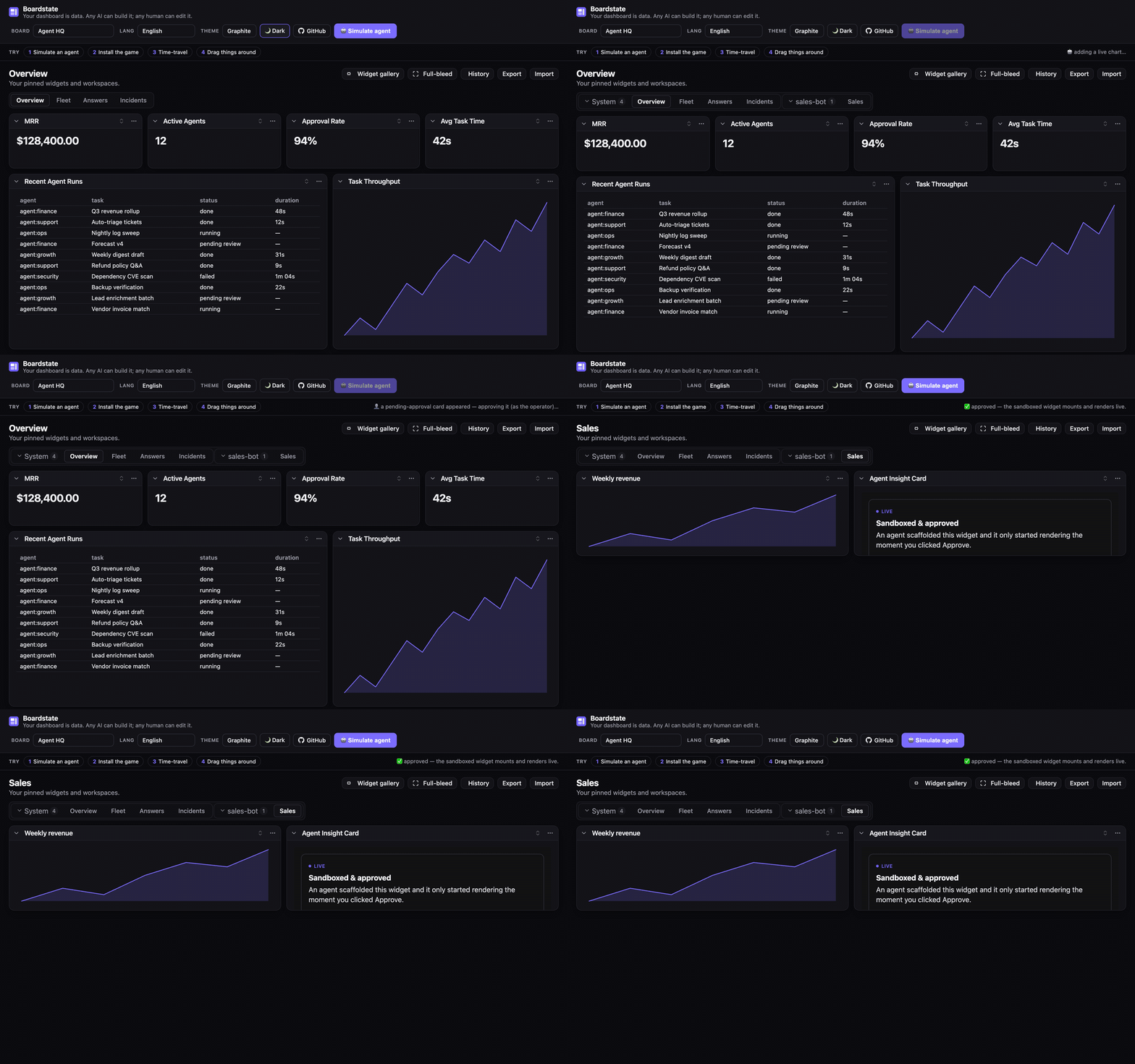
Boardstate is a protocol and runtime for agent-composable dashboards. The entire dashboard — tabs, widgets, layout, data bindings, even the registry of agent-authored custom widgets — is one validated JSON document: the board state. An AI agent composes it through tools, a human rearranges it with drag & drop, a script edits it over RPC — all through the same guarded control plane, with no privileged path. Agent-authored widgets render live inside a sandbox strict enough that foreign code is safe by construction, behind an explicit operator approval gate.
- 📄 The document is the API — diffable, undoable, exportable, importable, templatable, time-travelable.
- 🤖 Any AI, zero integration —
@boardstate/mcpexposes the full tool set to any MCP client (Claude, or anything else that speaks MCP). - 🧑🎨 Human parity is a protocol requirement — drag/drop, collapse, approve, undo: the same methods the agent uses.
- 🔒 A security ladder, not a warning label — trusted builtins vs. sandboxed customs (opaque origin, CSP
connect-src 'none', capability manifest, approval-gated mount, server-side 404 for anything unapproved).
How it fits together
flowchart TB
  subgraph Authors["Who composes a dashboard — one validated control plane"]
    A1["🤖 AI agent · tools<br/>(dashboard_tab_create, _widget_scaffold, …)"]
    A2["👤 Human · UI<br/>(drag / drop / approve)"]
    A3["⌨️ Scripts · CLI / RPC"]
  end
  A1 --> CP
  A2 --> CP
  A3 --> CP
  CP["Control plane · dashboard.* methods<br/>(allowed-keys whitelists, full validation)"]
  CP --> STORE["🔒 Store<br/>serialized writes · atomic persistence<br/>undo ring · size caps"]
  STORE --> DOC[["workspace document<br/>the board state"]]
  STORE -- "boardstate.changed" --> UI["Host UI · <boardstate-view>"]
  UI --> B["✅ Builtin widgets — trusted tier"]
  UI --> C["🧩 Custom widgets — sandboxed tier<br/>opaque origin · no network · approval-gated"]
  C -. "postMessage bridge — parent resolves all data" .-> UI
Why agent-authored code is safe to run:
sequenceDiagram
  participant Agent as 🤖 Agent
  participant Store as Store
  participant Op as 👤 Operator
  participant Frame as Sandboxed iframe
  Agent->>Store: widget_scaffold (manifest + index.html)
  Store-->>Op: status "pending" — a card, NOT an iframe
  Op->>Store: Approve
  Store-->>Frame: assets served (unapproved → 404) + CSP connect-src 'none'
  Frame->>Store: only the bindings its manifest declared — via the parent
  Note over Frame: no origin · no network · no credentials
Packages
| Package | What it is |
|---|---|
@boardstate/schema |
The document schema, validators, and the spec |
@boardstate/core |
Headless runtime: store, bindings, grid math, export/import, pub/sub, history |
@boardstate/server |
The dashboard.* control plane, agent tools, widget serving, CLI |
@boardstate/host |
Framework-free DOM host: sandbox mount, postMessage bridge, client store |
@boardstate/lit |
The reference view — <boardstate-view> and 15 builtin widgets, as custom elements |
@boardstate/react |
Typed React wrappers over the custom elements |
@boardstate/mcp |
MCP server: give any AI the full dashboard tool set |
@boardstate/conformance |
The transport conformance suite — run it against your host |
Quick start
Zero-install: open the live demo. Locally:
git clone https://github.com/100yenadmin/boardstate && cd boardstate
pnpm install && pnpm build
pnpm --filter boardstate-example-standalone dev   # the 60-second demo
Either way, press “simulate agent”, and watch: a tab appears, charts bind, a custom widget lands as a pending card, you approve it, the sandboxed iframe mounts and renders live. Then drag things around — you and the agent are editing the same document.
To give an AI the tools directly:
npx @boardstate/mcp --serve 4400 # MCP stdio server + a live host page
Or drive the same control plane from your shell with the boardstate CLI (from @boardstate/server). It reads/writes a local state dir ($BOARDSTATE_STATE_DIR, else ~/.boardstate):
npx --package @boardstate/server boardstate tab add sales   # add a workspace tab
npx --package @boardstate/server boardstate dashboard tabs list
Theming
@boardstate/lit ships a complete, world-class default theme — Graphite (a
Linear / Vercel / Codex-family palette) — that looks great in light and dark
out of the box. Import it once; nothing else to configure.
import "@boardstate/lit";
import "@boardstate/lit/styles.css"; // the Graphite default — light + dark
Dark mode, free —
prefers-color-schemeis honored automatically; pin it
withdata-theme="dark"/"light"on<html>when you want a toggle.Drop-in alternate themes — layer one after
styles.cssto fully re-skin
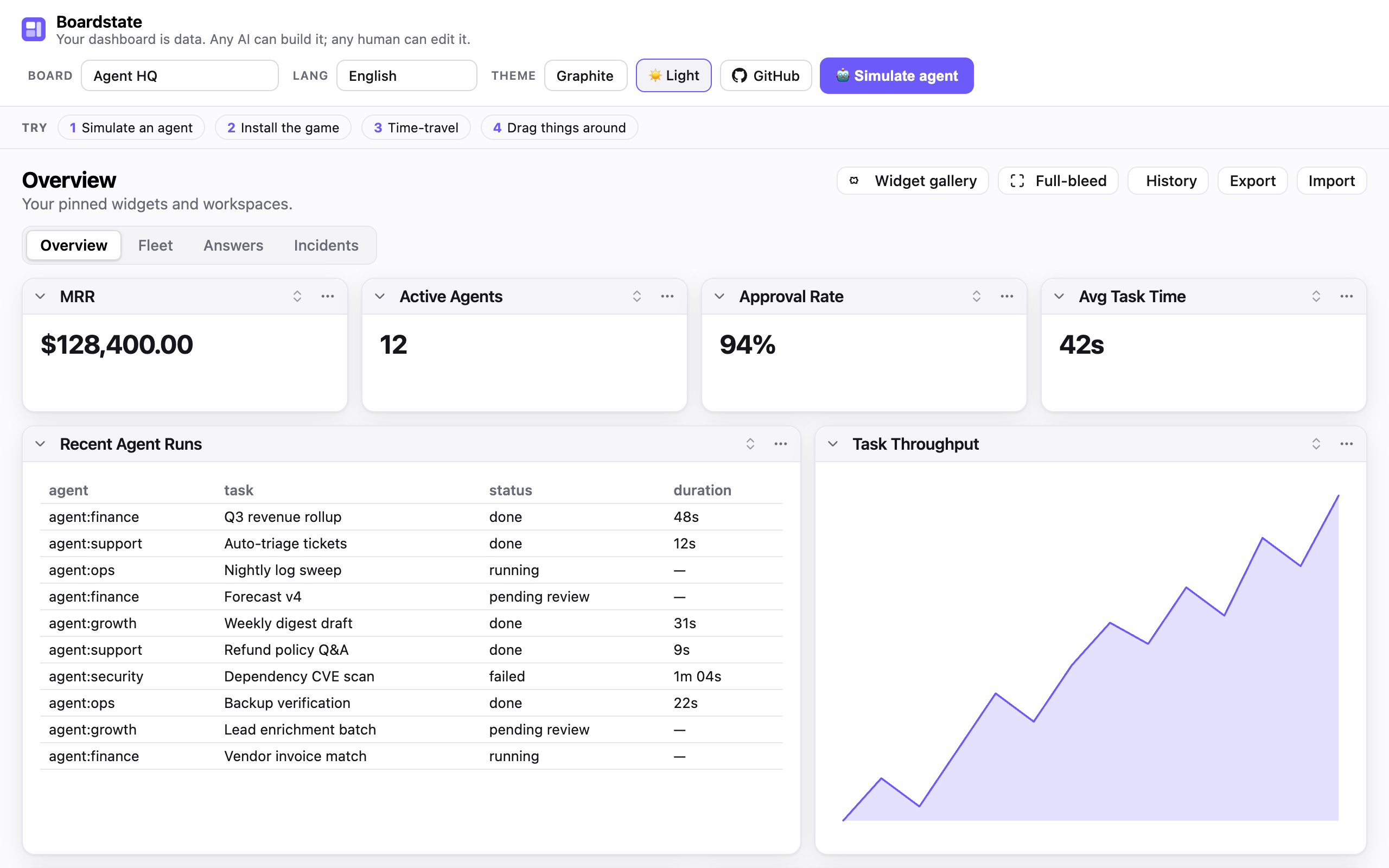
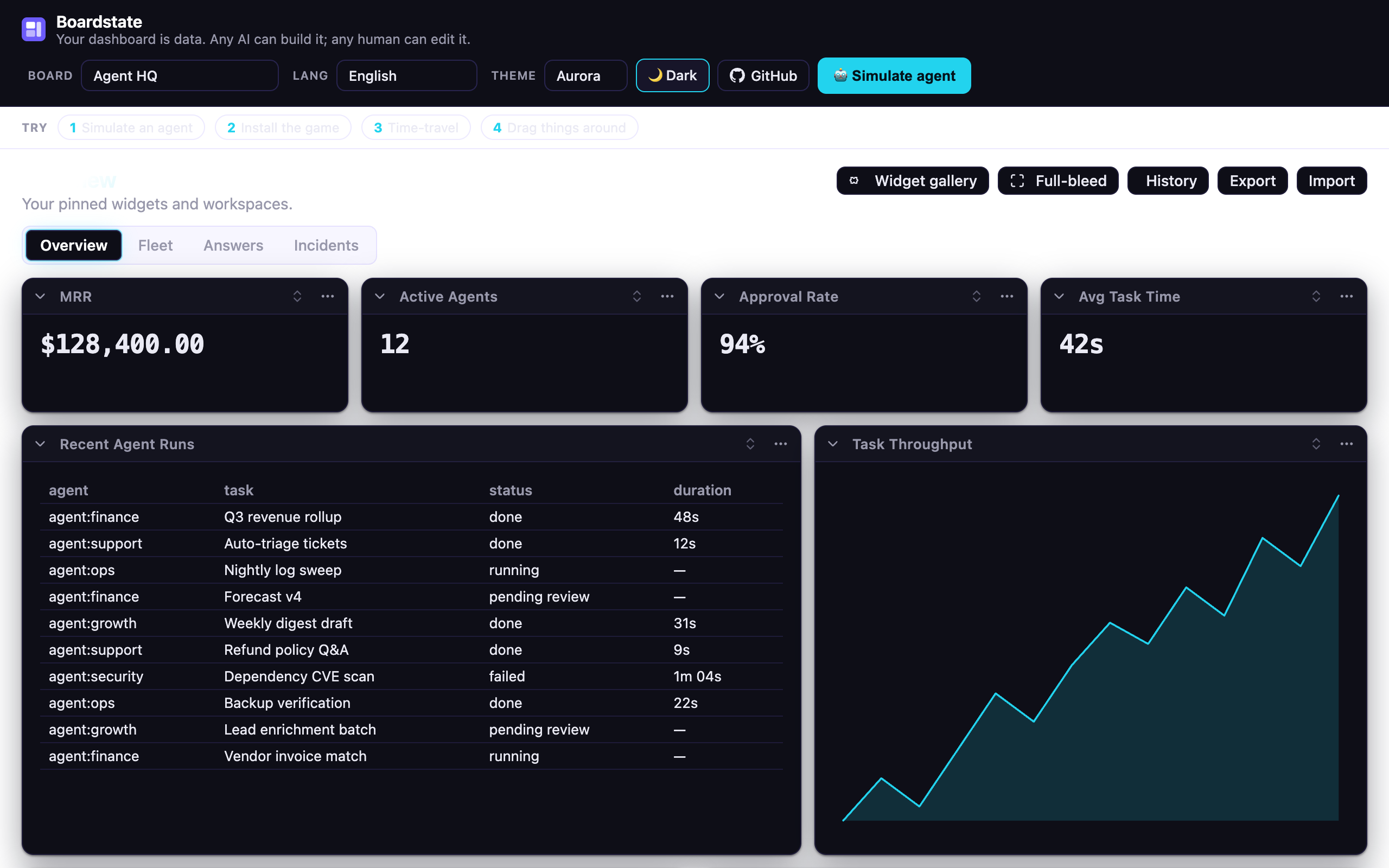
(each ships its own light + dark):import "@boardstate/lit/themes/aurora.css"; // futuristic — cyan accent + aurora wash import "@boardstate/lit/themes/vibrancy.css"; // macOS-native frosted glassTotal control — every value is a
--bs-*custom property; override one
token or author a whole theme. See THEME.md for the
token table and a build-your-own guide.
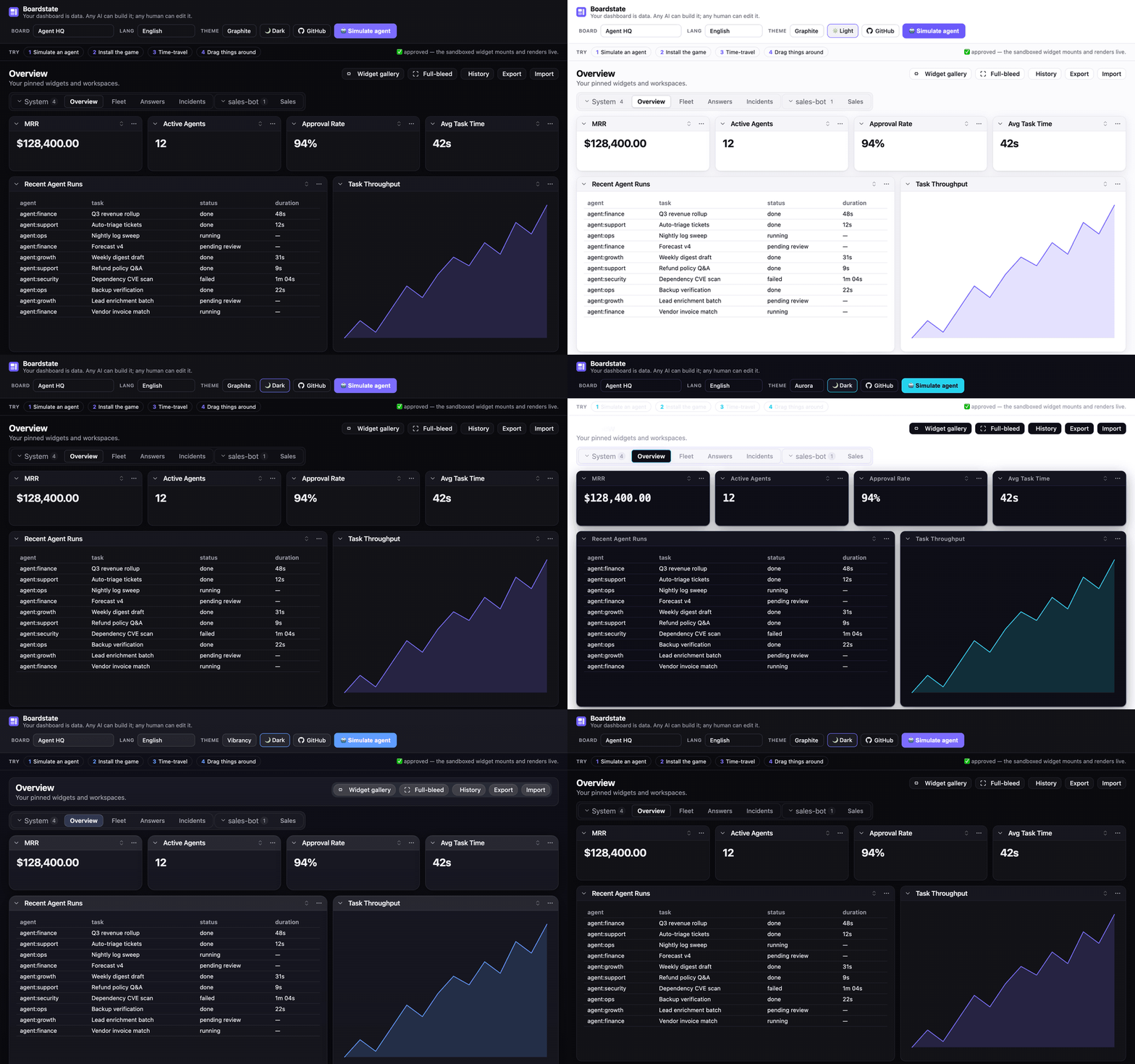
| Graphite (default, light) | Aurora | Vibrancy |
|---|---|---|
 |
 |
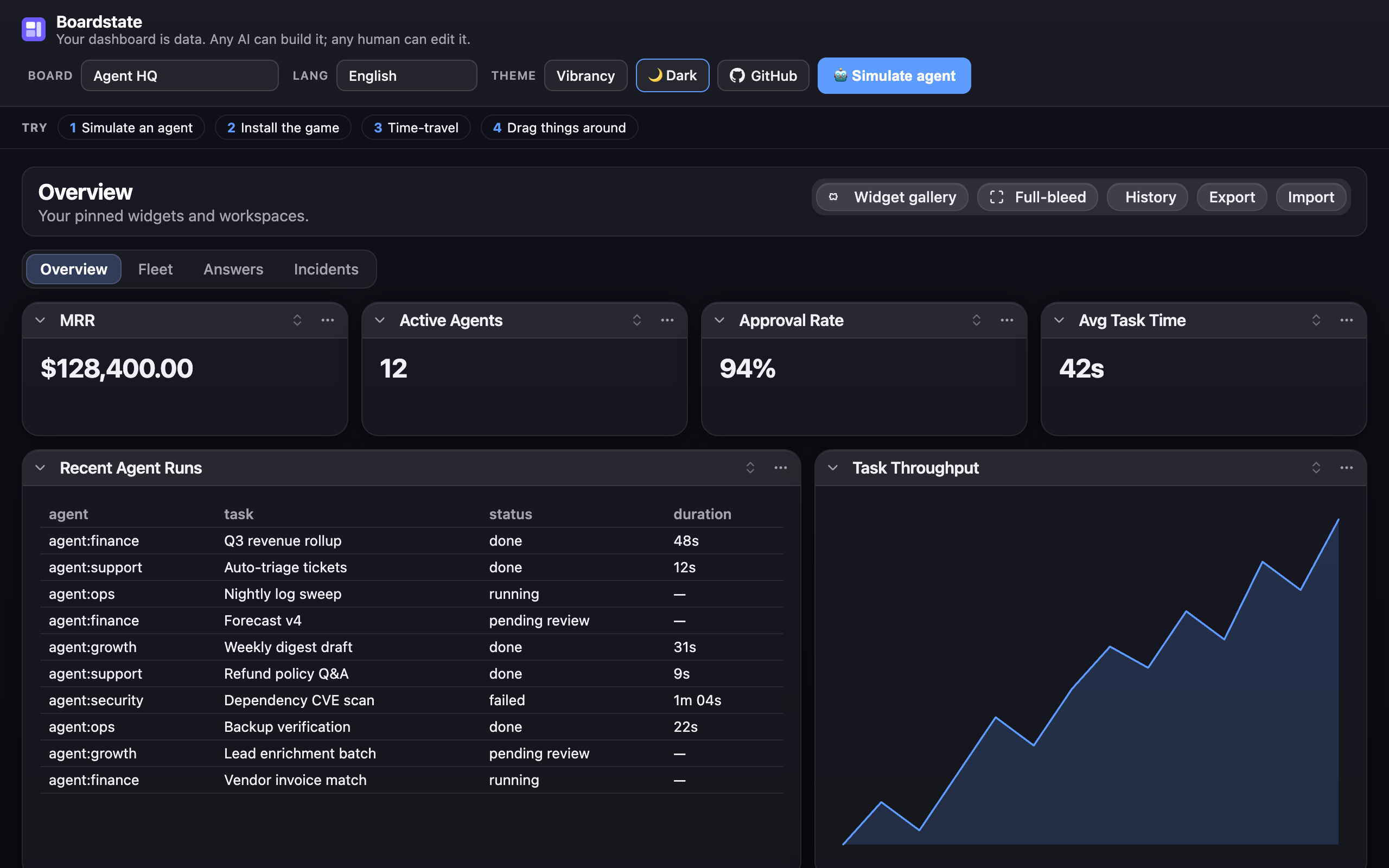 |
The live demo has the theme
switcher + light/dark toggle in its header — the fastest way to see all three.
Localization
The view ships partial translations for 20 languages (Arabic, German, Spanish, Farsi, French, Hindi, Indonesian, Italian, Japanese, Korean, Dutch, Polish, Portuguese-BR, Russian, Thai, Turkish, Ukrainian, Vietnamese, and both Chinese scripts) — faithfully ported from the source project's catalogs; untranslated keys fall back to English. Pass a table to the view's strings property:
import { de } from "@boardstate/lit/locales/de";
view.strings = de; // or any BoardstateStrings partial of your own
The live demo's Lang menu switches all 20 at runtime.
Learn more
- docs/ROADMAP.md — where this is going: substrate → the agent layer (plug in a provider — GLM, Anthropic, any OpenAI-compatible endpoint — and the AI builds the board live), the streaming spec, and phased milestones. Pickup-ready for any contributor.
- SPEC.md — the protocol: document format,
dashboard.*methods, bridge protocol v1, capability & approval model, the security invariants. - docs/ARCHITECTURE.md — the implementation: package graph, the three seams (storage / transport / server-host), the request lifecycle, and how to build your own host.
- docs/composition-patterns.md — the agent's field guide: which builtin for which job, when to scaffold a custom widget, composition rules of thumb.
- docs/authoring.md — write a widget (builtin renderer or sandboxed custom).
- docs/living-answers.md — the agent convention: answer visual questions with live widgets, not prose.
- docs/design-review.md — the agent workflow for reviewing and refining a layout it built.
- templates/ — workspace templates (Agent HQ, the all-15-builtins Showcase, small-business, OSS-maintainer), starter custom widgets — including twenty48, a sandboxed game you can install from the demo's gallery, and a ready-to-use widget-gallery registry (
templates/registry/— the live demo's gallery points at its hosted copy; point yours athttps://100yenadmin.github.io/boardstate/registry/index.json). - docs/demo-script.md — the acceptance walkthrough: a scripted Do/Observe tour proving every feature, for maintainers and PR reviewers.
- GitHub Discussions — questions, ideas, show-and-tell.
Status
v0.1 (extraction in progress). Boardstate is extracted from the modular-dashboard system its authors built for OpenClaw (roadmap & PRs) — that plugin is the first conformant host. The protocol is stable enough to read; the packages land in dependency order (schema → core → server → host → lit).
License
MIT
Reviews (0)
Sign in to leave a review.
Leave a reviewNo results found