bowel
Health Pass
- License — License: NOASSERTION
- Description — Repository has a description
- Active repo — Last push 0 days ago
- Community trust — 397 GitHub stars
Code Fail
- rm -rf — Recursive force deletion command in mobile/android/build.sh
Permissions Pass
- Permissions — No dangerous permissions requested
No AI report is available for this listing yet.
Bowel is a mihomo client for macOS, Windows, Linux and Android.
bowel
bowel is a mihomo client for macOS, Windows, Linux and Android.
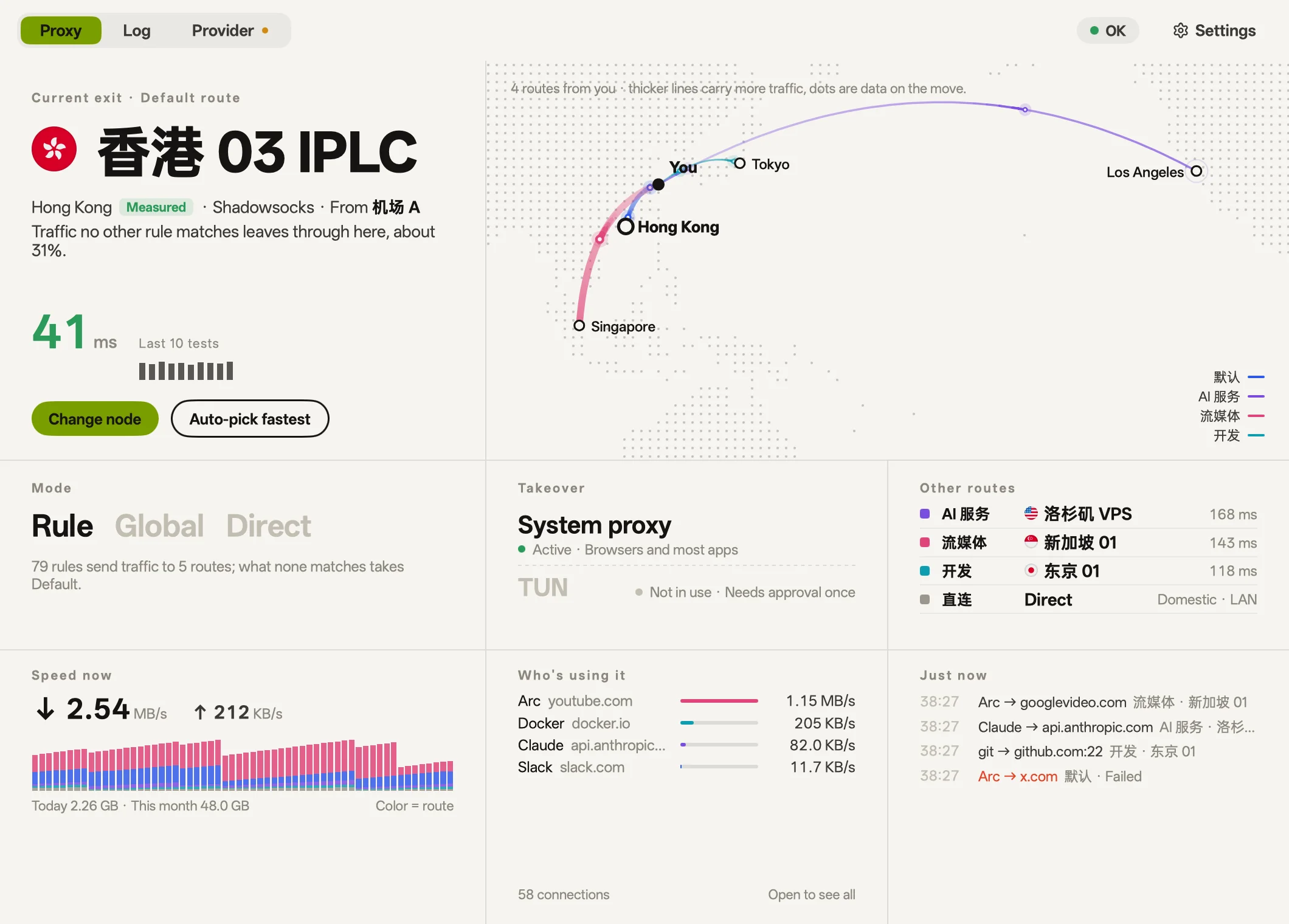
The desktop interface is built in Go and rendered directly via the GPU, with no WebView. The Android app is built with Flutter and has the same cards and skins.
Features
The screenshots are from macOS.
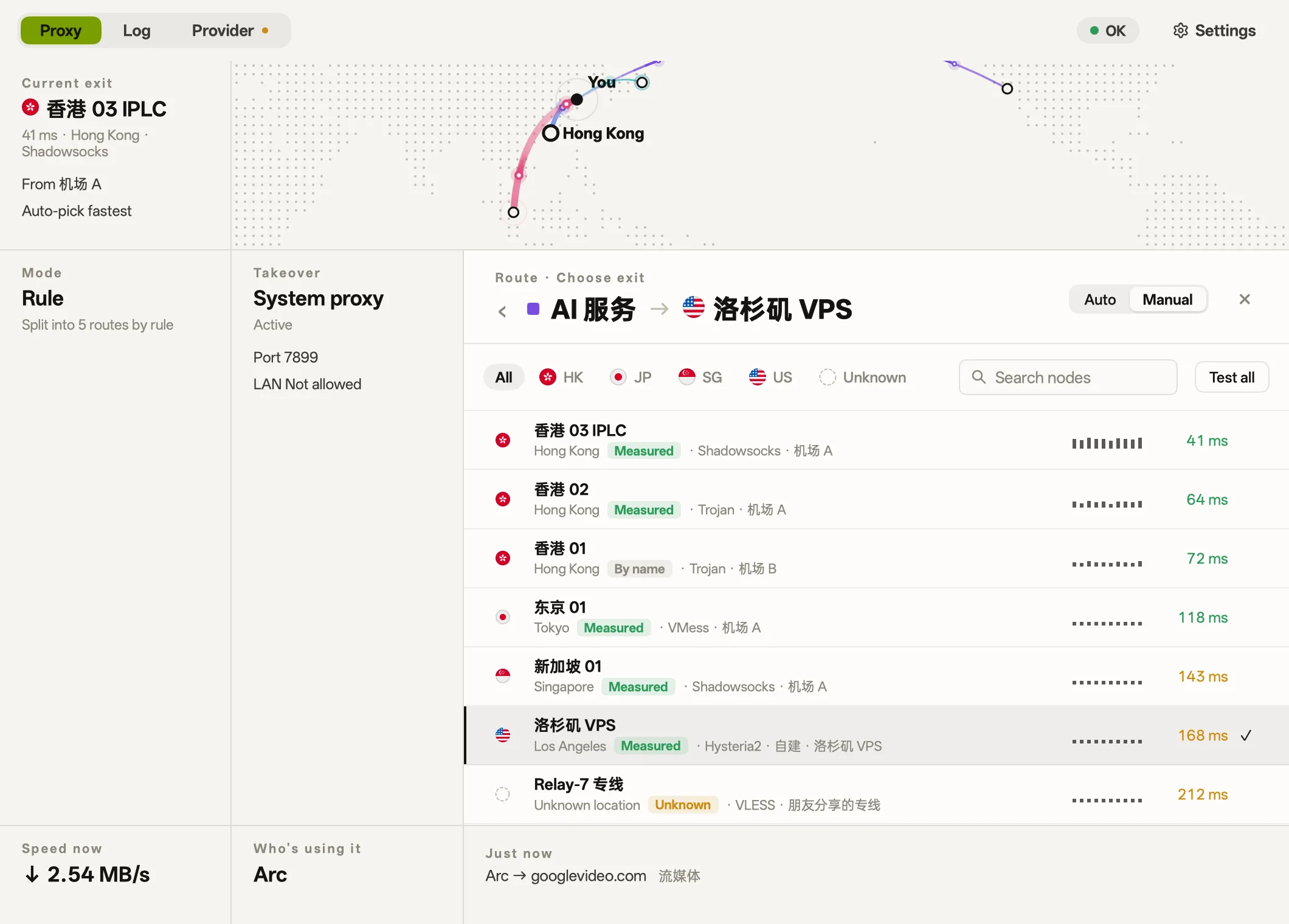
Routes
Route traffic by purpose, and select exit nodes manually or automatically by speed.
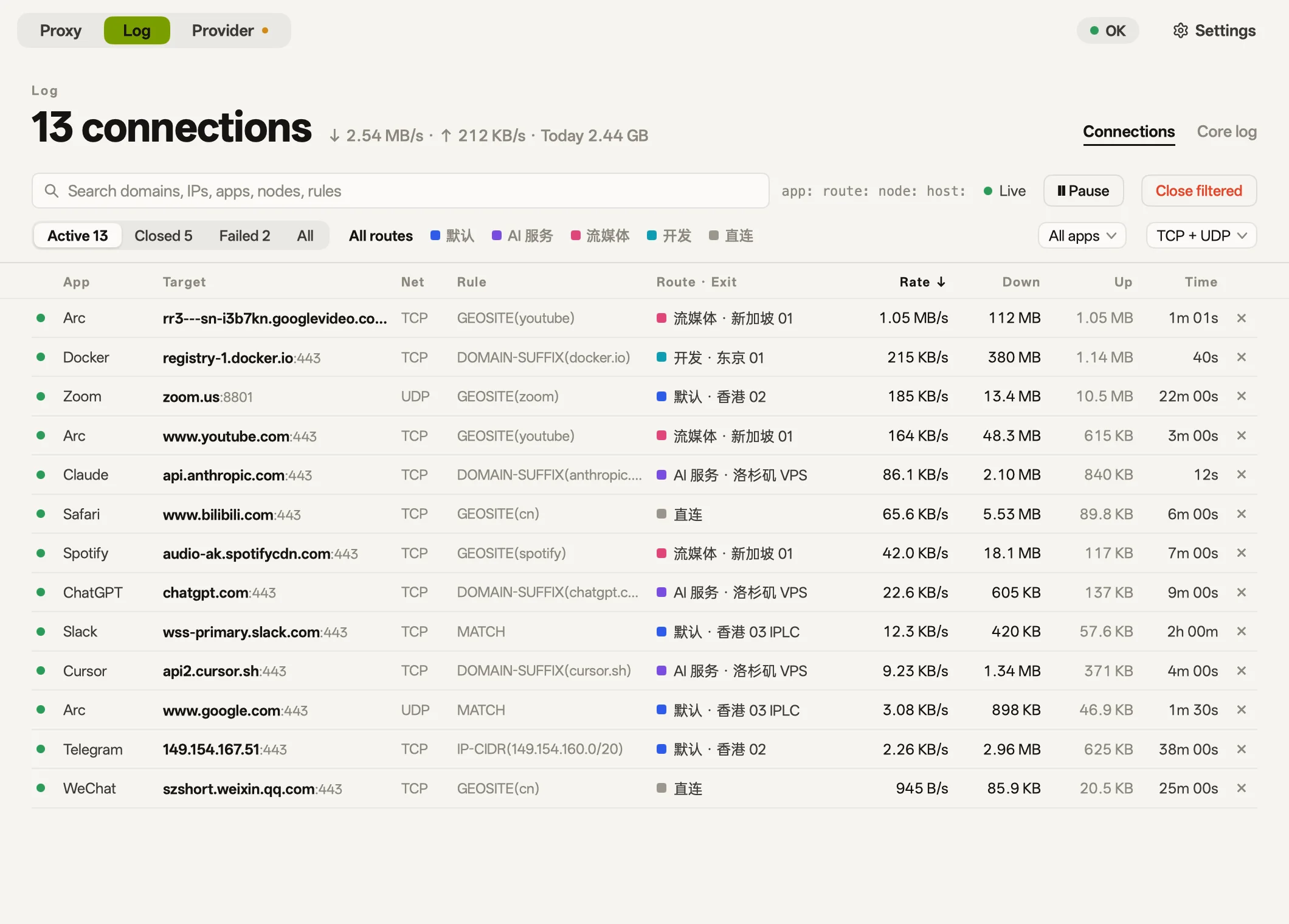
Connections
Inspect the app, destination, rule, exit, and speed for each connection, or reroute domains on the fly.
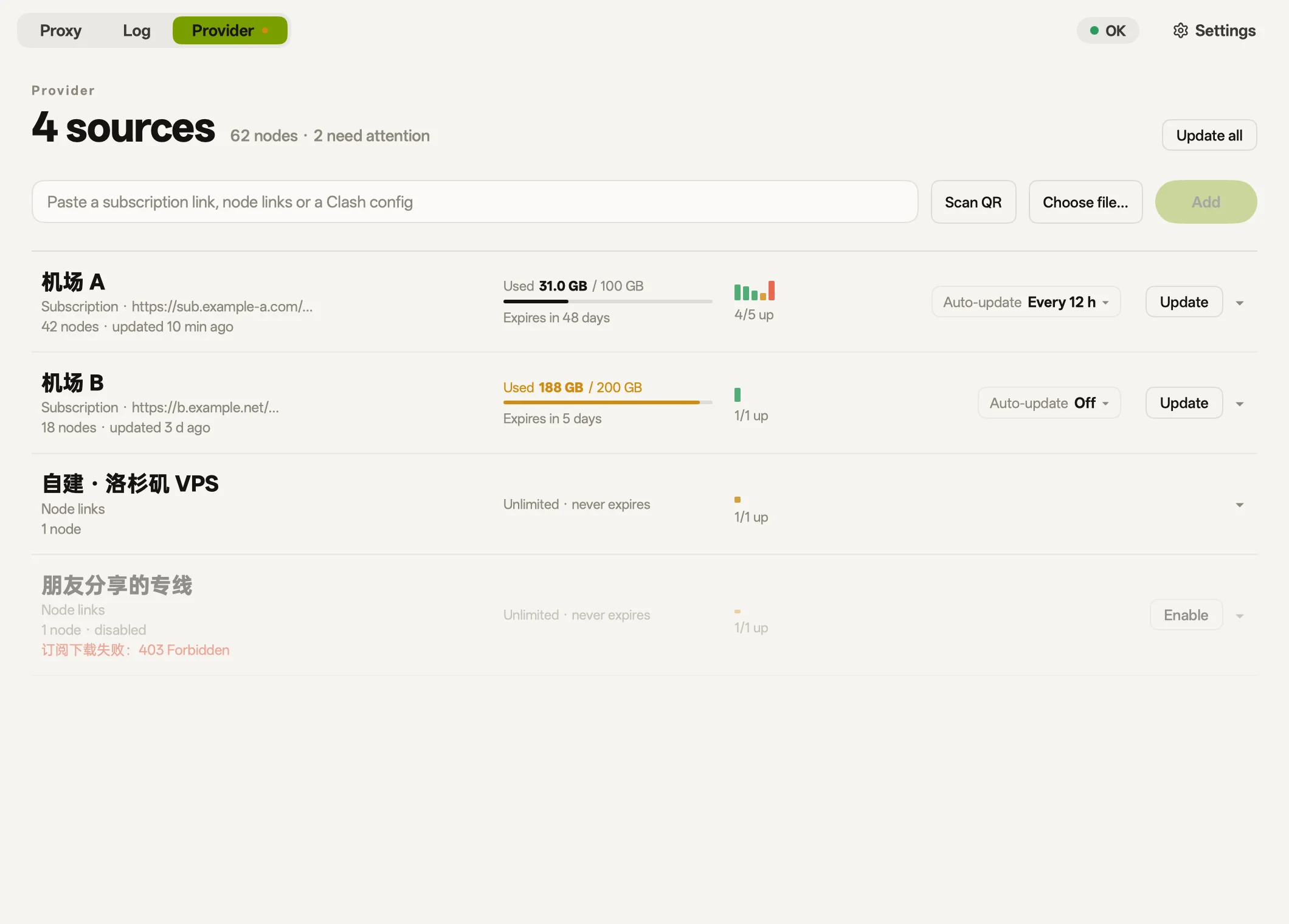
Providers
Import subscription links, node URLs, YAML configs, or QR codes, with data usage and expiry shown for each source.
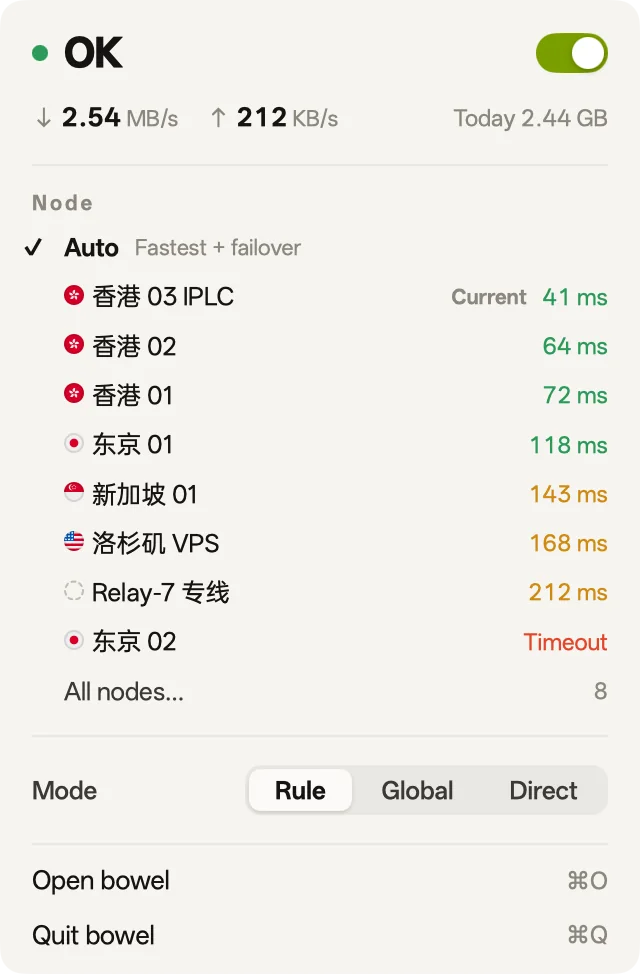
Menu bar
Toggle system proxy takeover, switch proxy modes, and pick the node for traffic no rule matches from the menu bar, or from the system tray on Windows and Linux.
Skins
Six skins that change the look of the whole interface.
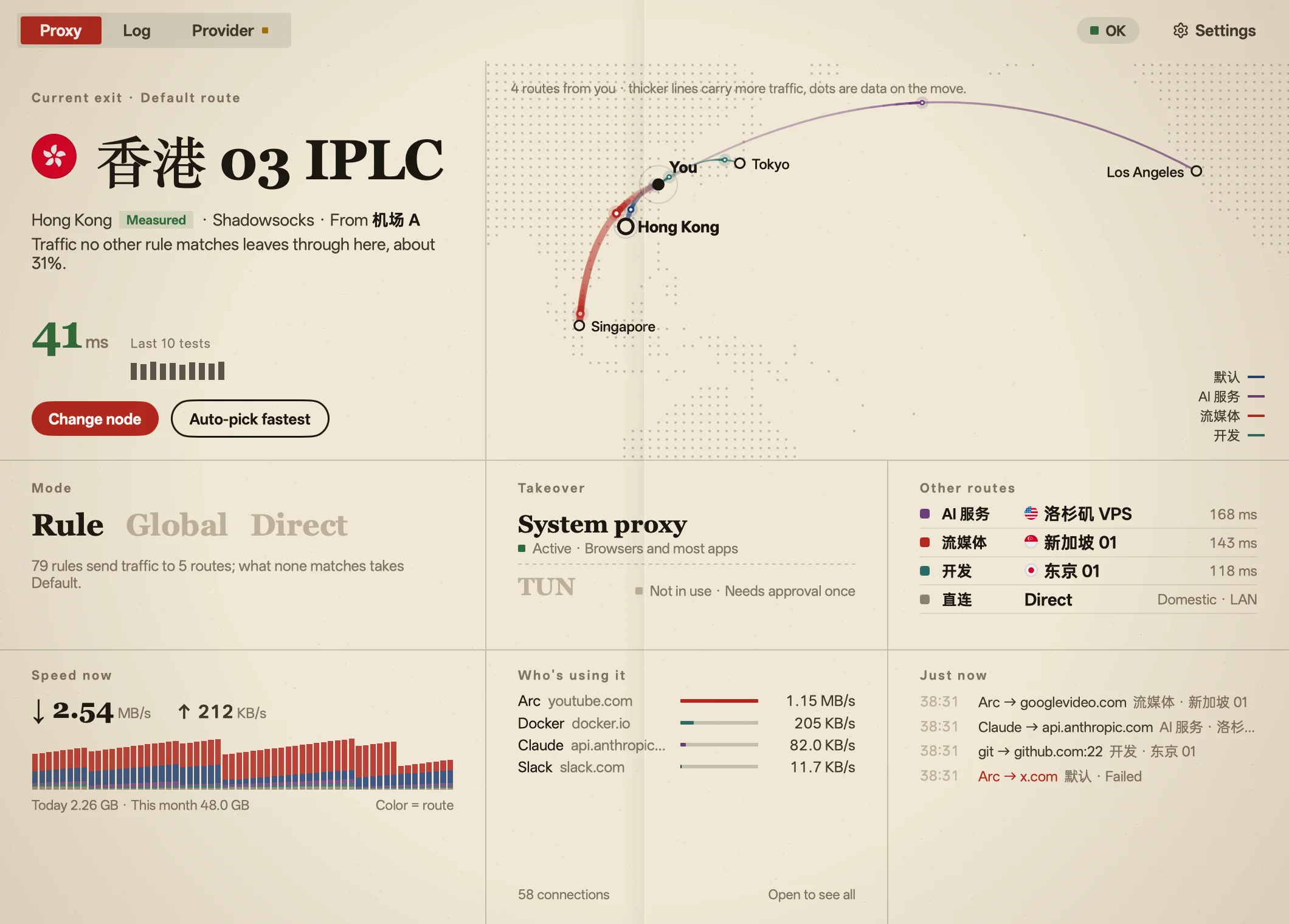 Broadsheet |
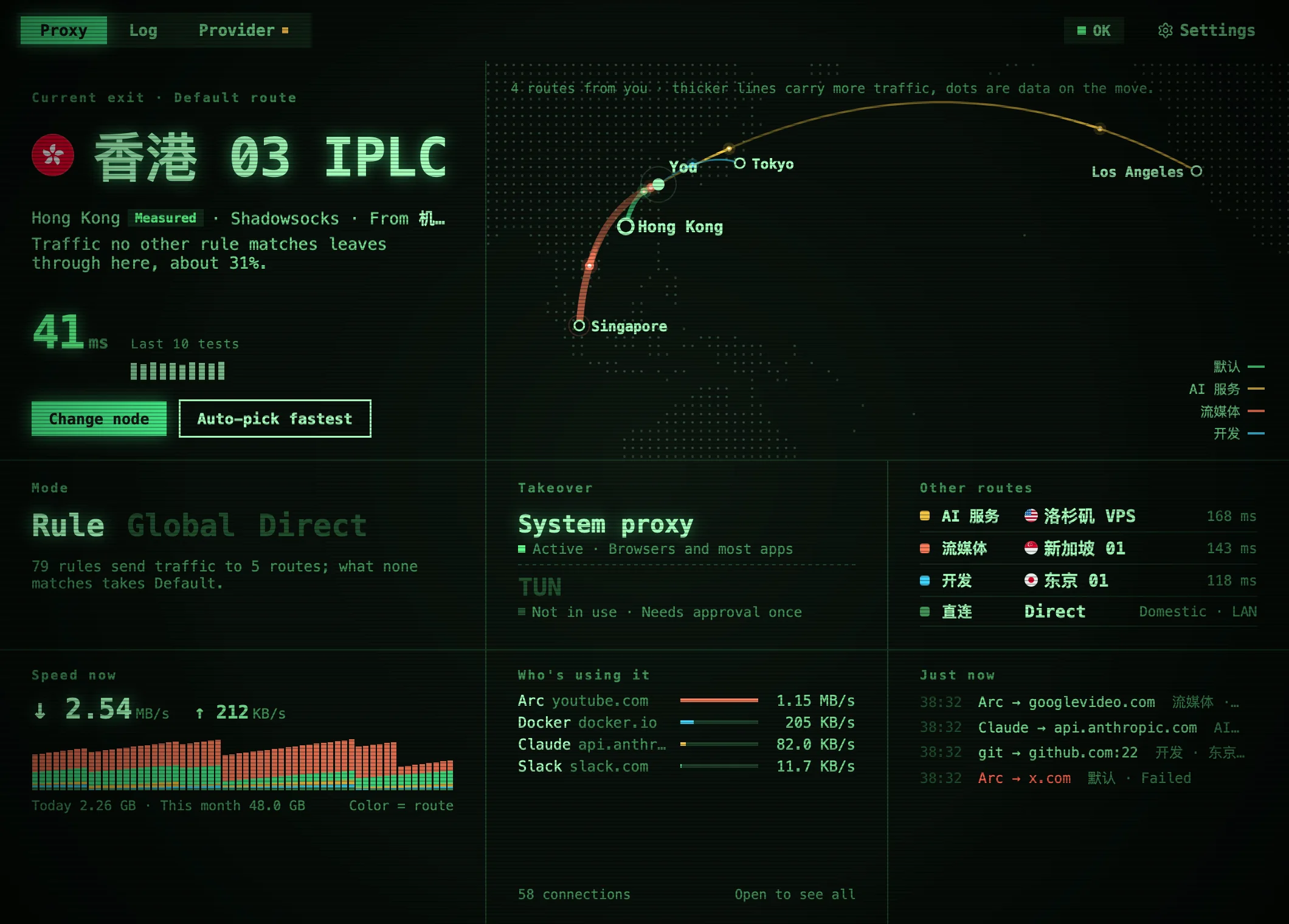 Phosphor |
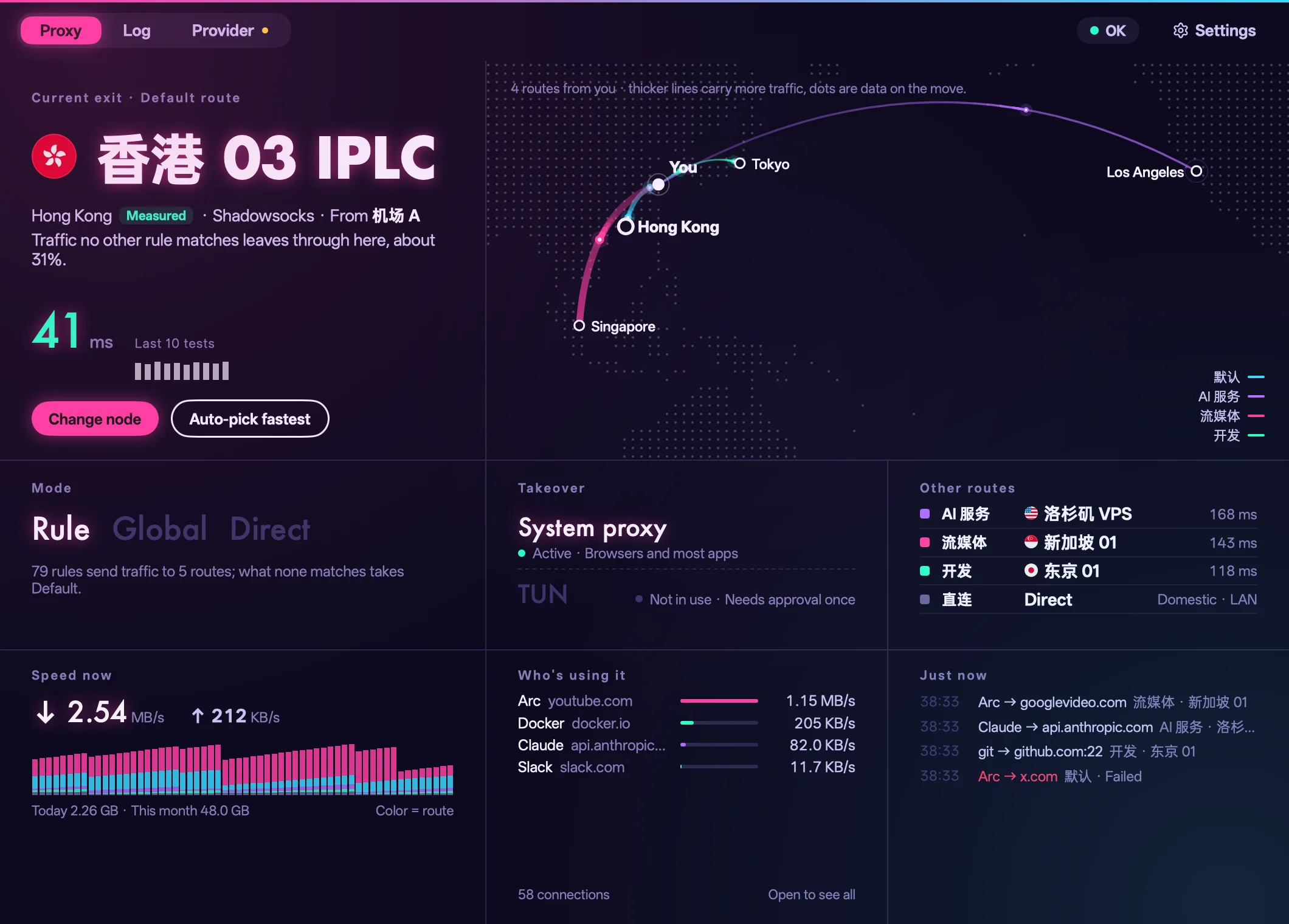 Neon |
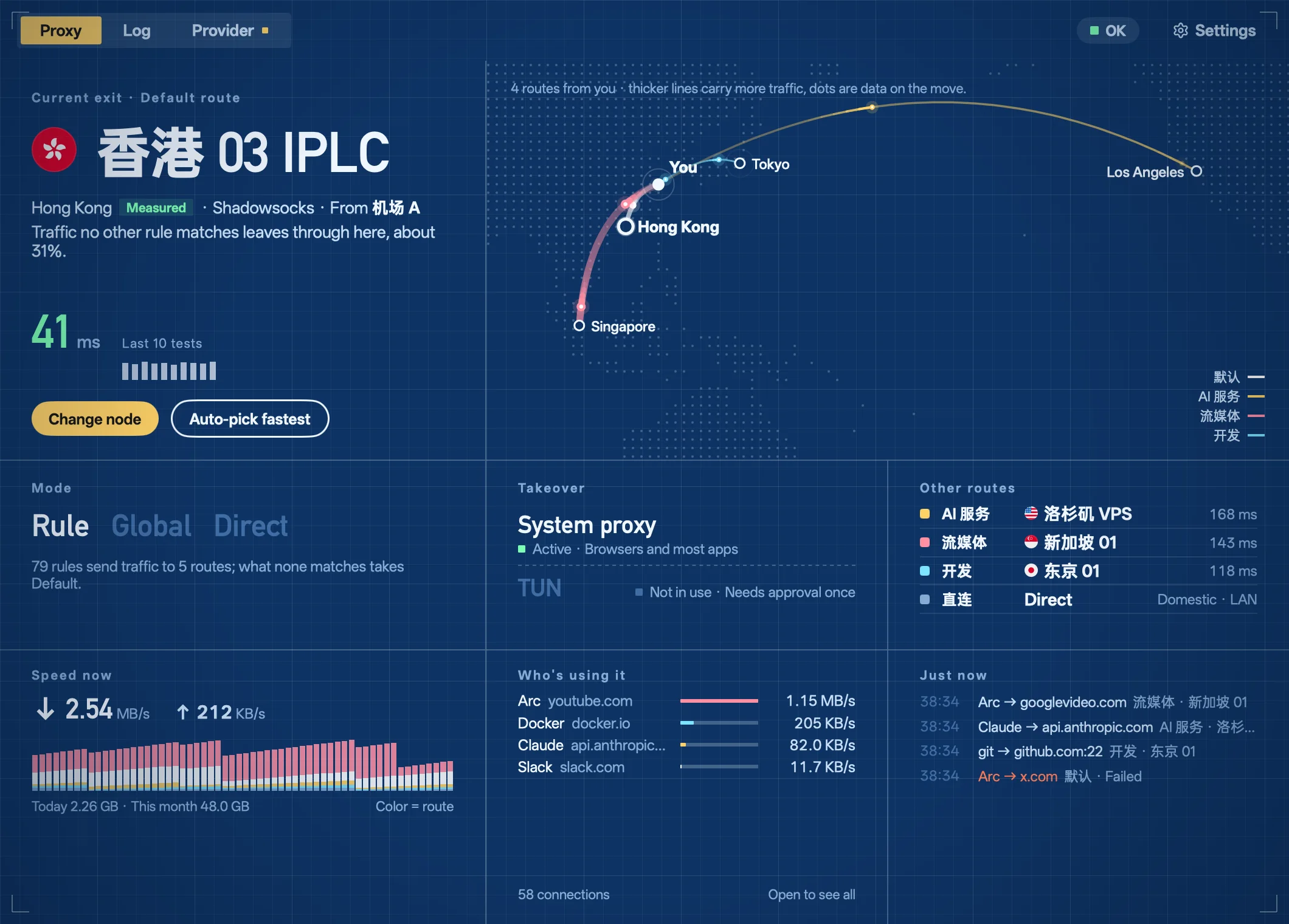 Blueprint |
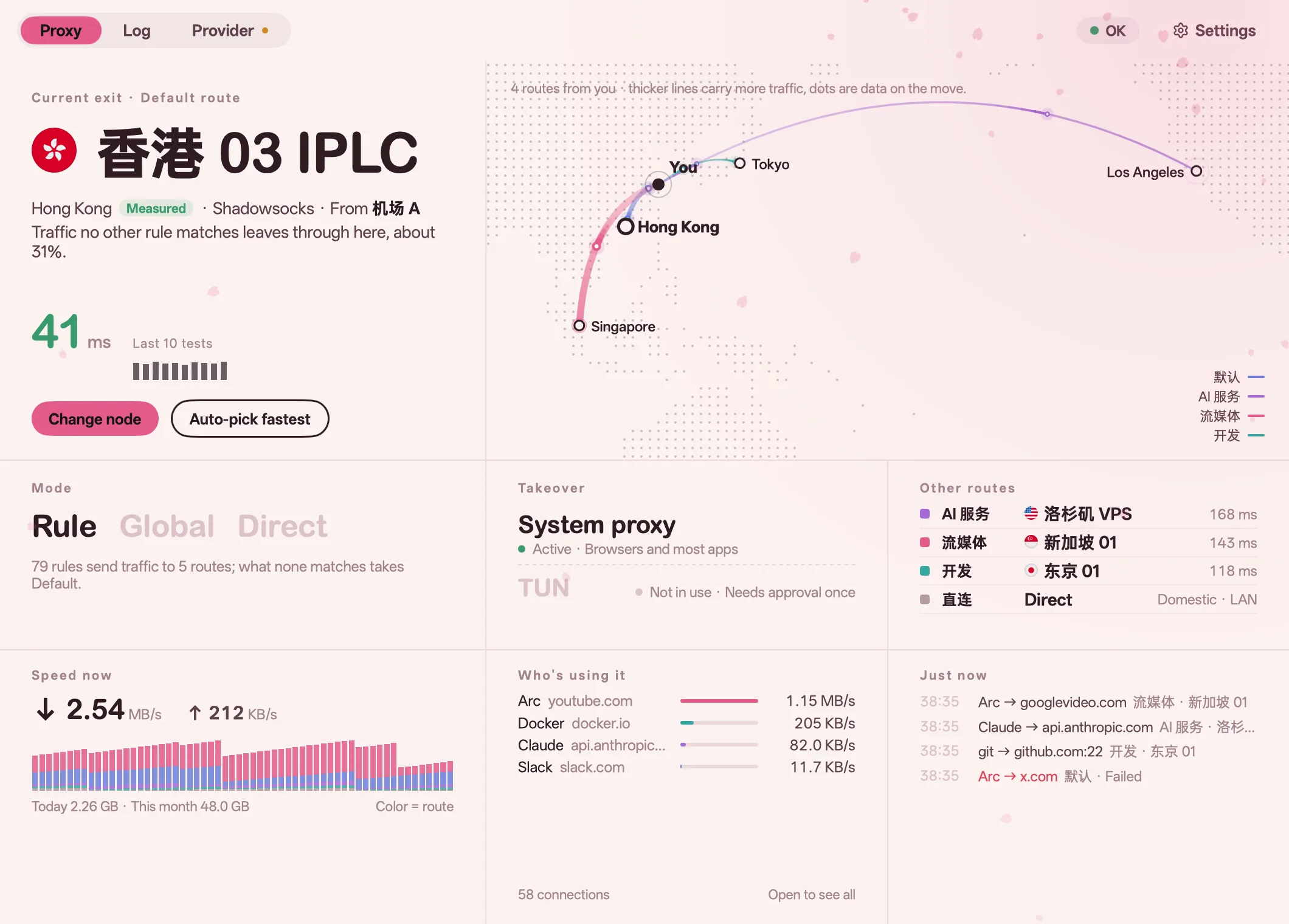 Sakura |
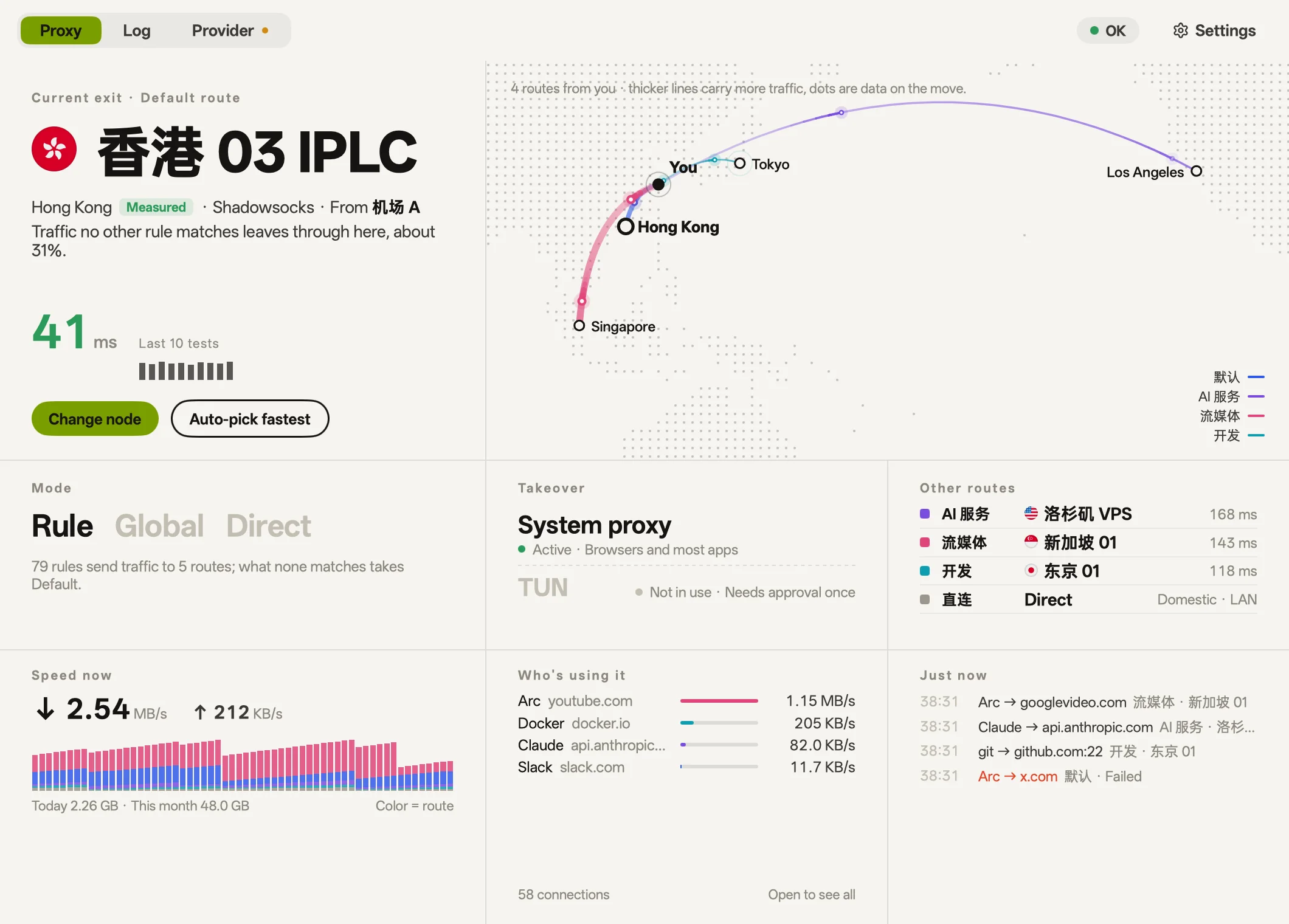 Paper (default) |
Other
- Custom rules: Route specific domains, keywords, or IP ranges, and test where addresses go.
- Measured exit locations: Verify true exit locations through Cloudflare trace.
- Gateway mode (macOS): Turn this Mac into a LAN gateway for devices like TVs and consoles.
- TUN (macOS): Intercept traffic from applications that ignore system proxy settings.
- Developer tools (macOS): Docker, the terminal and Git ignore the system proxy. bowel lists which ones aren't connected, writes their own config in one click, and removes it cleanly when you undo.
- Download sources (macOS): Measures the official source and each mirror for npm, pip, Go and Cargo, and switches in one click. When the current source stops answering, one click moves you to the fastest one that does, or sends it through a node again.
- Private networks (macOS): Addresses on your LAN, Tailscale and company VPN go direct automatically, in global mode too.
- MCP: Built-in MCP server for Claude Code and other agents to read status and troubleshoot connections. It asks you before changing settings by default. The command below is for macOS; on Windows and Linux, use the path of the bowel program.
claude mcp add --scope user bowel -- /Applications/bowel.app/Contents/MacOS/bowel mcp - Settings and languages: Searchable settings (⌘F); English, Simplified Chinese, Traditional Chinese and Japanese; light and dark.
Install
macOS, with Homebrew:
brew install --cask 21stware/tap/bowel
Windows, in PowerShell:
irm https://github.com/21stware/bowel/releases/latest/download/install.ps1 | iex
Debian, Ubuntu and Fedora. This adds a signed package repository, so apt or dnf updates bowel from then on:
curl -fsSL https://21stware.github.io/packages/install.sh | sh
Or download the file for your platform from Releases:
| Platform | File | Needs |
|---|---|---|
| macOS | bowel-<version>-arm64.dmg |
macOS 12 or later, Apple silicon |
| Windows | bowel-setup-<version>-amd64.exe or -arm64.exe |
x64 or Arm64 |
| Linux | bowel_<version>_<arch>.deb, bowel-<version>-1.<rpm arch>.rpm or bowel-<version>-linux-<arch>.tar.gz |
amd64 or arm64 |
| Android | bowel-<version>-android-arm64.apk |
Android 8.0 or later, arm64 |
- macOS: Drag bowel into Applications. The app is signed with a Developer ID and notarized by Apple.
- Windows: Run the installer. It isn't code-signed, so Windows may warn you before it runs.
- Linux: Install the
.debor.rpm, or unpack the archive and runinstall.sh, which installs bowel for your user in~/.local. - Android: Install the APK, allowing your browser to install apps if asked. Android asks for VPN permission the first time you connect.
- iOS: Not released yet.
Then add a provider (a subscription URL, node links or a QR code) and turn on takeover.
Some features depend on the platform:
| macOS | Windows | Linux | Android | |
|---|---|---|---|---|
| Takeover | System proxy or TUN | System proxy | Manual | System VPN |
| Gateway mode | Yes | No | No | No |
| Scan QR codes with the camera | Yes | No | No | Yes |
| MCP server | Yes | Yes | Yes | No |
bowel can't set the system proxy on Linux yet, so point your applications at its mixed port, 7899 by default. On Android, you can choose apps that stay outside the VPN.
Develop
Needs Go 1.27.3+ (GOTOOLCHAIN=auto fetches it). No Node or Bun.
./scripts/fetch-core.sh     # mihomo + GeoSite/GeoIP data into resources/
go tool mygo dev            # the app, rebuilt on every change
go tool mygo build          # bowel.app and a .dmg, signed but not notarized
./scripts/release.sh        # build, notarize and staple: use this for releases
CGO_ENABLED=0 go test ./... # includes tests that start the real core
./scripts/site-shots.sh     # re-render the README's and the website's screenshots (needs cwebp)
To build for Windows or Linux from any desktop system, fetch that platform's core first. The Windows installer also needs NSIS.
GOOS=linux GOARCH=amd64 ./scripts/fetch-core.sh
go tool mygo build -platform linux/amd64 .
The mobile apps are in mobile/ and need Flutter and gomobile; Android also needs the Android SDK and NDK:
./mobile/android/build.sh       # Android: mihomo, the launcher and the bridge
./mobile/bridge/build.sh        # iOS: the bridge and the tunnel
cd mobile/flutter && flutter run
- How it works and where the code is: docs/architecture.md
- The product's information architecture: docs/product-ia.md
- The website is static, in
site/; opensite/index.htmlto preview it. Changes to it go live when they reachmain. - To release, set the version in
mygo.jsonand push a matching tag, such asv0.2.0. GitHub Actions builds macOS, Windows, Linux and Android and publishes them as one release. iOS builds only when the workflow is run by hand, and isn't published.
bowel was called Moho. The Go module is still github.com/oboo/moho and the bundle identifier dev.moho.app, which keeps macOS's camera and screen-recording permissions. On first launch the data in ~/Library/Application Support/Moho moves to …/bowel.
Credits
- mihomo: the proxy core, GPL-3.0. The released apps run it as a separate program and do not link it. iOS has to link it, which is why the iOS app isn't released.
- MyGo: the native Go UI toolkit.
- Flutter: the mobile apps' interface.
- OPPO Sans: the interface's typeface.
License
bowel is licensed under the PolyForm Noncommercial License 1.0.0, which allows noncommercial use only. For a commercial license, open an issue.
The bundled mihomo core stays under GPL-3.0. The desktop apps carry its license among their resources (Contents/Resources/licenses/mihomo/ on macOS), the Android app names it in Settings, and each release attaches the matching source. The flag images in assets/flags/ and the fonts in resources/fonts/ are third-party files and keep their own licenses.
Reviews (0)
Sign in to leave a review.
Leave a reviewNo results found