glyph-arts
Health Warn
- License — License: MIT
- Description — Repository has a description
- Active repo — Last push 0 days ago
- Low visibility — Only 5 GitHub stars
Code Pass
- Code scan — Scanned 12 files during light audit, no dangerous patterns found
Permissions Pass
- Permissions — No dangerous permissions requested
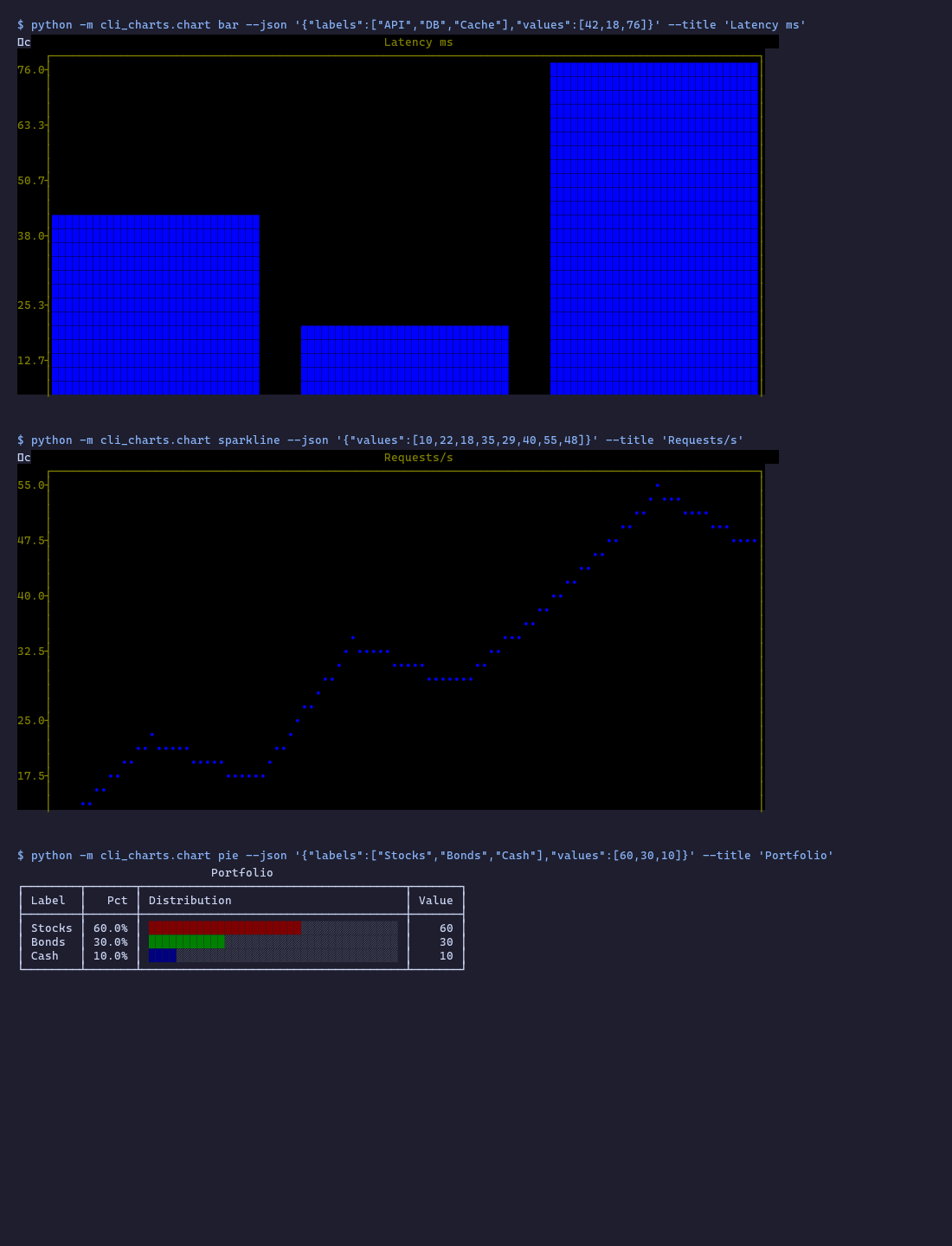
This tool is a terminal-native charting and visualization toolkit. It allows AI coding assistants like Claude Code to render 29 different types of charts, graphs, and even image/video outputs directly in the command-line interface without opening a browser or saving files.
Security Assessment
Overall risk: Low. The automated code scan checked 12 files and found no dangerous patterns, no hardcoded secrets, and no excessive permission requests. However, the tool does execute local shell commands via subprocesses. Specifically, the `image` and `video` chart types shell out to system-level executables (`chafa` and `ffmpeg`). While these are standard, legitimate multimedia tools, this does introduce a minor theoretical risk if your system's PATH is ever compromised. The tool relies on standard libraries and does not appear to make unauthorized network requests or scrape sensitive user data.
Quality Assessment
The project is very new and currently has low community visibility, sitting at only 5 GitHub stars. On the positive side, it is actively maintained (the last push was today) and adopts a permissive MIT license, making it highly accessible for integration and modification. Because of its extremely low star count, developers should expect that it has not been widely battle-tested or audited by a large open-source community.
Verdict
Safe to use, though administrators should be aware of its reliance on shelling out to `chafa` and `ffmpeg` for multimedia rendering.
Terminal-visible chart toolkit — 29 chart types (incl. image/video via chafa+ffmpeg) + live animation rendered directly in the CLI. No browser, no files. Works with Claude Code, Codex, Gemini CLI.
glyph-arts
When AI lives in the terminal, visualization must live there too.
All chart types rendered natively in the terminal -- no browser, no generated files, no context switch.pip install glyph-arts and your AI agent has a native sense of sight inside the CLI.
Install
pip install glyph-arts

# with LTTB downsampling (recommended for time-series):
pip install "glyph-arts[lttb]"

# with Textual TUI dashboard:
pip install "glyph-arts[tui]"

# everything:
pip install "glyph-arts[all]"
System dependencies (image / video charts only)
The image and video chart types shell out to chafa and ffmpeg.
Install them once before using those types:
| OS | Command |
|---|---|
| Windows | scoop install chafa ffmpeg or choco install chafa ffmpeg |
| macOS | brew install chafa ffmpeg |
| Linux (Debian/Ubuntu) | apt install chafa ffmpeg |
| Linux (Homebrew) | brew install chafa ffmpeg |
All other chart types are pure-Python and work after pip install glyph-arts alone.
Quick start
# bar chart
glyph-arts bar --json '{"labels":["Q1","Q2","Q3"],"values":[10,14,12]}' --title "Revenue"

# time series
glyph-arts line \
  --json '[{"label":"DAU","x":[1,2,3,4,5],"y":[100,120,115,130,125]}]' \
  --title "Daily Active Users"

# pie chart
glyph-arts pie \
  --json '{"labels":["Equity","Bond","Cash"],"values":[60,30,10]}' \
  --title "Asset Allocation"

# python -m also works:
python -m cli_charts bar --json '{"labels":["A","B"],"values":[3,7]}'

# check core dependencies:
glyph-arts --check-deps
# include optional extras (braille/lttb/tui):
glyph-arts --check-deps --all
Chart types
| Engine | Types |
|---|---|
| plotext | kline candlestick line scatter step bar multibar stackedbar hist heatmap box indicator event confusion |
| rich | table tree panel gauge pie dashboard rich_live |
drawille (optional [braille]) |
curve hires radar |
| plotille | plotille |
| uniplot | uniplot |
| misc | graph sparkline banner |
| media (requires chafa + ffmpeg) | image video |
Total: 31 types. See CHART_TYPE_COUNT in cli_charts/chart.py for the authoritative count.
All flags
glyph-arts <type> [--json JSON | --file PATH | --duckdb SQL --db PATH]
                  [--title TEXT] [--width N] [--height N] [--theme THEME]
                  [--sample N] [--xlabel X] [--ylabel Y]
                  [--xlim MIN MAX] [--ylim MIN MAX]
                  [--xscale linear|log] [--yscale linear|log]
                  [--orientation vertical|horizontal]
                  [--output FILE] [--no-color]
Width defaults to $COLUMNS (terminal width). Override with --width 120.
--sample N uses LTTB (Largest-Triangle-Three-Buckets) downsampling — shape-preserving, not random stride. Falls back to uniform stride if lttb not installed.
Pipe / file input
# stdin pipe (for large data)
cat metrics.json | glyph-arts bar --title "Benchmark"

# file (use with --sample for large datasets)
glyph-arts scatter --file ./data/million_points.json --sample 5000 --title "Correlation"
DuckDB integration
glyph-arts kline \
  --duckdb "SELECT trade_date,open,high,low,close FROM stock_daily WHERE ts_code='600519.SH' ORDER BY trade_date DESC LIMIT 60" \
  --db /path/to/data.duckdb \
  --title "Kweichow Moutai K-line"
| Chart type | Column mapping |
|---|---|
| kline / candlestick | col0=date, open/high/low/close by name |
| line / scatter / step / uniplot | col0=x, col1..N=y series |
| bar / pie | col0=labels, col1=values |
| table | all columns as-is |
| hist | all columns as value series |
| heatmap | matrix from .values, col names as xlabels |
| curve | col0=x, col1=y |
| sparkline | col0 values |
| confusion | col0=actual, col1=predicted |
| graph | col0=src, col1=dst (edge list) |
Dashboard
# interactive Textual TUI:
python -m cli_charts.dashboard --demo

# Rich static (pipe-safe, no textual required):
python -m cli_charts.dashboard --demo --no-interactive

# custom panels:
glyph-arts dashboard --json '{
  "panels": [
    {"type":"gauge","data":[{"label":"CPU","value":73,"max":100}],"title":"CPU"},
    {"type":"sparkline","data":{"values":[1,3,5,2,8,4,6]},"title":"Load"},
    {"type":"table","data":{"columns":["Host","Status"],"rows":[["web-01","OK"]]},"title":"Services"}
  ]
}' --title "System Health"
Exit codes
| Code | Meaning |
|---|---|
| 0 | Success |
| 1 | Bad input (JSON parse error or missing key) — ERROR:json: / ERROR:schema: on stderr |
| 2 | Missing dependency — ERROR:dep: pip install <pkg> on stderr |
| 4 | Render failed — ERROR:render: <traceback last line> on stderr |
For Claude Code / AI agents
See SKILL.md for the full AI usage contract: decision tree, schema reference, DO/DO NOT rules, and anti-patterns.
# Claude Code skill (no pip required — uses scripts/ shims):
SKILL=~/.claude/skills/glyph-arts
python $SKILL/scripts/chart.py bar \
  --json '{"labels":["A","B","C"],"values":[3,7,5]}' \
  --title "Example"
Environment variables
| Variable | Effect |
|---|---|
CLI_CHARTS_LOG=1 |
Append render history to .chart_history.jsonl |
NO_COLOR |
Disable ANSI colors (https://no-color.org) |
License
MIT
Reviews (0)
Sign in to leave a review.
Leave a reviewNo results found