DeepPaperNote
Health Pass
- License — License: MIT
- Description — Repository has a description
- Active repo — Last push 0 days ago
- Community trust — 25 GitHub stars
Code Pass
- Code scan — Scanned 12 files during light audit, no dangerous patterns found
Permissions Pass
- Permissions — No dangerous permissions requested
This tool is an agent skill designed to deeply read academic papers and automatically generate high-quality, structured research notes formatted for Obsidian. It handles the mechanical work of gathering, structuring, and placing figures so you can focus on understanding the paper.
Security Assessment
Overall Risk: Low. The codebase is minimal and safe. A scan of its 12 files found no dangerous patterns, hardcoded secrets, or requests for excessive permissions. It does not appear to execute malicious shell commands or access sensitive local data outside of the text files it is meant to process.
Quality Assessment
The project is in active development (last pushed 0 days ago) and uses a standard MIT license, which is highly permissive and safe for commercial and personal use. The repository is well-documented and clearly explains its objectives and compatibility. Community trust is currently low but positive, sitting at 25 GitHub stars, which is typical for a niche, early-stage developer tool.
Verdict
Safe to use.
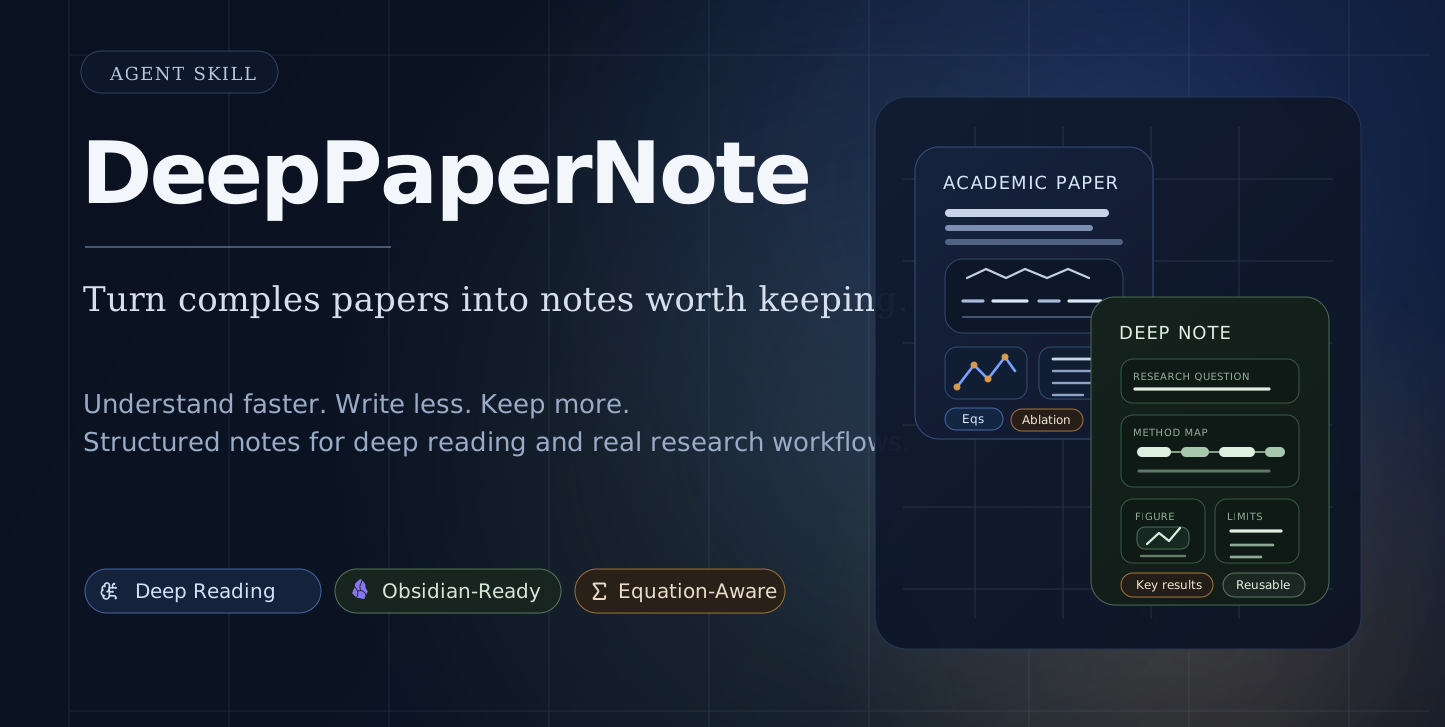
DeepPaperNote is an agent skill for deep-reading a single paper and generating high-quality Obsidian-style research notes. Works with Claude Code, Codex, Cursor, Copilot, Gemini CLI, and more.
DeepPaperNote
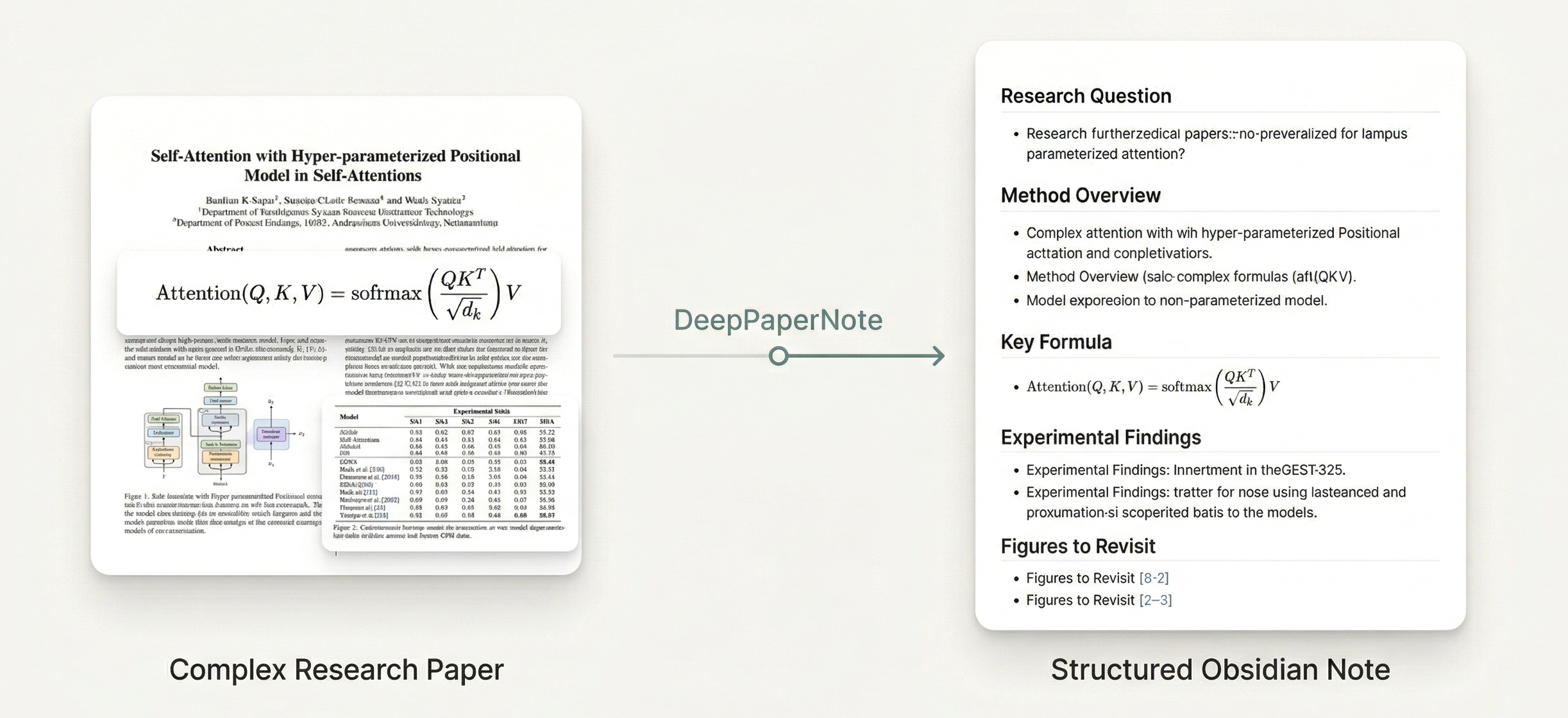
Turn a complex paper into an Obsidian note you will actually want to keep.








Do you often run into this situation: you want to study a classic paper carefully, but the hardest part is no longer reading it — it is turning that reading into usable notes? The real time sink usually looks like this:
- jumping back and forth between PDFs, Zotero, web pages, and your note app
- manually organizing metadata, abstracts, figures, and the method backbone
- understanding part of the paper, but still spending a long time turning that understanding into structured notes
- ending up with a note that looks complete but is not something you actually want to revisit later
DeepPaperNote is built for exactly that layer of repetitive, mechanical, but very expensive work. It takes over the gathering, structuring, figure placement, and note production work so you can keep your attention on actual thinking.
DeepPaperNote is a skill for deep paper reading. The same core skill can be used from Claude Code and Codex. It cares about a harder set of questions:
- What problem is this paper actually solving?
- How does the mechanism really work?
- Are the key equations, experiments, and figure context preserved?
- Does the final note become something worth keeping in your long-term knowledge base?
[!tip]
If you already have an Obsidian or Zotero workflow, DeepPaperNote automates the most tedious parts of evidence gathering, structuring, and note production.
🎯 What problems does it solve?
| 🎯 Your need / pain point | ✅ What DeepPaperNote does |
|---|---|
| You want to understand a complex paper faster | It organizes the method backbone, key results, figure context, and limitations into a note you can actually read through |
| You want to study a classic paper without handwriting a pile of mechanical notes | It handles metadata collection, structure building, figure placeholders, and full note generation so you can spend your energy on understanding |
| You want the paper to live inside Obsidian as a long-term asset | It files the paper into a domain-appropriate place inside your Obsidian knowledge base, then creates a paper-specific folder, Markdown note, and local images/ directory |
| You already manage papers in Zotero and do not want to redo the work | It can prefer local records and attachments, reducing mismatches and often speeding the workflow up |
| You do not want another polished-looking summary | It leans toward mechanism breakdown, key numbers, formulas, edge cases, and honest limitations |
In one sentence:
DeepPaperNote is a paper-reading-note workflow, not a paper-summary generator.
✨ How does it do that?
DeepPaperNote does not achieve higher note quality by simply rewriting the abstract in smoother prose. It raises note quality through a few workflow rules:
| 🧭 Core principle | 📝 What it means in practice |
|---|---|
| 🤖 Model-led understanding | The model is responsible for mechanism breakdown, method structure, key comparisons, and limitations instead of template-like summary writing. |
| 🗂️ Evidence first | It gathers evidence from PDFs, metadata sources, and optional Zotero workflows before writing, instead of producing claims first and looking for support later. |
| 🧪 Technical detail first | For technical papers, it tries to preserve key numbers, formulas, implementation logic, and real boundary conditions rather than stopping at high-level paraphrase. |
| 🖼️ Placeholder-first figures | When image extraction is unstable, it still keeps figure position, explanation, and context so the note structure does not break. |
| 🔗 Native knowledge-base output | It first routes the paper into a domain-appropriate place in your existing knowledge-base structure, then gives each paper its own folder, Markdown note, and images/ directory. |
| 📚 Local-library-first resolution | If the paper already exists in Zotero, it can reuse local items and attachments, which is often both more reliable and faster. |
👀 Who It Is For
|
👓 People studying hard or classic papers closely You are not reading papers just to skim the abstract and move on. You are reading papers with dense formulas, complex architectures, or layered experiments, and you want a note that actually untangles the method backbone, key results, and figure structure. |
🗂️ People building a long-term Obsidian knowledge base You want paper notes to remain searchable, linkable, and reusable over time. DeepPaperNote files papers into a more suitable place based on their domain, then creates the Markdown note and images/ folder so the result fits a real knowledge base.
|
🤖 People who want more than AI summaries You are not looking for a polished-looking recap. You want to know what the paper actually solves, how the method works, which results matter, and where the real limitations or misunderstandings are. DeepPaperNote aims closer to a research note than a summary generator. |
🚀 Quick Start
1) Install DeepPaperNote into your agent skill directory
DeepPaperNote supports both Claude Code and Codex.
Codex
If you use an Agent Skills-compatible installer, install from this repository with:
npx skills add 917Dhj/DeepPaperNote -a codex
If you prefer the manual path, download the latest release zip, extract it, and place the folder into your Codex skills directory.
For example, after downloading DeepPaperNote-v0.3.1-alpha.zip, you can unzip it and move the extracted folder to:
~/.codex/skills/DeepPaperNote-v0.3.1-alpha
You can also clone the source repository directly:
git clone https://github.com/917Dhj/DeepPaperNote.git ~/.codex/skills/DeepPaperNote
Claude Code
If you use an Agent Skills-compatible installer, install from this repository with:
npx skills add 917Dhj/DeepPaperNote -a claude-code
If you prefer the manual path, download the latest release zip, extract it, and place the folder into your Claude Code skills directory:
~/.claude/skills/DeepPaperNote-v0.3.1-alpha
You can also clone the source repository directly:
git clone https://github.com/917Dhj/DeepPaperNote.git ~/.claude/skills/DeepPaperNote
After installation, restart your agent so the skill is loaded.
2) Install the core Python dependency
Before your first real paper run, install the most important Python dependency:
python3 -m pip install PyMuPDF
Why this step matters:
- DeepPaperNote reads PDFs through
PyMuPDF - if
PyMuPDFis missing, the core PDF extraction pipeline will not work
3) Start using it immediately
After that, just hand a paper to the agent. A title, DOI, URL, arXiv ID, or local PDF all work. Prompts like these are enough:
Typical prompts:
Generate a deep-reading note for this paper: Attention Is All You NeedTurn this paper into an Obsidian note: https://arxiv.org/abs/1706.03762Read this PDF and produce a Markdown note with figure contextUse DeepPaperNote on this paper: 10.48550/arXiv.1706.03762
By default, DeepPaperNote writes the note in Chinese. At the moment, Chinese is the only note language that can fully benefit from the skill's current writing and linting rules. If you need English notes, please stay tuned for a future update.
By default, DeepPaperNote will:
- resolve the paper identity
- gather metadata and PDF evidence
- plan figure placeholders and attempt high-confidence figure replacement
- generate the final Markdown note
- save it into Obsidian when configured, or ask for your vault path before falling back to the current directory
4) You do not need perfect setup on day one
You can try DeepPaperNote even if you have not finished configuring Obsidian, Zotero, or OCR yet.
If you want the Python dependencies for local development:
python3 -m pip install -e .
If you want to check the environment first, you can also ask the agent with short requests such as:
Please check whether DeepPaperNote is ready on this machine查看 deeppapernote 的可用情况deeppapernote 有什么功能
🔧 Configuration (works out of the box, improves with setup)
Once you have PyMuPDF installed, you're ready to start generating notes with DeepPaperNote right away. The configurations outlined below are extensions of the core features, designed to help you seamlessly integrate the generated notes into your actual research workflow.
- if no Obsidian vault is configured, it can still save notes into the current working directory
- if you want an Obsidian-native long-term workflow, you should configure your vault path
- everything else in this section is optional and improves specific workflows
Core setup: point DeepPaperNote to your Obsidian vault
The cleanest setup is:
export DEEPPAPERNOTE_OBSIDIAN_VAULT="/absolute/path/to/your/Obsidian_Documents"
If you want your agent to keep seeing this default configuration in future terminal sessions:
- on macOS / Linux, add it to your shell config such as
~/.zshrc, then reload your shell (or restart the agent):
echo 'export DEEPPAPERNOTE_OBSIDIAN_VAULT="/absolute/path/to/your/Obsidian_Documents"' >> ~/.zshrc
source ~/.zshrc
- on Windows PowerShell, persist it as a user environment variable and then restart your terminal:
setx DEEPPAPERNOTE_OBSIDIAN_VAULT "C:\Users\YourName\Documents\Obsidian_Documents"
Directory-related settings
If you want to customize paper output paths or intermediate artifact paths:
export DEEPPAPERNOTE_PAPERS_DIR="Research/Papers"
export DEEPPAPERNOTE_OUTPUT_DIR="tmp/DeepPaperNote"
| ⚙️ Variable | Required | 📝 Purpose |
|---|---|---|
DEEPPAPERNOTE_OBSIDIAN_VAULT |
Recommended | Root path of your Obsidian vault |
DEEPPAPERNOTE_PAPERS_DIR |
Optional | Vault-relative paper output folder, default: Research/Papers |
DEEPPAPERNOTE_OUTPUT_DIR |
Optional | Local temporary artifact directory, default: tmp/DeepPaperNote |
DEEPPAPERNOTE_WORKSPACE_OUTPUT_DIR |
Optional | Fallback output folder under the current working directory when no Obsidian vault is configured, default: DeepPaperNote_output |
If you want your agent to keep using these values by default:
- on macOS / Linux, add them to your
~/.zshrcas well:
echo 'export DEEPPAPERNOTE_PAPERS_DIR="Research/Papers"' >> ~/.zshrc
source ~/.zshrc
- on Windows PowerShell, persist them as user environment variables:
setx DEEPPAPERNOTE_PAPERS_DIR "Research/Papers"
Why the optional path settings can help:
DEEPPAPERNOTE_PAPERS_DIR
Useful if your vault does not store papers underResearch/Papers, or if you want DeepPaperNote to fit an existing folder convention without extra manual moves.DEEPPAPERNOTE_OUTPUT_DIR
Useful if you want all intermediate artifacts in a predictable location for debugging, cleanup, or experimentation.
Optional: Zotero for local-library-first workflows
DeepPaperNote can work without Zotero.
But if you want the agent to search your local Zotero library first, you should expose a Zotero integration that your agent runtime can actually use.
This is most worth setting up if you already use Zotero as your main paper-management or reading workflow.
Recommended ways to think about it:
| 🧩 Option | 🎯 Best for | 📝 Notes |
|---|---|---|
| kujenga/zotero-mcp | Lightweight read access | Closer to a minimal Zotero MCP server for search, metadata, and text access, but it usually still needs some adaptation for your agent runtime |
| 54yyyu/zotero-mcp | Richer research workflow features | More feature-rich, but stable use usually still requires some integration work on your side |
Why it matters:
- local Zotero hits are usually the best identity anchor
- if the paper is already in your local Zotero library, DeepPaperNote can often reuse local records and attachments instead of searching and downloading again, which also tends to make note generation faster
- the agent can prefer your local paper library before internet search
- local attachments can reduce wrong-title matches
- it is especially helpful when you already curate papers in Zotero and do not want DeepPaperNote to rediscover the same paper from weaker web matches
- it also improves reliability for published papers whose title may collide with preprints, workshop versions, or mirrored pages
Important note:
- DeepPaperNote does not require one specific Zotero integration
- for DeepPaperNote, the key capability is that the agent can search Zotero items, inspect metadata, and ideally read local full text
- the two routes above are not always plug-and-play, so stable use may still require some adaptation on your side
Optional: Semantic Scholar API key
This is not required, but if you have a Semantic Scholar API key you can expose it as:
export DEEPPAPERNOTE_SEMANTIC_SCHOLAR_API_KEY="your_api_key"
Why it can help:
- metadata lookup is usually more stable when Semantic Scholar is available
- title-based paper resolution can be more reliable for hard-to-match papers
- author, venue, and abstract backfill may be more complete in some cases
- it gives DeepPaperNote one more strong source before falling back to weaker guesses
Optional: OCR tooling for scanned PDFs
OCR is not required for many modern PDFs.
But it becomes useful when a paper is:
- a scanned PDF
- an image-based PDF with poor embedded text
- an older paper where direct text extraction is incomplete
Why DeepPaperNote uses OCR:
- to recover page text when direct PDF extraction is too weak
- to preserve method and results evidence that would otherwise be lost
- to improve page-level context around figures and captions
Current OCR logic in DeepPaperNote:
- DeepPaperNote first tries normal PDF text extraction with
PyMuPDF - for each page, it counts how much searchable text was extracted
- if a page has too little extracted text, it becomes an OCR fallback candidate
- OCR is then applied to that page only
- the recovered OCR text is mainly used as page context for later evidence handling and figure/page semantic matching
Important scope note:
- OCR is currently a page-text fallback
- it is not the primary extraction path for all PDFs
- it is not used as a replacement for model-side understanding
- it is not used to understand images directly
Without OCR, DeepPaperNote still works well on normal digital PDFs, but scanned or low-quality PDFs may produce weaker evidence.
Required software and packages for OCR:
| 🧱 Layer | 📦 Requirement | 📝 Purpose |
|---|---|---|
| System tool | tesseract |
The actual OCR engine |
| Python package | pytesseract |
Python bridge to tesseract |
| Python package | Pillow |
Opens rendered page images before OCR |
Install on macOS:
brew install tesseract
python3 -m pip install --user pytesseract Pillow
Install on Windows:
winget install UB-Mannheim.TesseractOCR
py -m pip install --user pytesseract Pillow
If winget is unavailable, install Tesseract OCR manually and then run:
py -m pip install --user pytesseract Pillow
Quick verification:
tesseract --version
python3 -c "import pytesseract, PIL; print('python_ok')"
python3 -c "import pytesseract; print(pytesseract.get_tesseract_version())"
📝 Changelog Preview
For release-level updates, see CHANGELOG.md.
| 🏷️ Version | 🚦 Status | ✨ Highlights |
|---|---|---|
| v0.3.1-alpha | ✅ Released | Default Obsidian paper root changed to Research/Papers, with runtime path resolution and save behavior aligned to the new location |
| v0.3.0-alpha | ✅ Released | Major quality upgrade: dedicated innovation section, explicit mechanism flow, stronger workflow discipline, final readability review, math syntax gate, and the new Original Abstract Translation front-matter block |
| v0.2.0-alpha | ✅ Released | Replication-oriented note-writing upgrade: explicit note_plan, equation-aware output, stricter final self-review, bilingual abstract handling, and stronger formatting checks |
| v0.1.0-alpha | ✅ Released | First public alpha: evidence-bundle workflow, Zotero-first helpers, placeholder-first figure handling, workspace fallback, OCR fallback, tests, and CI |
| Unreleased | 🕒 No new release-level changes yet | There are currently no additional public release notes beyond v0.3.1-alpha |
⚙️ Workflow
The default path is:
- resolve the paper identity
- collect metadata
- fetch a PDF or enough full-text evidence
- extract evidence
- extract PDF image assets
- plan figure positions
- build a synthesis bundle
- let the model write the note
- lint the final note
- perform the final readability review and write it into Obsidian
Core principle:
- scripts gather evidence
- the model understands and writes
- linting and final readability review are the final gates before saving
Related docs:
🖼️ Figure Strategy
When figure handling breaks down, the quality of the whole note usually drops with it.
That is why DeepPaperNote uses a more structure-first, placeholder-first figure strategy:
- keep the semantic place of important figures inside the note
- avoid breaking the reading flow when extraction is incomplete
- show which figure belonged there and why it matters, so you can later revisit the paper and add the image yourself if needed
Recommended placeholder format:
> [!figure] Fig. 3 Data Distribution and Quality Evaluation
> Suggested location: Data and task definition
> Why here: This figure combines sample composition, conversation-length statistics, and expert quality checks, making it one of the most important figures for understanding the data boundaries.
> Current status: Placeholder kept; current extraction only recovered partial subpanels and cannot yet reconstruct the full original figure reliably.
In other words, DeepPaperNote prioritizes:
note completeness and readability over forcing every figure to be extracted automatically at any cost
✅ Quality Bar
DeepPaperNote has a concrete bar for what counts as a usable note.
The final note should:
- clearly separate the research question and the task definition
- explain the real method or analytical pipeline
- capture the numbers that actually matter
- point out where the paper is easiest to misread
- include at least one honest limitation
- use real heading structure:
#,##,### - avoid mixed Chinese-English prose in the body
If the evidence is not strong enough, the workflow should degrade gracefully or fail instead of pretending that a deep reading note is complete.
Related docs:
🗂️ Repository Layout
DeepPaperNote/
├── SKILL.md
├── README.md
├── README.zh-CN.md
├── CHANGELOG.md
├── LICENSE
├── pyproject.toml
├── agents/
│   └── openai.yaml
├── assets/
│   ├── hero-academic.svg
│   ├── hero.png
│   └── note_template.md
├── references/
│   ├── architecture.md
│   ├── deep-analysis.md
│   ├── evidence-first.md
│   ├── figure-placement.md
│   ├── final-writing.md
│   ├── metadata-sources.md
│   ├── model-synthesis.md
│   ├── note-quality.md
│   ├── obsidian-format.md
│   ├── paper-types.md
│   └── workflow.md
└── scripts/
    ├── build_synthesis_bundle.py
    ├── check_environment.py
    ├── collect_metadata.py
    ├── common.py
    ├── contracts.py
    ├── create_input_record.py
    ├── extract_evidence.py
    ├── extract_pdf_assets.py
    ├── fetch_pdf.py
    ├── lint_note.py
    ├── locate_zotero_attachment.py
    ├── materialize_figure_asset.py
    ├── plan_figures.py
    ├── resolve_paper.py
    ├── run_pipeline.py
    └── write_obsidian_note.py
🧰 Recommended Environment
| 🧰 Component | 🚦 Status | 📝 Notes |
|---|---|---|
| Claude Code / Codex | Recommended | Supported agent environments |
| Python 3.10+ | Required | Runs the helper scripts |
| PyMuPDF | Required | Core PDF dependency; install it with python3 -m pip install PyMuPDF |
| Local Obsidian vault | Recommended | Writes directly into a long-term note system; otherwise falls back to the current working directory |
| Zotero integration | Optional | Helpful for local-library-first paper workflows |
| OCR tools | Optional | Improves handling of scanned PDFs |
🧭 Design Principles
The core judgment behind DeepPaperNote is simple:
- A good paper note is not just a paragraph-style summary.
A useful note should help you understand:
- how the method works
- where the evidence comes from
- what the experiments actually show
- what the real boundaries and limitations are
- The goal of paper reading is a reusable research asset.
Not just “I kind of get it right now,” but something you can revisit, cite, and build on later.
- Note generation should serve a real research workflow.
That is why it is designed to fit naturally with:
- Obsidian
- Zotero
- local paper management
- long-term knowledge-base building
🧭 Inspirations
DeepPaperNote was influenced by projects that take paper reading, evidence extraction, and note generation seriously, especially:
📄 License
This project is licensed under the MIT License.
Reviews (0)
Sign in to leave a review.
Leave a reviewNo results found