aeon
Health Pass
- License — License: MIT
- Description — Repository has a description
- Active repo — Last push 0 days ago
- Community trust — 574 GitHub stars
Code Fail
- rm -rf — Recursive force deletion command in .github/workflows/aeon.yml
Permissions Pass
- Permissions — No dangerous permissions requested
No AI report is available for this listing yet.
The most autonomous agent framework. No approval loops. No babysitting. Configure once, forget forever.

AEON




The most autonomous agent framework.
Give it a direction and it gets the work done: ships features to your repos, finds and privately discloses real vulnerabilities, deploys live apps, runs deep research - and writes new skills for itself. No approval loops. No babysitting. Configure once, forget forever.
Quick start
You need three things:
Node.js 20+ - grab the LTS installer from nodejs.org, or use a package manager:
brew install node(macOS),winget install OpenJS.NodeJS.LTS(Windows), nvm or your distro's package manager (Linux). Already have it?node -vshould print 20 or higher.GitHub CLI (
gh), authenticated - the dashboard uses it for everything (secrets, workflows), and./aeonchecks it before starting. Install:brew install gh(macOS),winget install --id GitHub.cli(Windows), per-distro instructions (Linux). Then rungh auth loginand follow the prompts.Your own copy of this repo - click Use this template at the top of the repo page - keep it public, Actions minutes are free on public repos. CLI version:
gh repo fork aeonfun/aeon --clone.
git clone https://github.com/<you>/aeon   # skip if you used `gh repo fork --clone`
cd aeon && ./aeon
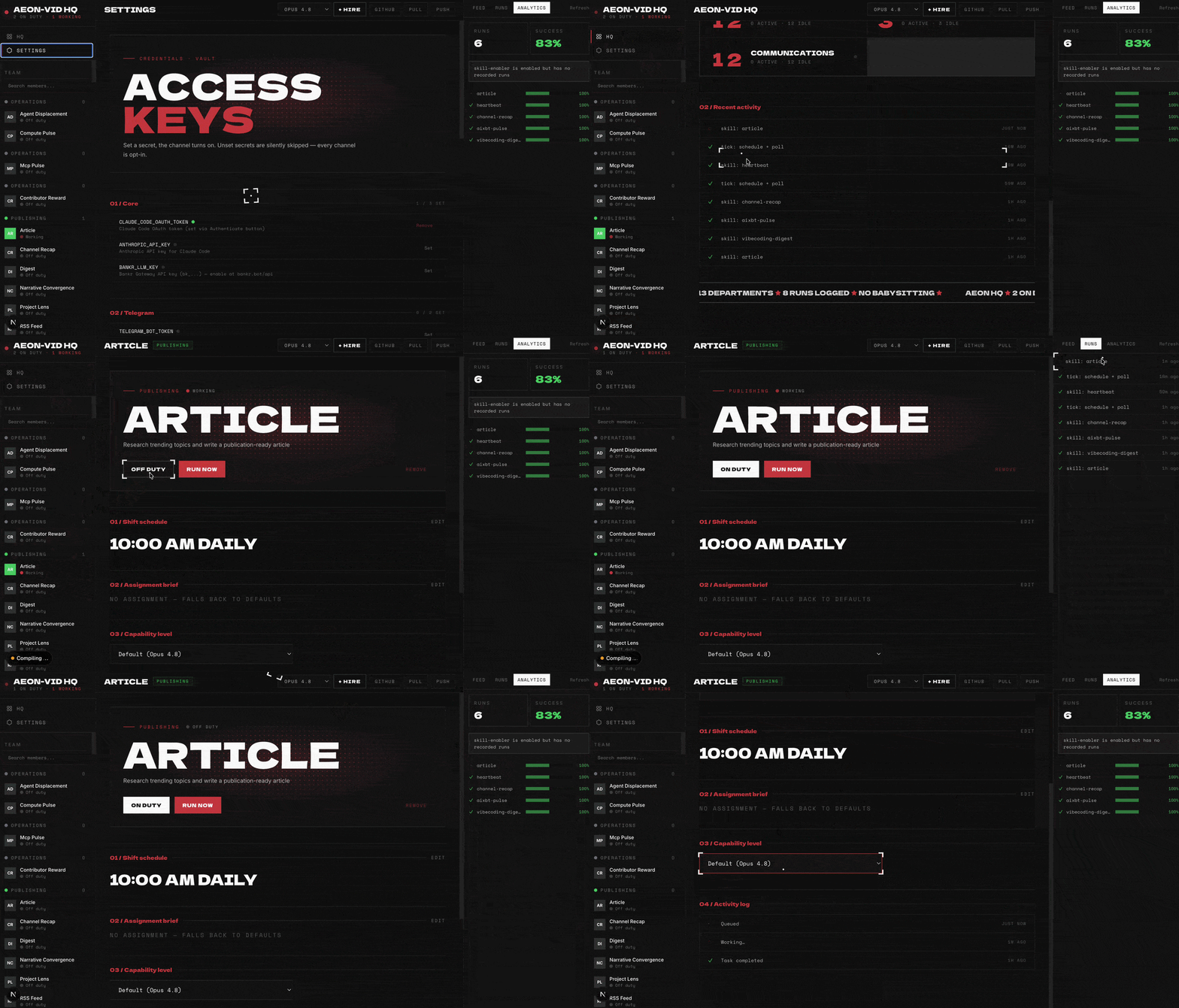
Open http://localhost:5555 and follow the four steps:
- Authenticate - connect your Claude Pro/Max subscription or your X account (for the Grok harness), or paste an API key - Anthropic, Anthropic-compatible, or an LLM gateway key, routed automatically by prefix.
- Add a channel - Telegram, Discord, Slack, or email so Aeon can talk to you.
- Pick skills - toggle what you want, set schedules. Each skill shows the API keys and MCP servers it needs, with one-click setup.
- Run - hit Run now on any skill to try it immediately; API keys and
varvalues apply directly, no push needed. When you change config (schedules, toggles), Push commits it to GitHub in one click so Actions runs it on cron.
That's it - Aeon now runs unattended.
Dashboard views, local dev, env vars, and remote access are documented in apps/dashboard/README.md.
Prefer the terminal? Everything the dashboard does is also a command - ./aeon skills ls, ./aeon skills enable <name>, ./aeon secrets set …, ./aeon runs logs <id>. Same logic, no browser, scriptable with --json. See Command line.
gh?
Grab the gh_*_macOS_arm64.zip (or your platform's binary) from github.com/cli/cli/releases and drop it on your PATH (e.g. ~/.local/bin). Then gh auth login.
What Aeon can do
A skill is a Markdown file: some frontmatter, then a prompt. No plugin API, nothing to compile. Here's a real one, trimmed:
# skills/digest/SKILL.md
---
name: digest
category: basics                 # which pack it belongs to
description: Generate and send a digest on a configurable topic
requires: [XAI_API_KEY?]         # ? = optional key, bare = required
var: ""                          # per-run input - "solana", "rust", "AI agents"…
mode: write
---
Today is ${today}. Generate and send a daily ${var} digest.
The whole point of a digest is signal, not volume. A reader skimming for 60 seconds should walk away with three things they didn't know that morning and one of them should change a decision they'd make this week. Anything that doesn't clear that bar gets cut.
The prompt is the skill, judgment and all. You schedule it, hand it a var, chain it into others, and Haiku rates every run. Six packs ship in the box - Core, Evolution, and Basics are on by default; enable the rest in the dashboard's Packs view (a visibility switch, it runs nothing). Full catalog below; how packs work: docs/skill-packs.md.
| Pack | Key | Skills | Examples |
|---|---|---|---|
| Core - fleet coordination, self-config, liveness; shown by default | core |
11 | fleet-control, spawn-instance, auto-workflow |
| Evolution - authors, evolves, installs & heals its own skills; shown by default | evolution |
7 | create-skill, autoresearch, skill-repair |
| Basics - simple, immediately-runnable skills; shown by default | basics |
13 | digest, token-movers, pr-review |
| Dev & Code | dev |
8 | github-monitor, feature, deploy-prototype |
| Crypto & Markets | crypto |
12 | token-pick, defi-overview, ctrl |
| Productivity | productivity |
8 | mention-radar, send-email, okf-export |
Three packs are shown by default (Core, Evolution, Basics); the rest are revealed on demand.
| Pack | Skills |
|---|---|
Core (core, 11) |
auto-merge,auto-workflow,fleet-control,fork-fleet,heartbeat,memory-flush,narrative-convergence,shiplog,soul-builder,spawn-instance,strategy-builder |
Evolution (evolution, 7) |
autoresearch,create-skill,install-skill,search-skill,self-improve,skill-health,skill-repair |
Basics (basics, 13) |
action-converter,article,bd-radar,digest,fetch-tweets,github-trending,idea-forge,last30,pr-review,price-alert,token-movers,tx-explain,write-tweet |
Dev & Code (dev, 8) |
changelog,deploy-prototype,feature,github-monitor,inbox-triage,pr-triage,vuln-scanner,vuln-tracker |
Crypto & Markets (crypto, 12) |
base-mcp,ctrl,defi-overview,distribute-tokens,investigation-report,monitor-polymarket,narrative-tracker,onchain-monitor,picks-tracker,pm-manipulation,token-pick,unlock-monitor |
Productivity (productivity, 8) |
idea-pipeline,mention-radar,okf-export,okf-ingest,operator-scorecard,reply-maker,schedule-ads,send-email |
Authoritative source: skills.json + packs.json, the dashboard Packs view, or bin/add-skill aeonfun/aeon --list. A skill's pack comes from its category: frontmatter - see docs/skill-packs.md.
It heals itself
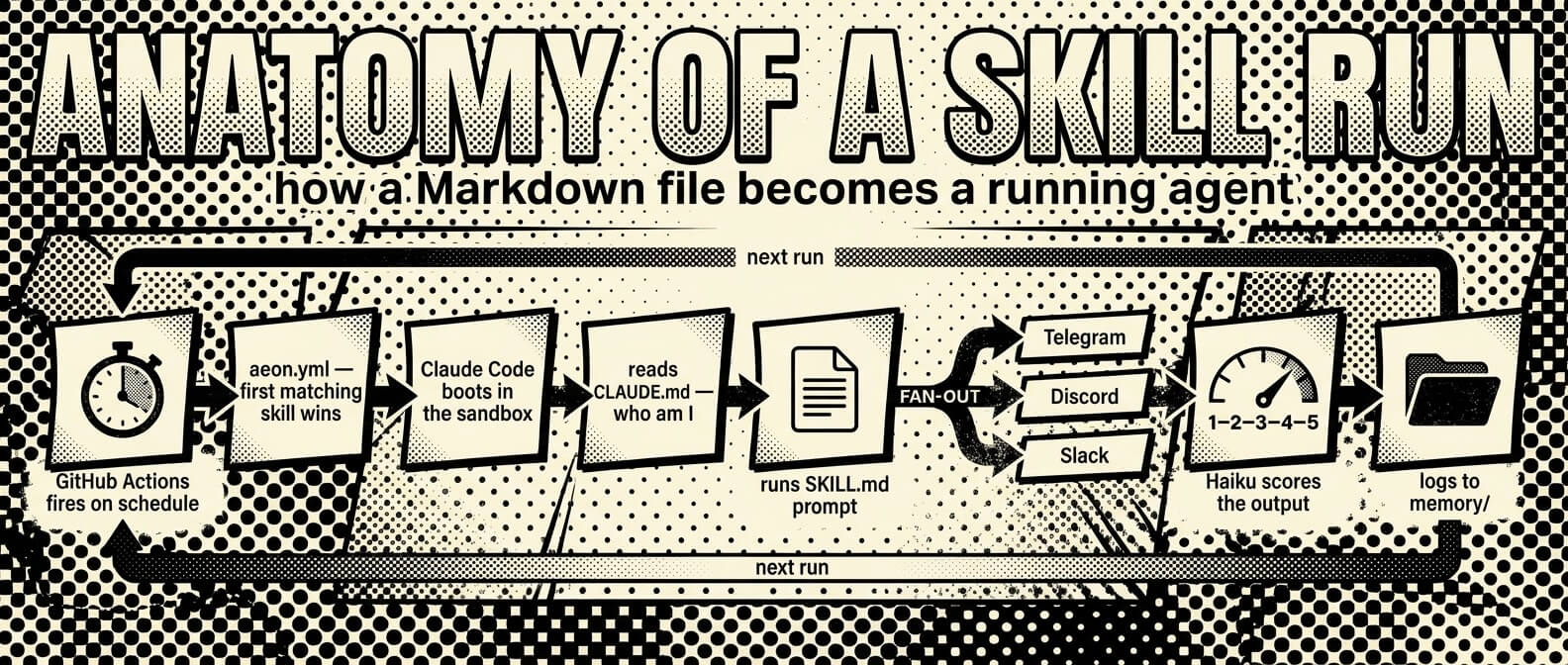
Every skill output is automatically scored 1–5 by Haiku after each run. Scores and failure flags (api_error, stale_data, rate_limited) are tracked per skill in memory/skill-health/ with a rolling 30-run history. When something breaks, the loop fixes it without you:
heartbeat(daily) - detects failed, stuck, or chronically broken skillsskill-health- audits quality scores and flags API degradation patternsskill-repair- diagnoses and patches failing skills automaticallyself-improve- evolves prompts, config, and workflows based on performance
Health skills file issues, repair skills close them. heartbeat is the only skill enabled by default: nothing to report → silent; something needs attention → one notification. Deep dive: docs/CORE.md.
Votable health (on by default - set the repo variable HEALTH_ISSUES=0 to turn it off): when a skill regresses (a Haiku score of 1–2 or a failure flag), the loop opens or comments on a per-skill GitHub Issue titled health: <skill>; clean runs stay silent, so there's no issue spam. 👍/👎 the issue and self-improve / skill-repair triage the most-voted, worst-scoring skills first - a visible, conflict-free repair queue you can steer.
It replicates
Aeon can spawn and manage copies of itself. spawn-instance forks the repo into a new specialized instance (var: "crypto-tracker: monitor DeFi protocols"), selects relevant skills, and registers it in memory/instances.json - no secrets propagated, billing stays isolated. fleet-control health-checks and dispatches across instances; its scorecard mode tracks fleet economics.
It ships real work
feature- ships code unprompted, to your watched repos or any repo withvar: external:<owner/repo>.deploy-prototype- generates and deploys live web apps to Vercel.vuln-scanner- finds real code vulnerabilities and reports them only through the maintainer's private channel (GitHub's advisory system or a private email, never a public issue), with drafts waiting for your review by default and any project that declines AI-authored reports skipped.autoresearch- evolves existing skills through scored variations.create-skill- generates new ones from a sentence.
Add more skills
bin/add-skill aeonfun/aeon --list        # browse the built-in catalog
bin/add-skill BankrBot/skills bankr hydrex  # install from any GitHub repo
bin/add-skill BankrBot/skills --all         # install everything from a repo
bin/export-skill token-movers               # package one for standalone use
Installed skills land in skills/ and are added to aeon.yml disabled - flip enabled: true to activate. You can also:
- Build your own from
docs/examples/skill-templates/:bin/new-from-template <template> <skill-name> --category <pack>- the--categoryslots it into a pack (or setcategory:in the SKILL.md frontmatter). Seedocs/skill-packs.md. - Use one skill elsewhere without forking: drop a portable workflow from
docs/examples/workflow-templates/into any repo's.github/workflows/. - Label any GitHub issue
ai-build- Claude reads the issue, implements it, and opens a PR - Install community packs - see Community Packs
Proof of work
Aeon's skills ship to production. These numbers are live at aeon.fun.
| Skill | In production |
|---|---|
vuln-scanner |
~1.6M GitHub stars secured - real vulnerabilities found, patched, and responsibly disclosed across 54 open-source projects (31 rated High/Critical). Every disclosure → |
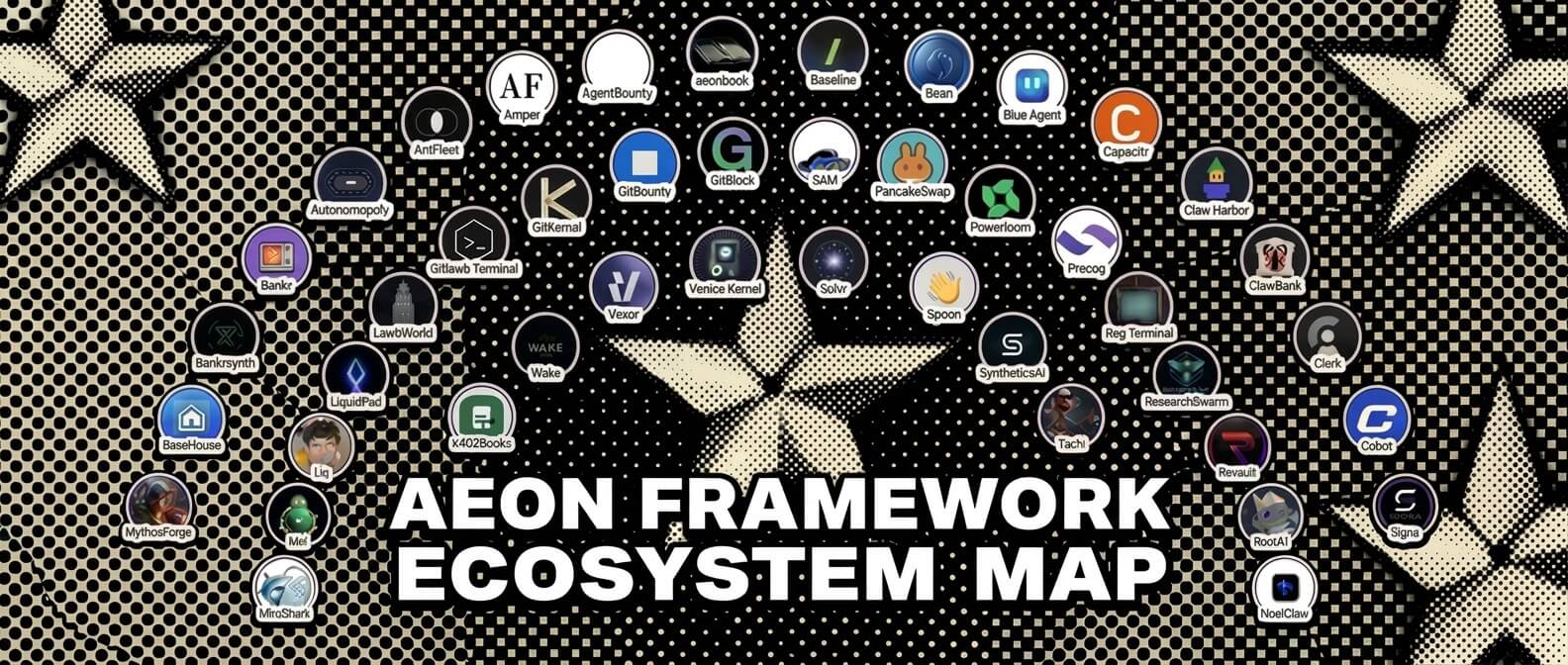
| ecosystem | 72 products & agents built on Aeon. ECOSYSTEM.md |
| community | 10 community skill packs published to the registry. community-skill-packs.md |
One skill, end to end. vuln-scanner clones a repo from your watchlist, runs Semgrep, OSV, and TruffleHog, then triages the hits hard - a finding ships only if it's exploitable, not theoretical, and you'd defend it to the maintainer's face. Most are discarded. What survives becomes a maintainer-ready report, sent through the repo's private advisory channel with a proposed patch pushed to your fork for the maintainer to cherry-pick. That loop, run across the open-source wild, is what the numbers above are made of.
Guardrails
Autonomy needs brakes. Aeon ships several, on by default or one flag away.
- Read-only skills can't touch the repo. A skill marked
mode: read-onlyruns with no write, git, orghtools. It cannot commit, push, or open a PR, and a post-run guard reverts any stray write. - Irreversible actions fail closed. Money transfers preflight the balance and dedupe per recipient. Disclosure emails sit behind a daily cap and a kill-switch. Ad spend trips a circuit-breaker. A failed send stays failed; nothing retries blindly.
- An optional authorization layer gates every run. Point
FLEET_ENDPOINT+FLEET_TOKENat a self-hosted Fleet Watcher and each run asks "is this allowed?" before Claude starts. It fails closed when the control plane is unreachable. - Secrets stay off the command line. Auth'd calls go through
./secretcurlwith{PLACEHOLDER}tokens. The dashboard answers only to loopback until you allowlist a host.
Details for each are in the configuration reference.
Why "the most autonomous"
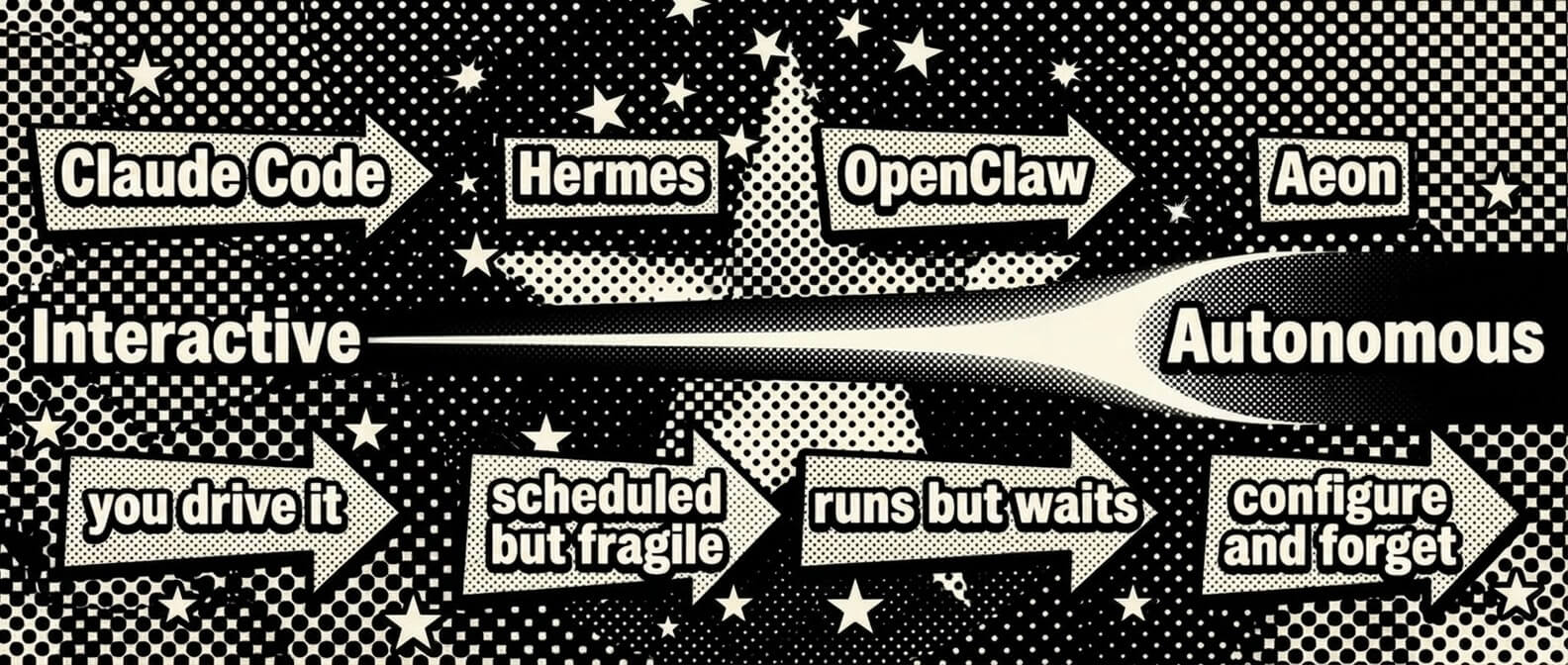
Most agent tools keep you in the loop. Approve this call, review this diff, confirm this action. Aeon is built for the work you want done while you're away: briefings, market monitoring, PR reviews, research digests, security scans. It runs on a schedule, remembers across runs, reacts to conditions, and repairs its own broken skills. No other framework does all four unattended.
You still reach for Claude Code to write code by hand. For the recurring work that doesn't need you watching, the most autonomous agent is the one that never asks.
See SHOWCASE.md for how Aeon stacks up against AutoGen, CrewAI, n8n, and LangGraph, and ECOSYSTEM.md for products built on it.
Configure
Schedules
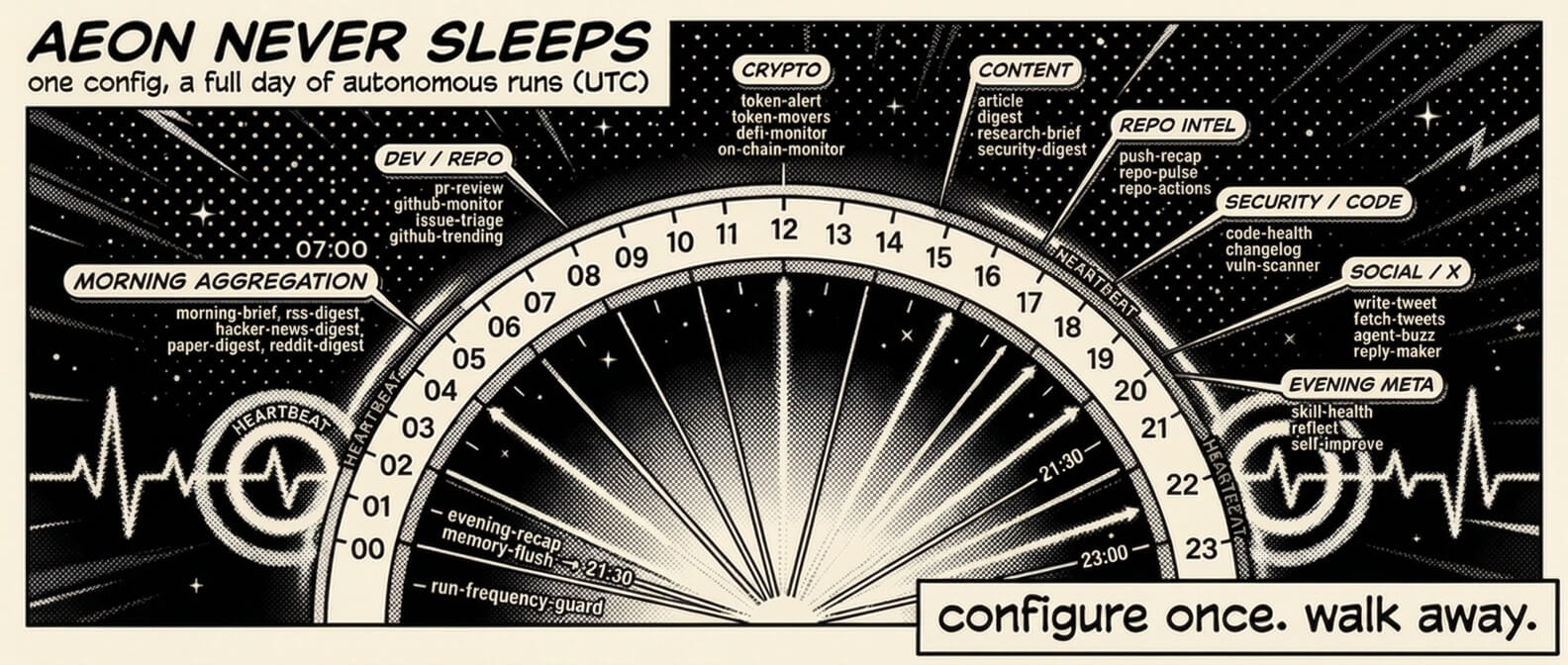
All scheduling lives in aeon.yml:
skills:
  article:
    enabled: true               # flip to activate
    schedule: "0 8 * * *"       # daily at 8am UTC
  digest:
    enabled: true
    schedule: "0 14 * * *"
    var: "solana"               # topic for this skill
Standard cron format, all times UTC. Supports *, */N, exact values, comma lists. On each tick the scheduler dispatches every enabled skill whose cron is due, and multiple due skills run in parallel. The only thing that orders dispatch is depends_on: (a skill's dependencies fire first); heartbeat is listed last purely by convention.
The var field
Every skill accepts a single var - a universal input each skill interprets its own way:
| Skill type | What var does |
Example |
|---|---|---|
| Research & content | Sets the topic | var: "rust" → digest about Rust |
| Dev & code | Narrows to a repo | var: "owner/repo" → only review that repo's PRs |
| Crypto | Focuses on a token/wallet | var: "solana" → only check SOL price |
| Productivity | Sets the focus area | var: "shipping v2" → priority brief emphasizes v2 |
Empty var = the skill's default behavior (scan everything, auto-pick topics). Set it from the dashboard or pass it when triggering manually.
Models
The default model for all skills is set in aeon.yml (or from the dashboard header dropdown):
model: claude-sonnet-4-6
Options: claude-sonnet-4-6 (default), claude-opus-4-8, claude-fable-5, claude-opus-4-7, claude-sonnet-5, claude-haiku-4-5-20251001. Per-run overrides are available via workflow dispatch, and individual skills can override to optimize cost:
skills:
  token-movers: { enabled: true, schedule: "30 12 * * *", model: "claude-sonnet-4-6" }
Authentication
Aeon needs at least one way to reach a model. Add any of these in the dashboard's Authenticate modal - paste a key and the provider is auto-detected from its prefix (or picked from the dropdown). You can set several: each run resolves the highest-priority one whose key is present, so you don't have to choose just one.
| How | Secret | Billing |
|---|---|---|
| Claude subscription - one-click OAuth | CLAUDE_CODE_OAUTH_TOKEN |
Included in your Pro/Max plan |
| Anthropic API | ANTHROPIC_API_KEY |
Pay-as-you-go · console.anthropic.com |
| LLM gateway - cheaper / crypto-settled | Bankr bk_… · OpenRouter sk-or-… · Surplus inf_… · Venice / UsePod |
see LLM Gateways |
| Grok - via your X account | GROK_CREDENTIALS or XAI_API_KEY |
SuperGrok / X Premium+ · see Harnesses |
Prefer the CLI for the subscription token?
claude setup-token # opens browser → prints sk-ant-oat01-... (valid 1 year)
Notifications
Set the secret → channel activates. No code changes needed.
| Channel | Outbound | Inbound |
|---|---|---|
| Telegram | TELEGRAM_BOT_TOKEN + TELEGRAM_CHAT_ID |
Same |
| Discord | DISCORD_WEBHOOK_URL |
DISCORD_BOT_TOKEN + DISCORD_CHANNEL_ID |
| Slack | SLACK_WEBHOOK_URL |
SLACK_BOT_TOKEN + SLACK_CHANNEL_ID |
RESEND_API_KEY + NOTIFY_EMAIL_TO |
- |
Set up each channel:
- Telegram - create a bot with @BotFather, then copy its token + your chat ID. Saving the token in the dashboard auto-registers the slash-command menu (
/skillnamedispatches instantly, no LLM); a Re-register commands button re-syncs it after you toggle skills. Every notification carries Run again / Schedule weekly buttons, deep links, and stateless follow-up questions. Full guide → - Discord - outbound: Channel Settings → Integrations → Webhooks → New Webhook, copy the URL. Inbound: discord.com/developers → your app → Bot → add the
channels:historyscope → copy the bot token + channel ID. - Slack - outbound: api.slack.com/apps → Create App → Incoming Webhooks → install → copy the URL. Inbound: add the
channels:history+reactions:writescopes → copy the bot token + channel ID. - Email - resend.com/api-keys → Create API Key → set it as
RESEND_API_KEY, andNOTIFY_EMAIL_TOto your inbox. Optional:NOTIFY_EMAIL_FROM(default[email protected]- must be a sender/domain verified in Resend) andNOTIFY_EMAIL_SUBJECT_PREFIX(default[Aeon]). Same key as security disclosures, so one Resend key powers all outbound email.
Restrict who can command the agent (inbound): Telegram is already scoped to a single TELEGRAM_CHAT_ID. For Discord and Slack, set the optional repo variables DISCORD_ALLOWED_AUTHOR_ID / SLACK_ALLOWED_USER_ID (or same-named secrets) to the authorized sender's user ID - inbound messages from anyone else in the channel are then ignored. Leaving them unset processes commands from any non-bot member of the channel, so set them whenever the channel isn't private to you.
Want ~1s Telegram replies instead of up-to-5-min polling? See Telegram instant mode.
API keys per skill
Skills that call third-party APIs declare their credentials in a requires: frontmatter list, so the dashboard shows which skill needs which key:
requires: [XAI_API_KEY, COINGECKO_API_KEY?] # bare = required · `?` = works better with
The dashboard surfaces this as an API keys panel on each skill (set/unset status, inline "Set" button), a ⚠ flag when an enabled skill is missing a required key, and a "used by" index under each key in Settings → Access Keys. Skills can likewise declare MCP servers with an mcp: list (mcp: [base]) - same two tiers, shown as a per-skill MCP servers panel with install state. Convention details: docs/examples/skill-templates/TEMPLATE.md.
Community Packs
Aeon's built-in (first-party) packs - Core, Evolution, Basics, Dev, Crypto, Productivity - live in this repo and are enabled from the dashboard's Packs view; see
docs/skill-packs.md. The packs below are community collections in their own repos.
Third-party skill collections in their own repos, installable as one bundle - two ways:
One-click (dashboard). Open the Packs view, scroll to Community packs, and hit Install pack on any card. That runs the security-scanned installer in the background and ships an auto-merging PR, so the skills land on main (and show up across the dashboard) with no manual step. Want to merge it yourself instead? The card's copy button hands you the exact CLI command below.
CLI.
bin/install-skill-pack AntFleet/aeon-skills
bin/install-skill-pack --list      # browse the registry (skill-packs.json)
Either way the installer reads the pack's skills-pack.json manifest, runs the security scanner on each SKILL.md, and copies approved skills into skills/ - disabled in aeon.yml (nothing runs until you set the pack's secrets and flip enabled: true), with provenance recorded in skills.lock. Full schema and trust model: docs/community-skill-packs.md.
| Pack | Skills | Description |
|---|---|---|
| aeon-skills | 2 | Two-model-consensus PR review (Opus 4.7 + GPT-5), x402 pay-per-call for public repos. |
| aeon-skill-pack-liquidpad | 4 | Track LiquidPad on Base: burn alerts, launches, digest, fee accrual. |
| aeon-skill-pack-mythosforge | 5 | Read-only MythosForge monitoring: ops/jury/payout health and proof-of-creation integrity on Base. |
signa (--path aeon-skills) |
20 | Wallet-signed cross-platform agent messaging, encrypted rooms, and x402 bounded-spend mandates. |
| Atrium Skills | 3 | Publish, rent, and earn from agent skills on Atrium, the onchain skill marketplace on Base. |
| aeon-skill-pack-mneme | 8 | Persistent memory layer: vector recall, entity graph, and Base chain streams. One key, zero infra. |
| clawhunter-skills | 2 | Aggregates and AI-triages crypto bounties across venues; paid research/create tools settle via x402. |
Polymarket Trader by Simmer (--path aeon-skill-pack) |
3 | Signal, discovery, and real order-placing on Polymarket (simulate-by-default, live opt-in). |
Charon for AEON (--path skills/aeon) |
2 | Repo-local policy enforcement for AEON runs, with natural-language policy management. |
| aeon-skill-pack-agentlink | 1 | Verified, human-backed on-chain identity on Base via AgentLink. Read-only, on-demand. |
To list a pack here, open a PR that adds a table row and a matching catalog/skill-packs.json entry. The full checklist - public repo + license, a per-skill SKILL.md, a skills-pack.json manifest, the registry schema, and the trust model - is in docs/community-skill-packs.md.
Star History
Support the project : 0xbf8e8f0e8866a7052f948c16508644347c57aba3
Reference & advanced
Everything above gets you running. The deeper reference lives in docs/ so this page stays short.
- Configuration & advanced - skill chaining, reactive triggers, scheduler frequency, capability modes, MCP in runs, cross-repo tokens,
STRATEGY.md/ soul, Fleet Watcher, remote dashboard, two-repo setup, Actions cost. - LLM gateways - eight ways to power Claude Code, resolved by an automatic fail-over cascade.
- Harnesses - run skills on Claude Code or the Grok CLI; token accounting and per-skill knobs.
- Knowledge (OKF) - Aeon's memory is a portable Open Knowledge Format bundle other agents can read.
- Use Aeon's skills from Claude - every skill as an
aeon-<name>MCP tool in Claude Desktop and Code. - Command line - the whole dashboard as scriptable
./aeoncommands. - Telegram instant mode - ~1s replies via a self-hosted Cloudflare Worker.
- Observability and provenance - optional Langfuse tracing and Sigstore attestation.
- Project layout - an annotated tour of the repo.
Reviews (0)
Sign in to leave a review.
Leave a reviewNo results found