lanedeck
Health Warn
- License — License: MIT
- Description — Repository has a description
- Active repo — Last push 0 days ago
- Low visibility — Only 6 GitHub stars
Code Fail
- process.env — Environment variable access in bin/lanedeck.mjs
- exec() — Shell command execution in scripts/check-protocol.mjs
Permissions Pass
- Permissions — No dangerous permissions requested
No AI report is available for this listing yet.
A local control room for working with AI coding agents: CI runners, machine load, Claude Code agents, GitHub PRs and a per-project work map.
lanedeck
A local control room for working with AI coding agents: CI runners, machine load, Claude Code agents, GitHub PRs and a per-project work map, in one dashboard.
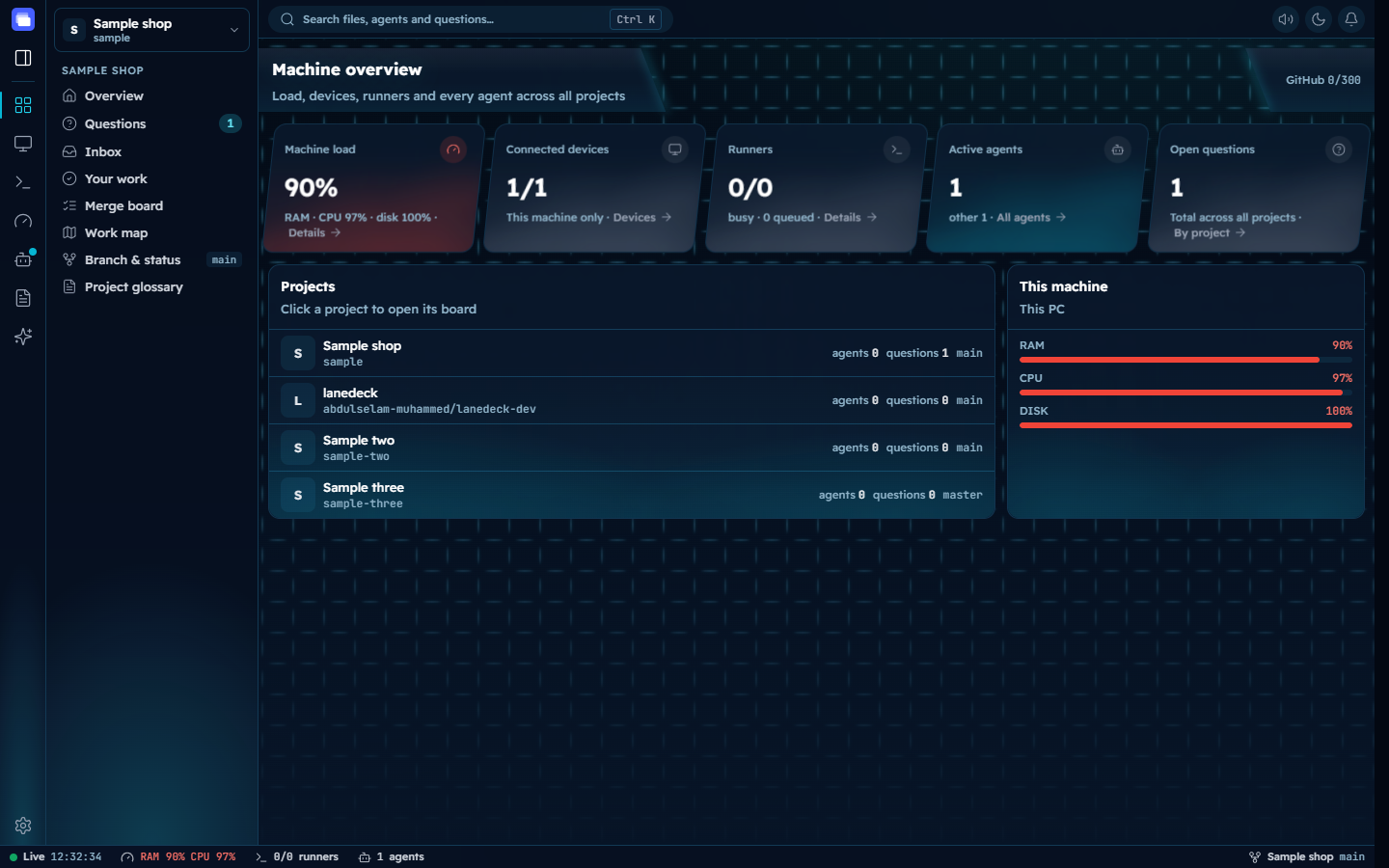
Features
Machine level (everything on this computer and the machines next to it)
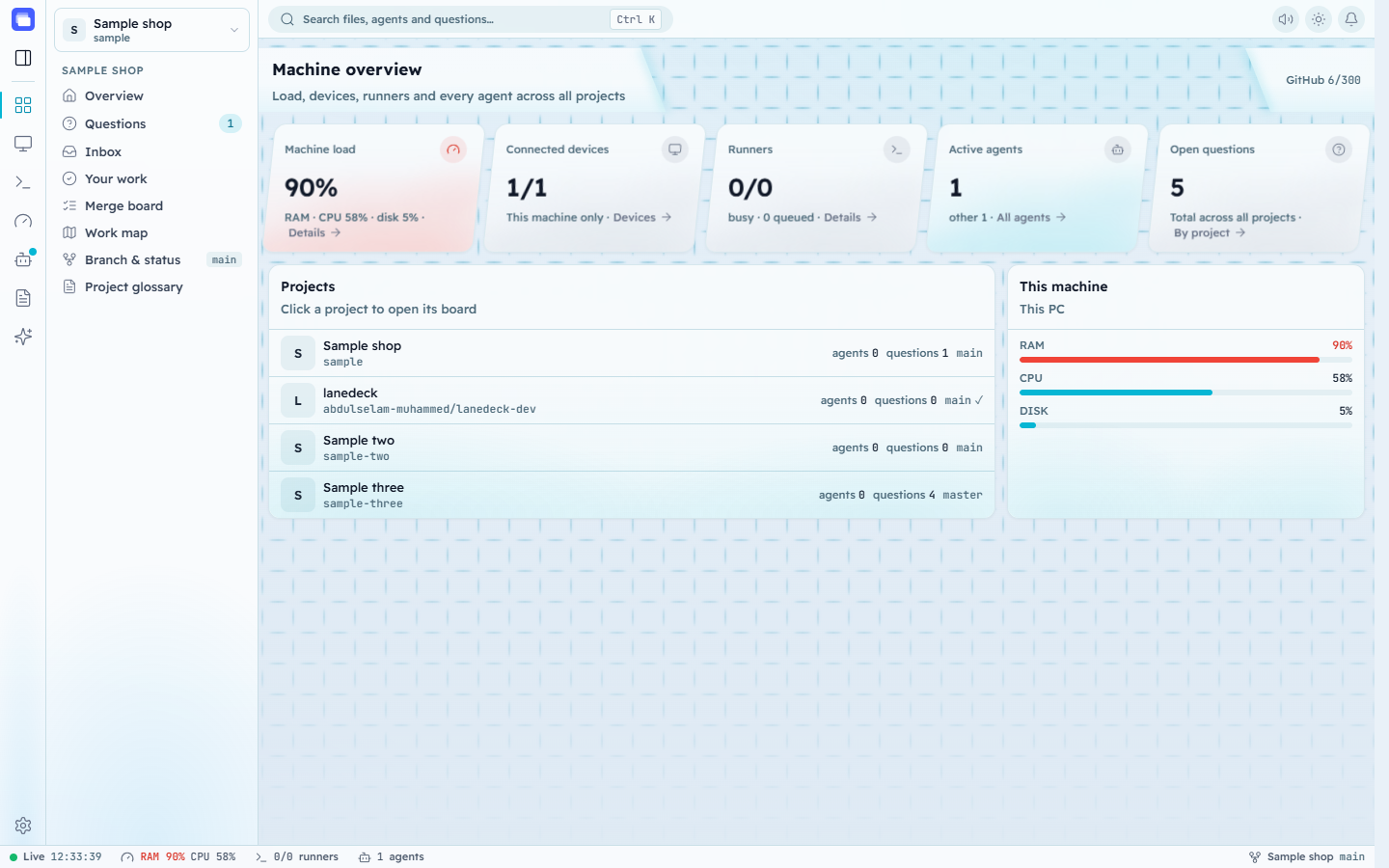
- Overview: load, devices, runners, active agents and open questions across all projects at a glance.
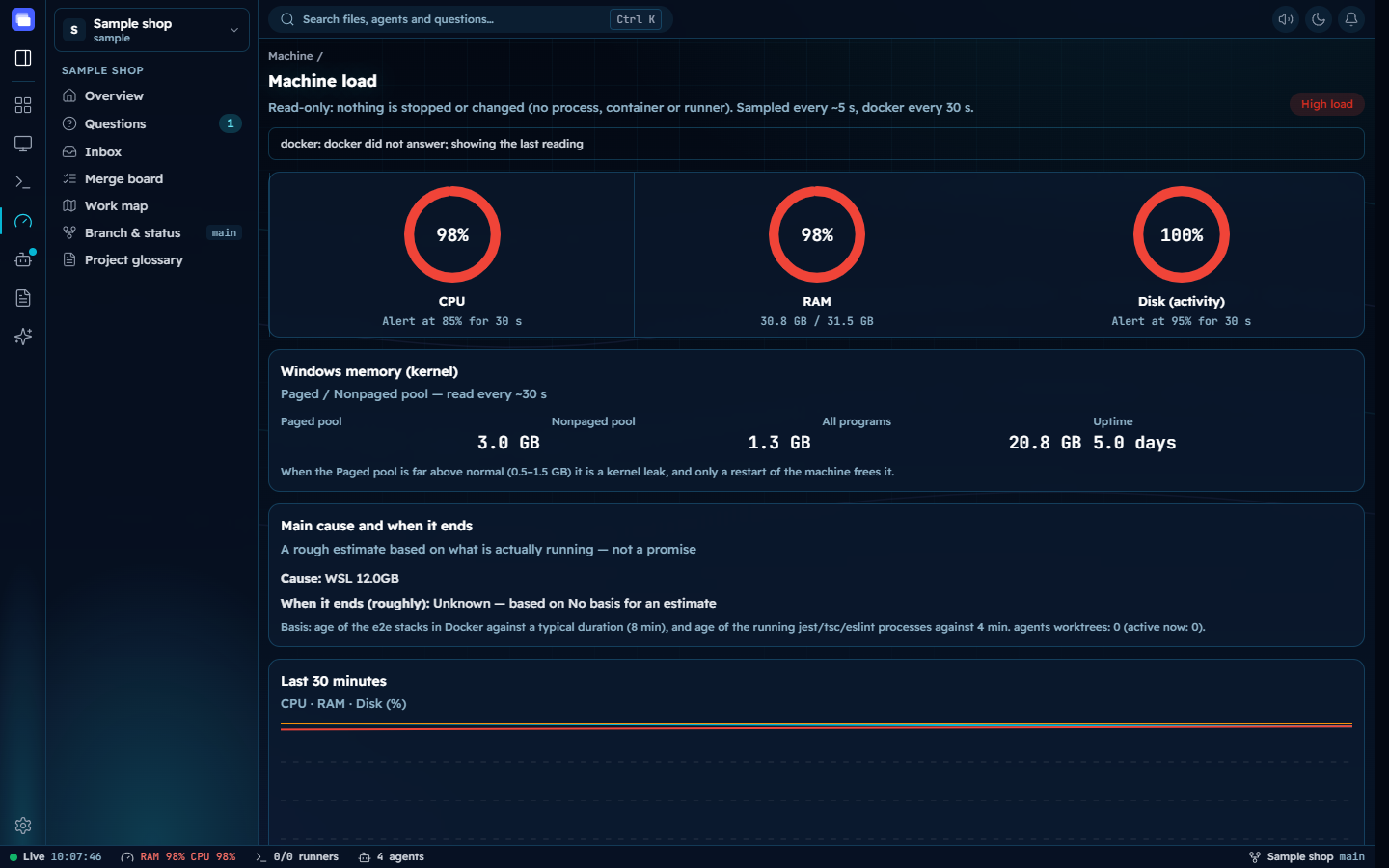
- Machine load: CPU, RAM and disk with alert thresholds, the main cause of a high load and a rough "when it ends" estimate. Windows adds kernel pools and per-process groups.
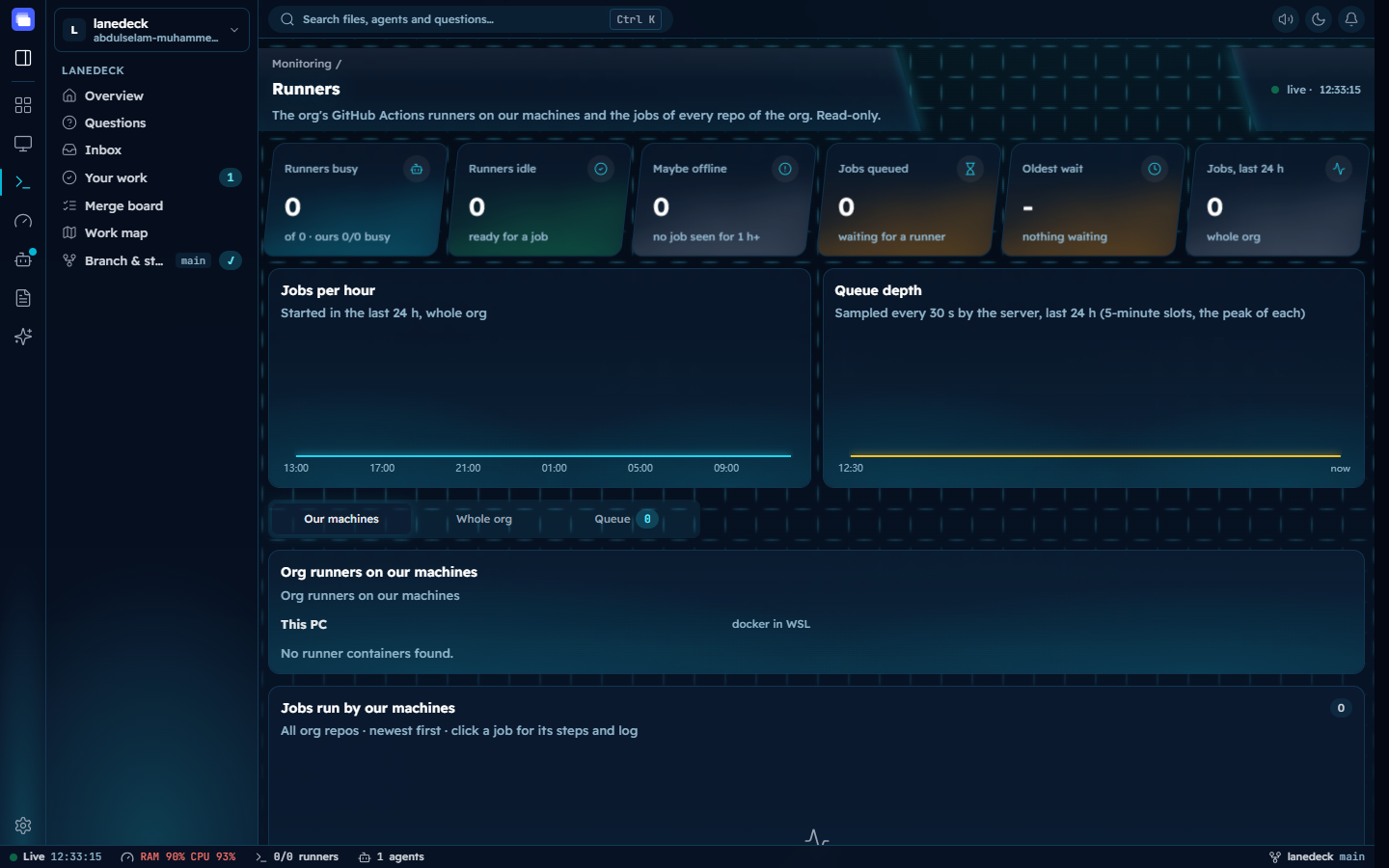
- CI runners: your org's self-hosted GitHub Actions runners (docker, local or over SSH), their jobs and the queue. Read-only: nothing is stopped or changed.
- Agents: every Claude Code agent and subagent that is running or just finished, with its state and progress.
- Devices: this machine as detected, plus SSH machines you add, with a connection test.
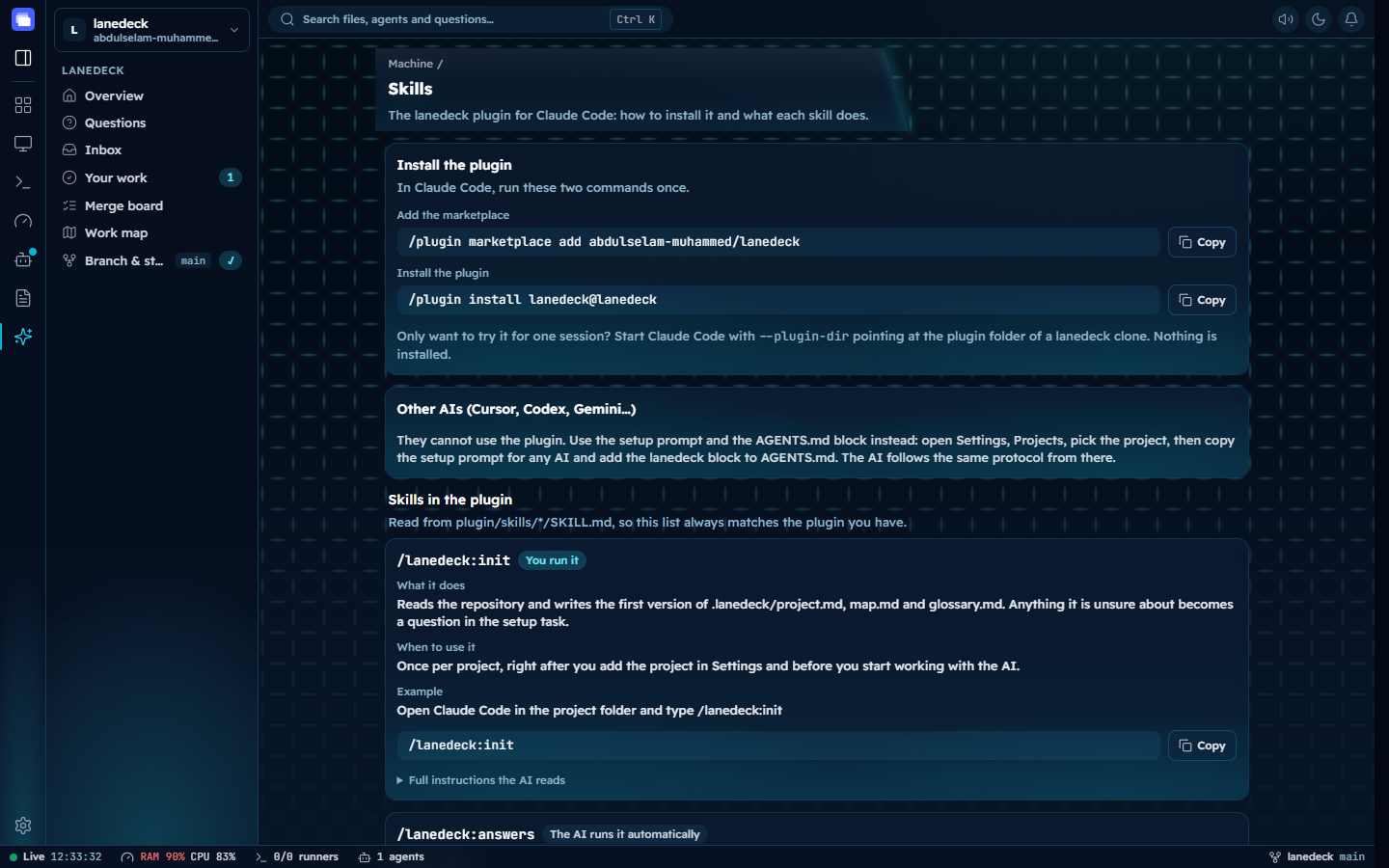
- Skills: how to install the Claude Code plugin and what each skill does.
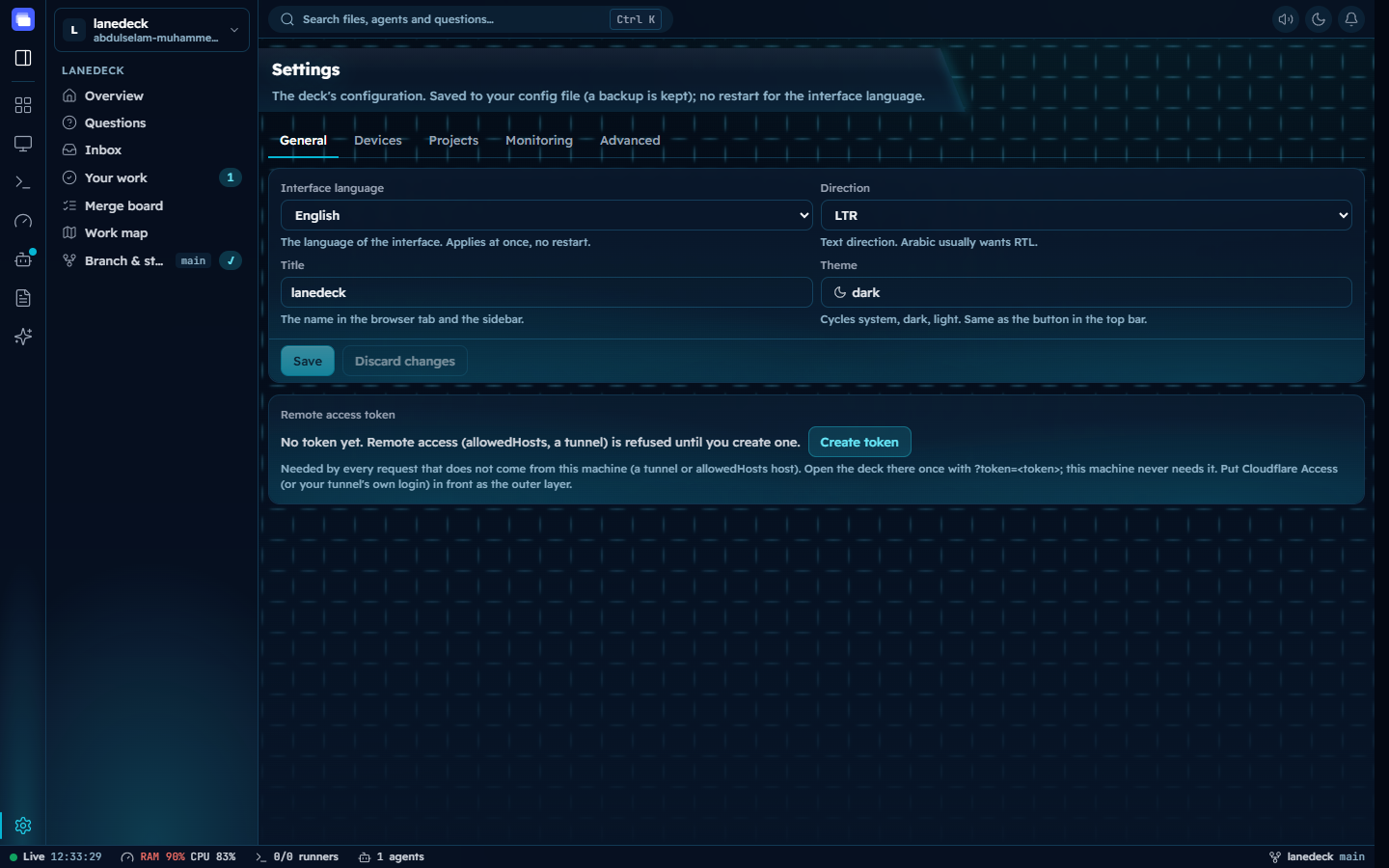
- Settings: language, direction, projects, monitoring thresholds, the remote access token.
Project level (one section per project you add)
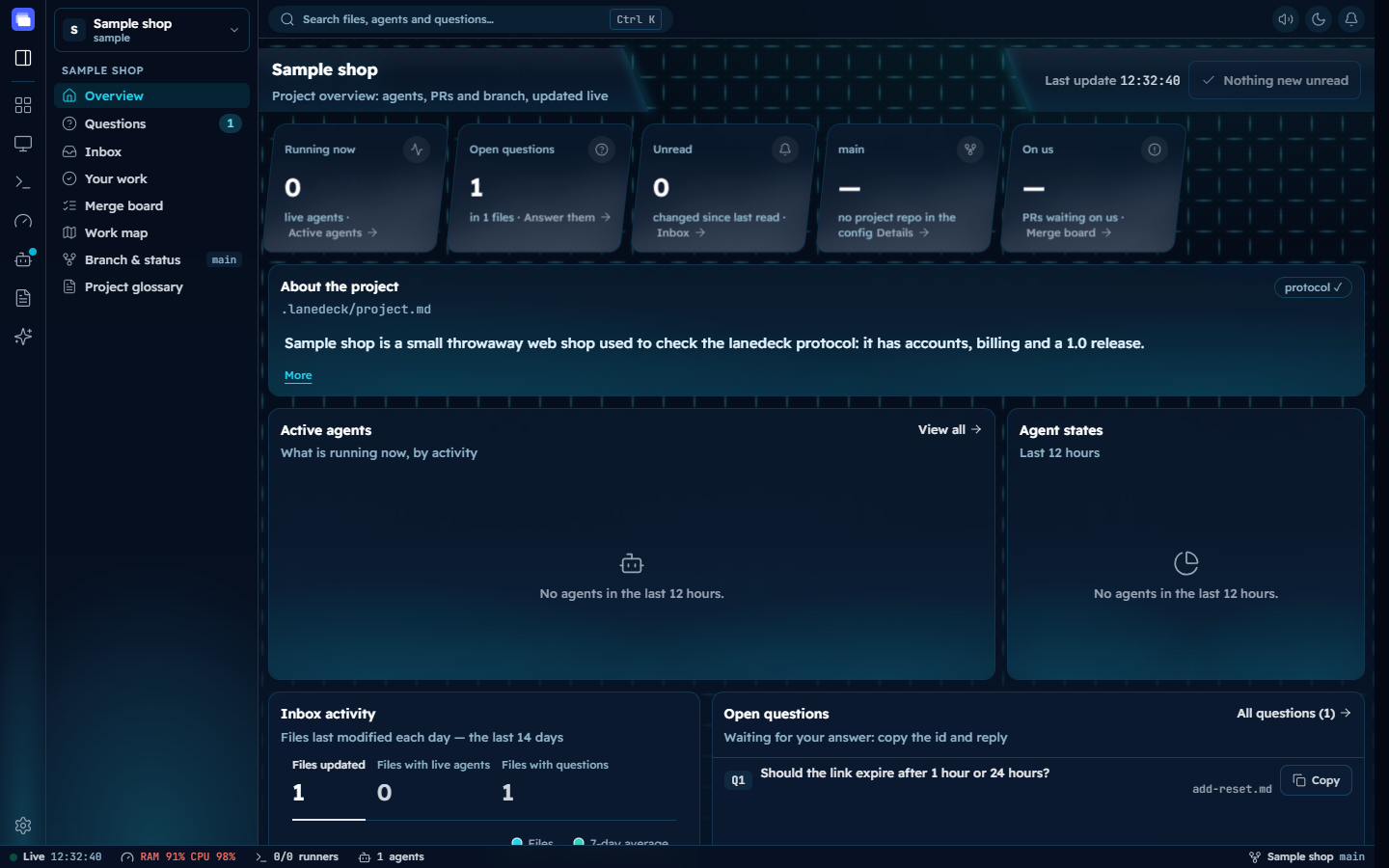
- Overview: what the project is, active agents, inbox activity, open questions, the PR and branch state.
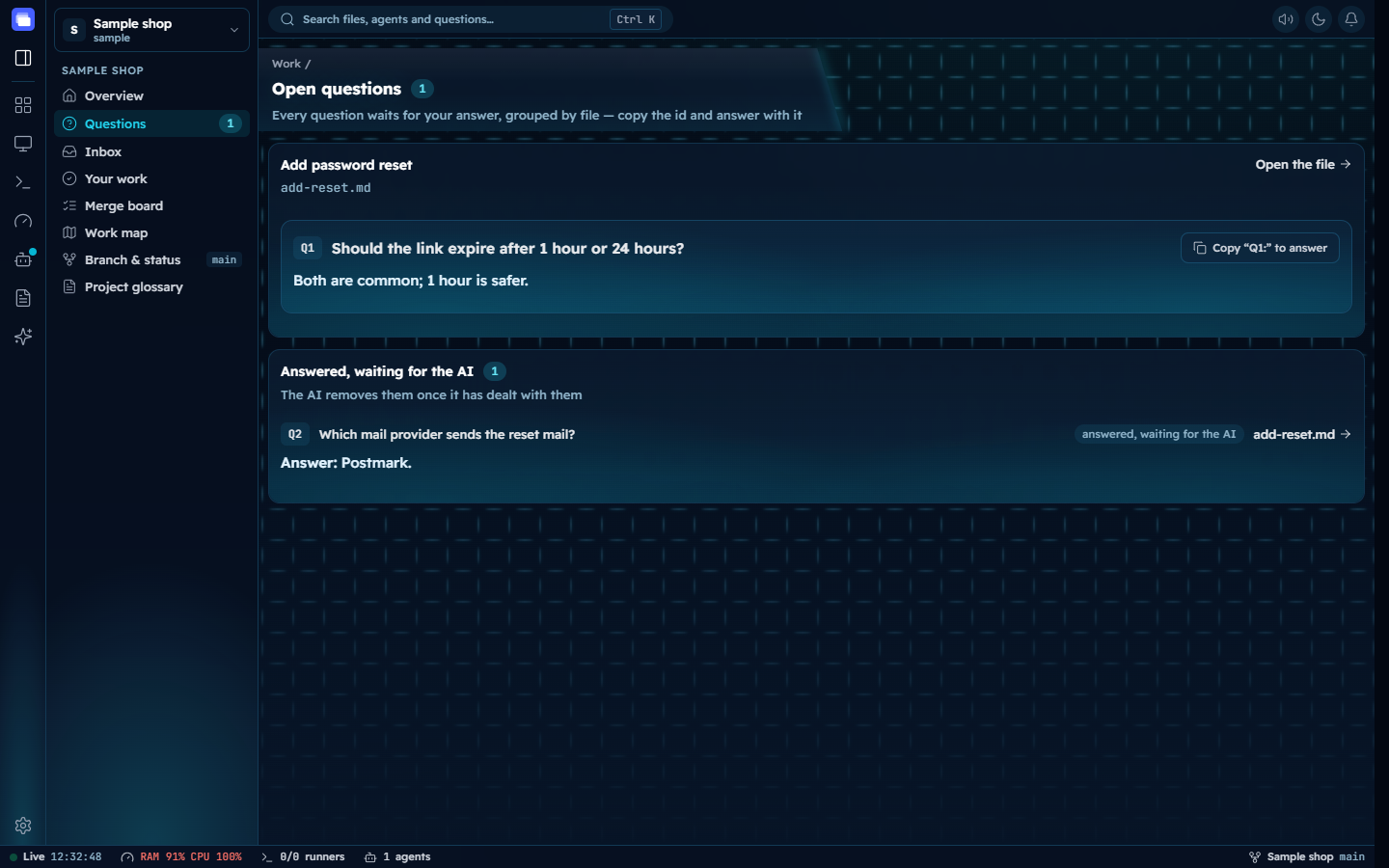
- Questions: the tasks your AI writes (
.lanedeck/inbox/), their steps and the questions waiting for your answer. - Inbox: one mail-like list for everything that needs your eyes: your AI agents' files and your GitHub notifications (see Inbox).
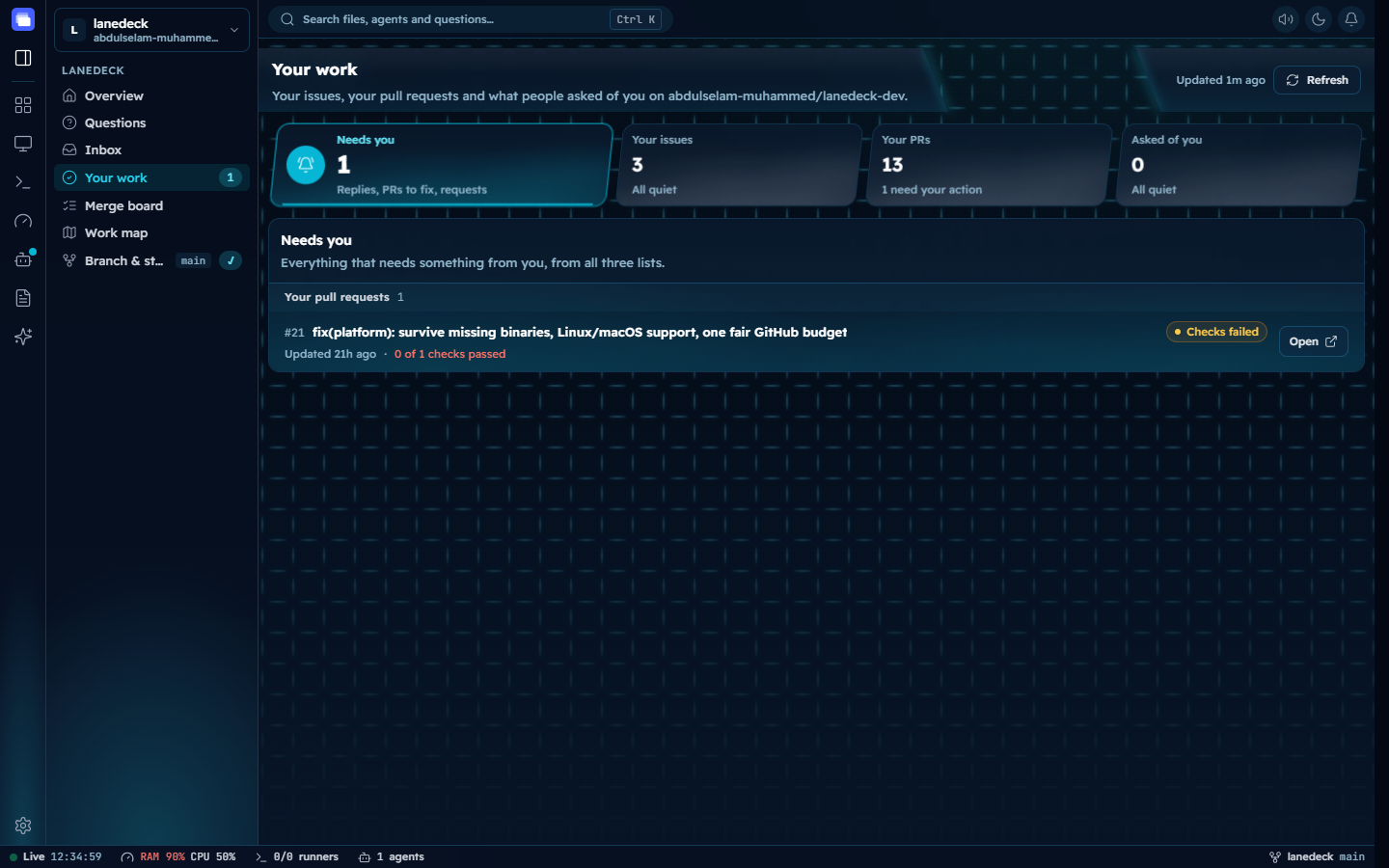
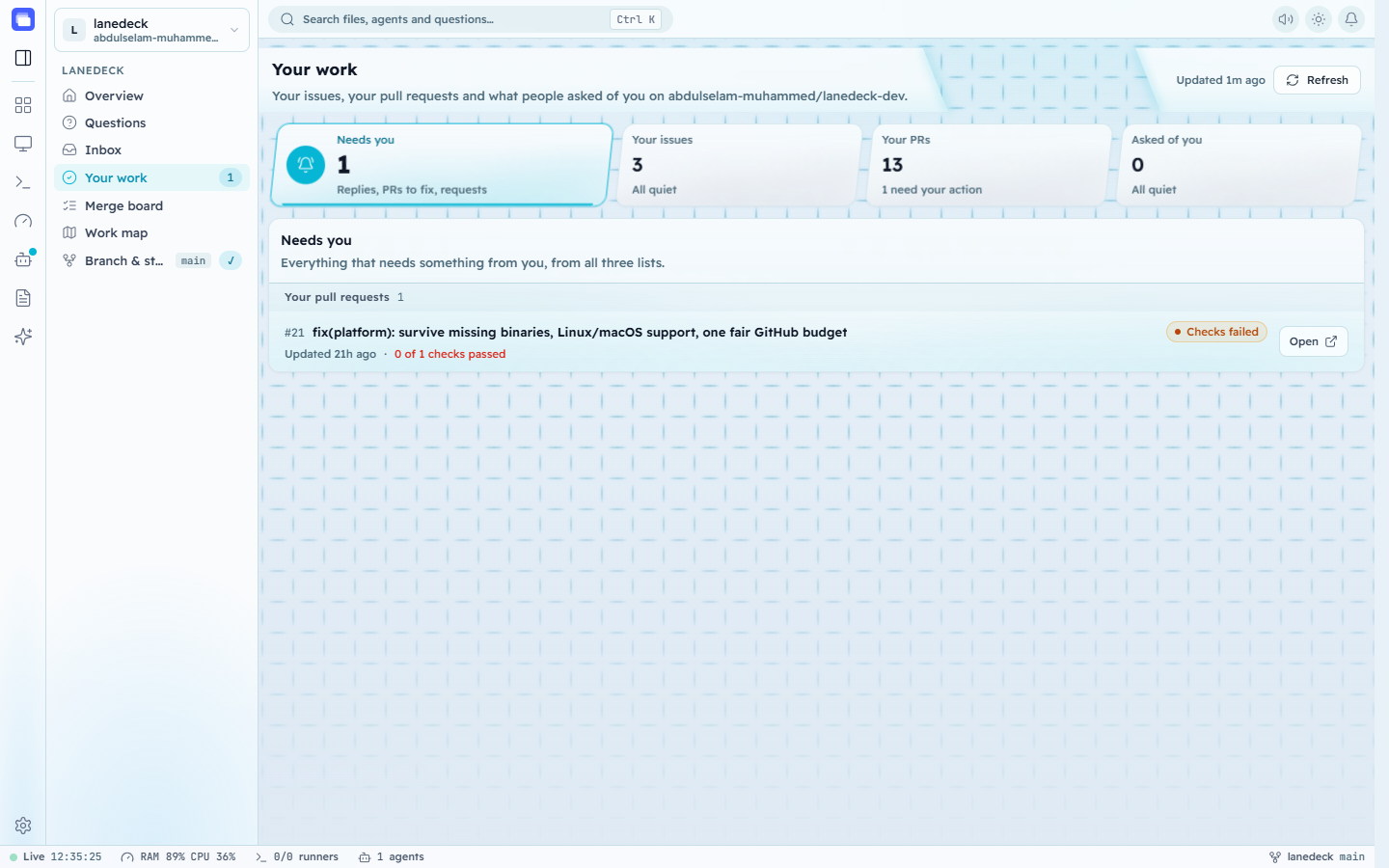
- Your work: your open issues (with a marker when someone replied after you), your PRs grouped by what they wait for, and the reviews and mentions asked of you; the sidebar badge counts what needs you.
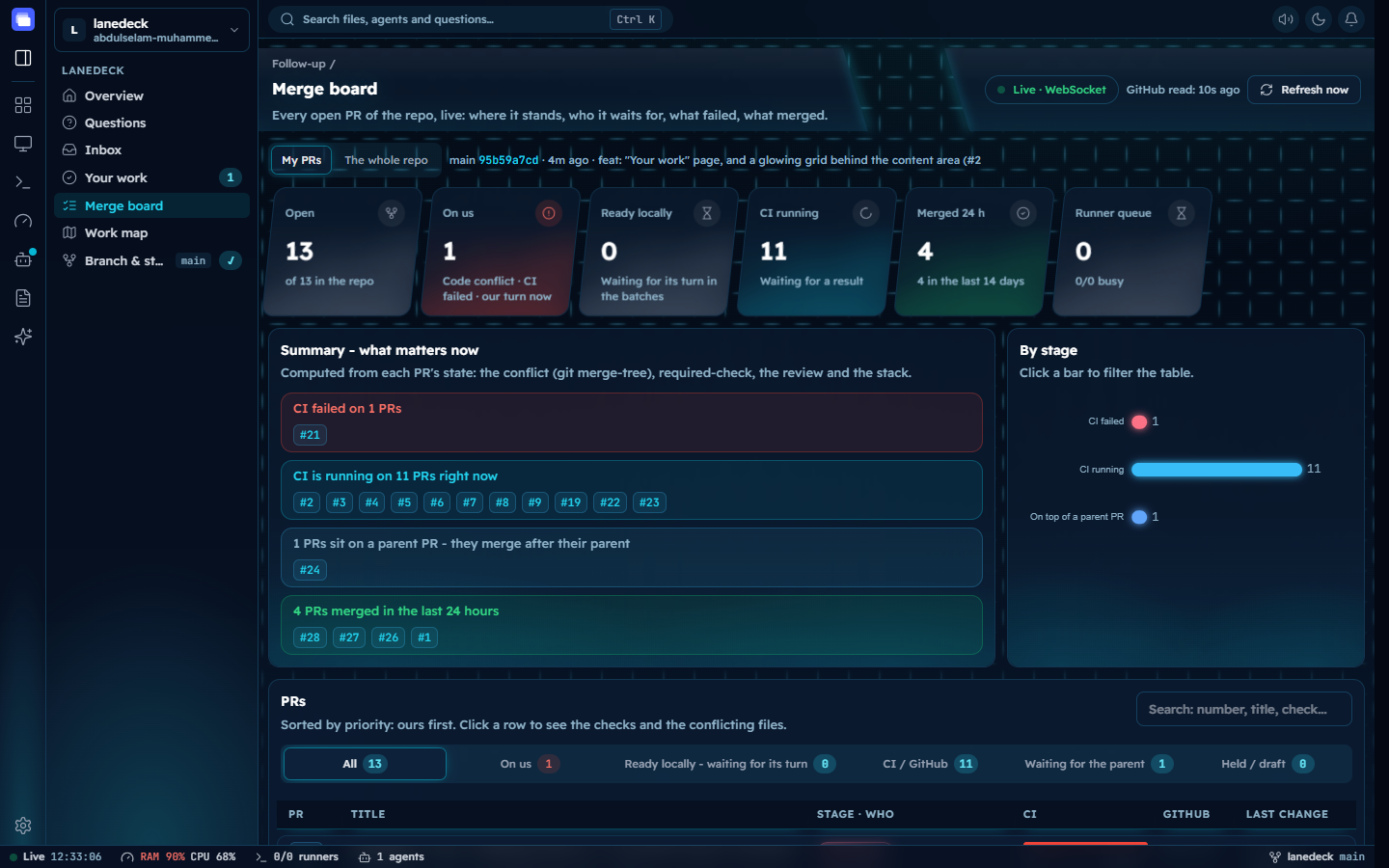
- Merge board: every open PR, live: where it stands, who it waits for, what failed, what merged, and conflicts down to the hunk.
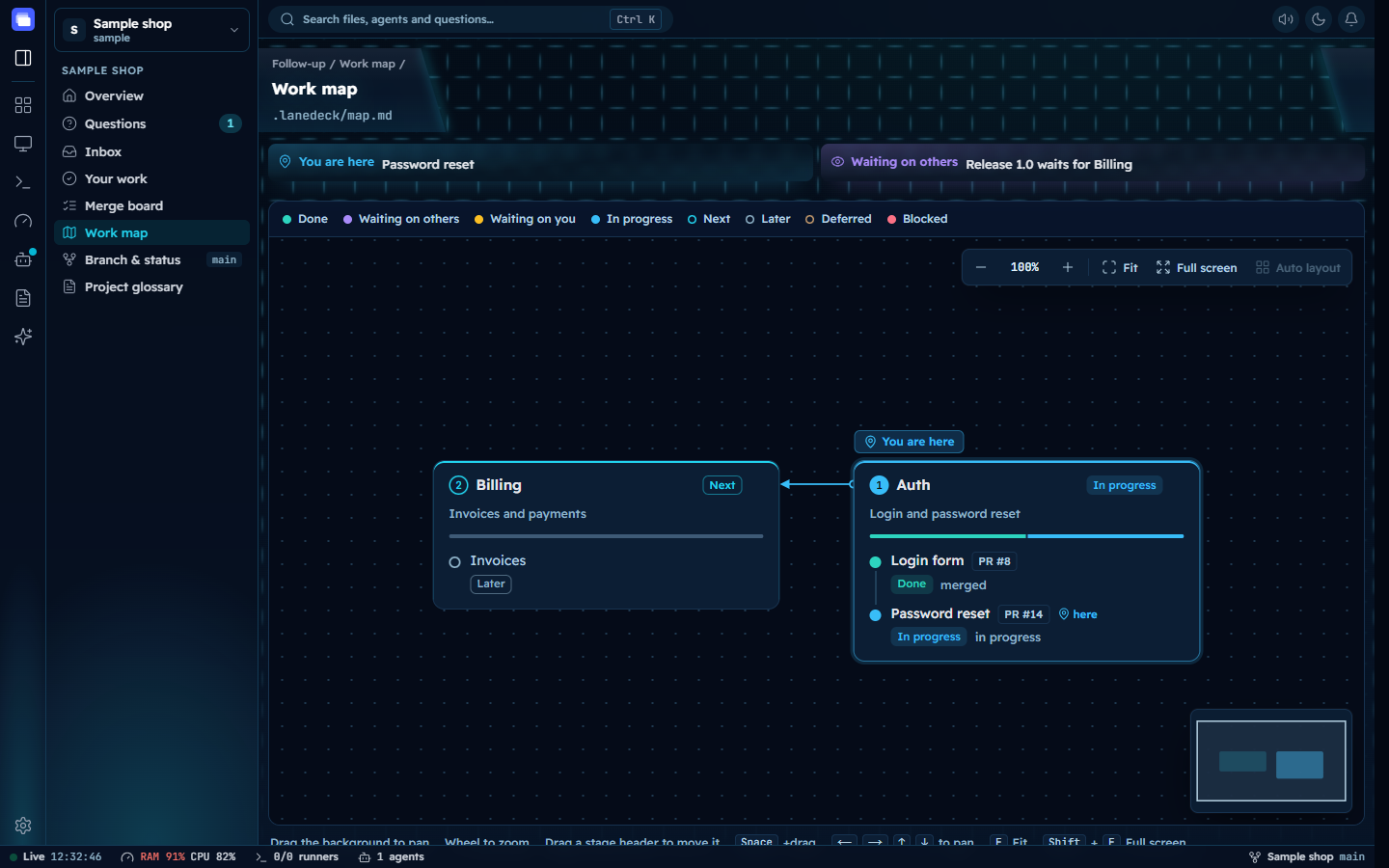
- Work map: what is done, in progress, waiting and next, drawn from
.lanedeck/map.md. - Branch and status: whether your local clone is behind the default branch on GitHub.
- Project glossary: the terms of the project, next to a built-in general glossary (English or Arabic).
More views are in Screenshots.
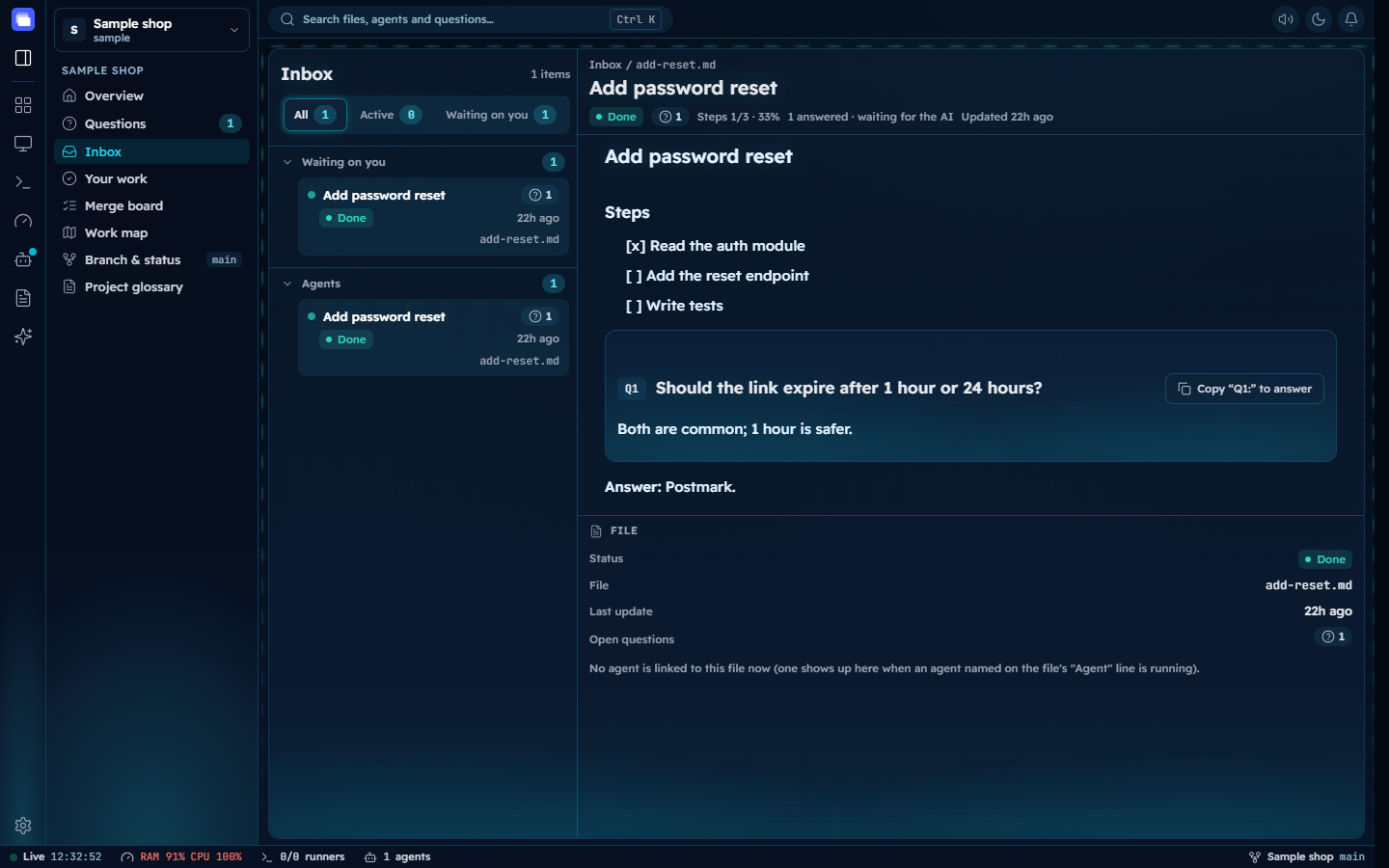
Inbox
New in 0.2.0: the Inbox is one list, like a mail inbox, for two kinds of items.
- AI agents: the files your agents write in
.lanedeck/inbox/. - GitHub notifications: mentions, replies, review requests, reviews on your PRs, assignments and state changes for the repos linked to your projects.
Items are grouped by day (Today, Yesterday, Earlier this week, Older). Tabs (All, AI agents, GitHub) and filter chips (Unread, Mentions, Replies, Reviews, Assigned, Status) narrow the list. There is an "all projects" Inbox next to each project's own.
- Read state is local. Marking an item read only changes lanedeck; nothing changes on GitHub.
- Missing scope. Reading notifications needs the
notificationsscope on yourghlogin. If it is missing, the page says so and shows the fix:gh auth refresh -h github.com -s notifications. - Browser notifications are optional and off by default; the browser asks for permission once.
- Settings. Settings, then Notifications: switch GitHub notifications on or off, choose the sections, set the poll interval (30-3600 s) and the browser notifications. The same keys live under
notificationsin the config file.
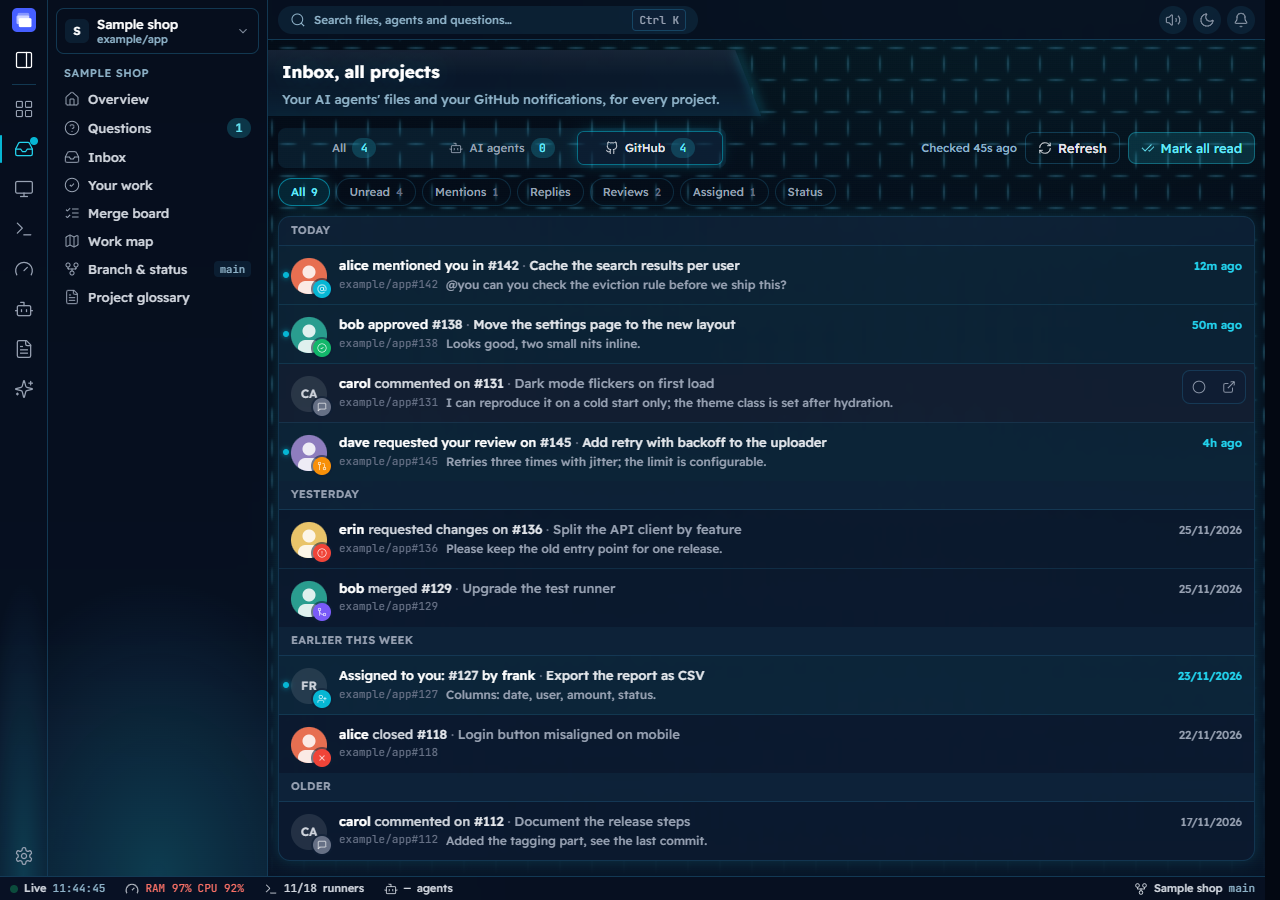
What's new in 0.2.0
- The unified Inbox (AI agents and GitHub notifications in one list, see above).
- A new Inbox screenshot and
gh auth refreshguidance for a missingnotificationsscope. - A project folder that does not exist yet no longer logs a watcher error on startup.
Install
Requirements:
- Node 20 or newer
git- the GitHub CLI (
gh), logged in (gh auth login): the PR board and runners read GitHub through it - optional: WSL with docker (Windows) or a native
docker(Linux/macOS) for the local CI runners panel;sshfor remote machines
Run it without installing, or install it once:
npx lanedeck
# or
npm i -g lanedeck
lanedeck
Open http://127.0.0.1:4280. Options: --port <n>, --host <addr> (a non-loopback host needs server.accessToken in the config), --help. The environment variables PORT, LANEDECK_HOST and LANEDECK_CONFIG work too.
From source
git clone https://github.com/abdulselam-muhammed/lanedeck.git
cd lanedeck
npm ci
npm run build
npm start
Open http://127.0.0.1:4280. npm run dev runs a development server instead.
The deck starts with defaults and no project. Open Settings, then Projects, then Add project, pick a local folder and it fills in the repo, branch and CI checks.
Configuration
One JSON file, deep-merged over generic built-in defaults:
| OS | Default path |
|---|---|
| Windows | %APPDATA%\lanedeck\config.json |
| Linux | $XDG_CONFIG_HOME/lanedeck/config.json or ~/.config/lanedeck/config.json |
| macOS | ~/.config/lanedeck/config.json |
Set LANEDECK_CONFIG to use another file (it must exist). Copy config.example.json to the path above and edit it, or use the Settings page, which edits the same file (atomically, keeping the last 20 backups). A bad value stops the server with a message naming the key.
| Key | Meaning |
|---|---|
server |
port (the PORT env var wins), host (default 127.0.0.1), allowedHosts, accessToken, allowUnauthenticatedRemote |
tools |
gh and git paths; null = found on PATH |
machine |
wslDistro, ciContainer, runnerImage / runnerName / teamName (regex sources), localLabel, thresholds, remoteThresholds, machines ([{ id, label, sshAlias }]) |
github |
org (for the runners and jobs page), rateBudgetPerHour |
projects[] |
id, name, repoPath, repo (owner/name), defaultBranch, gateCheck, inboxDir, claudeProjectDir, me, reviewers[], boardFiles, reviewMarkers, holds, profile |
ui |
lang (en or ar), dir (ltr or rtl), title, brand, runnerPrefix |
Environment overrides: PORT, INBOX_DIR, CLAUDE_PROJECT_DIR.
Profiles. A project may name a profile: a folder <config folder>/profiles/<name>/profile.json (next to config.json, or next to the default config file when LANEDECK_CONFIG points elsewhere) with project-specific wording and a glossary. Without one the deck uses neutral text.
Every text value in a profile may be a plain string or a pair in both languages, and the deck shows the one that matchesui.lang (falling back to the other language when one is missing):
{
  "text": { "nav.flow": { "en": "Progress map", "ar": "..." } },
  "flowLabels": { "done": { "en": "Done and merged", "ar": "..." } },
  "glossary": [{ "title": { "en": "Reviews", "ar": "..." }, "entries": [{ "terms": [{ "term": "PASS", "meaning": { "en": "the plan is approved", "ar": "..." } }] }] }]
}
Projects and the .lanedeck protocol
lanedeck follows the work of each project through a small folder of plain Markdown, .lanedeck/, in the project:
.lanedeck/
  project.md    what the project is
  map.md        the work map: done, now, waiting, next
  glossary.md   terms of this project
  inbox/        git-ignored; one task file per task, with steps and questions
The human and the AI write these files; the dashboard reads them and, only after you confirm, writes the setup files (PROTOCOL.md, inbox/00-setup.md, a line in .gitignore, and an optional block in AGENTS.md or CLAUDE.md). The full contract is in docs/PROTOCOL.md.
Use with your AI
Claude Code: install the plugin once, then run
/lanedeck:initin a project./plugin marketplace add abdulselam-muhammed/lanedeck /plugin install lanedeck@lanedeckTo try it without installing:
claude --plugin-dir ./plugin. Details in plugin/README.md.Any other AI (Cursor, Codex, Gemini and so on): they cannot use the plugin. Open the project's setup task in the Inbox and press "Copy prompt (any AI)", then paste it into your AI. To make every session follow the protocol, press "Add lanedeck instructions to AGENTS.md / CLAUDE.md", which adds one marked block (templates/AGENTS-block.md). Nothing is written into a project before you confirm.
Security model
- Local only by default. The server binds
127.0.0.1. Every request (pages, assets, API, SSE, WebSocket) passes one guard first: theHostmust be loopback with the port or one ofserver.allowedHosts, and a foreignOriginor cross-site/apirequest is refused with 403. - Remote access needs a token. A request that does not come straight from this machine (a tunnel host, a proxy header, a non-loopback client) must carry the
sd_accesscookie, got by opening the deck once with?token=<token>, or anAuthorization: Bearerheader. The cookie is HttpOnly and SameSite=Strict. WithallowedHostsset and no token the deck refuses to start. Create and rotate the token in Settings. Put a login in front of any tunnel as the outer layer; a token holder can read everything the deck shows. - Settings and setup are local-only and need a same-origin request plus a CSRF token.
- Project folders are untrusted. The protocol reader and the setup dialog never follow a symlink or junction, and nothing is written outside the real project path.
- What never leaves the machine. There is no telemetry and no cloud service. The deck talks to GitHub only through your own
ghlogin, within a configurable request budget, and to machines you list over your own SSH. The browser gets only the harmless part of the config; paths, hosts and tool locations stay on the server.
Platform support
| Feature | Windows + WSL | Linux / macOS |
|---|---|---|
| Server, inbox, PR board, branch check, settings | yes | yes |
| Machine load: CPU / RAM / disk | yes (PowerShell sampler) | yes (Node os + df) |
| Per-process groups, kernel pools | yes | not yet |
| CI runners, this machine | yes (docker inside WSL) | yes with a native docker on PATH |
| CI runners, remote machines (ssh) | yes | yes |
A missing tool (powershell.exe, wsl.exe, docker, ssh) switches that one feature off with a message on the page; it never stops the server. Linux and macOS are covered by tests that force the platform (LANEDECK_PLATFORM=linux), not yet by real machines.
Screenshots
 |
 |
 |
 |
 |
 |
 |
 |
 |
 |
 |
 |
Roadmap
npx lanedeckpackaging- Enabling a CI runner from a device card
- Real-machine testing on Linux and macOS, per-process load groups there
- More languages for the interface
Contributing
Issues and pull requests are welcome. Before sending a change run npm run typecheck, npm run lint, npm test and npm run check (i18n and protocol checks). Every user-facing string goes through the dictionary in server/i18n/areas/, in English and Arabic. See ARCHITECTURE.md for how the code is laid out.
License
MIT, see LICENSE. Third-party notices: THIRD_PARTY_NOTICES.md.
Reviews (0)
Sign in to leave a review.
Leave a reviewNo results found