slides_maker
Health Pass
- License — License: MIT
- Description — Repository has a description
- Active repo — Last push 0 days ago
- Community trust — 41 GitHub stars
Code Pass
- Code scan — Scanned 12 files during light audit, no dangerous patterns found
Permissions Pass
- Permissions — No dangerous permissions requested
No AI report is available for this listing yet.
Turn papers, code, and docs into presentation-ready, natively editable PPTX in Codex / Claude Code. Native charts and equations, speaker notes, click-build animations, and an independent critic review before delivery.
slide-maker: turn a paper, a repo, a doc, or just a topic into a native PPTX you can present




Free and open source, built by Addsum
The AI deck-maker that reads your actual work, never invents a number, ships fully-editable native PowerPoint — and won't hand it over until an independent critic signs off.
Chat with it in Codex or Claude Code. It isn't one prompt guessing at slides: a small team of specialized agents reads your paper / repo / doc (or researches the topic when you have none), plans the story, designs each slide around it, builds a real .pptx, and puts it through an independent review before you ever see it.
Most AI-PPT tools race to look pretty in seconds. slide-maker optimizes for the four things that actually matter when the deck is yours to defend:
- 🔍 Reads your source — doesn't invent it. Every number and figure traces back to your material; it won't make up a statistic to fill a slide. (The failure mode of every "expand a topic" tool — one popular assistant printed 43% growth where the real figure was 12%.)
- ✏️ A real PowerPoint, not a screenshot. Every text box, shape, native chart and equation is a click-to-edit object — nothing flattened to an image. (Many "export to PPTX" tools quietly turn a third of your slides into uneditable pictures.)
- 🧑⚖️ Reviewed before you see it. A non-negotiable actor–critic loop: a separate critic tries to break the deck — cramped layout, weak contrast, a number that doesn't match the source — and sends fixes back. Not the author model grading its own homework.
- 🎨 Designed around your content, in any language. Composed slide by slide — matching your template or designing a clean one — for a research talk, a thesis defense, or a product pitch. Not your text poured into a stock layout.
Native-editable PPTX is now table stakes (several tools do it). What's rare is editable and source-traced and critic-reviewed and bespoke — together, in one file you own. Honest limits: no zero-setup cloud, no share links, no animated web backgrounds — it makes a file, run locally, that opens and edits cleanly in real PowerPoint/Keynote. See what's different.
Intro video · Templates · What's different · How it works · Quick start · Troubleshooting
Template gallery
Eight directions, one set in English and one in Chinese. Each is a complete example deck with real content, not empty placeholders.
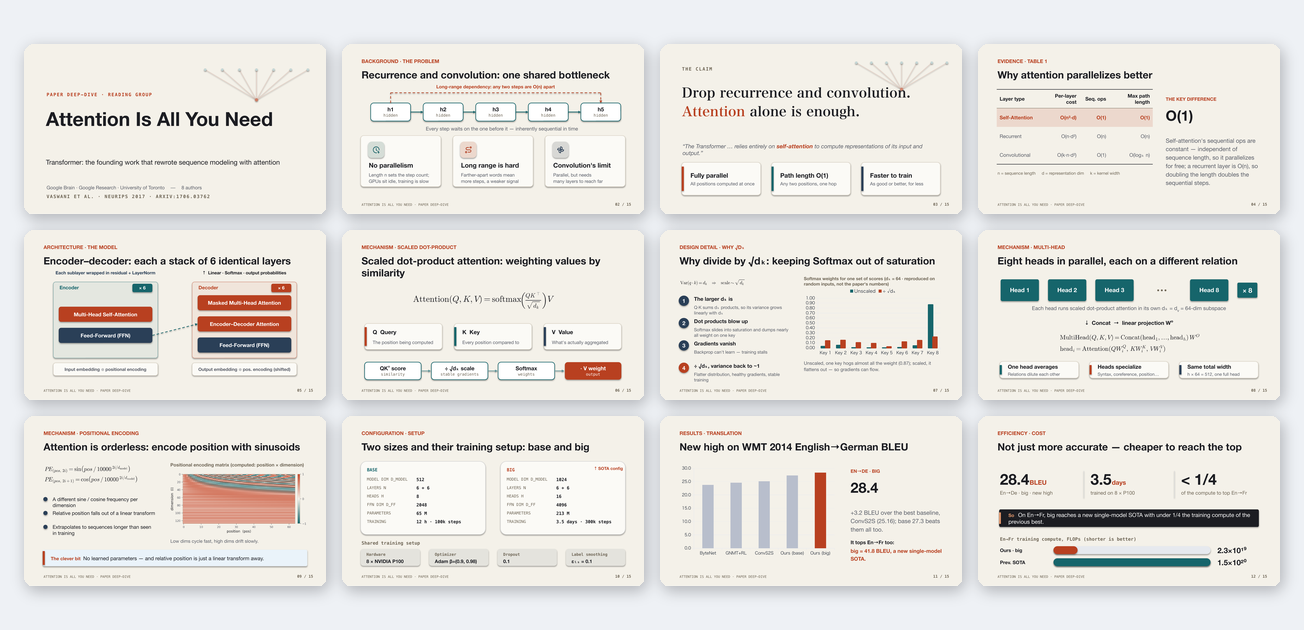 Lab Meeting / Paper Talk paper reading, lab meeting, method overview, experiment report Flip online · Download .pptx |
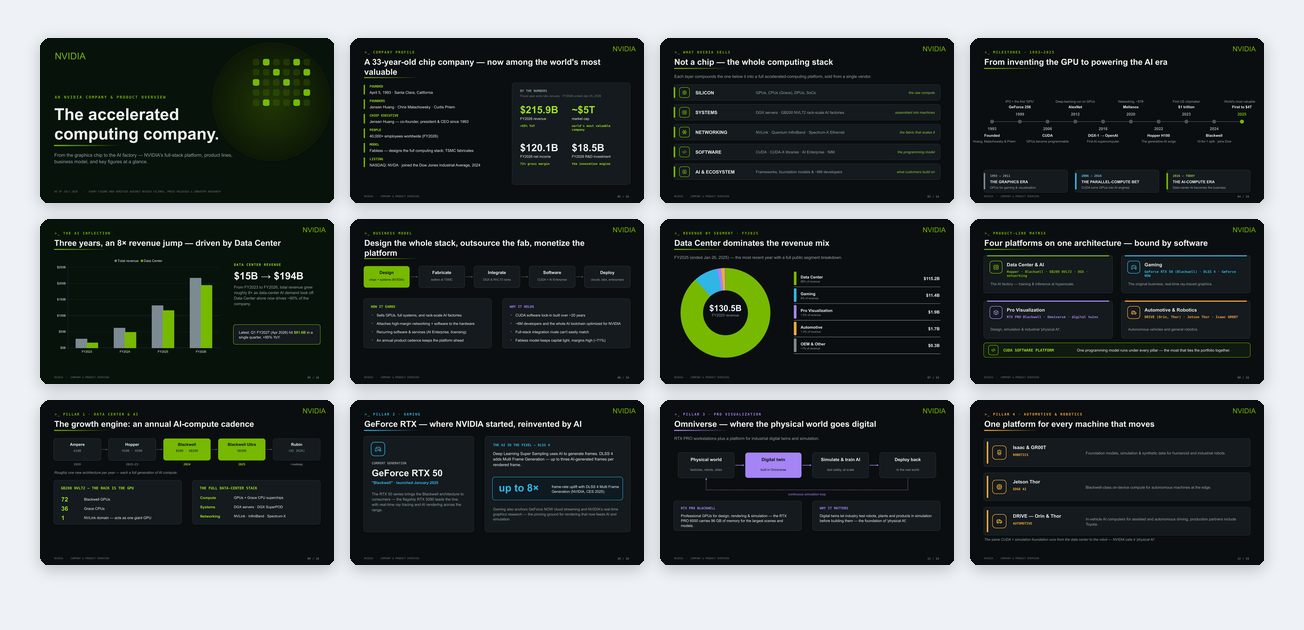 Company / Product Intro company overview, product matrix, customer communication, fundraising intro Flip online · Download .pptx |
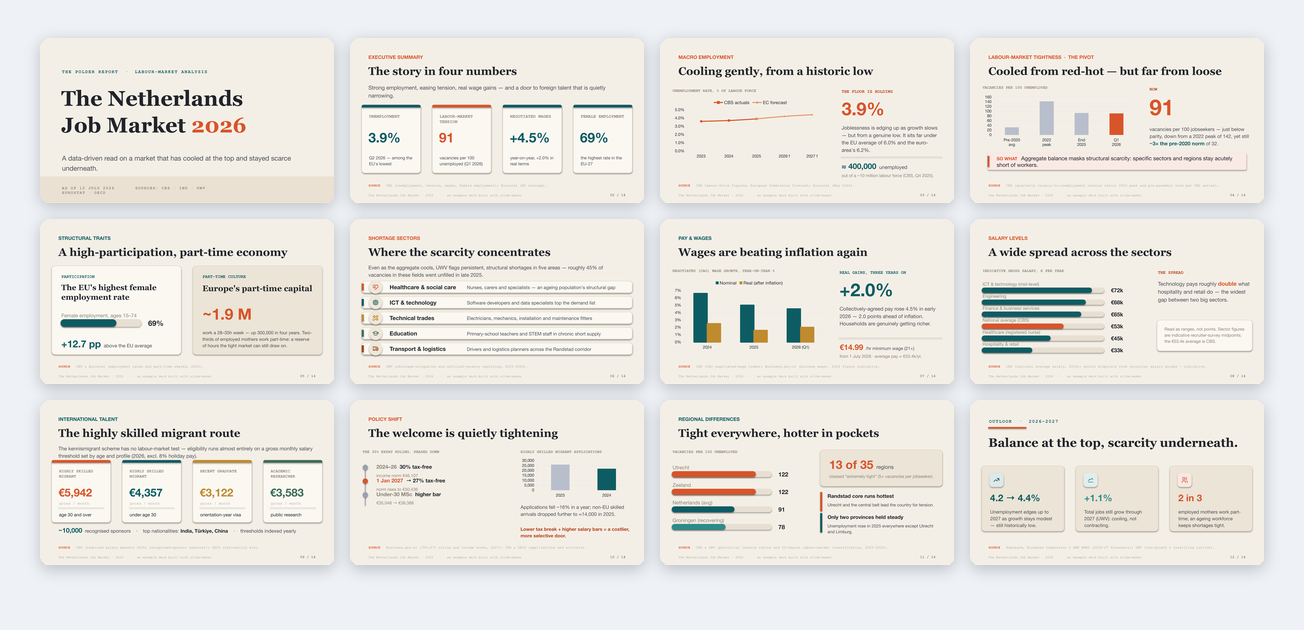 Data / Market Analysis industry research, trend explanation, structured analysis Flip online · Download .pptx |
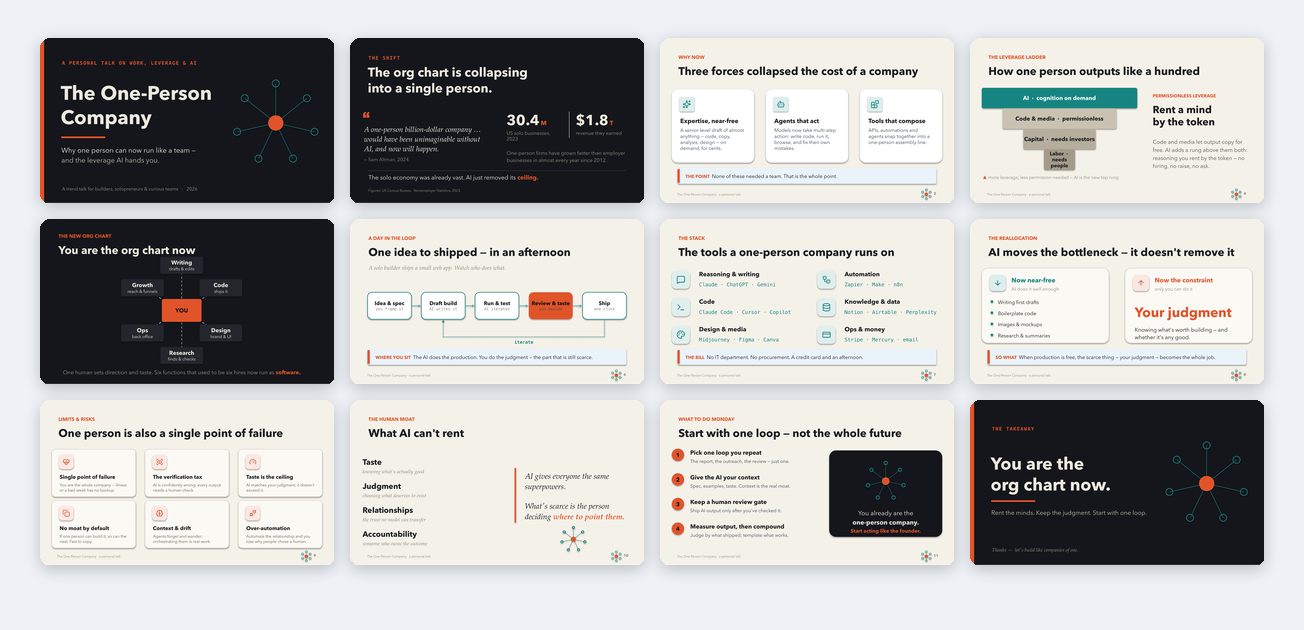 AI Trends / Solo Talk trend talk, personal presentation, startup story Flip online · Download .pptx |
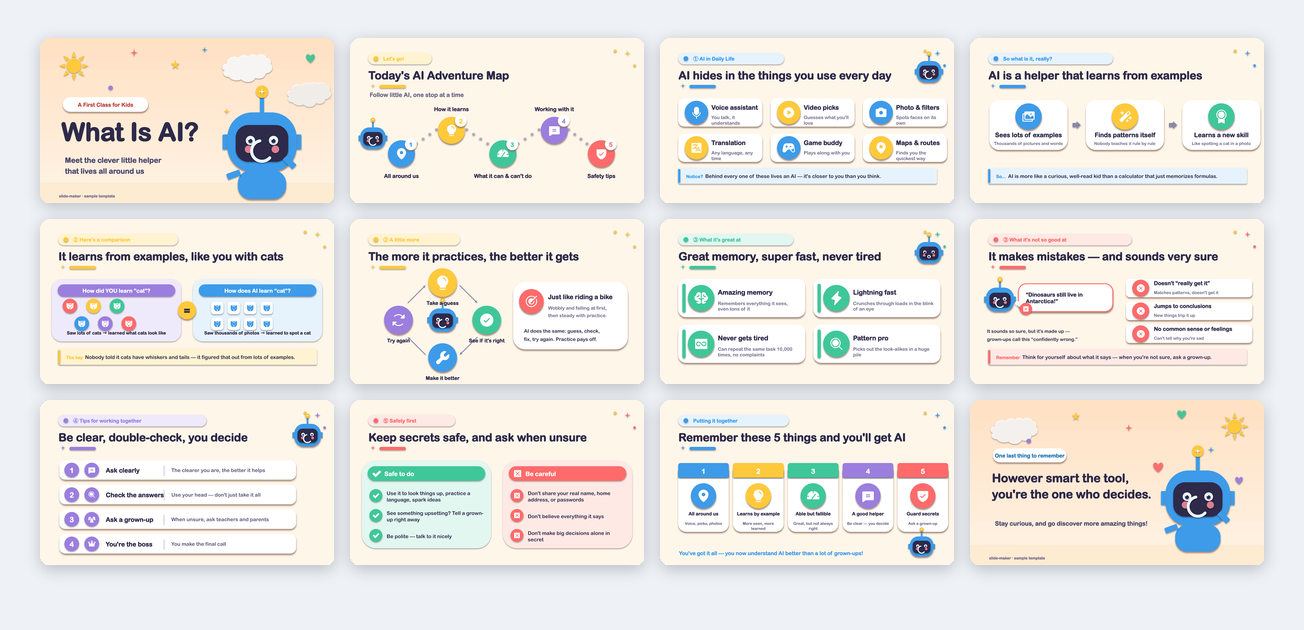 Teaching / Knowledge Sharing class explanation, reading share, training material Flip online · Download .pptx |
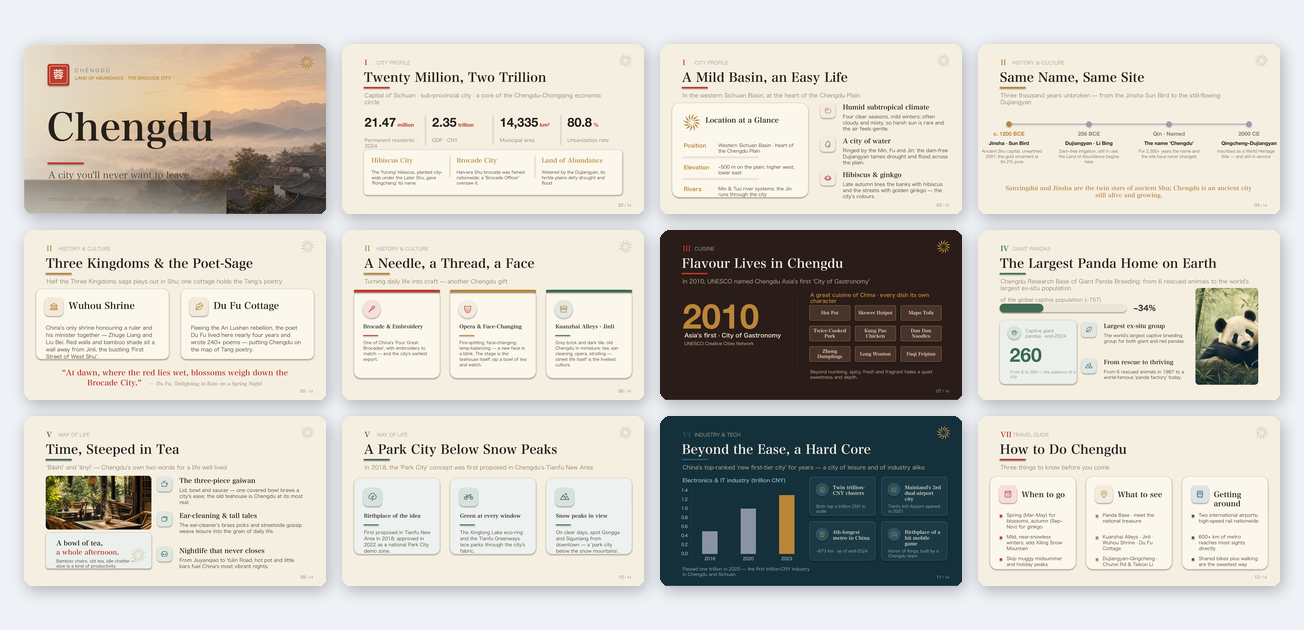 Visual Storytelling / Culture city, culture, event, brand story Flip online · Download .pptx |
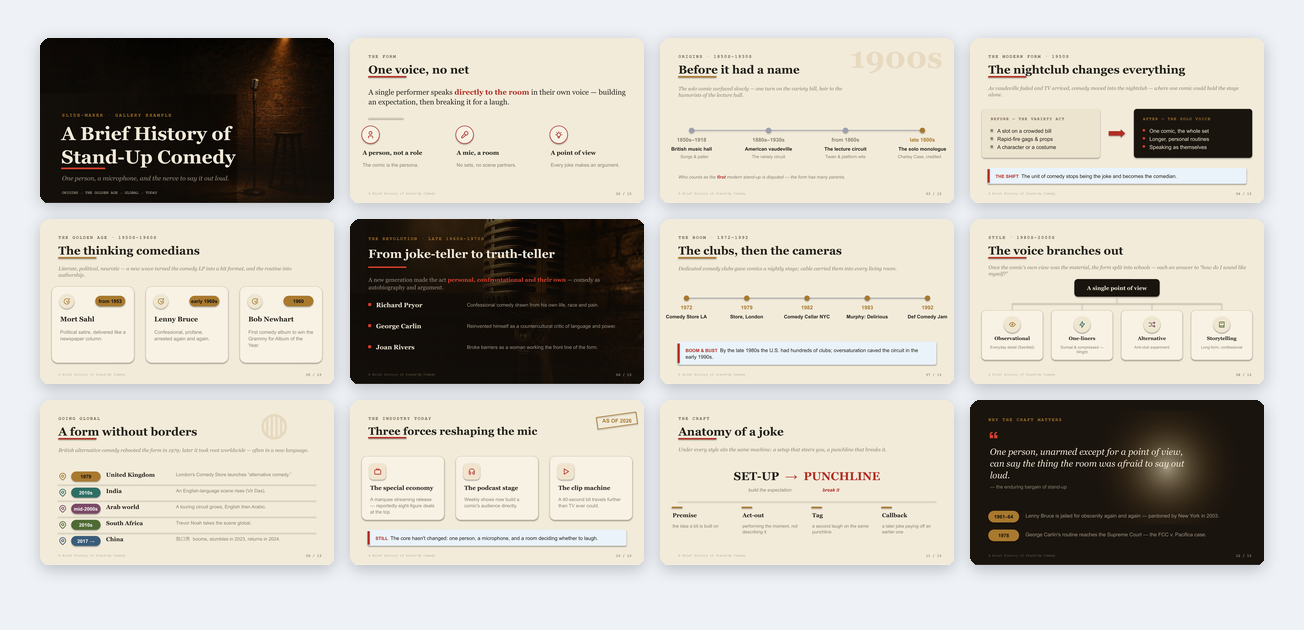 History / Evolution Narrative historical arc, industry evolution, timeline story Flip online · Download .pptx |
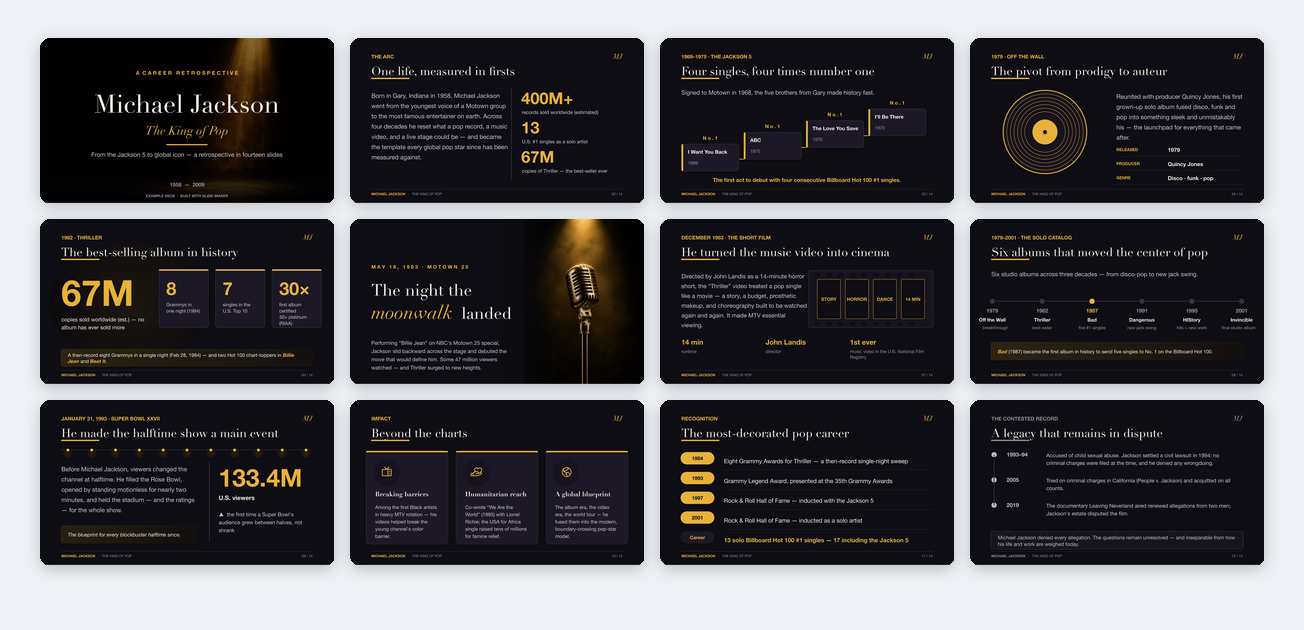 Biography / Brand Story public figure, brand archive, cultural retrospective Flip online · Download .pptx |
Chinese versions live in templates/decks/zh/, previewed in the Chinese README.
How to use the templates
The gallery lives in the slides_maker-site repo under templates/decks/, English under en/, Chinese under zh/. Grab it once:
git clone --depth 1 https://github.com/addsumtech/slides_maker-site.git
Two ways to use a template:
Option 1: point at it (simplest). Put the template path in your request:
Use slide-maker. Follow the style of slides_maker-site/templates/decks/en/nvidia-overview/template.pptx
and build a product intro from my product.md.
It parses the template's layout and visual system, then applies them to your content.
Option 2: register it for repeated use. Copy a template you like into the local template registry, and slide-maker will list it as an option every time:
# Claude Code users
cp -r slides_maker-site/templates/decks/en/nvidia-overview ~/.claude/slide-templates/nvidia-overview

# Codex users
cp -r slides_maker-site/templates/decks/en/nvidia-overview ~/.codex/slide-templates/nvidia-overview
Use en/ templates for English decks and zh/ for Chinese ones. The layouts match; only the copy language differs.
What makes slide-maker different
AI presentation tools roughly fall into four categories. slide-maker only does the last one:
| Category | Output | Editable element by element in PowerPoint? |
|---|---|---|
| Template fill-in | Content poured into a fixed template | Partially, limited by the template |
| Image-based | One big picture per slide, packed into PPTX | No, each slide is a picture |
| HTML presentation | Slides in a browser | Not a PPTX |
| Native editable (slide-maker) | Real text boxes, shapes, native charts | Yes, click anything and edit |
That table is about the format. A handful of newer tools now also emit native-editable PPTX — so "editable" alone no longer sets anything apart. What sets slide-maker apart is what it does with that format: it reads your real material and refuses to invent, it puts the deck through an independent review before you see it, and it composes each slide to your content instead of pouring text into a template. The rest of this section is those three, in order.
A small team of agents: separate jobs, separate incentives
slide-maker isn't one prompt doing everything. It's a set of specialized agents, each with a single role, deliberately kept independent so that no one mind both builds the deck and grades it:
- Content-planner: the lead editor. It does the reading nobody else did and decides what each slide says — the takeaway, the evidence, the narrative arc — with every number traced to a source and a coverage gate that guarantees no key point in your material gets silently dropped (each one either lands on a slide or is flagged as consciously cut). Because the whole story flows through one mind, the deck holds together as an argument instead of a pile of slides.
- Slide-design (art director): a separate mind that decides how the approved story looks — each slide's visual form, the palette (one meaning per colour, deck-wide), typography, rhythm, icons, and where click-builds actually earn their place. It sketches each page from the content first and only then reaches for the component library, so decks come out designed, not templated.
- Critic: an independent reviewer who did not build the deck. It judges the rendered slides through two lenses — content fidelity (a number that doesn't match the source, a key point gone missing) and design (cramped layout, weak contrast, a deck that's compliant but dead) — and sends fixes back. Having no stake in the draft is exactly what makes it honest.
- Arbiter: for high-stakes decks, a second independent check that confirms a critic's finding is real before anything changes, so the loop fixes true problems, not noise.
- Asset-prep: a build-time executor that materializes the plan's assets (figure crops, equation images, generated plates, icons) in parallel once you've approved the design plan. It makes zero design decisions, so even large decks build fast.
The split is the point: a constructive planner proposes, independent judges dispose. That's why the deck you receive has already survived a review you never had to run.
On top of that, it does four things most tools skip:
- It reads before it draws. A paper gets read end to end, a repo starts from its README, and when you have no material it researches the topic online first. Every number and figure is traced back to a source, and you confirm a structure draft before any slide is drawn. It will not paste the abstract onto slide one and call it a day.
- It gets reviewed before you see it. After generation, every slide is rendered to an image and handed to the independent critic. Cramped layout, weak contrast, numbers that don't match the source: all get sent back for fixes. You receive the deck only after the critic signs off.
- More than text stays editable. Data charts default to native PowerPoint charts you can double-click and re-number. Formulas are typeset as editable native math text by default, not screenshots (only complex 2-D layouts like matrices fall back to a rendered image). Paper figures are cropped from the PDF as-is, never redrawn.
- Script and motion come included. Presentation decks carry a full per-slide script in speaker notes, and bullets are native PowerPoint click builds. You can walk on stage with it.
One more thing that matters if you iterate a lot: every deck is generated by a build script that ships next to the file. Change the focus, the slide count, or the template with one sentence, and it regenerates cleanly instead of you reworking slides by hand.
And it gets more yours over time. When you keep steering a preference the same way across decks — vivid data with quiet chrome, no template-y cards, typeset equations — it records that as a portable taste profile: a plain file you own at the registry root, which you can read, edit, or delete line by line. Future decks read it as a default so you stop re-teaching the same thing. It only ever seeds a choice — whatever you say on the current deck always wins — and a brand-new user starts with a clean slate, no assumed style.
To be plain about it: it does not promise a perfect deck in one shot. It promises to remove the expensive part (reading the material, planning the structure, laying out pages, making figures, writing the script) and to hand you a real file you can keep editing. The polish that remains is yours. That is exactly why the output is native PPTX.
How it works
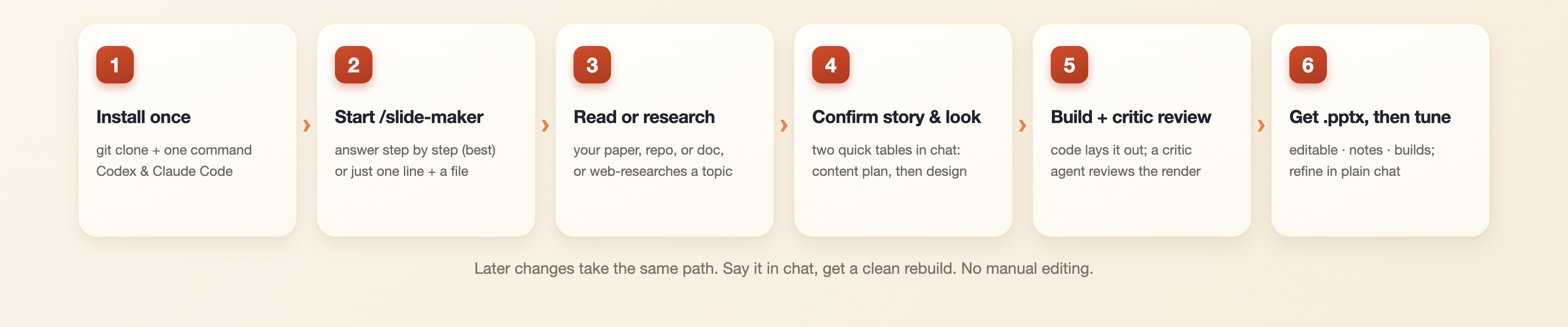
- It asks first. Who is the audience, how long is the talk, live or self-read, what style. Short answers are enough. Say "you decide" if you are in a hurry — it then picks sensible answers itself and posts its picks before building, so a wrong guess costs you one glance, not a rebuild (only a missing topic or source still needs you). No material at all? Give it a topic and it will research online before anything else.
- It reads (or researches) the material. Papers, docs, and repos are read in full: figures cropped from the PDF, key numbers verified line by line, nothing without a source on a slide. With only a topic, it researches current information online first, then works from that.
- You approve the story, then the look — right in the chat. The content-planner posts a compact per-slide table (what each slide says, which figure carries it, how the deck flows); once you confirm the story, the art director posts the design plan (look, palette, per-slide form, motion) the same way. Two quick confirmations at the two cheapest moments to change direction — no plan files to open.
- It generates the PPTX. Layout is guaranteed by code, with automatic layout checks both at build time and on the rendered output. Overflow, overlap, and font problems get caught there.
- An independent critic reviews it. Rendered slides go to the critic agent (with an arbiter cross-checking on high-stakes decks), judged against presentation standards. Fixes land, the deck is re-checked, and only then is it delivered to
~/Downloads/<deck-name>/. - You tune it in plain language. Not perfect? Just say so in the chat ("turn slide 7 into a chart," "cut the intro," "warmer palette," "make it 10 slides," "shorten the notes") and it rebuilds cleanly from the same script. No dragging boxes by hand; keep refining until it's right.
What it costs: the tool is free; you pay only your AI usage. The read-plan-build path is cheap; the independent review loop is the expensive part, and it scales with stakes: a quick internal deck gets a light single-pass check, while a conference-grade deck with a multi-critic panel can consume a few hundred thousand tokens. Say "light review" any time to trade polish for cost — the independent check itself always runs, just lighter.
Quick start
Step 1: Install
slide-maker relies on three system tools: Python 3.9+, LibreOffice (renders slide previews for the automatic layout checks), and one SVG rasterizer for icons (librsvg, cairosvg, or any Chrome-family browser). Install them for your OS:
| OS | LibreOffice | Icon rasterizer |
|---|---|---|
| macOS | brew install --cask libreoffice |
brew install librsvg |
| Linux | sudo apt install libreoffice |
sudo apt install librsvg2-bin |
| Windows | winget install TheDocumentFoundation.LibreOffice |
Chrome or Edge installed (used headless) |
(Windows works too; we just test it less, so if you hit an environment quirk, run check_env.py below to self-diagnose or open an issue with the error.)
With those system tools in place, install slide-maker itself. The four lines below clone the repo, install its Python packages, and register it as a skill:
git clone --depth 1 https://github.com/addsumtech/slides_maker.git
cd slides_maker
python3 -m pip install -r skills/slide-maker/requirements.txt
python3 skills/slide-maker/scripts/install_skill.py --target both
If you only use one tool, replace both with codex or claude. Not sure what's missing? The check command prints the exact fix.
Prefer a one-liner? Install just the skill with npx skills (no clone, about 1.1 MB):
npx skills add addsumtech/slides_maker
It prompts for the agent and scope. The skill lives under skills/slide-maker/ and the repo carries no heavy assets (the gallery and demo site live in slides_maker-site), so the install stays small and fast. Add -g to install globally (all projects), -a claude-code (or -a codex) to skip the agent prompt, and -y for a fully non-interactive run. You still need the runtime dependencies above: LibreOffice, an SVG rasterizer, and python3 -m pip install -r skills/slide-maker/requirements.txt.
On Claude Code, you can also add it as a plugin so it stays updated with a normal plugin command:
/plugin marketplace add addsumtech/slides_maker
/plugin install slide-maker@slides-maker
This is the same skill, just managed by Claude Code's plugin system instead of copied into your skills folder. The runtime dependencies above still apply.
Step 2: Invoke it and answer the interview (the recommended path)
The best, most reliable result comes from invoking the skill and answering its short interview step by step:
/slide-maker
The interview opens as a clickable, tabbed form (Topic · Template · Audience · Style): arrow keys to move, Enter to pick, and every question ships with ready-made options. It recognizes returning users, too: saved templates and past topics show up as one "use one of my previous ones" choice beside the general options, expanding only if you pick it. Answering each question is what makes the deck yours instead of generic: audience, length, live-vs-self-read, density, language, and look all steer the plan. Short answers are fine, and "you decide" is always a valid answer.
In a hurry? A one-liner works too, but treat it as a shortcut, not the best path:
Use slide-maker to create a PPT from paper.pdf.
It starts straight from your file and skips the topic question, which is convenient. But every question you don't answer becomes an assumption the skill has to make, so you'll usually spend more time tuning afterward. When the deck matters, answer the interview. (In Codex there's no slash command; the same questions arrive as plain text. Fully supported, just less clicking. Claude Code is the smoother ride.)
Either way, what follows is a short conversation, not a prompt-writing exercise:
It:   Before I build: which template? Who is the audience, how long,
      live or self-read? Is this PDF the only source?
      English or Chinese, visual-first or balanced?

You:  For my advisor and labmates, 12 minutes, live. Only paper.pdf.
      English, visual and concise. You pick the look.

It:   (after reading the paper) Here is the plan: 15 slides.
      Slide 4 places the paper's Figure 1 whole; the results page
      becomes a native chart you can re-number...
      Confirm the direction and I will build.
Two more things worth knowing:
- "Show me a few style directions first" gets you rendered style candidates to pick from before the full build.
- Put your material in the current project, or give a full path in the request. No material at all? Give it a topic; it researches online first, then agrees on a structure with you.
Other ways to open:
Use slide-maker to create a technical presentation from this repository.
I have a reference PPT: /path/ref.pptx. Use its visual style only, not its content,
and make a new English deck from paper.pdf.
Optional: AI image generation
If you want a generated cover, page illustrations, or a full generated visual identity, say "use AI image generation" in the chat. Two ways to power it, either works: a Codex subscription uses its built-in image generation with no key, or set an OpenAI API key to go through the API. With neither, slide-maker still produces fully editable PPTX.
Best-fit scenarios
Research talks are the home turf, because it parses the problem, method, results, figures, tables, and equations in a paper. But whenever material needs to be explained clearly (or when you have only a topic and no material yet), it can give you a first deck you can present and keep editing.
| What you have | What you can make |
|---|---|
| Papers, experiment results, paper figures | Lab meeting & paper reading, conference oral talk, poster, proposal, thesis defense, experiment report |
| Code repositories, README files, technical docs | Lab meeting, repo walkthrough, architecture talk, progress update, engineering recap |
| Course material, product docs, market data | Class talk, product introduction, market analysis, proposal |
| Nothing yet, just a topic in your head | Hand it a topic; the agents research current information online, agree on a structure with you, then build the deck from scratch |
| A reference PPT | New topic, new content, reorganized story: its look, your material |
Troubleshooting
If generation or preview rendering fails, run the check for your environment. Most failures are missing Python dependencies or LibreOffice:
# Codex
python3 ~/.codex/skills/slide-maker/scripts/check_env.py

# Claude Code
python3 ~/.claude/skills/slide-maker/scripts/check_env.py
It prints the exact fix for anything missing. If problems persist after installing dependencies, open an issue with the error output.
License
Reviews (0)
Sign in to leave a review.
Leave a reviewNo results found