helix-work
Health Warn
- No license — Repository has no license file
- Description — Repository has a description
- Active repo — Last push 0 days ago
- Community trust — 57 GitHub stars
Code Pass
- Code scan — Scanned 4 files during light audit, no dangerous patterns found
Permissions Pass
- Permissions — No dangerous permissions requested
No AI report is available for this listing yet.
Model-neutral AI workspace for macOS with multi-provider models, extensible tools, and inspectable deliverables.
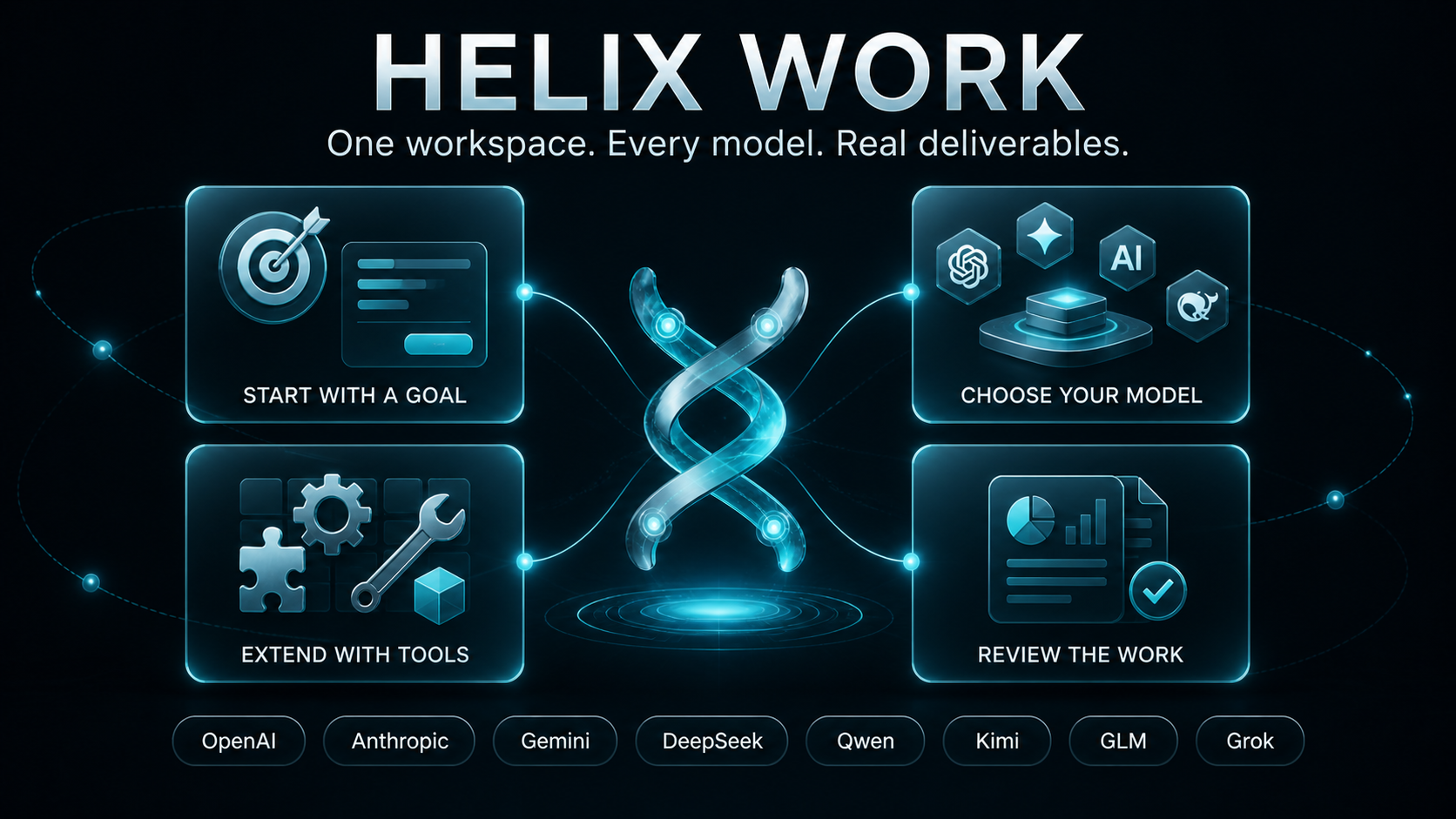



Helix Work is a desktop workspace for getting substantial work done with AI. Start with a task, give Helix access to the tools and context it needs, follow the work as it happens, and review the resulting files without leaving the app.
What you can do
- Run AI-assisted tasks against a local project workspace.
- Read, create, and revise documents, reports, presentations, code, and other artifacts.
- Work with project files, an integrated terminal, browser-based research, and previews in one place.
- Extend workflows with Skills, Plugins, and MCP-compatible integrations.
- Connect leading AI providers and switch between state-of-the-art models for different tasks.
- Review task progress and generated outputs before using or sharing them.
The exact tools available to a task depend on your Helix configuration, installed integrations, selected model provider, and the permissions you grant.
Helix in action
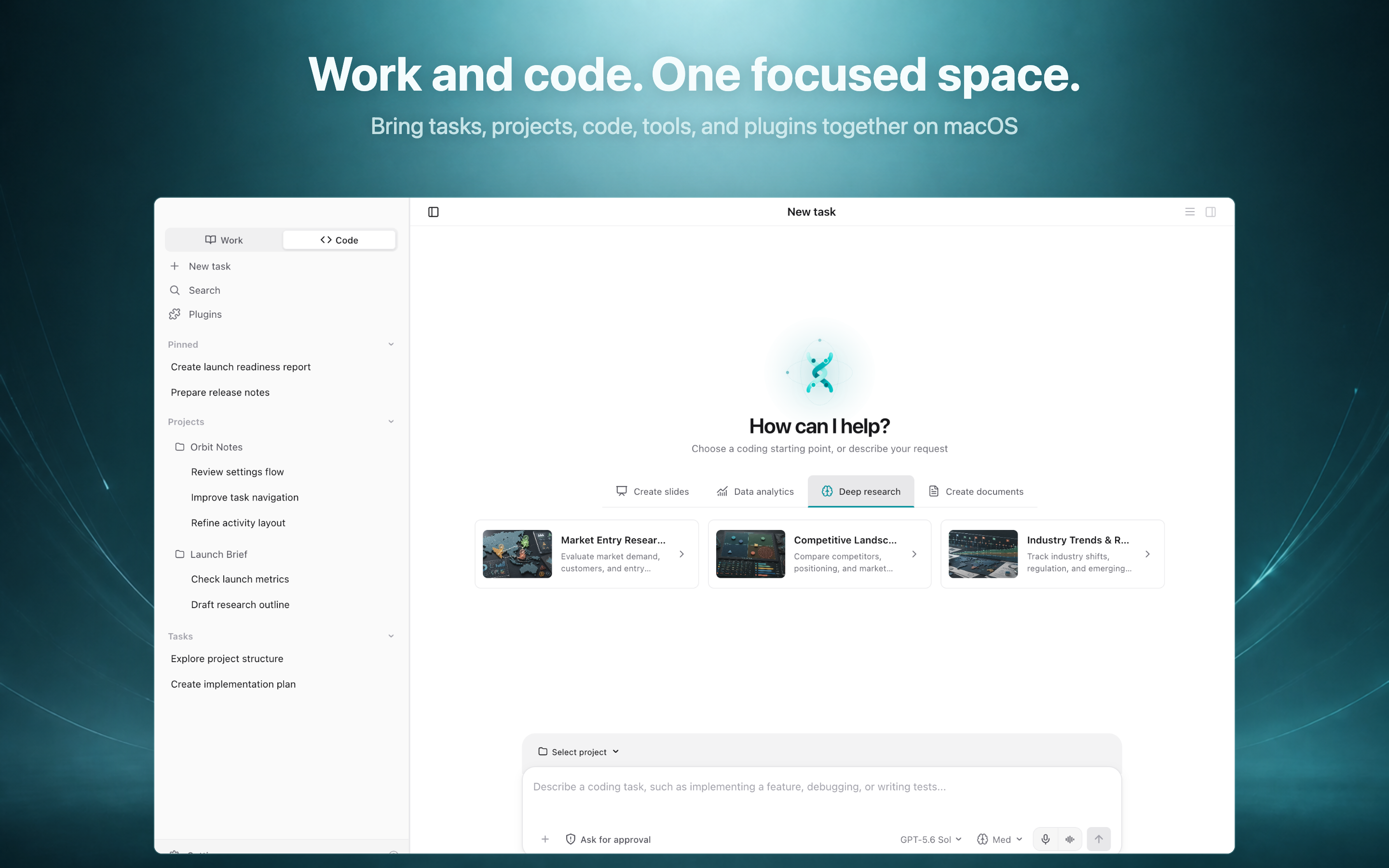
Start with a goal Describe a task, select a project, or begin with a built-in workflow for research, data analysis, slides, or documents. |
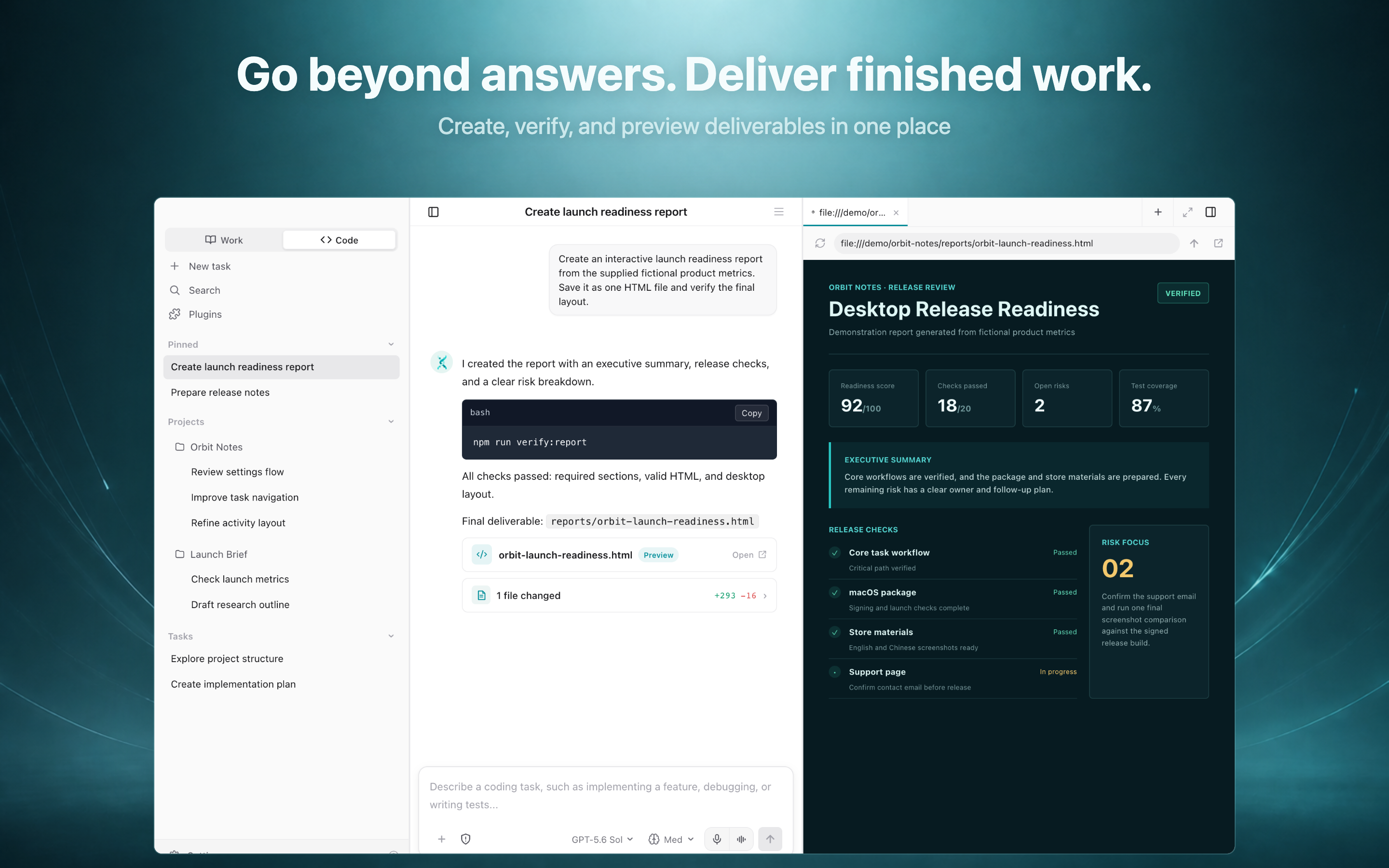
Review the delivered work Inspect the execution record, tool activity, delivered files, and a rendered artifact before continuing or sharing it. |
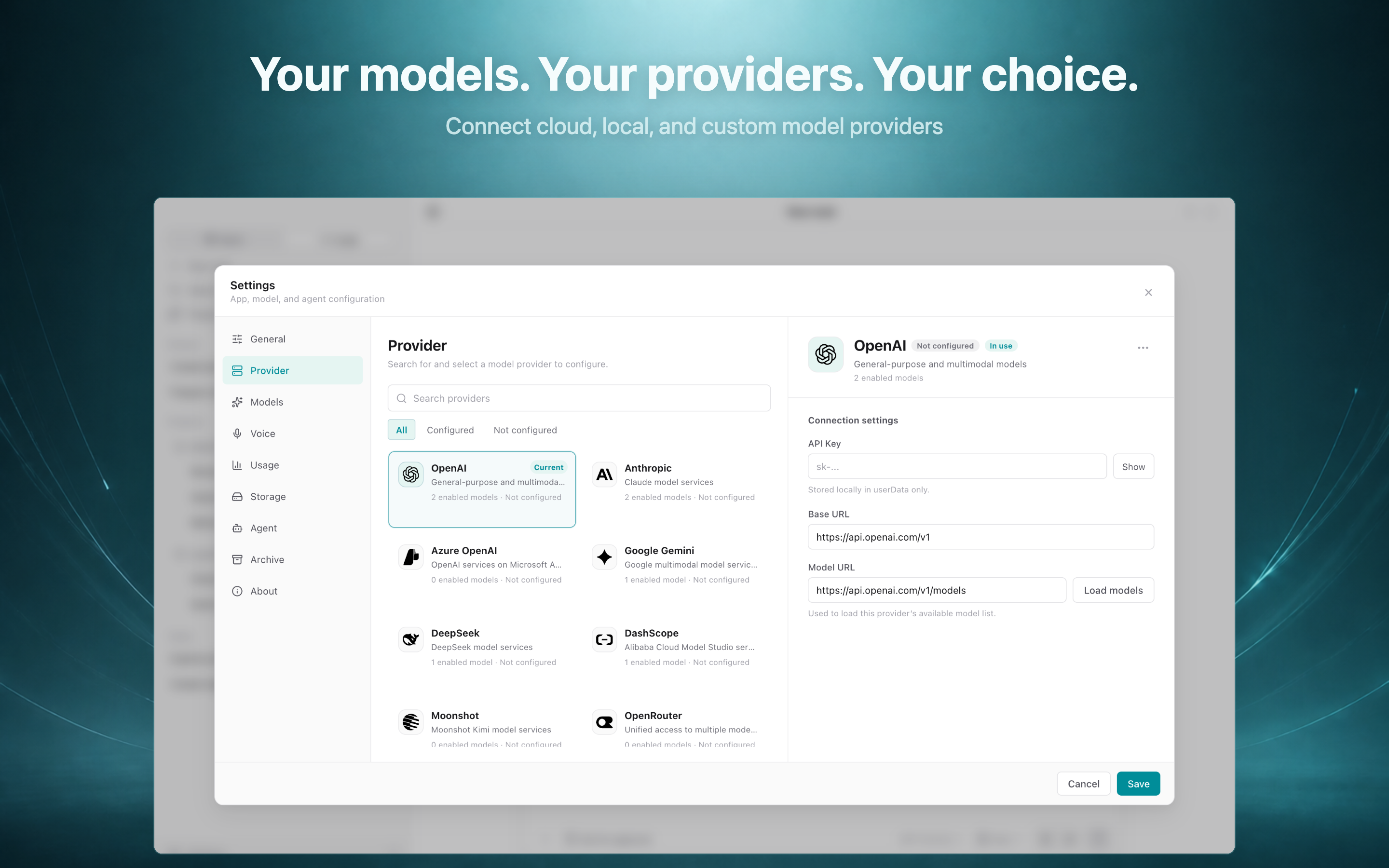
Choose your AI stack Configure leading cloud providers, local models, or an OpenAI-compatible enterprise gateway. |
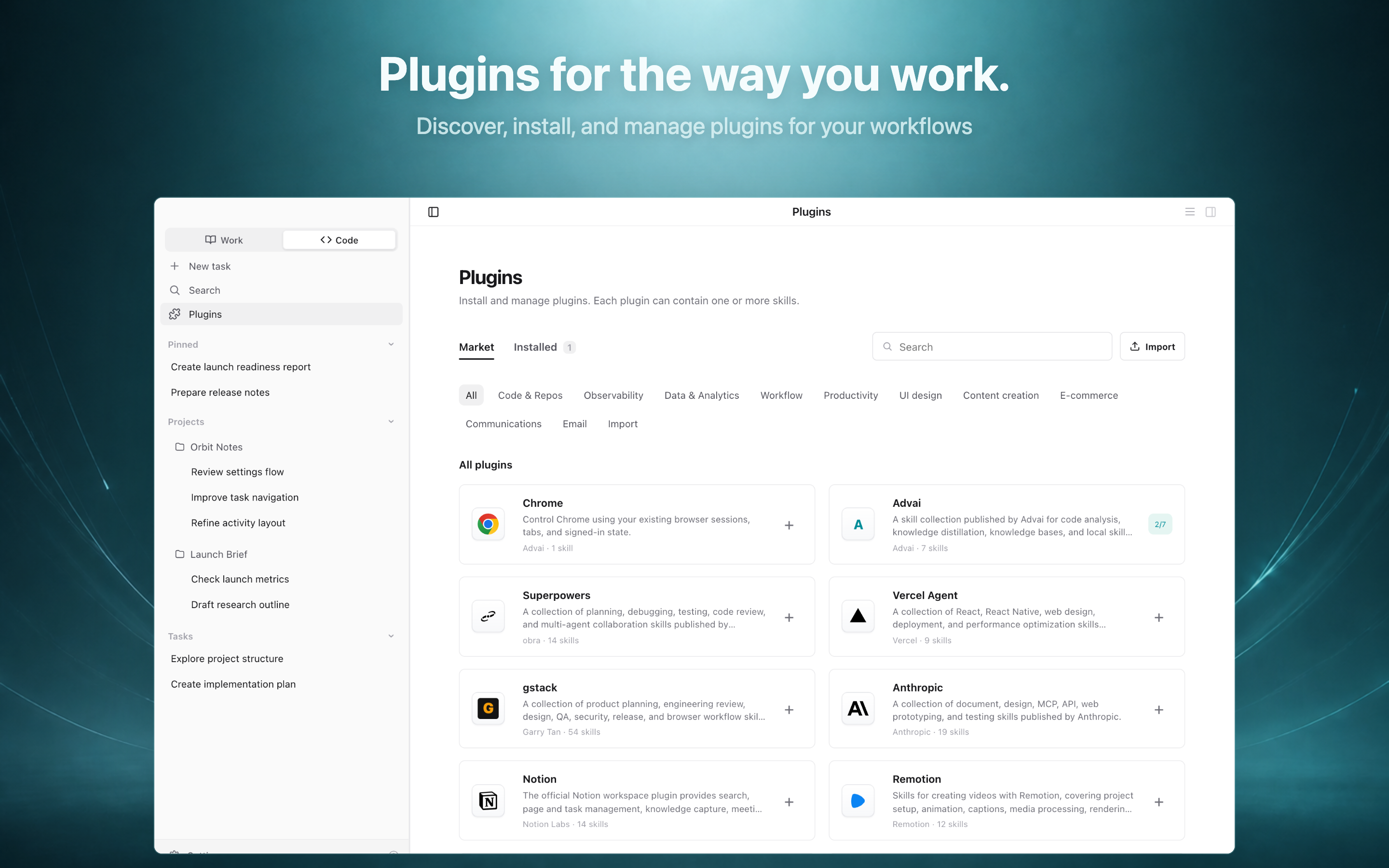
Extend the workspace Add focused capabilities for code, research, data, content, and connected services. |
See the complete Product Tour for the end-to-end workflow and feature overview. Promotional images use demonstration content; exact UI details, model names, and availability may vary by version, provider, account, and region.
Models and providers
Helix is designed to work across the mainstream AI ecosystem instead of locking a workspace to one model vendor. It supports provider configurations for:
- OpenAI, Anthropic, Azure OpenAI, and Google Gemini
- DeepSeek, Alibaba Cloud Model Studio (DashScope), Moonshot, Z.AI, and Volcano Ark
- OpenRouter for access to models from multiple vendors
- Ollama for locally served models
- Custom OpenAI-compatible endpoints, including private or enterprise gateways
Depending on the configured provider, Helix can use leading model families such as GPT, Claude, Gemini, DeepSeek, Qwen, Kimi, GLM, and Grok, alongside provider-specific and custom models. You can load models available to your account, add a model by its API ID, and select the model that best fits each workflow.
Provider access, billing, regional availability, rate limits, and individual model capabilities are controlled by the respective provider. A model shown in Helix may still require an eligible account and API access from that provider.
Download
GitHub release
Download the latest notarized macOS disk image from GitHub Releases.
The current GitHub build is a Universal macOS application for both Apple silicon (arm64) and Intel (x86_64) Macs. It requires macOS 12 or later. Only packaged application builds are distributed through Releases; source archives automatically shown by GitHub are not Helix application source code.
Apple App Store
Download Helix Work from the Mac App Store. Availability may vary by region. Use GitHub Releases when you want the direct-download build.
Install from GitHub
- Download the
.dmgfile from the latest release. - Open the disk image and drag Helix into Applications.
- Launch Helix from the Applications folder.
The direct-download build is signed with an Apple Developer ID certificate and notarized by Apple. You can verify a downloaded file's checksum with:
shasum -a 256 Helix-Work-<version>-universal.dmg
Compare the result with the SHA-256 value published in the corresponding release notes.
Privacy and data
Helix Work collects limited device, product interaction, and diagnostic data to operate, maintain, and improve the app. It does not use that data for advertising or cross-app tracking, and it does not sell personal data.
Tasks may send prompts, selected files, or other context to the AI providers and integrations you configure. Review their terms and privacy practices before sending sensitive information, and grant tools access only to the files and services needed for a task.
Read the complete bilingual Privacy Policy.
Releases and support
- Official website
- Mac App Store
- Latest release
- All releases
- Report a problem or request a feature
- Advai X on GitHub
When reporting a problem, include the Helix version, macOS version, Mac model or chip, and reproducible steps. Do not include API keys, private documents, credentials, or other sensitive data.
中文介绍
Helix Work 是一款面向 macOS 的 AI 工作台,将任务、项目文件、终端、浏览器、扩展能力与最终产物集中在一个应用中。你可以从一个目标开始,让 Helix 在授权范围内调用所需工具,并在应用内跟踪过程、检查文件和预览结果。
- 支持 OpenAI、Anthropic、Azure OpenAI、Google Gemini、DeepSeek、阿里云百炼(DashScope)、Moonshot、OpenRouter、Z.AI、火山方舟、Ollama,以及兼容 OpenAI 接口的自定义或企业网关。
- 可使用 GPT、Claude、Gemini、DeepSeek、Qwen、Kimi、GLM、Grok 等主流前沿模型系列,并可从供应商读取账号可用模型或按 API Model ID 添加自定义模型。
- GitHub 当前提供 Universal 直装版本,同时支持 Apple 芯片(
arm64)和 Intel(x86_64)Mac,要求 macOS 12 或更高版本。 - 在 Releases 页面下载
.dmg,拖入“应用程序”文件夹即可安装。 - GitHub Release 仅发布应用构建产物;本仓库不包含 Helix 应用源码。
- App Store 版本由 Apple 渠道独立分发,上线时间和可用地区可能不同。
- 可通过产品导览查看真实界面、完整工作流程和主要功能。
- 使用前请阅读完整的中英文隐私政策。
访问 Helix Work 官网或前往 Mac App Store 获取应用。如需反馈问题,请提交 GitHub Issue,并避免上传密钥、私人文档或其他敏感信息。
具体模型是否可用取决于相应供应商的账号权限、地区、计费、限流和 API 开放情况。
Reviews (0)
Sign in to leave a review.
Leave a reviewNo results found