wherdr
Health Warn
- License — License: MIT
- Description — Repository has a description
- Active repo — Last push 0 days ago
- Low visibility — Only 9 GitHub stars
Code Warn
- network request — Outbound network request in app/composables/useAppVersion.ts
Permissions Pass
- Permissions — No dangerous permissions requested
No AI report is available for this listing yet.
Use Herdr from anywhere — your iPhone, Android phone or any browser. Watch your coding agents, answer them and run your herdr-projects, privately and securely.
wherdr
Upgrading to 2.0.0? Read the release notes for breaking changes and the 1.x migration checklist.
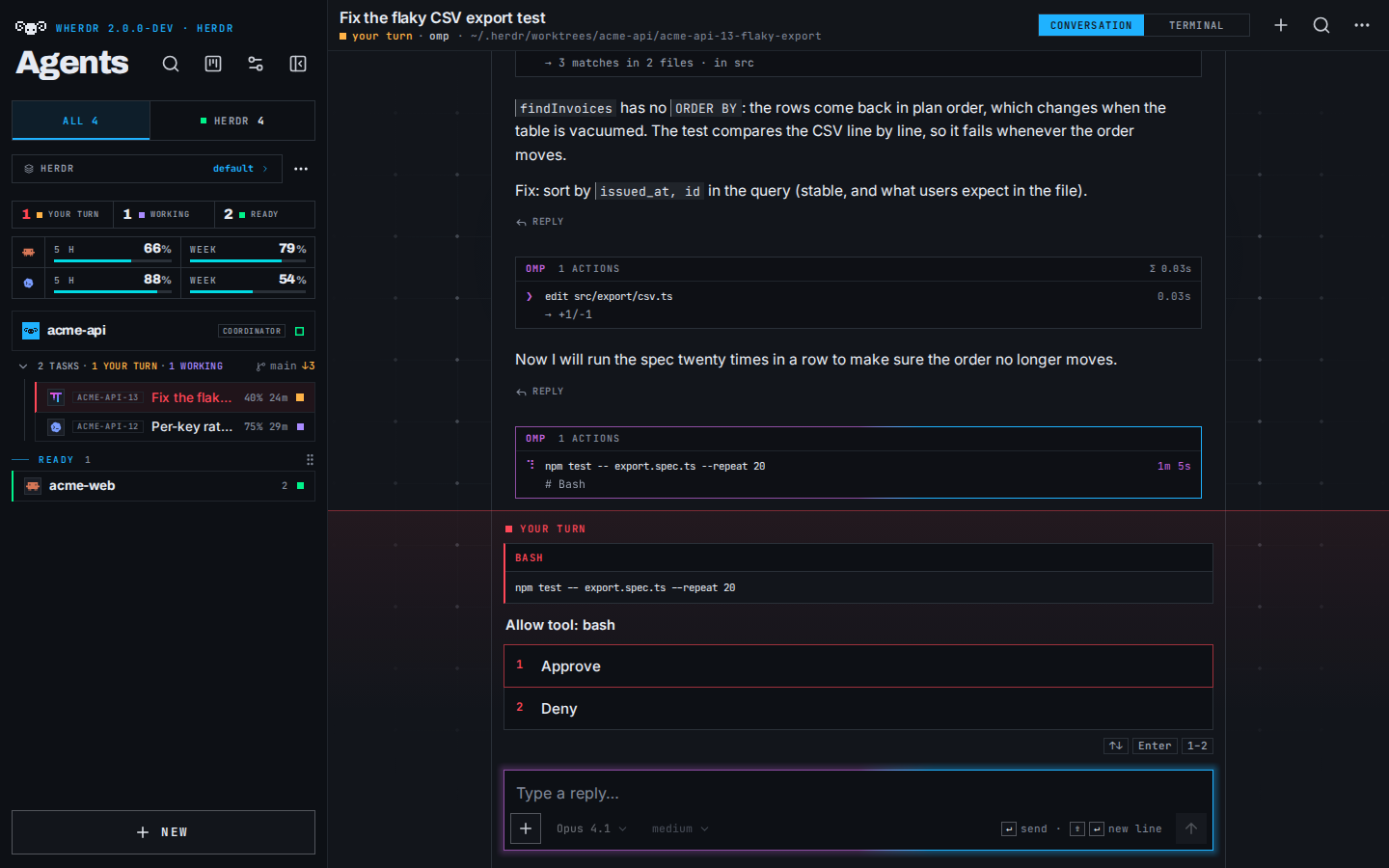
wherdr is an unofficial, self-hosted web client for Herdr.
Start coding agents on your computer, follow their work and reply from your phone or browser.
It uses the same Herdr session, with live conversations, real terminals and a herdr-projects Board.
Try the demo · Website · Launch film
Quick start
On the Linux or macOS computer running Herdr ≥ 0.9.1, run:
curl -fsSL https://wherdr.dev/install | sh
The installer checks prerequisites, offers Node.js 22 if needed, installs the Herdr plugin
and starts wherdr as your user at http://localhost:7683. It also configures automatic
startup: at login on macOS; at boot on Linux with lingering enabled, otherwise at login. The installer reports which case applies.
Open that address, or press prefix+i in Herdr, to follow the setup guide: agents, phone access
through Tailscale, optional passkey lock and notifications. See first launch.
Prefer help from your coding agent? Paste:
Read https://wherdr.dev/agent.md and help me set up wherdr. Check what is already installed first, and ask me before installing anything.
wherdr is a remote shell as your user. Keep it on localhost or a private network such as
Tailscale; never expose it to the public Internet. Read Security before remote access.
Documentation
- Overview and architecture — What wherdr does, why it exists and how it connects to Herdr. Includes the launch film and license.
- First launch — Install the native service and follow the setup guide. Includes the desktop, Board and phone screenshots.
- Home and agent list — Find agents, create a session and filter machines or projects. Covers compact rows and state grouping.
- Conversation and replies — Read transcripts, answer questions, attach files and manage drafts. Includes quoted replies and decision tables.
- Terminal — Use the real terminal, copy text, open links and paste images. Explains take-over and size restoration.
- Files and changes — Review Git changes and comment on lines or blocks. Compose a review for the agent.
- Computer, phone and iPad — Use split panes, keyboard shortcuts and touch controls. Describes device-specific layouts.
- Installation and updates — Requirements, native installer, agent PATH, updates and migration from Docker.
- Migrate from a 1.x Docker install — Move a wherdr 1.x container to the native 2.0 service, keeping its port, passkeys and data. Written so an AI agent can run it step by step.
- Phone access and private networks — Set up Tailscale or another private network with HTTPS. Includes always-on servers and keep-awake.
- The wherdr command — Install through npm or Homebrew and manage the native service from the command line.
- Herdr plugins — Install and configure the wherdr plugin, its panel key and plugin actions.
- Install as an app — Add wherdr to your home screen on a phone or install it in a desktop browser.
- Settings and configuration — Configure the service through environment variables and the app through shared and device-specific preferences.
- Machines and SSH — Register remote machines and use their agents through SSH. Includes sessions and connection troubleshooting.
- Claude and Codex quotas — Show remaining usage and handle Codex updates, limits and restarts.
- Notifications — Enable Web Push, relay Herdr notifications and configure Do not disturb.
- Board and coordinators — Work with herdr-projects tasks, reviews, approvals and coordinators across machines.
- Security — Understand remote-shell access, passkeys and network restrictions. Read this before enabling remote access.
- Development and tests — Run from source and follow the contribution and agent test rules.
- Troubleshooting — Resolve startup, permissions, network, SSH and conversation problems.
All documentation · Contributing · Changelog · MIT license
Unofficial project; not affiliated with or endorsed by Herdr, Anthropic or OpenAI.
Reviews (0)
Sign in to leave a review.
Leave a reviewNo results found