openclaw-desktop
Health Pass
- License — License: NOASSERTION
- Description — Repository has a description
- Active repo — Last push 0 days ago
- Community trust — 23 GitHub stars
Code Fail
- exec() — Shell command execution in electron-builder.config.cjs
- fs.rmSync — Destructive file system operation in electron-builder.config.cjs
- process.env — Environment variable access in electron-builder.config.cjs
- fs module — File system access in electron-builder.config.cjs
Permissions Pass
- Permissions — No dangerous permissions requested
No AI report is available for this listing yet.
OpenClaw Desktop – One-click .exe Windows installer & native desktop app for the OpenClaw AI agent framework. Run, update, and manage OpenClaw locally with ease. | 龙虾智能体官方中文桌面版一键安装部署EXE程序

OpenClaw Desktop
龙虾智能体官方中文桌面版一键安装部署EXE程序
Official-style Windows installer & desktop app for OpenClaw.
One-click install, bundled runtime, guided setup — run OpenClaw AI agents on Windows without touching a terminal.




⭐ If this project helps you, please give it a star — it takes 2 seconds and means a lot! ⭐
Language: English · 简体中文
What is this?
OpenClaw Desktop packages the OpenClaw runtime into a standard Windows install experience. Download one .exe, finish a setup wizard, and run OpenClaw from a native desktop shell — no manual wiring, no terminal required.
If you've been searching for how to install OpenClaw on Windows, how to run OpenClaw locally, or an OpenClaw Windows installer with a GUI, this is it.
Quick Start
- Download the latest installer from Releases
- Run the Windows setup (filename follows
package.json, e.g.OpenClaw-Setup-0.5.0+openclaw.2026.3.28.exe) - Finish the setup wizard (provider → channel → gateway)
- Launch from Start Menu or Desktop shortcut
System: Windows 10/11 x64 · ~350 MB free space · Internet for API calls
OpenClaw Desktop v0.5.0
- Shell version:
0.5.0+openclaw.2026.3.28(semver + bundled OpenClaw pin in build metadata). - Bundled OpenClaw (npm): 2026.3.28 — same runtime as
npm install [email protected]; pinned inpackage.jsonasopenclawBundleVersion. - Desktop highlights (recent train): Feishu
registerFullonce-per-process guard for upstreamdist/auth-profiles-*.jslayout; MiniMax wizard presets aligned to upstream M2.7-only catalog; Control UI built from GitHub tag sources for Electron; optional details in CHANGELOG.md (e.g. [0.4.11]).
Upstream OpenClaw 2026.3.28 (summary)
Full notes: openclaw/openclaw v2026.3.28.
Breaking
- Qwen: Remove deprecated
qwen-portal-authOAuth forportal.qwen.ai; migrate using Model Studio /openclaw onboard --auth-choice modelstudio-api-key. - Config / Doctor: Drop automatic migrations older than about two months; very old legacy keys may fail validation instead of being rewritten.
Notable changes (abridged)
- xAI: Move bundled xAI to Responses API; add
x_search; align Grok / web-search and tool config so bundled flows work without manual plugin toggles; onboard can offer optionalx_searchsetup. - MiniMax: Image generation for
image-01; chat catalog trimmed to M2.7 line (legacy M2 / M2.1 / M2.5 / VL-01 removed). - Plugins / hooks: Async
requireApprovalonbefore_tool_call(exec overlay, Telegram, Discord,/approve, etc.). - CLI / plugins:
openclaw config schema; bundled Claude / Codex / Gemini CLI on plugin surface;gateway run --cli-backend-logs(replaces--claude-cli-logsas alias). - Channels & tools: Many fixes across Telegram, Discord, WhatsApp, BlueBubbles, Matrix, Feishu, Microsoft Teams, Google Chat, and more (delivery, reconnect, pairing, uploads, sandbox, failover).
- Control UI: Keep sensitive raw config hidden by default; explicit reveal-to-edit; raw JSON editing without auto-exposing secrets.
Tip (MiniMax 401): MiniMax Anthropic-compatible endpoints expect x-api-key, not Bearer. This shell sets authHeader: false for MiniMax and migrates existing configs on load. Other third-party anthropic-messages hosts may still need authHeader: true where documented.
Older desktop releases are listed in CHANGELOG.md.
Compatibility with upstream OpenClaw (bundled 2026.3.28)
Each release pins the bundled OpenClaw npm version in root package.json (openclawBundleVersion). pnpm run download-openclaw installs that exact version (unless you override with a CLI arg or OPENCLAW_DESKTOP_BUNDLE_VERSION). For local packaging, run download-openclaw before prepare-bundle. The committed resources/bundle-manifest.json is informational only — the bundled version is whatever prepare-bundle writes to bundledOpenClawVersion.
- Runtime: Bundled portable Node.js 22.16.0 (
pnpm run download-node), matching upstreamopenclaw.mjs/engines(Node ≥ 22.16). - State & config: Same as upstream:
%USERPROFILE%\.openclaw, main configopenclaw.json. UseOPENCLAW_*env vars (CLAWDBOT_*/MOLTBOT_*,.moltbot, etc. were removed upstream). - Control UI: The npm package does not ship
dist/control-ui/; we fetch GitHub tagv<version>sources (ui/plus repo-rootsrc/, etc.) and run Vite. CI builds static assets on Linux and merges them into the Windows installer. - Bundled plugin list: Upstream ships built-in channel/provider plugins under
dist/extensions/*; the desktop shell scans that path and still falls back to legacy top-levelextensions/. - Breaking changes: Plugin SDK (
openclaw/plugin-sdk/*), browser/install behavior, and other breaking items are covered in upstream OpenClaw releases and upstream docs for the version you ship. Installer-only users usually need no action; custom/third-party plugin authors should follow upstream migration guides.
Same section in Chinese: README.zh-CN.md.
Features
| 🔽 One-click installer | Native Windows .exe installer — no npm install or system-wide Node.js needed |
| ⚡ Bundled runtime | Ships with portable Node.js + OpenClaw so first launch is instant |
| 🧙 Guided setup wizard | Step-by-step configuration for model provider, channel, and gateway |
| 🔄 In-app updates | Built-in updater via GitHub Releases; rollback to any previous version |
| 🪟 Native Windows shell | Start Menu, Desktop shortcut, system tray, and auto-start support |
| 🌐 50+ providers | OpenAI, Claude, Gemini, DeepSeek, Kuae, and more |
| 💬 Multi-channel | Telegram, Discord, Slack, WhatsApp, Feishu, and more |
| 🌍 Multi-language UI | English, 简体中文, 繁體中文, 日本語, 한국어, Español, Français |
| 🔐 Feishu pairing & allowlist | Approve DM users, manage senders, add open_id — all inside the app |
Ecosystem
         OpenClaw
             |
    ┌────────┴────────┐
    │                 │
  Desktop           GUI
    │            Plugins
Installer          ...
OpenClaw Desktop is a community-maintained Windows distribution for the OpenClaw ecosystem. Part of the OpenClaw ecosystem — not affiliated with the core project.
Download
| Release | v0.5.0 (shell 0.5.0+openclaw.2026.3.28) |
| Installer | OpenClaw-Setup-0.5.0+openclaw.2026.3.28.exe (see Releases for exact asset) |
| Platform | Windows 10/11 x64 |
| Includes | Electron shell, portable Node.js, bundled OpenClaw |
| Extras | SHA-256 checksum, latest.yml for in-app updates |
→ github.com/agentkernel/openclaw-desktop/releases/latest
Screenshots
| Installer | Setup Wizard | Dashboard |
|---|---|---|
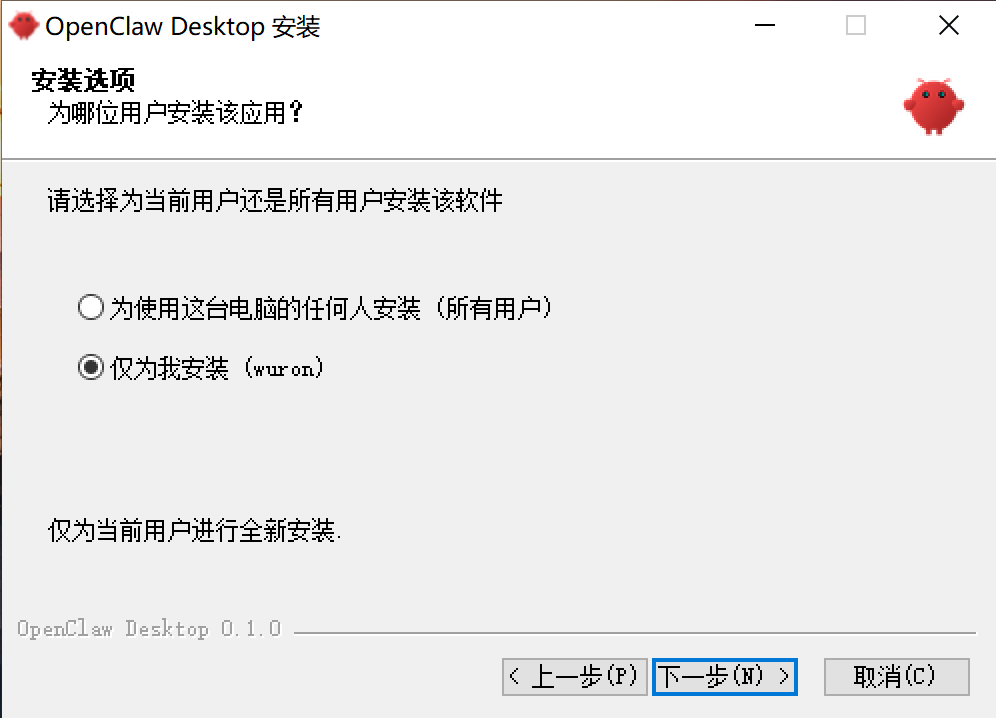 |
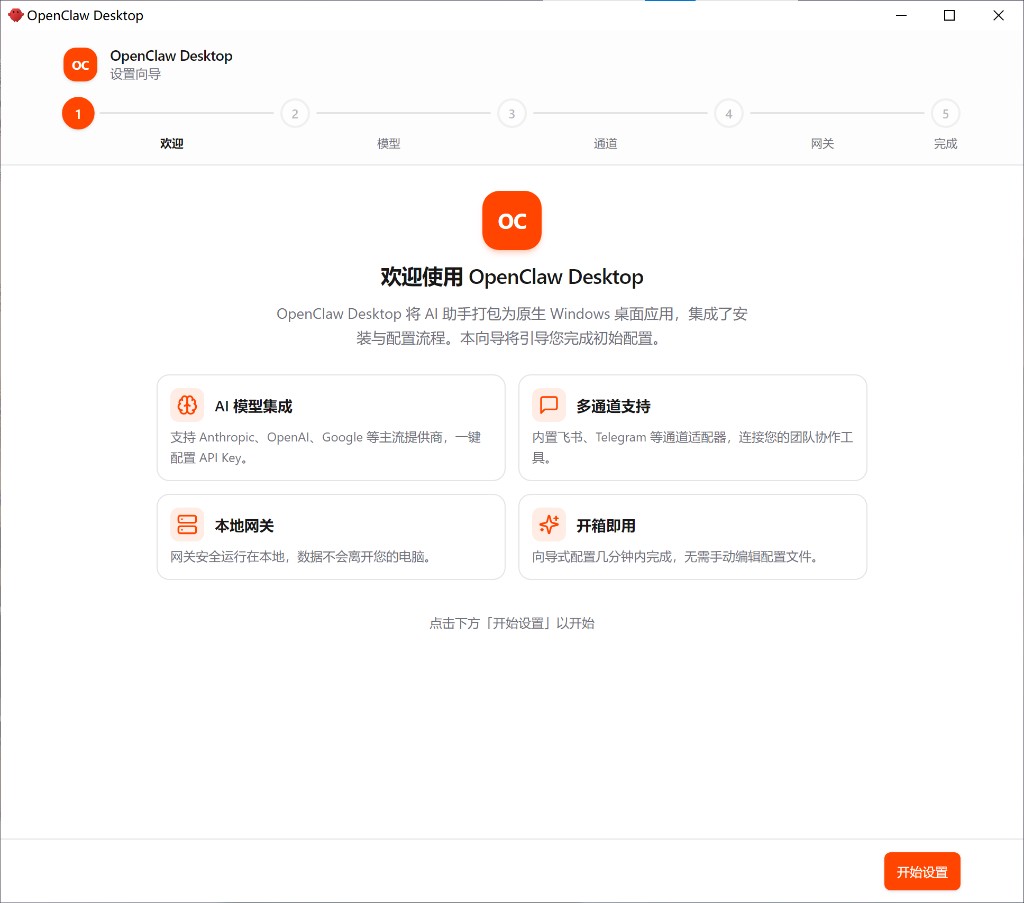 |
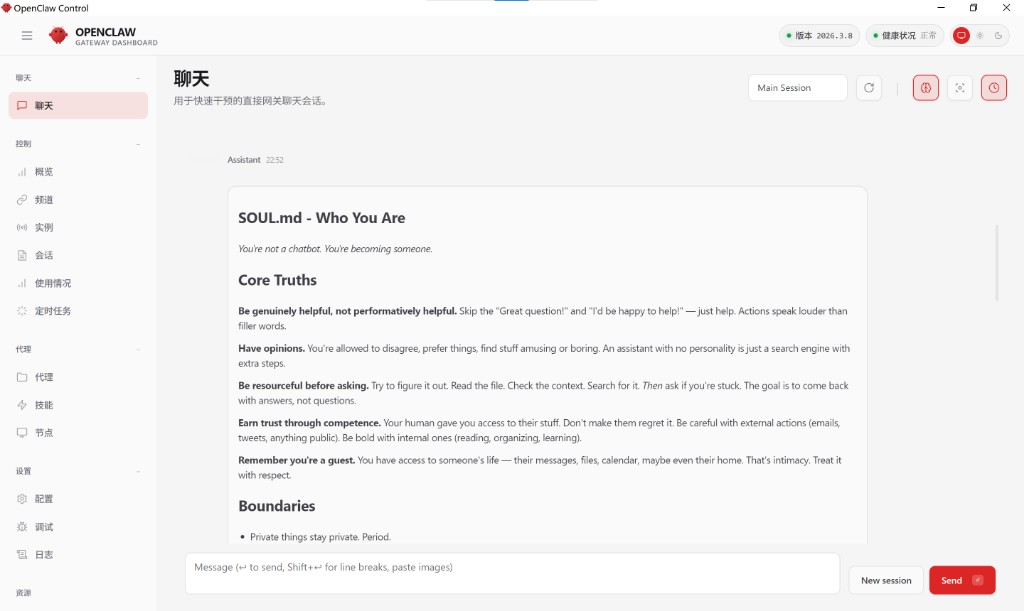 |
Feishu Settings & Pairing
If you use Feishu with pairing mode, Desktop keeps the whole flow inside the app:
- Configure Feishu credentials in the wizard or in Settings
- Keep DM mode on
pairingto approve users before they can chat - Ask the requester to DM the bot in Feishu
- Open Feishu Settings to review pending requests, approve senders, edit the allowlist, or add an
open_idmanually
If the pending list is empty but you have a pairing code, use the code-based approval path on the same screen — Desktop will call the bundled OpenClaw runtime as a fallback.
FAQ
How do I install OpenClaw on Windows?Download the latest OpenClaw-Setup-*.exe from the latest release and run it. That's it — no npm, no system-wide Node.js, no terminal commands needed.
No. The installer ships with a portable Node.js runtime.
Where is user data stored?- OpenClaw config:
%USERPROFILE%\.openclaw\openclaw.json - Desktop config:
%APPDATA%\OpenClaw Desktop\config.json - Logs:
%USERPROFILE%\.openclaw\ - Backups:
%USERPROFILE%\.openclaw\backups\
Uninstalling the app does not remove these by default.
How do updates work?Desktop checks GitHub Releases and can download updates through the built-in updater. You can also download any older asset manually for rollback.
What does the Kuae HTTPS proxy fix do?When the bundled OpenClaw gateway inherits HTTP(S)_PROXY, some local proxies break TLS to Kuae's Coding Plan endpoint (coding-plan-endpoint.kuaecloud.net). Desktop merges NO_PROXY for both .kuaecloud.net domains so Kuae traffic goes direct while other providers still use your proxy. Set OPENCLAW_SKIP_KUAE_NO_PROXY=1 to disable.
Development
git clone https://github.com/agentkernel/openclaw-desktop.git
cd openclaw-desktop
pnpm install
pnpm dev
Prerequisites: Node.js >= 22.16.0 · pnpm · Windows 10/11
Common commands:
pnpm type-check   # Type check
pnpm build       # Build
pnpm run package:prepare-deps   # download-node + download-openclaw (before installer)
pnpm run prepare-bundle
pnpm run package:win   # Output: dist/OpenClaw-Setup-<version>.exe
Bundled OpenClaw: Pinned in package.json (openclawBundleVersion). After prepare-bundle, see bundledOpenClawVersion in resources/bundle-manifest.json (currently 2026.3.28 for desktop v0.5.0). Local checks: pnpm run check-openclaw-versions (omit OPENCLAW_SKIP_NPM_LATEST_CHECK to also compare against npm latest).
Related docs: CHANGELOG.md · CONTRIBUTING.md
License
⭐ Star History · Contributors · Community
Reviews (0)
Sign in to leave a review.
Leave a reviewNo results found