agent-latch
Health Warn
- License — License: MIT
- Description — Repository has a description
- Active repo — Last push 0 days ago
- Low visibility — Only 6 GitHub stars
Code Fail
- exec() — Shell command execution in challenges/asi03-insecure-code-execution/challenge-01-babyagi-selfbuild/attack_payload.json
Permissions Pass
- Permissions — No dangerous permissions requested
No AI report is available for this listing yet.
Local-first AI agent security scanner and MCP traffic monitor. Finds prompt injection, over-privileged tools, and secrets in agent code, manifests, and prompts; records MCP tool calls with secrets masked. CLI, pre-commit, GitHub Action, SARIF, OWASP Agentic Top 10.

AgentLatch — Local-First AI Agent Security Scanner




Find selected security risks in AI-agent projects before you run or deploy them. AgentLatch is an open-source, local-first AI agent security scanner. It checks Python agent code, agent manifests (tools, permissions, and authentication), and prompt templates; optionally audits pinned Python dependencies; and reports evidence in your terminal, JSON, or SARIF. Run it from the command line, as a pre-commit hook, or as a GitHub Action.
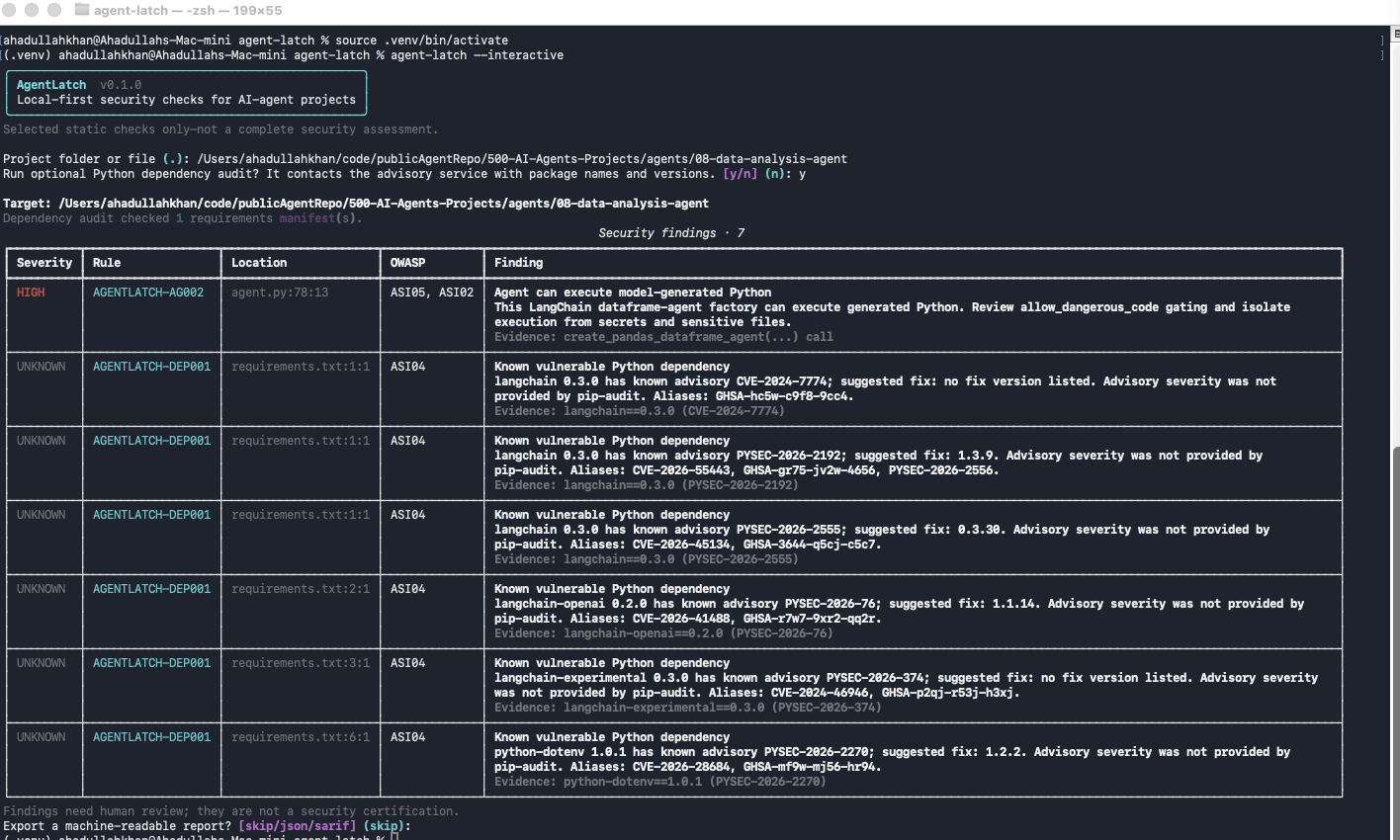
Project status: early proof of concept. AgentLatch is not a complete vulnerability scanner, runtime protection system, security score, or certification. A clean scan means only that the enabled checks did not report a finding.
AgentLatch aims to make AI-agent security checks approachable for developers working with agentic AI. The first version focuses on a small, explainable set of static checks. A few rules recognise specific frameworks (CrewAI, LangChain, LangGraph), but AgentLatch does not plug into or run your agent. Framework adapters, runtime authorization, policy enforcement, and behavioural evaluations are future layers—not capabilities this scanner currently provides.
Quick start
Requires Python 3.11+. Install AgentLatch in its own virtual environment (Windows: see Getting started):
git clone https://github.com/AgentLatch/agent-latch.git
cd agent-latch
python3 -m venv .venv && source .venv/bin/activate
python -m pip install -e .
Scan an agent project:
agent-latch scan /path/to/my-agent
No configuration or agent manifest is needed: every folder and text file is scanned. Suppressions inside the scanned project (.agent-latch-ignore, inline ignore comments) are not applied unless you add --project-ignores, so a project you scan cannot hide its own findings.
Try it on the bundled, deliberately insecure example:
agent-latch scan examples/vulnerable-agent
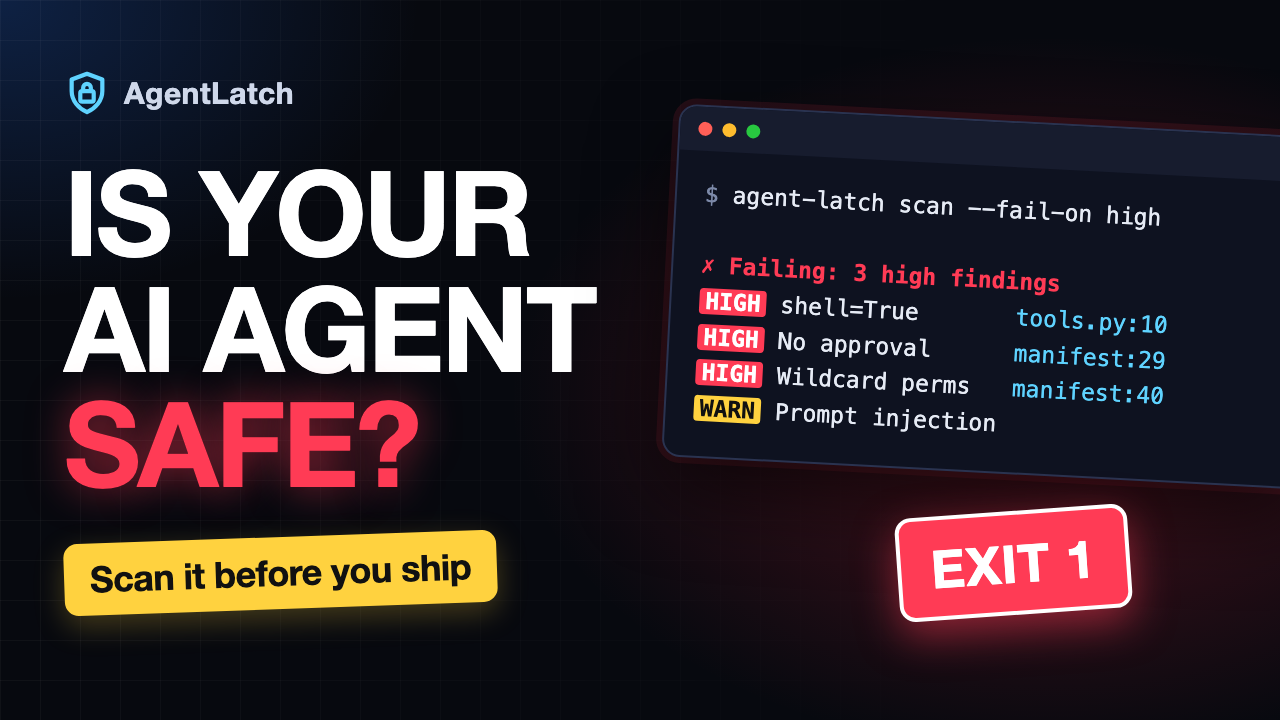
Watch the demo: scanning the example and failing CI with --fail-on high.
More ways to run it:
agent-latch scan --config agent-manifest.yaml        # also audit a manifest's declared tools (optional)
agent-latch scan . --project-ignores                 # your own repo: apply its .agent-latch-ignore
agent-latch scan . --min-severity medium             # hide low and info findings (still counted)
agent-latch scan . --dependencies                    # add known-vulnerability checks (sends package names to PyPI)
agent-latch scan . --fail-on high                    # exit 1 on high-severity findings, for CI
agent-latch scan . --exclude tests/                  # skip a path for one run
agent-latch scan . --format sarif --output results.sarif
agent-latch --interactive                            # guided mode
Block risky changes automatically with the pre-commit hook or the GitHub Action (setup guide, Marketplace listing):
- uses: AgentLatch/[email protected]
  with:
    fail-on: high
    # min-severity: medium      # optional: hide low and info findings
    # project-ignores: "true"   # apply your repo's .agent-latch-ignore (see the note below)
Upgrading from v0.1.0: the project's own
.agent-latch-ignore,pyproject.tomlexcludes, and inline ignore comments are no longer applied by default. If your repository relies on them, addproject-ignores: "true"to the Action or--project-ignoreson the command line. See the v0.2.0 release notes.
Documentation
| Guide | Covers |
|---|---|
| Getting started | Install on Linux, macOS, WSL, and Windows; scanning; options; ignoring false positives with .agent-latch-ignore; output formats; exit codes; dependency audit; troubleshooting |
| Agent manifests | Declaring agents, tools, permissions, and prompts in agent-manifest.yaml, and what is checked |
| pre-commit and CI | pre-commit hook, GitHub Action inputs and outputs, other CI systems, choosing a threshold |
| Detection rules | What every rule detects, its OWASP mapping, and its known blind spots |
| Vulnerable example | A demo project and the findings it should produce |
| MCP gateway | A local MCP gateway for running agents against real tools, with step-by-step setup for Claude Code, Claude Desktop, Cursor, Codex CLI, and HTTP clients |
| Runtime proxy (preview) | Put agent-latch-runtime proxy in front of an MCP server to record its tool calls and results; monitor only, no blocking yet |
Why AgentLatch?
AI agents combine model-generated decisions with tools, credentials, code execution, and external data. Traditional code and dependency checks are useful, but they do not by themselves explain agent-specific risks. AgentLatch is a small starting point: run selected checks locally, inspect the exact file and evidence, and map relevant findings to OWASP Agentic Top 10 categories.
The goal is to grow in layers:
- Now — local scanner: focused checks of Python source, agent manifests, and prompt templates; optional Python dependency advisories; portable reports; and pre-commit and GitHub Action integrations.
- Next — broader static and evaluation checks: more tested rules, framework adapters, and reproducible security test cases.
- Planned — runtime checks: inspect live MCP tool calls routed through AgentLatch, recording findings by default and blocking only when the operator turns it on in their own policy; framework adapters come after that.
These layers will remain clearly distinguished: detecting a risky pattern is not the same as testing agent behavior, and neither alone guarantees runtime enforcement.
What it checks today
| Rule | Detection | OWASP Agentic mapping |
|---|---|---|
AGENTLATCH-PY001 |
Direct Python eval() and exec() calls |
ASI05 Unexpected Code Execution (RCE); ASI02 Tool Misuse and Exploitation |
AGENTLATCH-PY002 |
subprocess.*(..., shell=True) calls |
ASI05 Unexpected Code Execution (RCE); ASI02 Tool Misuse and Exploitation |
AGENTLATCH-PY003 |
Calls with a literal verify=False argument |
ASI02 Tool Misuse and Exploitation |
AGENTLATCH-AG001 |
CrewAI Agent(..., allow_delegation=True) review hint |
ASI02 Tool Misuse and Exploitation; ASI03 Identity and Privilege Abuse |
AGENTLATCH-AG002 |
LangChain create_pandas_dataframe_agent(...) code-execution capability |
ASI05 Unexpected Code Execution (RCE); ASI02 Tool Misuse and Exploitation |
AGENTLATCH-AG003 |
Web-search, web-loader, or HTTP output flowing unfenced into an LLM message (indirect prompt injection) | ASI01 Agent Goal Hijack |
AGENTLATCH-AG004 |
Function exposed to the model as a tool that runs commands, writes files, sends email, or writes data, with no human-approval gate | ASI02 Tool Misuse and Exploitation; ASI05 / ASI03; ASI09 |
AGENTLATCH-AG005 |
Agent given an unrestricted built-in tool (shell, Python REPL, unscoped file access) | ASI02 Tool Misuse and Exploitation; ASI05 / ASI03 |
AGENTLATCH-AG006 |
Human approval turned off for agent actions (human_input_mode="NEVER" with code execution, auto_approve=True, permission_mode="bypassPermissions") |
ASI09 Human-Agent Trust Exploitation; ASI05 / ASI02 |
AGENTLATCH-AG007 |
Agent loop with no effective limit (max_iterations=None, very high limits, while True around an agent call) |
ASI08 Cascading Failures |
AGENTLATCH-SEC001 |
Credential-like quoted assignments; matched value is redacted | ASI03 Identity and Privilege Abuse; ASI04 Agentic Supply Chain Vulnerabilities |
AGENTLATCH-DEP001 |
Known advisory for a package in an audited requirements file | ASI04 Agentic Supply Chain Vulnerabilities |
AGENTLATCH-MAN001 |
Manifest tool with a high-risk capability and no human-approval gate | ASI02 Tool Misuse and Exploitation; ASI05 / ASI03; ASI09 |
AGENTLATCH-MAN002 |
Manifest tool with wildcard permissions | ASI02 Tool Misuse and Exploitation; ASI03 Identity and Privilege Abuse |
AGENTLATCH-MAN003 |
Manifest tool calling a remote endpoint without authentication | ASI03 Identity and Privilege Abuse; ASI02 Tool Misuse and Exploitation |
AGENTLATCH-PRM001 |
Prompt-injection signatures in prompts in code, YAML, prompt template files, and manifests | ASI01 Agent Goal Hijack |
AGENTLATCH-PRM002 |
User-input placeholder interpolated into a system prompt | ASI01 Agent Goal Hijack |
ASI08 and ASI09 have their first, partial checks (AG007, AG006, and AG004/MAN001 for missing confirmation). AgentLatch has no checks yet for ASI06 Memory & Context Poisoning, ASI07 Insecure Inter-Agent Communication, or ASI10 Rogue Agents. Every report ends with an ASI01–ASI10 summary showing finding counts and marking these categories as no checks yet, so they aren't mistaken for clean results.
Rule behavior and known blind spots are documented in docs/RULES.md. OWASP mappings are informational references, not an OWASP endorsement or certification.
Reports and data handling
- Scans run locally. They do not call an LLM or upload your source code.
- The one exception is the opt-in dependency audit (
--dependencies), which sends package names and versions to an advisory service. See Dependency audit. - Detected secret values are redacted from evidence, but reports still include paths, line numbers, and code context. Review them before sharing.
- Every folder and every text file under the target is scanned, and no manifest is required. Only
.git, installed environments (a folder withpyvenv.cfg, or an installednode_modules), symlinks, binary files, and files over 1 MB are skipped.
Important limitations
- Rules are static heuristics: aliases, wrappers, dynamic imports, generated code, non-Python languages, and runtime behavior can be missed.
- Findings can be false positives. A code-pattern match is not proof that an attacker can exploit it.
- No findings does not mean the agent is secure. Prompt checks cover prompts found in Python code, YAML, prompt template files, and agent manifests, plus web/tool content flowing into LLM messages in Python code. AgentLatch does not inspect model behavior, deployment configuration, live tool calls, or complete transitive dependency state.
- Manifest checks read what the manifest declares; they do not verify that your code enforces it. Source checks always run, and a manifest can only add findings.
- By default, nothing in the scanned project can hide a finding: its
.agent-latch-ignore,pyproject.tomlexcludes, and inline ignore comments are not applied. Add--project-ignoresfor your own repositories. - OWASP category IDs help organize selected findings; the mapping is not a compliance assessment, OWASP affiliation, or certification.
- AgentLatch currently scans projects; it is not a Python runtime library that intercepts agent actions and does not yet enforce policies.
FAQ
How do I scan an AI agent project for security vulnerabilities?
Install AgentLatch and run agent-latch scan /path/to/agent. It checks Python agent code, an agent-manifest.yaml describing the agent's tools and prompts, and the prompt templates it references, then reports each finding with file, line, evidence, and an OWASP Agentic Top 10 mapping. Add --dependencies to check pinned Python packages for known advisories.
Can AgentLatch detect prompt injection?
It detects three static signals: instruction-override phrases such as "ignore all previous instructions" in prompt templates (PRM001), user input interpolated into system prompts (PRM002), and indirect prompt injection paths where web-search, web-page, or HTTP content flows into an LLM message without delimiters (AG003). It does not test model behavior at runtime, so it cannot prove an agent resists prompt injection.
Which AI agent frameworks does it support?
The source rules work on any Python code. Framework-specific checks cover CrewAI delegation, LangChain's dataframe agent and web/search tools (Tavily, DuckDuckGo, WebBaseLoader, and others), and data flowing through LangGraph state. Manifest and prompt checks are framework-agnostic. JavaScript and TypeScript agents are not scanned yet.
How do I check AI agent security in CI or GitHub Actions?
Use the GitHub Action (uses: AgentLatch/[email protected]) to scan every push and pull request and show findings in GitHub code scanning, or the pre-commit hook to block risky commits. Any other CI can run agent-latch scan --fail-on high, which exits with code 1 when high-severity findings exist.
Does AgentLatch upload my code or call an LLM?
No. Scanning runs locally and does not call any model. The only network use is the opt-in dependency audit, which sends package names and versions to an advisory service, and the GitHub Action's optional upload of the findings report to GitHub code scanning.
How does it map to the OWASP Top 10 for Agentic Applications?
Each finding lists the related categories, for example ASI01 Agent Goal Hijack for prompt injection, ASI02 Tool Misuse for over-privileged tools, and ASI05 Unexpected Code Execution for eval or shell=True. The mapping is informational, not a compliance assessment or OWASP endorsement.
How do I handle false positives?
List accepted findings in a .agent-latch-ignore file, by path, rule, or exact line, or add an inline # agent-latch: ignore[RULE] comment, and scan with --project-ignores. These are off by default so a project you scan cannot hide its own findings. Every report states how many findings were suppressed.
Does a clean scan mean my agent is secure?
No. AgentLatch runs a focused set of static checks. A clean scan means only that those checks found nothing; it is not a security certification.
Development and tests
python -m pip install -e ".[dev,audit]"
python -m pytest
ruff check .
Tests use synthetic fixtures and mock the dependency-audit subprocess, so they make no network calls. See CONTRIBUTING.md for writing new rules.
Roadmap
The longer-term direction is a layered AI-agent security toolkit. Each layer should have its own stated coverage and tests:
- Scanner (current): expand well-scoped rules, language support, dependency manifest support, and SARIF quality.
- Evaluation (planned): reproducible test cases for selected agent security behaviors, with transparent methodology and no single opaque “safe” score.
- Runtime checks (planned, separate component): first for MCP tool traffic, through the existing gateway or a one-line proxy in your MCP config; then framework adapters and an HTTP sidecar. Monitor mode (findings only) is the default; allow, deny, ask, or fence decisions apply only when the operator enables enforcement in their own policy. Checks cover only traffic routed through AgentLatch.
- Hosted scanning service (future, not implemented): require explicit consent, minimal repository access, retention/deletion policy, tenant isolation, and security review before accepting private source code.
The project will not claim to be an industry standard or a universal security guarantee. Interoperability, independent review, transparent tests, and community adoption must come before such claims.
Contributing and security reports
See CONTRIBUTING.md for development and rule authoring, and SECURITY.md for responsible vulnerability reporting. Please submit synthetic test fixtures rather than real secrets or confidential source code.
Name and standards references
AgentLatch is an independent open-source project. It references selected categories from the OWASP Top 10 for Agentic Applications 2026 where useful. OWASP is not affiliated with or endorsing AgentLatch.
Reviews (0)
Sign in to leave a review.
Leave a reviewNo results found