apx
Health Warn
- License — License: MIT
- Description — Repository has a description
- Active repo — Last push 0 days ago
- Low visibility — Only 8 GitHub stars
Code Pass
- Code scan — Scanned 12 files during light audit, no dangerous patterns found
Permissions Pass
- Permissions — No dangerous permissions requested
No AI report is available for this listing yet.
Meet your crew. APX is an open-source Agent OS for running AI agents on your own machine — memory in plain files, agents that work together, Claude Code, Codex, Telegram, WhatsApp and MCP.

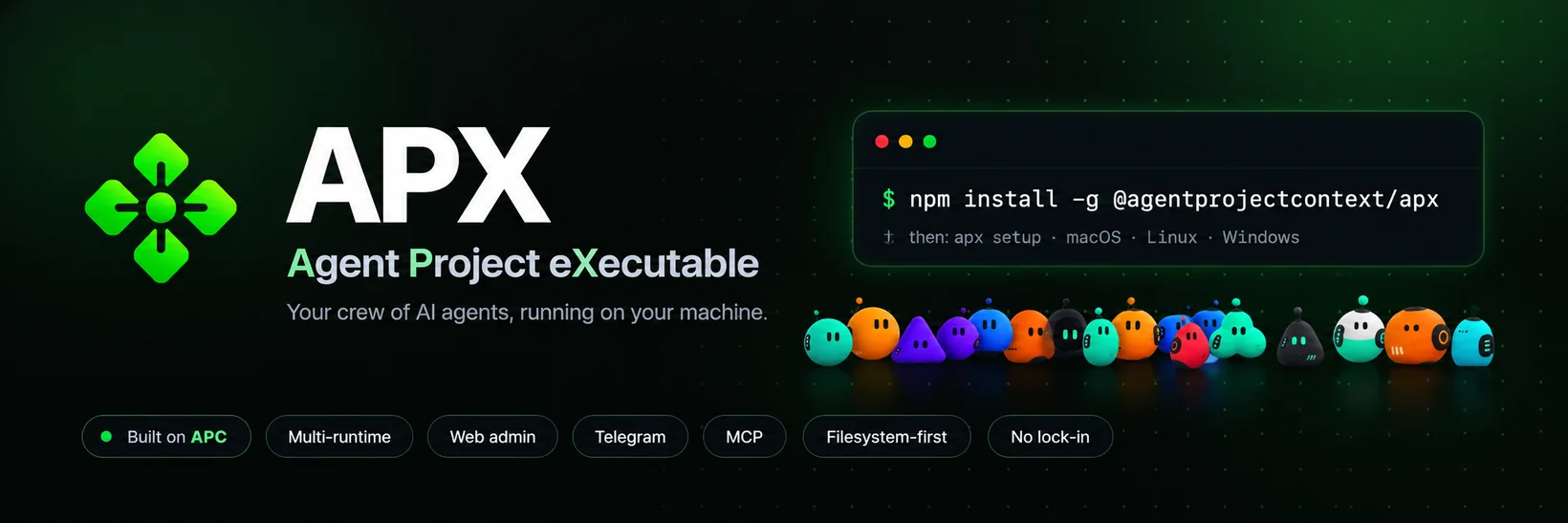
Meet your crew.
APX (Agent Project eXecutable) is an open-source Agent OS for running AI agents on your own machine.
Your crew remembers in plain files, hands work to each other, and works from Claude Code, Codex, Telegram, WhatsApp and your phone.
One machine. One context. Your whole crew. Built on the
APC protocol.





🌐 Visit the website · Quick start · Examples · Web admin · Use cases · Android app · APC spec
APX is the reference implementation of the APC protocol.
APX is to APC what a language SDK is to a protocol spec.
What APX is
APX is a daemon + CLI that brings the APC convention to life:
- Daemon — a local HTTP server that manages projects, agents, sessions, and message logs
- CLI (
apx) — commands for running agents, reading memory, tailing messages, managing sessions - Web admin — a local web UI served by the daemon to browse projects, agents, sessions, and MCPs from the browser
- Runtimes — bridges to Claude Code, Codex, OpenCode, Aider
- Engines — direct LLM calls via Anthropic, OpenAI, Gemini, Ollama, or a mock
- Plugins — Telegram bot integration out of the box
- MCP support — each agent can expose or consume MCP servers
APX is opinionated about storage: the filesystem is the source of truth. Project definitions and curated memory live in the repo. Runtime state such as sessions, conversations, messages, and caches lives in ~/.apx/ and is never committed.
   ▄███████▄
  █ ██   ██ █
  █  ◕   ◕  █
  █    ‿    █
   ▀███████▀
The super-agent — it greets you across the
apx CLI and the web admin.
Quick start
# 1 · Install
npm install -g @agentprojectcontext/apx

# 2 · Set up — interactive wizard (provider → model → channels → daemon)
apx setup

# In any directory with an AGENTS.md, register the project
apx init

# Spawn an agent with a full external runtime
apx run sofia --runtime claude-code "Review the open PRs and summarize them"

# Or a quick one-shot LLM exec
apx exec sofia "What is my role in this project?"

# Watch what's happening
apx messages tail
Examples
Real commands — copy one, point it at an agent like sofia, and APX routes it to the right
runtime. The session transcript and its summary land in ~/.apx/; only curated
memory and the agent definition live in .apc/.
| What | Command |
|---|---|
| Register a project | apx init |
| Spawn an agent (full runtime) | apx run sofia --runtime claude-code "Review the open PRs and summarize them" |
| Ask a quick question (one-shot) | apx exec sofia "What is my role in this project?" |
| Read an agent's memory | apx memory sofia |
| Switch runtime, same context | apx run sofia --runtime codex "Add tests for the parser" |
| Watch what's happening | apx messages tail |
Use cases
- Review PRs across any runtime — point an agent at your repo; APX routes to Claude Code and falls back to Codex or OpenCode if one isn't installed. The session and its summary land in
~/.apx/. - Operate your agents from Telegram — talk to project agents from your phone. Identity roles gate who can do what, and every message is logged per channel for a full audit trail.
- Memory that lives in your repo — curated, per-agent memory is plain markdown, committed and reviewable alongside your code. No vendor database, no hidden state, no lock-in.
- Run the same prompt across engines — send one prompt through Anthropic, OpenAI, Gemini or a local Ollama model with
apx exec, configured per project or globally.
Installation
npm install -g @agentprojectcontext/apx
Requires Node.js 22+. The daemon starts automatically on first apx call.
Android app
APX has a native Android app — the phone surface, plus notifications, the floating mascot
and Android Auto. It is not on Google Play: it installs from a file.
apx android install # phone plugged in: installs, opens the USB tunnel and pairs
Or download it straight to the phone — this link always points at the newest signed build:
github.com/agentprojectcontext/apx/releases/download/android-latest/apx.apk
Which address the app connects to is the decision that matters: the USB tunnel
(127.0.0.1) dies with the cable, your LAN (apx panel share) stops at the front door, and
Tailscale (apx panel tailscale on) works from anywhere with a real certificate.
Install on Android
walks through all three. iPhone has no APK — the panel installs as a web app instead.
Web admin
APX ships a local web admin — the same runtime, in your browser. The daemon serves a
single-page app so you can browse and manage everything the CLI does without leaving the UI:
- Projects & agents — see registered projects, open agents, edit roles, models, and skills
- Sessions & messages — read past sessions and tail live activity across every channel
- MCPs, engines & channels — review MCP servers, configure engines, and manage Telegram/desktop
It runs entirely on your machine. Start the daemon (any apx call does this) and open:
apx            # ensures the daemon is up
open http://localhost:7430   # macOS — or just visit it in any browser
The web admin is served from src/interfaces/web/dist at the daemon port (7430 by default,
override with APX_PORT). Nothing is sent anywhere — it talks to the local daemon only.
Project layout
Project context — committed to the repository:
project-root/
├── AGENTS.md              ← agent definitions
└── .apc/
    ├── project.json       ← project metadata + stable "id"
    ├── agents/
    │   └── <slug>.md      ← agent definition (role, model, skills…)
    ├── mcps.json          ← MCP servers available to this project
    ├── skills/            ← reusable skill prompts
    └── commands/          ← custom slash commands
Runtime state — local machine only, never committed:
~/.apx/projects/<project-id>/
├── messages/              ← local message history
└── agents/
    ├── <slug>/
    │   ├── sessions/      ← one .md per runtime invocation
    │   └── conversations/ ← LLM conversation threads
    └── default/           ← fallback when no agent role is active
        └── sessions/
Core commands
apx init [path]                          # initialize a project
apx agent list                           # list agents
apx agent add <slug> --role R --model M  # add an agent
apx memory <slug>                        # read agent memory
apx memory <slug> --append "<note>"      # append to memory

apx run   <slug> --runtime claude-code "<prompt>"   # full runtime session
apx run   <slug> --runtime cursor-agent "<prompt>"  # Cursor Agent runtime
apx exec  <slug> "<prompt>"                          # quick LLM call

apx session list <slug>                  # list past sessions
apx messages tail                        # last 50 messages, all channels
apx messages chat --channel telegram     # chat view with user/agent/system type
apx messages tail --channel runtime      # only agent invocations
Message channels
Activity belongs to APX runtime state, not .apc/. Message storage is local to APX, under~/.apx/:
JSONL messages include type (user, agent, tool, or system) plus actor_id, so chat views
can distinguish Telegram users from APX agents and future subagents.
A channel is the surface a turn arrived on. The canonical list lives insrc/core/constants/channels.js; voice is a mode, not a channel.
| Channel | What it captures |
|---|---|
cli |
apx exec / apx run from the terminal |
telegram |
Telegram bot messages |
api |
Direct daemon HTTP calls |
web |
The admin panel's main chat |
web_sidebar |
The panel's side assistant |
web_code |
The panel's coding surface |
code |
apx code sessions |
deck |
The tablet/phone dashboard |
desktop |
The floating voice capsule (always voice mode) |
routine |
Scheduled routine runs |
Runtimes
| Runtime | Description |
|---|---|
claude-code |
Spawns Claude Code CLI with the agent's system prompt injected |
codex |
OpenAI Codex CLI via non-interactive codex exec --sandbox workspace-write --skip-git-repo-check |
opencode |
OpenCode CLI |
aider |
Aider CLI |
cursor-agent |
Cursor's headless agent |
gemini-cli |
Google Gemini CLI |
qwen-code |
Qwen Code CLI |
antigravity |
Antigravity CLI |
Global APX skill installation also writes named helper skills for codex-cli, claude-code,opencode-cli, and openrouter. They are intentionally narrow and should activate only when those
tools/providers are explicitly mentioned.
Engines (for apx exec)
Configured in ~/.apx/config.json:
{
  "engines": {
    "anthropic": { "api_key": "sk-ant-..." },
    "openai":    { "api_key": "sk-..." },
    "ollama":    { "base_url": "http://localhost:11434" },
    "gemini":    { "api_key": "..." }
  }
}
Architecture
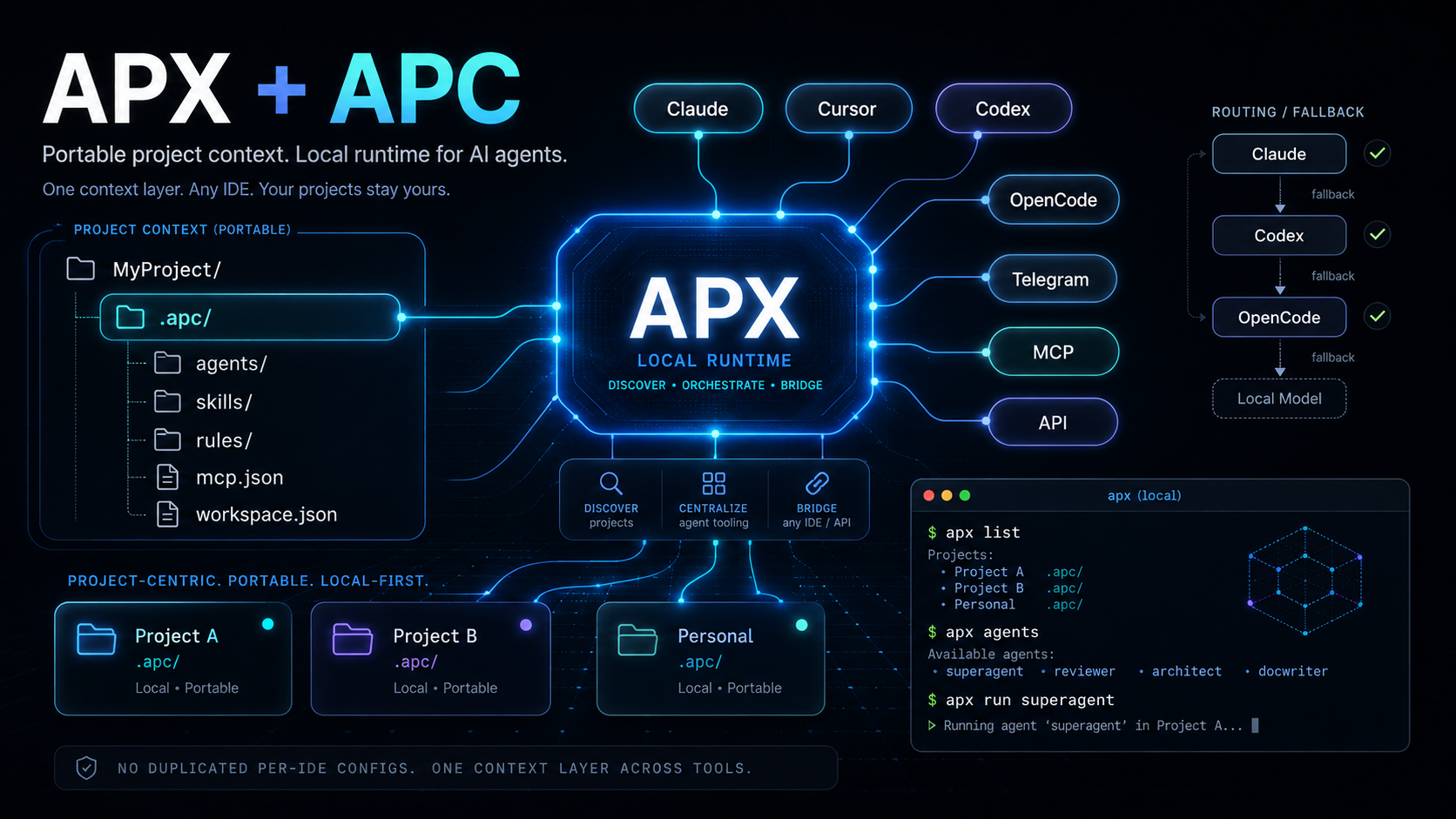
APC protocol
APX implements the APC specification. The spec defines the on-disk layout; APX provides the tooling to use it.
Community
Questions, what other people are wiring up, and where new releases land first:
discord.gg/vxdZuT5WuE
License
MIT
Reviews (0)
Sign in to leave a review.
Leave a reviewNo results found