obsidian-herdr
Health Gecti
- License — License: MIT
- Description — Repository has a description
- Active repo — Last push 0 days ago
- Community trust — 22 GitHub stars
Code Basarisiz
- process.env — Environment variable access in .github/workflows/release.yml
- fs module — File system access in .github/workflows/release.yml
- spawnSync — Synchronous process spawning in scripts/run-tests.mjs
- fs.rmSync — Destructive file system operation in scripts/run-tests.mjs
- process.env — Environment variable access in scripts/run-tests.mjs
- process.env — Environment variable access in src/bridge/client/obs-herdr-core.mjs
Permissions Gecti
- Permissions — No dangerous permissions requested
Bu listing icin henuz AI raporu yok.
Run Claude Code, Codex, Antigravity and OpenCode in persistent Herdr terminals inside Obsidian, with Mission Control and a safe, undoable vault bridge (CLI + MCP).
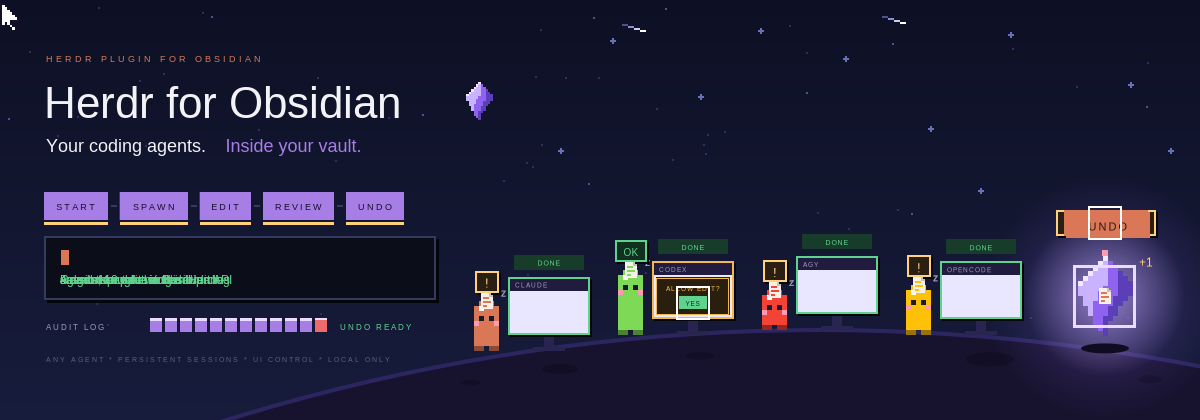



Run Claude Code, Codex, Hermes, Antigravity, OpenCode, Gemini and more than a dozen other coding agents inside Obsidian. They keep running when you close a tab or reload Obsidian. They can read and edit your notes, and if you allow it, see and use Obsidian itself. Every edit is logged, and you can undo it.
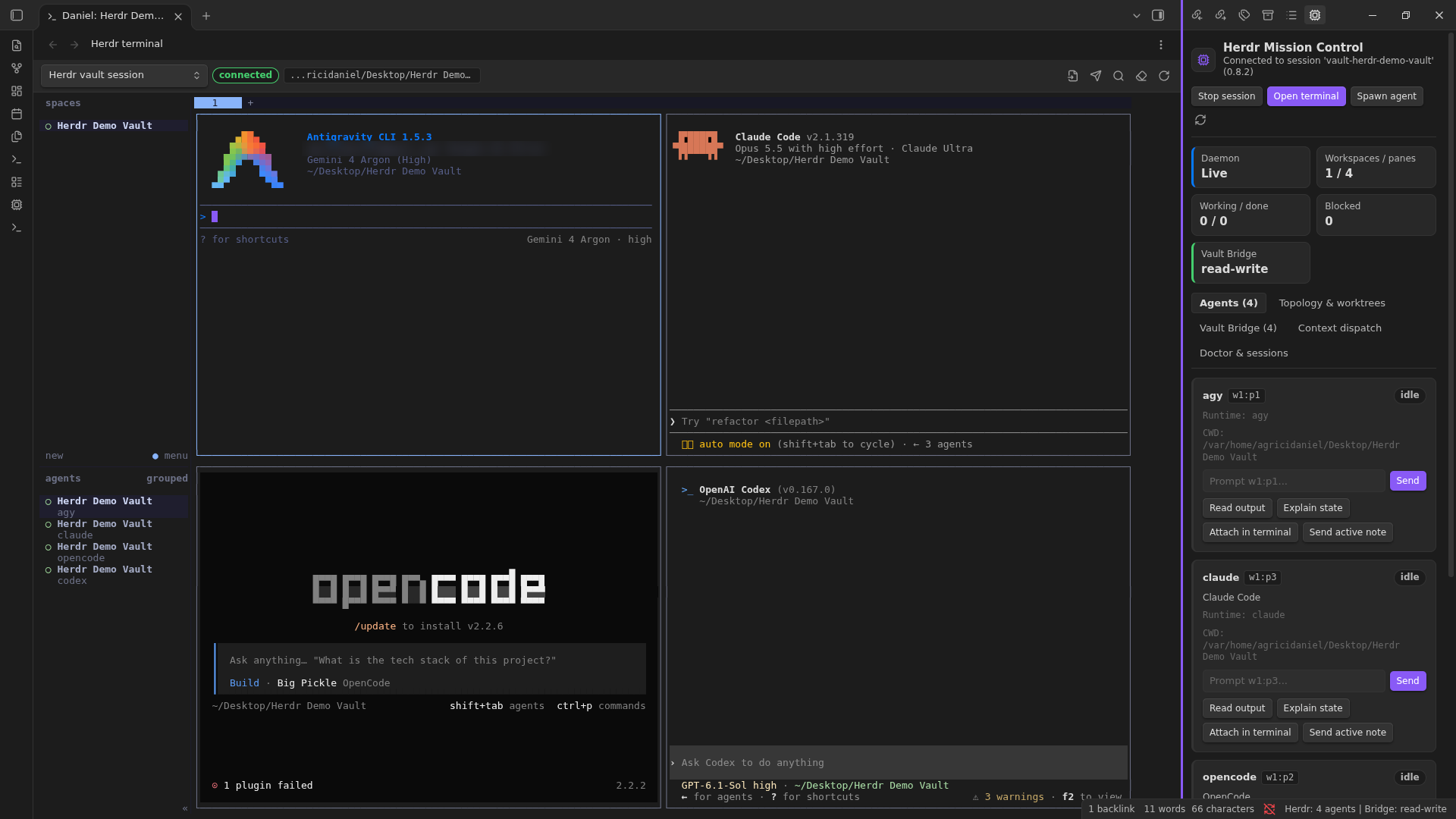
What you get
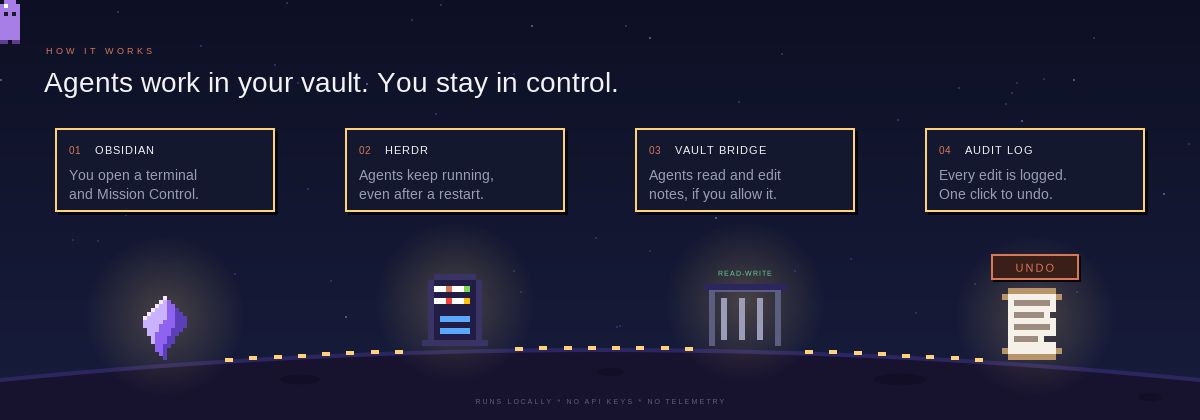
- Real terminals in Obsidian. Split panes and tabs. Run any agent you like.
- Agents that keep running. Herdr holds the session, so a reload does not stop them.
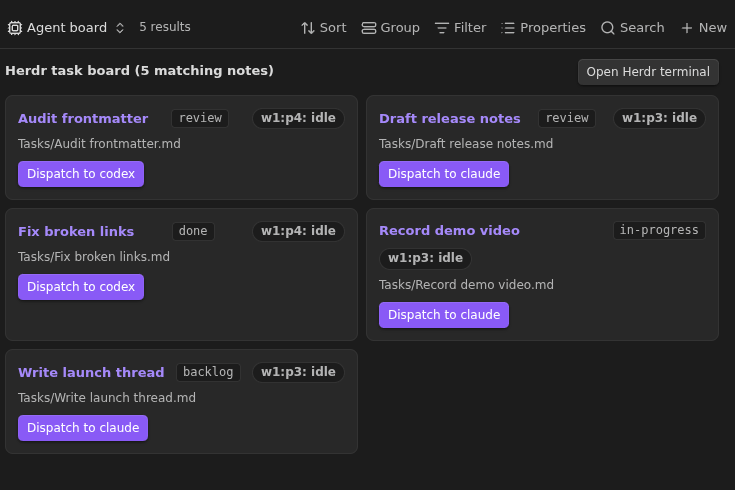
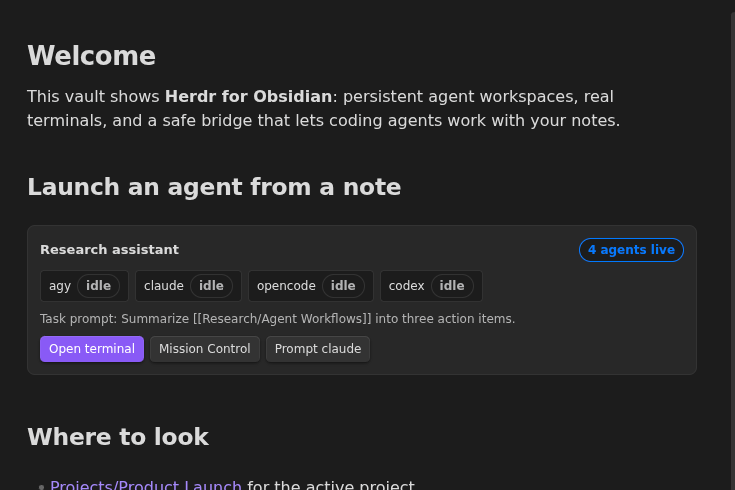
- Mission Control. See which agent is working, blocked or done. Unblock one with a click.
- Safe note edits. Agents edit notes through Obsidian itself, so links stay intact.
- Agents that can use Obsidian. If you turn it on, agents take screenshots, click, type and press shortcuts in the Obsidian window, just like you.
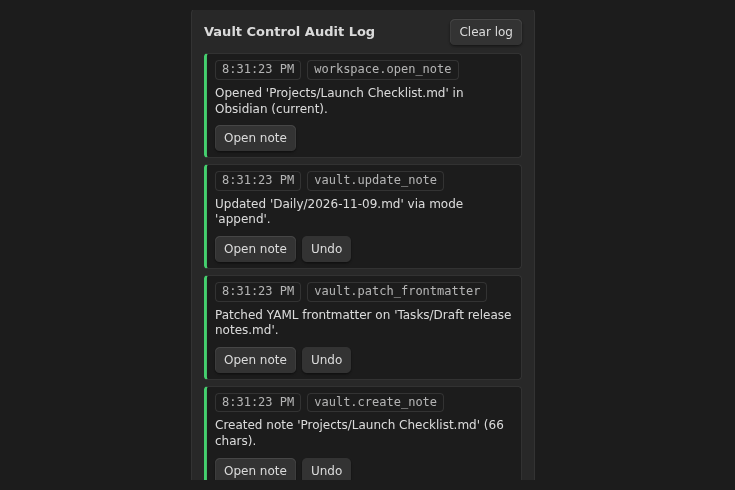
- Undo for everything. Each agent edit is logged and can be rolled back.
Works with your agents
Claude Code, Codex, Hermes Agent, Antigravity, Gemini, OpenCode, Cursor CLI, GitHub Copilot CLI, Amp, Factory Droid, Grok, Kimi CLI, Kiro CLI, Qwen Code, Devin, Cline, Kilo Code, Mastra Code, Qoder CLI, Pi, Oh My Pi and Maki.
Pick any of them from Spawn agent in Mission Control. Run herdr integration install <agent> once so Herdr can show when it is working, blocked or done. Any other command line tool runs fine in the terminal too.
Let agents use Obsidian
Some things only the app can show: a view, a plugin panel, a layout. Turn on Let agents see and operate Obsidian in Herdr settings and agents can:
- See. Take a screenshot of the window and list its buttons and fields.
- Act. Click, type (at
VisibleorFastuiTypingSpeed), press shortcuts likeCtrl+P, scroll, drag, and insert lines directly at note anchors (--notewith--heading,--after,--line, and--at start|end). This also needs the Full control permission level. - See who is acting. Live visual agent cursors show each agent's plain name label as it works in Obsidian, dim after
1,500 msidle, auto-hide after60,000 ms, and disappear immediately when panes close, collapse, or switch notes. - Verify and stay safe.
obs-herdr ui insert-linereturns verified proof (path,pane,line,text,heading,durationMs) so extra read-backs are unnecessary. Wait commands confirm visible UI text, and UI actions inside protected areas (Herdr terminals, Mission Control, Herdr code block widgets, Bases boards, Obsidian Settings, and community plugin toggles) fail withui_protected_areaunlessallowUiInProtectedAreasis enabled. Screenshots blank out Herdr terminals, Mission Control and Settings.
It is off by default. Typing that changes the open note is logged and can be undone like any other edit.
Install
- Install Herdr (0.8 or newer).
- In Obsidian, open Settings, Community plugins, Browse, and search for Herdr Mission Control. Click Install, then Enable.
Prefer to install by hand? Download main.js, manifest.json and styles.css from the latest release into <your vault>/.obsidian/plugins/herdr-obs/, or add AgriciDaniel/obsidian-herdr in BRAT for early builds.
Needs Obsidian desktop 1.14.4 or newer.
First run
- Click Herdr in the status bar to open Mission Control.
- Click Start session, then Open terminal.
- Start an agent:
claude,codex,hermes,agy,opencodeor any other. - Ask it to work on a note. Every pane already has the
obs-herdrtool, andobs-herdr --skilltells the agent how to use it.
Want to look around first? Open the demo-vault folder as a vault and install the plugin there.
Screenshots
| Audit log with Undo | Agent task board | Agent buttons in a note |
|---|---|---|
 |
 |
 |
Privacy
- Runs on your machine. No network calls, no telemetry, no account, no API keys.
- You choose what agents may do: Read only, Edit notes or Full control. Turn it off any time.
- The settings folder,
.gitand.envfiles are always off limits. - Screenshots stay on your machine in a private folder. Like note text, anything an agent reads or sees goes to that agent's provider, so leave UI control off for windows you would not share.
Network use
None. The plugin makes no internet requests. It talks to Herdr and to your agents only through local sockets on this computer.
Requires an external program
It needs Herdr, which you install yourself. The plugin starts Herdr and your shell as local processes, which is why it is desktop only.
It also uses programs most computers already have:
- Python 3 runs the terminal on Linux and macOS. Without it, full-screen programs cannot run and the terminal tells you so.
- Node.js or Python 3 runs the
obs-herdrcommand that agents use to reach your vault. - On Windows, the terminal is a small C# helper shipped as source inside the plugin. Windows PowerShell compiles it on your computer when a terminal opens.
Files outside the vault
The plugin keeps a private runtime folder at ~/.cache/obs-herdr/ on Linux and macOS and at %LOCALAPPDATA%\obs-herdr on Windows. If that location cannot be used, it falls back to your runtime or temp folder. It holds the bridge socket, the obs-herdr command for agents, its connection details, and UI control screenshots. Delete the folder at any time; it is recreated when needed.
Status
Tested on Linux with Herdr 0.8.2 and 0.9.5 and four agents running at once. UI control was tested live in Obsidian 1.15.1 on Linux (Flatpak, Wayland). macOS and Windows are not tested yet. Reports are welcome in Issues; see CONTRIBUTING for what to include.
Good to know:
- With the Flatpak build of Obsidian, the Herdr server runs inside Obsidian's sandbox. Reloading Obsidian keeps your agents, but quitting it stops them all. Herdr saves the layout, so panes come back on the next start; the agents inside them start fresh.
- Update Herdr with
herdr update --handofffrom a terminal outside Obsidian, so running agents are handed over instead of stopped. The plugin is tested with Herdr protocol 20 and warns in Mission Control's Doctor tab if Herdr reports another protocol. - If system trash is not available (common in the Flatpak), deleting a note through the bridge falls back to Obsidian's own
.trashfolder in the vault, and says so. - The Herdr session is named after the vault folder (
vault-<folder name>). Two vaults with the same folder name, such as a copy or a backup, share one session unless you set a different session name in the plugin settings.
obs-herdr commands
obs-herdr vault info
obs-herdr note search "roadmap"
obs-herdr note read "Roadmap.md"
obs-herdr note create "Specs/Plan.md" --content "# Plan"
obs-herdr note update "Daily/2026-11-09.md" --mode append --content "- shipped"
obs-herdr note frontmatter "Roadmap.md" --set status=in-progress
obs-herdr note rename "Specs/Plan.md" "Specs/Approved Plan.md"
obs-herdr workspace open "Specs/Approved Plan.md" --pane split
obs-herdr ui screenshot            # saves a PNG and prints its path
obs-herdr ui inspect --text "Settings"
obs-herdr ui insert-line --note "Specs/Plan.md" --heading "Steps" --text "- verify"
obs-herdr ui click --selector ".workspace-leaf.mod-active .cm-content"
obs-herdr ui key Mod+P
obs-herdr ui type "Hello from an agent"
obs-herdr mcp   # stdio MCP server, 27 tools
UI control goes through Electron's own capture and input APIs from inside the plugin, so it needs no debugging port and no extra install. Selectors must match exactly one visible, uncovered element, password fields are refused, protected areas (ui_protected_area: Herdr terminals, Mission Control, Herdr code block widgets, Bases boards, Settings, community plugin toggles) are blocked unless allowUiInProtectedAreas is enabled, uiTypingSpeed selects visible or fast typing, and input from several agents is queued inside one serialized lock so it never interleaves.
To connect an MCP client, click Copy MCP config in Mission Control, Vault tab, under Connection details.
How the bridge is protected
A local socket with owner-only permissions, a random 256-bit token per session, and vault-relative paths only. Writes go through Obsidian's Vault.process, processFrontMatter, renameFile and trashFile.
Build and test
npm ci
npm run check && npm run lint && npm run build && npm test
Design notes and the test record are in docs/.
Credits
Built by Daniel Agrici. Uses Herdr and xterm.js. UI control comes from Obsidian Control Center, also by Daniel. Pixel art from The Homies. Not an official Herdr or Obsidian project.
License
MIT, except the UI control module in src/control, which is Apache 2.0. If you reuse that module, keep the NOTICE file with it.
Yorumlar (0)
Yorum birakmak icin giris yap.
Yorum birakSonuc bulunamadi