phosphor
Health Warn
- License — License: MIT
- Description — Repository has a description
- Active repo — Last push 0 days ago
- Low visibility — Only 8 GitHub stars
Code Fail
- fs.rmSync — Destructive file system operation in e2e/fixtures/pi-stub.cjs
- os.homedir — User home directory access in e2e/fixtures/pi-stub.cjs
- process.env — Environment variable access in e2e/fixtures/pi-stub.cjs
- fs module — File system access in e2e/fixtures/pi-stub.cjs
- process.env — Environment variable access in e2e/startup.spec.ts
Permissions Pass
- Permissions — No dangerous permissions requested
No AI report is available for this listing yet.
Desktop IDE for the pi coding agent: chat, diffs, files, terminal and artifacts in one window. Every pi provider, plus Claude Pro/Max and ChatGPT subscriptions. macOS, Linux, Windows.

Phosphor
The pi coding agent,
extended into a desktop IDE for macOS, Linux and Windows.





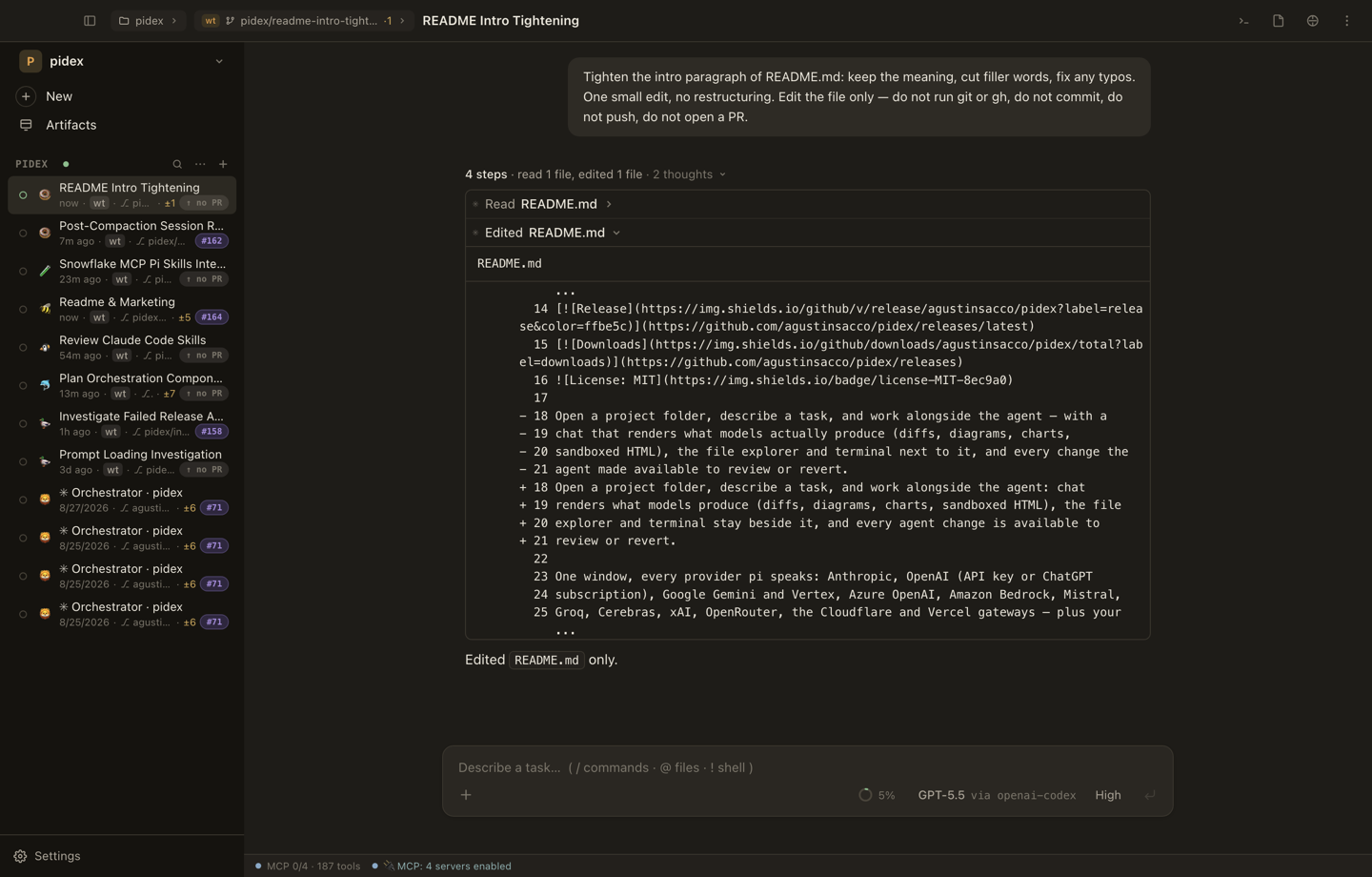
Open a folder, describe a task, work beside the agent. The chat renders what
models actually produce (diffs, diagrams, charts, sandboxed HTML). The file
explorer and terminal sit next to it. Every change the agent made is there to
review or revert.
One window, every provider pi speaks: Anthropic, OpenAI (API key or ChatGPT
subscription), Google Gemini and Vertex, Azure OpenAI, Amazon Bedrock, Mistral,
Groq, Cerebras, xAI, OpenRouter, the Cloudflare and Vercel gateways, plus your
Claude Pro/Max subscription through
pi-claude-cli. Switch models
mid-session; the conversation comes along.
| Chat, diffs, files, terminal, artifacts | One window, side by side |
| Multi-provider by design | Any pi provider, switchable mid-session |
| Sessions are real pi processes | Nothing invented, everything reachable |
| Runs on your metal | Your models, your keys, your files |
Quick start
# 1. pi is the engine — Phosphor needs it on your PATH (Node ≥ 22.19)
npm install -g @earendil-works/pi-coding-agent

# 2. Install Phosphor (macOS / Linux; Windows builds are on tagged releases)
curl -fsSL https://github.com/agustinsacco/Phosphor/releases/latest/download/install.sh | sh
Launch Phosphor, open a folder, sign in to a provider (run pi in the built-in
terminal and use /login, or put API keys / a local endpoint in~/.pi/agent/). Describe a task, press Enter. Alternatives are under
Install.
What Phosphor does
- Sessions are real pi subprocesses. One
pi --mode rpcper live session,
spawned in the workspace folder. Everything pi exposes over RPC is in the UI:
models, thinking levels, steering and follow-up queues, compaction,
auto-retry, forks, clones, export. - No permission prompts. pi runs in full-permission mode. Tool calls run and
stream their results. - Rich responses are first-class. GFM markdown, highlighted code, Mermaid,
Chart.js and Vega-Lite specs, KaTeX, and model-authored HTML in a sandboxed
iframe. - Every change is reviewable. The Changes panel holds the agent's edits as
per-file diffs against a session baseline, with per-file revert. - Session tree. See the branch structure, jump to any point, fork from it,
bookmark it. - Artifacts. A bundled extension adds
artifact_create/artifact_edit/artifact_update. Deliverables land in a versioned side panel with previews
and diffs, and survive restarts through session replay. - Your machine, your models. Sign in to providers, pick models, set themes,
mount MCP servers from Settings. MCP OAuth belongs to the adapter, never to
Phosphor: docs/mcp.md.
The screens
Every session pairs the transcript with one switchable pane: Files, Changes,
Terminal or Artifacts. The pane docks left or right (persisted per session) and
can go fullscreen. Every shot below is the app against a real pi, real
providers and real tokens; see
the screenshots in this README.
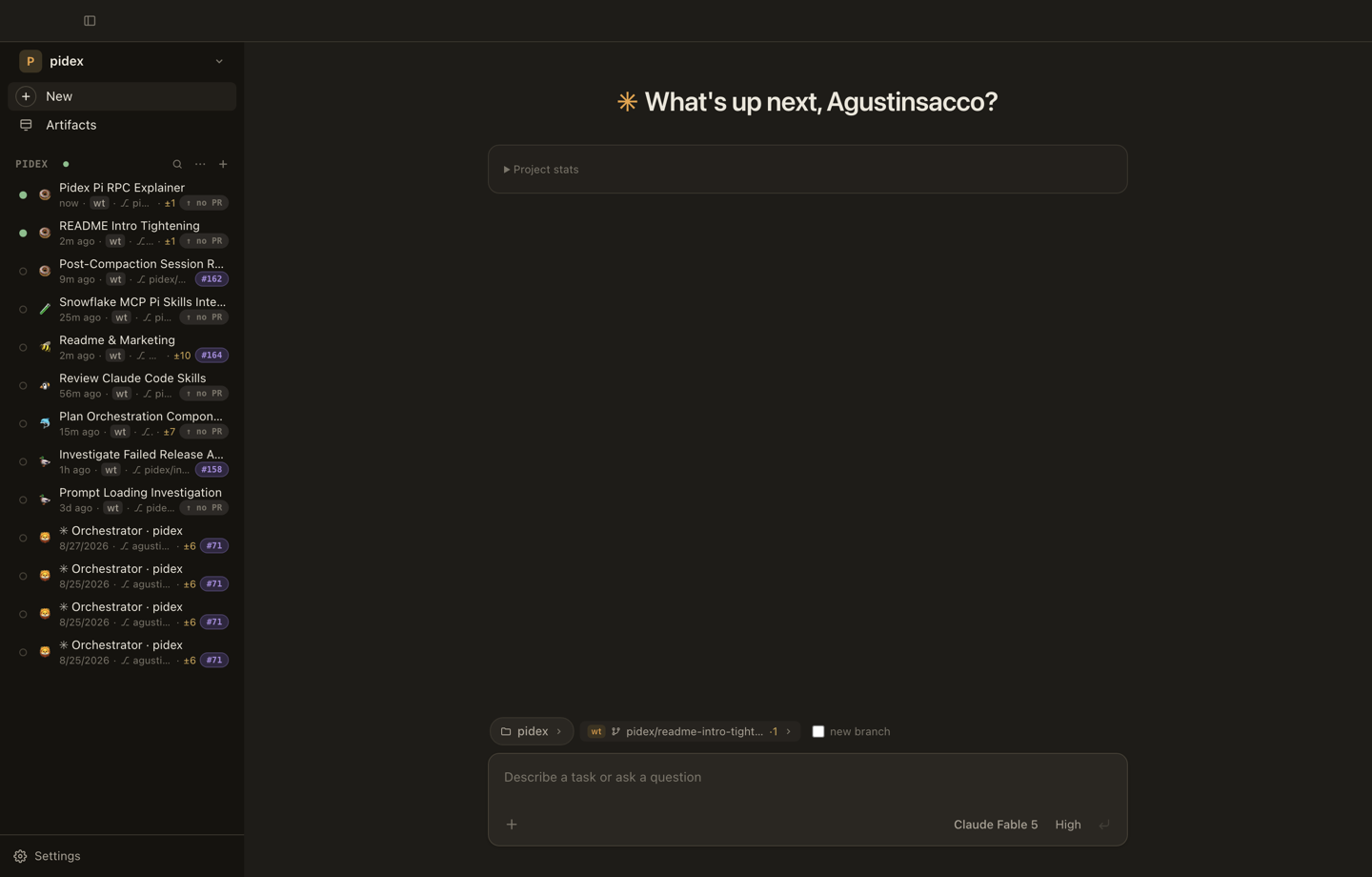
Home — where a session starts
Pick the folder, the branch (or a fresh worktree branch off trunk), the model,
and go. The sidebar lists every session with live state, edit counts, a
worktree badge and the PR badge once one exists.
Above the composer is the lane board: this project's lanes in columns by
what they need from you (waiting on you, ready to merge, needs a push, in
review, running), each card carrying the one action that unblocks it. Below it,
a ledger of what the parallelism costs: spend, tokens, live processes, and
the account window that will stop you first.
Nothing there polls or spends tokens. Every column is derived from state the
app already holds, so the board is right with no live session and after a
restart.
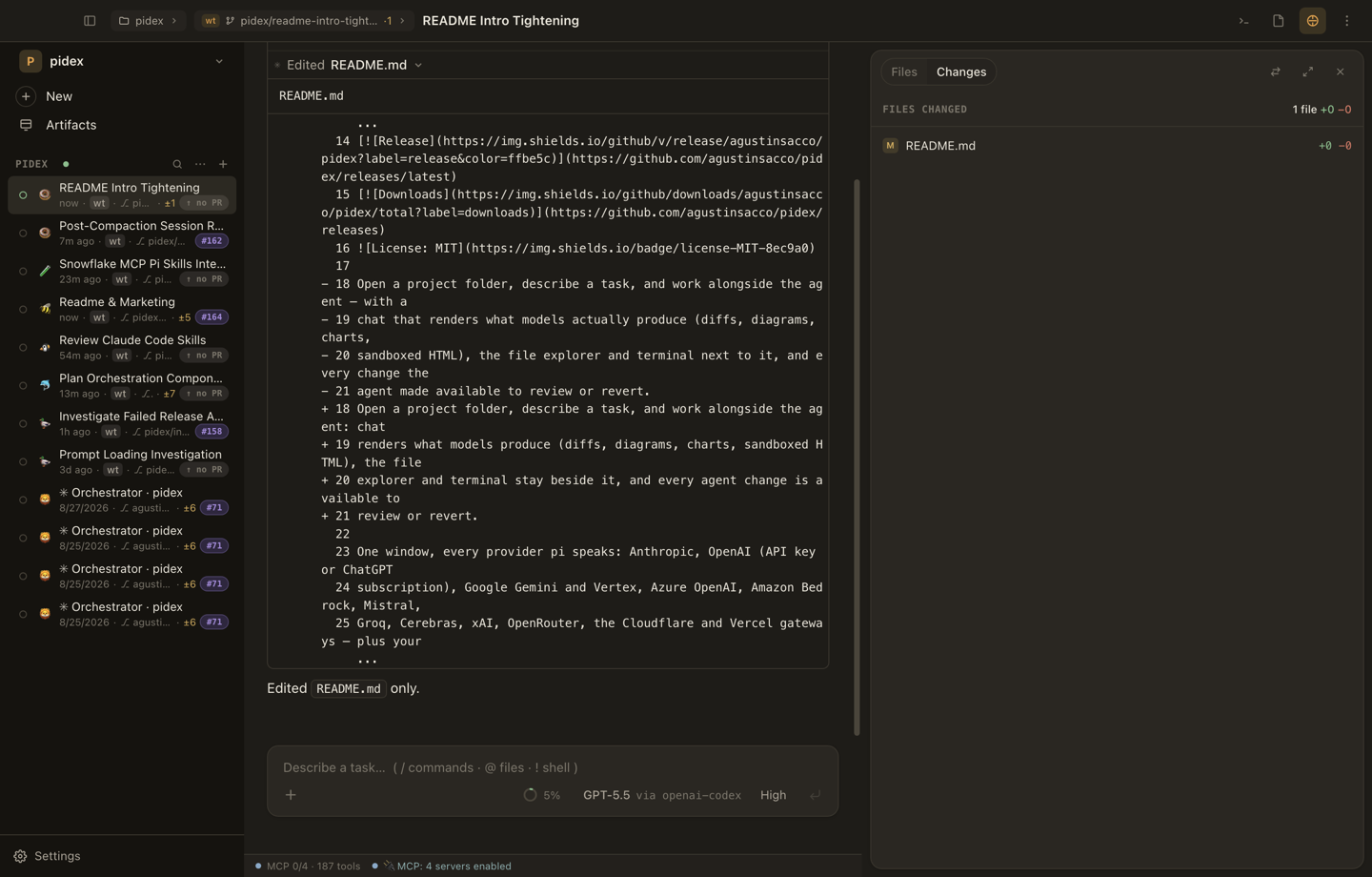
Chat — the transcript, not a blob
Streaming text with the run's activity folded into steps: edits expand to their
diff, tool calls to their arguments and output, thinking to its own block. The
composer takes @ file references, / commands, ! shell lines, and queues
follow-ups while a turn is running.
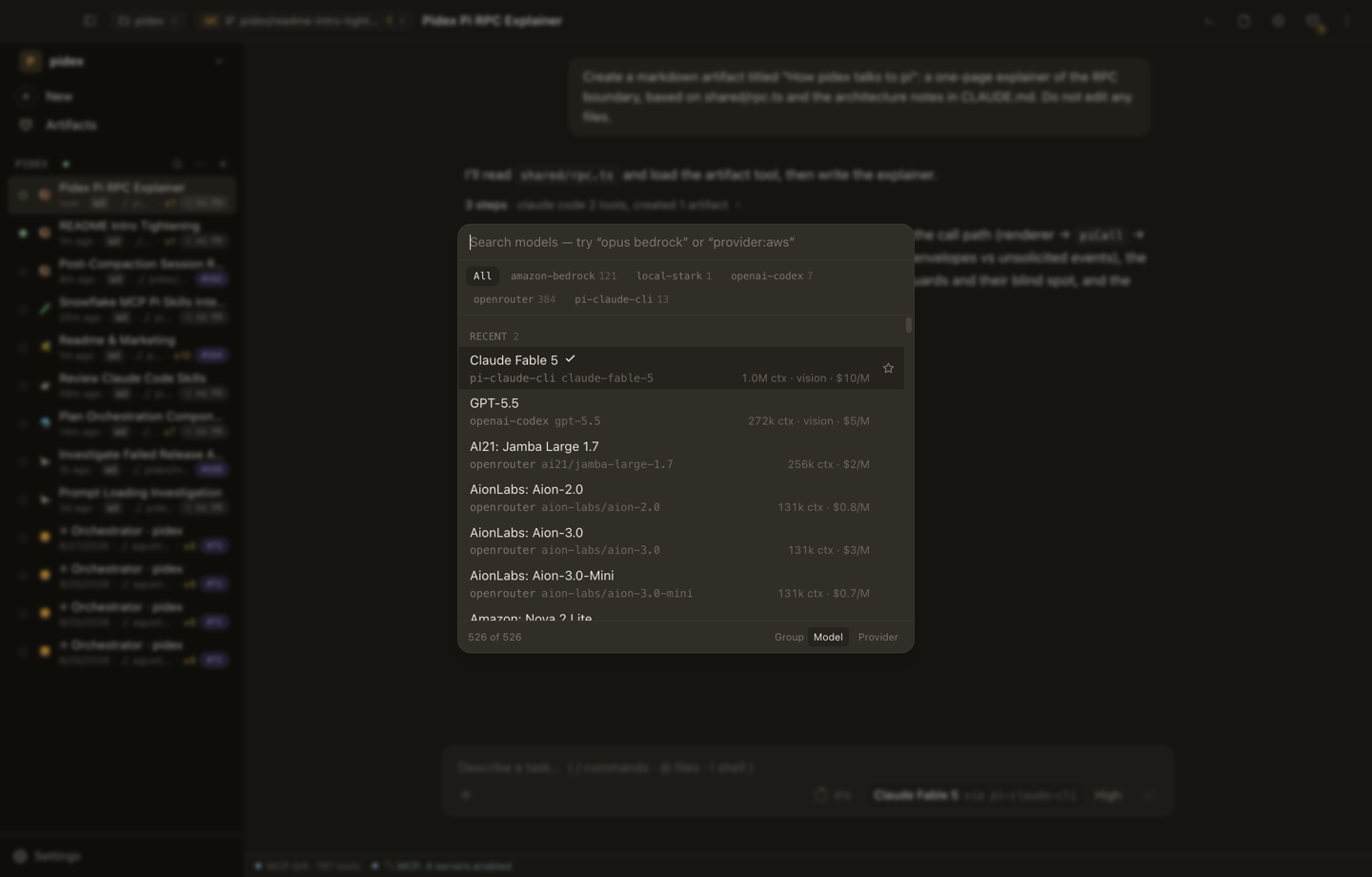
The composer — every model, every provider, one chip away
The model chooser lists everything you are signed into, native providers and
installed provider packages alike. Searchable, starrable, switchable
mid-session. The chip names what actually serves the session (via pi-claude-cli when it is your Claude subscription):
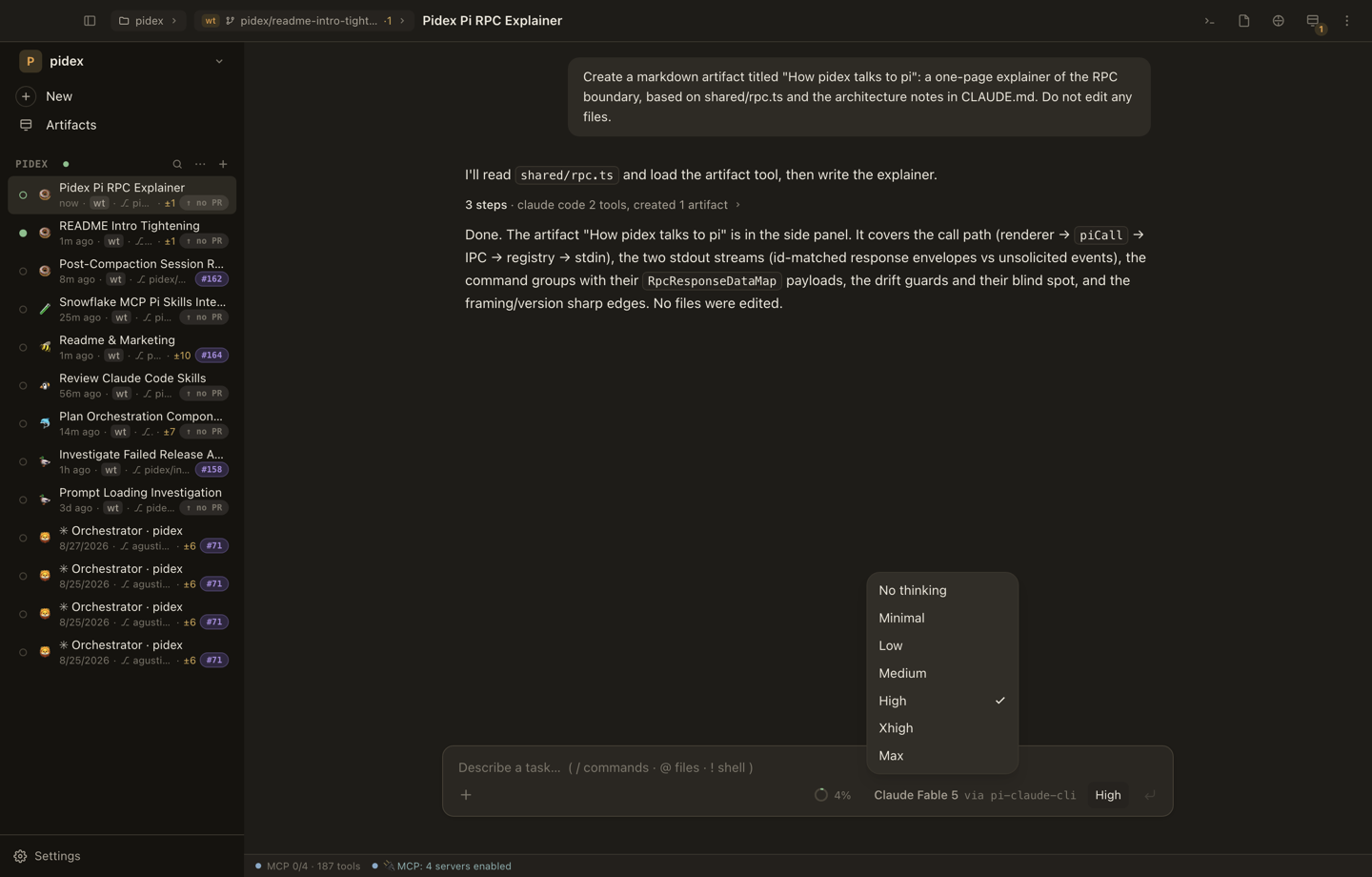
Models with a thinking ladder get a second chip for effort:
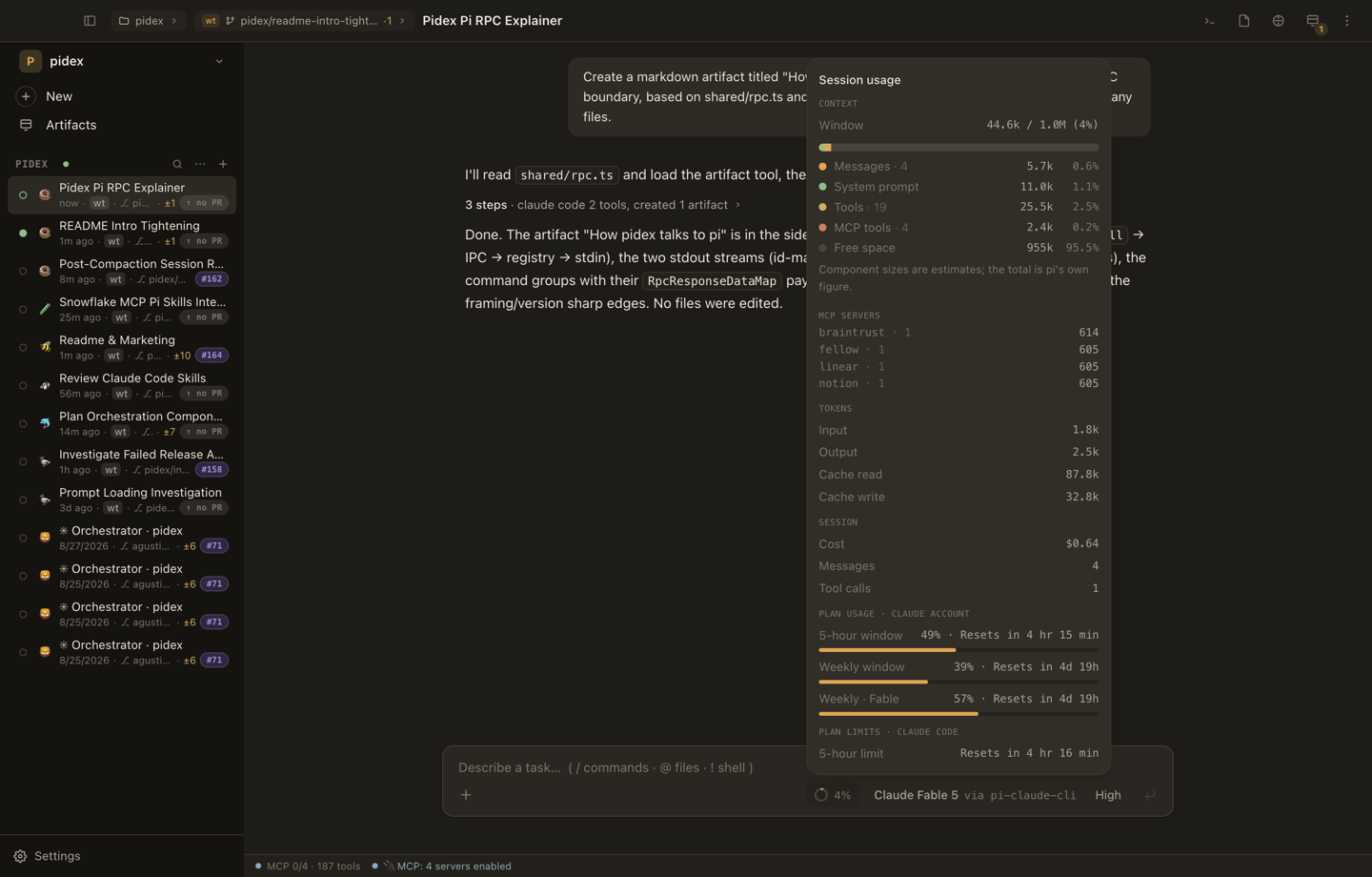
The context meter opens into a live breakdown of the window: what the system
prompt, tools and conversation cost, and your plan's rate-limit window on
subscription providers:
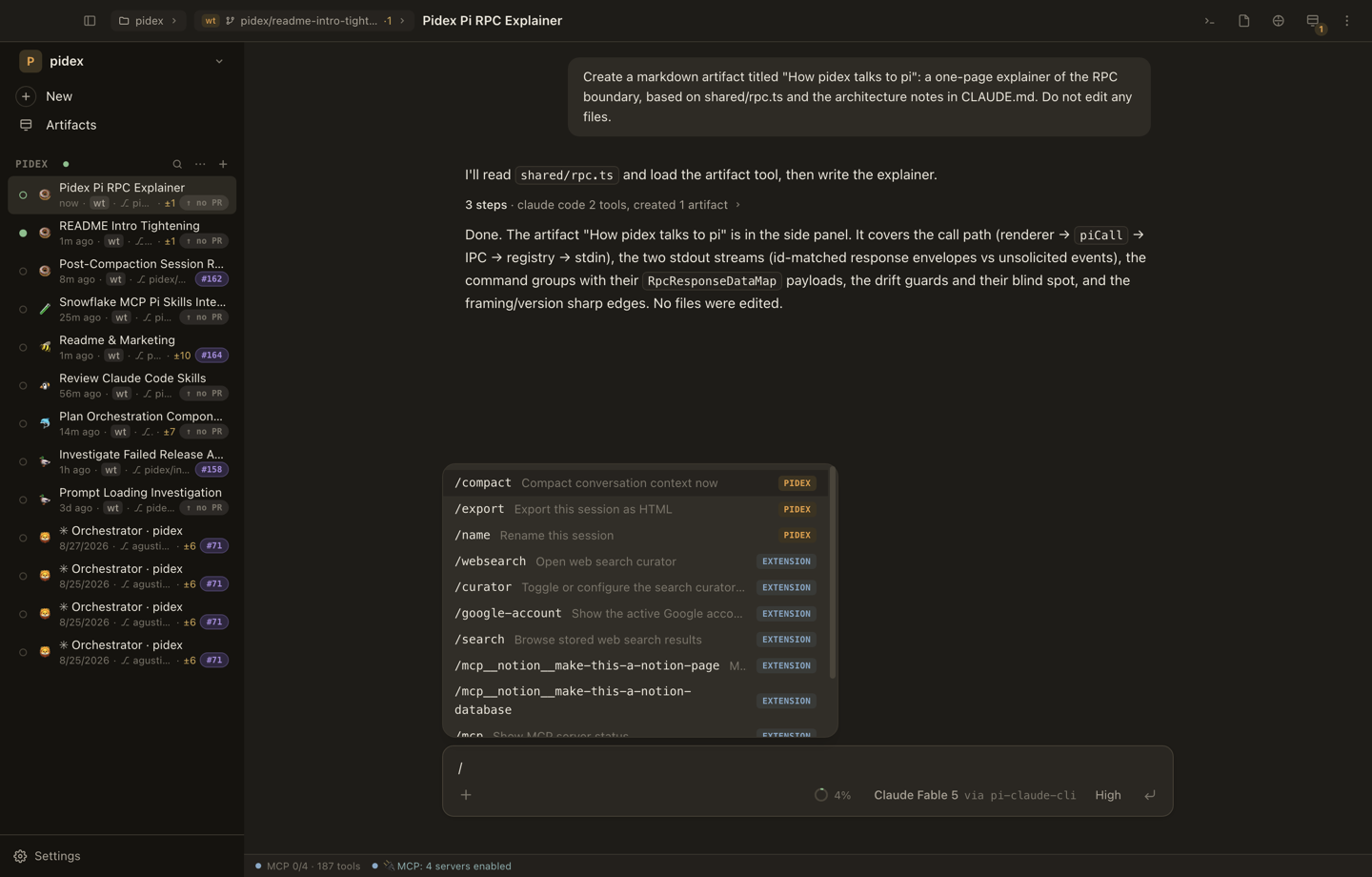
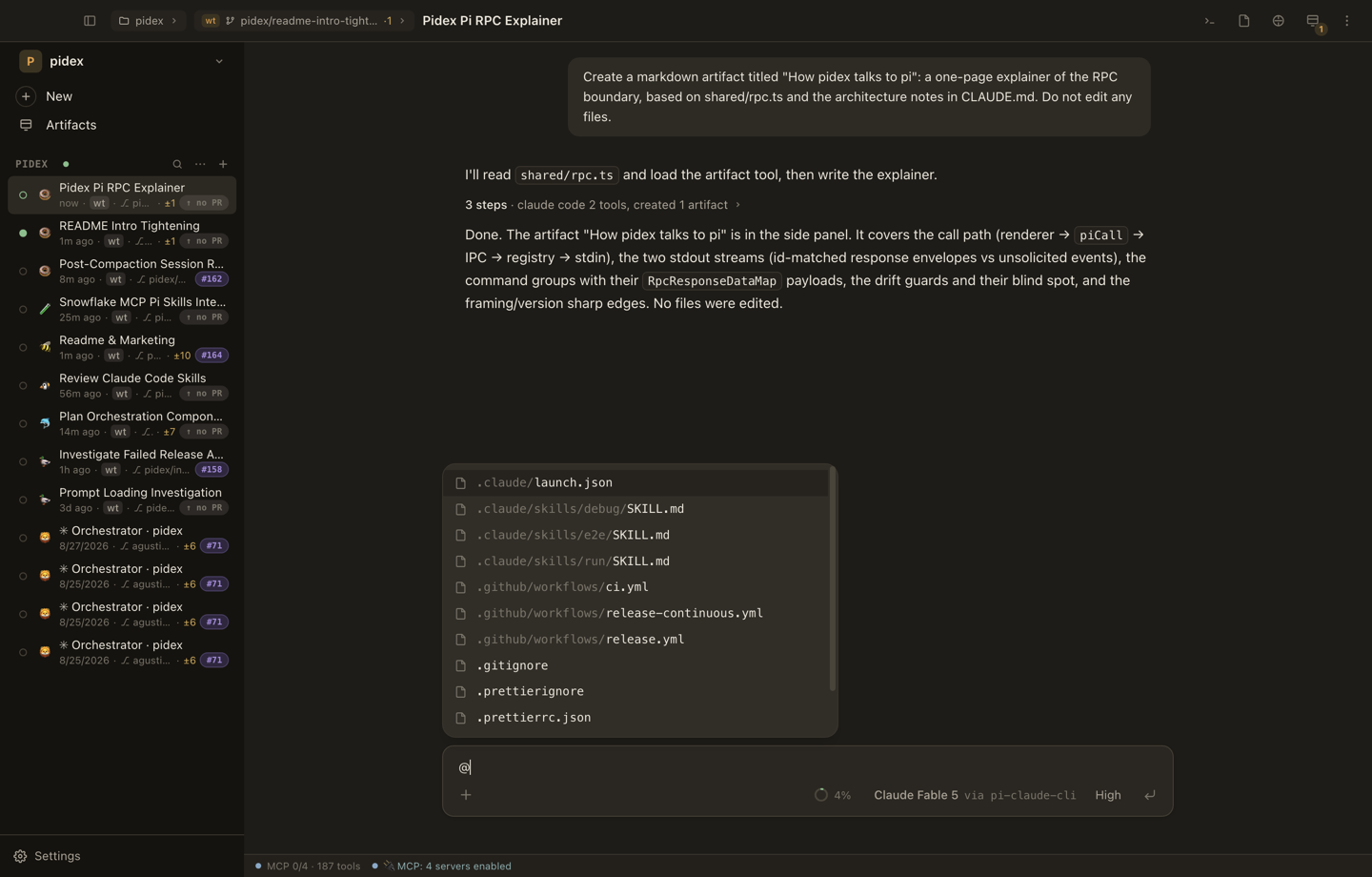
/ opens commands, @ mentions workspace files:
Files — explorer and editor, on whichever side you like
Create, rename, Trash, multi-select, copy/cut/paste, drop files and folders
in, all beside a Monaco editor. Docked right by default.
File management details:
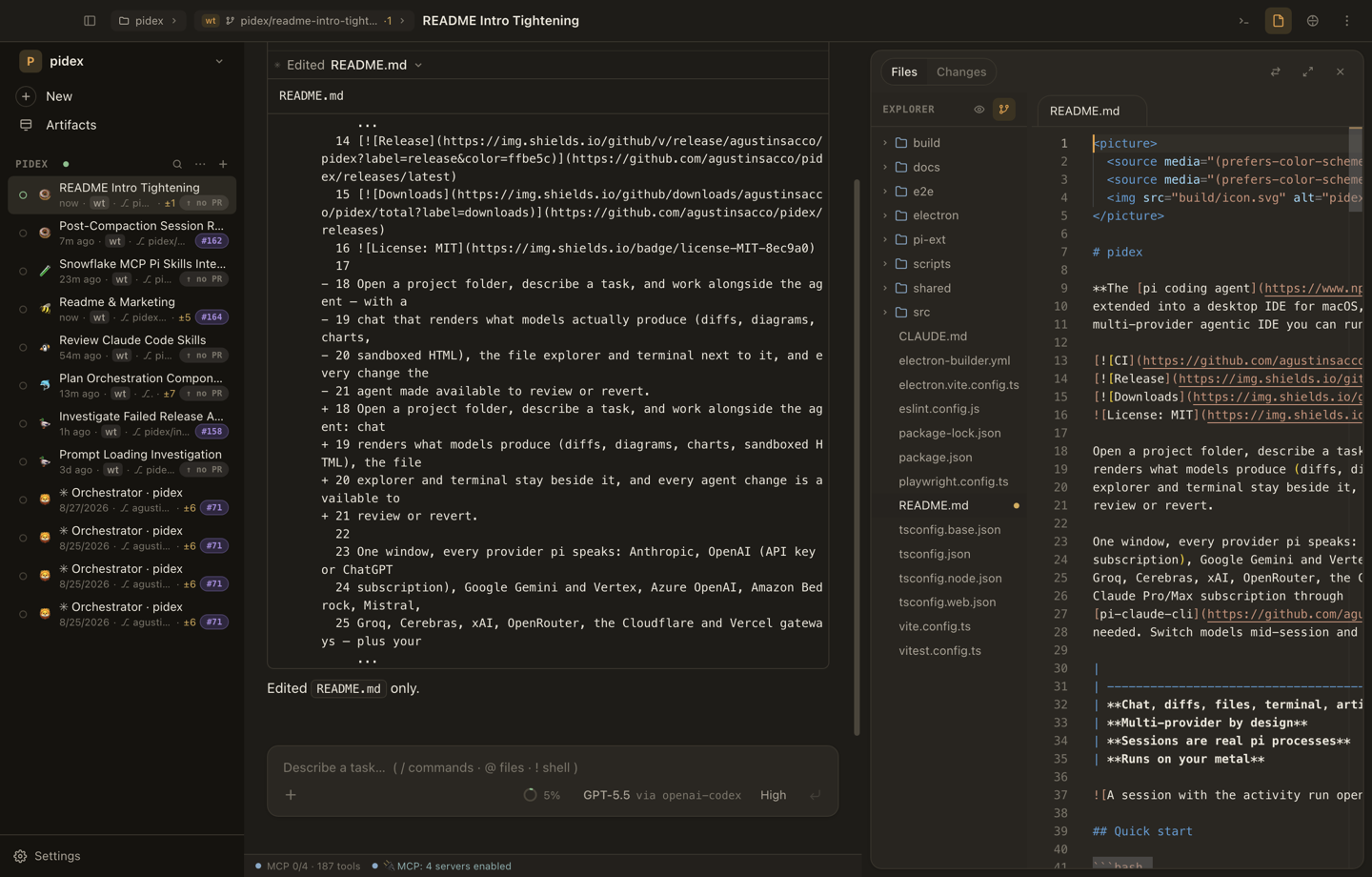
One click moves the pane to the left. The choice is per session and persists:
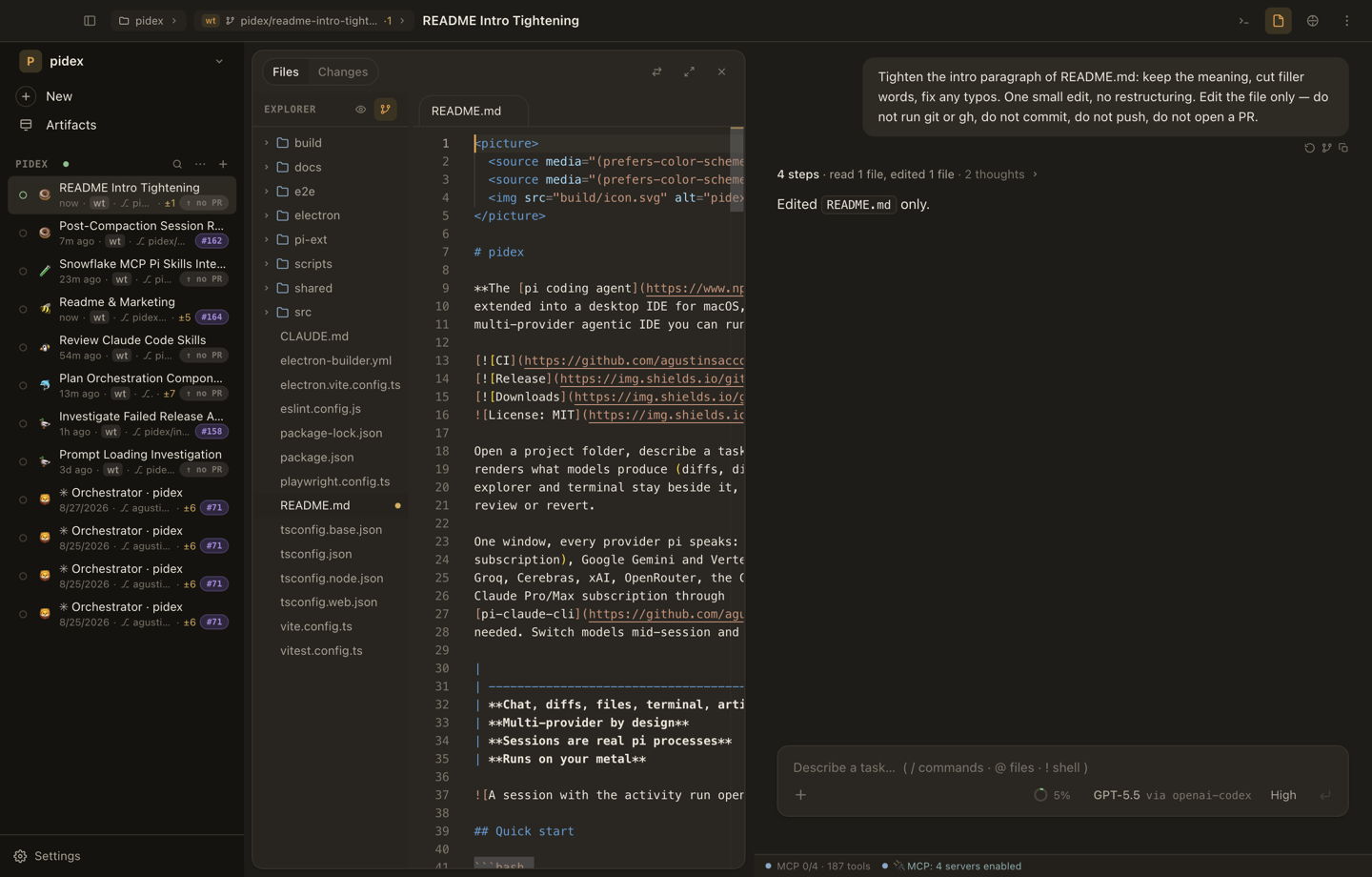
Any pane can take the whole session region when the transcript is not the thing
you are reading:
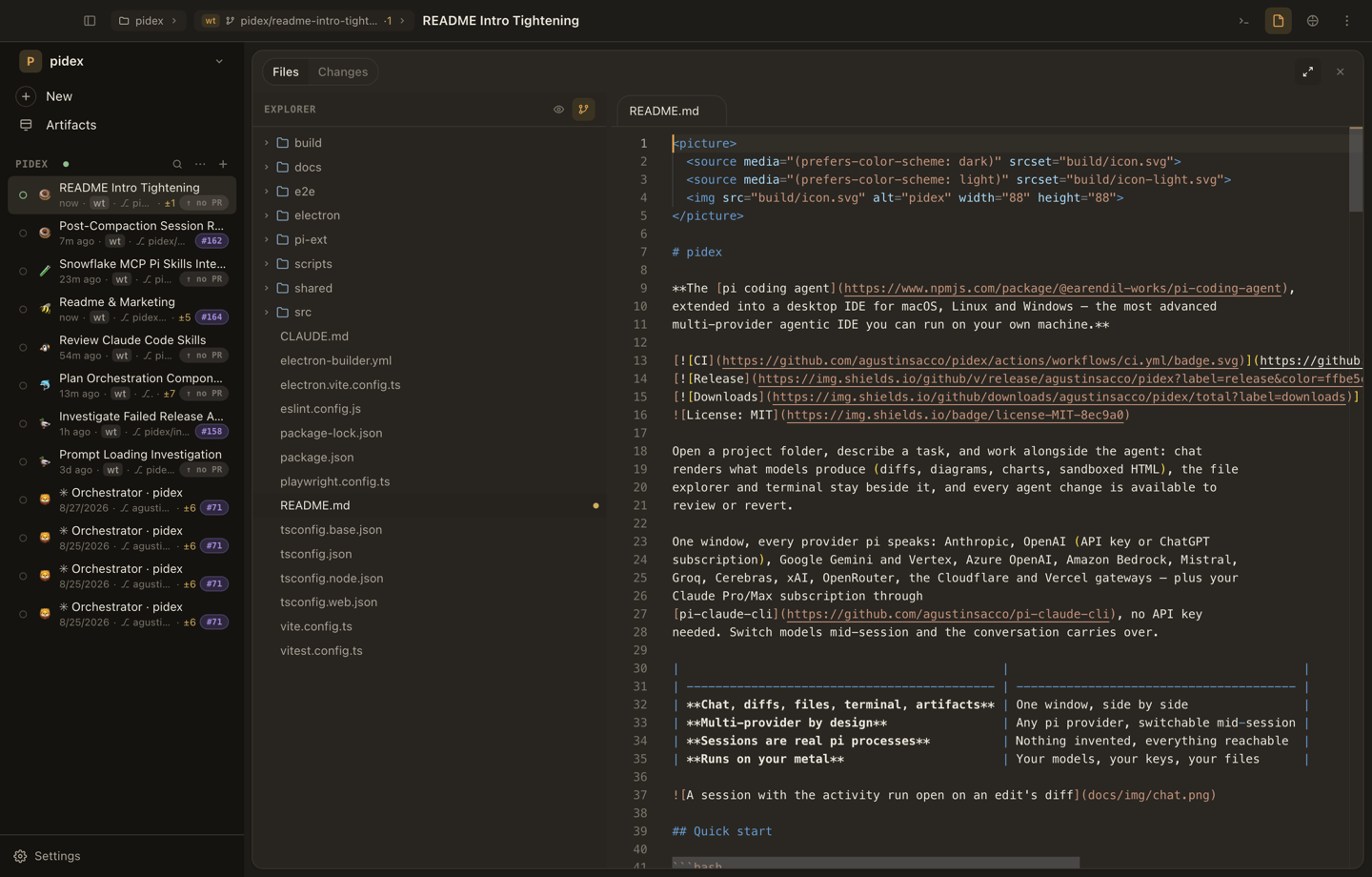
Terminal — real shells in the workspace
Real terminal tabs against the workspace, owned by the session that opened
them, so the transcript never loses its place.
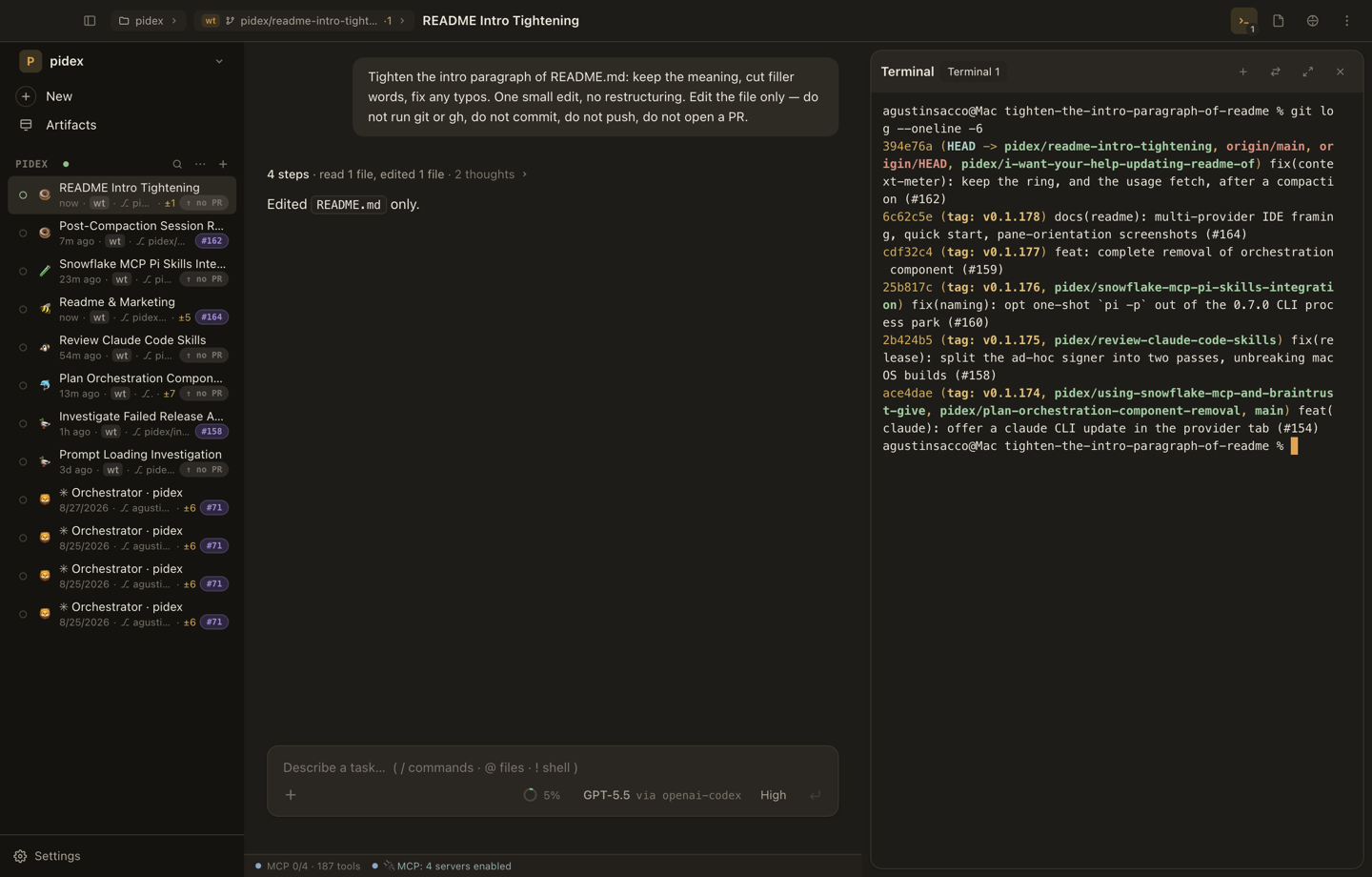
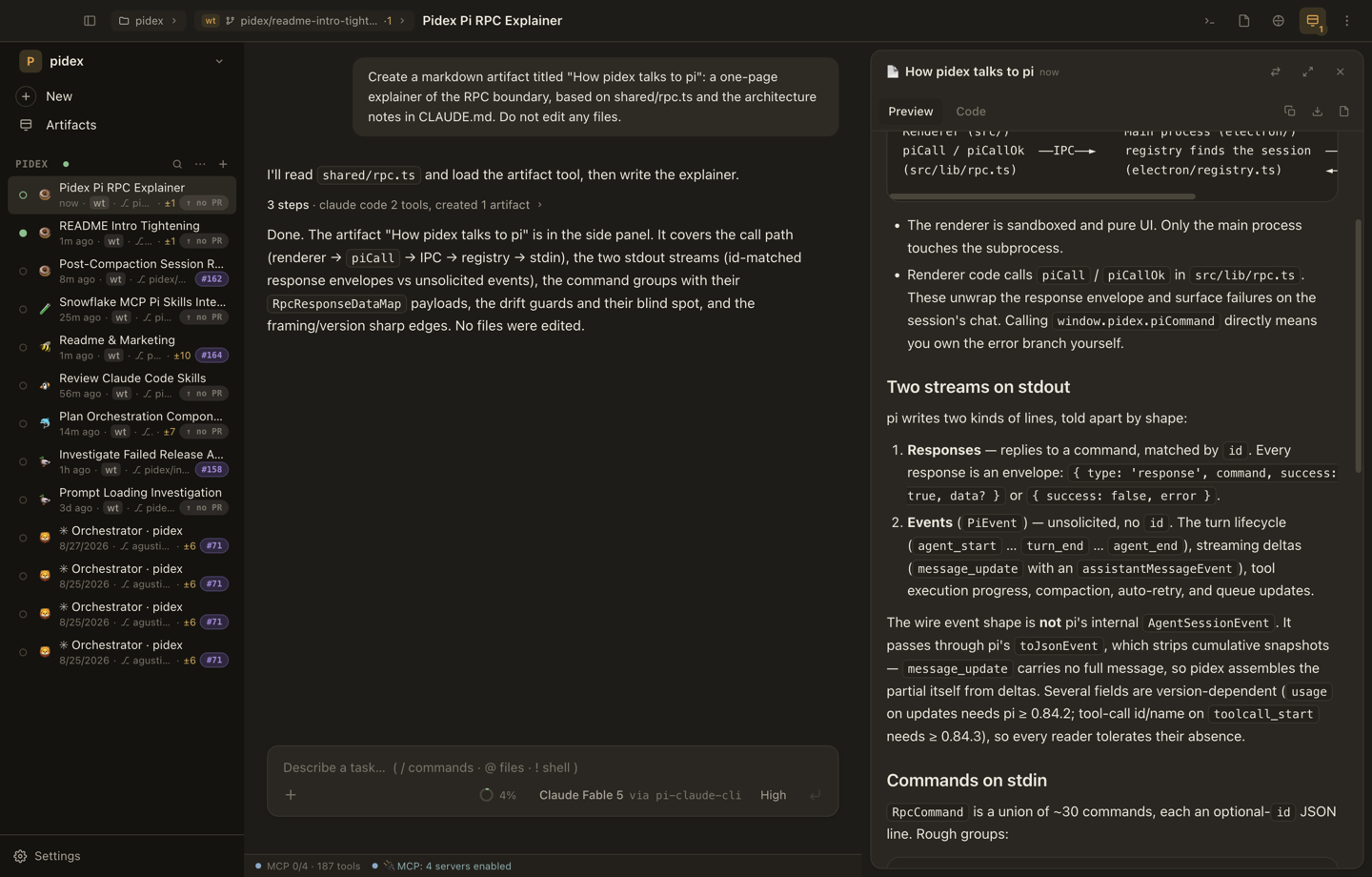
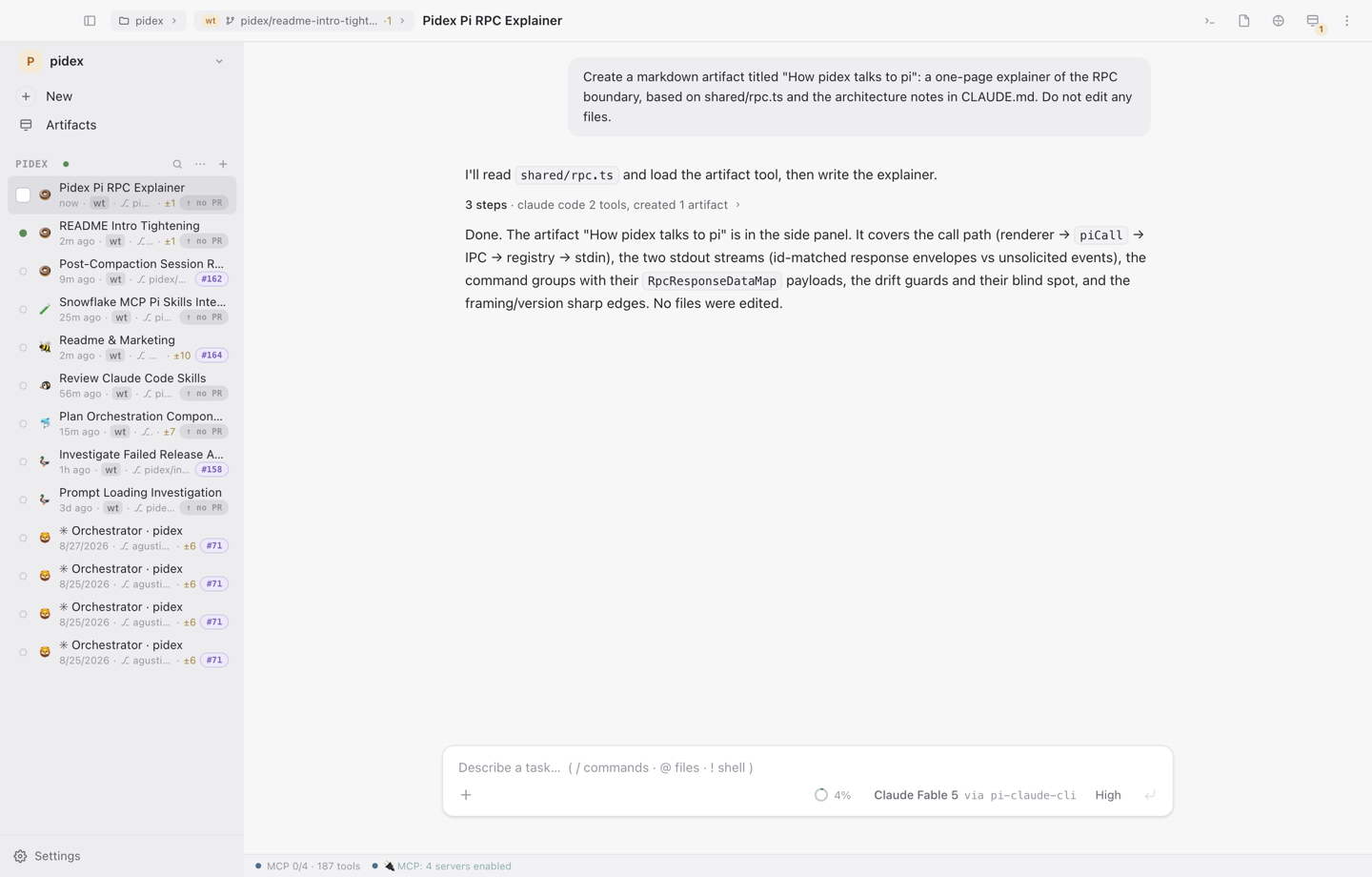
Artifacts
Long documents, HTML pages, SVG, Mermaid and chart documents the model creates
for you. Versioned, previewable, diffable, rebuilt from the session on reopen.
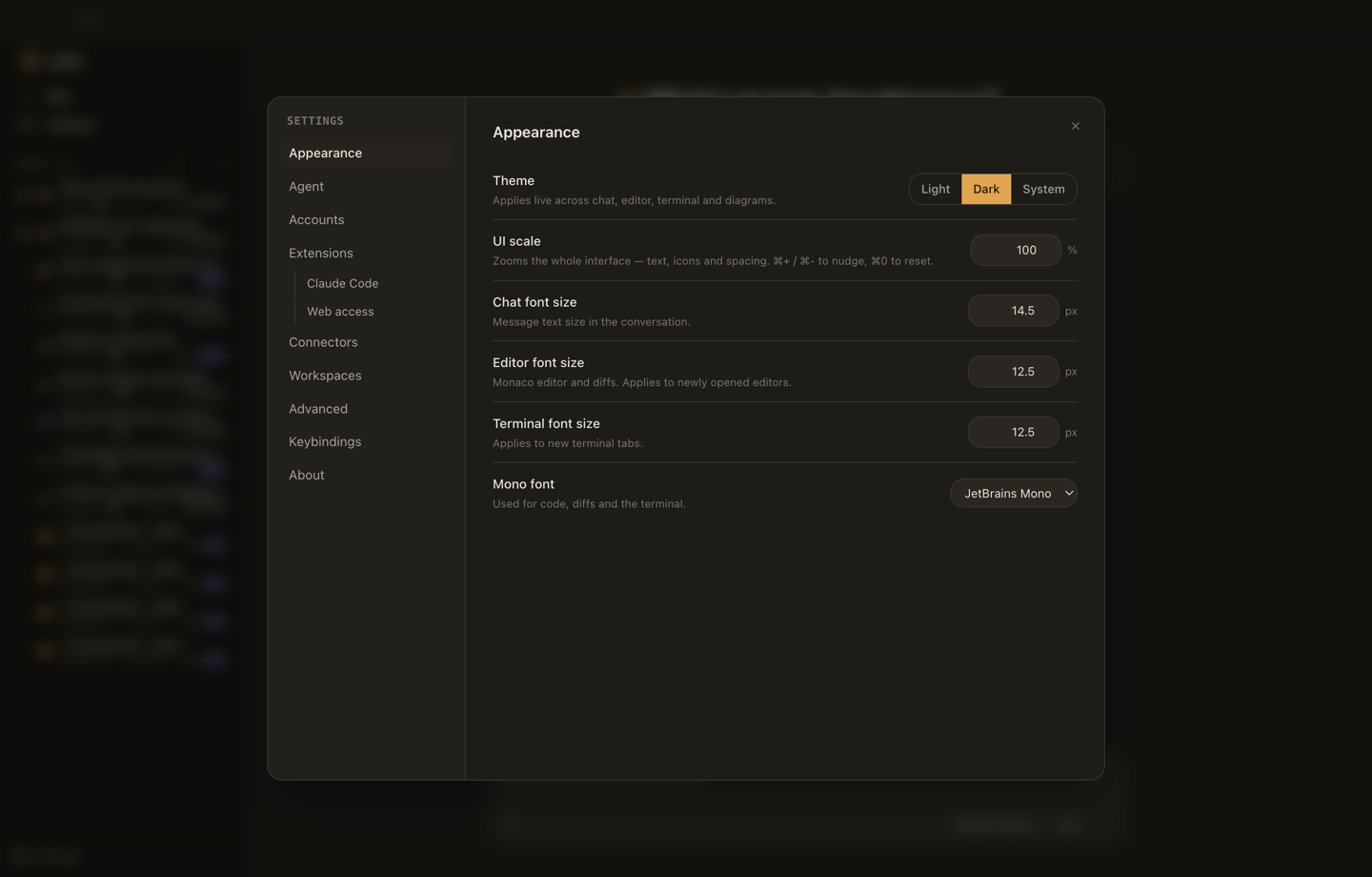
Settings — and it is not only dark
Appearance, agent, accounts, extensions, connectors, workspaces, optimization,
advanced, keybindings, about. Light theme included, because diff review at 2am
is a real workflow.
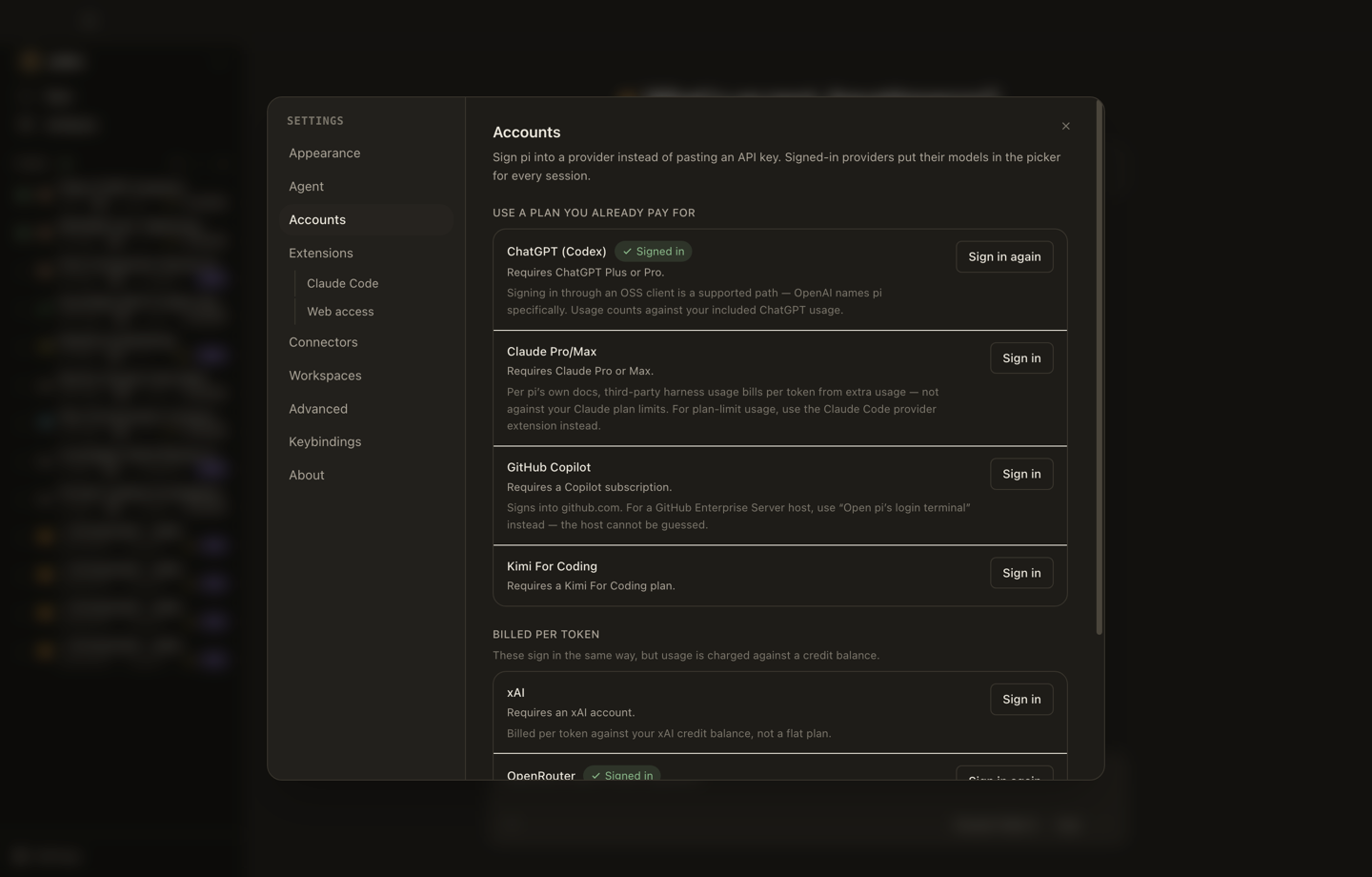
Accounts is where providers sign in, subscription or API key, per provider:
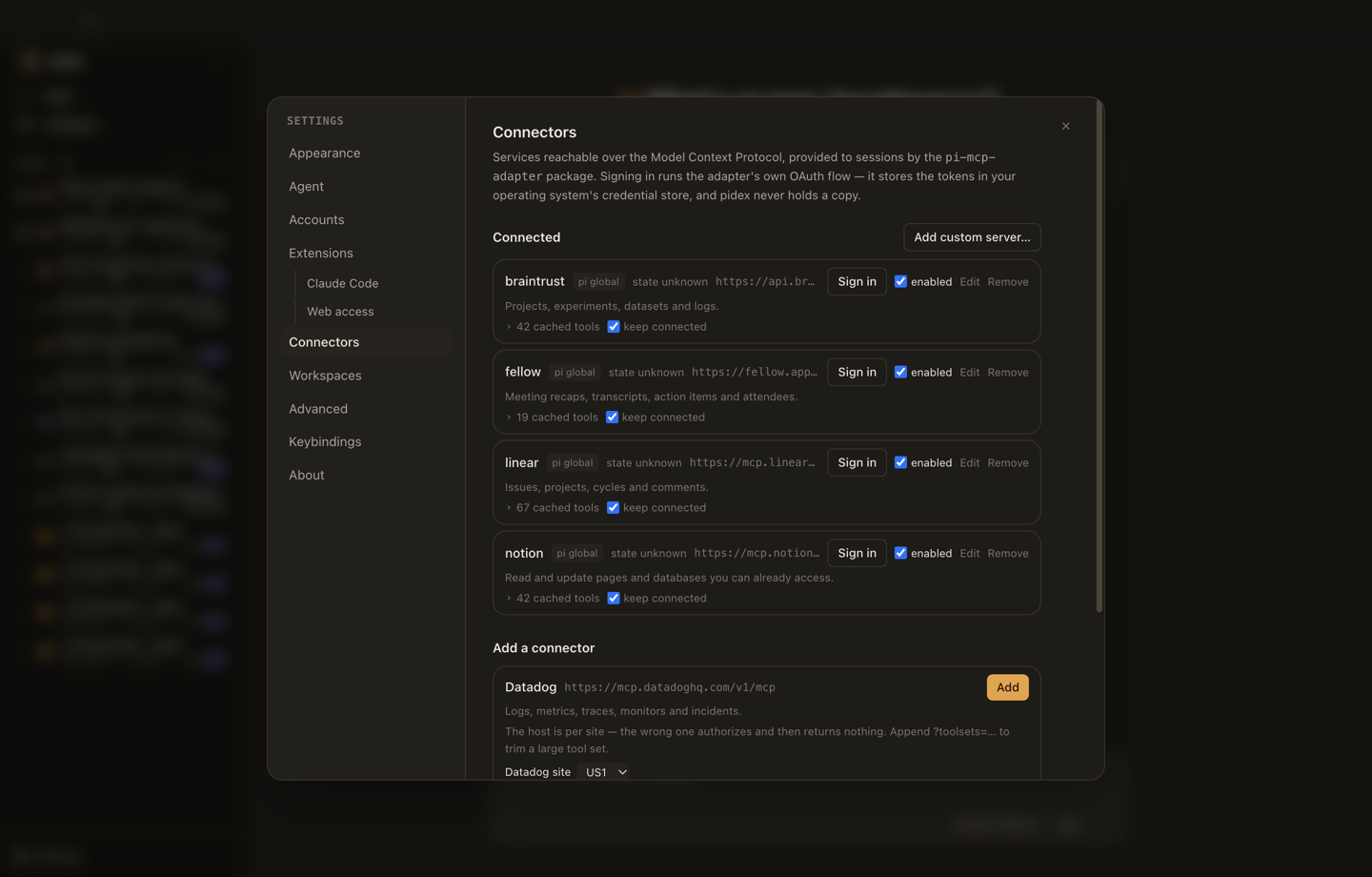
Connectors mounts MCP servers (Notion, Linear, anything with an MCP endpoint).
OAuth is the adapter's, never Phosphor's:
The light theme, on the artifact session:
Install
macOS and Linux:
curl -fsSL https://github.com/agustinsacco/Phosphor/releases/latest/download/install.sh | sh
The script installs the AppImage on Linux and the .app bundle on macOS, and
verifies the download against the release's checksums.txt. Binaries are also
on the Releases page: DMG
and ZIP for macOS, AppImage and .deb for Linux.
Windows builds come from the tagged Release workflow, not the per-merge one,
so a .exe is only on releases cut from a v* tag.
Phosphor needs pi on your PATH:
npm install -g @earendil-works/pi-coding-agent
The app shows a setup screen until pi is available. Sign in by running pi in
Phosphor's built-in terminal and using /login, or configure API keys / a local
endpoint in ~/.pi/agent/.
Updates
Every merge to main that passes CI publishes a release, versioned0.1.<commit count>. An installed app checks at launch and every 30 minutes;
when there is something to do, an update button appears in the sidebar footer
above Settings.
Linux AppImage and signed macOS installs download in the background and offer
"Restart to update". Unsigned macOS and .deb installs cannot replace their
own files, so they link to the release page. Update checks only run when
packaged. Details: docs/updates.md.
How it works
One pi --mode rpc subprocess per live session, spoken to over JSONL on stdio.
Phosphor never imports pi's code. The protocol is hand-mirrored inshared/rpc.ts with compile-time drift guards, so a protocol
change this file has not caught will not compile.
flowchart LR
  R["Renderer · src/<br/>React, sandboxed, no Node"]
  M["Main · electron/<br/>registry, pi client, fs, pty, updates"]
  P["pi --mode rpc<br/>one subprocess per session"]
  S[("~/.pi — sessions, models, MCP")]
  R -- "typed IPC (shared/ipc.ts)" --> M
  M -- "JSONL over stdio" --> P
  P -- "providers, tools, files" --> S
Six facts that explain the rest:
- The main process owns all side effects. The renderer runs sandboxed
(contextIsolation, no Node) and is pure UI over typed IPC. Disk, network
or a subprocess meanselectron/, notsrc/. - IPC is a typed contract. A new channel is an entry in
shared/ipc.ts'sIpcInvokeMap, a handler in the matchingelectron/ipc/<prefix>-handlers.ts,
and a case insrc/dev/mockPhosphor.ts. - Stores (
src/stores/) are projections of main-process state, not a
second source of truth. The chat store keeps a session's live title, tokens
and context meter honest while a turn runs. - Sessions are files. pi writes a session's JSONL when a turn ends. The
sessions list is a scan of pi's session directory. Phosphor appends to those
files for bookmarks, branch jumps and forks, which is only safe while no pi
process owns the file. - Six extensions run inside pi's process (
pi-ext/, loaded with-einto
every session):artifacts,context-breakdown,headroom,mcp-status,tool-name-guard,worktree-paths. Two of them can change or refuse what
the model did: docs/extensions.md. - Failure is reported, not hidden. Failures land on the session's chat;
main-process detail goes tophosphor.log. For a bad session,
CLAUDE.md has the three layers of
evidence and the one command that decides Phosphor-vs-pi.
Development
Requires Node 22+ (pi itself needs ≥ 22.19) and pi on PATH for npm run dev.
npm install
npm run dev
| Script | Purpose |
|---|---|
npm run dev |
Electron + Vite dev server with HMR |
npm run dev:web |
Renderer alone, in a browser, against the mock preload API |
npm run build |
Bundle main, preload and renderer to out/ |
npm run typecheck |
TypeScript project checks (main + renderer) |
npm run lint |
ESLint |
npm run format |
Prettier |
npm test |
Vitest unit tests |
npm run test:e2e |
Playwright-Electron smoke tests against the deterministic pi |
npm run validate |
All of the above, quiet — one PASS/FAIL line per step + a log |
npm run pack |
Package for the current platform without packing (quick check) |
npm run dist |
Package for the current platform via electron-builder |
npm run shots |
Deterministic screenshots against the e2e pi stub (see below) |
npm run shots:live |
Re-shoot this README against a real pi instance (see below) |
Tests live beside their subject as *.test.ts, in electron/, shared/ andpi-ext/ included.
Conventions (IPC channels, the piCall rule, modals, and the sharp edges worth
knowing before touching pi's session files) are in CLAUDE.md. It
is written for coding agents and is the shortest accurate orientation for a
human too.
The screenshots in this README
They are captures of the app against a real pi instance: the developer's
own ~/.pi, real signed-in providers, a real repo, two metered model turns.
npm run build && npm run shots:live
The live runner (scripts/capture-live-shots.mjs) isolates app prefs but not
pi. It runs one small edit task in a disposable worktree and one artifact task,
then shoots the transcript, panes, menus and popovers. It spends real tokens
and leaves the sessions and worktree behind; delete them like any other
session. ONLY=models,context re-shoots a subset; WORKSPACE=… TASK1=… MODEL2=… re-aim it.
npm run shots (scripts/capture-readme-shots.mjs) is the deterministic
sibling: same mechanics, scratch workspace, the e2e pi stub, no key, no
network. Use it to verify UI changes; use the live one to regenerate what this
README shows.
Repo layout
This tree is the single source of truth for "what lives where". CLAUDE.md and
docs/architecture.md link here rather than keeping
copies.
electron/            main process — owns every side effect
  main.ts            app lifecycle, window creation, quit teardown
  preload.ts         the contextBridge surface (one typed `subscribe` helper)
  ipc.ts             composition root: calls the per-domain handler registrars
  ipc/               one module per channel-prefix family — 16 of them today
                     (app, claude-auth, clipboard, fs, git, maintenance, mcp,
                      optimization, packages, pi-auth, pi-config, pi-session,
                      pty, sessions, skills, updates) plus handle.ts, the
                      envelope unwrapper. The contract lives in shared/ipc.ts;
                      ipc.ts is the composition root, so a handler module
                      never imports it back.
  registry.ts        the live pi session registry
  broadcast.ts       send a push to every open window
  pi/                RPC client (strict LF JSONL framing), session scanner,
                     writer, paths, print mode, model catalogue, login flow
  claude/            pi-claude-cli: several Claude Code logins side by side,
                     which one bills a session (decided once, at spawn), and
                     live subscription usage
  headroom/          Headroom proxy supervisor (adopt/spawn/kill) + install job
  optimization/      the Advisor rules engine (pure functions, advice only)
  pty/               node-pty manager + spawn-helper repair
  fs/                file service, git layer (git-exec/info/sync/worktrees),
                     workspace watcher
  artifacts/         the `phosphor-artifact://` protocol — model HTML on its
                     own origin, so it runs JS without weakening the app CSP
  maintenance/       worktree reclaim: a pure policy that judges, a sweep that
                     does the git and the disk, a scheduler that rate-limits it
  updates/           update check + download state machine
  store.ts           app prefs (electron-store, constructed lazily)
shared/              types and pure logic shared by main + renderer
  ipc.ts             the typed IpcInvokeMap contract
  rpc.ts             hand-mirrored copy of pi's RPC protocol + drift guards
  models.ts          model catalogue and shared app types
src/                 renderer (React) — pure UI over typed IPC
  app/               shell: App, TopBar, workspace picker, global shortcuts
  features/          one folder per surface (14): chat, sessions, files,
                     terminal, artifacts, settings, home, worktrees,
                     workspaces, palette, updates, connectors, extension-ui,
                     skills
  components/        cross-feature primitives (Modal, PopupMenu, form, icons,
                     markdown renderers)
  stores/            zustand stores — projections of main-process state
  lib/               framework-free helpers (format, path, rpc, fuzzy, time…)
  styles/            the Phosphor design tokens
  assets/            the bundled fonts
  dev/               browser-only mock of the preload API (never bundled)
pi-ext/              the six pi extensions that run inside pi's process,
                     bundled into every session: artifacts, context-breakdown,
                     headroom, mcp-status, tool-name-guard, worktree-paths
e2e/                 Playwright-Electron smoke tests + deterministic pi stub
scripts/             install.sh, icon + screenshot generation, release and
                     validate helpers
docs/                living technical docs — one file per surface, each
                     rewritten in the same diff as the behaviour it describes;
                     plus known-issues.md, defects that reproduce today
docs/img/            the screenshots above (assets, not documentation)
site/                phosphor.saccolabs.com — the Astro landing page, real
                     captures, nginx image and browser checks (site/README.md)
.infra/phosphor-site/  the k3s manifests the Deploy Site workflow applies
The main process owns all side effects. The renderer runs withcontextIsolation, no Node integration, and a strict CSP. Model-authored HTML
only ever renders inside a sandboxed iframe.
Documentation map
| Read | When |
|---|---|
| CLAUDE.md | Orientation, conventions, sharp edges, debugging |
| docs/README.md | The map: which file owns which fact |
| docs/ | How Phosphor works now (architecture, extensions, MCP, …) |
| docs/known-issues.md | Defects that reproduce today, with the file that has them |
| docs/architecture.md | Process model, IPC design, cross-cutting requirements |
| docs/pi-integration.md | pi's RPC protocol and session format |
docs/ describes shipped behaviour, present tense. A doc is part of the diff
that changes its behaviour, not a follow-up. There is no dated log and no spec
folder; git is the history. The one file that records what is wrong rather
than how something works is docs/known-issues.md, and a
row leaves it in the same diff that fixes the code.
Contributing
Issues and PRs are welcome. Run npm run validate before opening a PR. If your
change moves behaviour a docs/ file describes, update that file in the same
diff.
License
MIT
Reviews (0)
Sign in to leave a review.
Leave a reviewNo results found