eze
Health Pass
- License — License: MIT
- Description — Repository has a description
- Active repo — Last push 0 days ago
- Community trust — 18 GitHub stars
Code Fail
- new Function() — Dynamic code execution via Function constructor in internal/server/jstest/harness.mjs
- network request — Outbound network request in internal/server/web/app.js
- network request — Outbound network request in internal/server/web/sdk.js
- rm -rf — Recursive force deletion command in scripts/storage-smoke.sh
Permissions Pass
- Permissions — No dangerous permissions requested
No AI report is available for this listing yet.
Self-hosted private websites for your team. Upload a folder of HTML and get a link only your coworkers can open, with a database, live updates, uploads and AI built in. An open-source take on Shopify Quick.

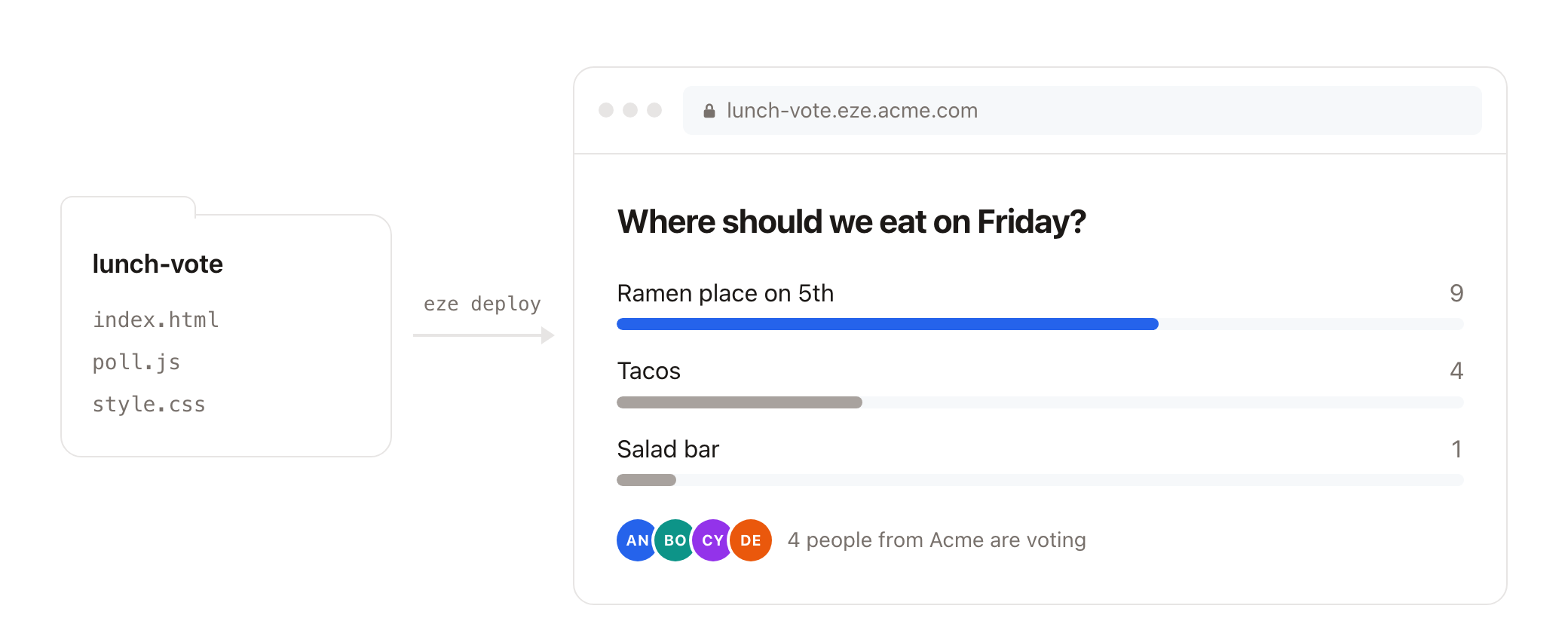
Drop in a folder of HTML and get back a private URL that only people in your organisation can open.
No frameworks, pipelines or config files. Need data? Every site gets a database, realtime updates, file uploads,
multiplayer rooms, AI and the viewer's identity through a tiny browser SDK, with nothing to set up.
An open-source take on the idea behind Shopify's internal Quick platform.
eze login https://eze.example.com
eze init lunch-vote          # starter page + AGENTS.md so your coding agent knows the SDK
cd lunch-vote
claude "make a site where my team can vote on lunch spots in real time"
eze deploy                   # live at https://lunch-vote.eze.example.com
No terminal? Open https://eze.example.com, drop a folder, a .zip or your HTML, CSS and JS files on the page,
pick a name, and it's live. Each site has a page at /sites/<name> with its deploy history,
uploaded files, AI usage, a drop zone for new versions, and delete.
Why it is this simple
Everything sits behind your company's sign-in, so the hard parts of the open web disappear:
no spam, no abuse, no API keys in the browser. eze leans into that:
- A site is a folder. Deploying uploads a tarball and atomically swaps the directory.
- No permissions. Any signed-in person can deploy, overwrite or delete any site
(setEZE_OVERWRITE=ownerif you want first-deployer ownership). Every deploy records who did it. - A small, fixed set of capabilities. Static files plus the SDK. No custom backends, no cron.
The constraints are the feature. - One binary, one SQLite file. Runs comfortably on a small VM.
Who it is for
eze is for one organisation's own people. Everyone who can sign in is trusted: they can open
every site, read and write every site's data, redeploy or delete sites (unlessEZE_OVERWRITE=owner), and spend AI budget. That trust is what keeps eze simple, so don't open
it to the public. It refuses to start if OIDC sign-in would accept a public email domain like
gmail.com. See SECURITY.md.
The browser SDK
<script src="/_eze/sdk.js"></script>
<script>
  const me = await eze.id.me();                       // { email, name }
  const posts = eze.db.collection('posts');
  await posts.create({ title: 'Hello', status: 'draft' });
  const drafts = await posts.find({ status: 'draft' });
  posts.subscribe({ onCreate: (doc) => console.log('new', doc) });
  const photo = await eze.files.upload(input.files[0]);  // { id, name, url, size, ... }
  const room = eze.ws.join('lobby');                     // multiplayer: messages + presence
  room.on('presence', (peer) => drawCursor(peer.user.name, peer.state));
  document.onmousemove = (e) => room.setState({ x: e.clientX, y: e.clientY });
  const { text } = await eze.ai.chat('Summarize: ' + notes, { onText: (_, soFar) => show(soFar) });
</script>
The full reference is what eze init writes into AGENTS.md.
Each site's data is isolated to that site. API calls are same-origin, authenticated by the
viewer's existing session, and rate limited per user.
Install
One binary is both the server and the CLI. With Go 1.26 or newer:
go install github.com/ahyield/eze/cmd/eze@latest
Or build the server image with docker build -t eze . (see docs/deploy.md).
Run it
You need a domain with a wildcard DNS record (eze.example.com and *.eze.example.com
pointing at the server) and a wildcard TLS certificate, typically from a reverse proxy like Caddy.
eze refuses to start without authentication. Pick one:
EZE_AUTH |
How people sign in |
|---|---|
oidc |
Built-in OpenID Connect login (Google Workspace, Okta, Entra ID, Keycloak...). One session cookie covers every site. |
header |
An auth proxy in front (oauth2-proxy, Pomerium, Cloudflare Access, Tailscale) sets an email header. Only honoured from EZE_TRUSTED_PROXIES. |
dev |
Everyone is EZE_DEV_EMAIL. Only allowed on a loopback address, for local development. |
See docs/deploy.md for complete setups.
Configuration
| Variable | Default | |
|---|---|---|
EZE_DOMAIN |
required | Apex host. Sites are served at <site>.<EZE_DOMAIN>. |
EZE_AUTH |
required | oidc, header or dev. |
EZE_ADDR |
:8080 |
Listen address. |
EZE_SCHEME |
https |
Public scheme, used for links, redirects and cookies. |
EZE_DATA_DIR |
./data |
eze.db, plus deployed sites and uploads unless EZE_STORAGE is set. Back this up. |
EZE_STORAGE |
Keep sites and uploads in a bucket instead: s3://bucket?region=..., gs://bucket, or any S3-compatible store. See Storing files in a bucket. |
|
EZE_OVERWRITE |
anyone |
anyone or owner (first deployer owns the site). |
EZE_OIDC_ISSUER, EZE_OIDC_CLIENT_ID, EZE_OIDC_CLIENT_SECRET |
OIDC client. Redirect URI: https://<EZE_DOMAIN>/_eze/auth/callback. |
|
EZE_OIDC_ALLOWED_DOMAINS |
Comma-separated email domains allowed to sign in. Required for OIDC. | |
EZE_OIDC_ALLOW_PUBLIC_DOMAINS |
Set to true to allow public email domains (gmail.com...) above. You almost certainly don't want this. |
|
EZE_OIDC_ALLOW_UNVERIFIED_EMAIL |
Set to true for providers that never send email_verified (e.g. Entra ID). Only safe if users can't edit their own email there. |
|
EZE_SESSION_SECRET |
Base64, at least 32 bytes (openssl rand -base64 32). Required for OIDC. |
|
EZE_AUTH_EMAIL_HEADER |
X-Forwarded-Email |
Header mode: email header. |
EZE_AUTH_NAME_HEADER |
X-Forwarded-User |
Header mode: display name header. |
EZE_TRUSTED_PROXIES |
127.0.0.1/32,::1/128 |
Header mode: CIDRs allowed to set identity headers. |
EZE_MAX_DEPLOY_BYTES |
50 MB | Max compressed deploy archive. |
EZE_MAX_SITE_BYTES |
200 MB | Max uncompressed site. |
EZE_MAX_SITE_FILES |
10000 | Max files per site. |
EZE_MAX_DOC_BYTES |
1 MB | Max database document. |
EZE_MAX_UPLOAD_BYTES |
25 MB | Max uploaded file. |
EZE_UPLOAD_QUOTA_BYTES |
1 GB | Total uploads per site. |
EZE_AI_PROVIDER |
inferred | anthropic or openai. Only needed if both providers' settings are present. Without any, eze.ai returns 503. |
EZE_ANTHROPIC_API_KEY |
Use Claude for eze.ai. |
|
EZE_ANTHROPIC_BASE_URL |
Optional API gateway in front of Anthropic. | |
EZE_OPENAI_API_KEY |
Use OpenAI, or a hosted OpenAI-compatible API, for eze.ai. |
|
EZE_OPENAI_BASE_URL |
api.openai.com | An OpenAI-compatible server, e.g. https://openrouter.ai/api/v1 or Ollama's http://localhost:11434/v1 (which needs no key). |
EZE_AI_MODELS |
the current Claude models | Models pages may request. Required for openai, since model names depend on the server. |
EZE_AI_DEFAULT_MODEL |
the first of EZE_AI_MODELS |
Used when a page doesn't pick one. |
EZE_AI_DAILY_TOKENS |
1000000 | Per-person daily budget (input + output), across all sites. Resets at 00:00 UTC. |
EZE_AI_MAX_OUTPUT_TOKENS |
16000 | Cap on a single reply. |
EZE_AI_MAX_CONCURRENT |
3 | AI calls one person may have running at once. |
EZE_TOKEN_TTL_DAYS |
90 | Lifetime of CLI API tokens. |
EZE_RATE_LIMIT, EZE_RATE_BURST |
20/s, 60 | Per-user API rate limit. |
Try it locally
go build -o eze ./cmd/eze
EZE_DOMAIN=localhost:8080 EZE_SCHEME=http EZE_AUTH=dev EZE_ADDR=127.0.0.1:8080 ./eze serve
In another terminal (*.localhost resolves to your machine in Chrome, Firefox and curl):
./eze login http://localhost:8080
./eze init hello && cd hello && ../eze deploy
open http://hello.localhost:8080
Use it from your AI tool (MCP)
eze mcp gives an MCP client eze's tools, signed in as you through eze login. Ask your
assistant for a site and it reads the SDK docs, writes the files and deploys them.
| Tool | |
|---|---|
sdk_docs |
How to build an eze site and use window.eze (also the resource eze://docs/sdk) |
deploy_folder |
Deploy a folder from your computer |
deploy_files |
Deploy files passed inline, for chat apps that can't write to your disk |
list_sites, get_site |
What exists, who deployed it, deploy history |
query_collection |
Read what a site has stored in its database |
whoami |
Which server and account the tools act as |
There is deliberately no delete tool: removing a site stays a human decision (eze rm).
Claude Code:
claude mcp add eze -- eze mcp
Claude Desktop, Cursor and most other clients take a JSON entry. Use the full path to the
binary (which eze), since desktop apps don't always see your shell's PATH:
{ "mcpServers": { "eze": { "command": "/Users/you/go/bin/eze", "args": ["mcp"] } } }
CLI
eze login <server-url>          sign the CLI in through your browser
eze init [dir] [--site name]    scaffold a site with agent instructions
eze deploy [dir] [--site name]  upload a folder; replaces the site atomically
eze ls                          list all sites
eze rm <site> [--yes]           delete a site, its files and its data
eze whoami                      show the signed-in user
eze tokens [revoke <id>]        list or revoke your API tokens
eze tokens revoke --user <email>  revoke all of someone's tokens, e.g. when they leave
eze logout                      revoke this computer's token
eze mcp                         serve eze's tools to an MCP client
The site name comes from --site, then eze.json, then the directory name. Hidden files,node_modules, AGENTS.md, CLAUDE.md and eze.json are never uploaded. In CI, setEZE_SERVER and EZE_TOKEN instead of running eze login.
API tokens expire after EZE_TOKEN_TTL_DAYS (90 by default). When someone leaves, removing
them from your identity provider stops new sign-ins; also runeze tokens revoke --user [email protected] so their CLI stops working right away.
AI spend
eze.ai works with Claude (through Anthropic's SDK), OpenAI, or any OpenAI-compatible server,
so you can point it at a model your organisation already pays for or hosts itself. eze ignoresOPENAI_* and ANTHROPIC_* environment variables; only EZE_* settings count.
It makes every signed-in person a potential API spender, so it is bounded several ways:
- A per-person daily token budget. Before each call, eze reserves its worst case (the prompt
size plusmax_tokens) against what is left, so parallel calls can't overspend together. - At most
EZE_AI_MAX_CONCURRENTcalls in flight per person, and a per-reply output cap. - A reply stopped early is charged its full reservation: the provider's final usage never
arrives, and thinking tokens are billed without being streamed. - Upstream calls are cancelled when the browser goes away, and the general rate limit applies. Usage is recorded per person, per site,
per day in theai_usagetable ofeze.db, so you can see where tokens went:
sqlite3 eze.db "SELECT day, email, site, requests, input_tokens, output_tokens FROM ai_usage ORDER BY day DESC"
Contributing
See CONTRIBUTING.md. Security reports: SECURITY.md.
License
MIT
Reviews (0)
Sign in to leave a review.
Leave a reviewNo results found