Kiro2Chat
agent
Warn
Health Warn
- No license — Repository has no license file
- Description — Repository has a description
- Active repo — Last push 0 days ago
- Low visibility — Only 5 GitHub stars
Code Pass
- Code scan — Scanned 12 files during light audit, no dangerous patterns found
Permissions Pass
- Permissions — No dangerous permissions requested
Purpose
This tool acts as a multi-platform chat bridge, connecting messaging services like Telegram, Discord, and Lark to kiro-cli using the ACP protocol. It allows you to interact with the underlying AI agent via standard chat apps or a web UI.
Security Assessment
Overall Risk: Medium. The automated code scan (12 files) found no dangerous patterns, hardcoded secrets, or dangerous permission requests. However, the tool inherently processes sensitive data, including chat messages and images, and acts as a bridge to external platforms using API tokens. Additionally, it offers an interactive permission approval feature (`y/n/t`) for sensitive operations and executes as a subprocess via stdio, which requires trust in how commands are routed. Without a license file, there are also no explicit legal terms regarding liability or data handling.
Quality Assessment
The project is very new and currently has low community visibility with only 5 GitHub stars. On the positive side, it is actively maintained (the most recent push was today) and includes comprehensive documentation and architecture breakdowns. A major drawback for enterprise or open-source developers is the complete lack of a defined software license. This means the author retains all exclusive rights under copyright law, making the legal reuse and distribution of this code risky.
Verdict
Use with caution — the code appears safe and is actively maintained, but low community adoption, missing legal licensing, and inherent network bridging require you to thoroughly review how your API keys and chat data are handled.
This tool acts as a multi-platform chat bridge, connecting messaging services like Telegram, Discord, and Lark to kiro-cli using the ACP protocol. It allows you to interact with the underlying AI agent via standard chat apps or a web UI.
Security Assessment
Overall Risk: Medium. The automated code scan (12 files) found no dangerous patterns, hardcoded secrets, or dangerous permission requests. However, the tool inherently processes sensitive data, including chat messages and images, and acts as a bridge to external platforms using API tokens. Additionally, it offers an interactive permission approval feature (`y/n/t`) for sensitive operations and executes as a subprocess via stdio, which requires trust in how commands are routed. Without a license file, there are also no explicit legal terms regarding liability or data handling.
Quality Assessment
The project is very new and currently has low community visibility with only 5 GitHub stars. On the positive side, it is actively maintained (the most recent push was today) and includes comprehensive documentation and architecture breakdowns. A major drawback for enterprise or open-source developers is the complete lack of a defined software license. This means the author retains all exclusive rights under copyright law, making the legal reuse and distribution of this code risky.
Verdict
Use with caution — the code appears safe and is actively maintained, but low community adoption, missing legal licensing, and inherent network bridging require you to thoroughly review how your API keys and chat data are handled.
Multi-platform chat bridge for Kiro Cli — connect to Telegram, Lark/Feishu, Discord & Web via ACP protocol
README.md
Kiro2Chat
Bridge kiro-cli to chat platforms (Telegram, Lark/Feishu, Discord, Web) via ACP protocol.
Features
- 🔗 ACP Protocol — Communicates with kiro-cli via JSON-RPC 2.0 over stdio
- 🌐 Web Chat — NiceGUI-based chat UI with streaming output
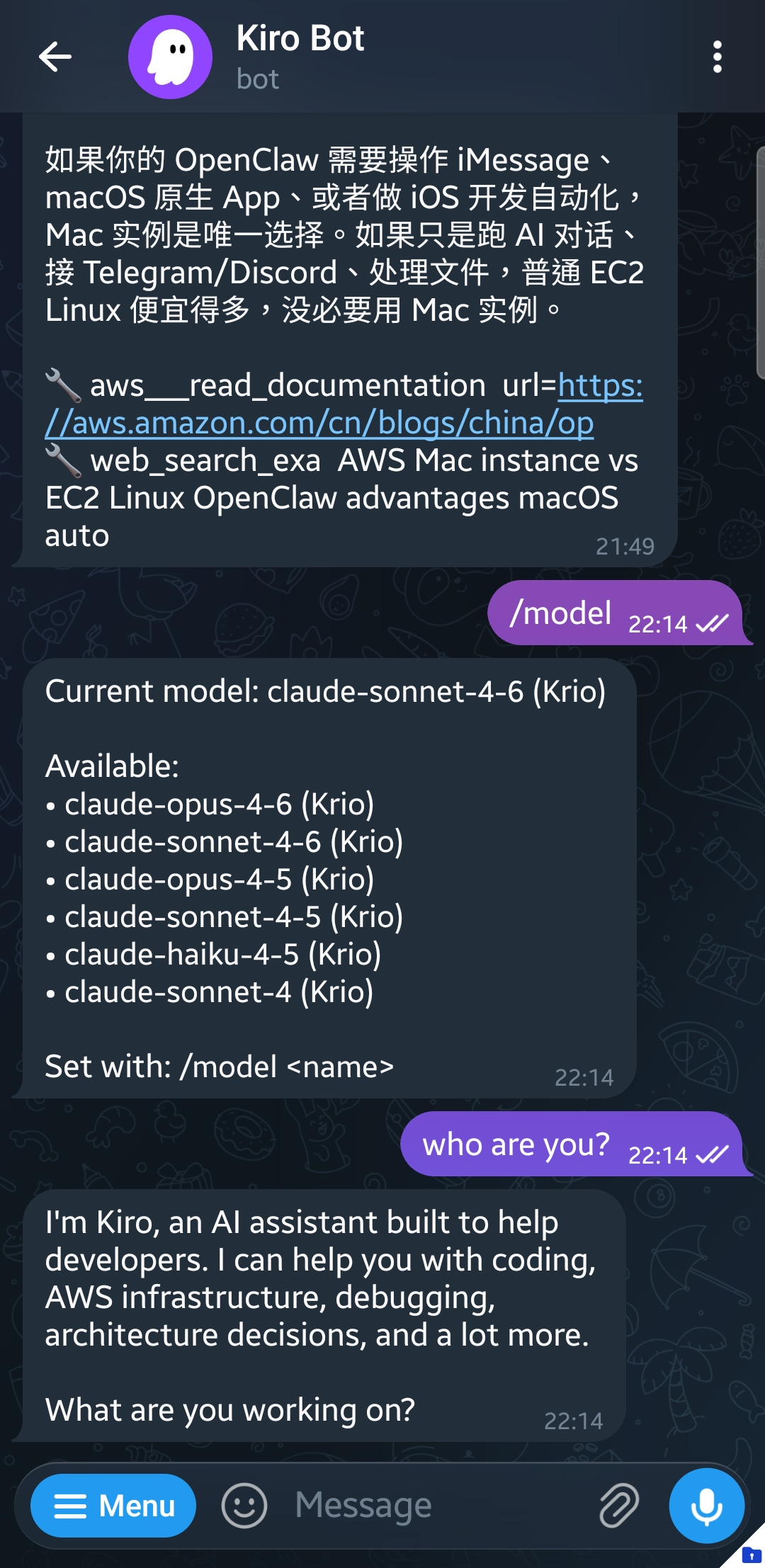
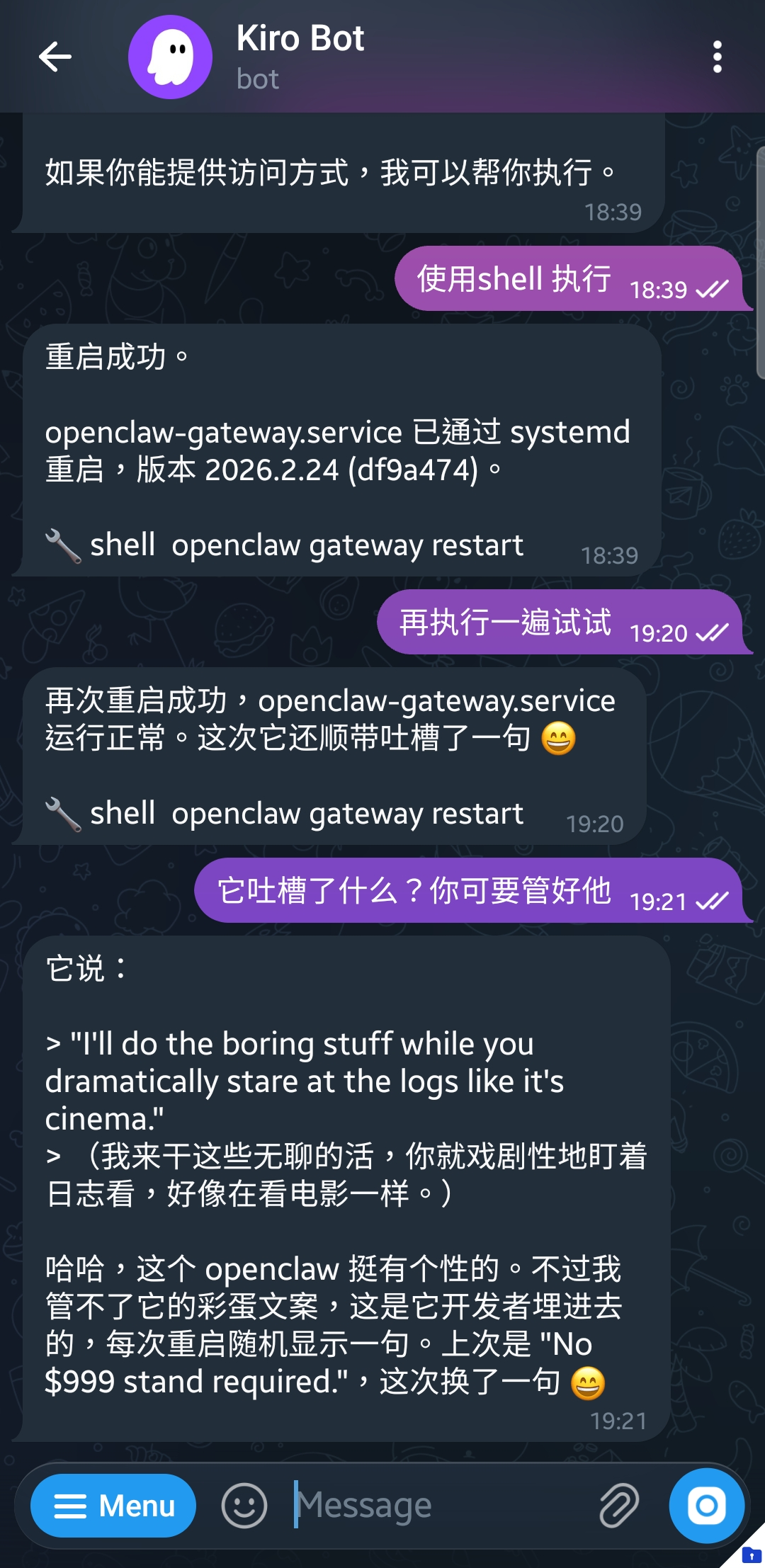
- 📱 Telegram Bot — Full-featured bot with streaming, tool call display, image I/O
- 💬 Lark/Feishu Bot — Topic-based sessions, @bot trigger, image I/O, feishu/lark domain switch
- 🎮 Discord Bot — @bot trigger, image I/O, 2000-char auto-split
- 🔐 Permission Approval — Interactive y/n/t approval for sensitive operations
- 🤖 Agent & Model Switching —
/agentand/modelcommands across all adapters - ⚡ On-Demand Startup — kiro-cli starts when first message arrives, auto-stops on idle
- 🖼️ Image Support — Send images for visual analysis (JPEG, PNG, GIF, WebP)
- 🛑 Cancel —
/cancelto interrupt current operation - 🔧 MCP & Skills — Global or workspace-level config via
.kiro/
Screenshots
Telegram Bot — Agent-powered bot with tool calling and Markdown rendering
Architecture
    ┌───────────┐ ┌─────────┐ ┌─────────┐ ┌─────────┐
    │  Telegram │ │  Lark/  │ │ Discord │ │   Web   │
    │  Adapter  │ │ Feishu  │ │ Adapter │ │  Chat   │
    └─────┬─────┘ └────┬────┘ └────┬────┘ └────┬────┘
          └────────────┴──────┬────┴───────────┘
                    ┌─────────┴─────────┐
                    │      Bridge       │  session management, permission routing
                    └─────────┬─────────┘
                    ┌─────────┴─────────┐
                    │     ACPClient     │  JSON-RPC 2.0 over stdio
                    └─────────┬─────────┘
                    ┌─────────┴─────────┐
                    │     kiro-cli      │  acp subprocess
                    └───────────────────┘
Quick Start
# Prerequisites: kiro-cli installed and logged in
git clone https://github.com/aleck31/Kiro2Chat.git
cd Kiro2Chat
uv sync

# Run in foreground
uv run kiro2chat start

# Or deploy as systemd service
deploy/install.sh             # auto-detect paths, install and enable
kiro2chat start               # start daemon
kiro2chat stop                # stop daemon
kiro2chat status              # show status
Open http://127.0.0.1:7860 for the admin dashboard. Configure tokens at /config.
Commands
All adapters support the following commands:
| Command | Description |
|---|---|
/model |
View/switch model |
/agent |
View/switch agent mode |
/workspace |
View/switch workspace |
/workspace list |
List all configured workspaces |
/workspace switch <name> |
Switch to a workspace |
/cancel |
Cancel current operation |
/clear |
Reset session |
/help |
Show help |
Discord & Lark: @bot to trigger in group chats, DM for direct conversation.
Configuration
All configuration is managed via ~/.config/kiro2chat/config.toml, or through the Web Admin Dashboard at /config.
[telegram]
tg_bot_token = "your-token"

[lark]
lark_app_id = "cli_xxx"
lark_app_secret = "xxx"
lark_domain = "feishu"       # feishu | lark

[discord]
discord_bot_token = "your-token"

[web]
web_host = "127.0.0.1"
web_port = 7860

[acp]
kiro_cli_path = "kiro-cli"
workspace_mode = "per_chat"  # per_chat | fixed
idle_timeout = 300

[workspaces]
default = "~/.local/share/kiro2chat/workspaces/default"
my-project = "~/repos/my-project"
MCP & Skills
- Global:
~/.kiro/settings/mcp.json,~/.kiro/skills/ - Workspace:
{WORKING_DIR}/.kiro/settings/mcp.json(fixed mode only)
Project Structure
src/
├── app.py              # Entry point, CLI
├── config.py           # Configuration
├── config_manager.py   # TOML config read/write
├── log_context.py      # Logging context
├── manager.py          # Adapter lifecycle manager
├── acp/
│   ├── client.py       # ACP JSON-RPC client (kiro-cli subprocess)
│   └── bridge.py       # Session management, event routing
└── adapters/
    ├── base.py         # Adapter interface
    ├── telegram.py     # Telegram adapter (aiogram)
    ├── lark.py         # Lark/Feishu adapter (lark-oapi SDK)
    ├── discord.py      # Discord adapter (discord.py)
    └── web.py          # Web Chat adapter (NiceGUI)
Tech Stack
| Component | Technology |
|---|---|
| ACP Transport | JSON-RPC 2.0 over stdio |
| Web Chat | NiceGUI |
| Telegram Bot | aiogram 3 |
| Lark/Feishu Bot | lark-oapi (WebSocket) |
| Discord Bot | discord.py 2 |
| Config | TOML (config.toml) |
| Package Manager | uv + hatchling |
| Python | ≥ 3.13 |
Related
- open-kiro — OpenAI-compatible API gateway for Kiro (the API proxy counterpart)
License
MIT
Reviews (0)
Sign in to leave a review.
Leave a reviewNo results found