droid
Health Warn
- License — License: Apache-2.0
- Description — Repository has a description
- Active repo — Last push 0 days ago
- Low visibility — Only 7 GitHub stars
Code Fail
- exec() — Shell command execution in app/src/main/assets/page/marked.min.js
- rm -rf — Recursive force deletion command in app/src/main/assets/setup/install.sh
- rm -rf — Recursive force deletion command in app/src/main/assets/setup/vd-stop.sh
Permissions Pass
- Permissions — No dangerous permissions requested
No AI report is available for this listing yet.
An AI agent that uses the apps on your Android phone for you: it brings together what they hold and gets the task done.
Droid
An AI that uses your apps for you.
Say what you need, and it does the job on your Android phone while you keep using it.
Download · Website · Install · How it works
What it does
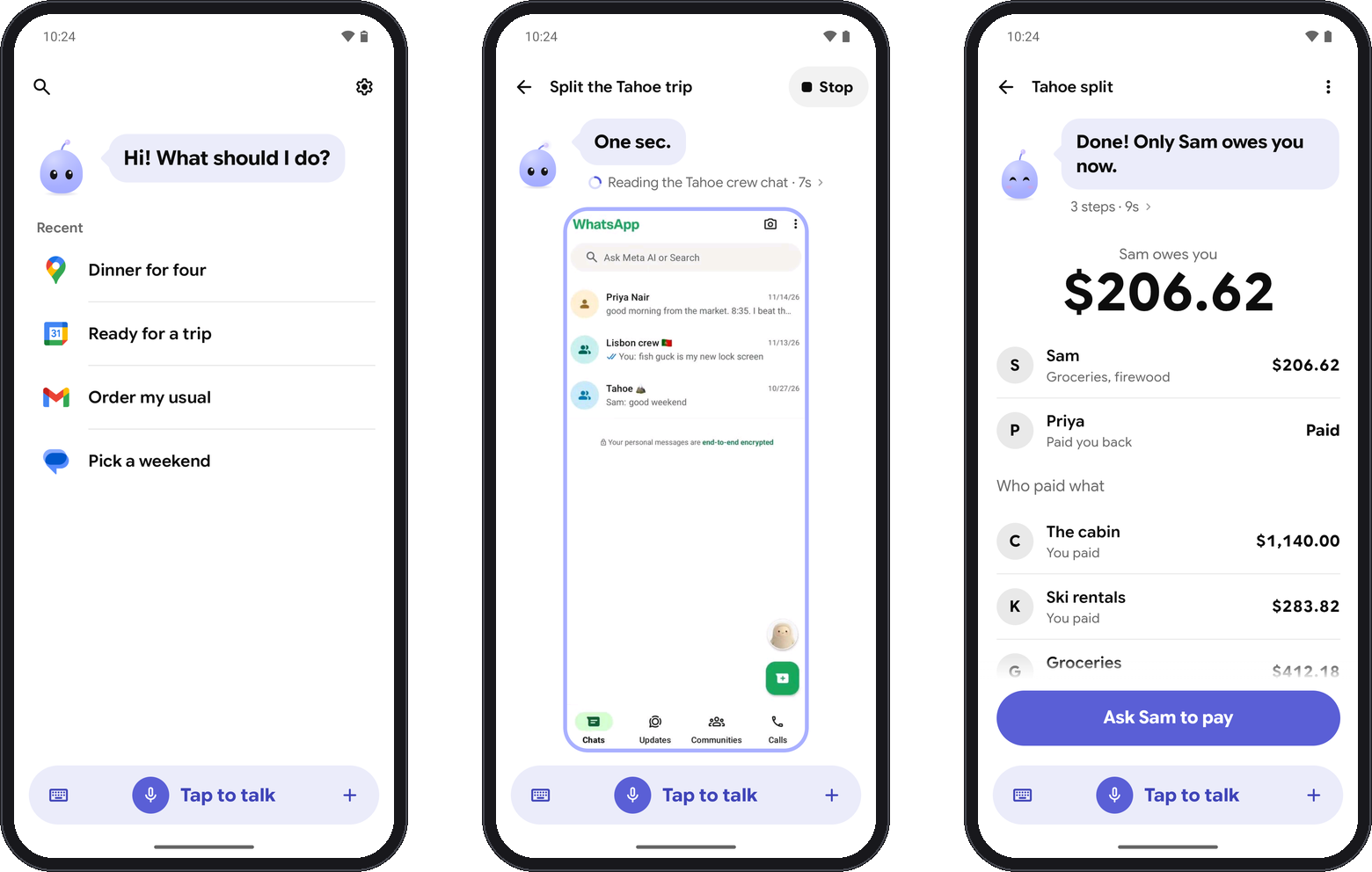
- Uses your apps. It taps and types the way you do, on a screen of its own, so it works with almost any app.
- Does the whole job. It finds what it needs across your apps and acts in them.
- Answers you can use. Not a wall of text, but a small app made for the task, with the next step a tap away.
- Several tasks at once, while you keep using your phone or put it away.
- Ask in a second. Hold the power button and talk.
- Your choice of AI. Free models with no account, your ChatGPT account, or a Claude plan.
- No Droid servers. Your logins stay on your phone, and the code is open.
Install
You need Android 14 or later.
- On your phone, download droid-arm64.apk
and open it. When Android asks, allow installing apps from your browser, then tap Install.
If you use Obtainium, add Droid to it
instead, and it installs each new version for you. - Open Droid and follow Dash. Without root, he walks you through turning on Wireless debugging and pairing once.
When Android asks, tick Always allow on this network, so Droid starts by itself after a restart. - Pick an AI. Setup takes about five minutes.
Droid takes about 350 MB, plus 860 MB for voice, which downloads on Wi-Fi. Without root, it needs Developer options and
USB debugging left on. Releases are signed with the same key every time (certificate SHA-25682:2F:C0:67:BF:29:8D:07:16:DF:D1:54:0F:13:FF:DB:5D:C7:2D:B9:F3:02:F0:24:9D:25:1A:D2:CE:4E:CF:8F).
To remove it, tap Settings → Setup and updates → Remove Droid's Linux, then uninstall the app.
Privacy and safety
- What the agent reads goes to the AI you picked: your requests, pictures of its screen, and whatever it opens. Droid
itself only downloads what setup needs and checks GitHub for updates once a day. - The agent has real power on your phone, and with root it can read every app's data. A web page or a message could try
to steer it, so give it jobs you'd trust it with. - Without root, USB debugging stays on, and some banking apps refuse to run while it is.
- Voice match is weaker than your fingerprint: a recording of your voice can pass it.
Build
Needs JDK 17 and the Android SDK.
./gradlew assembleDebug
./gradlew testDebugUnitTest lintDebug
On an emulator, the debug build plays a recorded agent, so you can work on the app without an AI account. How Droid works
inside, from its hidden screen to its voice models: docs/how-it-works.md.
Found a problem? Open an issue and paste in Setup's
"Copy diagnostics".
License
Apache-2.0. Droid is an independent project, not affiliated with Anthropic or OpenAI. It installs Claude Code, Codex or
OpenCode from their makers, and you sign in with your own account. Everything else it uses, and their licenses, is listed
in the app under Settings → About.
Reviews (0)
Sign in to leave a review.
Leave a reviewNo results found