lanekeep
Health Pass
- License — License: Apache-2.0
- Description — Repository has a description
- Active repo — Last push 0 days ago
- Community trust — 10 GitHub stars
Code Fail
- eval() — Dynamic code execution via eval() in defaults/lanekeep.json
- exec() — Shell command execution in defaults/lanekeep.json
- rm -rf — Recursive force deletion command in defaults/lanekeep.json
- rimraf — Recursive directory removal in defaults/lanekeep.json
- os.homedir — User home directory access in defaults/lanekeep.json
- rm -rf — Recursive force deletion command in defaults/packs/windows.json
Permissions Pass
- Permissions — No dangerous permissions requested
No AI report is available for this listing yet.
Governance guardrails and insights for AI coding agents







LaneKeep
LaneKeep allows your agent to run within boundaries that you control.
Works with Claude Code CLI (including incremental and multi-agent setups). No data leaves your machine.
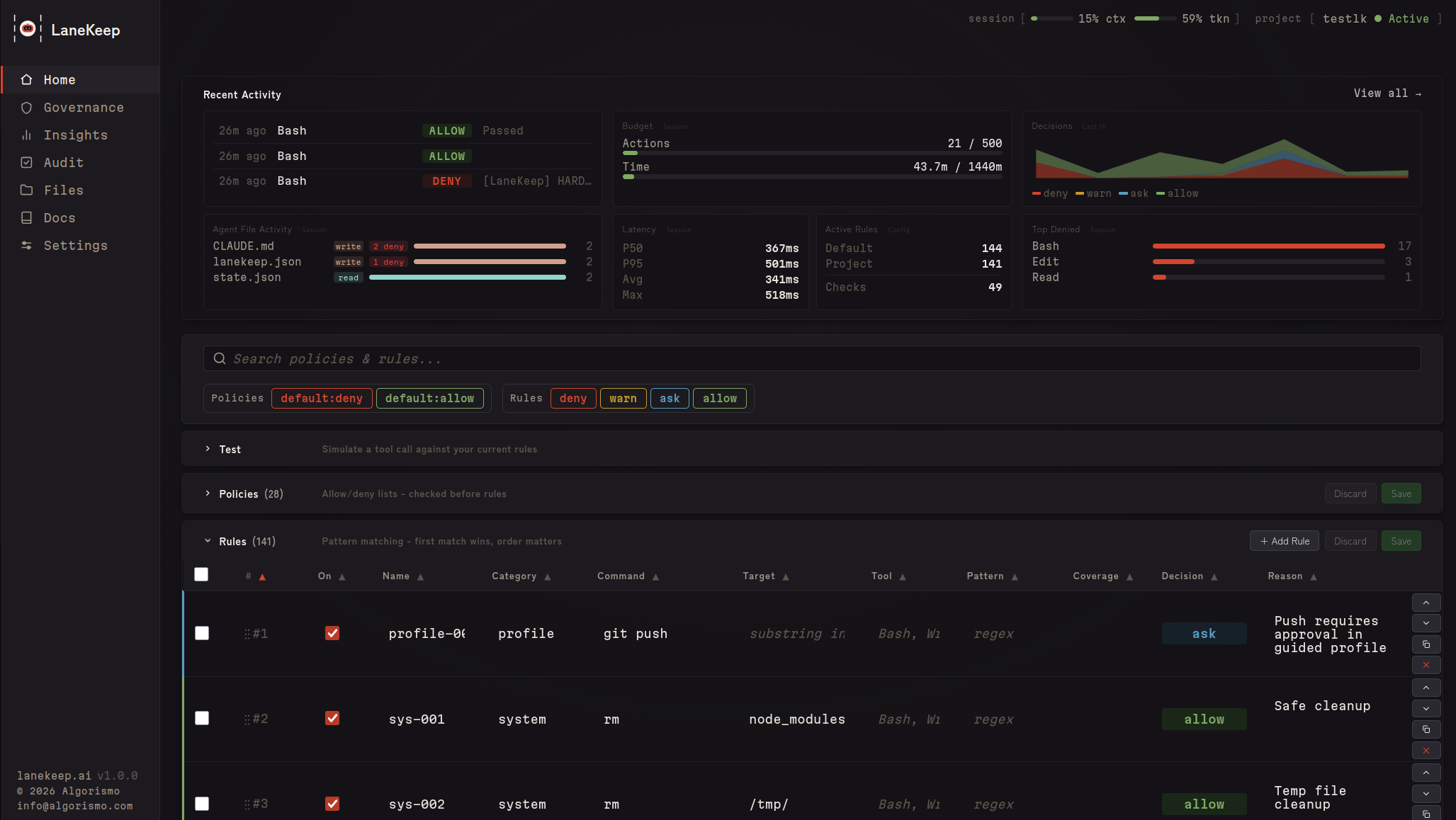
- Live dashboard — see every file, token, rule, and decision as your agent builds
- Token visibility — track input/output tokens, context window usage %, and per-file token sizes so you know exactly where tokens are going and can keep your agent efficient
- Budget limits — set hard caps on actions, tokens, and wall-clock time; auto-deny when limits are hit so runaway sessions don't burn your budget
- Full audit trail — every tool call logged with matched rule and reason
- Defense in depth — 9-tier pipeline, config integrity, PII detection, injection detection
- Config audit — one-click health check for rules, policies, and security posture
- Compliance-ready — built-in coverage for NIST, OWASP, CWE, ATT&CK, and more; Pro packs for EU AI Act, SOC2, HIPAA, PCI-DSS
Every policy and rule is configurable. Start with 30+ policies and 140+ rules as built-in defaults, add community rules,
or write your own. See Configuration.
Quick Start
Prerequisites
| Dependency | Required | Notes |
|---|---|---|
| bash >= 4 | yes | Core runtime |
| jq | yes | JSON processing |
| socat | for sidecar mode | Not needed for hook-only mode |
| Python 3 | optional | Web dashboard (lanekeep ui) |
sudo apt install jq socat        # Debian/Ubuntu
brew install bash jq socat       # macOS (bash 4+ required)
Install
git clone https://github.com/algorismo-au/lanekeep.git
cd lanekeep
Add bin/ to your PATH permanently:
bash scripts/add-to-path.sh
Detects your shell and writes to your rc file. Idempotent.
Or for the current session only:
export PATH="$PWD/bin:$PATH"
No build step. Pure Bash.
1. Try the demo
lanekeep demo
  DENIED  rm -rf /              Recursive force delete
  DENIED  DROP TABLE users      SQL destruction
  DENIED  git push --force      Dangerous git operation
  ALLOWED ls -la                Safe directory listing
  Results: 4 denied, 2 allowed
2. Install in your project
cd /path/to/your/project
lanekeep init .
Creates lanekeep.json, .lanekeep/traces/, and installs hooks in .claude/settings.local.json.
3. Start LaneKeep
lanekeep start       # sidecar + web dashboard
lanekeep serve       # sidecar only
# or skip both — hooks evaluate inline (slower, no background process)
4. Use your agent normally
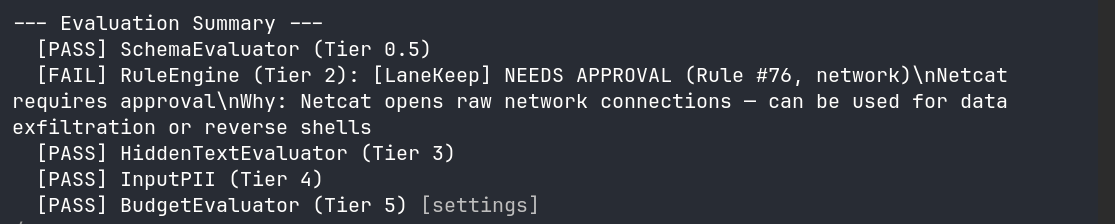
Denied actions show a reason. Allowed actions proceed silently. View decisions in the dashboard (lanekeep ui) or from the terminal with lanekeep trace / lanekeep trace --follow.
 |
 |
 |
 |
 |
 |
What Gets Blocked
See Configuration to override, extend, or disable anything.
| Category | Examples | Decision |
|---|---|---|
| Destructive ops | rm -rf, DROP TABLE, truncate, mkfs |
deny |
| IaC / cloud | terraform destroy, aws s3 rm, helm uninstall |
deny |
| Dangerous git | git push --force, git reset --hard |
deny |
| Secrets in code | AWS keys, API keys, private keys | deny |
| Governance files | claude.md, .claude/, lanekeep.json, .lanekeep/, plugins.d/ |
deny |
| Self-protection | kill lanekeep-serve, export LANEKEEP_FAIL_POLICY |
deny |
| Network commands | curl, wget, ssh |
ask |
| Package installs | npm install, pip install |
ask |
Self-Protection
LaneKeep protects itself and the agent's own governance files from modification
by the agent it governs. Without this, a compromised or prompt-injected agent
could disable enforcement, tamper with audit logs, or bypass budget limits.
| Path | What it protects |
|---|---|
claude.md, .claude/ |
Claude Code instructions, settings, hooks, memory |
lanekeep.json, .lanekeep/ |
LaneKeep config, rules, traces, runtime state |
lanekeep/bin/, lib/, hooks/ |
LaneKeep source code |
plugins.d/ |
Plugin evaluators |
Reads are allowed — security depends on the agent being unable to modify enforcement, not on hiding the rules. See SECURITY.md for details.
How It Works
Hooks into the PreToolUse hook and runs every tool call through a tiered pipeline before it executes. First deny stops the pipeline.
| Tier | Evaluator | What it checks |
|---|---|---|
| 0 | Config Integrity | Config hash unchanged since startup |
| 0.5 | Schema | Tool against TaskSpec allowlist/denylist |
| 1 | Hardblock | Fast substring match — always runs |
| 2 | Rules Engine | Policies, first-match-wins rules |
| 3 | Hidden Text | CSS/ANSI injection, zero-width chars |
| 4 | Input PII | PII in tool input (SSNs, credit cards) |
| 5 | Budget | Action count, token tracking, wall-clock time |
| 6 | Plugins | Custom evaluators (subshell isolated) |
| 7 | Semantic | LLM intent check — goal misalignment, spirit-of-task violations, disguised exfiltration (opt-in) |
| Post | ResultTransform | Secrets/injection in output |
The Semantic evaluator reads the task goal from TaskSpec — set it withlanekeep serve --spec DESIGN.md or write .lanekeep/taskspec.json directly.
See REFERENCE.md for details.
See CLAUDE.md for detailed tier descriptions and data flow.
Core Concepts
| Term | What it is |
|---|---|
| Event | A raw tool call occurrence — one record per hook fire (PreToolUse or PostToolUse). total_events always increments regardless of outcome. |
| Evaluation | An individual check within the pipeline. Each evaluator module (eval-hardblock.sh, eval-rules.sh, eval-budget.sh, etc.) independently examines the event and sets EVAL_PASSED/EVAL_REASON. A single event triggers many evaluations; results recorded in the trace evaluators[] array with name, tier, and passed. |
| Decision | The final pipeline verdict: allow, deny, warn, or ask. Stored in the decision field of each trace entry and counted in decisions.deny / warn / ask / allow in cumulative metrics. |
| Action | An event where the tool actually ran (allow or warn). Denied and pending-ask calls don't count. action_count is what budget.max_actions measures — when it hits the cap, the budget evaluator starts blocking. |
Event (raw hook call)
  └── Evaluations (N checks run against it)
        └── Decision (single verdict: allow/deny/warn/ask)
              └── Action (only if tool actually ran — counts against max_actions)
Configuration
Everything is configurable — built-in defaults, user-defined rules, and
community-sourced packs all merge into a single policy. Override any default,
add your own rules, or disable what you don't need.
Config resolves: $PROJECT_DIR/lanekeep.json -> $LANEKEEP_DIR/defaults/lanekeep.json.
Config is hash-checked at startup — mid-session modifications deny all calls.
Policies
Evaluated before rules. 20 built-in categories — each with dedicated extraction
logic (e.g. domains parses URLs, branches extracts git branch names).
Categories: tools, extensions, paths, commands, domains,mcp_servers, and more. Toggle with lanekeep policy or from the Governance tab in the dashboard.
Policies vs Rules: Policies are structured, typed controls for predefined
categories. Rules are the flexible catch-all — they match any tool name + any
regex pattern against the full tool input. If your use case doesn't fit a policy
category, write a rule instead.
To temporarily disable a policy (e.g. to update CLAUDE.md):
lanekeep policy disable governance_paths --reason "Updating CLAUDE.md"
# ... make changes ...
lanekeep policy enable governance_paths
Rules
Ordered first-match-wins table. No match = allow. Match fields use AND logic.
[
  {"match": {"command": "rm", "target": "node_modules"}, "decision": "allow"},
  {"match": {"command": "rm -rf"},                        "decision": "deny"}
]
You don't need to copy the full defaults. Use "extends": "defaults" and add your rules:
{
  "extends": "defaults",
  "extra_rules": [
    {
      "id": "my-001",
      "match": { "command": "docker compose down" },
      "decision": "deny",
      "reason": "Block tearing down the dev stack"
    }
  ]
}
Or use the CLI:
lanekeep rules add --match-command "docker compose down" --decision deny --reason "..."
Rules can also be added, edited, and dry-run in the Rules tab of the dashboard — or test from the CLI first:
lanekeep rules test "docker compose down"
Updating LaneKeep
When you install a new version of LaneKeep, new default rules become active automatically — your customizations (extra_rules, rule_overrides, disabled_rules) are never touched.
On the first sidecar start after an upgrade, you'll see a one-time notice:
[LaneKeep] Updated: v1.2.0 → v1.3.0 — 8 new default rule(s) now active.
[LaneKeep] Run 'lanekeep rules whatsnew' to review. Your customizations are preserved.
To see exactly what changed:
lanekeep rules whatsnew
# Shows new/removed rules with IDs, decisions, and reasons

lanekeep rules whatsnew --skip net-019   # Opt out of a specific new rule
lanekeep rules whatsnew --acknowledge    # Record current state (clears future notices)
Using a monolithic config? (no
"extends": "defaults") New default rules won't be
merged automatically. Runlanekeep migrateto convert to the layered format and keep
all your customizations intact.
Enforcement Profiles
| Profile | Behavior |
|---|---|
strict |
Denies Bash, asks for Write/Edit. 50 actions, 15 min. |
guided |
Asks for git push. 200 actions, 1 hour. (default) |
autonomous |
Permissive, budget + trace only. 500 actions, 2 hours. |
Set via LANEKEEP_PROFILE env var or "profile" in lanekeep.json.
See REFERENCE.md for rule fields, policy categories, settings,
and environment variables.
CLI Reference
See REFERENCE.md — CLI Reference for the full command list.
Dashboard
See exactly what your agent is doing while it builds — live decisions, token usage, file activity, and audit trail in one place.
Governance
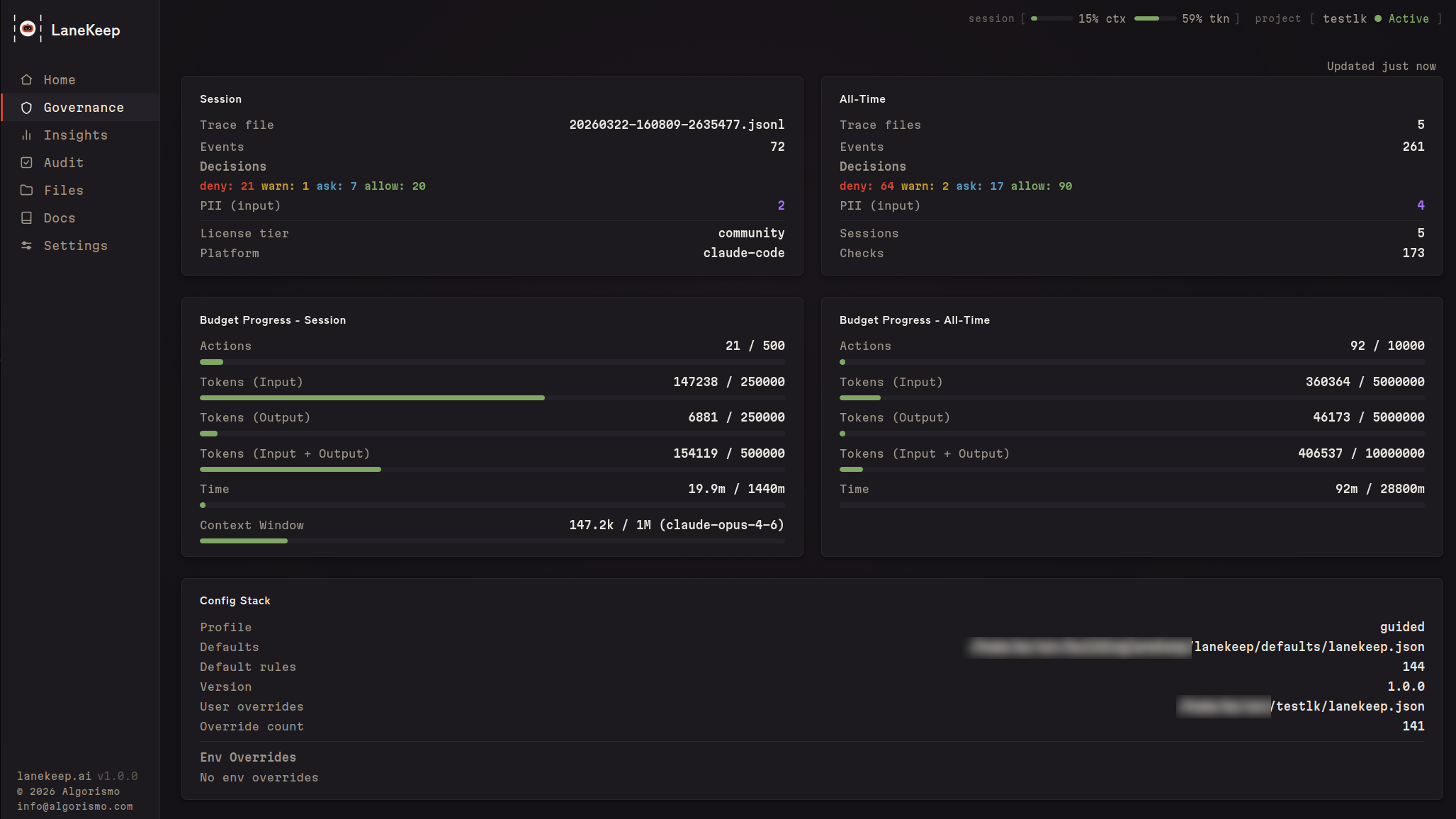
Live input/output token counters, context window usage %, and budget progress bars. Catch sessions heading off the rails before they burn time and money — set hard caps on actions, tokens, and time that auto-enforce when hit.
Insights
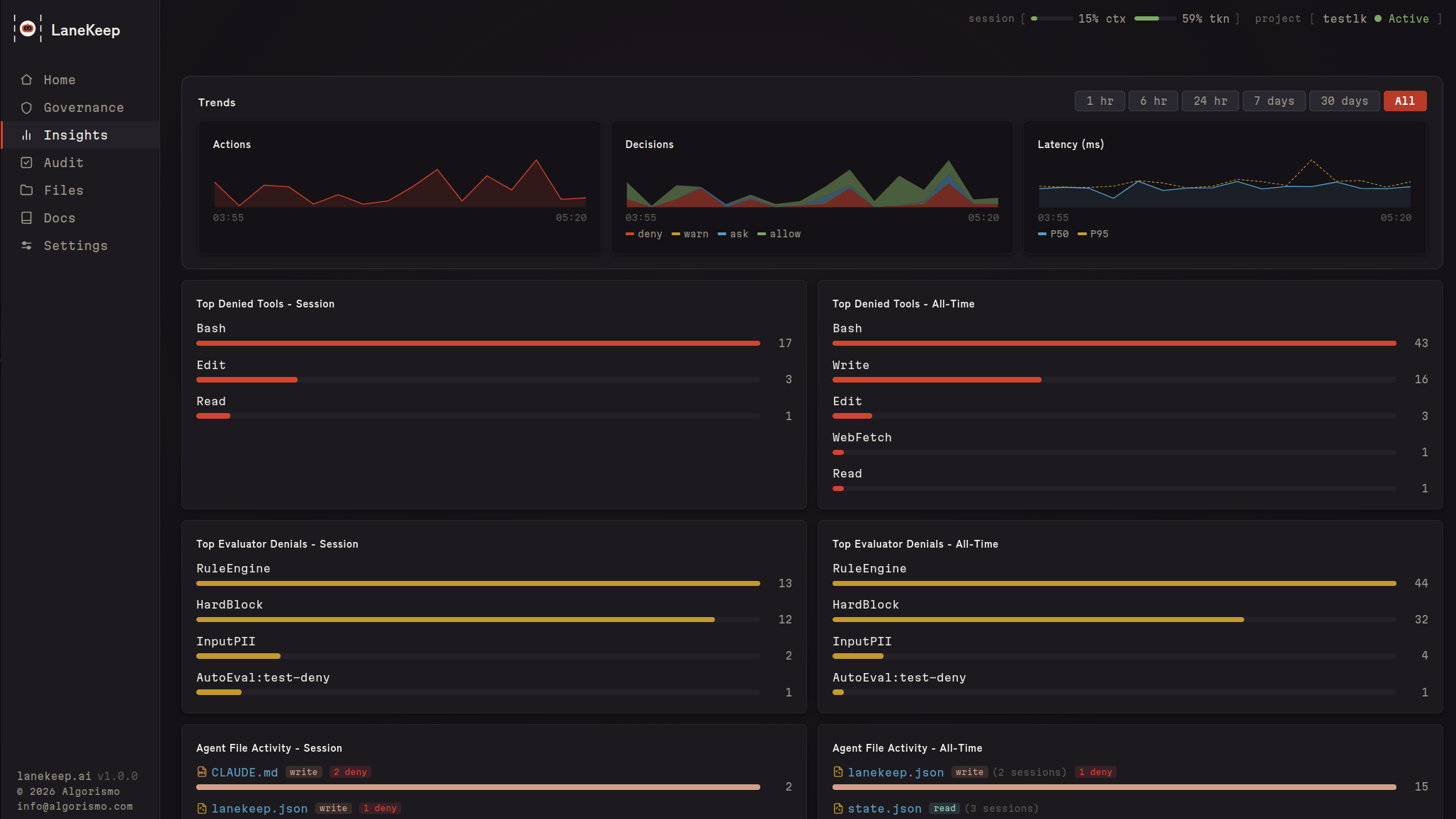
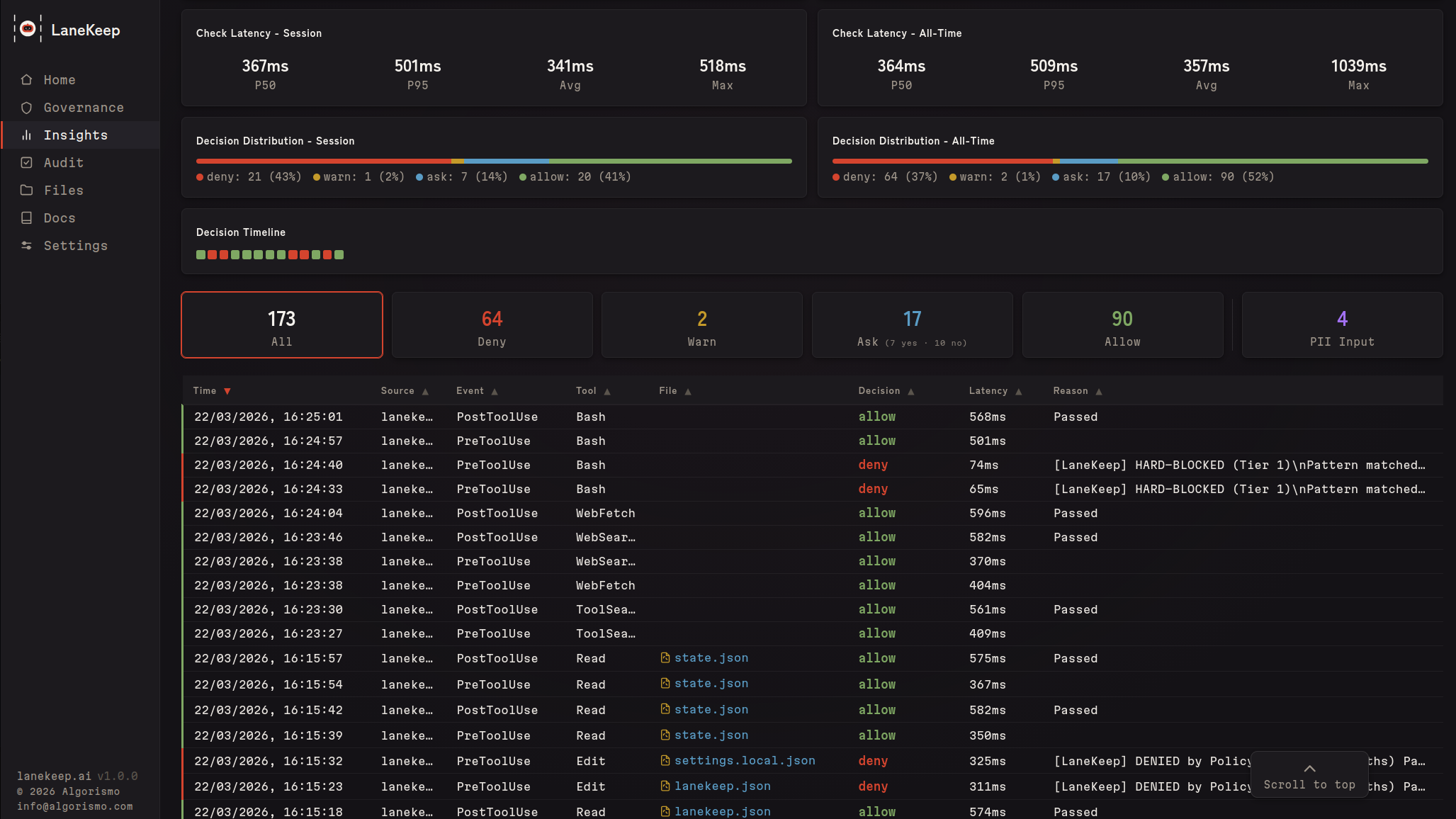
Live decision feed, denial trends, per-file activity, latency percentiles, and a decision timeline across your session.
Audit & Coverage
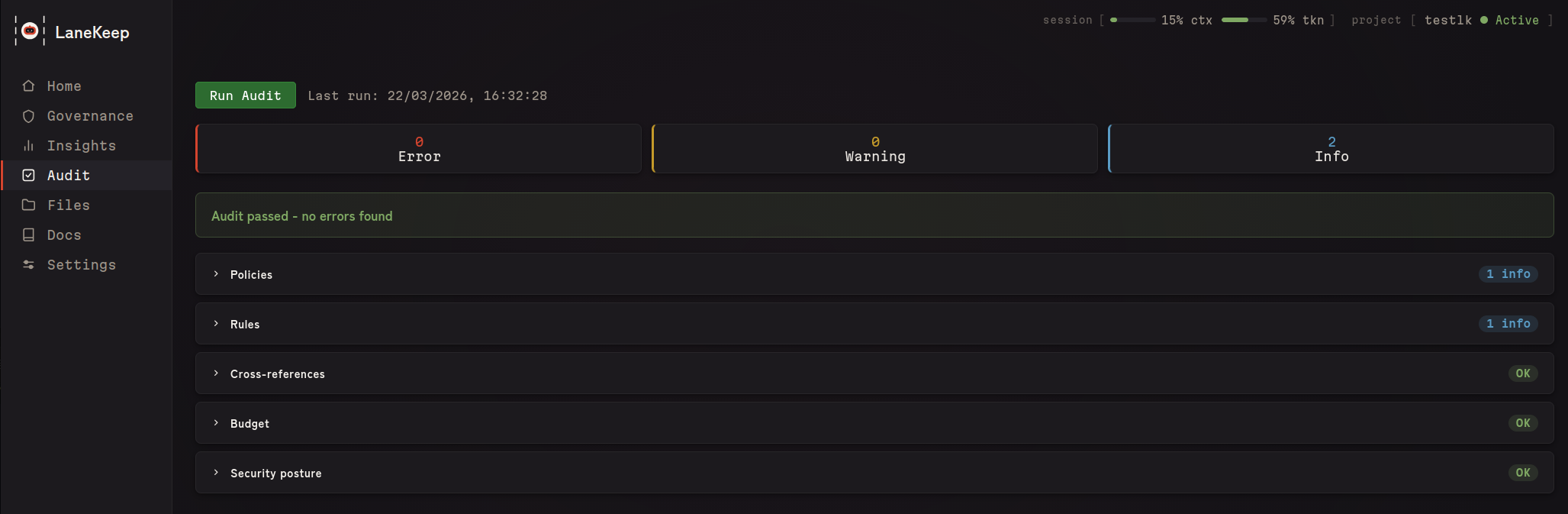
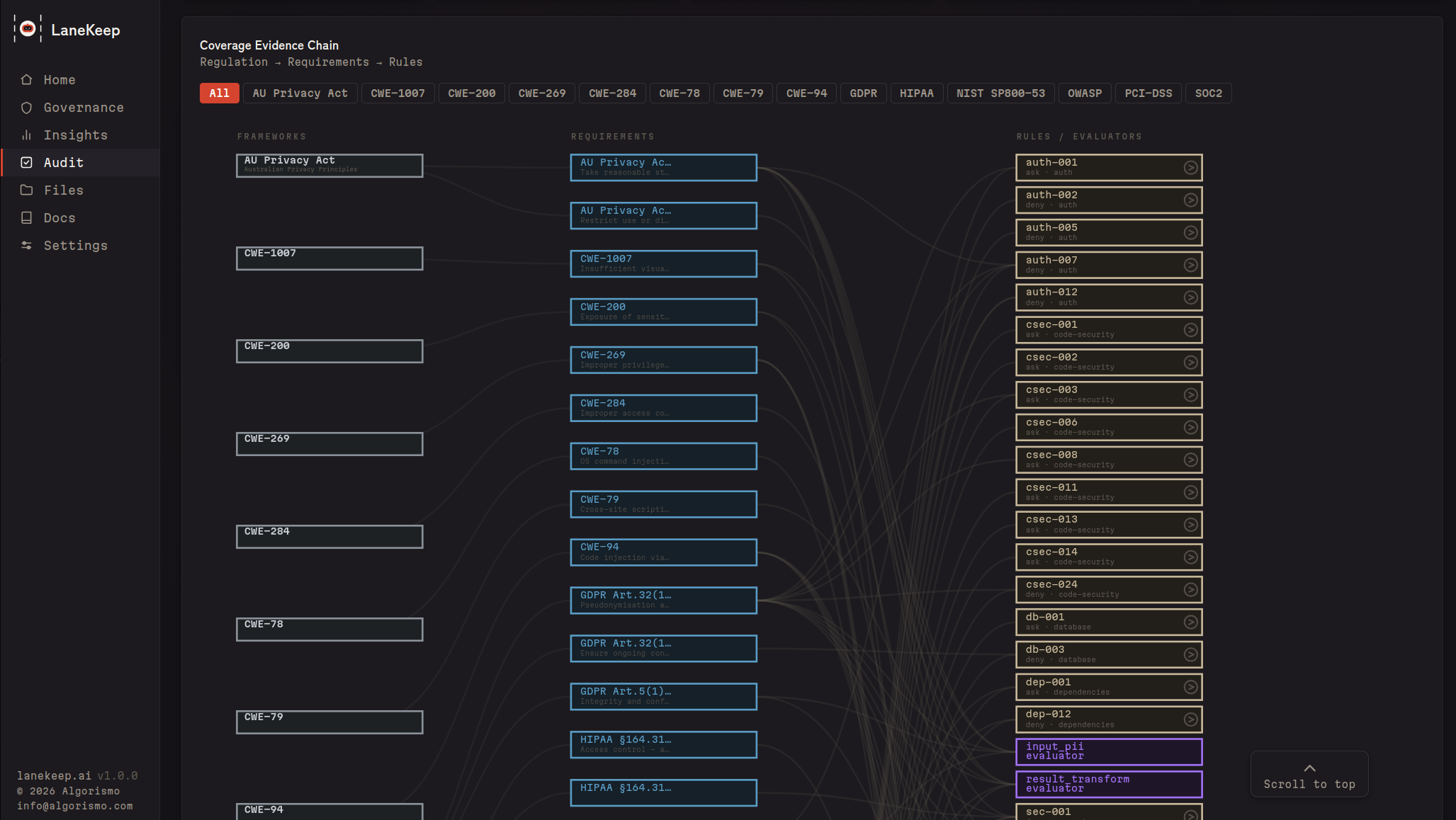
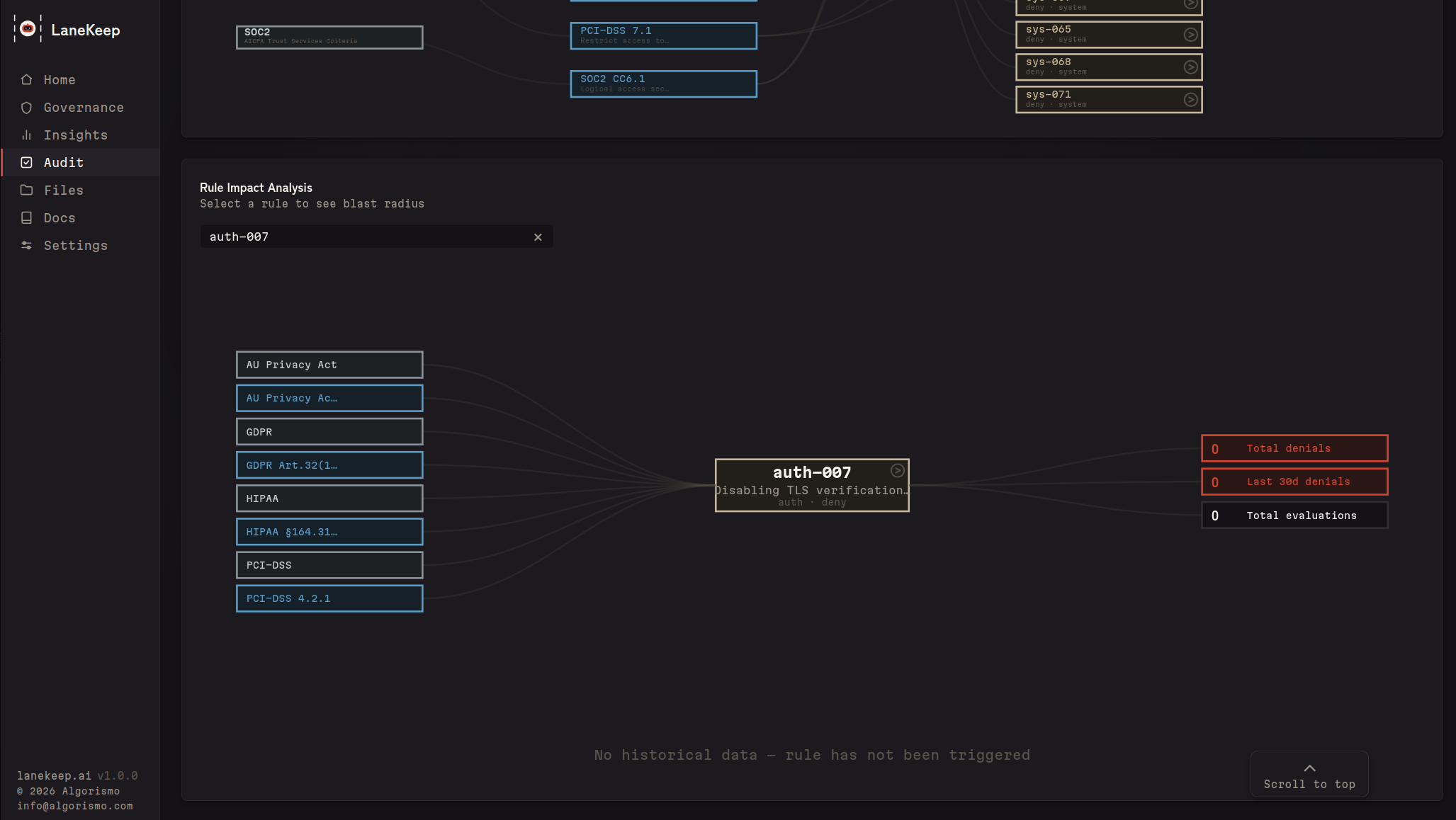
One-click config validation, plus a coverage map linking rules to regulatory frameworks (PCI-DSS, HIPAA, GDPR, NIST SP800-53, SOC2, OWASP, CWE, AU Privacy Act) — with gap highlighting and rule impact analysis.
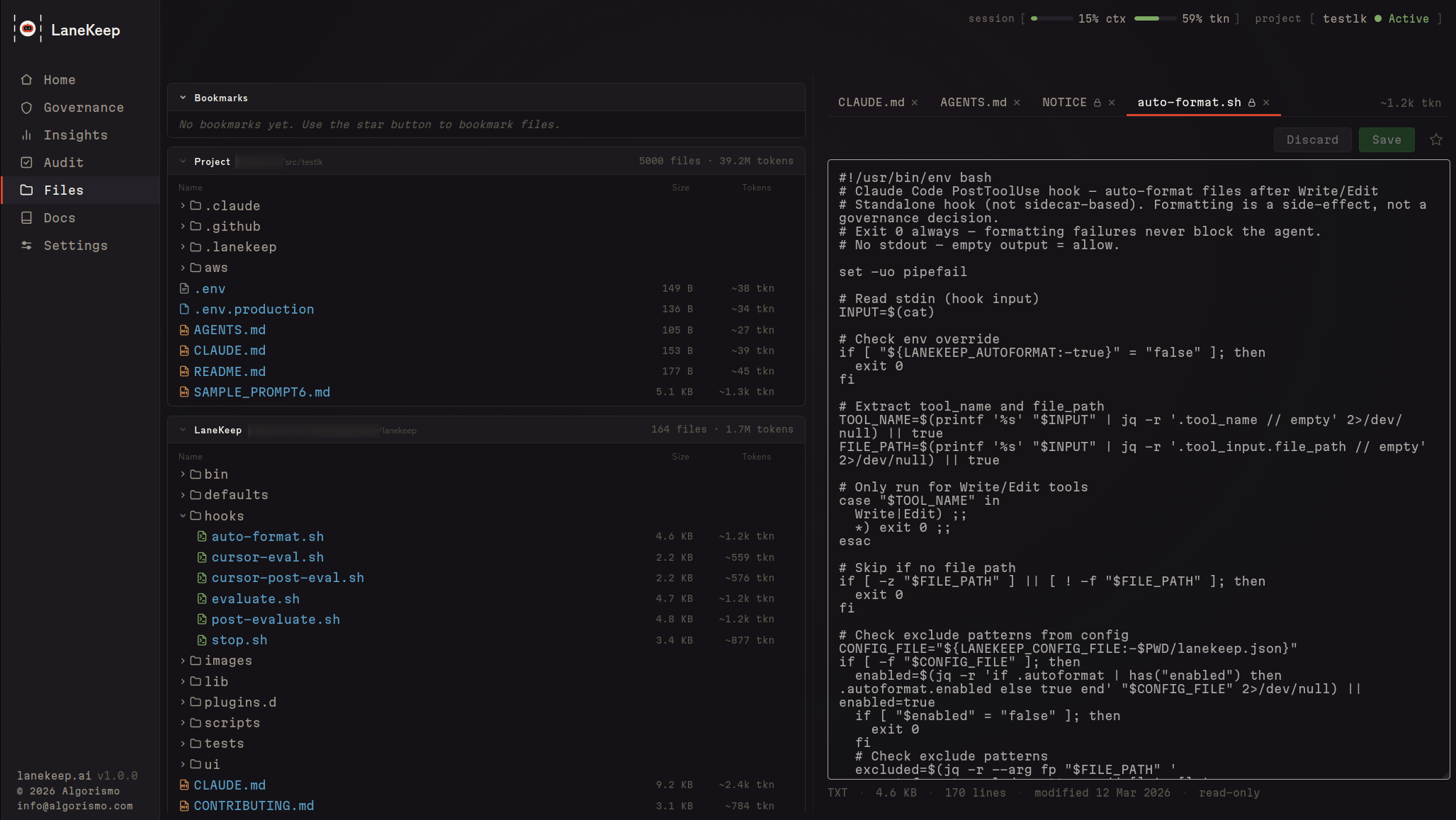
Files
Every file your agent reads or writes — with per-file token sizes to see what's eating your context window. Plus operation counts, denial history, and an inline editor.
Security
LaneKeep runs entirely on your machine. No cloud, no telemetry, no account.
- Config integrity — hash-checked at startup; mid-session changes deny all calls
- Fail-closed — any evaluation error results in a deny
- Immutable TaskSpec — session contracts can't be changed after startup
- Plugin sandboxing — subshell isolation, no access to LaneKeep internals
- Append-only audit — trace logs can't be altered by the agent
- No network dependency — pure Bash + jq, no supply chain
See SECURITY.md for vulnerability reporting.
Development
See CLAUDE.md for architecture and conventions. Run tests withbats tests/ or lanekeep selftest. Cursor adapter included (untested).
License
Interested in building with us?
|
We are looking for ambitious engineers to help us extend the capabilities of LaneKeep. |
Reviews (0)
Sign in to leave a review.
Leave a reviewNo results found