umbra
Health Warn
- License — License: MIT
- Description — Repository has a description
- Active repo — Last push 0 days ago
- Low visibility — Only 5 GitHub stars
Code Pass
- Code scan — Scanned 12 files during light audit, no dangerous patterns found
Permissions Pass
- Permissions — No dangerous permissions requested
No AI report is available for this listing yet.
Desktop widgets for Windows, pinned to your wallpaper. True-black, sandboxed, scriptable with a CLI and MCP server, with a community widget catalog.
Umbra
Desktop widgets that live on your wallpaper.
Crisp, true-black widgets pinned under your apps on Windows. Sandboxed, scriptable, and open to anyone who wants to build one.




Download · Website and docs · Build a widget · Automate it · Roadmap
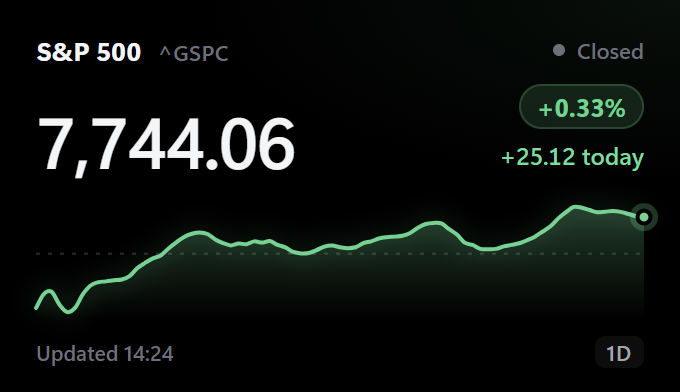 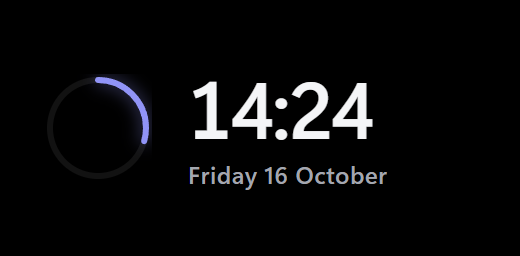 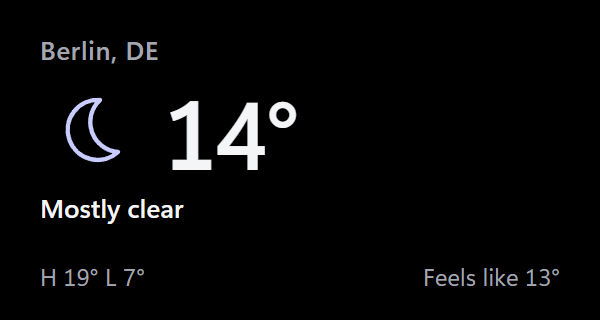 |
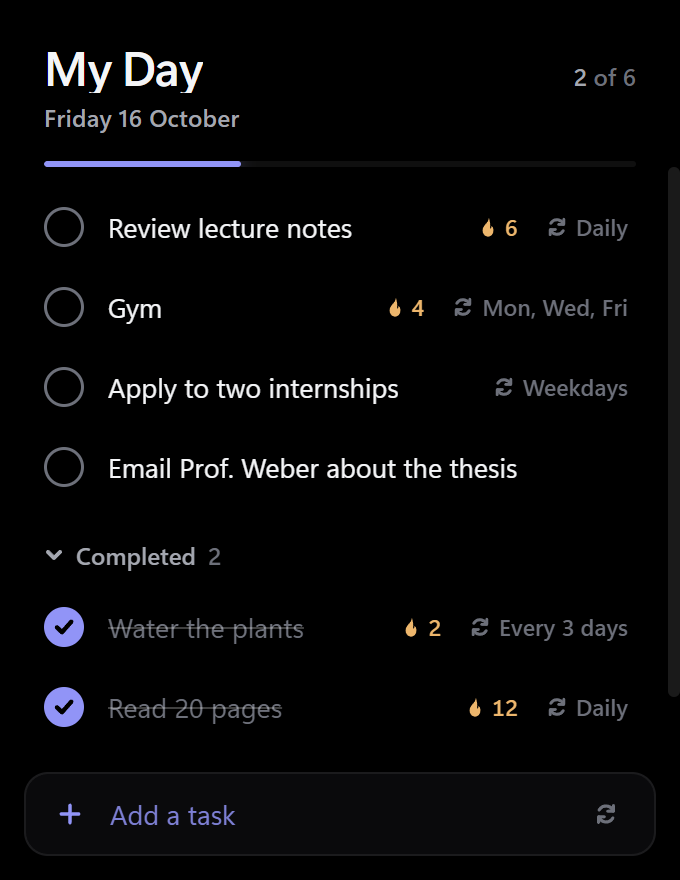 |
  |
 |
Why Umbra
- It stays where it belongs. Widgets sit under every window, never steal focus, stay visible with Win+D and start with Windows.
- It's sharp. Opaque true-black windows with DWM-rounded corners keep full ClearType text. On OLED, the black pixels are off, so each card seems to float on your wallpaper.
- It's safe. Each widget can only reach the HTTPS hosts it declares. Everything else is blocked by the host app, and updates that ask for new access wait for your OK.
- It's yours to extend. A widget is a folder of HTML, CSS and JS. Publish one with a pull request, or ask an AI agent to write one for you over MCP.
Install
Download UmbraSetup.exe and run it. It installs per-user (no admin prompt) and asks whether Umbra should start with Windows.
Umbra then lives in the tray. Click the tray icon (or open Umbra from the Start menu) for Settings, and go to Browse to add your first widgets. A dot on the tray icon means an Umbra update is ready.
Portable copyDownload Umbra-<version>-portable.zip, unzip it anywhere and run Umbra.exe. The portable.txt file next to it keeps all data (settings, widgets, logs, WebView2 cache) in a data folder beside the exe. Portable copies don't start with Windows and don't self-update (Settings shows a download link instead), and they run alongside an installed copy. To make any folder portable, create an empty portable.txt next to Umbra.exe.
Needs the .NET 10 SDK, Node and Inno Setup 6.
powershell -File build.ps1          # both exes + installer -> dist/UmbraSetup-<ver>.exe
dotnet build Umbra.slnx             # development build
dotnet test Umbra.slnx              # unit tests
dotnet run --project src/Umbra      # run from source (quit the installed Umbra first)
Widgets
The Browse page installs, updates and removes these in one click. You can also look through them on the catalog site.
| Markets | S&P 500 (any Yahoo Finance symbol) · Crypto price · Exchange rates |
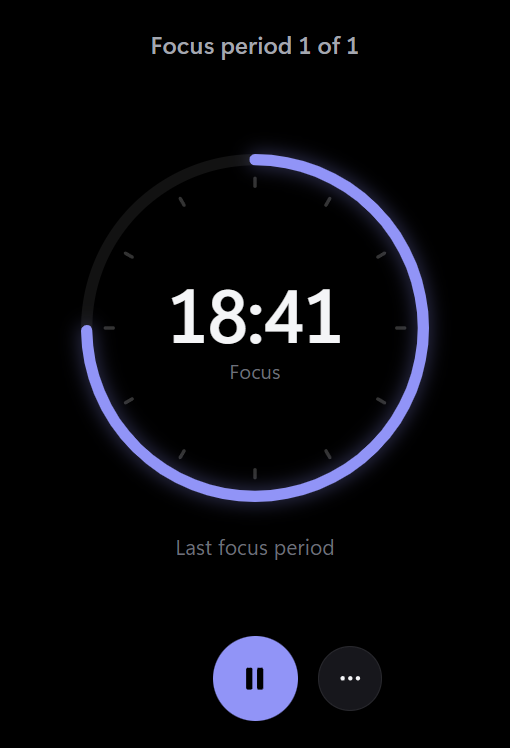
| Time and plans | Clock · Pomodoro (with optional webcam timelapse) · Countdowns · Event Radar · Calendar glance (iCal) · Prayer Times |
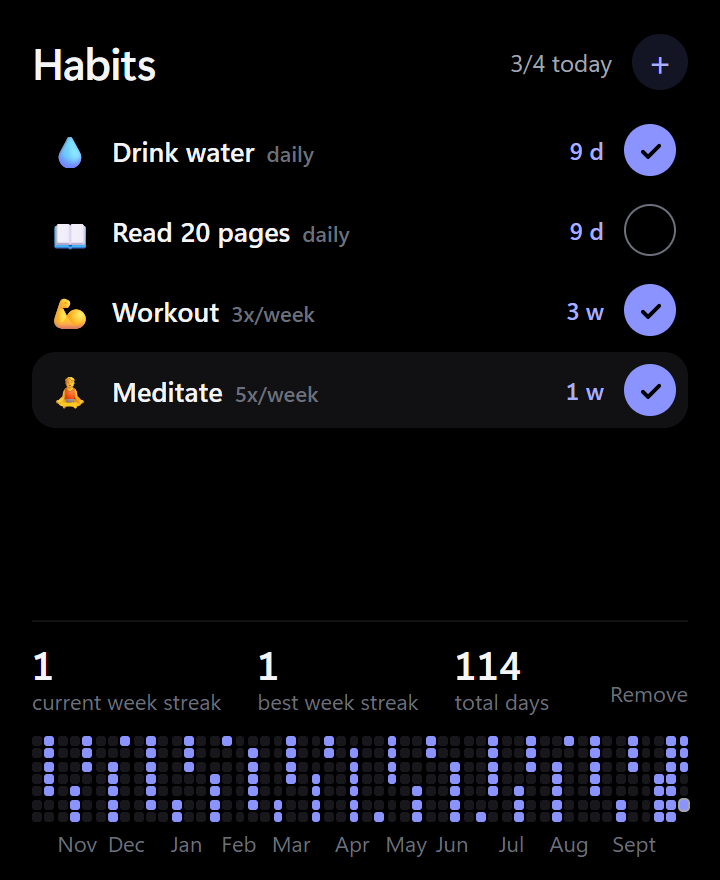
| Get things done | To Do · Habits · Quick Notes · Application Tracker · Internships |
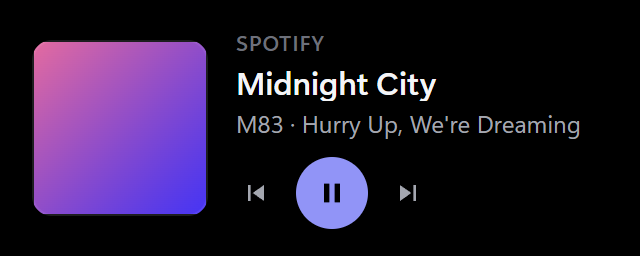
| Around you | Weather · Transit departures (Berlin) · Now Playing · GitHub Activity · Quote or word of the day · Hearth (for two people on two PCs) |
| Games | Solitaire · Spider · FreeCell · Minesweeper |
| Power tools | Script Runner (your own scripts, approved once) · Claude waker |
Missing one? Build it in an afternoon, or let an agent write it for you.
Platforms and Linux status
| Platform | Status |
|---|---|
| Windows 10 1809+ / Windows 11 | Supported. This is the only platform Umbra releases for today. |
| Linux (KDE Plasma 6, GNOME 46+) | In progress, tracked in #172. Not usable yet: there is no Linux release, tarball, Flatpak or installer, and the Linux app does not exist. |
What exists on Linux today is only the platform-neutral groundwork: the shared Umbra.Core library, umbractl built as plain net10.0, the bridge shim that lets widget pages talk to WebKitGTK as well as WebView2, and a CI job that builds and tests that part on Ubuntu. Nothing draws a widget on a Linux desktop yet. If you are not a contributor, there is nothing to install: follow #172 for progress.
What the Linux port aims for, as designed in #172 (none of this is shipped or verified yet):
- Desktops: KDE Plasma 6 (Wayland, and X11 sessions) and GNOME 46 or newer (Wayland through a small Umbra GNOME Shell extension, with an XWayland fallback, and X11 sessions). Minimum distributions in the design: Ubuntu 24.04, Fedora 41, Arch.
- Packaging: a self-contained tarball (
umbra-<version>-linux-<x64|arm64>.tar.gz) and a Flatpak (io.github.aminechr54.Umbra). Exact install steps will be written here once the packaging issue (#196) lands, so none are listed yet. - Expected differences from Windows, from the individual issues: global hotkeys need the GlobalShortcuts portal, which is KDE Plasma 6 and GNOME 48+ (on GNOME 46 Settings is meant to say "Not supported on this desktop"); the tray icon needs a StatusNotifierItem host (KDE, and Ubuntu's GNOME, which ships AppIndicator, have one; stock GNOME has none);
umbra.mediaalbum art is only read fromfile://URLs; updates will only notify and open the release page, never install; a few catalog widgets run Windows programs and are planned to be marked Windows only. - Same security rules: the sandbox, command approvals and focus rules in CLAUDE.md apply unchanged. Linux sandbox parity is a release blocker.
To help, see "Working on the Linux port" in CONTRIBUTING.md.
Features
|
Arrange your desktop. Widgets are locked until you turn on Arrange widgets (My widgets header, tray menu or a hotkey), which gives them an outline and a corner handle. Drag to move, drag the corner or Ctrl+scroll to resize, and nudge a selected widget with the arrow keys. Hold Shift while dragging to snap, with guide lines for edges, centers and gaps (My widgets can switch to always-on snapping). Widgets zoom like a web page, so text stays sharp at any size. Layouts and tab groups. Save named layouts and switch between them. They are pinned to the monitors they were saved on and can switch automatically when you dock or undock. A tab group lets several widgets share one spot, one visible at a time. Run copies side by side. Use Add another copy for an S&P 500 and a Nasdaq widget next to each other, each with its own options, position and data. Show widgets only when you need them. Each widget can be turned off, dimmed, started hidden, or shown only in a time range or on AC power. Widgets can also hide during fullscreen apps and games. |
Hotkeys and peek. Global hotkeys toggle edit mode, refresh, show or hide widgets, open Settings, or peek, which raises your widgets above other windows for a few seconds. Look and feel. Corner radius, borders, accent color (or follow the Windows accent live), interface font and size, light text, reduced transparency, and community themes that switch live. Notifications and media. With your permission, a widget can show a real Windows notification or control the current media session. Data and privacy. One page shows what each widget can reach and store, with backup, restore, reset, and a safe mode that turns community widgets off. Remove keeps a widget in the trash for 7 days, with Undo. |
Right-click any widget for Refresh, Options, Arrange widgets, Hide and Add another copy. Shift+right-click always opens Umbra's menu, even on widgets that use right-click themselves.
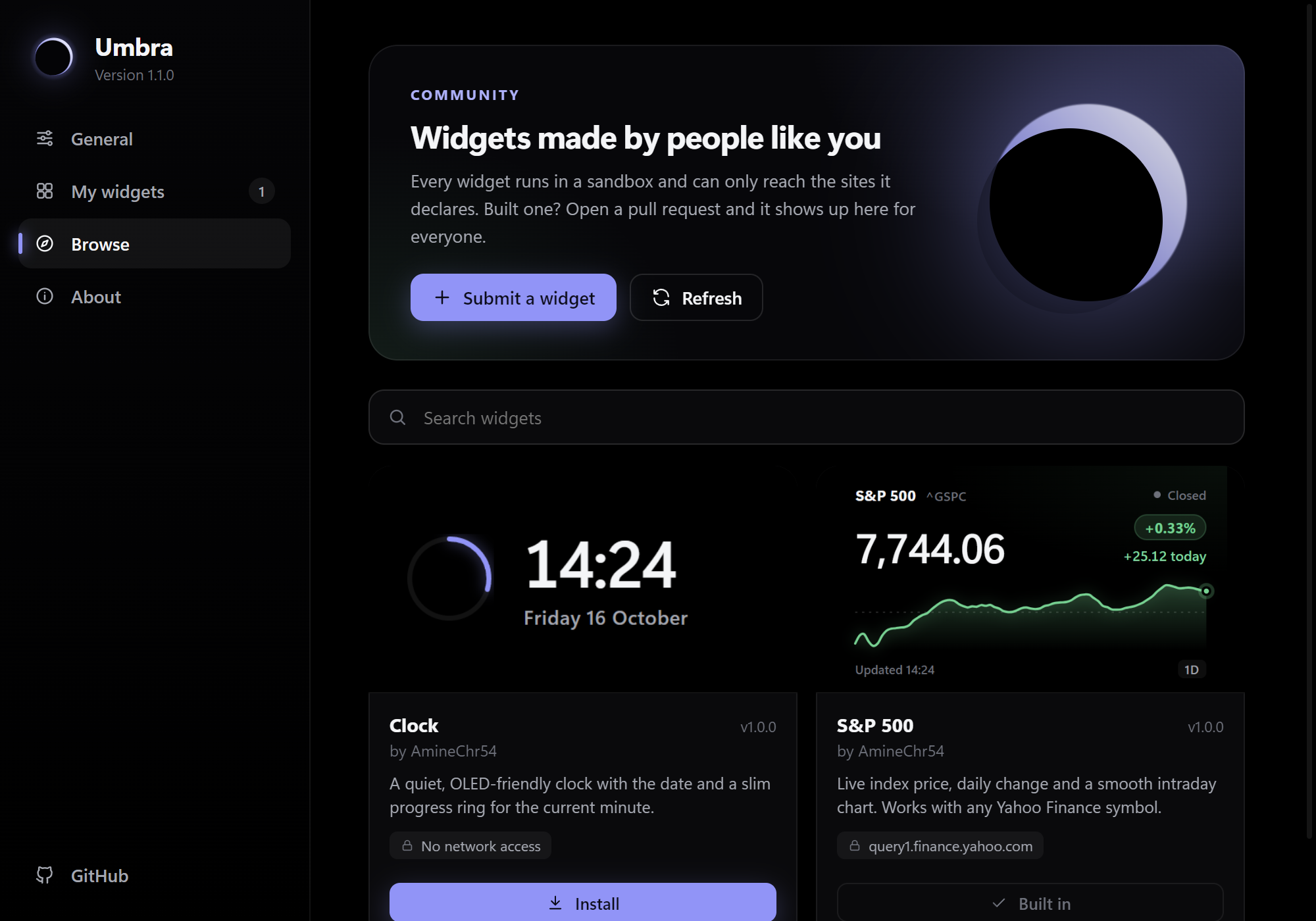
Settings screenshots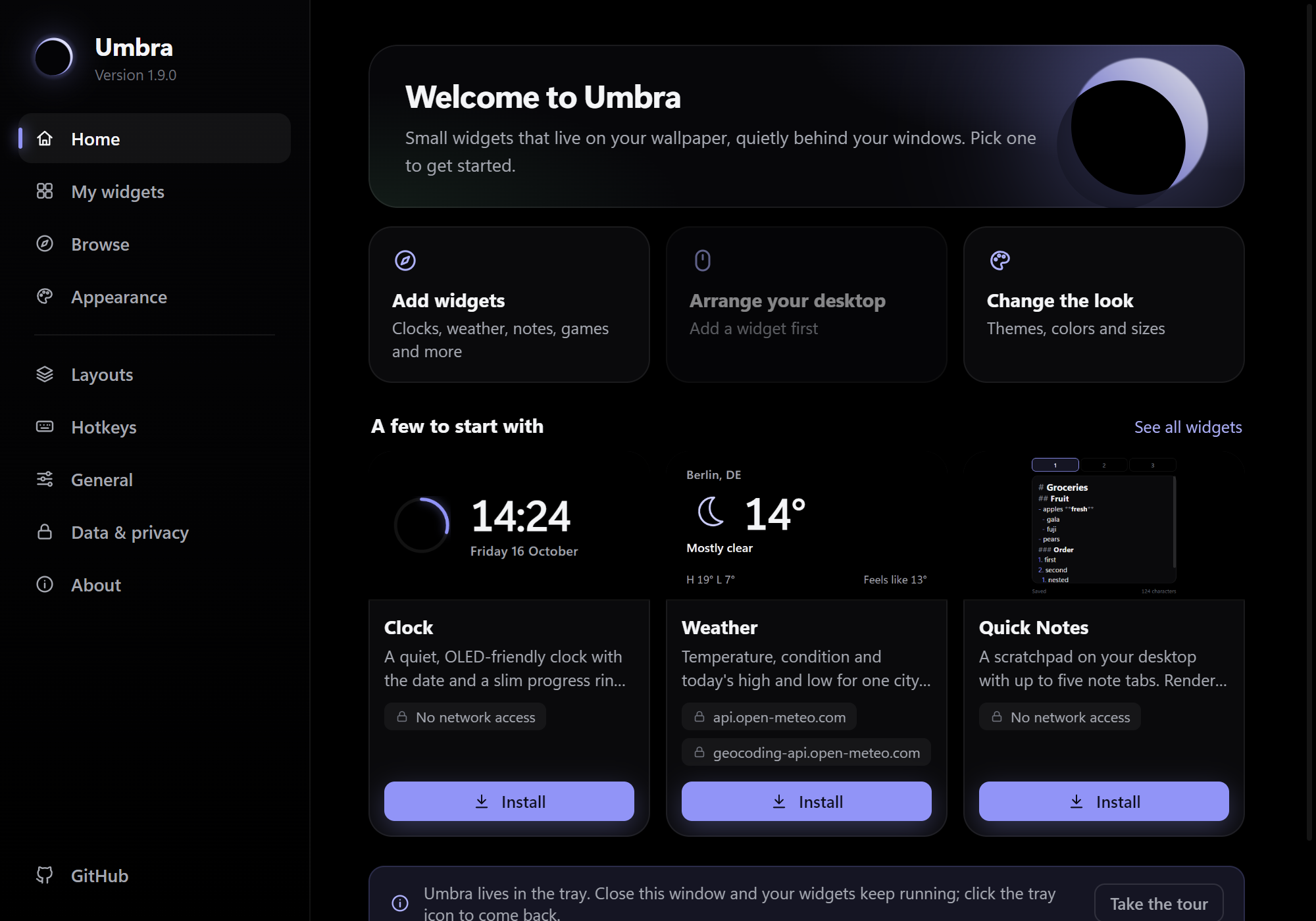 |
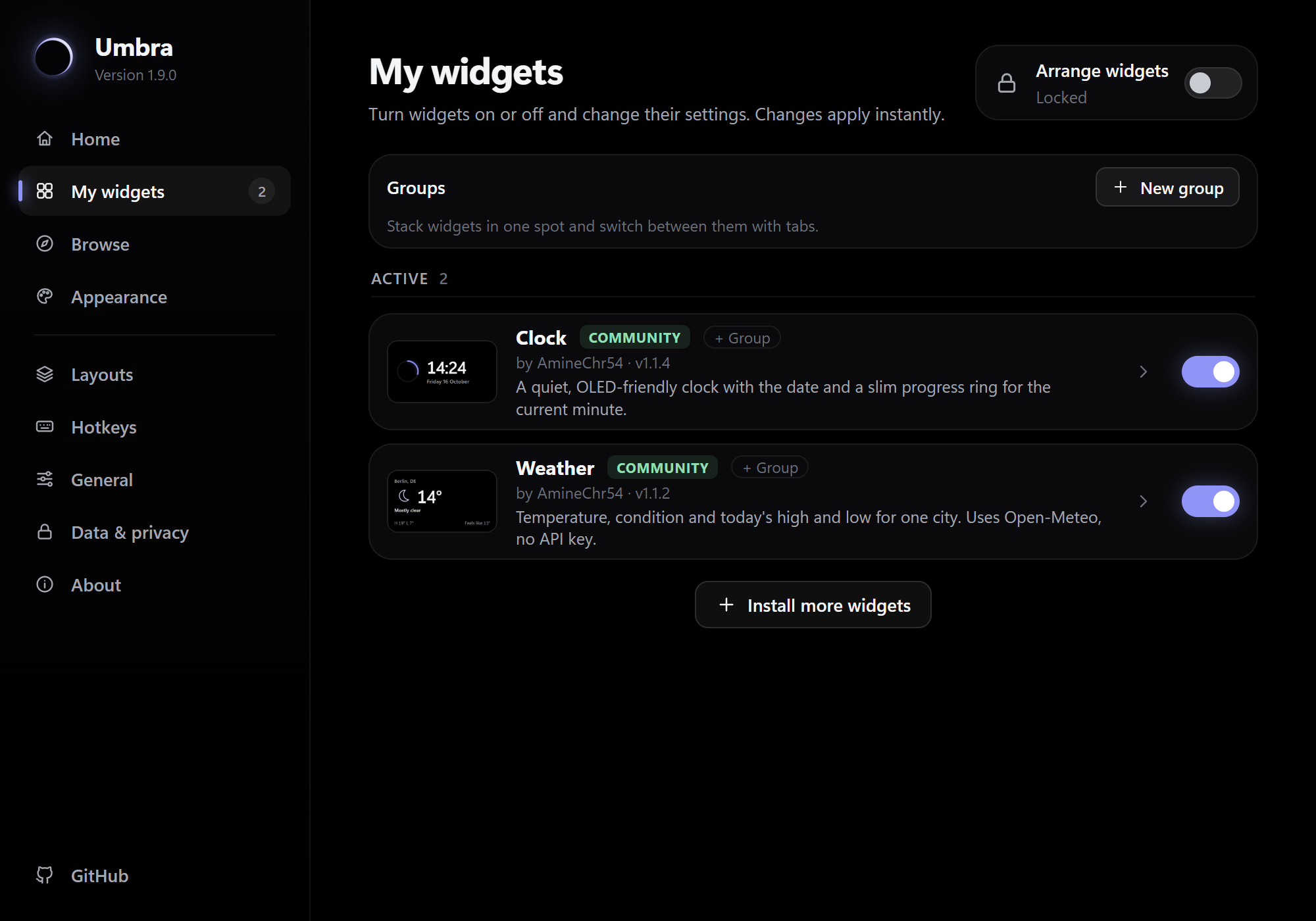 |
| Home: where Settings opens: add widgets, arrange the desktop, change the look, and a few widgets to start with. General holds start with Windows, updates and the refresh interval, with the rest (log level, developer mode, GPU, startup delay, proxy) under Advanced; colors, fonts and sizes are under Appearance. | My widgets: Arrange widgets (the one global lock), turn widgets on or off, edit their options and size (50-300 %), give them their own refresh interval, or reset their position. |
 |
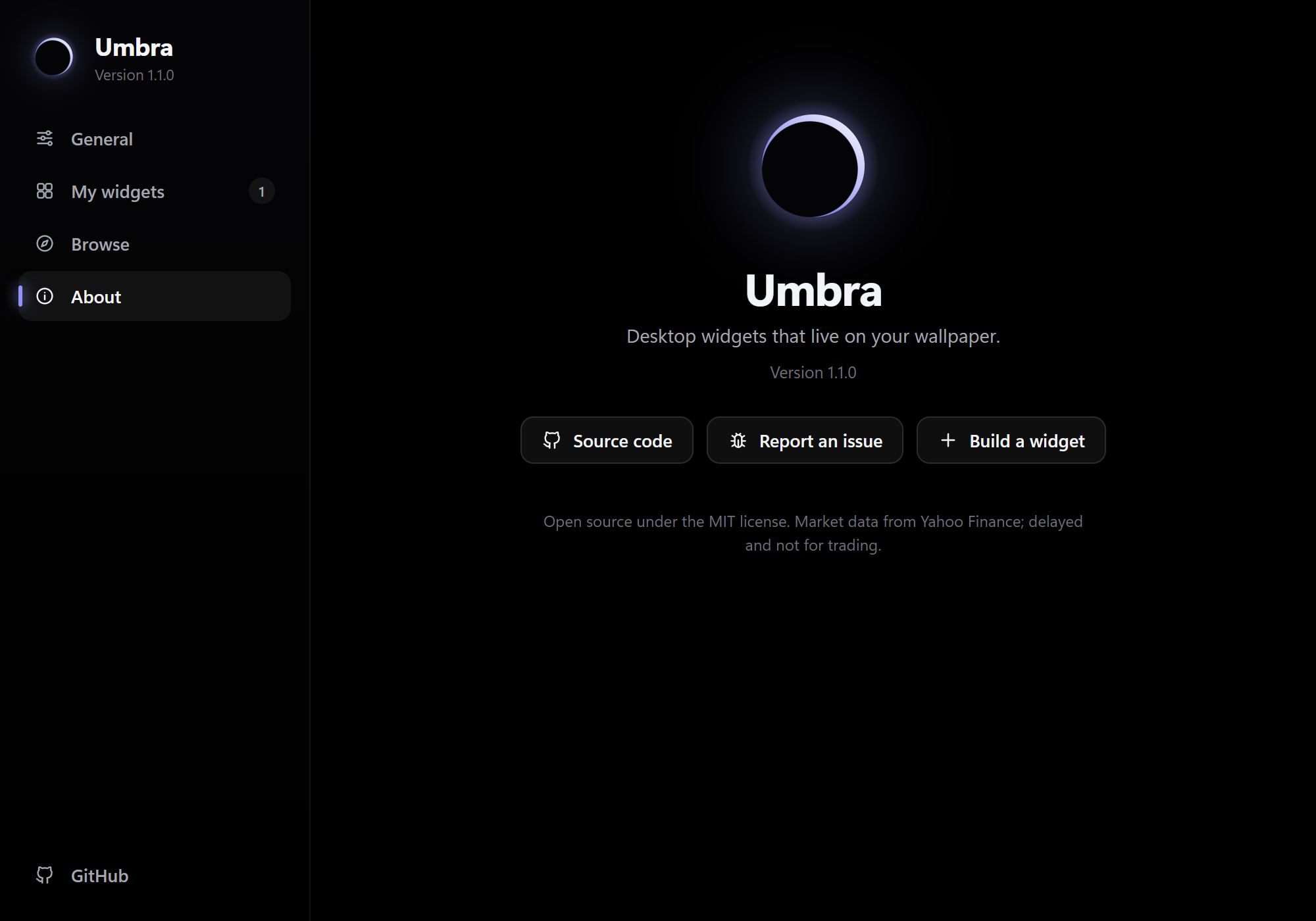 |
| Browse: install, update or remove community widgets in one click. | About: version and updates (with release notes after an update), Copy diagnostics for bug reports, and pre-filled issue links. |
Settings works from the keyboard: Esc closes it, Ctrl+F or / jumps to the Browse search, Ctrl+1 to Ctrl+9 switch pages, and the arrow keys move through the sidebar. Switches and buttons have names for screen readers. The window reopens where you left it.
Automate Umbra (CLI, scripts and AI agents)
The installer puts umbractl on your PATH. Every command prints JSON and starts Umbra in the background if it isn't running.
Linux:
umbractland the MCP server are being made cross-platform (they already build as plainnet10.0), but there is no Linux Umbra for them to talk to yet (#172). The examples below are Windows. Planned for the Flatpak: an MCP client runsflatpak run --command=umbractl io.github.aminechr54.Umbra mcp, because the control socket lives inside the sandbox (#175). Not usable today.
umbractl list                          # widgets, their settings, option schema and window bounds
umbractl install weather               # install from the community catalog
umbractl install-local .\my-widget.zip # or a folder; one that declares hosts, system, media, notifications or commands needs --accept-permissions (no MCP tool)
umbractl set sp500 symbol ^IXIC        # change an option; it applies instantly
umbractl configure sp500 --scale 1.5   # 150 % size and zoom
umbractl layouts save Work             # then: umbractl layouts apply Work
umbractl capture sp500 shot.png        # PNG of just that widget
umbractl help                          # everything else
umbractl list                         # widgets, their settings, option schema and window bounds
umbractl set sp500 symbol ^IXIC       # change an option; it applies instantly
umbractl move sp500 100 100           # position in physical pixels; also enable/disable
umbractl configure sp500 --scale 1.5  # 150 % size and zoom (0.5-3, or 150%); also --enabled, --x, --y, --monitor 2 (a monitor number from status, or primary; the widget keeps its offset and survives monitor changes)
umbractl add-instance sp500           # a second copy (sp500#2) with its own options, position and data; remove-instance sp500#2
umbractl groups                       # tab groups: widgets sharing one spot, one visible at a time (create, join, leave, activate, next, previous, reorder, cycle, rename, icon, delete)
umbractl hotkeys edit-mode Ctrl+Alt+E # global hotkeys (edit-mode, refresh-all, toggle-widgets, peek, open-settings); off to clear
umbractl peek [seconds]               # raise widgets above other windows for a few seconds (never takes focus), then back to the bottom
umbractl safe-mode on                 # community widgets off, nothing deleted (also `Umbra.exe --safe`; not saved, next normal start restores)
umbractl layouts save Work            # save positions, sizes and enabled widgets; then `layouts apply Work`, `layouts rename Work Docked`, `layouts delete Work`, `layouts`
umbractl general --snap-grid 20       # edit-mode snapping grid in px (0 = off; --snap-edges off; --snap-gap 12 = px kept between neighbouring widgets, 0 = touch; edges, centers and the gap show guide lines; --snap off = master switch, also on the edit-mode pill; --snap-mode shift|always, default shift = snap only while Shift is held, always = Shift skips snapping)
umbractl edit-mode on                 # move/resize/zoom by hand; off, or no argument to read it
umbractl lock-all                     # lock every widget (the default; unlock-all = edit-mode on)
umbractl general --refresh 120        # app-wide settings (also --updates off to stop the daily update check; --hide-fullscreen on hides widgets during fullscreen apps and games; --peek-seconds 1-60; --energy-saver off stops widgets slowing down 4x on Windows Energy Saver)
umbractl general --corner-radius round --animation-speed calm --log-level verbose --proxy none   # appearance and advanced settings (also --default-scale, --default-opacity, --default-notifications, --developer-mode, --hardware-acceleration, --startup-delay; proxy and GPU need a restart)
umbractl configure sp500 --refresh 300 --opacity 0.8   # per-widget refresh interval, opacity (or default to follow the general setting)
umbractl configure sp500 --start-hidden on --show-from 08:00 --show-to 18:00 --show-on-ac on   # start hidden; show only in a time range / on AC (--show-from always clears)
umbractl set-general --accent "#ff7a59" --light-text on --ui-font Consolas --font-scale 1.1 --border off --reduce-transparency on
umbractl check-update                 # is a newer Umbra on GitHub? (install it from the tray menu or Settings > About)
umbractl install clock                # community catalog: catalog, install, remove (an update that adds hosts, media, notifications or commands is refused until you repeat it with --accept-permissions)
umbractl validate [folder]          # check a widget without installing it (exit 1 on errors; warnings are lints)
umbractl pack [folder] [-o out.umbrawidget] [--force]   # validate, then write the shareable package (a zip with widget.json at its root, deterministic; never replaces a file without --force)
umbractl dev [folder]               # load a folder, reload on every save, print blocked requests and errors live (terminal loop over install-local + logs: no Control command or MCP tool; add --accept-permissions if the widget declares access)
umbractl install-url https://github.com/.../clock.umbrawidget   # HTTPS only, 5 MB, same checks as install-local; access it declares needs --accept-permissions. Double-clicking a .umbrawidget (the installer registers it) opens the same review. No MCP tool for either
# `catalog` entries carry `manifestVersion` / `minUmbraVersion` and an `incompatible` field: null, or why this Umbra cannot install the widget (made for a newer Umbra; Browse greys it out and `install` refuses it).
umbractl update --all                 # update every community widget that has a newer version (failures listed, the rest still update; an update that adds hosts, media, notifications or commands is skipped and listed, accept it per widget with install --accept-permissions or in Settings)
umbractl themes                       # installed and community themes; theme <id> switches live
umbractl install-theme ember          # also remove-theme; then: umbractl theme ember
umbractl new my-widget                # scaffold a working widget and show it
umbractl capture sp500 shot.png       # PNG of just that widget (or settings:browse, settings:privacy, ...)
umbractl data todo                    # a widget's saved data (umbra.store); data <id> <key> <json> to set
umbractl diagnostics                  # Markdown for a bug report: versions, monitors, enabled widgets, last log lines (no settings values or proxy address)
umbractl approvals                    # local commands widgets declare and whether you approved them (read-only)
umbractl help                         # everything else
umbractl remove and the MCP remove_widget delete a widget for good. Only Settings > Remove keeps it in the trash for Undo (Undo does not bring back the working folders of permissions.commands runs).
AI agents (MCP)
umbractl mcp is a Model Context Protocol server, so an agent can see and drive your widgets:
claude mcp add umbra -- umbractl mcp
Then ask, for example, "add a widget that shows the weather in Berlin under my S&P widget". The agent reads widget_authoring_guide, writes the widget with create_widget, looks at it with capture and fixes what it sees. Any MCP client works: point it at umbractl mcp over stdio.
- Tools:
list_widgets,configure_widget(includingscale),edit_mode,set_general,check_update,create_widget,validate_widget,pack_widget,widget_data,add_widget_instance,remove_widget_instance,groups,capture,install_widget,update_all_widgets,remove_widget,browse_catalog,list_themes,theme,install_theme,remove_theme,read_logs,diagnostics,privacy_report,backup_settings,restore_settings,list_command_approvals(read-only: you approve widget commands yourself) and a few more. - Resources: every installed widget's files, read-only, as
umbra://widgets/<id>/<file>(same path and extension rules as agent-written files, 5 MB cap), so an agent can read a widget before editing it. - Prompts:
new_widget,fix_widgetandrestyle_widget, which walk the agent throughwidget_authoring_guide,create_widgetandcapture.
Under the hood, the CLI and the MCP server talk to the running app over a per-user named pipe with one JSON line per request (src/Umbra.Core/Protocol.cs). Other users on the PC can't connect, and agent-made widgets get the same sandbox as community widgets.
How it works
A small C# host (.NET 10, WinForms + WebView2) opens one borderless window per enabled widget. It knows nothing about any particular widget: each one is a folder with a widget.json, from this repo's widgets/ catalog or %APPDATA%\Umbra\widgets.
- Desktop pinning (
DesktopPin.cs): each window is owned byProgman, the desktop shell window, which keeps it visible on Win+D. It's a tool window that never takes focus on its own (it gets the keyboard only when you click into one of its text fields), and everyWM_WINDOWPOSCHANGINGis rewritten toHWND_BOTTOM, so apps always cover it. - Why it's sharp: Rainmeter-style skins draw on translucent layered windows, where Windows disables ClearType. Umbra's windows are opaque black, with rounded corners and a hairline border drawn by DWM.
- Bridge (
WidgetWindow.cs,shared/umbra.js): pages talk to the host withpostMessage.fetchJsongoes through C#, which avoids CORS and checks the host allowlist.WebResourceRequestedreturns 403 for any request to an undeclared host. - Local commands: a widget can start a local program only if it declared that exact command (executable plus arguments, no shell) in
widget.jsonand you approved it. - Portable mode: with
portable.txtnext toUmbra.exe, data goes to<app>\data(UMBRA_DATA_DIRstill wins); the pipe and mutex names get a hash of that folder, andumbractlnext to the exe finds the same copy. - Single instance and startup: a mutex plus a named pipe means a second launch opens Settings in the running copy. "Start with Windows" is the
HKCU\...\Run\Umbravalue, which the installer and the Settings toggle both read and write. - Community catalog (
scripts/catalog.mjs,.github/workflows/widgets.yml): pull requests are validated in CI, including that the committedwidgets/index.jsonis up to date. The app downloads files into a temp folder, checks paths, file types, size and id, and only then installs them. The catalog is also published on the website (site/, Astro; also holds the docs).
Example: the S&P 500 widget (widgets/sp500)
- Data: Yahoo Finance chart API (
range=1d&interval=5m, or5d/15m), parsed as real JSON:regularMarketPrice,chartPreviousClose, the closes and timestamps, and the trading period for the open/closed dot.nullgaps are dropped. - Math:
change = price - prevCloseandpercent = change / prevClose * 100. The sign picks the theme: green, red or grey. - Denoise: a 3-point moving average on interior samples. The endpoints stay exact, so the live dot sits on the real last price.
- Scale: the y-range always includes the previous close, so the dashed reference line stays inside the chart.
- Smooth curve: a Catmull-Rom spline converted to cubic Beziers, with control points
C1 = P1 + (P2 - P0)/6andC2 = P2 - (P3 - P1)/6. It passes through every sample with no corners. - Motion: the price counts with ease-out-cubic,
1 - (1 - t)^3, and the line draws in viastroke-dashoffset. Both are skipped when the window is covered or animations are off. - Hover: a binary search on x finds the nearest sample for the crosshair tooltip.
Contributing
Umbra is community-built. The roadmap board tracks what's next, and every new issue lands there automatically.
- Build a widget: start with the 10-minute tutorial, then the widget SDK, the cookbook and CONTRIBUTING.md.
umbractl new my-widgetscaffolds one that already runs,umbractl packmakes a shareable.umbrawidget, and anyone can install one by double-click or from a link (Browse > Install from file / From URL). - Make a theme: a single
theme.jsonwith colors and corner radius, no code. See CONTRIBUTING.md. - Work on the app: pick a
good first issueand read CLAUDE.md for the architecture and security rules (AI coding agents read it too). - Found a bug? Open an issue. About > Copy diagnostics gives you everything to paste. For security problems, see SECURITY.md.
Good to know
- Windows 10 1809+ and Windows 11 only (
net10.0-windows10.0.19041.0). A Linux version is in progress (#172), see Platforms and Linux status. - The S&P 500 widget uses Yahoo's unofficial endpoint. Data may be delayed or change without notice, so don't use it for trading.
- The original lightweight Rainmeter skin is still in
extras/rainmeter.
Privacy
Umbra collects no telemetry and has no account. Settings, widget data and logs stay in %APPDATA%\Umbra on your PC. The only network traffic Umbra itself makes is a daily check on GitHub for new releases and widget updates (you can turn it off in Settings), the widget and theme catalogs when you open Browse, the downloads you choose to install, and the requests a widget makes to hosts it declares in its widget.json (see Data & privacy in Settings).
License
MIT, see LICENSE.
Reviews (0)
Sign in to leave a review.
Leave a reviewNo results found