artifacts
Health Warn
- License — License: MIT
- Description — Repository has a description
- Active repo — Last push 0 days ago
- Low visibility — Only 5 GitHub stars
Code Warn
- process.env — Environment variable access in .github/workflows/git-http-server.mjs
- process.env — Environment variable access in cli.js
- network request — Outbound network request in cli.js
- process.env — Environment variable access in examples/astro-demo/astro.config.mjs
Permissions Pass
- Permissions — No dangerous permissions requested
No AI report is available for this listing yet.
Self-hosted artifact publishing. POST HTML/JSX/Markdown/zip, get an unguessable public URL. MCP server built in.
artifacts
Self-hosted, Claude-style artifact publishing
POST HTML, a React component, Markdown, or a zipped static site. Get back an unguessable URL on your own domain.


Quick start · Deploy · API · CLI · MCP · Security
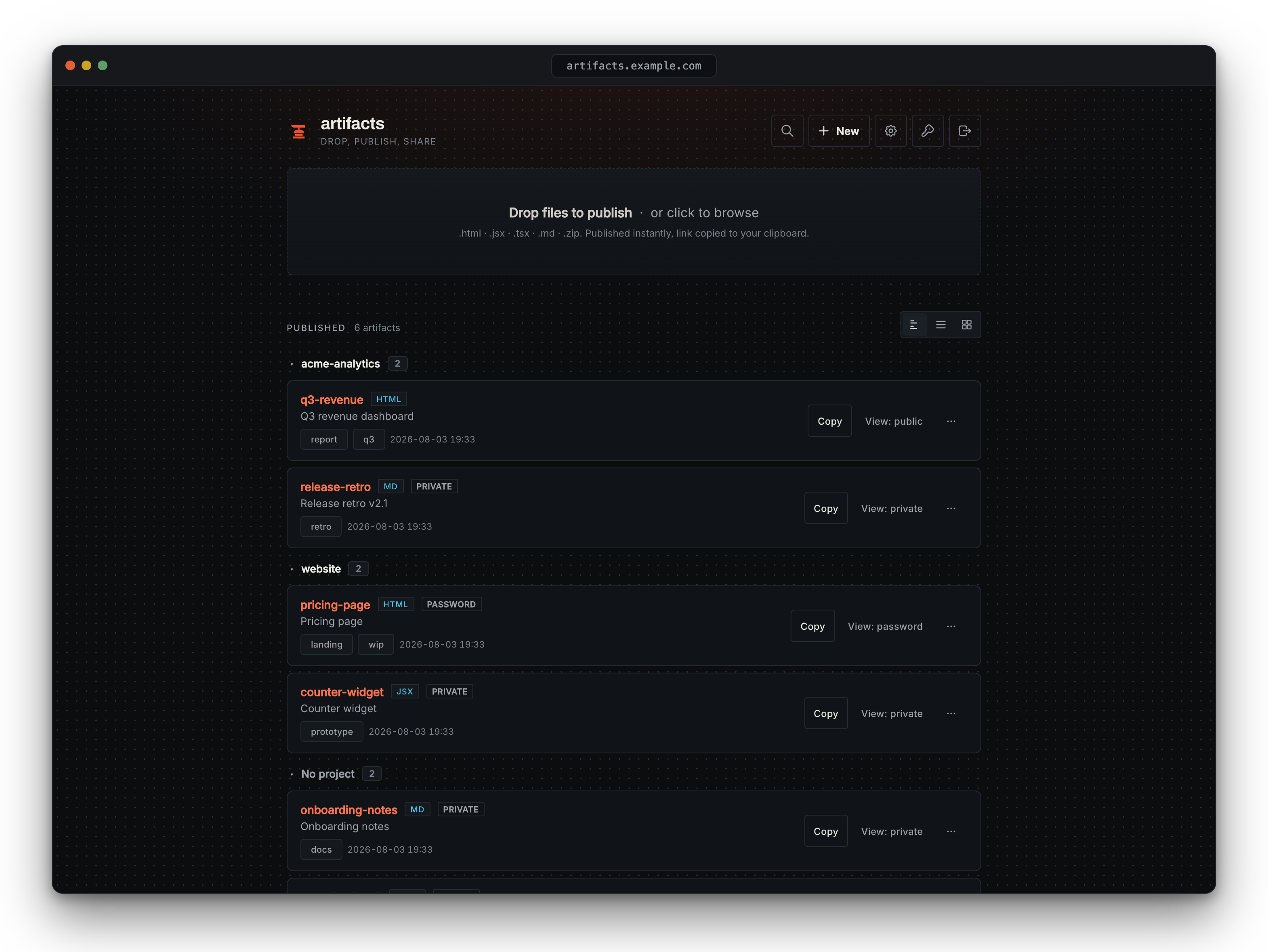
Dashboard: publish, group by project, and manage
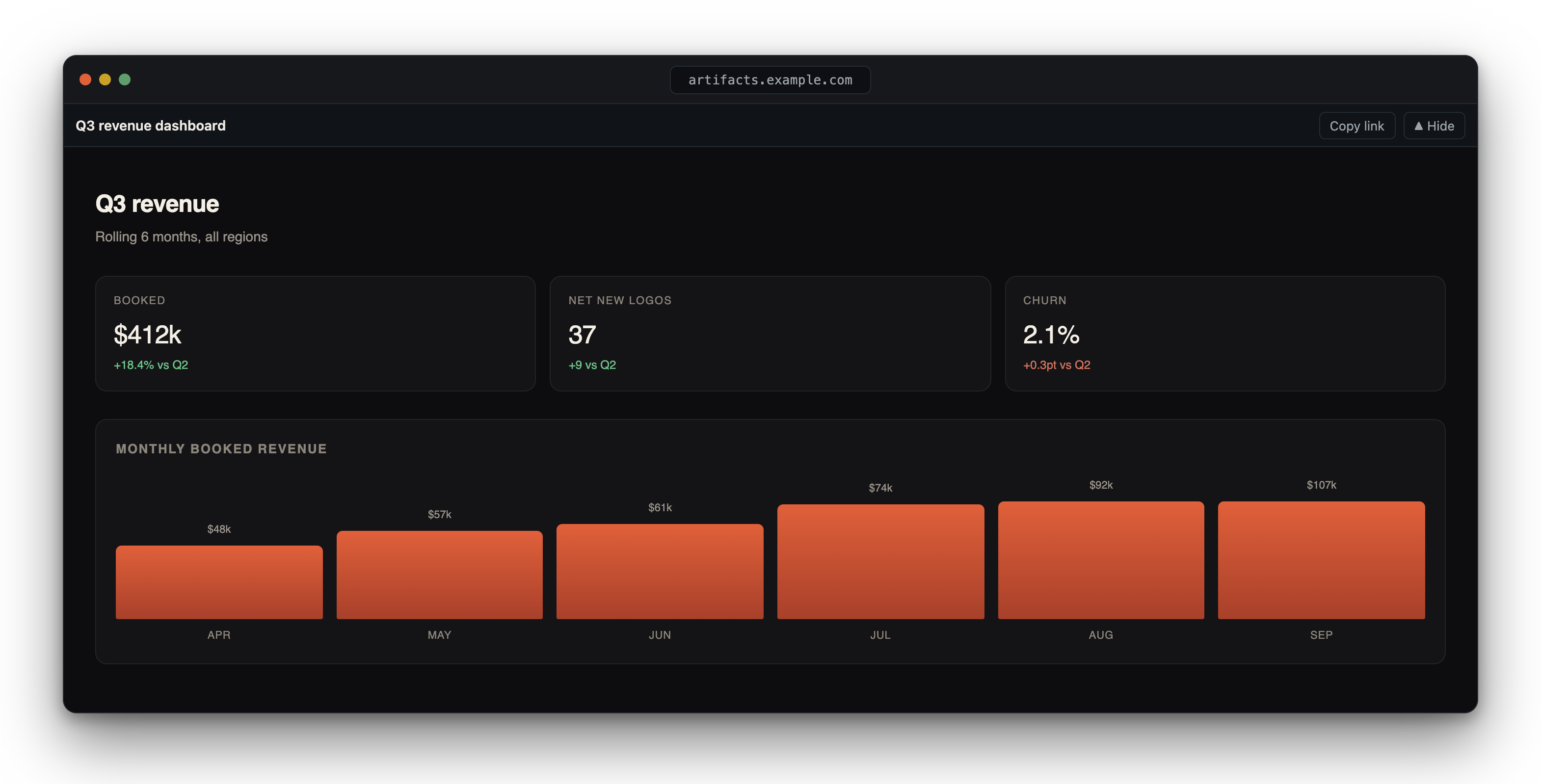
A published artifact served with the viewer topbar
About
AI assistants produce a lot of shareable output: dashboards, prototypes, reports, small apps. Claude's hosted artifacts work well, but the URLs live on someone else's infrastructure. This is the self-hosted version, about 1,100 lines. You POST content, it serves the rendered result at an unguessable URL on a domain you control.
It runs as one container with a single admin account and, by default, no database. Each artifact is a directory of plain files under /data, so backing up that directory backs up everything. On hosts that wipe local disk on restart, point it at durable external storage instead (an S3-compatible bucket, a git remote, or Postgres) by setting STORAGE_BACKEND. See deploying.
Features
- Four content types. HTML, JSX/TSX (a single React component, no build step), Markdown, and zipped static sites.
- Agent-native, human-friendly. A built-in MCP server lets Claude Code, Codex, or any MCP client publish with one tool call. Humans get a drag-and-drop web UI at
/(behind an admin login) and a CLI. - Two-tier auth. An admin logs into the dashboard with a password; CLI and MCP carry scoped, revocable API keys (
read/publish/full) with optional expiry, so you never share one master secret. - Private by default, with per-artifact visibility. A new artifact is
private, shared through a signed capability link (?k=…) you can rotate to revoke. Switch any artifact topublic(anyone with the bare link) or password-protected. Nothing is discoverable by default: unguessable slugs,noindexeverywhere. See visibility. - Optional viewer frame. A slim top toolbar (title, copy link, hide) like Claude, Gemini, and ChatGPT artifacts. Toggle it globally in Settings or per artifact;
?raw=1always serves the bare content. - Markdown render settings. Pick the reading font, content width, base font size, and starting theme for every Markdown artifact in Settings. Markdown renders from its source on each view, so a change shows on existing artifacts too. Framed Markdown gets a navbar button that cycles Auto, Light, and Dark for that reader. See docs/formats.md.
- Organize by project. Group artifacts built for the same project into collapsible sections, with a search box across project, title, slug, and tags. Tags stay for cross-cutting labels.
- Lifecycle controls. Custom slugs, rename, tags, disable without deleting, auto-expire, delete.
- Abuse-resistant. Login and unlock endpoints are rate-limited per client IP (failures only), and password hashing runs off the event loop, so a burst of guesses slows those two routes instead of stalling the server. Set
TRUST_PROXYfor the real client IP behind Cloudflare or a reverse proxy. See deploying.
Quick start
Clone, configure, start:
git clone https://github.com/anvilnine/artifacts && cd artifacts
cp .env.example .env   # set ARTIFACTS_API_KEY (openssl rand -hex 32) and BASE_URL
docker compose up -d
Or skip the clone and run the image directly:
docker run -d -p 3000:3000 -v artifacts-data:/data \
  -e ARTIFACTS_API_KEY=$(openssl rand -hex 32) \
  -e BASE_URL=https://artifacts.example.com \
  ghcr.io/anvilnine/artifacts:latest
Publish something:
curl -s -X POST https://artifacts.example.com/api/artifacts \
  -H "Authorization: Bearer $ARTIFACTS_API_KEY" \
  -H "Content-Type: application/json" \
  -d '{"content": "<h1>hello</h1>", "type": "html", "slug": "hello", "tags": ["demo"]}'
# {"slug":"hello","url":"https://artifacts.example.com/a/hello"}
Let Claude Code publish for you:
claude mcp add --transport http artifacts https://artifacts.example.com/mcp \
  --header "Authorization: Bearer ${ARTIFACTS_API_KEY}" --scope user
Documentation
| I want to… | Read |
|---|---|
| Deploy it (Docker, compose, Coolify, bare node, env vars) | docs/deploy.md |
| Use the REST API (incl. zip sites and tags) | docs/api.md |
| Publish from the terminal | docs/cli.md |
| Hook up Claude Code / Codex / any agent | docs/mcp.md |
| Set up login + scoped API keys | docs/auth.md |
| Understand JSX/TSX rendering + zip validation | docs/formats.md |
Development
No build step. Node ≥ 22.
npm install
cp .env.example .env   # any ARTIFACTS_API_KEY works locally, e.g. "test"
npm run dev
# UI at http://localhost:3000
The whole test suite is one shell script:
bash .github/workflows/smoke.sh http://localhost:3000 <your-key>
PRs welcome. See CONTRIBUTING.md.
Hosted version
Self-hosting is the product, and the open source version stays complete. If you would rather not run a server, Anvil Nine is building a managed version: same publishing flow, custom domains, backups handled for you. A waitlist page opens with the first cloud announcement; watch this repo's releases until then.
Security
Uploaded HTML runs in the browser. That is the whole point, so the model is built to contain it:
- Serve artifacts from their own origin. Point artifact URLs at a domain that hosts nothing else, so a published page can never touch the dashboard's session cookie.
- Writes need a scoped API key. Publishing carries a bearer key; the admin dashboard uses a separate HttpOnly, SameSite=Strict session cookie.
- Reads rely on unguessable slugs. Public artifacts are reachable by anyone with the link and carry
noindex, but there is no listing to browse. Don't publish secrets. - Credential routes are throttled. Login and unlock rate-limit per client IP and hash passwords off the event loop. Put a CDN or edge limiter in front for volumetric attacks.
Full threat model in SECURITY.md.
Acknowledgements
This project stands on other people's open source. All of the following are MIT licensed.
Runtime
- express for the HTTP server
- marked for Markdown rendering
- nanoid for unguessable slug generation
- adm-zip for zip site extraction
- zod for request validation
- @modelcontextprotocol/sdk for the built-in MCP server
Optional storage backends (loaded only when selected)
- aws4fetch for S3-compatible signing
- isomorphic-git for the git backend
- pg for the Postgres backend
The SQLite backend uses Node's built-in node:sqlite (no dependency).
Web UI
- Tabler Icons for the app-bar icons (search, new, settings, lock), inlined as SVG
License
MIT © 2026 Zonily Jame
One container. Plain files by default; pluggable S3 / git / Postgres / SQLite storage.
Reviews (0)
Sign in to leave a review.
Leave a reviewNo results found