claude-code-playbook
Health Pass
- License — License: MIT
- Description — Repository has a description
- Active repo — Last push 0 days ago
- Community trust — 13 GitHub stars
Code Pass
- Code scan — Scanned 12 files during light audit, no dangerous patterns found
Permissions Pass
- Permissions — No dangerous permissions requested
No AI report is available for this listing yet.
Battle-tested Claude Code best practices, skills, hooks and configuration templates
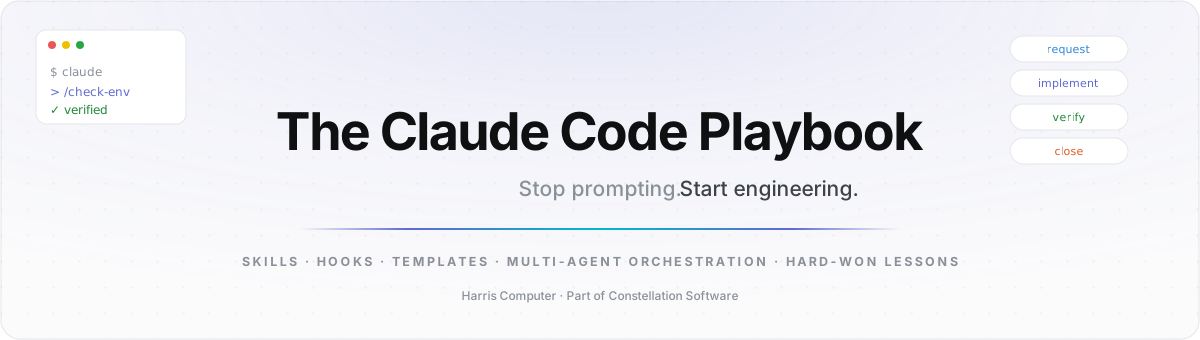







Battle-tested patterns from 900+ sessions across production TypeScript projects.
Skills, hooks, templates, multi-agent orchestration, and hard-won lessons — all in one place.



The Core Loop
Every successful Claude Code session follows the same rhythm. Break this loop and you'll turn a 5-minute task into a 90-minute slog.
graph LR
    A(["Request"]) --> B["Implement"]
    B --> C{"Verify"}
    C -->|"pass"| D(["Close"])
    C -.->|"fail"| B
    D -->|"new task"| A

    classDef info fill:#4EA7FC,stroke:#2E86D9,color:#0B1220
    classDef primary fill:#5E6AD2,stroke:#4653B8,color:#FFFFFF
    classDef warn fill:#F0BF00,stroke:#B89200,color:#221A00
    classDef success fill:#27A644,stroke:#1F8737,color:#FFFFFF
    class A info
    class B primary
    class C warn
    class D success
The cardinal rule: Each step has a clear boundary. Don't blur them. Plan in one session, execute in another. Verify with real tests, not code inspection.
Why This Exists
Most Claude Code guides tell you how to install it. This one tells you how to use it well.
After months of daily production use — debugging at 2am, shipping features across 30+ file changes, managing fleets of sub-agents, and learning the hard way what breaks — we distilled everything into this playbook.
|
Learn
|
Use
|
What's New (October 20 sync)
Second sync of the live setup since the 5 Oct refresh. Everything is scrubbed the same way; the
Setup Inventory lists what was left out.
- Seven new guard hooks:
worktree-gate.sh(one file per session in a shared checkout, then a worktree),explainer-gate.py(explain a folder before first editing it),restate-gate.sh(say back the ask before the first edit),test-gate.py(run the code before stopping),push-gate.py(one nudge for commits left unpushed),goal-pin.py(keep the session's goal and detour in view) andvoice-queue.sh. Shared helpers inhooks/lib/. Wiring inexamples/settings.hooks.json. - Updated hooks:
auto-mode.py,register-gate.py,verify-gate.sh,firewall.sh(heredoc-safe),context-threshold-nudge.sh,run-referee-guard.sh,daydream.sh,daydream-surface.sh,answer-shape-nudge.sh. - New skills:
autoclear,overnight,recap,clean-code,clean-code-score. Refreshed:anti-ai-prose(now with a scorer),myinsights,pr-review,prdforge,done,reboot. - Incident replay:
scripts/claude-ops/incident-replay.pyplus a daily launchd job scores the code reviewer against past misses. A 14th background job. - Ops scripts and tests:
autoclear.sh,tmux-send-line.sh,session-rotate.sh,run-referee.py,graveyard-sweep.py,restore-sessions.sh,hooks-smoke-test.shand a newscripts/claude-ops/tests/folder. - Third party, linked not copied: anatomy (isometric SVG figures).
What's New (October 2026)
The repo now mirrors the author's live setup, sanitised. Start with the
Setup Inventory: every layer, what is included, and what was left out and why.
- RTK: a Bash hook that trims command output before it reaches context. 80% fewer output tokens over about 240,000 commands.
- Guard Hooks: recorder plus gate pairs that block an edit until the right check has happened. Rules that were ignored as prose, enforced as hooks.
- Session Lifecycle: per-turn handoffs,
/reboot, automatic rotation and an out-of-band referee for runaway sessions. - Background Jobs: 14 launchd jobs, scripts in
scripts/claude-ops/. - Superpowers as the default process layer, the rules layout (
CLAUDE.mdplus five @-imports), 9 role agents and commands.
Architecture Overview
How all the pieces fit together in a well-configured Claude Code environment:
graph TB
    subgraph "Your Project"
        CM["CLAUDE.md<br/><em>Rules & conventions</em>"]
        SK["Skills/<br/><em>Custom /commands</em>"]
        HK["Hooks/<br/><em>Auto-checks</em>"]
    end

    subgraph "Claude Code Session"
        CC["Claude Code"]
        CC -->|"reads at start"| CM
        CC -->|"invokes"| SK
        CC -->|"triggers"| HK
    end

    subgraph "Plugins"
        SP["superpowers<br/><em>Process discipline</em>"]
        CX["Codex<br/><em>Second-model review</em>"]
        C7["Context7<br/><em>Documentation</em>"]
    end

    subgraph "Harness"
        RTK["RTK<br/><em>Trims shell output</em>"]
        GATE["Guard hooks<br/><em>Recorder + gate pairs</em>"]
        OPS["launchd jobs<br/><em>Referee, rotation, sweeps</em>"]
    end

    subgraph "MCP Servers"
        BR["Browser<br/><em>Screenshots & testing</em>"]
        DB["Database<br/><em>Queries & migrations</em>"]
        GH["GitHub CLI<br/><em>PRs & issues</em>"]
    end

    CC --> SP
    CC --> CX
    HK --> GATE
    CC -->|"every Bash call"| RTK
    OPS -.->|"watches"| CC
    CC --> C7
    CC --> BR
    CC --> DB
    CC --> GH

    classDef primary fill:#5E6AD2,stroke:#4653B8,color:#FFFFFF
    classDef info fill:#4EA7FC,stroke:#2E86D9,color:#0B1220
    classDef success fill:#27A644,stroke:#1F8737,color:#FFFFFF
    classDef danger fill:#EB5757,stroke:#C43D3D,color:#FFFFFF
    classDef warn fill:#F0BF00,stroke:#B89200,color:#221A00
    classDef dark fill:#232326,stroke:#3E3E44,color:#F7F8F8
    class CC primary
    class CM success
    class SK info
    class HK danger
    class SP,CX,C7 warn
    class RTK,GATE,OPS danger
    class BR,DB,GH dark
What's Inside
| Directory | Contents |
|---|---|
| docs/ | 76 guides — patterns, configuration, architecture, enterprise, troubleshooting — plus News & Research with 59 deep-read article pages |
| skills/ | 52 ready-to-use custom slash commands (full reference below) |
| hooks/ | 85 hook scripts — deterministic guard rails for commits, builds, secrets, and session state (list below) |
| templates/ | 11 stack-specific CLAUDE.md files + a team onboarding template |
| examples/ | 5 annotated real-session transcripts |
| onboarding/ | Structured 2-hour team onboarding program |
| config/ | Example settings.json and hook wiring configs |
| scripts/ | One-line installer, updater, audit, and claude-retry wrapper |
| tools/ | cc-tools Python CLI: cache radar, cost ledger, markdown lint |
Quick Start
One-line install — installs all skills, hooks, and a default template automatically:
curl -sL https://raw.githubusercontent.com/ao92265/claude-code-playbook/main/scripts/install.sh | bash
Choose a specific stack template:
curl -sL .../install.sh | bash -s -- --all --template react
# Options: general, react, node, python, fullstack, go, rust, mobile, devops, java, csharp
Or run interactively to pick and choose:
git clone https://github.com/ao92265/claude-code-playbook.git && ./claude-code-playbook/scripts/install.sh
Or set up manually:
1. Get the templateEdit each section — the template has HTML comments explaining what each rule does and why. |
2. Install skills |
3. Set up hooksSee hooks/README.md for |
4. Use them |
Then dive into the docs — the Complete Guide hub maps every topic to its focused page:
| Section | What You'll Learn |
|---|---|
| Getting Started | Zero to productive in 10 minutes |
| Patterns & Techniques | Prompt patterns, anti-patterns, workflows, usage insights |
| Configuration | Permissions, MCP servers, model routing, cost control |
| Architecture | Harness vs model vs rules, steering files, setup auditing |
| Skills & Extensibility | The skills ecosystem, Skills 2.0, plugin authoring |
| Advanced | Multi-agent teams, multi-model orchestration, code containers |
| Enterprise | Governance, regulated AI, security remediation, legacy modernization |
| News & Research | 59 deep-read article pages behind the April 2026 briefing |
Plugin Ecosystem
The playbook covers two major orchestration plugins in depth — see BMad Autonomous Development and Multi-Model Orchestration:
BMAD — Multi-Agent RolesSpecialized agents who each bring a different perspective: Best for: Architecture reviews, code reviews, sprint planning, production incident analysis. |
Execution modesModes that control how Claude works. These came from a third-party layer until Aug 2026; the native equivalents are named underneath each one: Best for: Autonomous feature dev, parallel codebase changes, persistent bug fixing. Saves 30-50% on tokens. |
Skills Reference
Every skill is a drop-in /command that teaches Claude a specific workflow. All 52 are listed here — copy the ones you need.
| Skill | What It Does | When To Use |
|---|---|---|
| check-env | Checks ports, Docker, .env files, git status, GitHub credentials, Node.js memory | Start of every session |
| docker-check | Validates Docker: running containers, port conflicts, image health, compose status | Before starting containerized services |
| deploy | Pre-deploy checklist: OOM-safe build, tests, env vars, git status, explicit confirmation | Before any deployment |
| security-check | Quick security scan for OWASP Top 10: secrets, injection, XSS, auth issues | Before releases or after security-sensitive changes |
| verification-before-completion | Forces Claude to prove work is done with actual test/build output | Automatically before "done" claims |
| done | Single-command verification gate: typecheck + lint + tests + build; refuses a green summary on any non-zero exit | Before saying a task is finished or committing |
| session-doubt | Two-question reflective close-out: enumerate + root-cause what it's least confident about, then name the biggest blind spot | After substantive work, alongside verification |
| retry | Survive Claude API errors/outages: a claude-retry.sh wrapper that relaunches with backoff, plus a /retry skill to cleanly resume the cut-off task |
When the API is overloaded, rate-limited, or down |
| Skill | What It Does | When To Use |
|---|---|---|
| test-first | TDD workflow: write failing tests, implement, verify green, refactor | Any new feature or bug fix where you want test discipline |
| test-loop | Merged TDD loop: bugfix mode (failing test first) and refactor mode (characterization tests first), shared CI-parity gate | Bug fixes and safe refactors |
| refactor | Focused refactoring with zero behavior change — reverts if any test fails | When improving structure without changing behavior |
| code-review | Structured code review with severity ratings and categorized feedback | After completing changes |
| dependency-audit | Scans dependencies for vulnerabilities, outdated packages, and license issues | Before releases or periodically |
| debug | Scientific debugging: hypothesis → test → narrow down → fix | When you need systematic root cause analysis |
| perf-check | Performance investigation: profile first, optimize second, measure before/after | When something is slow |
| api-test | Interactive API endpoint testing with response validation | Verifying API behavior manually |
| Skill | What It Does | When To Use |
|---|---|---|
| writing-plans | Creates structured implementation plans with architecture decisions and risk flags | Before complex features |
| executing-plans | Executes written plans in batches with verification checkpoints | After planning is done |
| brainstorming | Multi-perspective structured brainstorming with devil's advocate analysis | When exploring approaches |
| spec | Scaffolds a Context/Objective/Boundaries/Validation prompt before non-trivial implementation | Scoping a task before code |
| critic | One-shot adversarial plan review: 3-10 severity-rated findings on scope creep, missing tests, unverified assumptions | Before executing a plan |
| Skill | What It Does | When To Use |
|---|---|---|
| deep-explore | Multi-step codebase exploration across many files with structural analysis | Understanding unfamiliar code |
| cross-project-search | Searches across all repos in your workspace for patterns and implementations | Finding examples across projects |
| explain | Layered code explanations — from one-liner to deep implementation details | Understanding unfamiliar code quickly |
| research-only | Enforces strict analysis-only mode: no Edit/Write tools, findings as markdown only | Investigations that must not touch code |
| multiask | Cross-checks an answer across multiple AI CLIs in parallel with adversarial review | High-stakes decisions: security, prod incidents, irreversible changes |
| loom-analyze | Downloads a Loom share URL and produces a transcript plus keyframes for analysis | Turning recorded walkthroughs into actionable notes |
| Skill | What It Does | When To Use |
|---|---|---|
| git-cleanup | Clean up stale branches, prune remotes, tidy repository state | Periodic repo maintenance |
| pr-batch-review | Reviews all open PRs in one pass with a consolidated summary table | PR management sessions |
| pr-fleet | Parallel PR processing: coordinator + one worker per PR in isolated worktrees; --interactive mode adds batched checkpoints with user-confirmed merges | Backlog clearing, autonomous or supervised |
| Skill | What It Does | When To Use |
|---|---|---|
| changelog | Generates formatted changelog from recent commits (Keep a Changelog style) | Before releases or version tags |
| doc-finalise | Finalise .docx deliverables: integrity inventory, embedded visuals, style normalisation, PDF regen | Board packs, exec status reports, compliance documents |
| migrate-db | Safe database migration with backup verification, dry-run, and rollback plan | Running schema changes |
| Skill | What It Does | When To Use |
|---|---|---|
| morning | Cross-terminal morning briefing: consolidates every parked session into one report | Resuming 6-10 terminals without rereading each |
| handoff | Structured session summary: what's done, what's left, decisions, gotchas | End of every session |
| reboot | Distills the current task into a clean reprompt so a bloated session can be cleared without losing the thread | When a session goes stale |
| rest | Persistent low-effort output mode: one bold answer line + one next step, plain words | Tired days |
| Skill | What It Does | When To Use |
|---|---|---|
| anti-ai-prose | De-AIs prose: strips LLM tells and rewrites in a real-human voice | Any publishable draft |
| draft-reply | Audience-first drafting: forces recipient + tone framing before writing | Replies, emails, Slack/Teams messages |
| tldr | Restates the previous answer in plain English with concrete next steps | Explaining technical output to non-technical readers |
| Skill | What It Does | When To Use |
|---|---|---|
| design-taste-frontend | Anti-slop frontend skill: infers the right design direction and ships non-templated interfaces | Landing pages, portfolios, redesigns |
| impeccable | Full design/critique/polish toolkit for frontend interfaces, with live browser iteration | Designing, auditing, or hardening any UI |
| webgpu-threejs-tsl | WebGPU Three.js development guide: TSL shaders, node materials, compute shaders | Three.js WebGPU work |
| Skill | What It Does | When To Use |
|---|---|---|
| skill-creator | Meta-skill for creating, testing, and refining new skills | When you need a new custom workflow |
| skill-authoring | Best practices for building skills, distilled from Anthropic's official guide | Writing or debugging a SKILL.md |
| skill-capture | Unified skill extraction: corrections, conversation, workflow, and observe modes (merges autoskill, learner, skillify, task-observer) | End of sessions worth learning from |
| myinsights | Merged usage report over your entire local session corpus — quant rollups, narrative, ranked scorecard | A full, honest picture of how you actually use Claude Code |
Key Patterns
These are the highest-impact patterns from the playbook:
Context Pollution — The #1 KillerWhen Claude gives generic answers, your context is polluted. |
Separate Planning from ExecutionPlanning context pollutes implementation focus. Three rejected approaches in memory = defensive, over-engineered code. |
Multi-Agent Safety
|
Reverse PromptingInstead of writing detailed specs yourself:
Claude's questions reveal edge cases you hadn't considered. Your domain knowledge + Claude's pattern recognition = better specs than either alone. Replace-Don't-AppendNever append to shared context files. Always replace the entire content and keep it under 30 lines. Files that grow unbounded silently exceed the context window. |
Continuous Development — When the Loop Replaces the Ticket Queue
The end-state this playbook builds towards: ACT (Autonomous Continuous Development) — an AI loop doing the day-to-day work of a Software Developer (Level 3) — scoped features, bug fixes, tests, PRs — continuously, with a human in the loop at the merge boundary. The human sets objectives and reviews merges; the loop does the L3 work in between.
What makes it survivable is the gate ladder — quality enforcement ordered by what it costs and what it outlives:
| Level | Gate | Survives running out of tokens? |
|---|---|---|
| L0 | Hooks + CI (deterministic, zero tokens) | Yes — they run regardless |
| L1 | Self-verification (run the tests, paste the exit code) | No — but L0 backstops it |
| L2 | Cross-model review (a different vendor's quota) | Yes — different provider, different limits |
| L3 | Human PR review, protected paths | Yes |
Token limits are a scheduled failure mode for long loops, not a surprise. The playbook for it: continuous state handoffs so any fresh session resumes cold, cross-vendor fallback for reviews and grunt work, automated retry with backoff, budgeted stretches with a canary marker for context rot — and the one forbidden move: never bypass a gate to keep moving. Pause and queue instead.
→ Read the full guide: Continuous Development (ACT) — the operating model, the token-outage playbook in full, and the hard-won safety lessons (stage isolation, concurrency caps, sacrificial-repo certification).
Documentation
76 docs organised into sections on the docs site — highlights by section:
CLAUDE.md Templates
11 templates for different stacks — copy the one that fits your project:
| Template | Stack | Key Sections |
|---|---|---|
| CLAUDE.md | General / TypeScript | 12 sections covering all common failure modes |
| CLAUDE-react.md | React / Next.js | Components, state, styling, a11y, hydration pitfalls |
| CLAUDE-node-api.md | Node.js API | REST conventions, middleware, auth, error handling, security |
| CLAUDE-python.md | Python | Type hints, pytest, ruff/black, docstrings, common pitfalls |
| CLAUDE-fullstack.md | Full-stack monorepo | Shared types, build order, API contracts, deployment coordination |
| CLAUDE-go.md | Go | Error handling, concurrency, table-driven tests, static binaries |
| CLAUDE-rust.md | Rust | Ownership, error handling (thiserror/anyhow), unsafe rules, clippy |
| CLAUDE-mobile.md | React Native | Navigation, platform-specific code, performance, Safe Area |
| CLAUDE-devops.md | DevOps / IaC | Terraform, Docker, CI/CD, secrets management, monitoring |
| CLAUDE-java.md | Java / Spring Boot | DI, JPA, error handling, Flyway migrations, testing |
| CLAUDE-csharp.md | C# / .NET | EF Core, async patterns, minimal APIs, xUnit testing |
| ONBOARDING-TEAM.md | Team onboarding | New teammate pastes it into Claude Code for a guided setup tour |
Hooks
Hooks are deterministic guard rails — they fire on tool events whether or not the model remembers to check.
%%{init: {"themeVariables": {"actorBkg": "#5E6AD2", "actorTextColor": "#FFFFFF", "actorBorder": "#4653B8", "activationBkgColor": "#F0BF00"}}}%%
sequenceDiagram
    participant You
    participant Claude
    participant Hook
    participant TypeScript

    You->>Claude: "Fix the auth bug"
    Claude->>Claude: Edits user-service.ts
    Claude->>Hook: PostToolUse trigger
    Hook->>TypeScript: tsc --noEmit
    TypeScript-->>Hook: 2 type errors found
    Hook-->>Claude: Exit code 2 (block)
    Claude->>Claude: Fixes type errors
    Claude->>Hook: PostToolUse trigger
    Hook->>TypeScript: tsc --noEmit
    TypeScript-->>Hook: Clean
    Hook-->>Claude: Exit code 0 (pass)
    Claude-->>You: "Bug fixed, types clean"
85 hook scripts included. 11 are auto-wired when you install the playbook as a plugin (via hooks/hooks.json); the rest are opt-in via your settings.json.
Auto-wired (11): session-start-check.sh (environment validation) · pre-commit-guard.sh (debug statements) · env-guard.sh (secrets) · firewall.sh (dangerous command blocker) · protect-paths.sh (protected file guard) · ts-check.sh (type errors) · lint-check.sh (ESLint) · format-check.sh (Prettier) · build-check.sh (OOM-safe builds) · daydream.sh (idle memory → ideas → quick PRD) · daydream-surface.sh (surface daydreams at session start)
Opt-in (19): verify-gate.sh (Stop-blocking verify gate with baseline diffing) · audit-log.sh (raw-prompt compliance log) · secret-scanner.py (pattern-based secret detection) · codex-prepush-review.sh (second-model review on push) · pre-commit-verify.sh (typecheck before commit) · commit-message-check.sh (conventional commits) · tdd-gate.sh (warn on source edits without a failing test) · plan-gate.sh (warn on edits without a plan) · require-agent-model.sh (block subagent spawns without an explicit model) · research-only-guard.sh (enforce analysis-only mode) · test-on-save.sh (auto-run relevant tests) · auto-simplify.sh (simplification pass on commit) · stop-handoff.sh (write a "where I left off" handoff) · sessionstart-handoff.sh (re-inject the last handoff) · precompact-handoff.sh (preserve state before compaction) · notify-local-tts.sh (TTS notifications) · play-tts.sh (TTS wrapper) · dotnet-build.sh (dotnet build after C# edits; install with the guard; see .NET Teams) · dotnet-msbuild-guard.sh (deny Edit/Write to MSBuild and NuGet files and obj/ bin/)
See hooks/README.md for setup and config/hooks-example.json for an example configuration wiring 9 of the hook scripts.
Production Metrics
These numbers are from a real production project that used the patterns in this playbook:
graph LR
    subgraph "Before"
        B1["Features: 2-3 weeks"]
        B2["Bug fixes: 3-5 days"]
        B3["Tests: ~200"]
    end

    subgraph "After"
        A1["Features: 4-7 hours"]
        A2["Bug fixes: 30-45 min"]
        A3["Tests: 10,000+"]
    end

    B1 -.->|"85% faster"| A1
    B2 -.->|"99% faster"| A2
    B3 -.->|"50x more"| A3

    classDef danger fill:#EB5757,stroke:#C43D3D,color:#FFFFFF
    classDef success fill:#27A644,stroke:#1F8737,color:#FFFFFF
    class B1,B2,B3 danger
    class A1,A2,A3 success
| Metric | Before | After |
|---|---|---|
| Feature implementation | 2-3 weeks | 4-7 hours |
| Bug fix (triage to prod) | 3-5 days | 30-45 minutes |
| Regressions from AI code | N/A | Zero |
| Test suite | ~200 tests | 10,000+ passing |
| TypeScript errors | Frequent | Zero |
| ESLint errors | Frequent | Zero |
| Vulnerabilities | Unknown | Zero |
Examples
Real session transcripts annotated with explanations of what's happening and why each decision matters.
| Example | Pattern | Key Takeaway |
|---|---|---|
| Bug Fix | Request-Implement-Verify-Close | Paste real errors, scope-lock fixes, verify with actual tests |
| Debugging | Scientific debugging | Hypothesis → test → narrow down → fix, not guess-and-check |
| New Feature | Reverse prompting + scope constraints | Let Claude ask questions, constrain the blast radius |
| Refactoring | Zero-behavior-change refactor | Tests are the safety net; revert on any red |
| Multi-Agent | Parallel agents with model routing | Cap at 3-4 agents, use worktree isolation, verify combined output |
Onboarding
New to Claude Code? Hand your team the onboarding package — a structured 2-hour program:
| Step | Topic | Time |
|---|---|---|
| 01 — Install | Install Claude Code, playbook, hooks | 15 min |
| 02 — First Session | Guided exercises with real project | 30 min |
| 03 — Daily Workflow | The core Request-Implement-Verify loop | 15 min |
| 04 — Skills Tour | Hands-on with the 10 most useful skills | 30 min |
| 05 — Advanced | Multi-agent, model routing, hooks | 20 min |
| Checklist | Completion verification | 5 min |
Also see: Getting Started | Team Setup | Adoption Playbook | Case Studies | Enterprise Governance | GitHub Actions
Contributing
Found a useful pattern? Built a skill that saved you hours? PRs welcome.
See CONTRIBUTING.md for detailed guidelines on contributing skills, hooks, templates, and documentation.
MIT — use it, fork it, adapt it, share it.
Built with hard-won lessons at Harris Computer, part of Constellation Software.
If this playbook saved you time, consider giving it a star.

Reviews (0)
Sign in to leave a review.
Leave a reviewNo results found