askahuman
Health Warn
- License — License: MIT
- Description — Repository has a description
- Active repo — Last push 0 days ago
- Low visibility — Only 6 GitHub stars
Code Warn
- process.env — Environment variable access in .github/workflows/vuln.yml
- fs module — File system access in .github/workflows/vuln.yml
- network request — Outbound network request in .github/workflows/vuln.yml
- process.env — Environment variable access in frontend/e2e/pwa-approve.mjs
- process.env — Environment variable access in frontend/e2e/pwa-live.mjs
Permissions Pass
- Permissions — No dangerous permissions requested
No AI report is available for this listing yet.
Run your agents full-auto in loops. When one actually needs a human, it pings your phone and waits 📟
ask-a-human
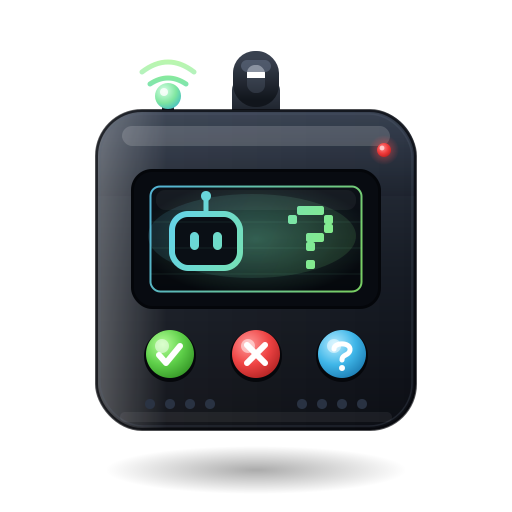





A private pager for your agent loops.
Website . Phone app . npm . Repo . For agents . Security
Your agents run full-auto in loops. Until one needs you.
You run a hundred agents in loops, full permissions, mostly while you are asleep or away from the keyboard. They are not supposed to need you. Then, every so often, one of them hits the single step it should not take alone, and it has no way to reach you.
So reach back. ask-a-human lets that one agent tap you on the shoulder: it pings your phone and blocks until you answer, then unblocks and rolls on. Seconds, not minutes.
For years, CAPTCHAs made humans prove they are not robots.
Now you register yourself as a tool your agents call.
100 agents. One human. One buzz at a time.
Setup in 30 seconds
Zero install. Zero account. Zero API key.
Paste this into your MCP client config (Cursor ~/.cursor/mcp.json, Claude Desktop claude_desktop_config.json, Codex, or any MCP client), then restart the agent.
{
  "mcpServers": {
    "ask-a-human": {
      "command": "npx",
      "args": ["-y", "@askahuman/mcp", "serve"]
    }
  }
}
That is it. Here is what happens:
npxfetches one static release binary on first run.- It defaults to the hosted relay
wss://ask-a-human.ai/wsand the PWA athttps://ask-a-human.ai. - The first
request_approvalprints the pairing code to stderr and opens a local loopback browser page showing it. The code is never in a URL. - Pin
https://ask-a-human.ai/appto your iPhone home screen as a PWA, then type the code. (On iOS, Web Push only works once the app is installed to the home screen, and wake-ups are best-effort; when you open the app it shows a pending-count badge.)
Running your own relay? Point the agent at it with --relay <wss-url> (and --public-relay <wss-url> if your phone reaches the relay at a different address). See self-hosting.
Works with your agents
 Claude Code |
 Codex |
 Cursor |
 Copilot |
 Gemini |
 Any MCP client |
If it speaks MCP, it can reach you. Same one-line config, zero extra setup.
What lands on your phone
Four things, and that is the whole product. You pair once, then every request_approval blocks the agent until you answer.
|
New agent 1 · PAIRING Open ask-a-human.ai/app on your phone and type the 10-character code it printed.
A B C D E - 2 3 4 5 6
|
Claude Code 2 · YES / NO · response_kind: "yesno"
All tests pass, but this release also runs a migration that drops orders.coupon_code on prod. Ship it?
✓ Approve ✗ Decline
|
|
Codex 3 · MULTIPLE CHOICE · response_kind: "choice"
main has been red for 20 min and 3 deploys are stuck behind it. How do I unblock it?
Revert it Hotfix forward Hold, I'll look
|
Cursor 4 · FREE-FORM REPLY · response_kind: "text"
A customer is escalating in the support thread and demanding a refund I'm not allowed to approve. How should I reply? Type your reply… |
It NEVER auto-approves. A decline, a timeout, or an error is never returned as approved. Silence is not a yes.
One phone. Every agent.
This is how a hundred agents become one buzz at a time. Pair each agent once and it gets its own chip in a roster strip, labeled by --name (say cursor @ workstation or nightly-deploy-bot) so you always know who is asking. When an agent needs you, its chip lights up with a pulsing red dot and jumps to the front of the strip. Tap it, answer, move on. Pair as many as you want.
The flow
1. Agent hits a wall it should not pass alone
2. The request is sealed in a wormhole
3. Your phone buzzes
4. You tap: approve, decline, or reply
5. The agent unblocks and rolls on
Seconds, not minutes.
Why we built this
We built this for ourselves first. The hard part of running agents in bulk was never the work, it was the rare moment one of them needed a judgment call and we weren't at the keyboard.
We didn't want a dashboard, an account, or another company holding our messages. So it's private by design: everything travels through a magic wormhole, end-to-end encrypted, and the relay in the middle is blind. We don't track anything, there's no database, and we pay for the hosting ourselves.
No data to sell, no funnel, no catch. We built it because we needed it, and our only goal is for it to spread.
How it works
The MCP server runs locally on your machine, on purpose. It is the only party holding the key and the plaintext, so it is never hosted. Only the content-blind relay lives on a server, and it is a dumb pipe.
  AGENT SIDE                    RELAY (content-blind)          YOUR PHONE
 +--------------+   seal      +------------------+   blob   +----------------+
 | MCP agent    | ----------> | rooms-of-two WS  | -------> | phone PWA      |
 | request_     |             | verbatim forward |          | swipe / choose |
 |   approval   | <---------- | RAM-only, no DB  | <------- | / reply -> seal|
 +--------------+   open      +------------------+   blob   +----------------+
        the relay sees only ciphertext + which room-id talks to which
The MCP tools
Three tools. No surprises.
request_approval
Ask a human. BLOCKS until they respond. Pass expires_in_s to also time out after N seconds; omit it and the call waits indefinitely (until answered, or the connection drops).
| Field | Type | Required | Notes |
|---|---|---|---|
title |
string | yes | Short card title. |
summary |
string | yes | The question body. |
response_kind |
string | yes | "yesno" | "choice" | "text". |
category |
string | no | Badge. Recognized: cash | deploy | data | access | other. Any other value is still shown, just with the neutral other color. |
options |
string[] | no | Choices when response_kind is "choice". |
placeholder |
string | no | Input hint when "text". |
max_len |
integer | no | Max input length when "text". |
expires_in_s |
integer | no | Countdown seconds before timeout. Omit it and the request never times out on its own. |
Returns the shape you asked for: yesno gives an approved boolean, choice gives the selected option, text gives the typed reply. A decline comes back as a non-approval; a timeout or transport error is returned as an error the agent can branch on. It never silently proceeds, and never returns approved on failure.
pair_status
Read-only. Reports whether the agent is paired, waiting to pair, or idle (as a short status message). Never returns the code. Does not start pairing (use start_pairing for that).
start_pairing
Read-only trigger. Begins pairing with your phone eagerly, instead of waiting for the first request_approval. Prints the short code in the agent terminal for you to type into the app; the handshake runs in the background and the tool returns immediately. Returns only non-secret status. The code never appears in the result.
For agents: https://ask-a-human.ai/llms.txt
How the crypto works
This is the whole point, so it is built to be boring and verifiable.
- End-to-end encrypted. Plaintext only ever exists on your machine and on your phone.
- Content-blind relay. It only ever forwards
base64(nonce‖ciphertext)plus which room talks to which. It cannot read, log, or forge a decision (replay is blocked separately, by per-request IDs the phone de-dupes on). It is a dumb pipe. - No accounts, no database. Pairing lives in RAM for the server's lifetime. Restart = re-pair. There is nothing on the relay to breach: no accounts, no database, content-blind. (The real attack surface is your phone's PWA and the pairing channel. See
SECURITY.md.) - Pairing is a SPAKE2-style PAKE. A short code becomes a strong shared key. Even if the code is shoulder-surfed, an attacker gets exactly one online guess against the live handshake.
- App traffic is sealed with NaCl secretbox (XSalsa20-Poly1305), keyed by the symmetric SPAKE2 session key.
The PAKE is an in-house construction following RFC 9382 over the ristretto255 group (RFC 9496), Magic-Wormhole-inspired. Go uses gtank/ristretto255, the PWA uses @noble/curves, and Go to JS interop is pinned by frontend/test/spake2-interop.mjs. The short code is the PAKE password: it never reaches the model and never travels in a URL.
Read every line. See SECURITY.md and the ADRs in docs/decisions/architecture/ (start with 0002_spake2_ristretto255_secretbox.md for the crypto and 0011_npx_distribution_stdio_local_mcp.md for npx/stdio).
Self-hosting
The server is already local. To point at your own relay, pass --relay:
npx -y @askahuman/mcp serve --relay <wss-url>
If your phone dials the relay at a different URL than the agent does, add --public-relay:
npx -y @askahuman/mcp serve --relay <wss-url> --public-relay <wss-url>
Or in your MCP client config:
{
  "mcpServers": {
    "ask-a-human": {
      "command": "npx",
      "args": ["-y", "@askahuman/mcp", "serve", "--relay", "wss://your-relay/ws"]
    }
  }
}
The serve flags are --relay <wss-url> (the relay the agent dials), --public-relay <wss-url> (the relay the phone dials, when it differs from --relay), and --name <text> (who is asking, shown on the card). The MCP server still runs locally (it has to: it holds the key and the plaintext). Only the content-blind relay and the static PWA move to your infra. Both are in this repo, MIT-licensed, with deploy manifests under infra/.
Mirroring the binary. The postinstall verifies the downloaded binary's sha256 before installing it, so a custom AAH_BINARY_BASEURL mirror must serve checksums.txt over https alongside the archives, or you must pin the digest out of band with AAH_BINARY_SHA256=<sha256>. Plain http:// mirrors are rejected. To place the binary yourself, set AAH_SKIP_DOWNLOAD=1 and drop it in node_modules/@askahuman/mcp/bin/.
Repo layout
| Path | What's inside |
|---|---|
backend/ |
Go relay (cmd/relay) + MCP agent (cmd/agent); pkg/spake2, pkg/sealedbox, pkg/wire. |
frontend/ |
Astro 5 + React 19 + Tailwind 4 static PWA (the app and the landing); client-side crypto. |
npm/ |
@askahuman/mcp wrapper: postinstall pulls the matching release binary; bin/cli.js execs it. |
infra/ |
ctlptl/kind cluster, ko/Tilt build, kustomize base/local/prod (GKE). |
docs/ |
plan.md + decisions/ (ADRs). Read these first. |
Dev and tests
Local dev runs on Tilt + kind (make up / make ci-up).
| What | Command |
|---|---|
| Backend unit tests | make backend-test (go test ./...) |
| Backend integration | go test -tags integration ./... (in backend/) |
| Frontend unit tests | bun run test (in frontend/) |
| SPAKE2 interop | node test/spake2-interop.mjs (in frontend/) |
| End-to-end | make ci-up && make e2e (live agent + relay-in-kind + real PWA in headless Chromium) |
More depth lives in docs/ (start with plan.md and the ADRs).
Links
- Repo: https://github.com/askahuman/askahuman
- Website: https://ask-a-human.ai
- App (phone PWA): https://ask-a-human.ai/app
- npm: https://www.npmjs.com/package/@askahuman/mcp
- For agents: https://ask-a-human.ai/llms.txt
Security and license
- Found something? See
SECURITY.md. - Licensed under MIT. Read every line, run your own, make it yours.
100 agents. One human. One buzz at a time.
Reviews (0)
Sign in to leave a review.
Leave a reviewNo results found