atc-claude-kanban
Health Warn
- License — License: MIT
- Description — Repository has a description
- Active repo — Last push 0 days ago
- Low visibility — Only 6 GitHub stars
Code Pass
- Code scan — Scanned 7 files during light audit, no dangerous patterns found
Permissions Pass
- Permissions — No dangerous permissions requested
This tool provides a real-time, browser-based Kanban dashboard designed to monitor and visualize Claude Code agent tasks, sessions, and subagents. It reads local session data and uses Server-Sent Events to display live progress, task dependencies, and token usage.
Security Assessment
Overall Risk: Low. The tool operates as a local web server (defaulting to `localhost:3456`) to serve the dashboard. It reads local JSONL files generated by Claude to track activity, but the automated code scan found no dangerous patterns, hardcoded secrets, or requests for overly broad permissions. The application does not execute arbitrary shell commands or make external network requests, aside from checking NuGet for automatic updates.
Quality Assessment
The project is in excellent standing from a maintenance perspective, featuring an MIT license and receiving updates as recently as today. The codebase is also extremely clean, with the automated light audit scanning 7 files and finding zero dangerous patterns. The only notable drawback is its low community visibility; it currently has only 6 GitHub stars, meaning it has not been broadly peer-reviewed or battle-tested by a large user base.
Verdict
Safe to use. The code is actively maintained, open-source, and clean, making it a secure and highly useful utility for managing local Claude Code workflows.
Real-time Kanban dashboard for monitoring Claude Code agent tasks, sessions, and subagents through a browser-based board
Atc.Claude.Kanban
Real-time Kanban dashboard for monitoring Claude Code agent tasks, sessions, and subagents through a browser-based board.
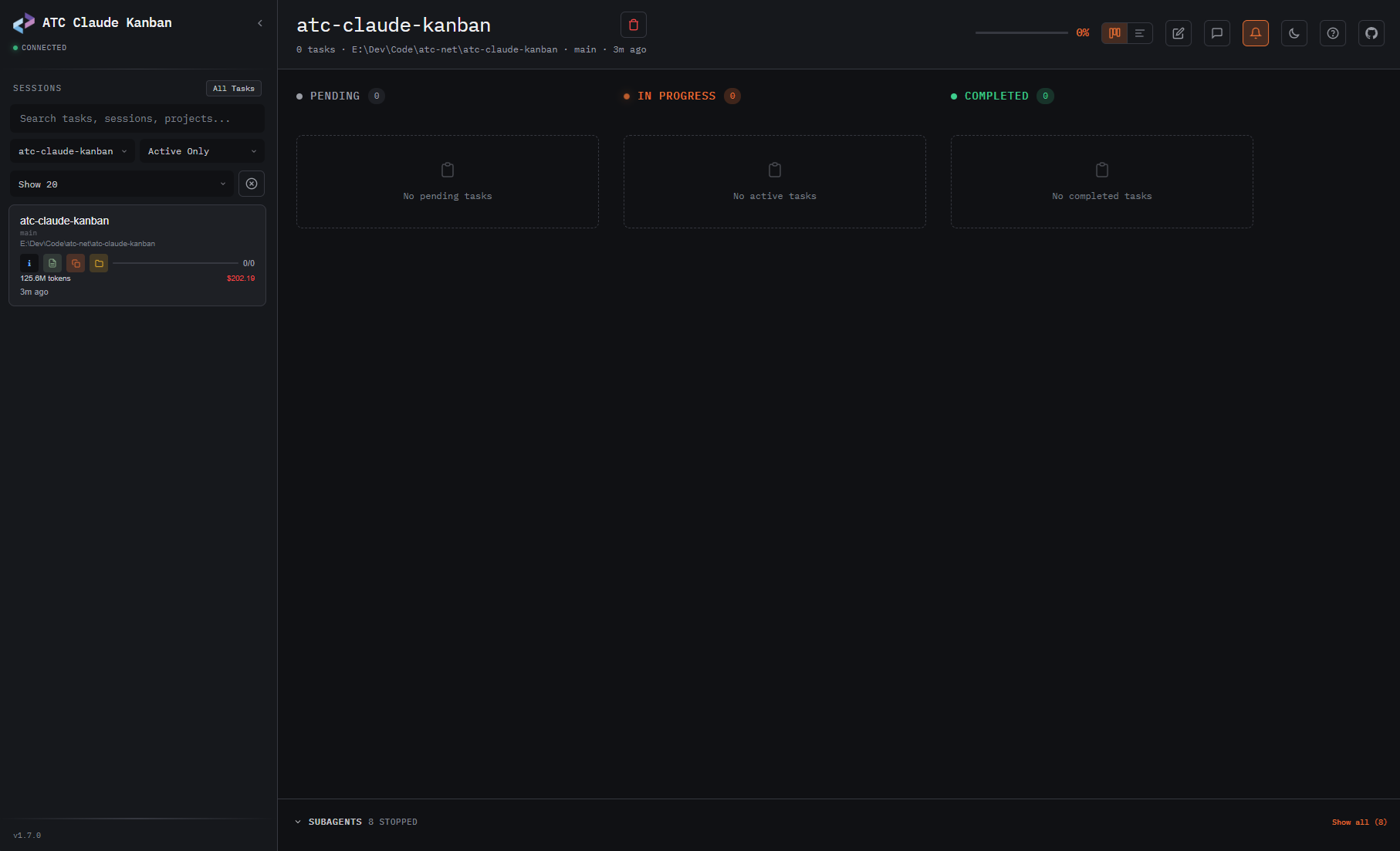
- 📊 Real-time Kanban board — tasks flow through Pending → In Progress → Completed as Claude works
- 📈 Timeline view — horizontal bar chart showing task durations, colored by status, with hover tooltips
- 🔔 Desktop notifications — browser notifications + sound chime when tasks complete
- 📦 Auto-archive — stale sessions (>7 days, no active tasks) collapse into an "Archived" section
- 🤖 Agent team support — color-coded team members, owner filtering, member badges
- 🧩 Subagent visibility — see active subagents with agent descriptions, names, and copy-to-clipboard prompts
- 🔗 Task dependencies — visual blockedBy/blocks relationships with smart badge clearing
- 📡 Server-Sent Events — instant updates via file watching, no polling
- 💬 Session message log — view conversation transcript (user/assistant/tool calls) in a side panel
- 🎯 Activity status — thinking/waiting/idle/error indicators per session, derived from JSONL
- 💰 Token & cost tracking — accumulated token usage and model-aware cost per session
- 🖱️ Drag-drop — reorder tasks between kanban columns by dragging
- 📓 Scratchpad — per-session quick notes with localStorage persistence
- 🔧 Open in editor — click file paths in the message log to open in VS Code
- ⌨️ Keyboard navigation — vim-style (hjkl) + arrow keys, sidebar/board focus toggling
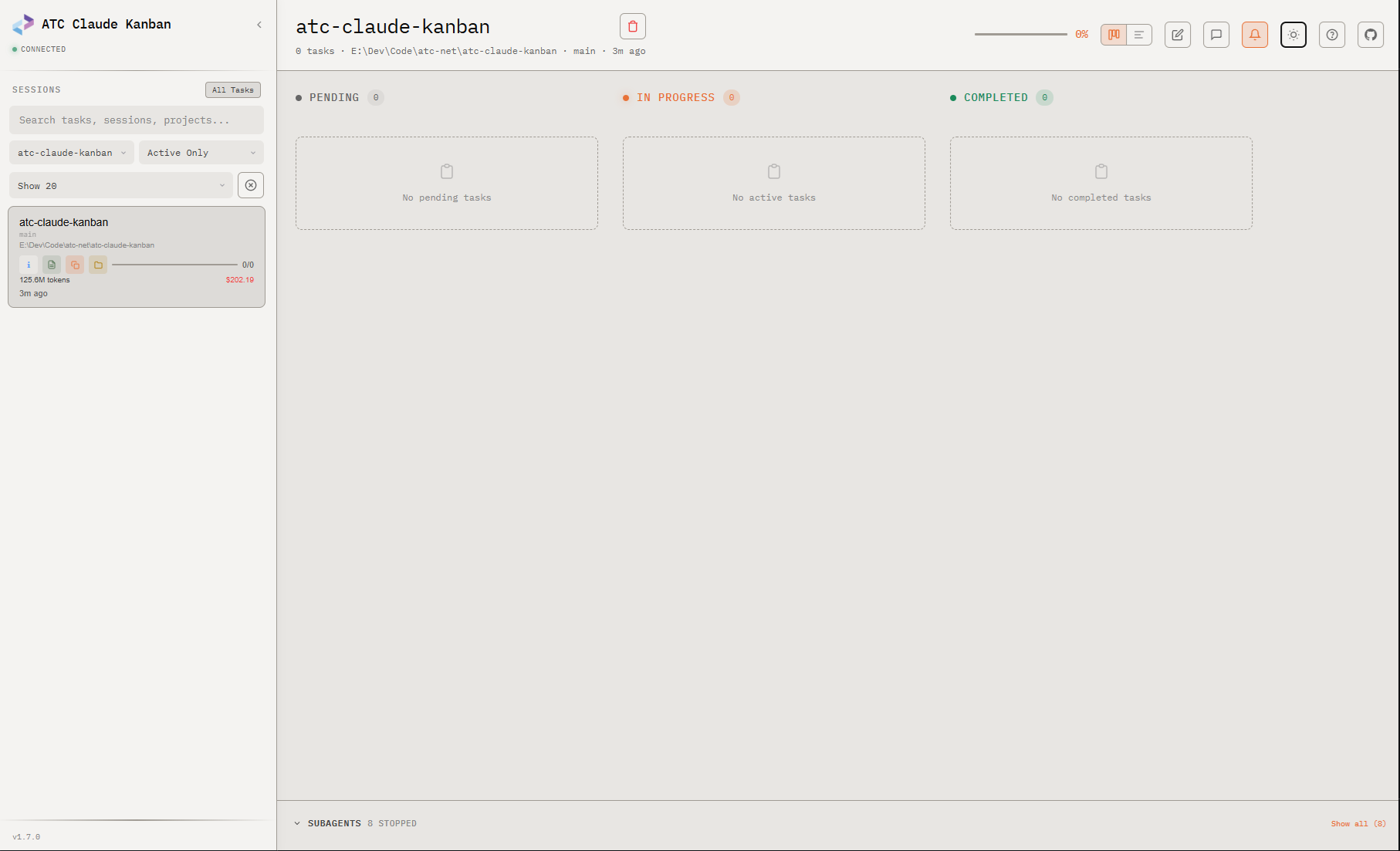
- 🌙 Dark/light themes — system preference detection
- 🔍 Fuzzy search — across sessions, tasks, descriptions, and project paths
- 📝 Plan viewer — view and open Claude Code plans with Mermaid.js diagram rendering
- 🔌 Auto-port discovery — automatically finds an available port when the default is taken
- 🔄 Auto-update — checks NuGet for new versions on startup and updates automatically
- 🚫 Session dismiss — temporarily hide sessions from the active list without deleting them
- ⚡ Smart polling — skips polling when the browser tab is hidden, catches up on focus
📋 Requirements
- .NET 10 SDK (or later, via RollForward)
🚀 Getting Started
Install
dotnet tool install -g atc-claude-kanban
Run
# Start the dashboard (default: http://localhost:3456)
atc-claude-kanban

# Start and open browser automatically
atc-claude-kanban --open

# Custom port (fails fast if port is unavailable)
atc-claude-kanban --port 8080

# Custom Claude directory
atc-claude-kanban --dir ~/.claude-work

# Skip the NuGet update check on startup
atc-claude-kanban --no-update-check
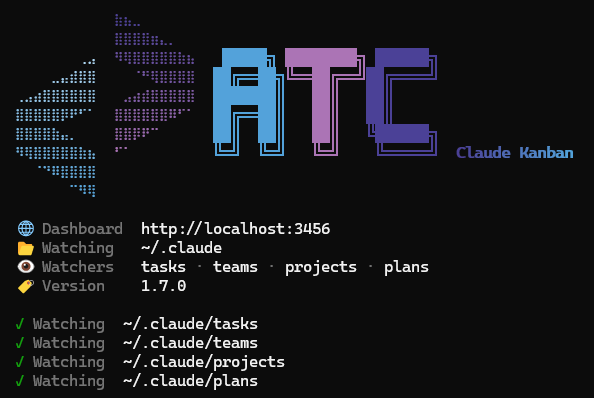
Then open your browser to http://localhost:3456 and watch your Claude Code tasks in real time.
Auto-port: When using the default port and it's already in use, the tool automatically tries up to 10 consecutive ports (3456, 3457, ...). When
--portis specified explicitly, the tool fails fast.
✨ Features
📊 Kanban Board
Three-column board showing task status with live updates:
| Column | Description |
|---|---|
| Pending | Tasks waiting to start |
| In Progress | Tasks Claude is actively working on (pulsing indicator) |
| Completed | Finished tasks |
📈 Timeline View
Toggle between Kanban and Timeline views using the view toggle buttons in the header:
- Horizontal bars show each task's duration from creation to last update
- Color-coded by status: gray (pending), orange with glow (in-progress), green (completed)
- Hover tooltips show task name, status, duration, and start time
- Click any bar to open the task detail panel
- Time axis adapts to data range (seconds/minutes/hours/days)
- View preference persists across page reloads
🔔 Desktop Notifications
Click the bell icon in the header to enable browser notifications:
- Fires when a task transitions from in_progress to completed
- Includes a two-tone audio chime (synthesized via Web Audio API — no audio files)
- Click the notification to focus the window and open the completed task
- Preference saved in localStorage
📦 Auto-Archive
Sessions older than 7 days with no in-progress tasks are automatically archived:
- Archived sessions appear in a collapsible "Archived (N)" section at the bottom of the sidebar
- Dimmed to 50% opacity for visual distinction
- Expand/collapse state persists across page reloads
- Hidden during search or when filtering to active sessions
🤖 Agent Teams
When Claude Code spawns agent teams, the dashboard shows:
- Color-coded owner badges per team member
- Owner filtering dropdown
- Team info modal with member details
- Task counts per agent
🧩 Subagents
When Claude Code spawns subagents via the Task tool, the dashboard shows:
- Active subagent count badge in the sidebar (only when subagents are running)
- Collapsible subagent panel below Kanban columns with status dots, model info, and descriptions
- Agent names and short descriptions extracted from the parent session's Agent tool_use blocks
- Foreground agent correlation via
toolUseResultentries - Copy button on task prompts and expandable/scrollable detail view
- "Show all" toggle to view historical subagents (default: active only)
- Parsed from JSONL transcript files at
~/.claude/projects/{hash}/{sessionId}/subagents/
💬 Session Message Log
Toggle with the chat icon in the toolbar or Shift+L:
- View the conversation transcript (user prompts, assistant responses, tool calls)
- Tool parameter badges and expandable tool results
- Read tool calls show inline offset/limit annotations (e.g.,
L45 +30) - Clickable file paths open in VS Code
- Subagent log drill-in (click agent tool calls to view subagent conversation)
- Infinite scroll with pagination for long conversations
- Resizable panel (drag the left edge)
ℹ️ Session Info
Click the info button on any session to view detailed metadata:
- Session ID, project path, git branch, and description
- Working directory (CWD) shown when it differs from the project root
- Plan viewer, copy path, and open folder actions
- Dismiss button — temporarily hide a session from the active list (in-memory only, restores on reload or in "All" view)
🎯 Activity Status
Sessions show real-time activity indicators in the sidebar:
| Status | Indicator | Condition |
|---|---|---|
| Thinking | Green border | Claude is actively working (tool calls, processing) |
| Waiting | Amber border | Claude is waiting for user input (permission prompt) |
| Error | Red border | Recent error in session |
| Idle | No indicator | No activity for 15+ seconds |
💰 Token & Cost Tracking
Each session shows accumulated token usage and estimated cost:
- Token count (e.g., "45.9M tokens") and cost (e.g., "$76.19")
- Color-coded by cost: green (<$0.50), yellow (<$2), orange (<$5), red (>=$5)
- Model-aware pricing: Opus ($15/$75), Sonnet ($3/$15), Haiku ($0.80/$4) per 1M tokens
⌨️ Keyboard Shortcuts
| Key | Action |
|---|---|
? |
Show help |
j/k |
Navigate up/down |
h/l |
Navigate columns |
Enter |
Toggle task detail |
Tab |
Switch sidebar/board focus |
[ |
Toggle sidebar |
T |
Toggle theme |
A |
Show all tasks |
R |
Refresh data |
I |
Session info |
P |
Open session plan |
C |
Copy project path |
F |
Open project folder |
D |
Delete task |
Shift+L |
Toggle message log panel |
N |
Toggle scratchpad |
📡 How It Works
Claude Code writes task JSON files
        ↓
FileSystemWatcher detects changes
        ↓
Debounce + parse + cache (IMemoryCache)
        ↓
Broadcast via Server-Sent Events
        ↓
Browser updates Kanban board in real-time
The tool watches these paths under ~/.claude/:
| Path | Content |
|---|---|
tasks/{sessionId}/*.json |
Individual task files |
teams/{teamName}/config.json |
Team configurations |
projects/{hash}/sessions-index.json |
Session metadata |
projects/{hash}/{sessionId}/subagents/agent-*.jsonl |
Subagent transcripts |
plans/{slug}.md |
Plan markdown files |
📂 Claude Code Directory Structure
The dashboard reads from ~/.claude/, where Claude Code stores all session data:
~/.claude/
├── tasks/                              ← PRIMARY: task files (what the Kanban reads)
│   ├── {sessionId}/*.json              ← Session-scoped tasks (UUID)
│   └── {teamName}/*.json               ← Team-scoped tasks (named)
│
├── teams/                              ← Team configurations (agent swarms)
│   └── {teamName}/config.json          ← Members, roles, lead agent
│
├── projects/                           ← Session metadata (enrichment)
│   └── {path-hash}/
│       ├── sessions-index.json         ← Session list with project path, git branch
│       ├── {sessionId}.jsonl           ← Session transcript (one JSON object per line)
│       └── {sessionId}/subagents/      ← Subagent transcripts
│
└── plans/                              ← Plan markdown files
    └── {slug}.md
JSON vs JSONL: Task files, team configs, and session indexes are standard .json (single object). Session transcripts are .jsonl (JSON Lines — one JSON object per line, append-only). The dashboard only reads .json files; .jsonl transcripts are used for metadata discovery (project path, git branch).
Session discovery: Sessions appear on the board if they have task .json files under tasks/, or if they have active subagents under projects/. The projects/ and teams/ directories enrich sessions with metadata (project name, git branch, team members).
⚙️ Environment Variables
| Variable | Description |
|---|---|
ATC_NO_UPDATE_CHECK=1 |
Disable the NuGet update check on startup |
The update check is also automatically suppressed in CI environments (CI, TF_BUILD, or GITHUB_ACTIONS env vars detected).
🏗️ Architecture
- ASP.NET Core Minimal APIs with
Atc.Rest.MinimalApiendpoint definitions - FileSystemWatcher +
System.Threading.Channelsfor event-driven file monitoring - Server-Sent Events via
Results.Streamwith raw UTF-8 byte writes andTask.Delayheartbeats - Async service layer — all file I/O uses
ReadAllTextAsync/WriteAllTextAsync - IMemoryCache with TTL expiration (10s sessions, 5s teams)
- Embedded static files — single HTML dashboard served via
ManifestEmbeddedFileProvider - Smart polling — skips activity polls when browser tab is hidden; catches up on focus
- Selective fetching — metadata SSE events skip task list fetching for reduced API overhead
🤝 How to contribute
Reviews (0)
Sign in to leave a review.
Leave a reviewNo results found