Attc-Code
Health Pass
- License — License: GPL-3.0
- Description — Repository has a description
- Active repo — Last push 0 days ago
- Community trust — 13 GitHub stars
Code Pass
- Code scan — Scanned 12 files during light audit, no dangerous patterns found
Permissions Pass
- Permissions — No dangerous permissions requested
No AI report is available for this listing yet.
Real Ubuntu 24.04 and five AI coding agents on Android. No root, no PC.
Attc Code
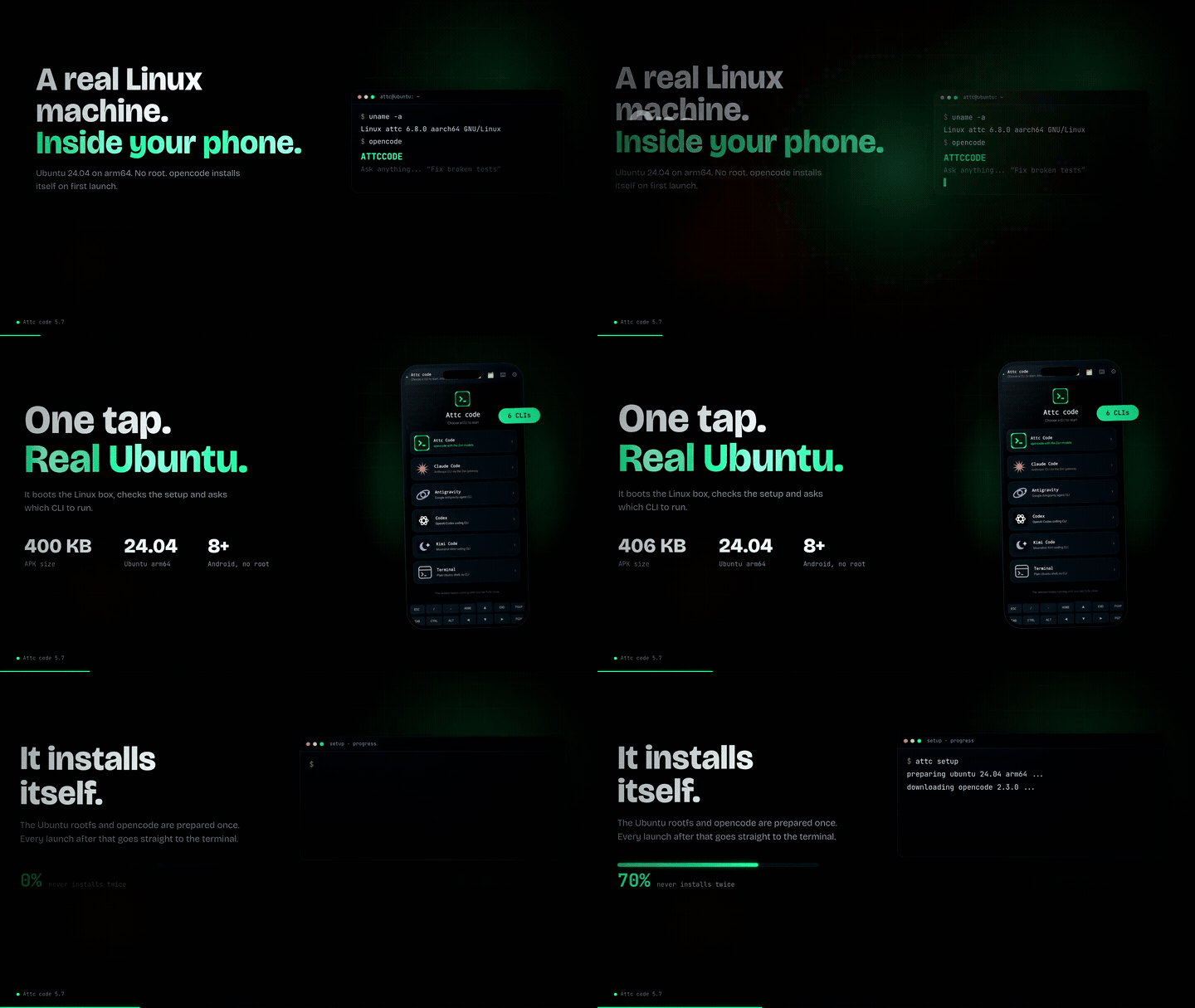
A real Ubuntu 24.04 terminal and five AI coding agents in your pocket.
No root. No PC. Android 8+ on arm64.




▶ Watch the 52-second film · Website · Download APK · Install from F-Droid
What is Attc Code?
Attc Code boots a real Ubuntu 24.04 arm64 userland on your phone with proot. Inside it, you can run the AI coding CLI you already use — or drop into a normal shell and install whatever you need with apt.
There is no emulator layer, no remote desktop, and no root. The app is a normal Android APK; Shizuku is optional and only adds phone control.
Five agents. One terminal.
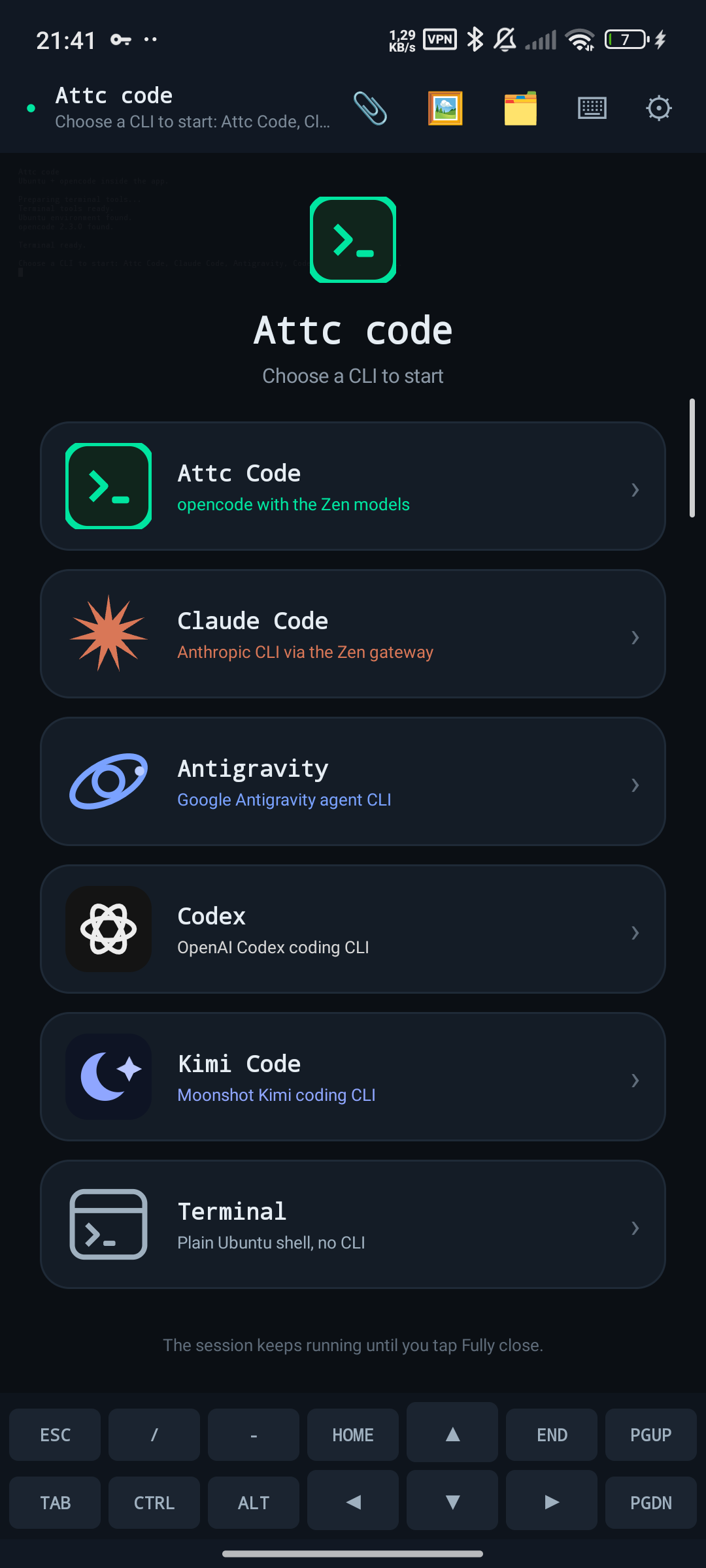
Every cold start asks what you want to launch. Warm sessions keep their working directory and the model you last used.
| CLI | What it gives you |
|---|---|
| Attc Code | opencode with Zen models |
| Claude Code | Anthropic's coding CLI through the in-app gateway |
| Codex | OpenAI's coding CLI |
| Kimi Code | Moonshot's coding CLI |
| Antigravity | Google's agent CLI |
| Terminal | A plain Ubuntu shell |
Everything in one app
- Real Ubuntu 24.04 arm64.
apt, Python, Node, Git and compilers run as native arm64 binaries. - One-tap launch. Pick a CLI at startup; the app prepares the root filesystem and keeps it up to date.
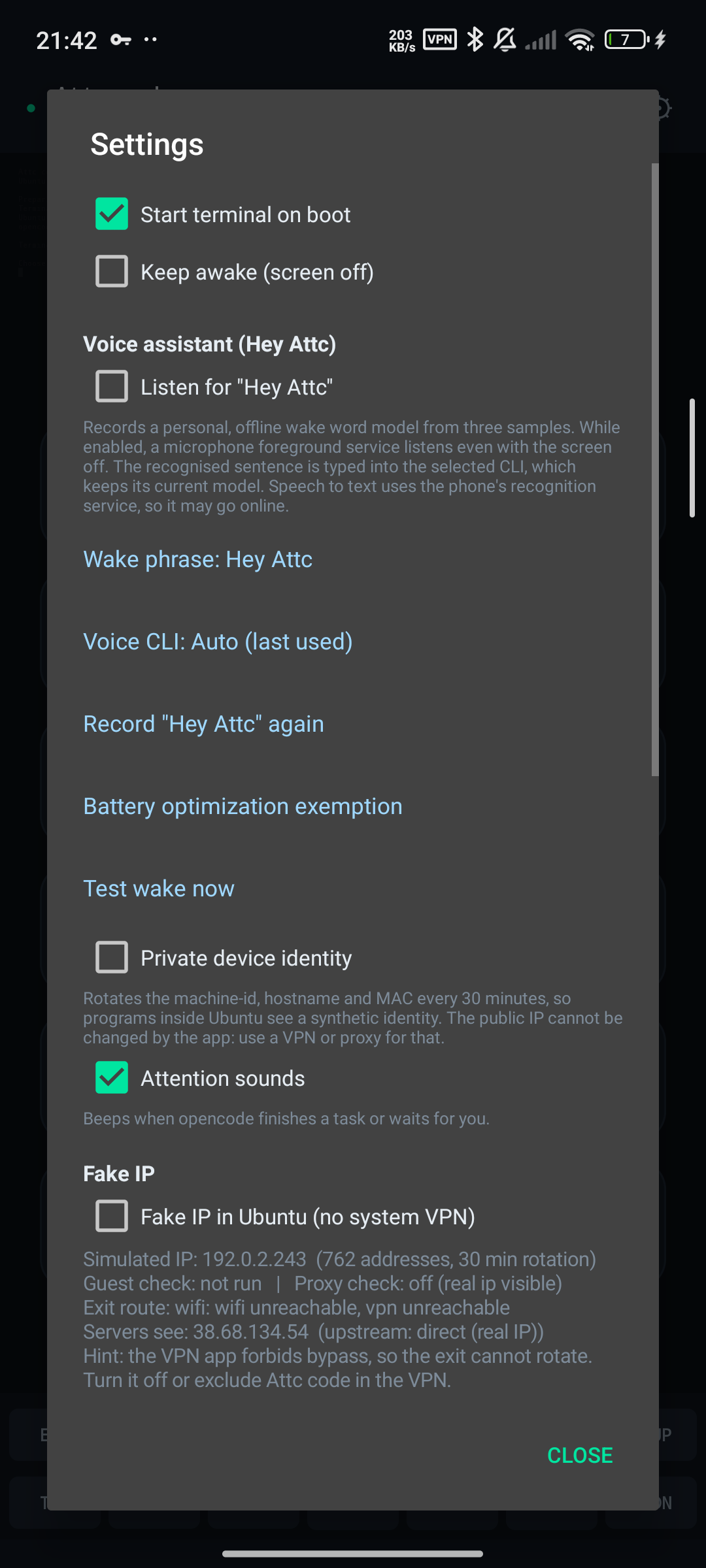
- Offline “Hey Attc” wake word. Built from three recordings of your voice, entirely on the device. No cloud key required.
- Turkish voice commands. After the wake word, your sentence is transcribed and typed into the active CLI session — with the model you last selected.
- Phone control with Shizuku. The bundled
attc-ctlbridge lets an agent open apps, control media, tap the screen and take screenshots. - A terminal made for phones. Extra key row, pinch-to-zoom, text selection, clipboard, file attachments and session switching.
- Battery and network aware. Partial wake lock only while listening, optional Wi-Fi lock, battery exemption and quota reset.
“Hey Attc” — voice, without the cloud
Say “Hey Attc” with the screen off. The wake word is matched locally with MFCC features and dynamic time warping, using a small model trained from your own recordings. Nothing about the wake word leaves the phone.
The phrase is selectable in Settings → Voice assistant: presets such as “Hey Attc”, “Hey Attc Code”, “Merhaba Attc” and “Selam Attc”, or your own text. Changing the phrase asks you to record three new samples.
After the wake word, Android's speech recogniser turns Turkish speech into text and sends it to the selected CLI session. Voice is off by default and asks for microphone permission the first time you enable it.
Speech recognition may use the Google service on your device. Wake-word detection itself is fully offline.
Install
- Download the APK from Releases, or add the Attc Code F-Droid repository.
- Open the app and choose a CLI. The Ubuntu root filesystem and your chosen CLI are prepared on first launch.
- Optional: install Shizuku and grant Attc Code access for phone control; enable the voice assistant and battery exemption in Settings.
F-Droid repository: https://attc-config-technician.github.io/Attc-Code/fdroid/repo
Repository fingerprint: AB:73:93:41:CA:B4:66:C0:0C:99:3C:46:ED:E7:15:6E:63:3F:1C:B7:05:FD:FD:7C:C2:26:6E:95:F2:5E:60:B5
Setup instructions
How it works
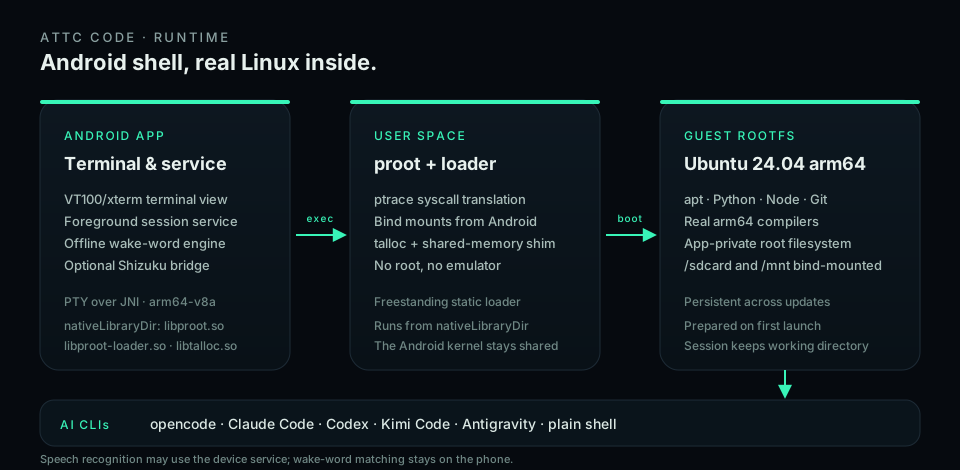
- proot + Ubuntu 24.04 arm64. The root filesystem lives in app-private storage;
/sdcard,/storage/emulated/0,/mntand/systemare bind-mounted into the guest. - PTY over JNI. The terminal view is VT100/xterm compatible and talks to a real pseudo-terminal.
- Foreground service. Sessions, notifications and wake locks are managed by an Android foreground service.
- VoiceEngine. 16 kHz mono capture, 25 ms windows with 10 ms hop, FFT-512, 26 mel bands, 13 MFCCs, adaptive energy VAD and Sakoe-Chiba-banded DTW.
- VoiceBridge. Watches a file queue under
/root/attc/ctl, runs requests through the Shizuku shell and writes the result back.
Limitations
- arm64 only, Android 8.0 or newer.
- Voice does not work when the phone is powered off or the app is force-stopped.
- proot is not an emulator. Some kernel features (real mounts, some DRM apps) remain restricted.
- Deep-link behaviour in apps such as YouTube Music varies by version; the bridge returns the
am startoutput to the agent. - Speech recognition needs a device speech service. Without one, the app reports an error.
FAQ
Do I need root?
No. Attc Code runs as a normal Android app. Shizuku is optional and only needed for phone control.
Do I need Termux?
No. Attc Code is standalone and ships its own terminal, proot and Ubuntu root filesystem.
Which devices are supported?
Android 8.0+ on arm64 phones and tablets.
Is Ubuntu real?
Yes: a real arm64 Ubuntu 24.04 userland. It shares the Android kernel, so it is not a virtual machine.
Does it need internet?
The first launch downloads the Ubuntu base and your chosen CLI. AI CLIs need internet for their APIs. The wake word works offline.
What does Shizuku add?
Phone control: opening apps, media control, taps and screenshots through attc-ctl. Without Shizuku, the terminal and CLIs still work.
Where does voice data go?
Wake-word samples and matching stay on the device. Speech recognition may use the device's Google speech service.
How do updates work?
Install the latest APK from Releases or update through the Attc Code F-Droid repository. Your Ubuntu environment and sessions are preserved.
License
GPL-3.0-or-later. See LICENSE.
Ubuntu is a trademark of Canonical Ltd. Claude, OpenAI, Moonshot, Google and other names belong to their respective owners. This project is independent.
Built for people who want a real terminal in their pocket.
Reviews (0)
Sign in to leave a review.
Leave a reviewNo results found