multi-cli-studio
Health Pass
- License — License: MIT
- Description — Repository has a description
- Active repo — Last push 0 days ago
- Community trust — 58 GitHub stars
Code Fail
- rm -rf — Recursive force deletion command in scripts/create-dmg.sh
- process.env — Environment variable access in scripts/materialize-tauri-signing-key.mjs
- process.env — Environment variable access in scripts/release-preflight.mjs
- crypto private key — Private key handling in scripts/release-preflight.mjs
- os.homedir — User home directory access in scripts/run-tauri.mjs
- process.env — Environment variable access in scripts/run-tauri.mjs
- spawnSync — Synchronous process spawning in scripts/setup-desktop-release.mjs
- fs.rmSync — Destructive file system operation in scripts/setup-desktop-release.mjs
- process.env — Environment variable access in scripts/setup-desktop-release.mjs
- crypto private key — Private key handling in scripts/setup-desktop-release.mjs
Permissions Pass
- Permissions — No dangerous permissions requested
No AI report is available for this listing yet.
Multi CLI Studio is a Tauri desktop workspace for people who do not want to be locked into a single AI coding CLI or a single model vendor.
Multi CLI Studio
Multi CLI Studio is a Tauri desktop workspace for people who do not want to be locked into a single AI coding CLI or a single model vendor.
Instead of forcing one tool to do everything, it gives you one local desktop surface for:
Codex,Claude, andGeminiCLI workflows- provider-based model chat for
OpenAI-compatible,Claude, andGemini - local automation jobs and workflows
- shared local state across terminal, chat, and automation
Why This Exists
Most AI coding tools assume one model, one CLI, one workflow.
That is not how real work behaves:
- one CLI may be better at edits, another at planning, another at UI or long-context work
- comparing outputs across agents is often safer than trusting a single tool path
- context gets fragmented when terminal, chat, and automation live in different apps
- local project state matters, but most tools do not coordinate around it
Multi CLI Studio is built around a different assumption:
cross-CLI orchestration is the product, not an add-on
Core Value
- Keep project context in one place while switching between different AI execution styles
- Use CLI-native agent workflows and provider-based chat side by side
- Turn repeated tasks into local automation instead of re-prompting from scratch
- Keep runtime state local with desktop-native storage and tooling
Platform Support
- Windows desktop: primary packaged target with release workflow for installer output
- macOS desktop: supported through the Tauri desktop stack and local build flow
Screenshots
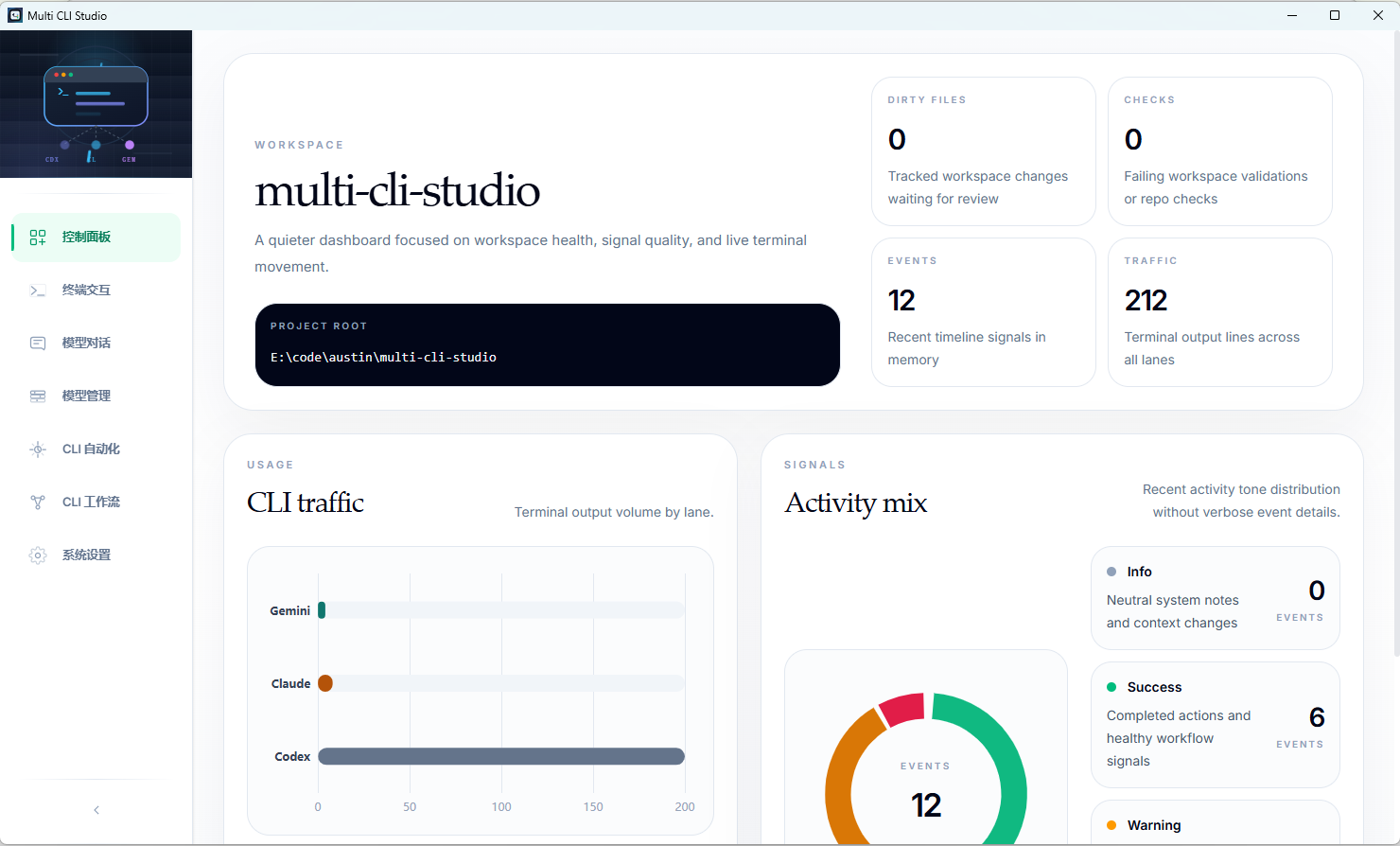
Dashboard
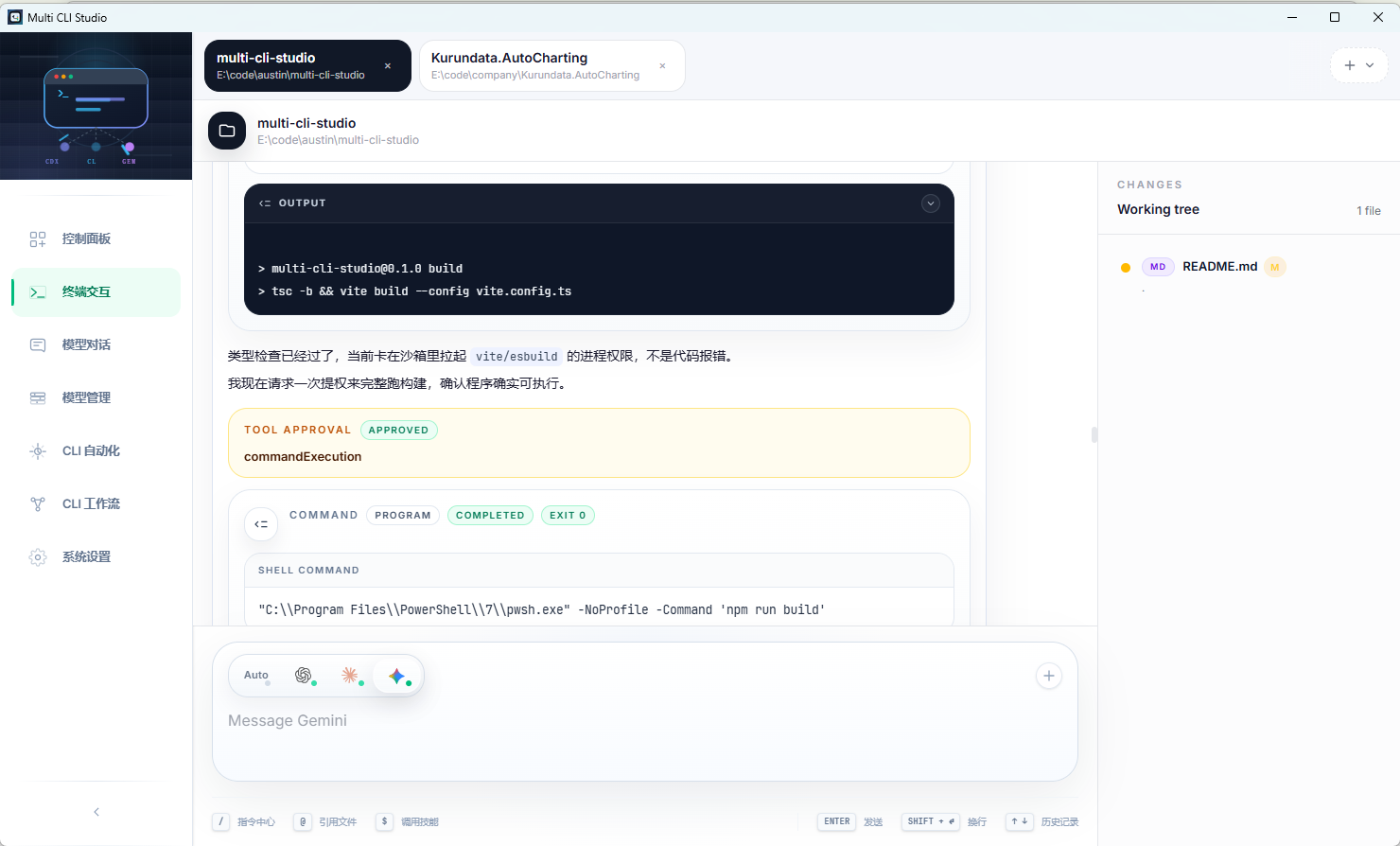
Terminal Workspace
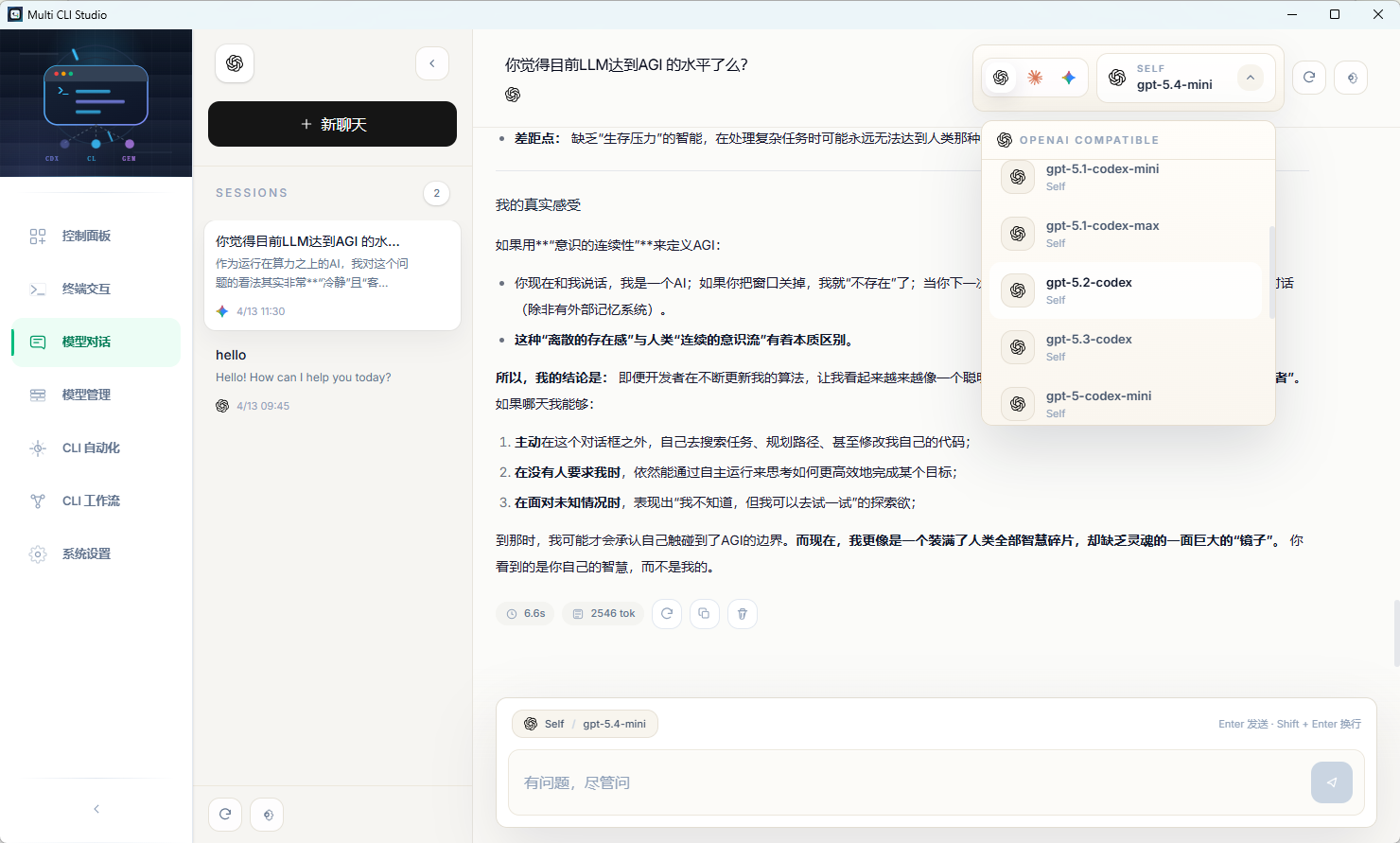
Model Chat
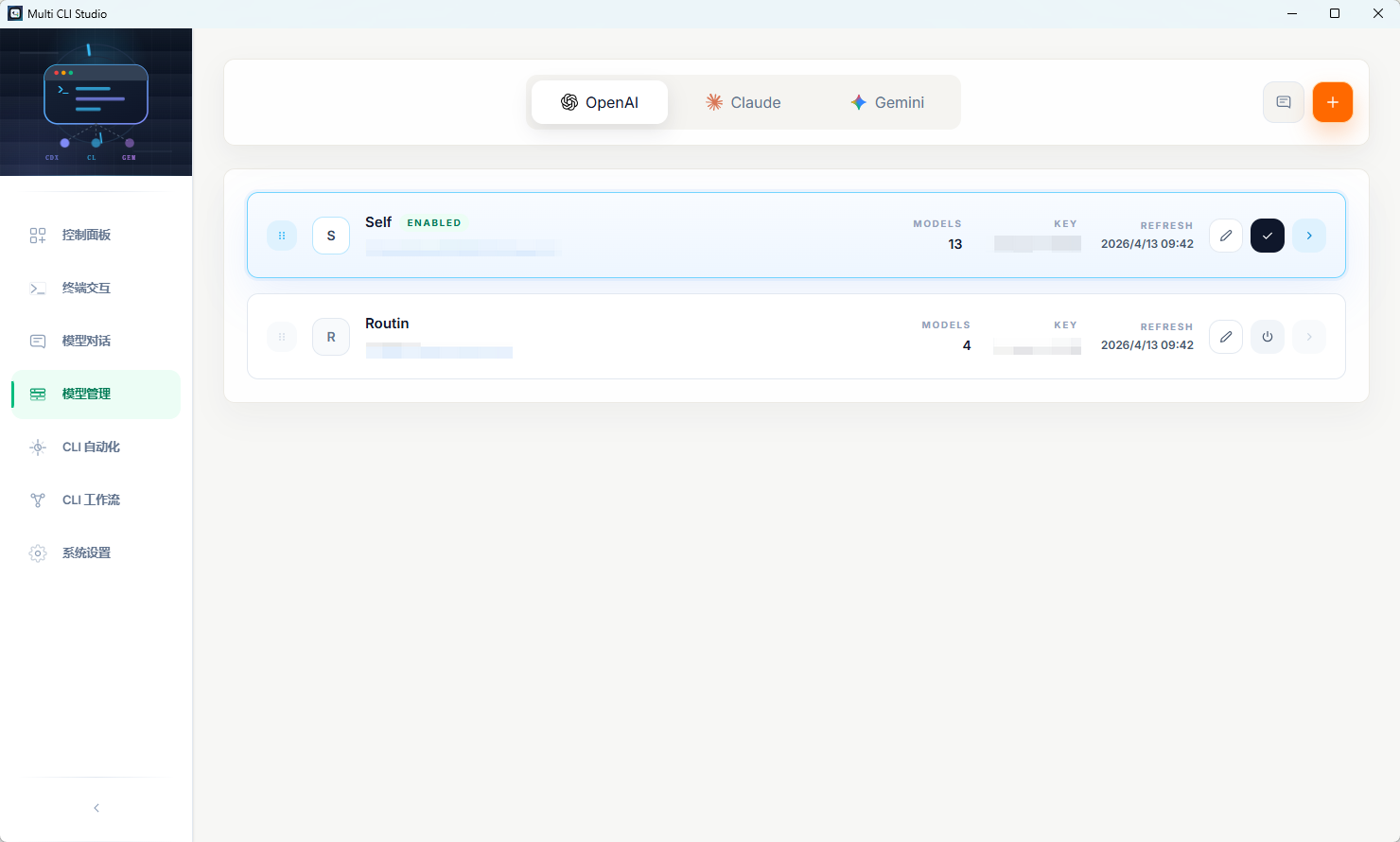
Model Providers
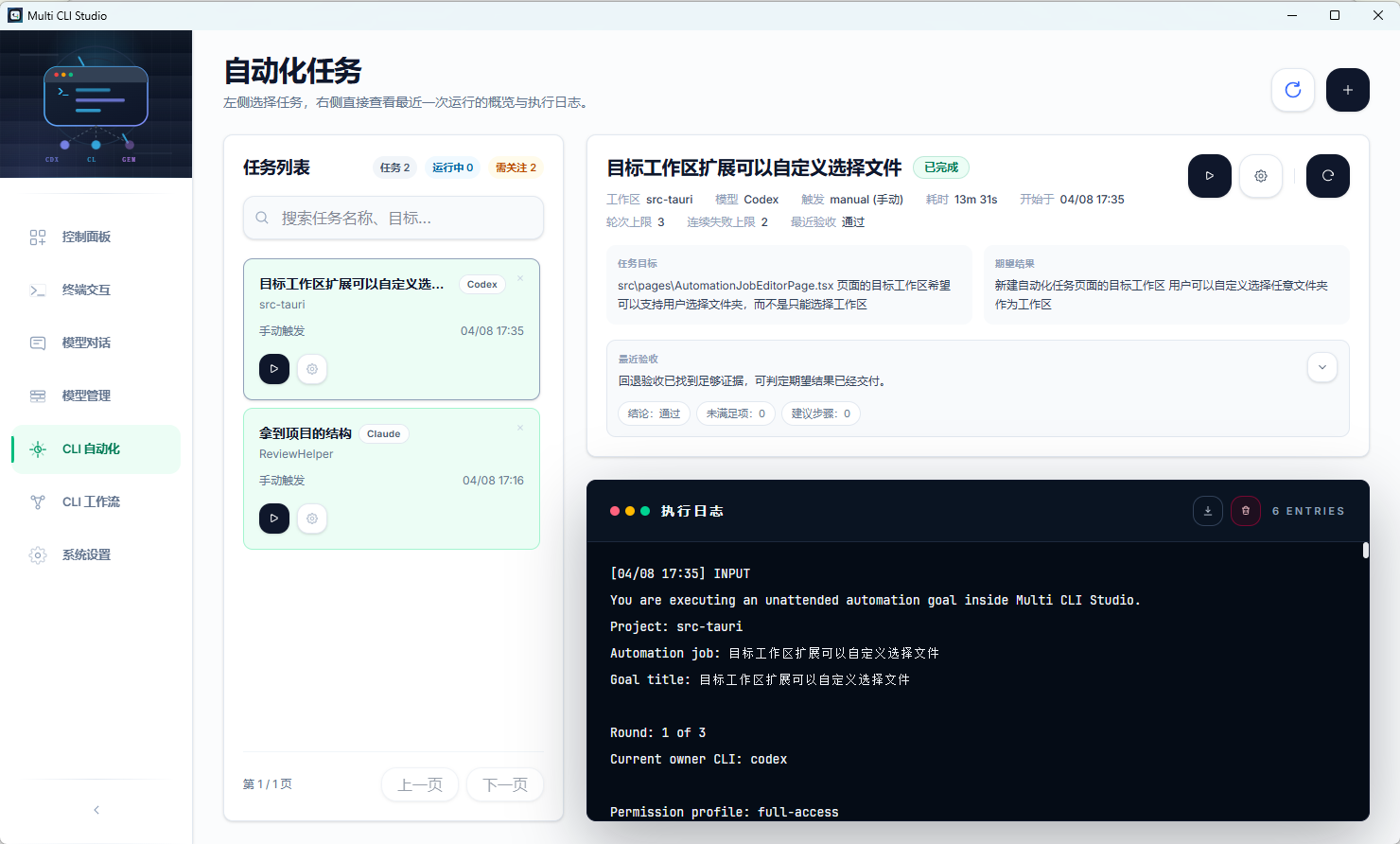
Automation Jobs
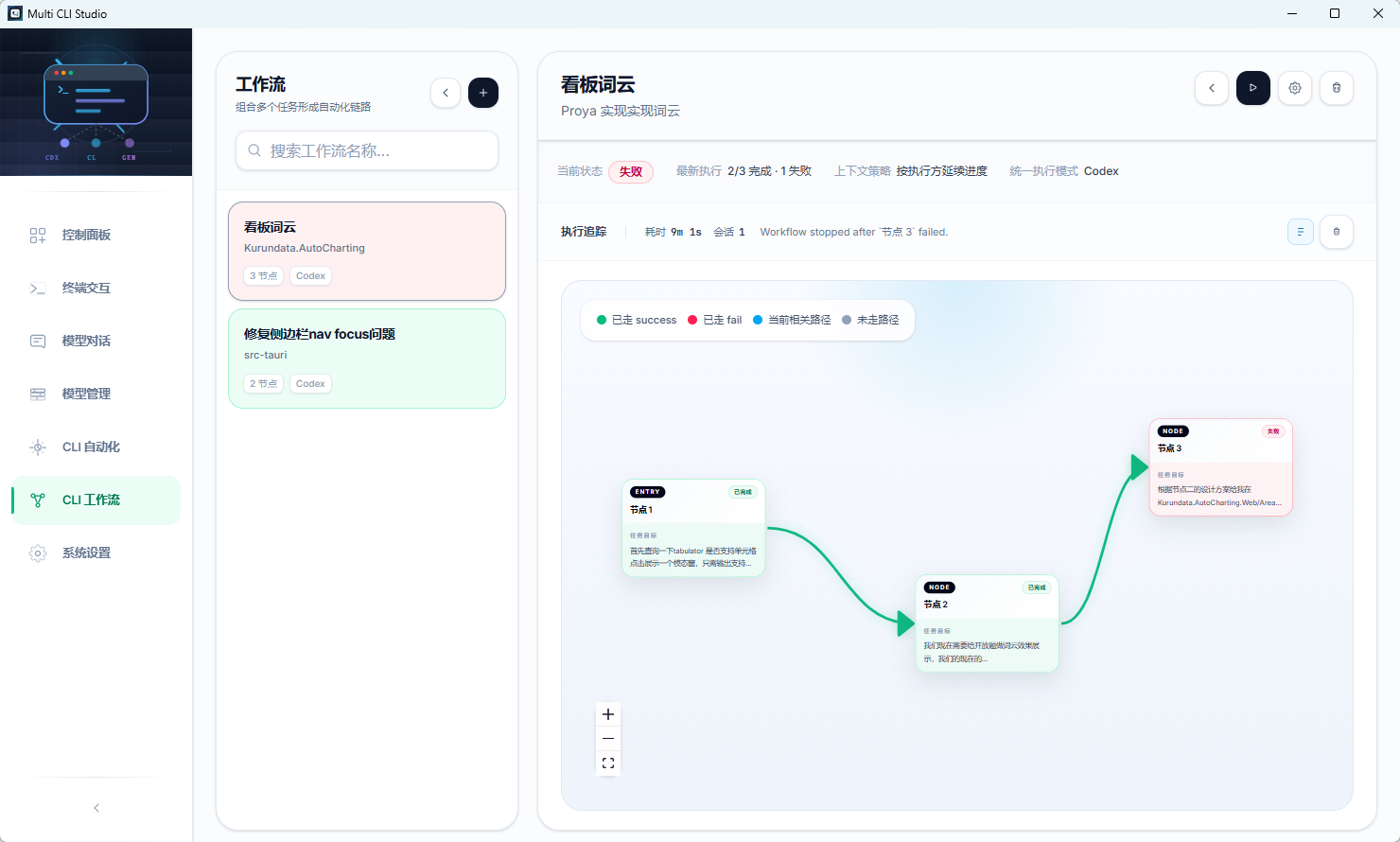
Automation Workflows
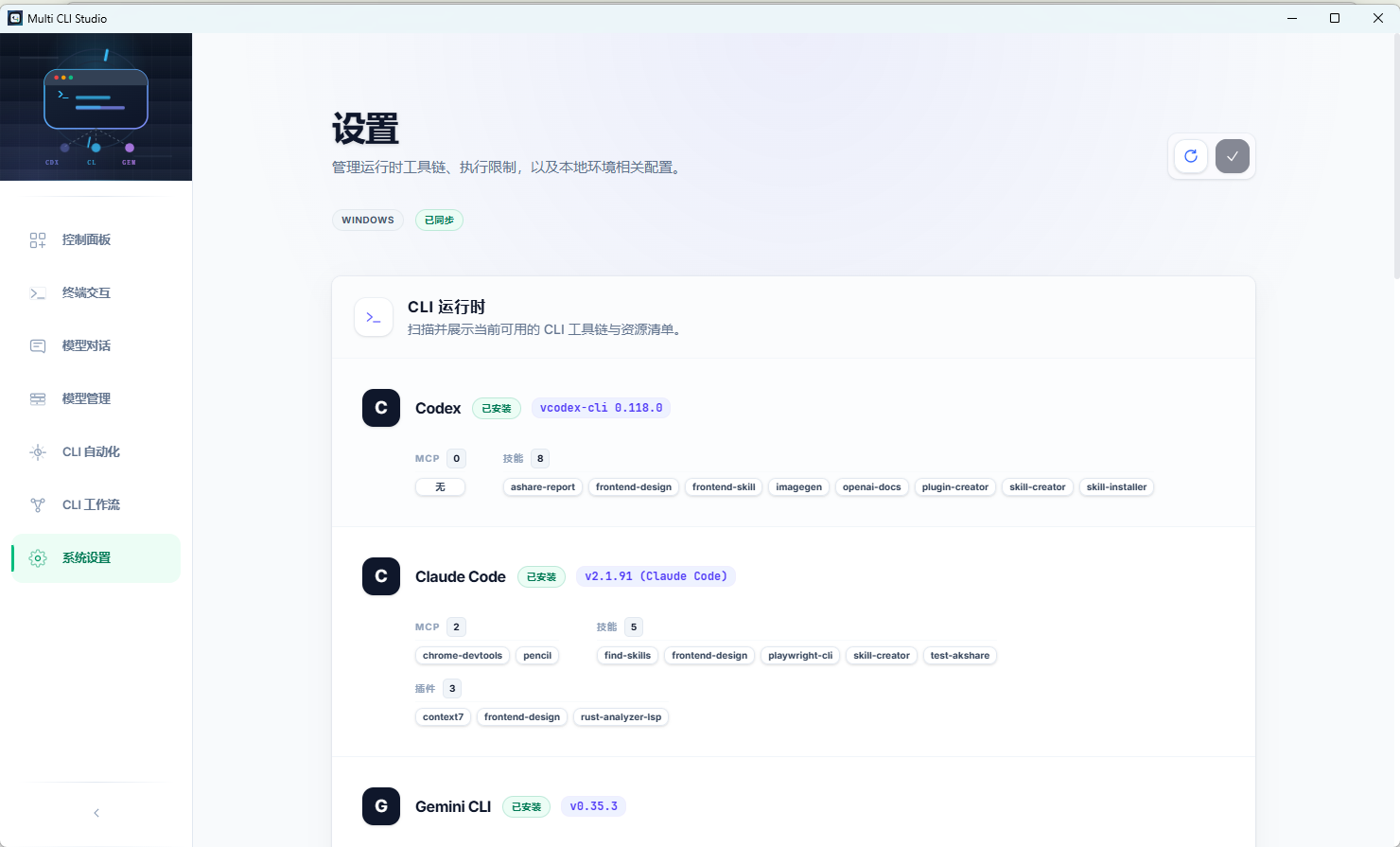
Settings
Current Capabilities
Terminal and CLI Workspace
- unified desktop surface for
Codex,Claude, andGemini - persistent sessions and chat-like execution history
- streaming output rendered directly into the UI
- slash commands for model, permissions, effort, plan mode, context, and session controls
- integrated git side panel to keep working-tree changes visible during execution
Model Chat and Provider Layer
- provider-backed chat for
OpenAI-compatible,Claude, andGemini - per-turn model switching inside the same conversation thread
- local provider management with editable API key, base URL, enable state, and model catalog
- useful for side-by-side comparison, quick iteration, and non-CLI model usage
Automation and Workflow Layer
- automation jobs with execution summaries, state, and logs
- workflow editor and workflow run canvas for multi-step flows
- repeatable local orchestration for AI-assisted tasks
Local Runtime and Persistence
- local-first storage with SQLite and JSON
- Tauri 2 desktop runtime with Rust backend and React frontend
- CLI and local resource detection in Settings
- release workflow and version sync tooling already wired into the repo
Main Pages
Dashboard
- workspace snapshot with project root, dirty files, checks, events, and traffic
Terminal
- primary multi-CLI execution page
- combines conversation history, prompt bar, streaming output, slash commands, and git changes
Model Chat
- dedicated provider-based conversation page
- keeps one thread while letting users switch model/provider selection turn by turn
Model Providers
- manage OpenAI-compatible, Claude, and Gemini providers
- edit base URL, API key, enabled state, and refresh model lists
Automation
- jobs, workflow lists, workflow editor, run details, and execution logs
Settings
- inspect installed CLIs, local runtime resources, and environment-related state
Tech Stack
Frontend
- React 19
- TypeScript
- Vite 7
- React Router DOM 7
- Zustand
- Tailwind CSS 4
- Monaco Editor
- ECharts
- react-markdown + remark-gfm
Backend
- Rust 1.88
- Tauri 2
- rusqlite
- serde / serde_json
- chrono / uuid
- reqwest
- lettre
- cron
Project Structure
multi-cli-studio/
├─ src/
│  ├─ components/
│  │  ├─ chat/
│  │  └─ modelProviders/
│  ├─ layouts/
│  ├─ lib/
│  └─ pages/
│     ├─ DashboardPage.tsx
│     ├─ TerminalPage.tsx
│     ├─ ModelChatPage.tsx
│     ├─ ModelProvidersPage.tsx
│     ├─ ModelProviderEditorPage.tsx
│     ├─ AutomationJobsPage.tsx
│     ├─ AutomationWorkflowsPage.tsx
│     ├─ AutomationWorkflowEditorPage.tsx
│     ├─ AutomationJobEditorPage.tsx
│     └─ SettingsPage.tsx
├─ src-tauri/
│  ├─ src/
│  │  ├─ main.rs
│  │  ├─ automation.rs
│  │  ├─ storage.rs
│  │  └─ acp.rs
│  ├─ tauri.conf.json
│  └─ Cargo.toml
├─ docs/
│  └─ screenshots/
├─ scripts/
│  ├─ run-tauri.mjs
│  └─ sync-version.mjs
├─ .github/
│  └─ workflows/
│     └─ release-desktop.yml
├─ README.md
├─ README.zh-CN.md
└─ package.json
Getting Started
Prerequisites
- Node.js 20+
- Rust 1.88+
- Tauri CLI 2
- Windows: MSVC build tools
- macOS: Xcode Command Line Tools
Install
npm install
Run Frontend Only
npm run dev
Run Desktop App
npm run tauri:dev
Build
npm run build
npm run tauri:build
Scripts
npm run dev: start Vite dev servernpm run build: type-check and build frontendnpm run preview: preview the built frontendnpm run tauri:dev: run the Tauri desktop app in developmentnpm run tauri:build: build desktop bundlesnpm run tauri:android: run Android flow through the wrapper scriptnpm run version:sync -- <version>: syncpackage.json,Cargo.toml, andtauri.conf.jsonnpm run version:check -- <version>: verify version metadata alignment
Provider Notes
Gemini Base URL
Recommended:
https://generativelanguage.googleapis.com
Also valid:
https://generativelanguage.googleapis.com/v1beta
Do not put models/...:streamGenerateContent or ?key=... into the base URL field.
Data Storage
Application data is stored in local app-data directories:
- Windows:
%LOCALAPPDATA%\multi-cli-studio - Linux:
~/.local/share/multi-cli-studio - macOS:
~/Library/Application Support/multi-cli-studio
Common files:
terminal-state.dbsession.jsonautomation-jobs.jsonautomation-runs.jsonautomation-rules.json
Release
The repo already includes a desktop release workflow:
.github/workflows/release-desktop.yml
It synchronizes version metadata, builds the Tauri desktop bundle, and uploads the macOS DMGs, Windows installer, and latest.json update feed to GitHub Releases.
The current distribution flow is intentionally low-cost:
- It does not rely on Apple Developer ID or notarization.
- macOS builds use ad-hoc signing, so first launch may require manually allowing the app in
Privacy & Security. - In-app updates still require a real Tauri updater keypair: put the public key in
src-tauri/tauri.conf.jsonand configure the private key in GitHub Actions secrets.
Full setup and release steps:
License
MIT. See LICENSE.
Finally,Thanks to everyone on LinuxDo for their support! Welcome to join https://linux.do/ for all kinds of technical exchanges, cutting-edge AI information, and AI experience sharing, all on Linuxdo!
Reviews (0)
Sign in to leave a review.
Leave a reviewNo results found