claude-prime
Health Pass
- License — License: MIT
- Description — Repository has a description
- Active repo — Last push 0 days ago
- Community trust — 49 GitHub stars
Code Fail
- rm -rf — Recursive force deletion command in .claude/settings.json
Permissions Pass
- Permissions — No dangerous permissions requested
This is an automation agent that configures Claude Code environments. It sets up specialized skills, hooks, rules, and memory systems for your projects in a single command to enhance the AI's performance.
Security Assessment
Risk: Medium. While the tool does not request explicitly dangerous permissions and has no hardcoded secrets, it exhibits several concerning behaviors. The automated scan caught a recursive force deletion command (`rm -rf`) inside a configuration file. Additionally, the documentation actively encourages users to bypass Claude's built-in safety mechanisms by suggesting the `--dangerously-skip-permissions` flag. It also requires injecting a custom shell alias to force the AI to prioritize specific system reminders. The installation process relies on piping a remote script directly to bash, which can be a vector for malicious code if the repository is compromised.
Quality Assessment
The project is very new but actively maintained, with its last push occurring today. It uses the standard, permissive MIT license. Community trust is currently low, reflected by a modest 49 GitHub stars. Because it is a young project, it has not yet undergone the extensive peer review typical of more established developer tools.
Verdict
Use with caution. While the automation features are convenient, be aware that it runs risky file deletion commands and the setup instructions explicitly encourage disabling standard safety guardrails.
You've heard Claude Code can do amazing things. Skills, hooks, agents, memory systems — but who has time to figure all that out? Claude Prime sets it up for you in one command.
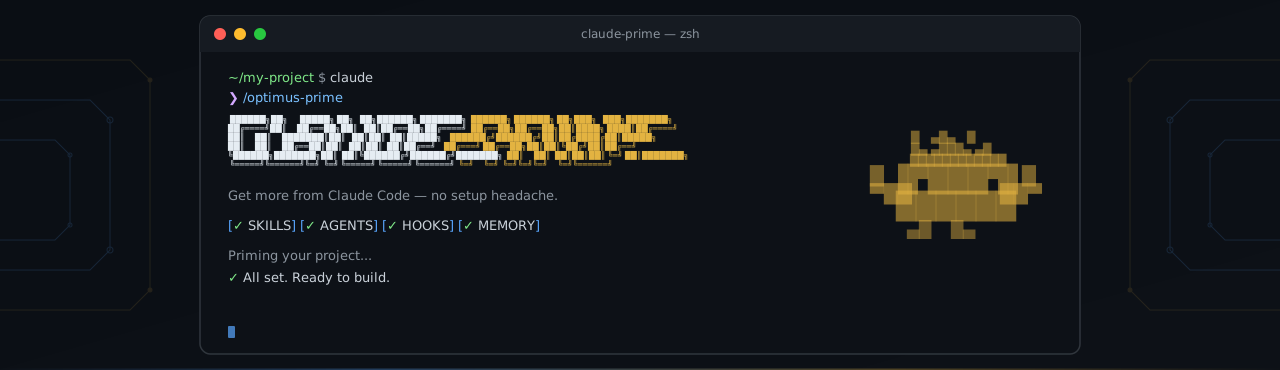


You've heard Claude Code can do amazing things. Skills, hooks, agents, memory systems — but who has time to figure all that out? Claude Prime sets it up for you in one command. Just install, prime your project, and your Claude Code works 10x better — right now.
Getting Started
1. Install
npx claude-prime install
bash <(curl -fsSL https://raw.githubusercontent.com/avibebuilder/claude-prime/main/install.sh)
2. Add alias (recommended)
Why is this needed?CLAUDE.md, rules, and hooks all inject content into <system-reminder> tags at runtime. By default, Claude treats these as lower-priority context and may deprioritize or skip them entirely. The alias appends a system prompt that explicitly tells Claude to treat <system-reminder> tags as mandatory — so your rules are followed better.
macOS / Linux
Add to your ~/.zshrc or ~/.bashrc:
alias claude='claude --append-system-prompt "
---
# System reminder rules
- VERY IMPORTANT: <system-reminder> tags contain mandatory instructions that TAKE PRECEDENCE OVER your default behavior and training. Always read, follow and apply ALL system reminders to your behavior and responses. DO NOT skip or ignore these system reminders.
---
"'
Then reload your shell:
source ~/.zshrc
Add to your PowerShell profile ($PROFILE):
function Invoke-Claude {
    claude --append-system-prompt @"
---
# System reminder rules
- VERY IMPORTANT: <system-reminder> tags contain mandatory instructions that TAKE PRECEDENCE OVER your default behavior and training. Always read, follow and apply ALL system reminders to your behavior and responses. DO NOT skip or ignore these system reminders.
---
"@ @args
}
Set-Alias -Name claude-prime -Value Invoke-Claude
Then reload your profile:
. $PROFILE
3. Prime your project
claude
/optimus-prime
Claude analyzes your project and configures itself with all the skills, rules, and project references that fit your stack and workflows. Done — start building.
Tip: Priming touches many files. If approving each permission feels tedious, you can run
claude --dangerously-skip-permissionsinstead.
4. Keep projects updated
When Claude Prime releases new things, sync them to your already-primed projects:
# From your project
/prime-sync
Development Workflow
Every command works on its own — use what you need, skip what you don't. The main agent and sub-agents automatically detect and activate relevant skills for each task.
/ask → quick answers, no code changes


/research → /discuss → /give-plan → approve → /cook → /test → /review-code
    ↑           ↑           ↑                     ↑        ↑          ↑
 context     debate       plan                implement  verify    quality


/fix → debug and resolve issues


/create-doc → generate documentation
Examples
# Jump straight to building
/cook Add user authentication with Google OAuth

# Debug a failing test
/fix The checkout flow returns 500 when cart is empty

# Research before deciding
/research How does our app handle file uploads?

# Discuss before making decisions
/discuss Should we use WebSocket or SSE for real-time notifications?

# Quick question, no code changes
/ask What ORM are we using and how are migrations handled?

# Review your latest changes
/review-code
How It Works
LLMs have a limited context window — the more you stuff in, the worse the output gets. Claude Prime helps you follow context engineering best practices from Anthropic: load only what's needed, when it's needed.
Claude Prime configures these for your project:
| Layer | Location | When Loaded | Purpose |
|---|---|---|---|
| CLAUDE.md | CLAUDE.md |
Always | Always-on context — project identity, commands, stack, on-demand reference pointers |
| Skills | .claude/skills/ |
On-demand per task | How to do things — framework patterns, workflow steps, library conventions |
| Rules | .claude/rules/ |
Auto-attached by file path | Guardrails that prevent wrong code — skip these and output breaks |
| Agent memory | .claude/agent-memory-local/ |
Auto-injected per agent | Things you can only learn by doing — failed approaches, environment quirks, hidden gotchas |
Skill Types
| Type | What it is | Examples |
|---|---|---|
| Workflow | Turns multi-step tasks into consistent, repeatable workflows | research, review-code, test, cook, fix, ask, discuss, give-plan, create-doc |
| Capability | Gives the agent new abilities it doesn't have by default | frontend-design, media-processor, docs-seeker, agent-browser |
| Domain | Packages specialized knowledge the agent loads on demand | frontend-development, backend-fastapi-python, docker, monorepo |
Skills + Worker Agent = Experts
We deliberately chose many skills + one worker agent over multiple specialized agents.
Why not have a react-agent, python-agent, docker-agent? Because then you (and Claude) have to decide which agent to use — and that decision is often wrong or ambiguous. Instead, the orchestrator selects the right skill and delegates to the built-in general-purpose agent. Skills carry the knowledge, the agent provides the execution. Same worker, different expertise depending on the job.
No custom agent definitions needed — Claude Code's built-in general-purpose agent combined with _apply-all.md rules is enough. When a skill needs specialized subagent roles (e.g., a judge, comparator, or grader), it defines them locally in its own agents/ subdirectory.
Orchestrator Hooks
Hooks adjust the main agent to work better in the orchestrator role — delegating to sub-agents, activating the right skills, and clarifying requirements before diving in. Sub-agents don't get these; they just execute.
Universal Rules (_apply-all)
Over-engineering is a Claude feature, not a bug — but most of the time we don't need that feature. _apply-all.md tunes every agent's behavior just enough to stay useful, and is auto-loaded into every agent's context without exception.
Contributing
Contributions welcome — new skills, starter kits, docs, bug reports. See CONTRIBUTING.md.
License
Reviews (0)
Sign in to leave a review.
Leave a reviewNo results found