phase-runner
Health Pass
- License — License: MIT
- Description — Repository has a description
- Active repo — Last push 0 days ago
- Community trust — 23 GitHub stars
Code Fail
- exec() — Shell command execution in hud/hooks/client/data/status.ts
- exec() — Shell command execution in hud/hooks/core/derive/history.ts
Permissions Pass
- Permissions — No dangerous permissions requested
No AI report is available for this listing yet.
Your whole product team, not just a coding agent. Plan → design → build → QA, with you as the PM who signs off.
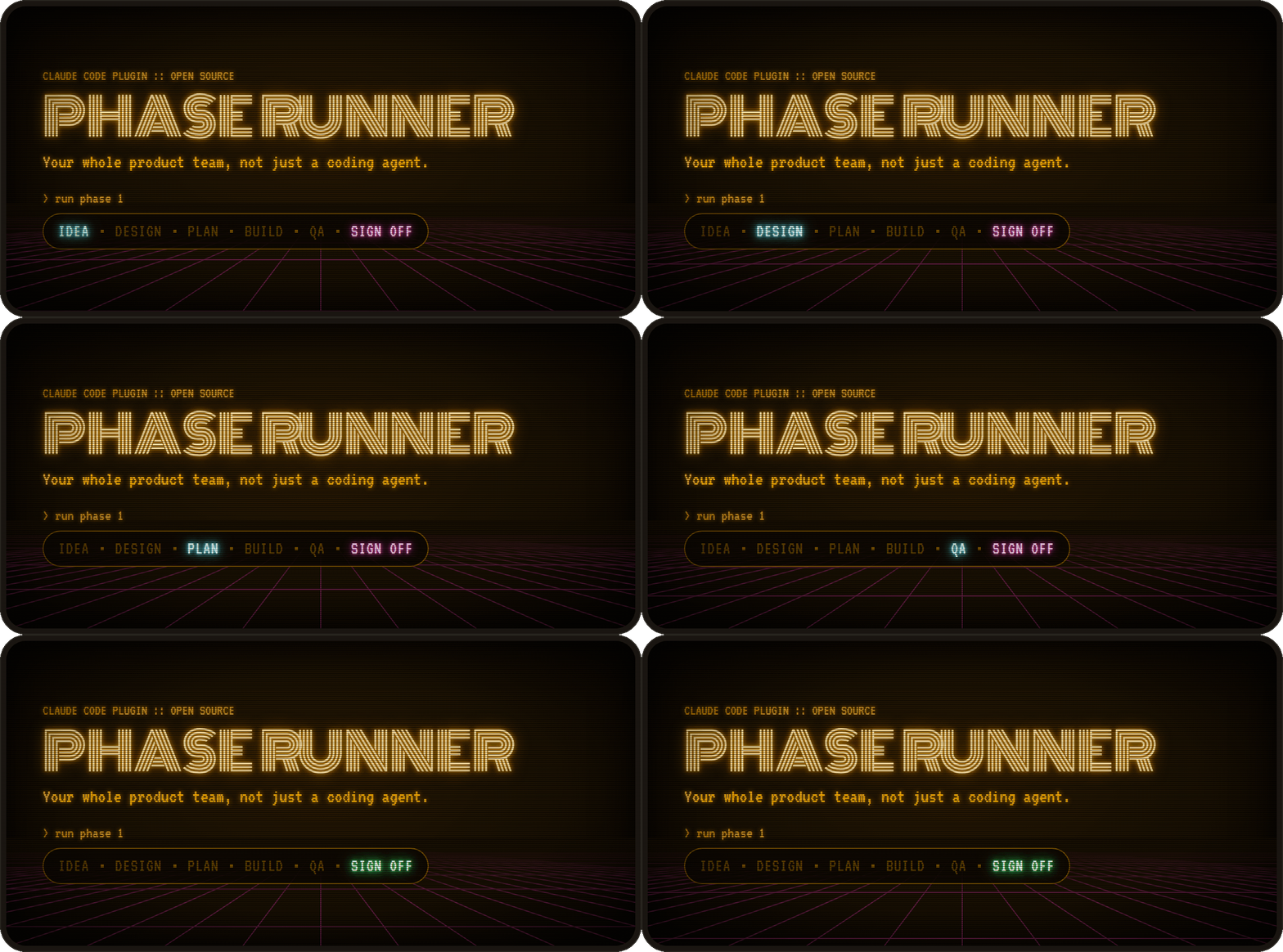
Phase Runner
Your whole product team, not just a coding agent.
Plan → design → build → QA, with you as the PM who signs off.
Phase Runner is a set of Claude skills that takes a product from a rough idea to shipped code. It plans the work as phases and sprints, locks a design system before any code gets written, builds in parallel waves, and runs independent verification and browser QA on every wave. You approve at the checkpoints; the agents do the loop in between.
Install
Two commands in Claude Code:
/plugin marketplace add AyeJK/phase-runner
/plugin install phase-runner@phase-runner
Skills load as phase-runner:phase-planner, phase-runner:phase-builder, and so on.
Using Cursor or another agent, or want plain skills instead of a plugin? Install with skills:
npx skills add AyeJK/phase-runner
This copies the same nine skills into your project, without the phase-runner: prefix. The HUD is plugin-only.
Experimental: Phase Runner HUD Claude mod (separate install).
How it works

- Plan the product. Starting something new? Tell
product-plannerwhat you want to build. It turns the idea into a product plan: the options, how the data flows, and the open questions to settle. In a Claude app session the plan publishes as an artifact you can share. - Design it. Run
design-plannerto lock in a design system and get HTML mockups of every screen before any code is written. In a Claude app session both publish as artifacts you can share and edit. - Break it into phases. Ask
phase-plannerto turn the product plan, design system and mockups into phase plans, split into sprints and tasks, each with acceptance criteria. - Build it. With the docs in place, say something like "implement phase 1".
phase-buildergets to work, and checks in with you when it hits a blocker or finishes the phase.
Step 4 runs on its own. phase-builder groups sprints into parallel-safe waves and gives each sprint a fresh sub-agent, and UI sprints build against your design system. After every wave, phase-verify runs your build, typecheck and tests and reviews the diff against every acceptance criterion, and phase-wave-test checks UI work in a browser against your design system. A failed wave retries the same sprint with the failure attached, up to three times, then escalates to you. Only phase-doc-sync writes status back to the phase file, so the plan always matches what actually passed. Nothing ships past you.
Local dashboard
phase-viewer is a local dashboard for tracking your phases, sprints and tasks. Monitor your phase builds, wave progress, verification failures and anything that needs your attention. It updates as the files change, and it only reads your project, never writes to it.
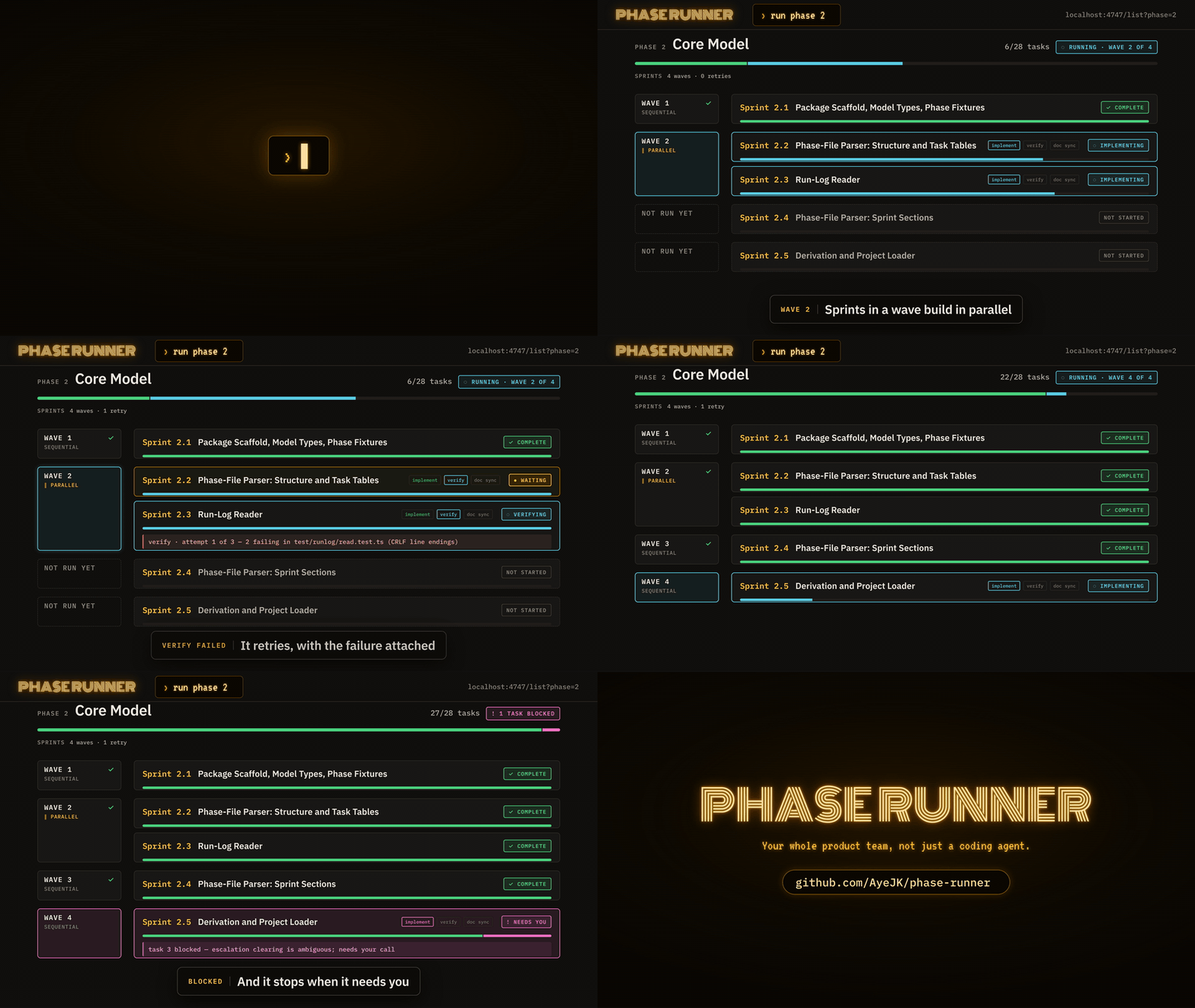
Animated from the run log of Phase 2 of this repo's own build: the real sprints, the verify failure and retry, and the blocker.
In Claude Code, say "open the viewer". The phase-viewer skill starts it in the background and gives you the URL. Ask again later and you get the same URL, since only one viewer runs per project.
Or, from your project folder (the one that holds docs/phases/), in your own terminal:
npx phase-viewer
Local sessions only. The viewer serves on localhost of the machine that runs it. In a cloud or remote Claude Code session, the skill starts nothing and tells you to run npx phase-viewer on your own machine, against your local checkout.
Keep run logs out of git. phase-builder's agents append JSON lines to docs/phases/.runs/: one per gate result, one as each sprint's implementation starts, and one as each task starts and finishes. The viewer reads these logs, but they only make sense on the machine that ran the build, so add this to your .gitignore:
docs/phases/.runs/
Claude integrations
Claude artifacts
In a Claude app session, the two planning skills publish what they write as Claude artifacts: hosted pages you can share and, for the design, edit.
| Skill | From the files | Published as |
|---|---|---|
product-planner |
docs/Plan-{Name}-{date}.html |
The plan as a hosted page |
design-planner |
docs/design/DESIGN.md and design-system.md |
A Design System artifact: the tokens, with design-system.md as its README |
design-planner |
docs/design/screens/*.html |
One Design canvas, with an artboard per mockup, using the project's Design System artifact for its tokens |
Claude Code HUD (experimental)
phase-runner-hud is an experimental mod plugin for Claude Code built on an early-access API. It adds three things:
- A Phase Runner pane beside the conversation: phase-viewer's screens without a browser tab. Every phase with its status and task bar; a phase's waves and sprint cards with their tasks, the failure being retried, acceptance criteria, verification and run notes. While a phase runs, the top of the pane reads
P8 · wave 2 · 8.3 verify 2/3(phase 8, wave 2, Sprint 8.3, in verify, attempt 2 of 3) and follows the run log within about 2 seconds of each gate result. - A toast each time a run stops for you: an escalation (a gate failed on its last allowed attempt), a blocker (an implementer reported a blocked task), or the phase completing.
/phase-status, which opens the pane and prints the phase, how many tasks each sprint has done, the current wave and gate, and when the last event was logged. The mod answers it from the files on disk, with no model call and no tokens.
/plugin install phase-runner-hud@phase-runner
Then start a new session from your project folder, the one that holds docs/phases/. It has two options, both in /config: workspace, for when docs/phases/ isn't in the session's folder, and sound, a short chime with each toast (off by default). hud/README.md has the details.
How it compares
| Phase Runner | Superpowers | Spec Kit | GSD | BMAD | |
|---|---|---|---|---|---|
| Idea → product plan | ✅ | ✅ | ✅ | ✅ | ✅ |
| Design system before code | ✅ | ❌ | ❌ | ✅ | ✅ |
| Parallel build | ✅ | ❌ | — | ✅ | — |
| A separate agent reviews the work | ✅ | ✅ | ❌ | 🟡 | 🟡 |
| Automatic retry on failure | ✅ | ✅ | 🟡 | 🟡 | — |
| Browser QA on UI work | ✅ | ❌ | ❌ | 🟡 | 🟡 |
| Live dashboard of the build | ✅ | ❌ | ❌ | 🟡 | 🟡 |
✅ built into the workflow · 🟡 a command you run · ❌ not included · — not documented
Most of these pieces exist somewhere. Phase Runner is the one where all of them run on their own, on every wave, inside the build loop.
Receipts
phase-viewer was built with Phase Runner: 7 phases, 26 sprints. Sprints 1.1 to 1.3 added the run log itself, so the log picks up at 1.4 and covers the other 23. Here's what it recorded:
- 84 gate results across implement, verify, wave-test and doc-sync
- 3 verify failures, on 2 sprints. Both were fixed by automatic retries, with no help needed
- 5 verify partials. Nothing failed, but a note went on record and the wave moved on
- 9 browser wave-tests, all passed
- 1 escalation, where the run stopped and asked for a human
What verify caught:
- Sprint 4.2. Attempt 1 failed
npm run check: the new browser test usedwindowanddocument, but the project's TypeScript config has no DOM types. Attempt 2 fixed that, then failed again, because at 375px wide every page scrolled sideways by 168px. Attempt 3 fixed the overflow and passed. - Sprint 5.3. Attempt 1 failed typecheck: a test imported a chain of files that reached a
.tsxcomponent, and the root TypeScript build isn't set up for JSX. Attempt 2 moved the shared helper into a plain.tsfile and passed.
The partials were either criteria that verify couldn't check from the command line, such as ones needing a real plugin install (3 sprints), or all criteria met with a note attached, such as files changed outside the sprint's Module column (2 sprints). The escalation was Sprint 7.5, whose last task needed a plugin install and a live phase run on a real machine.
Counted from docs/phases/.runs/ on Sep 29, 2026. Run logs are gitignored, so this section is the published record.
What's in here
Skills you use
These are the five you talk to. Everything else runs on its own.
| Skill | Job |
|---|---|
product-planner |
Turns a rough idea into a rich HTML plan doc — options considered, data flow, open questions. Optional first step. In Claude app sessions it publishes the plan as a hosted page (Claude artifacts). |
design-planner |
Locks a visual design system and per-screen specs before implementation starts. In Claude app sessions it publishes a Design System artifact and a Design canvas (Claude artifacts). |
phase-planner |
Creates and edits docs/phases/Phase-*.md files — the sprint/task source of truth. |
phase-builder |
The orchestrator. Reads a phase file, groups sprints into parallel-safe waves, spawns implementation sub-agents, and won't advance a wave until it passes verification. |
phase-viewer |
Starts the live dashboard (npx phase-viewer) in the background and gives you its URL. Local sessions only. |
Skills phase-builder runs for you
You normally don't call these. phase-builder spawns each one as a sub-agent during a run, with its own narrow job and a structured result it has to hand back.
| Skill | Job |
|---|---|
phase-ui-implement |
Builds UI sprints. Reads your design-system.md first, generic UI-pattern skills second. |
phase-verify |
Runs your build/test/typecheck command, then reviews the wave's diff: a met/not-met verdict with evidence for every acceptance criterion, a check that no test was deleted or weakened, and a check that changes stay inside each sprint's Module column. Serious findings fail the wave and trigger a retry. |
phase-wave-test |
Browser and UI checks on UI sprints, against your project's design-system.md if one exists. |
phase-doc-sync |
The only thing allowed to write status changes back into the phase file. Batches edits, never touches acceptance criteria or task text. |
Why sub-agents, and why the strict handoff order
The orchestrator (phase-builder) never writes code, never runs your test suite, and never edits the phase file directly. Every one of those actions happens in a sub-agent with a narrow, single-purpose prompt, and the orchestrator only advances after reading back a structured result block (SPRINT RESULT, VERIFY RESULT, WAVE TEST RESULT, DOC SYNC RESULT). This is deliberate:
- The orchestrator thread stays cheap and legible. No command output, no tool logs — just one-line status per gate. You can read what happened in a long run without wading through build logs.
- Nothing is "done" because an agent said so. Verify and wave-test are separate passes with their own pass/fail contract. Implementation can't grade its own homework.
- The phase file can't drift. Only doc-sync writes to it, and only after every gate for that wave has actually passed. The viewer's live task progress comes from the run log, so the phase file is still written only by doc-sync.
- Retries retry the same unit of work, not a patched-together "fix" task with no scope boundary. A failed sprint gets re-spawned with the failure injected — same sprint ID, same acceptance criteria,
(retry n)in the description.
The folder convention
your-project/
├── docs/
│   ├── phases/
│   │   ├── Phase-1-Foundation.md
│   │   ├── Phase-2-Core-Feature.md
│   │   └── ...
│   └── design/                    (written by design-planner)
│       ├── DESIGN.md
│       ├── design-system.md
│       └── screens/
│           ├── index.html
│           └── {screen}.md + {screen}.html
└── app/                           (or wherever your actual code lives)
    ├── package.json / pyproject.toml / Cargo.toml / go.mod
    └── src/
Two roots matter and phase-builder resolves both automatically at the start of every run (see plugin/skills/phase-builder/project-layout.md):
- workspace_root — where
docs/lives - app_root — where your code and its manifest file live
Small projects often have these be the same folder. Larger ones split them — useful when you want the phase history to survive a full rewrite of the app itself.
You don't need to create these folders. phase-planner and design-planner make them the first time they run.
Platform support
The only environment-specific pieces — which tool spawns a sub-agent, what type name to give it, and how skill files get loaded — are resolved once per run by plugin/skills/phase-builder/runtime-adapter.md, which discovers what's actually available in your session rather than assuming a specific tool. See that file if you're adding support for a new environment.
What each piece needs:
| Piece | Needs |
|---|---|
| The skills | Any supported host: Cursor, Claude Code, or a host built on the Claude Agent SDK |
| Claude artifacts | A Claude app session whose Artifact tool is present. design-planner's two also need that tool to list the Design System type (for the design system) and the Design type (for the canvas) |
phase-viewer |
Node.js 20 or later, on your own machine |
Optional dependencies
phase-ui-implement and design-planner will use a generic UI-component-pattern skill and a frontend-design-direction skill if you have one installed — they're not bundled here, since good ones are often licensed separately (for example, Anthropic ships example skills like this with its own products). Nothing in this kit requires them; without one, implementation falls back to matching your project's existing components and, absent that, standard accessible-UI defaults. If you have such a skill installed under a name your environment can discover, skill-router.md will pick it up automatically.
Status conventions
| Symbol | Meaning |
|---|---|
— |
Not started |
~ |
In progress |
x |
Completed |
BLOCKED |
Blocked by dependency or issue |
MANUAL |
Yours to do: publish, install on your machine, record, anything outside the codebase |
CUT |
Removed from scope (row preserved for history) |
DEFERRED |
Pushed to a later sprint or phase |
BLOCKED and MANUAL both need you, in different ways. A BLOCKED task is agent work that got stuck: phase-builder stops and asks, and an agent finishes it once you unblock it. A MANUAL task never goes to an agent and never stops the run. phase-builder lists it at the phase checkpoint, and you mark it x when you've done it.
Only phase-doc-sync writes these during an automated run. You can obviously edit the file by hand any time outside a run, or just ask phase-planner to make the change conversationally.
License
MIT — see LICENSE.
Reviews (0)
Sign in to leave a review.
Leave a reviewNo results found