Miffan
Health Pass
- License — License: AGPL-3.0
- Description — Repository has a description
- Active repo — Last push 0 days ago
- Community trust — 11 GitHub stars
Code Fail
- rm -rf — Recursive force deletion command in .agents/skills/publish-release/scripts/classify_release_commits.sh
- process.env — Environment variable access in .github/scripts/publish_r2.mjs
Permissions Pass
- Permissions — No dangerous permissions requested
No AI report is available for this listing yet.
RikkaHub fork,Android AI 客户端。支持 ChatGPT 订阅登录使用、跨应用划词悬浮翻译、助手工作区文件隔离、工作区 Skills 自动发现、文档与 HTML 预览、可定制动态角色。

Miffan
A native Android AI client that brings models, assistants, tools, and local workspaces together.



Miffan is an open-source AI workspace designed for Android. Connect the model services you already use, give different assistants their own prompts, memories, tools, and personalities, and keep conversations and files organized in one native app.
Use an API key with OpenAI-compatible, Gemini, or Claude services, or sign in with an eligible ChatGPT subscription for Codex access. Miffan does not bundle a model or replace a provider account; availability and charges depend on the services you configure.
What makes Miffan different
- One home for different models. Mix official APIs, compatible gateways, self-hosted endpoints, and a Codex subscription without rebuilding your workflow around one provider.
- Assistants are real workspaces. Each assistant can have isolated prompts, model parameters, memory, tools, MCP servers, Skills, visual identity, and conversation history.
- The phone can do more than display chat. Miffan can search the web, work with files, run a local Linux workspace, use device capabilities, and expose the same conversations through a browser.
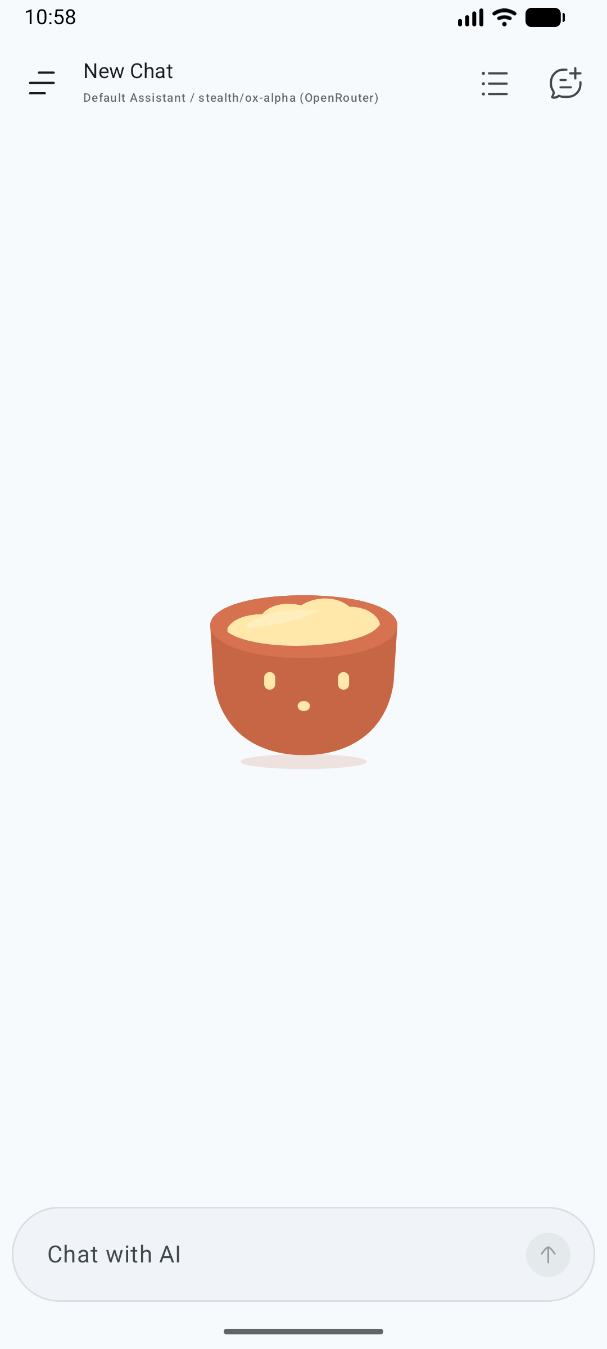
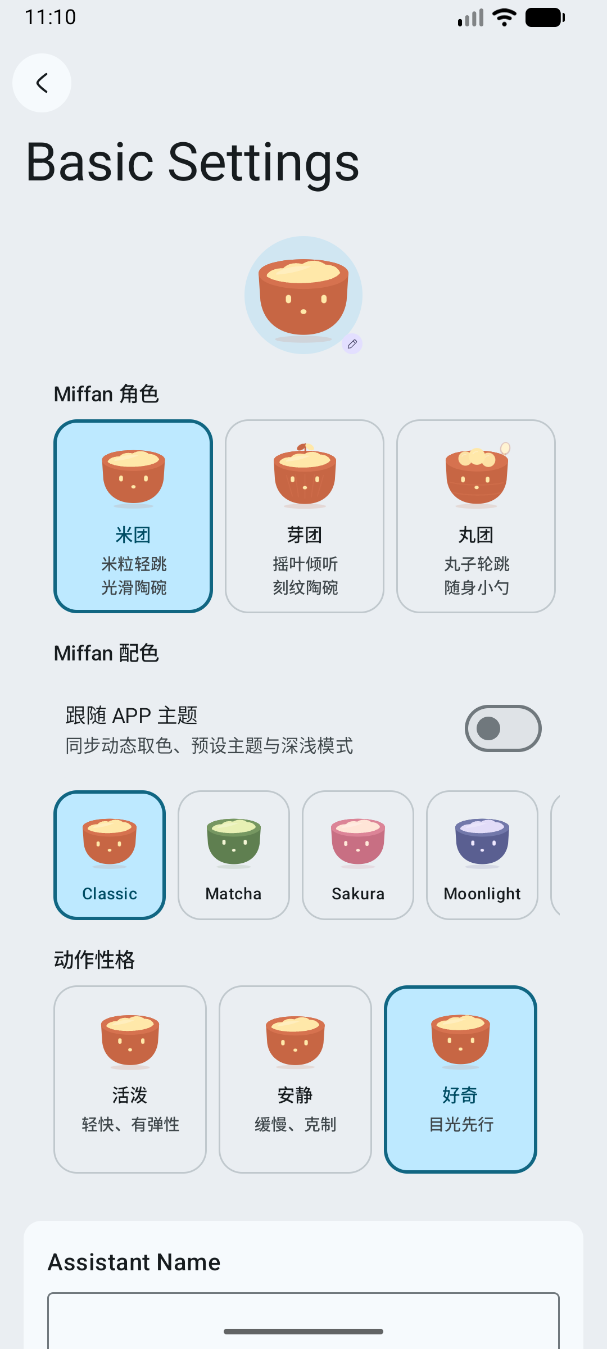
- A character system with purpose. Animated Miffan characters react to time, input, generation, and errors while remaining configurable per assistant.
Screenshots
 |
 |
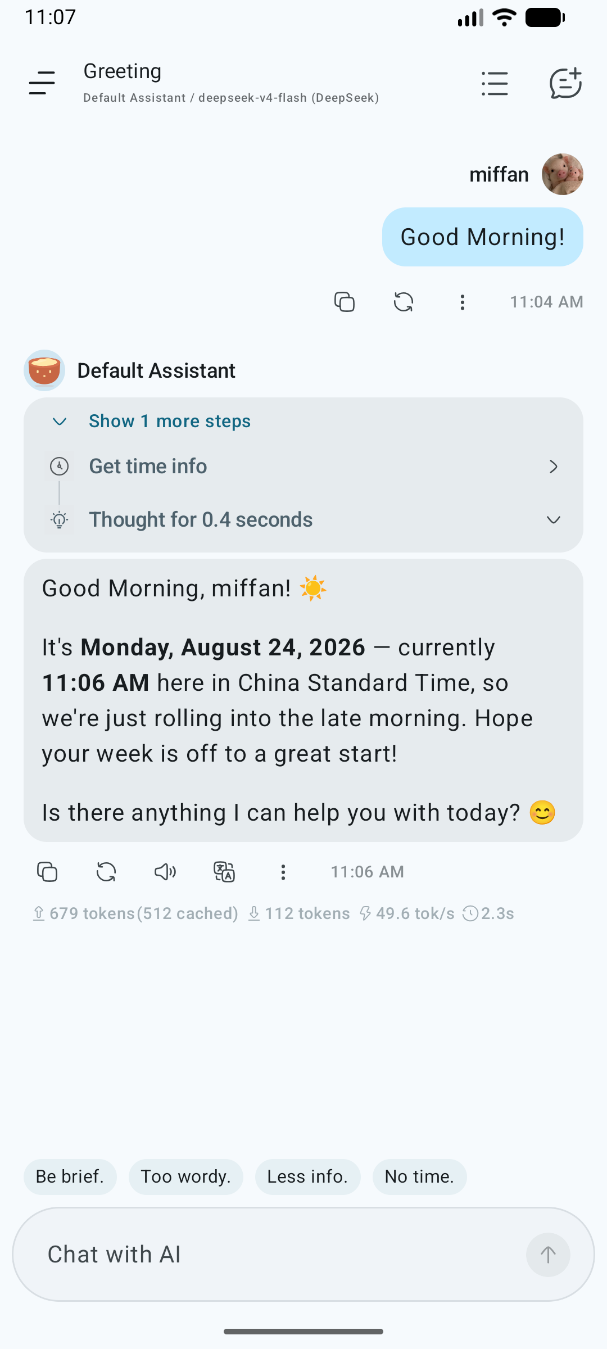 |
| Living mascot | Character styles | Tool-aware chat |
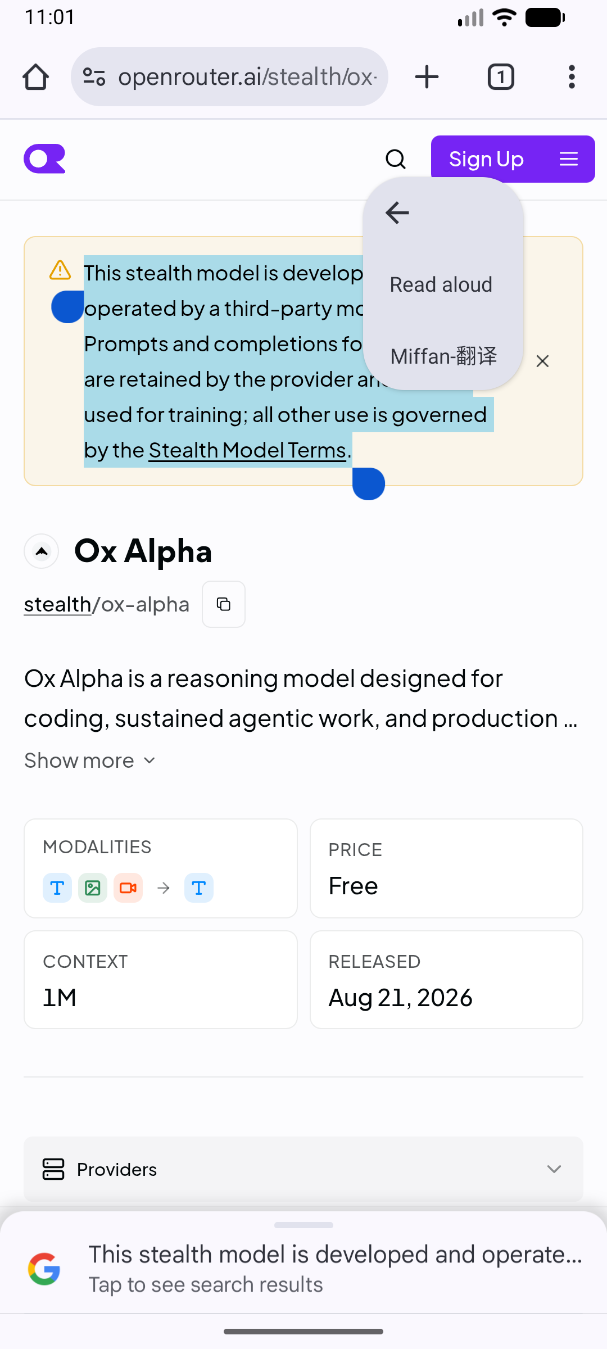
Selected-text translation
Select text in any Android app and choose Miffan-Translate from the text action menu. Miffan shows the translation in a compact floating window without taking you away from the current page.
 |
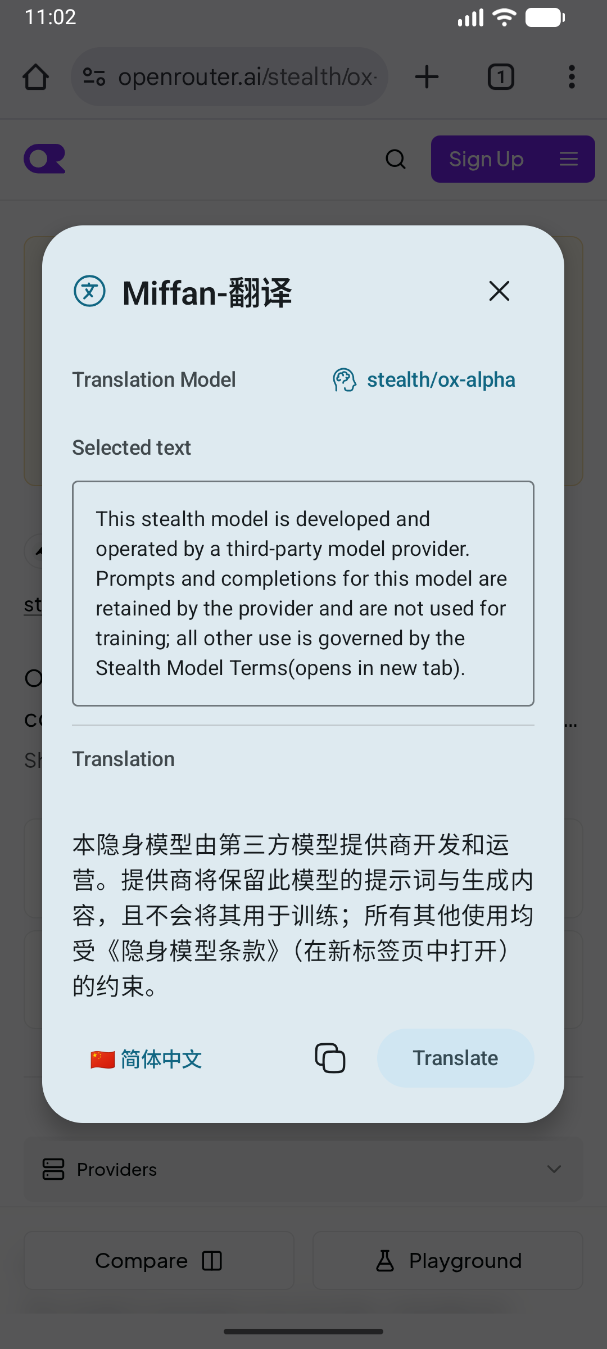 |
| 1. Select text and choose Miffan-Translate | 2. Review or copy the translation |
Features
Models and providers
- OpenAI Chat Completions and Responses-compatible services, Google Gemini and Vertex AI, and Anthropic Claude-compatible services
- Browser-based OpenAI Codex sign-in using access included with eligible ChatGPT subscriptions
- Built-in presets for popular official services and gateways, plus fully custom providers, base URLs, models, request paths, headers, and body parameters
- Model discovery and configurable modality, reasoning, tool-use, context-window, and generation settings
- Authenticated HTTP/SOCKS5 proxy support, custom User-Agent, connection testing, and optional provider balance queries
- Chat, reasoning, tool calls, image generation, and multimodal input according to the selected model's capabilities
Conversation experience
- Streaming responses, message editing and regeneration, response branches, favorites, folders, and local full-text search
- Per-conversation system prompts, history compression, automatic titles, follow-up suggestions, token usage, and generation statistics
- Images and document attachments; local text extraction for PDF, DOCX, PPTX, and EPUB when needed
- Rich Markdown and HTML rendering with syntax highlighting, LaTeX, tables, Mermaid diagrams, images, and diffs
- Export conversations as Markdown or images, share content into Miffan, and hand shared text to a selected assistant
Assistants and Miffan characters
- Independent assistant configuration for models, prompts, sampling parameters, context limits, request customization, and chat backgrounds
- Memory, references to recent chats, preset messages, quick messages, regular-expression transforms, mode injections, and lorebooks
- Import Tavern character cards in JSON or PNG format
- Four Miffan character kinds, six curated palettes, three motion profiles, and optional app-theme color synchronization
- Semantic animations for idle, thinking, success, error, typing, submitting, attention, and time-of-day scenes, with reduced-motion support
Tools and extensions
- MCP over SSE or Streamable HTTP, including OAuth flows and per-assistant server selection
- Install and manage Skills from files, GitHub repositories, and the Skill.sh catalog with guarded install targets
- Web search through Bing, Tavily, Exa, SearXNG, Brave, Perplexity, Firecrawl, Jina, Grok, and other services, plus custom JavaScript search adapters
- Optional local tools for time, clipboard, JavaScript, text-to-speech, user questions, screen time, and calendar events
- Isolated local Linux workspaces with files, an editor, a terminal, working-directory context, and AI file/shell tools
Voice, translation, and browser access
- Configurable speech recognition through OpenAI Realtime, DashScope, Volcengine, MiMo, and Step
- Android system speech plus configurable TTS services including OpenAI, OpenRouter, Gemini, MiniMax, Qwen, Groq, xAI, MiMo, ElevenLabs, Fish Audio, and Step
- In-app AI translation and Android selected-text translation in a compact floating window
- Optional local web server for browser access on the device or LAN, with password authentication, localhost-only mode, and mDNS discovery
Data and portability
- Conversations and settings are stored in the app's local database
- Selective local backup and restore, backup reminders, WebDAV, and S3-compatible storage
- Import provider settings and conversations from Chatbox, provider settings from Cherry Studio, and compatible backups from RikkaHub
- Independent application ID, signing identity, release channel, and deep links; Miffan can coexist with RikkaHub on the same device
See the feature compatibility matrix for the complete provider, search, speech, tool, and portability coverage.
Download and first setup
Miffan currently distributes signed APKs through GitHub Releases. Official releases target arm64-v8a devices running Android 8.0 or newer.
- Install the latest Miffan APK.
- Open Settings → Providers and configure a service, or sign in to OpenAI Codex with a supported subscription.
- Add or discover a model, then select it globally or for a specific assistant.
- Enable search, MCP, Skills, local tools, or a workspace only when you need them.
Miffan uses the application ID me.ayuilos.miffan.app and the miffan:// deep-link scheme. Existing RikkaHub data is not shared automatically; export a backup from the old app and import it into Miffan if you want to migrate.
Beginning with 3.0.0-rc.1, Miffan uses an independent SemVer release line that does not encode a RikkaHub version. Official APKs retain the existing package and production signing identity, so 2.4.11-miffan.1 can be upgraded in place without changing the app's data or database compatibility policy. Nightly workflow artifacts use me.ayuilos.miffan.app.nightly and an ephemeral CI debug signer; they install separately and cannot replace an official build. Nightlies are disposable test artifacts, and the signer may change between runs, so in-place upgrades between Nightlies are not guaranteed.
Security and privacy notes
Miffan is a client: prompts, attachments, and tool data are sent to the model, search, speech, MCP, sync, or other endpoints you choose. Review the privacy policy and pricing of every service you configure. The repository's data-flow disclosures are in PRIVACY.md.
Skills, MCP servers, local tools, and workspaces can access external services or device data within their granted scope. Install trusted Skills, inspect tool requests, and enable only the capabilities an assistant needs.
Read SECURITY.md before enabling LAN access, running workspace commands, or handling sensitive credentials.
Build from source
The project uses Kotlin, Jetpack Compose, Material 3, Gradle, and Java 17.
git clone https://github.com/Ayuilos/Miffan.git
cd Miffan
./gradlew assembleDebug
Useful verification commands:
./gradlew test
./gradlew lint
app/google-services.json is optional. Builds without an authorized configuration keep Firebase analytics and crash reporting disabled. Production signing and release steps are documented in docs/releasing.md.
Repository modules
| Module | Responsibility |
|---|---|
app |
Compose UI, data, assistants, conversations, tools, and application services |
ai |
Provider abstraction and OpenAI, Gemini, and Claude protocol implementations |
search |
Web search and page-content service integrations |
speech |
Speech recognition, synthesis, and playback |
document |
PDF, DOCX, PPTX, and EPUB text extraction |
workspace |
Isolated local filesystem and shell environment |
web / web-ui |
Embedded server and browser client |
highlight, material3, common |
Rendering and shared infrastructure |
Project history and attribution
Miffan began as a community fork of RikkaHub and continues to incorporate selected upstream improvements. It is now maintained as an independent application with its own product identity, character system, package name, signing certificate, release line, and feature development. RikkaHub is treated as a selective code input rather than a product-version source; the review and provenance rules are documented in the upstream synchronization policy.
Upstream copyright and attribution are retained as required by the license. Miffan is not an official RikkaHub release.
Contributing
Issues and pull requests are welcome. For substantial changes, open an issue first so the product direction and implementation scope can be discussed. When reporting a bug, include the Miffan version, Android version, provider type, and reproducible steps, but remove API keys and private conversation content.
Before submitting a pull request, please read the contribution guidelines.
License
Miffan is released under the GNU Affero General Public License v3.0.
Reviews (0)
Sign in to leave a review.
Leave a reviewNo results found