projectionlab-mcp
Health Warn
- License — License: MIT
- Description — Repository has a description
- Active repo — Last push 0 days ago
- Low visibility — Only 7 GitHub stars
Code Pass
- Code scan — Scanned 12 files during light audit, no dangerous patterns found
Permissions Pass
- Permissions — No dangerous permissions requested
No AI report is available for this listing yet.
MCP server for ProjectionLab: read and safely edit your retirement plan from any MCP-compatible AI assistant

ProjectionLab MCP Server
Talk to an AI assistant about your retirement plan, and let it read and optionally update your numbers in ProjectionLab for you.
ProjectionLab is a retirement and financial-planning app. This project connects it to an AI assistant that supports MCP servers, such as Claude Desktop or Claude Code, so you can ask questions in plain English about your actual plan. The assistant reads and edits your plan; ProjectionLab itself runs the projections, so you see the results (charts, Chance of Success) in the app.
- "Walk me through what my plan assumes: returns, inflation, spending, and when Social Security starts."
- "Copy my plan as 'Returns -2%' and lower the stock and bond returns by 2 points in the copy, so I can compare the two in ProjectionLab."
- "Raise my travel spending to $12,000 a year." (then check the effect in ProjectionLab)
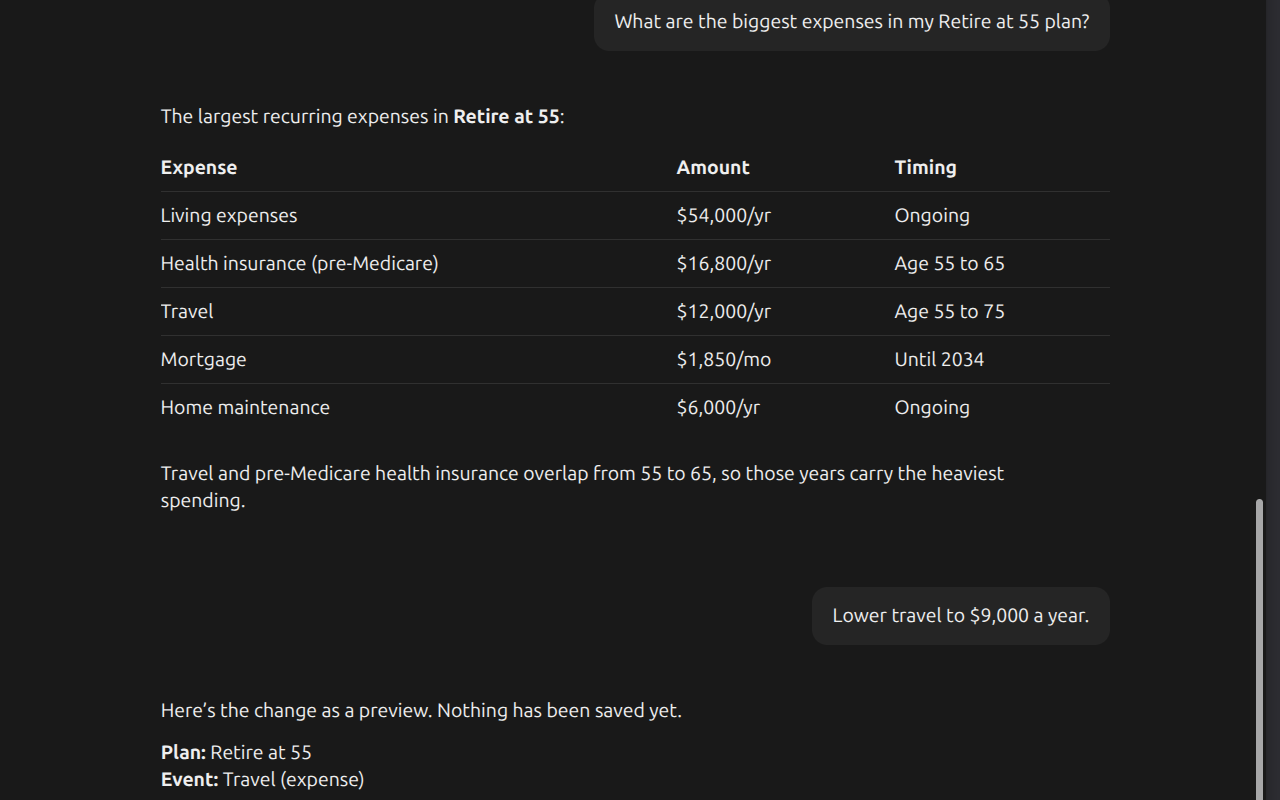
Asking about a plan, then previewing a change before it is saved.
The assistant can look at your plan and walk through tradeoffs with you, and it changes things only when you say so. It starts read-only, previews each change before saving it, and backs up every change so it can be undone. Your API key stays on your computer.
Get started
Paste this into your AI assistant:
Please set up the ProjectionLab MCP server (the
projectionlab-mcpnpm
package) for me. Follow the setup instructions athttps://github.com/Backroads4Me/projectionlab-mcp/blob/main/SETUP-FOR-AGENTS.md.
I'm not technical, so walk me through anything you need from me (like my
ProjectionLab Plugin API key and loading the browser extension) one step at
a time. Keep it in read-only mode until I say otherwise.
Your assistant installs the server, asks for your ProjectionLab Plugin API key, and walks you through a couple of short steps in your browser: loading a small helper extension and entering a connection code in its settings. When it's done, start asking questions about your plan.
If anything gets stuck, tell your assistant what you see on screen; it can troubleshoot from there.
Prefer to set it up yourself? See Manual setup.
Safety
- Read-only by default. The assistant can read your plan but not change it until you set
PL_READ_ONLY=false. - Preview before saving. Every change is a preview until the assistant explicitly confirms it, and the assistant is instructed to show you the preview and ask first.
- Undo. Every confirmed change is backed up first, so it can be rolled back.
- No overwriting your edits. If a plan was saved in ProjectionLab after the assistant read it, the change is refused rather than overwriting your edit.
- Stays on your computer. Your API key and the connection token are stored only on your computer, and the browser connects only to the server running there.
Details are in the safety model and Privacy.
More documentation
- Manual setup: set everything up yourself, step by step.
- Technical reference: host configuration, environment variables, tools, resources, prompts, the safety model, and building from source.
- How it works: the architecture, wire protocol, extension internals, and security.
- Privacy: what the extension and server access and store.
- Setup for AI assistants: the install steps your assistant follows.
Reviews (0)
Sign in to leave a review.
Leave a reviewNo results found