live2d-halfbody-skill
Health Warn
- License — License: MIT
- Description — Repository has a description
- Active repo — Last push 0 days ago
- Low visibility — Only 7 GitHub stars
Code Pass
- Code scan — Scanned 12 files during light audit, no dangerous patterns found
Permissions Pass
- Permissions — No dangerous permissions requested
No AI report is available for this listing yet.
Agent skill (Claude Code) that turns one character illustration into a half-body Live2D avatar for VTube Studio. 一张立绘做出 VTube Studio 半身 Live2D 皮套。
Half-body Live2D Avatar Skill
English | 简体中文
Give an AI agent (such as Claude Code) one character illustration or a text description, and it builds a half-body Live2D avatar for streaming in VTube Studio, step by step. No manual modeling, no Cubism Editor, no mesh editing.
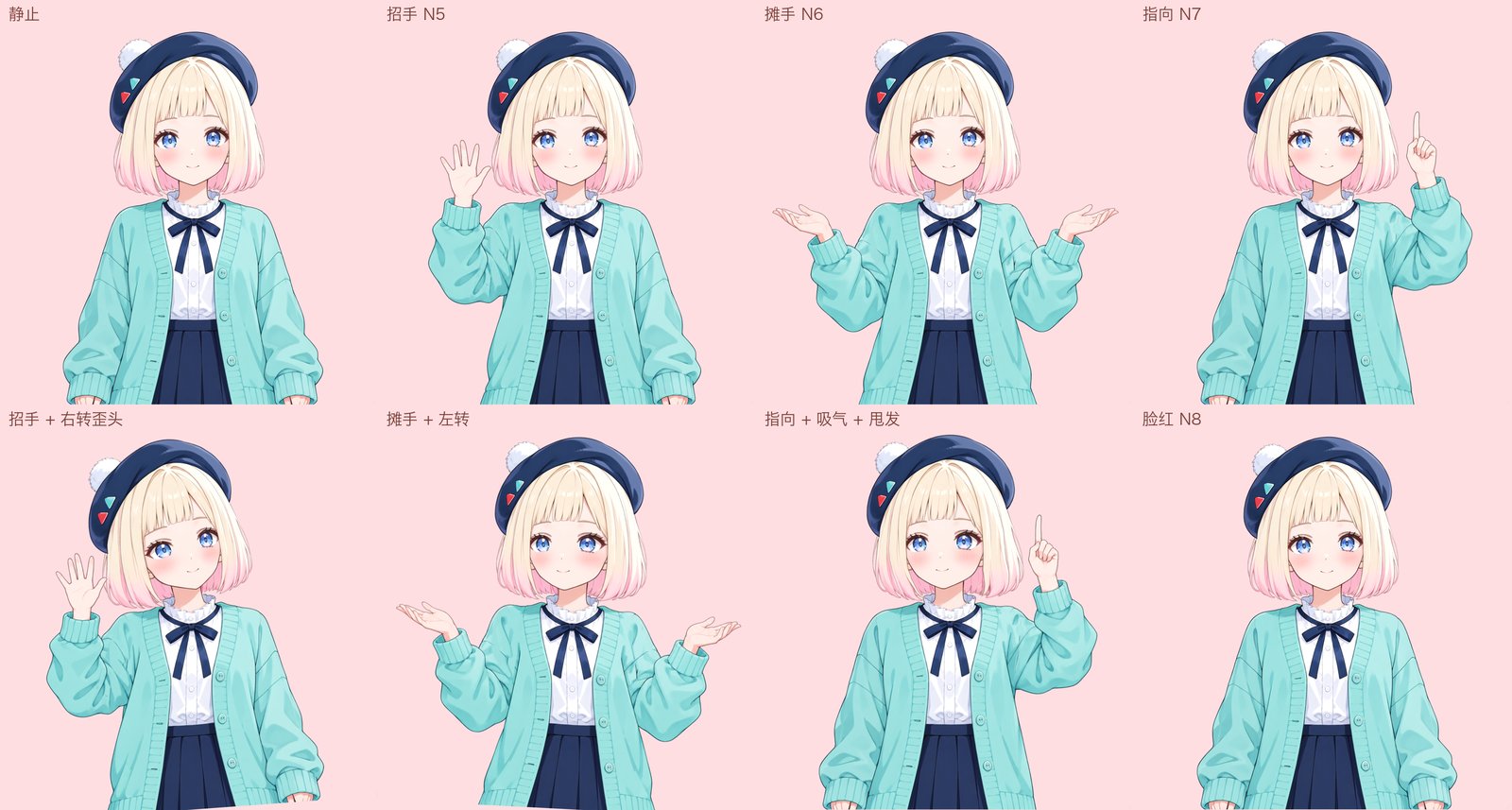

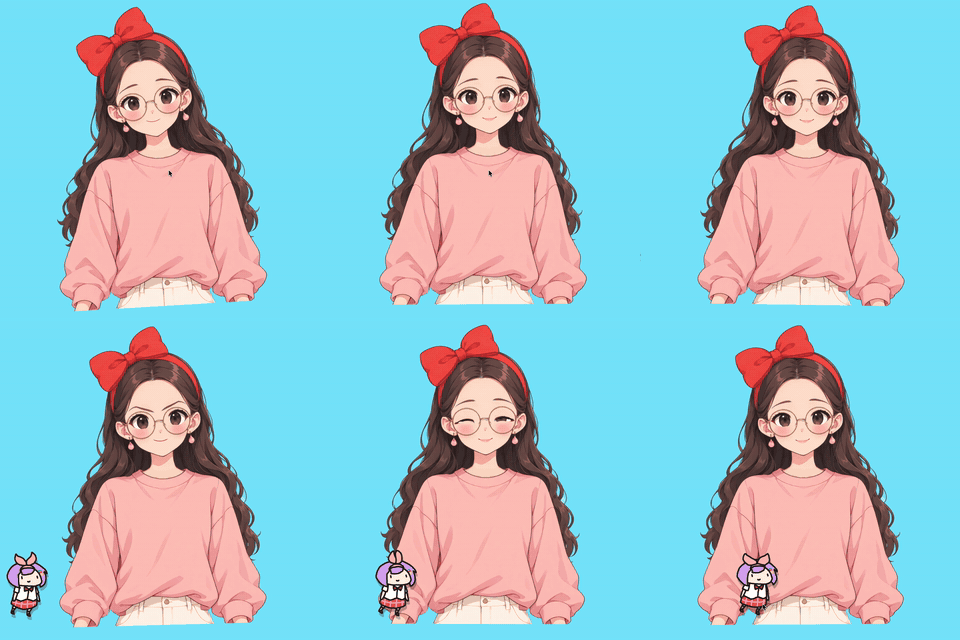
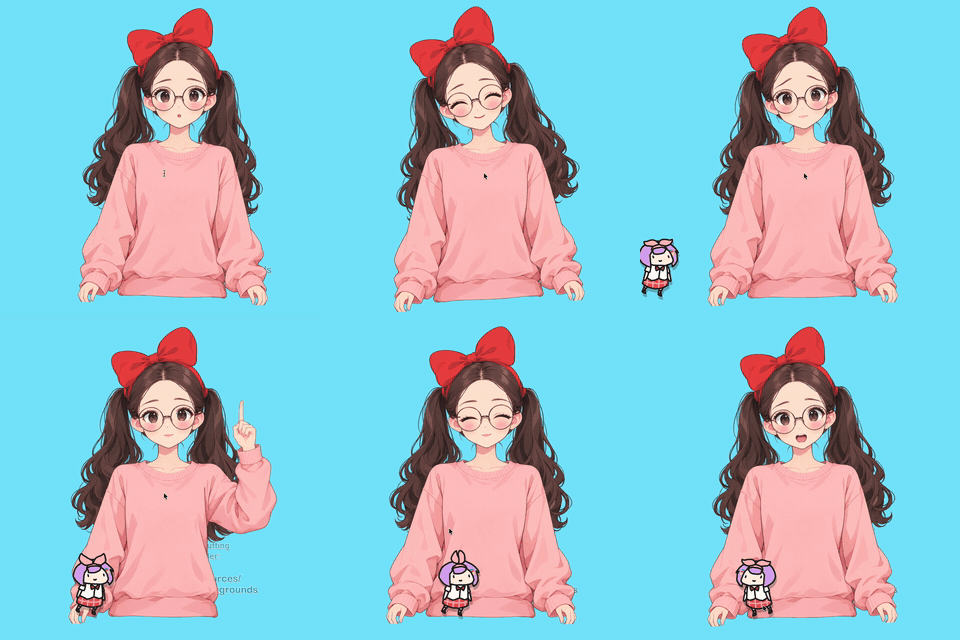
Features
- Head turns left/right and up/down (±30); the body leans when the head tilts; body follow and breathing
- Blinking and winking, eye tracking, eyebrow movement, lip sync, smiling mouth corners
- Hair physics in sections: bangs, side locks (root and tip swing separately), back hair or bun; twin tails each swing from the hair tie; long hair follows the body below the shoulders. Bangs are optional, and the side hair can be tucked behind the ears
- Necklace pendant swings with the body; drop earrings swing from the earlobes
- Glasses follow the face
- Hotkeys: smiling eyes, O-shaped mouth, angry, troubled; wave, open hands and pointing gestures; blush
Not supported: large head turns, full body, arms following the camera continuously.
The output is a model file VTube Studio loads directly (.moc3), not a Cubism Editor project, so the Editor can't open it. For production-grade results (finer physics, more expressions), import the separated layers into Cubism Editor and rig them again. Suited to front-facing half-body characters with short hair, hair past the shoulders or twin tails.
How the illustration is adjusted
The agent redraws your illustration or description into a version that separates cleanly into layers, and you approve it before the next step. The face, hair color, eyes, clothing, palette and art style stay the same; these are adjusted:
- Framing: front-facing half body from the top of the head to the waist, plain white background; arms hang at the sides with a gap from the body, hands empty. The three gestures are edited from this pose.
- Bangs: optional. With bangs, a straight-cut fringe ending above the eyebrows, both eyebrows fully visible so they can move; without, the whole forehead shows.
- Side hair: either one smooth section on each side of the face, covering the ear and ending at the chin, swinging on its own when the head turns; or tucked behind the ears, which stay visible.
- Long hair: hangs behind the neck, shoulders and back, showing only beside the neck and outside the arms; not over the shoulders, chest or arms.
- Twin tails: tied above and behind the ears, hanging behind the shoulders.
- Neck: a stretch of neck shows between the chin and the collar, so the chin slides over it when the head turns.
- Color and light: hair and skin in different colors, hair with a thin outline; flat lighting, no cast shadows. Shadows would shift out of place once the parts move.
- Accessories: glasses stay, drawn with a thin frame and clear lenses without glare; drop earrings stay, with the hair behind the ears; chokers and hanging ribbons are removed; a necklace stays only as a thin chain on the clothing with at most one pendant; hats sit on top of the head without covering the forehead or eyebrows.
- Blush: soft blush on the cheeks.
For hairstyles or accessories outside this list (animal ears, braids), ask the agent to extend the skill: add drawing rules, adjust the layer-splitting and rigging code, then check the result in VTube Studio.
What you do
- Approve the illustration the agent generates.
- Agree to upload it to See-through for layer separation (Hugging Face, ModelScope as backup; not needed when See-through runs on your Mac).
- Check the avatar in VTube Studio against the checklist, then reply "pass" or "fail: what's wrong".
Requirements
- An AI agent that runs skills, such as Claude Code
- Python 3.10+, ffmpeg
- A ChatGPT account: images are generated with the Codex CLI (bundled with the ChatGPT desktop app). Another image tool that can edit images can be used instead (not yet tested on a full character)
- See-through, at least one of:
- Hugging Face, free (preferred, a few minutes per run): create a Read token and put it in the
HF_TOKENenvironment variable or~/.cache/huggingface/token. Without logging in, the daily free quota may not cover one run; logged in, about 1–2 runs a day - ModelScope, free (backup; queued, a run can take half an hour; higher resolution): create an access token and put it in
MODELSCOPE_API_TOKENor~/.cache/modelscope/token - Or run See-through on your own Mac (optional; nothing is uploaded, no quota): tested on Apple silicon with 24 GB of memory, about 21 minutes per illustration. Setup in references/出图.md (“本机跑 See-through”)
- Hugging Face, free (preferred, a few minutes per run): create a Read token and put it in the
- VTube Studio
- Live2D Cubism Core: included with Cubism Editor, or download the free Cubism SDK for Native
Tested on macOS. Not tested on Windows.
Getting started
- Put this repository in your agent's skill folder. For Claude Code:
git clone https://github.com/bellisji233/live2d-halfbody-skill ~/.claude/skills/live2d-halfbody - Install dependencies:
pip install -r requirements.txt - Tell the agent "Make a VTube Studio avatar from this illustration" with the image path, or describe the character you want.
One character takes 19–24 generated images and one See-through run; from illustration to VTube Studio is about an hour, see FAQ.
FAQ
How long does one character take?
Timings from the third character (glasses):
| Step | Time | Who |
|---|---|---|
| 1. Generate the illustration (Codex) | about 1.5 min | Agent |
| 2. Approve the illustration | — | You |
| 3. Generate 14–19 variants: eyes closed, mouth open, hair removed, etc. (Codex, about 1.5 min each) | about 20–30 min | Agent |
| 4. See-through layer separation (Hugging Face, runs alongside step 3) | about 5 min | Agent, asks you before uploading |
| 5. Split layers and merge with the See-through result | about 2 min | Agent |
| 6. Blush and three gestures: 4 more images | about 7 min | Agent |
| 7. Estimate positions, check the art, build the model | about 1 min | Agent |
| 8. Self-check, install into VTube Studio | 1–2 min | Agent |
| 9. Check the avatar in VTube Studio | 5–10 min | You |
Machine time adds up to about 30–45 minutes; with your approval and check, a character can be in VTube Studio within an hour if nothing goes wrong. The number of variants depends on whether the character has a hat or hair accessory, bangs, side hair in front of the ears, and pendants.
When the Codex or See-through quota runs out, the run stops at that step. Run it again once the quota resets; images already generated are not redone.
Language
The skill instructions (SKILL.md, references/) and script messages are in Chinese. The agent reads them as they are; talk to it in any language.
License
MIT, see LICENSE. rigkit/vendor/py-moc3 is MIT, license included. Live2D Cubism Core is not distributed with this skill; it is used under Live2D's license.
Reviews (0)
Sign in to leave a review.
Leave a reviewNo results found