kriko
Health Warn
- License — License: MIT
- Description — Repository has a description
- Active repo — Last push 0 days ago
- Low visibility — Only 5 GitHub stars
Code Pass
- Code scan — Scanned 12 files during light audit, no dangerous patterns found
Permissions Pass
- Permissions — No dangerous permissions requested
No AI report is available for this listing yet.
Know what can go wrong before you buy. Sourced product research, car recalls and comparisons in a desktop app and browser extension.
Kriko




Kriko answers one question about the product you are looking at: what is known
to go wrong with this exact one. It runs on your computer — a desktop app for
Windows, with an Apple Silicon macOS build made from source, and a browser
extension — and keeps the source beside every finding.
Installed catalog lookups work offline. Research uses the agent or model you
choose, and a paid provider bills your own account.
Download the Windows installer ·
Browser extension ·
Website ·
Known problems by product (no app needed)
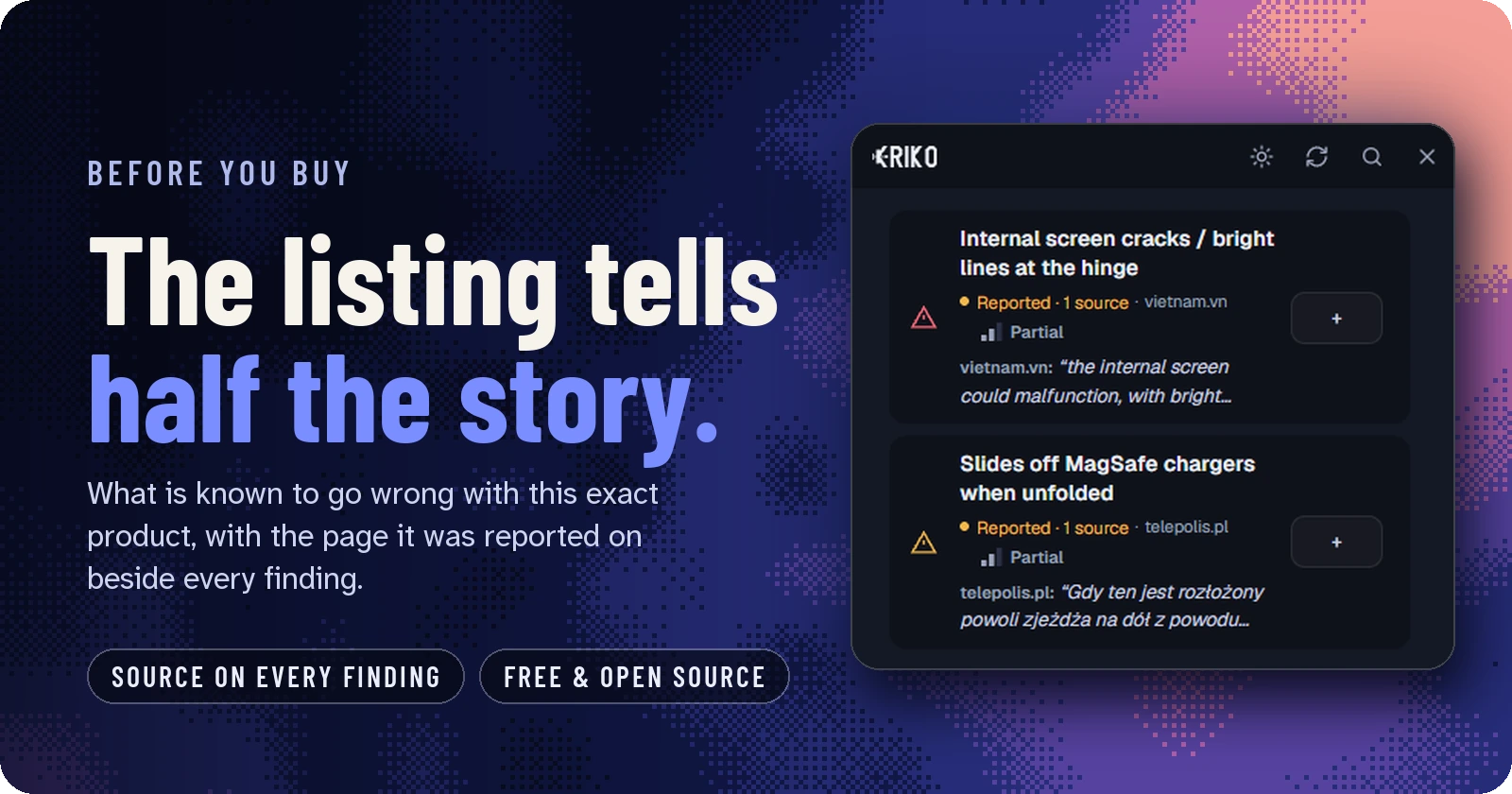
The real panel, from a live run: every finding names the page it came from. Watch the 28-second film · How to use it, step by step
0.3.7 makes the Kriko Agent size its search to the product before it goes out,
so a car with faults in six systems is no longer reported from one. The
companion extension is 0.5.0, a quieter panel with Compare inside it, and mobile
is 0.10.0, with a floating scanner you can drag, open and read. See the
changelog for the release scope.
See it
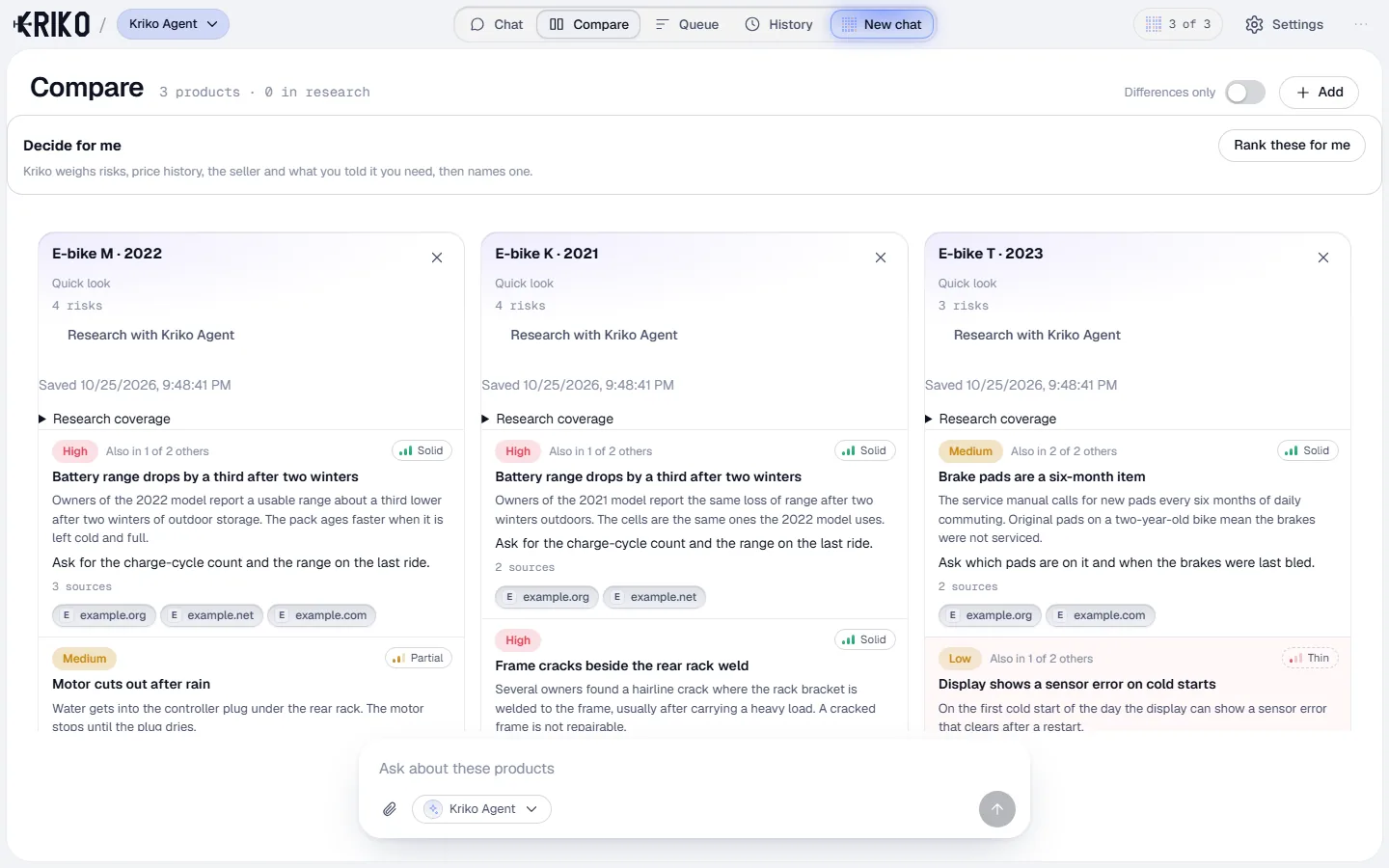
Compare in the desktop app: three listings, the same checks, the sources beside each. |
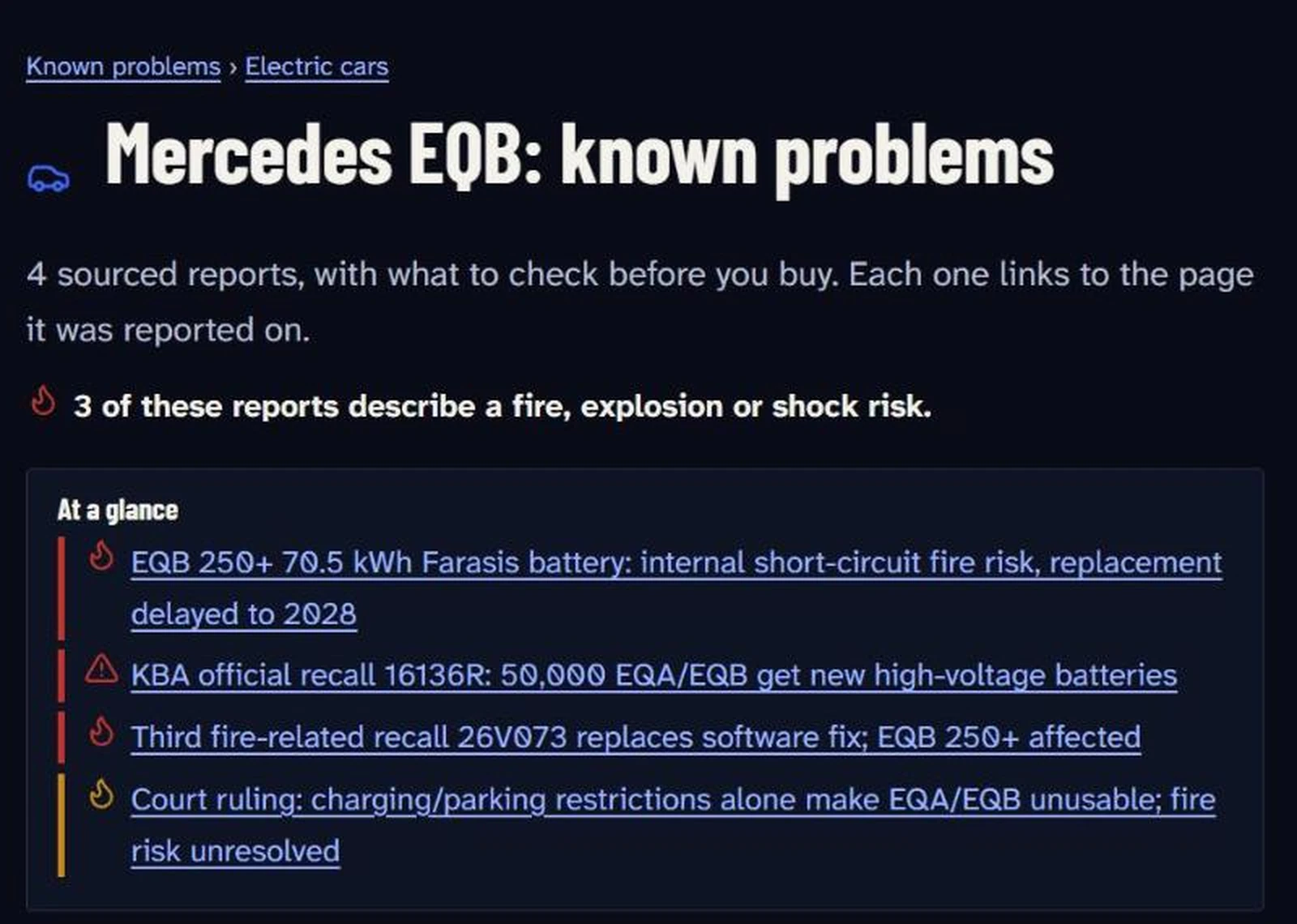
Known problems by product on kriko.cc: no app needed, every report links to its page. |
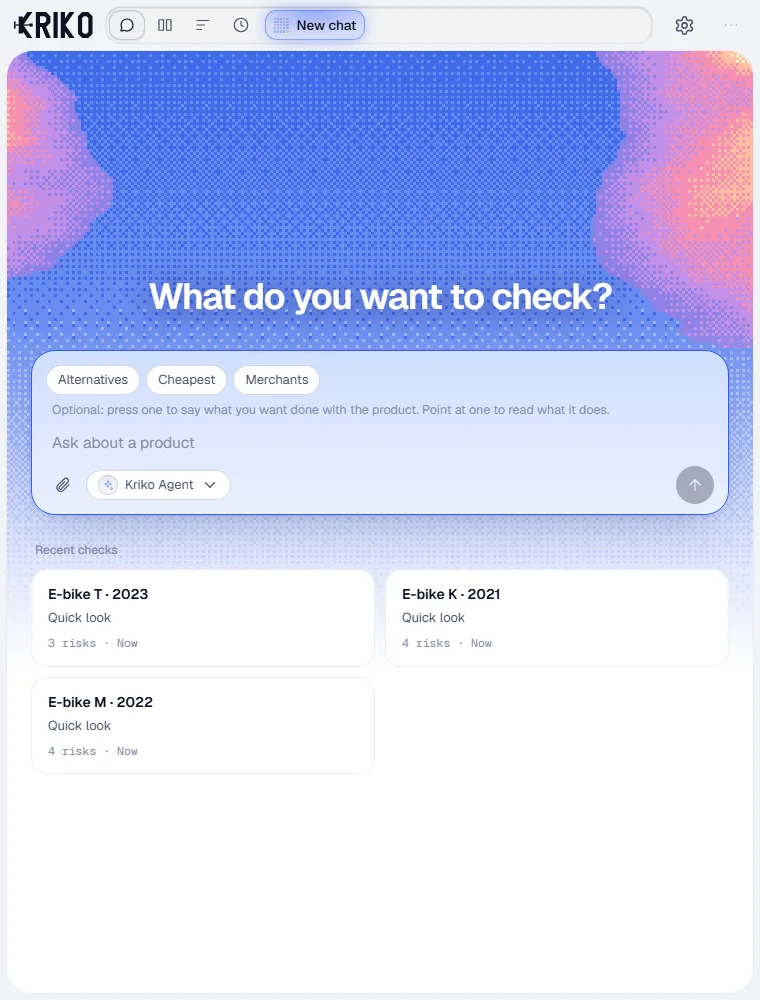
Ask about any product; the answer cites what it read. |
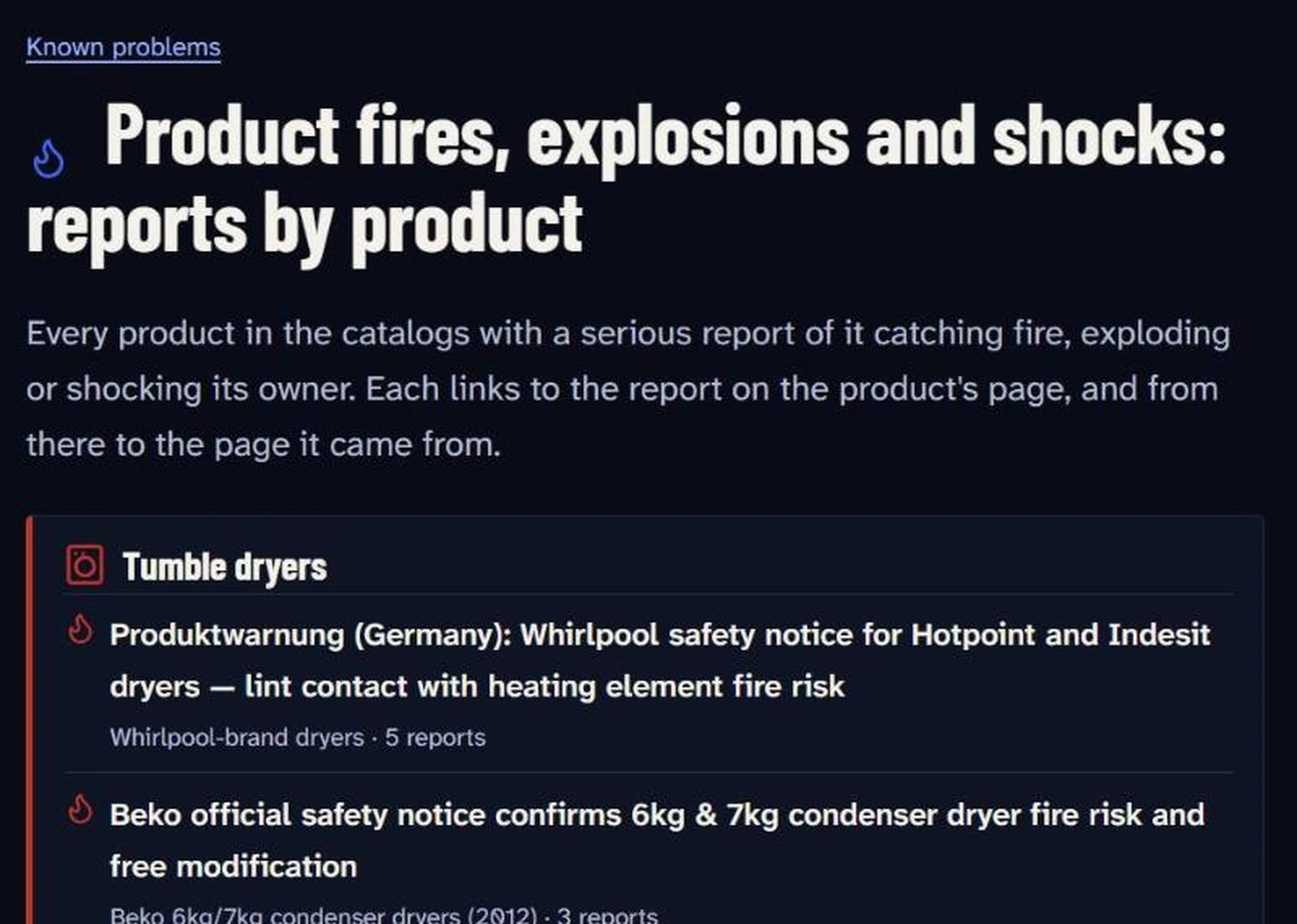
Fires, explosions and shocks, by product: the reports worth knowing before you plug it in. |
Install
| Artifact | Use |
|---|---|
kriko-0.3.8-x86_64-setup.exe |
Per-user Windows installer; no administrator rights required. |
kriko-0.3.8-win64-portable.zip |
Extract the whole archive and open kriko.exe. |
- Open Kriko, choose an agent in More → Agents and press Check connection.
- Open Catalogs → Find release catalogs and install one, or import a
.kpackfile. Research also works with no catalog installed. - Add Kriko to Chrome, Edge or Brave,
keep the desktop app running, and press the toolbar button or Alt + K on a
product listing.
The installer is unsigned, so Windows may warn before it runs. Published desktop
artifacts are Windows x86_64. A native Apple Silicon build is made from source
by the desktop recipe — kriko-ui/package-macos.sh — and is not a release
download yet. Details: Windows installation,
macOS installation.
What it does
- Asks about a product, compares options and continues the same conversation.
- Shows sourced problems, exact variants, specifications and coverage gaps —
beside the listing through the extension, or in the app. - Watches a price, ranks a shortlist to one pick, and asks later whether a
purchase held up. - Keeps catalogs, conversations and research history on your computer.
Kriko Agent is experimental and runs on your own provider keys; shared access and
the trial are in shared access. The app's
screens and how to grow knowledge are in Usage; matching, the
catalog lifecycle and layering are in How it works.
The stack, measured
Kriko Agent is a fixed chain — route the question, read Kriko's own records,
research the web when they do not answer, cite the pages, then act in the app —
and it is compared against the previous code rather than described.
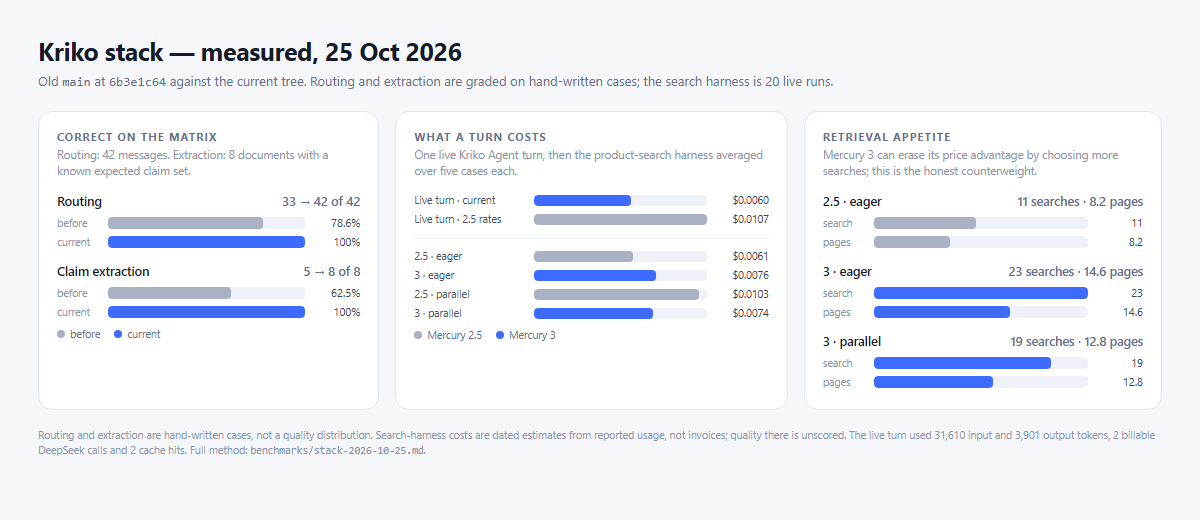
- Routing: the product-failure question reaches the installed records on
42 of 42 test messages, against 33 of 42 before. Ordinary chat and buying
questions do not move. - Claim extraction: 8 of 8 documents keep their expected claims, against
5 of 8 before. The old extractor stopped at the first 6,000 characters. - One live turn: 11.45 s, eight pages read, a corrected premise (that engine
has a belt, not a valve-train chain), the reader's preference saved in For
you, and $0.0060 spent. - The honest cost: the same tokens cost about 44% less on Mercury 3, but
Mercury 3 can choose more searches and erase that advantage. The eager
profile in the product-search harness did exactly that.
The full method, the small-sample caveats and the reproducible commands are in
the benchmark note. This is a measured
development stack, not a scored quality distribution.
Your data
Everything lives in %USERPROFILE%\.kriko on Windows (~/.kriko for a source
installation): knowledge.sqlite holds installed catalogs, app.sqlite holds
history, conversations and settings, and an update or uninstall keeps the folder.
Nothing leaves the machine except the question a research turn sends to the
provider you chose.
Build and verify
Source work needs Python 3.13+, Node and a Rust toolchain for the native shell.
tools/setup.sh
cd kriko-ui && npm ci && cd ..
tools/gate.sh
The gate covers Python, the wheel, the extension and website tests, the desktop
app's TypeScript and behavior, and the native checks; a missing native check is
incomplete, not a passing release. See Architecture, the
desktop build recipe, and
report a problem.
License
MIT.
Later
Our own inference service, a fine-tuned model, and statistical knowledge
extraction from forums.
Reviews (0)
Sign in to leave a review.
Leave a reviewNo results found