Lumina-Note
mcp
Fail
Health Pass
- License — License: Apache-2.0
- Description — Repository has a description
- Active repo — Last push 0 days ago
- Community trust — 852 GitHub stars
Code Fail
- os.homedir — User home directory access in electron/main/agent-v2/opencode-xdg.ts
- process.env — Environment variable access in electron/main/agent-v2/opencode-xdg.ts
Permissions Pass
- Permissions — No dangerous permissions requested
Purpose
This is a local-first Markdown note-taking application and MCP server built with Electron. It provides a modern writing environment with bidirectional links, live preview, and an integrated AI assistant designed to help refine and connect your notes.
Security Assessment
Overall risk: Low. The code accesses the user's home directory and environment variables, but these actions are standard and expected for a local desktop application attempting to locate configuration directories (such as XDG standards). There are no hardcoded secrets detected, and the tool does not request any explicitly dangerous permissions. Because it integrates with AI features, it may make outbound network requests to external model providers for its AI features, though the documentation explicitly emphasizes local data ownership and states you control what gets shared.
Quality Assessment
The project demonstrates strong indicators of health and reliability. It is highly active, with its most recent code push happening today. It has garnered over 850 GitHub stars, showing significant community trust and adoption. The repository includes an Apache-2.0 license, ensuring clear terms for open-source usage. Furthermore, the developers maintain visible automated CI and security audit workflows, which highlights a commitment to code stability and safety.
Verdict
Safe to use.
This is a local-first Markdown note-taking application and MCP server built with Electron. It provides a modern writing environment with bidirectional links, live preview, and an integrated AI assistant designed to help refine and connect your notes.
Security Assessment
Overall risk: Low. The code accesses the user's home directory and environment variables, but these actions are standard and expected for a local desktop application attempting to locate configuration directories (such as XDG standards). There are no hardcoded secrets detected, and the tool does not request any explicitly dangerous permissions. Because it integrates with AI features, it may make outbound network requests to external model providers for its AI features, though the documentation explicitly emphasizes local data ownership and states you control what gets shared.
Quality Assessment
The project demonstrates strong indicators of health and reliability. It is highly active, with its most recent code push happening today. It has garnered over 850 GitHub stars, showing significant community trust and adoption. The repository includes an Apache-2.0 license, ensuring clear terms for open-source usage. Furthermore, the developers maintain visible automated CI and security audit workflows, which highlights a commitment to code stability and safety.
Verdict
Safe to use.
Lumina Note - A modern Markdown note-taking app with live preview, bidirectional links, and AI assistant
README.md

Lumina Note
Local-first AI note-taking app
Your notes stay on your device. Lumina Note helps you write, connect, search, and refine knowledge with AI while keeping data ownership in your hands.










Language: English (default) · 简体中文 · 繁體中文 · 日本語 · 한국어 · Español · Français · Deutsch · Italiano · Português (Brasil) · Русский
Why Lumina Note
- Local-first by design: your vault is local, and you decide what gets sent to model providers.
- Knowledge-centered workflow: Markdown editing, WikiLinks, graph view, and AI retrieval work as one system.
- AI that can actually act: Agent mode supports real editing, planning, and automation tasks.
Download
Get the latest build from Releases:
| Platform | Package |
|---|---|
| Windows | .exe (NSIS) |
| macOS (Universal) | .dmg / .zip |
| Linux | .AppImage |
Screenshots
Features
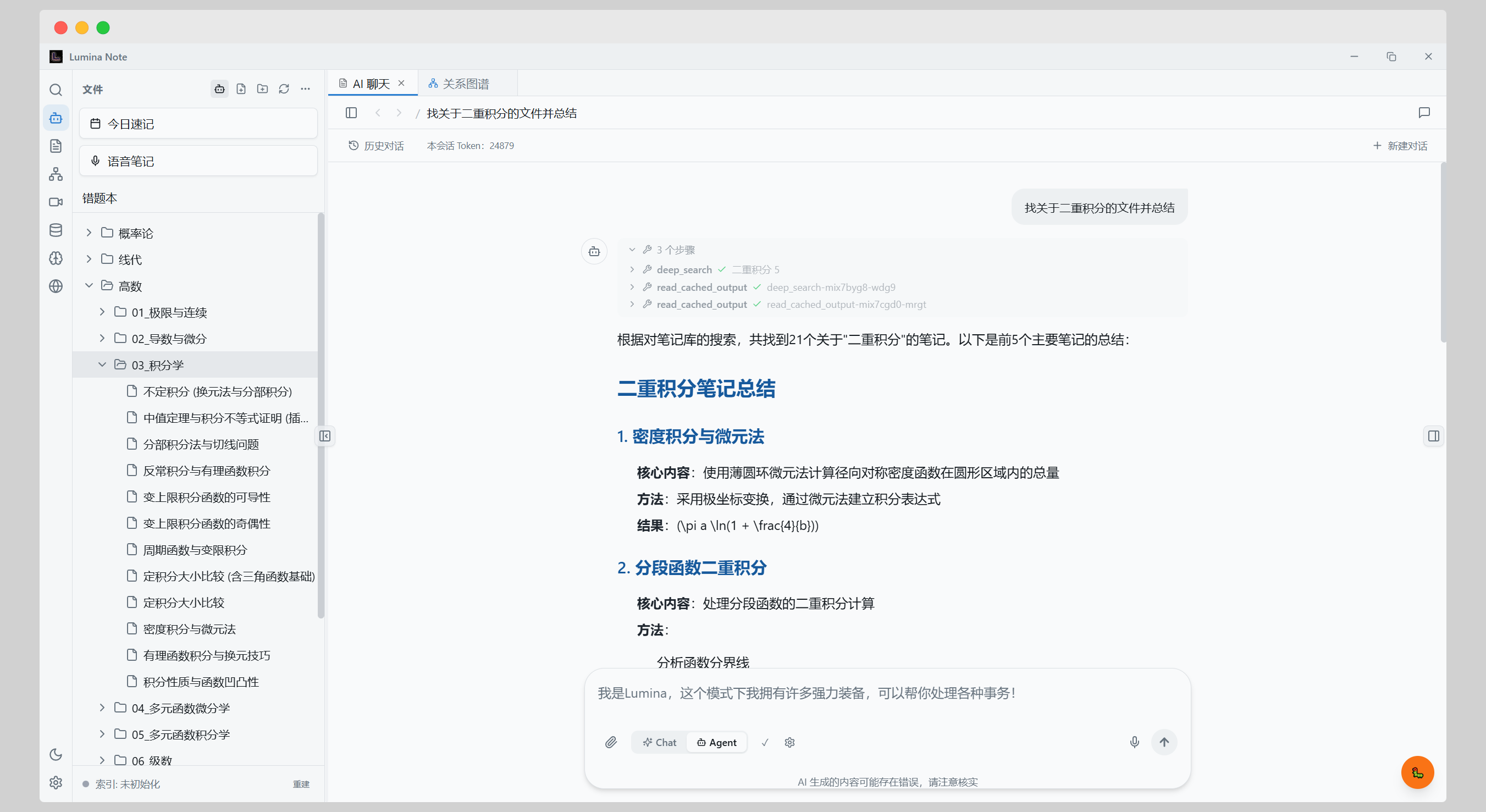
AI workspace
- Agent mode for editing, planning, and task automation
- Multi-provider support: OpenAI / Anthropic (Claude) / DeepSeek / Gemini / Moonshot / Groq / OpenRouter / Ollama
- Orchestrated agent runtime for heavier tasks, with a fast path for simpler requests
- Local semantic retrieval (RAG) from your vault
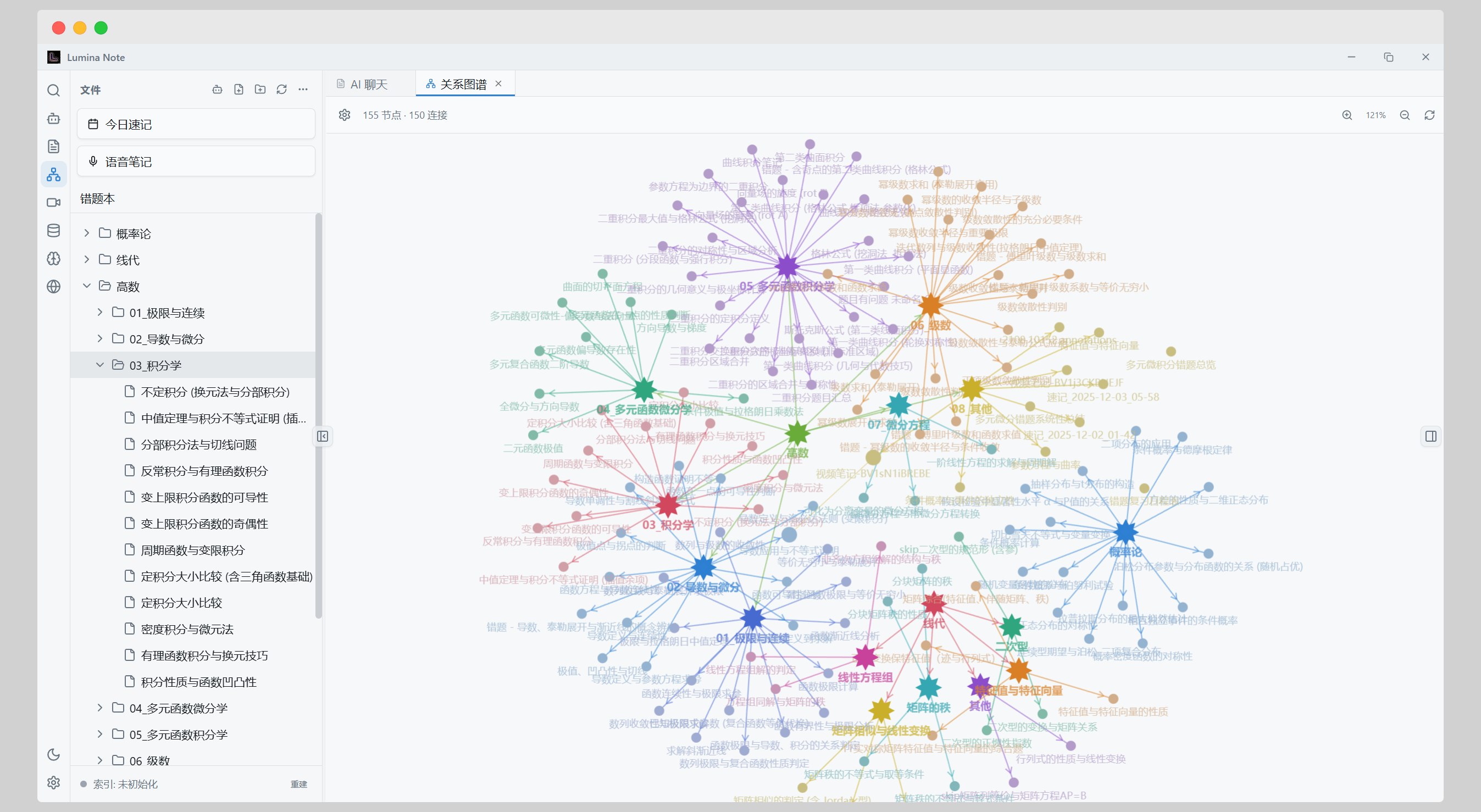
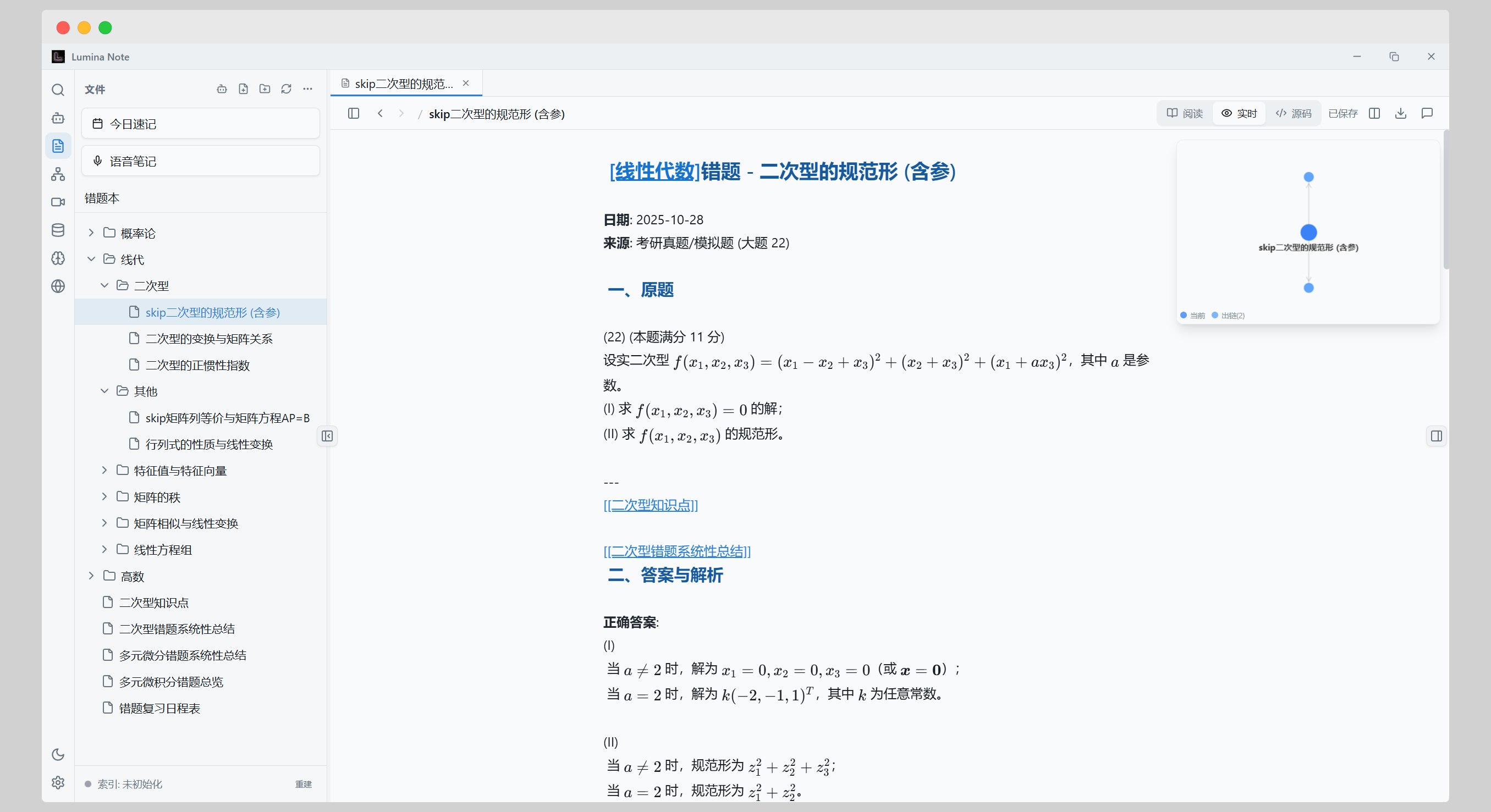
Editor and knowledge graph
- Markdown source / live preview / reading modes
- Bidirectional links with
[[WikiLinks]] - LaTeX, Mermaid, and code highlighting
- Graph visualization for relationships across notes
Reading and capture
- Built-in PDF reader with highlight, underline, and annotations
- Save annotation output as Markdown
- Send selected content directly into AI context
Extra capabilities
- Bilibili video notes with danmaku timestamp sync
- Real-time voice input
- Database views (table / kanban)
- WebDAV sync
- Flashcard review
- 15 themes
Plugin ecosystem (Developer Preview)
- Load plugins from workspace / user / built-in directories
- Runtime permission model for plugin capabilities
- Slash command extension API
- Developer guide:
docs/plugin-ecosystem.md
Quick Start
- Install Lumina Note from Releases.
- Choose a local folder as your vault on first launch.
- Configure a model provider and API key in the AI panel, then optionally choose your preferred model.
- Create your first note and start linking with
[[WikiLinks]].
Guides
Recommended user guides
- English:
docs/user-flow.md - 简体中文:
docs/user-flow.zh-CN.md - 日本語:
docs/user-flow.ja.md
Self-hosted relay (cross-network mobile access)
- English:
docs/self-host.md - 简体中文:
docs/self-host.zh-CN.md
Build from Source
Requirements:
- Node.js 22+
git clone https://github.com/blueberrycongee/Lumina-Note.git
cd Lumina-Note
npm install
npm run dev          # dev (electron-vite + Electron)
npm run build        # production bundle into out/
npm run dist:mac     # sign + package a dmg/zip (also dist:win, dist:linux)
Tech Stack
- Framework: Electron 41 (Chromium + Node.js in the main process)
- Frontend: React 18, TypeScript, Tailwind CSS
- Editor: CodeMirror 6
- State: Zustand
- Agent runtime: Vercel AI SDK + MCP TS SDK (
@modelcontextprotocol/sdk)
Open Source Components
- Editor core: codemirror-live-markdown
Contributors
License
Star History
Reviews (0)
Sign in to leave a review.
Leave a reviewNo results found