frigg
Health Warn
- License — License: MIT
- Description — Repository has a description
- Active repo — Last push 0 days ago
- Low visibility — Only 5 GitHub stars
Code Pass
- Code scan — Scanned 12 files during light audit, no dangerous patterns found
Permissions Pass
- Permissions — No dangerous permissions requested
No AI report is available for this listing yet.
Fast local code intelligence for AI agents powered by AST Treesitter, SCIP, semantic search and a reranker
frigg



Frigg gives AI agents local, source-backed code search and navigation without sending whole repositories through every prompt.
It turns each repository into searchable, navigable context for Codex, Claude, Cursor, and other MCP clients: lexical and hybrid search, symbols, structural queries, definitions, references, bounded reads, and runtime health through one local MCP service.
Frigg is local-first OSS. It builds a repository model under .frigg/, serves it over MCP, and keeps the useful parts plain: a CLI, a local SQLite store, explicit client adoption, cacheable runtime state, and source-backed answers.
Why Frigg
AI coding agents need retrieval as much as generation: the right answer starts with the right repository evidence. Code Context Engine shows the local-index pattern for AI coding agents, where the agent searches through MCP instead of rereading whole files. Sourcegraph Code Search documents production code-intelligence primitives such as full-text search, regular expressions, symbol search, repository scoping, ranking, and code navigation. turbopuffer Hybrid Search shows why lexical/BM25 and vector signals are often combined with rank fusion and re-ranking. Frigg brings that shape to a local OSS MCP service for source-backed agent context.
For individuals, Frigg keeps coding agents grounded in local source instead of broad scans, whole-file dumps, and model-memory guesses. It helps an agent find the right files, read only the source windows it needs, follow symbols, and answer with concrete repository evidence.
For teams, Frigg standardizes how agents inspect a repository. frigg adopt, shared MCP config, CI-cacheable .frigg/ state, local safety boundaries, and repeatable search/navigation tools give every agent session the same evidence layer and vocabulary across large or unfamiliar codebases.
Use Frigg when shell scans stop being enough: broad discovery, exact source windows, symbol and call navigation, structural queries, optional semantic recall, and optional SCIP-backed precision.
What Frigg is not
Frigg is not an AI pair programmer, hosted code intelligence platform, IDE replacement, Copilot alternative, or generic semantic search product. MCP is the delivery channel, not the category; SQLite, Tree-sitter, semantic recall, and SCIP are implementation proof points, not the reason to adopt Frigg.
The narrow promise is source-backed context for AI agents: repository-aware search, navigation, and bounded reads that make agent work easier to verify.
What Frigg provides
- One local MCP service that can serve multiple adopted repositories.
- Local state in
.frigg/storage.sqlite3. - Tree-sitter-backed document symbols and structural search for Rust, PHP, Blade, TypeScript / TSX, Python, Go, Kotlin / KTS, Java, Lua, Roc, and Nim.
- Direct literal, safe-regex, and
rg-shaped code scans withsearch_text. - Broad discovery with
search_hybrid, blending lexical, path, graph, witness, optional semantic, and code-aware ranking signals. - Known-identifier lookup with
search_symbol. - Bounded source reads with
read_fileandread_match(including citation mode). - Multi-probe search with
search_batchand combined impact navigation withimpact_bundle. - Definitions, declarations, references, implementations, incoming calls, and outgoing calls.
- Optional semantic indexing with local, OpenAI, Google, or OpenAI-compatible embedding providers.
- Optional SCIP artifact ingestion and generator assistance for more precise navigation.
- Built-in watch refreshes behind
frigg serve.
Quickstart
1. Install Frigg
Fast path on macOS or GNU/glibc Linux:
curl -fsSL https://raw.githubusercontent.com/bnomei/frigg/main/scripts/install.sh | FRIGG_VERSION=0.9.2 sh
The installer downloads the matching GitHub Release archive, verifies its .sha256, and installs the frigg binary to $HOME/.local/bin unless FRIGG_INSTALL_DIR is set. When FRIGG_VERSION is unset, it resolves the latest GitHub Release.
Other install surfaces:
| Channel | Command |
|---|---|
| GitHub Release installer | curl -fsSL https://raw.githubusercontent.com/bnomei/frigg/main/scripts/install.sh | sh |
| Cargo prebuilt binary | cargo binstall frigg |
| Cargo source fallback | cargo install frigg |
| npm wrapper | npx @bnomei/frigg --version |
| Docker image | docker run --rm ghcr.io/bnomei/frigg:0.9.2 --version |
| Scoop | scoop bucket add frigg https://github.com/bnomei/scoop-frigg && scoop install frigg |
The prebuilt paths are the point: one local binary, no Python 3.11+ runtime, no local C compiler, and no ONNX model download unless you explicitly enable the local semantic runtime.
Build from a local checkout:
git clone https://github.com/bnomei/frigg.git
cd frigg
cargo build --release -p frigg
target/release/frigg --version
Expected output:
frigg 0.9.2
Frigg's source currently requires Rust 1.88 or newer.
2. Index a repository
Run these commands from the repository you want Frigg to index:
frigg init
frigg index
Expected successful output includes:
ok init: complete status=ok
ok index: complete status=ok
From outside the repository, pass an explicit root:
frigg init --workspace-root /absolute/path/to/repo
frigg index --workspace-root /absolute/path/to/repo
3. Choose and start the MCP transport
Frigg supports stdio and HTTP MCP transports. Use this rule before choosing a client config:
| Workflow | Transport |
|---|---|
| One local MCP client, no subagents, and the client should own the Frigg process | Stdio |
| More than one client, subagents, shared workflows, or long-running use | HTTP |
Stdio works, but it is a convenience transport for one local client. It is not the best match for Frigg once work becomes shared, long-running, or agentic. A stdio config makes the MCP client spawn and own a Frigg process. Another client or subagent usually means another Frigg process with its own lifecycle, session state, in-memory caches, and access to .frigg/storage.sqlite3.
HTTP gives Frigg a shared runtime:
- One endpoint for all clients and subagents. Codex, Claude, Cursor, and worker agents can connect to the same
127.0.0.1:37444/mcpservice instead of each spawning their own Frigg process. - Warm process state. Repository registry state, runtime task tracking, search/navigation caches, compiled safe-regex caches, and precise graph caches can live in one service process across client sessions.
- Better freshness behavior.
frigg serveis the long-lived service path, and built-in watch refreshes are designed around that shape. Stdio defaults to an ephemeral profile with watch disabled unless you explicitly opt in. - Lower local contention. One service coordinates access to
.frigg/storage.sqlite3; several stdio processes can duplicate work and make SQLite lock contention harder to understand. - Clearer operations. A single HTTP service has one lifecycle, one log stream, one endpoint, loopback-by-default binding, and optional bearer auth for non-loopback use.
Use stdio only when one local MCP client should launch Frigg directly and no subagent or second client will share the same repository. Use HTTP for normal Frigg use. Stdio is a valid different contract, not broken product: when watch is off (stdio transport default), treat post-edit freshness via path-scoped live reads — do not blame ranking or hybrid for stdio-without-watch staleness. Managed frigg adopt writes HTTP-only MCP server entries (type: http); existing hand-written stdio command entries are left alone unless you pass --force.
For HTTP shared-service mode, run:
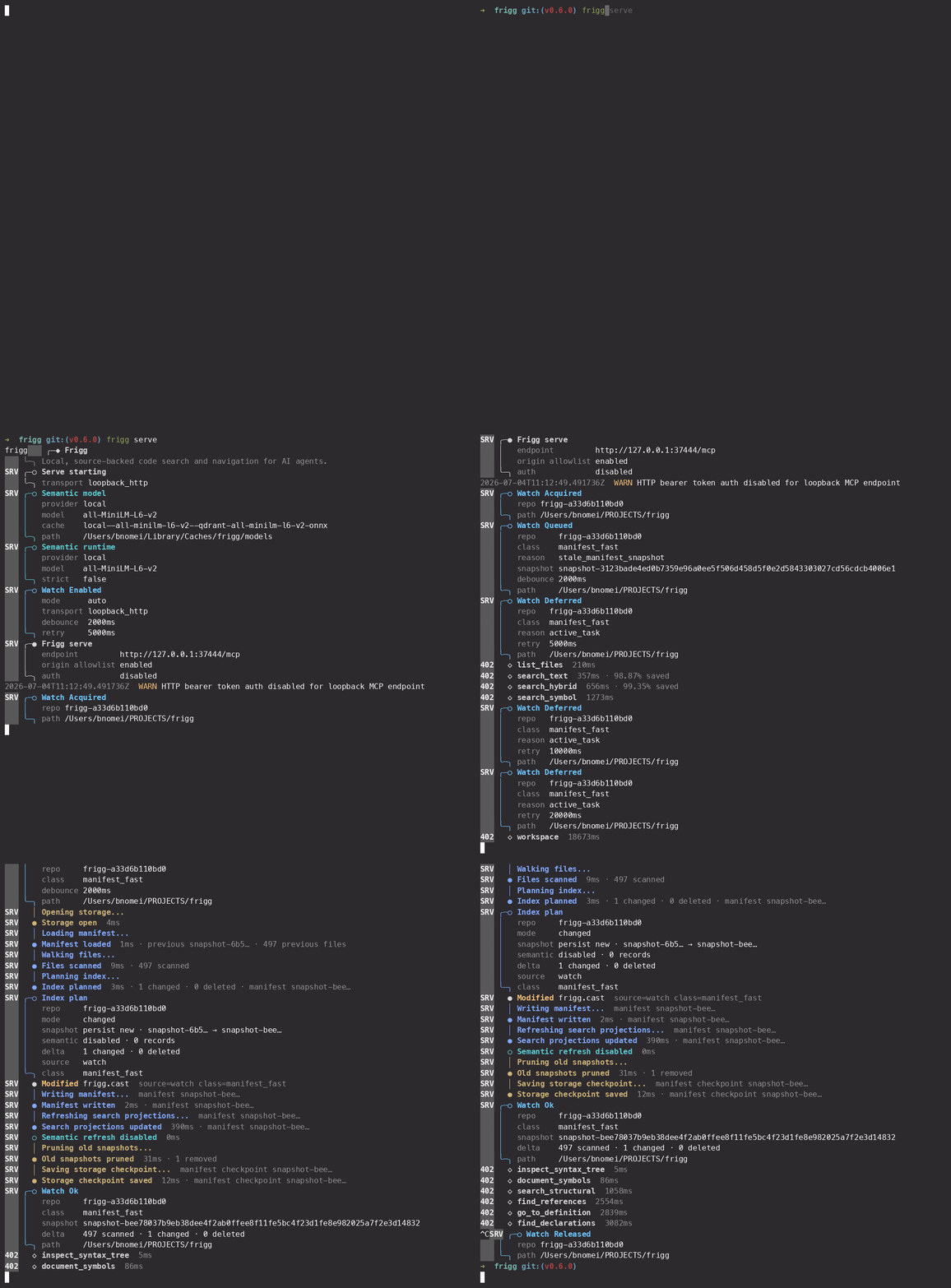
frigg serve
By default, frigg serve listens on loopback HTTP:
http://127.0.0.1:37444/mcp
Keep this process running while clients use Frigg. A server can start without startup roots, and MCP clients can attach repositories later. To preload known repositories at startup:
frigg serve \
  --workspace-root /absolute/path/to/repo-a \
  --workspace-root /absolute/path/to/repo-b
frigg serve is the HTTP service path. Do not use it in a stdio MCP config.
4. Add client configuration
Use frigg adopt to add managed Frigg instructions and MCP config entries to a project:
frigg adopt --target agents-md --target mcp-project --dry-run
frigg adopt --target agents-md --target mcp-project
Useful targets include agents-md, claude-md, copilot, cursor, mcp-project, mcp-cursor, and opt-in hook. Use --all to update every supported non-hook target, --check for a CI drift check, --uninstall to remove Frigg-managed entries, and --force to replace a diverged Frigg MCP JSON entry.
Managed markdown defaults to a lightweight Frigg-first pointer to the frigg-first-code-search skill. To embed a compact routing policy instead, run:
frigg adopt --target agents-md --policy expanded
Frigg can also copy the skill into an existing Claude, Codex, Cursor, or Copilot skill directory. Run this from the Frigg checkout, where skills/frigg-first-code-search is available, or set FRIGG_SKILL_SOURCE to that skill directory first:
frigg adopt --target agents-md --skill-provider claude
frigg adopt --target agents-md --skill-provider codex
--skill-provider is additive: Frigg still applies the selected adopt targets, then copies the skill when both the source and the provider's parent skill directory exist. It never creates that parent directory. Uninstalling a copied skill also requires the matching --skill-provider; plain --uninstall removes only managed docs and MCP entries.
The managed MCP JSON entries use loopback HTTP, so keep frigg serve running while clients use Frigg.
Use frigg adopt --check in CI to detect managed-file drift. After updating Frigg or its skill, re-run adoption, reload the client, and confirm the live MCP tools/list before relying on a newly added tool.
Manual HTTP configuration for clients that accept JSON:
{
  "mcpServers": {
    "frigg": {
      "transport": "streamable_http",
      "url": "http://127.0.0.1:37444/mcp"
    }
  }
}
Manual CLI examples:
claude mcp add --transport http frigg http://127.0.0.1:37444/mcp
codex mcp add frigg --url http://127.0.0.1:37444/mcp
Manual stdio configuration for a single local client:
{
  "mcpServers": {
    "frigg": {
      "command": "frigg",
      "args": ["--workspace-root", "/absolute/path/to/repo"]
    }
  }
}
This uses stdio because there is no serve subcommand and no --mcp-http-port. The MCP client owns the Frigg process lifetime. Use this only for one local client with no subagents; switch to HTTP as soon as another client or subagent needs the same Frigg runtime.
5. Use Frigg from an MCP client
The normal MCP loop is:
- Omit
repository_idin normal single-repo work. Frigg uses the session default, adopted repositories, or auto-adopts a sensible default when possible. - Call
workspaceonly when you want compact workspace status or need to adopt a specificpathorrepository_id. - Use
list_fileswhen you would otherwise runrg --files,find, orfd. - Use
workspacewhen you need the session default, known repositories, or runtime task state. - Use
search_hybridfor broad discovery when you do not have an exact string, symbol, or path anchor. - Use
search_textfor literal, safe-regex, andrg-shaped matches. - Use
search_symbolfor known identifiers. - Use
search_batchwhen you have several search hypotheses and want concurrent probes merged in one call. - Use
read_matchwhen a search or navigation result returnedresult_handleplusmatch_id. - Use
read_filewhen you already know the canonical repository-relative path. - For navigation or impact, copy a row's
target_refunchanged intotarget; this preserves the exact selected result. Direct symbol/location inputs remain available for ad-hoc and compatibility calls. - Use navigation and structure tools for definitions, references, implementations, calls, outlines, syntax trees, and structural queries. Prefer
impact_bundlewhen one target needs combined impact.
Shell replacement map:
| Shell habit | Frigg tool |
|---|---|
rg --files |
list_files |
rg -n "text" |
search_text |
rg -n "foo|bar" |
search_text with pattern_type=regex |
rg -n "text" path/ |
search_text with path_regex |
| identifier/API/type/class/function lookup | search_symbol |
cat path |
read_file |
sed -n '10,80p' path |
read_file with start_line, end_line, or line_count |
| follow definitions/references/calls | navigation tools |
search_text is the Frigg surface for the same class of code scans agents often run with rg: known literals, safe regexes, grouped alternation, path_regex narrowing, context windows, per-file limits (max_count_per_file), and "which files contain this?" probes with files_with_matches. Frigg may execute the lexical work with its native scanner or with its ripgrep accelerator; either path still returns repository-scoped matches, canonical paths, result_handle, and per-row match_id values.
For example, this rg scan:
rg -n 'PathBuf::from\(&.*path\)|Path::new\(&.*path\)|current_dir\(' crates
maps to:
{
  "query": "PathBuf::from\\(&.*path\\)|Path::new\\(&.*path\\)|current_dir\\(",
  "pattern_type": "regex",
  "path_regex": "^crates/.*\\.rs$",
  "context_lines": 1,
  "limit": 100
}
Use shell only for git state and diffs, non-code files, build/test output, generated or unindexed files, explicit live-disk verification, ripgrep-specific flags outside search_text, or unavailable Frigg results. When shell finds relevant code, return to Frigg for read_match, read_file, symbols, or navigation when possible.
Bounded-result truth and continuation
Every bounded collection now carries a completeness envelope. Read it before treating an
empty or short page as absence:
unitsays what one returned row represents;returnedis the number of rows in this
page;total, when present, is the exact cardinality for the normalized request and mode.
A missingtotalmeans Frigg could not prove exhaustive coverage—it is never a lower bound.complete=truemeans the collection is exhaustive: it has an exact total and no continuation,
truncation, or incomplete reason. A final continuation page may therefore be complete even
when its page-localreturnedis smaller than the request-widetotal.truncated=truemeans a deliberate bound omitted otherwise qualifying rows. Inspect typedtruncation_reasonssuch aspage_limit,per_file_limit,top_k_limit,child_limit, ormerge_page_limit.incomplete_reasonsinstead explain coverage Frigg cannot prove, such as
diagnostics, unreadable candidates, ranked discovery, or partial/heuristic navigation.- A non-empty opaque
completeness.continuationis the canonical way to fetch the next
exhaustive page. It is v2, session/request/tool/repository-snapshot bound, and must be sent
back ascontinuation; a changed request or repository produces structured scope or stale
recovery. Do not combine it with a legacyresume_fromcursor. Valid legacy cursors remain
accepted during the compatibility window, but Frigg emits v2 continuation as canonical output.
For example, use the returned v2 token without changing behavior-affecting inputs:
{
  "query": "ResultCompleteness",
  "path_regex": "^crates/",
  "limit": 20,
  "continuation": "<opaque token from completeness.continuation>"
}
search_text.total_matches remains the exact raw occurrence count when coverage is
complete. It is intentionally separate from completeness.total, whose unit follows the row
shape: occurrence rows normally, file rows for files_with_matches=true orcollapse_by_file=true, and capped occurrence rows after max_count_per_file is applied.count_only=true intentionally returns no matches[]; read total_matches andcompleteness instead. Similarly, find_references.total_matches is the known pre-page
active-mode reference total, not the length of the current page.
search_hybrid is ranked discovery rather than exhaustive retrieval: its completeness truth istotal absent, complete=false, incomplete_reasons including ranked_discovery, and no
exhaustive continuation. Treat a top-k truncation as a ranked candidate list, then pivot to
exact text, symbol, or navigation tools for proof. search_batch exposes completeness for eachprobe_summary row and for the merged result; impact_bundle does the same for each included
section and its aggregate, so child limits or incomplete coverage cannot be hidden.
Example prompts:
- "Where is authentication bootstrapped?"
- "Show me implementations of
ProviderInterface." - "Who calls
handleWebhook?" - "Which files are relevant to the checkout flow?"
For agent-facing usage guidance, use skills/frigg-first-code-search. For runtime diagnosis, use the Frigg Operator Runbook.
Executable follow-ups
Follow-up actions are authoritative in next_actions. Execute the named existing MCP tool with
the exact arguments object; Frigg has no generic executor or automatic chaining endpoint. Use
role, order, and dependencies to choose a legal sequence, subject to host authorization. Compact
and full responses carry identical executable action data. Stale or mixed proof handles require
rerunning the typed origin producer and selecting a fresh match_id; never reuse the old match.suggested_next is a deprecated lossy projection kept for at least two minor releases.
Workspace freshness and transports
workspace.freshness is the authoritative freshness contract. It separates:
snapshot.state: whether the indexed snapshot is usable (readyis independent of watch activity);continuous: watch state pluscan_converge_by_waiting;post_edit.strategy: the safe next step after edits.dirty_scopeandchanged_paths_since_snapshot: whether the snapshot differs and which known paths need special handling;tool_capabilities: per-tool freshness rows with the source basis, availability, path scope, and any required recovery.
For a clean ready snapshot, use indexed Frigg tools on both HTTP and stdio; do not wait for a
watch. For known dirty paths, use wait_for_refresh only when a leased watch is actuallydebouncing or refreshing. In mode_off, no_lease, retry_backoff, blocked, ornotify_degraded, waiting is not a recovery: use live-disk reads for touched paths while keeping
the snapshot for unaffected paths. Missing, uninitialized, or erroneous storage requires the
operator/CLI command frigg index; MCP exposes no reindex or other public write tool.
When a requested tool or path has a capability row, use that row as the more specific decision
instead of inferring safety from the aggregate state alone.
// HTTP: shared runtime and leased watch can refresh queued edits.
{ "freshness": { "snapshot": { "state": "ready" }, "continuous":
  { "state": "refreshing", "can_converge_by_waiting": true }, "post_edit":
  { "strategy": "wait_for_refresh" } } }

// Stdio is valid for a local client; its default watch is often off.
{ "freshness": { "snapshot": { "state": "ready" }, "continuous":
  { "state": "mode_off", "can_converge_by_waiting": false }, "post_edit":
  { "strategy": "use_live_disk_for_touched_files" } } }
Use the exact callable next_actions returned by recovery where present; suggested_next and
legacy workspace fields are compatibility projections retained for at least two minor releases.
After changing a touched path, do not use an old read_match proof pair: rerun its producer and
use the new result_handle + match_id.
Follow a result with target_ref
For navigation, the preferred flow is search → copy a row's target_ref → call navigation or
impact. A target is an opaque identity, so send it unchanged rather than reconstructing a name
or coordinate. For example, a search or navigation row can include this result-match target:
{
  "target_ref": {
    "kind": "result_match",
    "result_handle": "rh_01",
    "match_id": "m_01",
    "target_scope": "018f3f9c4a1b7e28a9c2d4e6f8012345"
  }
}
Use it unchanged with any navigation consumer:
{
  "target": {
    "kind": "result_match",
    "result_handle": "rh_01",
    "match_id": "m_01",
    "target_scope": "018f3f9c4a1b7e28a9c2d4e6f8012345"
  }
}
This works for go_to_definition, find_references, find_declarations,find_implementations, incoming_calls, outgoing_calls, and impact_bundle. The optional
top-level repository_id is only an assertion: it may match the target's repository, but a
different value returns TARGET_REPOSITORY_MISMATCH. Do not combine target with symbol,path, line, or column; that returns CONFLICTING_TARGET_INPUT. Without target, those
direct inputs keep their existing ad-hoc/compatibility behavior and ambiguity handling.
result_match is scoped to the session that issued it and its observed source anchor. Itstarget_scope is an opaque correlation value, not an authentication credential. A target
from another session returns TARGET_SCOPE_MISMATCH; stale handles or proof anchors must be
reissued by rerunning the producer and selecting a fresh row. Frigg does not retain historical
source for target navigation.
Every handle-bound row, including a symbol row, emits the result_match target above. Frigg also
accepts this repository/corpus-scoped stable target when a caller already has a stable symbol
identity:
{
  "target": {
    "kind": "stable_symbol",
    "repository_id": "repo_01",
    "stable_symbol_id": "sym_01",
    "snapshot_token": "snapshot_01"
  }
}
This target stays in its embedded repository even when multiple repositories expose the same
symbol. It resolves only against that repository's current symbol corpus. If the corpus changed,
refresh the symbol search and use its new target (STALE_TARGET_SNAPSHOT); an absent repository
or symbol returns REPOSITORY_NOT_FOUND or TARGET_NOT_FOUND.
impact_bundle accepts exactly one of legacy non-empty symbol or target. With a supplied
target, Frigg resolves it once and passes that selected identity to the child impact computations;
it does not rerank names or choose a first match. Legacy symbol requests remain valid, but
same-rank candidates surface normal disambiguation instead of silently picking one.
Build an evidence trail
Frigg returns handles, recovery hints, and citation-ready source windows so an agent can move from discovery to proof without reconstructing file coordinates by hand:
- Multi-hypothesis probes:
search_batch(concurrent merge of several search probes). - Impact navigation:
impact_bundlewhen one symbol needs defs/refs/calls together. - Revision-bound proof pairs: a
result_handle+match_idis session-local and proves the source revision observed when that pair was issued.read_matchrejects changed, deleted, or unverifiable source withSTALE_PROOF_ANCHOR; it never substitutes current bytes as historical proof. - Structured zero-hit / recovery fields, explicit
STALE_HANDLE,MIXED_HANDLE, andSTALE_PROOF_ANCHORfailures, plus workspace freshness gates (dirty paths, path-scoped live-disk when needed). - Citation-friendly reads:
presentation_mode=citationonread_file/read_match(LINE|content). - Local routing stats: start the HTTP service with
FRIGG_ROUTING_STATS=1 frigg serve, then runfrigg statsor readfrigg://stats/routing.
If a proof pair returns STALE_PROOF_ANCHOR, rerun the originating search or navigation tool and use the newly issued pair. Use read_file only when current live content is what you need; it cannot refresh historical proof. Keep each match_id paired with the result_handle from the same call, and never retry an old handle after editing a source path.
Use search_batch when several independent hypotheses should run together. It accepts two to eight text, symbol, or hybrid probes, executes them concurrently, and returns deduplicated matches plus a result handle when matches exist:
{
  "probes": [
    { "id": "type", "kind": "symbol", "query": "PaymentService" },
    { "id": "config", "kind": "text", "query": "payment.provider" },
    { "id": "flow", "kind": "hybrid", "query": "where payment processing starts" }
  ],
  "limit": 20
}
Batch merge is fixed: responses report merge_strategy="reciprocal_rank_fusion" andmerge_algorithm_version; there is no selectable merge strategy in the public schema. Every
merged row carries evidence (probe id, kind, and one-based child rank), consensus_count,rrf_score, and derived match_strength. Read that evidence rather than comparing raw scores
from different search kinds: rows order by consensus, then equal-weight reciprocal-rank fusion,
then derived text/symbol/hybrid strength and stable coordinates. probe_summary[].trust labels
the child substrate independently of probe_summary[].completeness; aggregate completeness
also preserves child and merge-page omissions. Reuse an opaque batch continuation only with the
same normalized request and snapshots. The old merge="rank_by_probe_hit_strength" spelling is
accepted only as a two-minor-release compatibility input, normalizes to RRF, and emits acompatibility_note; new requests must omit it.
impact_bundle is target-first. Prefer a copied target_ref; legacy common-name symbol
requests can return structured ambiguity and then run no child section. Read sections[] as the
authoritative envelope: each section has section, execution, trust, completeness, rows,
and row-bound proof_targets. execution distinguishes included, omitted_by_policy, andnot_run_target_unresolved; it is not truncation or an exact zero. trust is independentlyresolved_target, exact_literal_text, or navigation { mode }. proof_targets[].action_id
selects the exact canonical next_actions[] replay for that section row. Test evidence is absent
unless include_test_mentions=true; that opt-in performs an exact-literal test-path pass and a
zero result remains an included, honest zero section. impact_bundle does not compose outgoing
calls; use that provisional navigation tool separately when needed.
Use impact_bundle when you already know the symbol and need its references, callers, and implementations in one response:
{
  "symbol": "PaymentService",
  "path_class": "runtime",
  "include_implementations": true
}
Follow either result with read_match and request presentation_mode=citation when the final answer needs LINE|content evidence.
Related contracts and operator guidance:
- Skill: skills/frigg-first-code-search
- Optional harness templates: policy-pack/frigg-harness
- Runtime and policy diagnostics: docs/operator-runbook.md
CLI reference
| Command | Purpose |
|---|---|
frigg |
Start the MCP server over stdio when no subcommand and no HTTP port are provided. |
frigg serve |
Start the shared MCP service over loopback HTTP by default. |
frigg adopt |
Add or remove managed Frigg entries in agent docs and MCP configs. |
frigg init |
Create or repair .frigg/storage.sqlite3 without scanning source files. |
frigg index |
Scan files, refresh the local search index, and refresh semantic rows when semantic runtime is enabled. |
frigg index --changed |
Recheck files changed since the last index. |
frigg hash |
Print the stable CI cache fingerprint as frigg-hash=<hex>. |
frigg context |
Summarize context-efficiency JSONL logs when logging is enabled. |
frigg stats |
Show local opt-in routing stats when FRIGG_ROUTING_STATS is enabled on the MCP process. |
frigg reindex remains a compatibility alias for frigg index.
MCP tool surface
Frigg exposes the extended MCP tool surface by default. On default builds (without --features playbook), core and extended expose the same public tools. Set FRIGG_MCP_TOOL_SURFACE_PROFILE=core when you need to hide playbook tools on a binary built with --features playbook.
Core tool groups (product surface):
- Workspace status and adoption:
workspace. - File listing:
list_files. - Source reads:
read_file,read_match. - Discovery:
search_text,search_hybrid,search_symbol,search_batch. - In-file follow-up:
explore(probe/zoom/refine after you already have a file anchor). - Navigation:
find_references,go_to_definition,find_declarations,find_implementations,incoming_calls,outgoing_calls,impact_bundle. - Structure:
document_symbols,inspect_syntax_tree,search_structural.
Playbook tools are dev/trace tooling, not default product surface. They require compiling with --features playbook (not in default features) and the extended profile:
playbook_runplaybook_replayplaybook_compose_citations
Read tools default to text-first output. Request presentation_mode=json only when the caller needs structured fields such as path, byte ranges, or context-efficiency metadata. Use presentation_mode=citation for LINE|content lines when writing user-facing citations. Search and navigation tools default to compact responses; request response_mode=full when diagnostics or selection notes matter.
Hybrid results report which ranking channels contributed. graph_mode describes graph-derived ranking evidence; it does not claim precise navigation or call edges. Compact ranking_note output states when ranking is lexical-only because semantic search did not contribute. Request response_mode=full to diagnose why. Use definitions, references, and call tools when you need navigation proof.
Configuration
Precedence is CLI flag > environment variable > default.
| Flag / environment variable | Default | Meaning |
|---|---|---|
--workspace-root |
Utility commands use the current directory; serve can start empty |
Repository root Frigg may read and index. Repeatable. |
--max-file-bytes / FRIGG_MAX_FILE_BYTES |
2097152 |
Maximum file size Frigg reads. |
--full-scip-ingest / FRIGG_FULL_SCIP_INGEST |
true |
Ingest full SCIP artifacts when present. |
--mcp-http-port |
37444 for frigg serve |
HTTP port. |
--mcp-http-host |
127.0.0.1 when HTTP is enabled |
HTTP bind host. |
--allow-remote-http |
false |
Required for non-loopback HTTP binds. |
--mcp-http-auth-token / FRIGG_MCP_HTTP_AUTH_TOKEN |
unset | Bearer token for HTTP MCP requests. Required for non-loopback binds. |
--watch-mode / FRIGG_WATCH_MODE |
auto |
Watch mode: auto, on, or off. |
--watch-debounce-ms / FRIGG_WATCH_DEBOUNCE_MS |
2000 |
Delay before a watch-triggered refresh starts. |
--watch-retry-ms / FRIGG_WATCH_RETRY_MS |
5000 |
Retry delay after a failed watch refresh. |
--watch-manifest-fast-concurrency / FRIGG_WATCH_MANIFEST_FAST_CONCURRENCY |
1 |
Maximum concurrent manifest-fast watch refreshes. |
--watch-semantic-followup-concurrency / FRIGG_WATCH_SEMANTIC_FOLLOWUP_CONCURRENCY |
1 |
Maximum concurrent semantic-followup watch refreshes. |
--lexical-backend / FRIGG_LEXICAL_BACKEND |
auto |
Lexical backend: auto, native, or ripgrep. |
--ripgrep-executable / FRIGG_RIPGREP_EXECUTABLE |
PATH lookup | rg executable used by the ripgrep backend. |
FRIGG_MCP_TOOL_SURFACE_PROFILE |
extended |
MCP surface profile: extended or core. |
FRIGG_SQLITE_BUSY_TIMEOUT_MS |
30000 |
SQLite wait timeout for transient writer contention. |
FRIGG_CONTEXT_EFFICIENCY_LOG |
false |
Append compact context-efficiency rows to .frigg/context.jsonl. |
FRIGG_ROUTING_STATS |
false |
Record process-local MCP tool, zero-hit, recovery, handle-failure, and workspace-gate counters. No cloud telemetry. |
--semantic-runtime-enabled / FRIGG_SEMANTIC_RUNTIME_ENABLED |
false |
Enable semantic indexing and recall. |
--semantic-runtime-provider / FRIGG_SEMANTIC_RUNTIME_PROVIDER |
local when semantic runtime is enabled |
Semantic provider: openai, openai_compat, google, or local. |
--semantic-runtime-model / FRIGG_SEMANTIC_RUNTIME_MODEL |
provider default | Embedding model override. |
--semantic-runtime-strict-mode / FRIGG_SEMANTIC_RUNTIME_STRICT_MODE |
false |
Convert semantic provider failures into user-visible errors instead of graceful fallback. |
--semantic-runtime-openai-compat-endpoint / FRIGG_SEMANTIC_RUNTIME_OPENAI_COMPAT_ENDPOINT |
(required for openai_compat) |
Full embeddings POST URL for OpenAI-compatible servers. |
Built-in watch mode runs behind frigg serve and refreshes adopted repositories while active MCP sessions hold watcher leases. It updates .frigg/storage.sqlite3; it does not create a separate sidecar index.
Semantic search
Semantic retrieval is off by default. When enabled, it improves natural-language recall, but Frigg still grounds answers in local lexical, path, graph, symbol, structural, and source evidence.
Local provider:
export FRIGG_SEMANTIC_RUNTIME_ENABLED=true
export FRIGG_SEMANTIC_RUNTIME_PROVIDER=local
frigg index
frigg serve
The local provider uses all-MiniLM-L6-v2 by default and does not require an API key. Treat it as an offline smoke / zero-key accelerator (general-purpose MiniLM, not a code-specialized embedder): product/natural phrases may map weakly to API identifiers; after hybrid, still pivot to search_text / search_symbol. Prefer cloud or openai_compat when you want a stronger semantic channel. When provider=local, Frigg prepares missing local model artifacts automatically during startup. If local model preparation fails, startup fails with local_model_prepare_failed. Set FRIGG_SEMANTIC_MODEL_CACHE to choose the local model cache root. If HF_HOME is set and local model loading fails, unset HF_HOME so Frigg's cache selection controls the prepared artifacts.
Document embeddings include a compact path + language envelope around each source chunk (body text stored for excerpts stays pure source). After Frigg upgrades that change this template, run a full frigg index (not only changed-path refresh) so every semantic row re-embeds under the new envelope.
OpenAI provider:
export FRIGG_SEMANTIC_RUNTIME_ENABLED=true
export FRIGG_SEMANTIC_RUNTIME_PROVIDER=openai
export OPENAI_API_KEY=<API_KEY>
frigg index
Google provider (credential peer):
export FRIGG_SEMANTIC_RUNTIME_ENABLED=true
export FRIGG_SEMANTIC_RUNTIME_PROVIDER=google
export GEMINI_API_KEY=<API_KEY>
frigg index
Use google when GEMINI_API_KEY is already present in the environment (Gemini-centric shops). Frigg keeps Google as a supported peer for key coverage — not as the preferred cloud default over OpenAI. OpenAI-only installs need not configure Google.
OpenAI-compatible provider (vLLM, LM Studio, Azure-compatible, gateways):
export FRIGG_SEMANTIC_RUNTIME_ENABLED=true
export FRIGG_SEMANTIC_RUNTIME_PROVIDER=openai_compat
export FRIGG_SEMANTIC_RUNTIME_OPENAI_COMPAT_ENDPOINT=http://127.0.0.1:1234/v1/embeddings
export FRIGG_OPENAI_COMPAT_API_KEY=<API_KEY_OR_DUMMY>
# optional: export FRIGG_SEMANTIC_RUNTIME_MODEL=<backend-model-id>
frigg index
openai_compat uses the OpenAI embeddings HTTP wire format against a full embeddings POST URL. Storage partition identity is provider=openai_compat + model (not openai). Bearer auth prefers FRIGG_OPENAI_COMPAT_API_KEY and falls back to OPENAI_API_KEY.
Provider defaults:
Defaults: local -> all-MiniLM-L6-v2, openai / openai_compat -> text-embedding-3-small, google -> gemini-embedding-001.
| Provider | Default model | Credential | Endpoint |
|---|---|---|---|
local |
all-MiniLM-L6-v2 (offline smoke / zero-key) |
none | in-process |
openai |
text-embedding-3-small |
OPENAI_API_KEY |
fixed api.openai.com |
openai_compat |
text-embedding-3-small (override for your backend) |
FRIGG_OPENAI_COMPAT_API_KEY (or OPENAI_API_KEY) |
required full POST URL |
google |
gemini-embedding-001 (credential peer, not preferred-quality default) |
GEMINI_API_KEY |
Google Generative Language API |
Machine-readable catalog: MCP resource frigg://policy/semantic-models.json. Each model lists real native_dimensions (pre-pad model width — e.g. MiniLM 384, not 1536). Store schema width is separate: projection_dimensions (1536); short vectors are zero-padded only to fit sqlite-vec (pad_to_projection), which is not a quality upgrade. Catalog quality is curated (defaults and contract facts; no retained public embedding leaderboard). Soft intent presets (offline-small, cloud-openai, cloud-google, openai-compat-selfhost) expand to provider+model env keys; they are not CLI flags and never replace storage partition identity. Semantic remains optional acceleration (see frigg://policy/support-matrix.json). Operator detail: docs/operator-runbook.md (Why the DB pads).
After enabling semantic search for an existing repository, or after changing the semantic provider or model, run one semantic index pass with frigg index.
Zero-cloud semantic behavior applies only when provider=local.
Precise navigation with SCIP
Frigg works without SCIP data by using Tree-sitter, lexical search, structural search, and source-backed heuristics. For more precise definitions, references, implementations, and call navigation, place SCIP artifacts in:
.frigg/scip/
Frigg can ingest .scip protobuf and .json SCIP artifacts. CLI init and index, plus MCP workspace flows, can also run supported precise generators when the necessary tools are available. Generator assistance currently covers Rust, Go, TypeScript / JavaScript, PHP, Python, and Kotlin. Java source is supported by Tree-sitter; JVM layouts that need SCIP precision can provide manual artifacts.
Optional repository-local precise configuration lives at .frigg/precise.json:
{
  "precise": {
    "disabled_generators": ["python"],
    "generation_excludes": ["vendor/**", "generated/**"],
    "ingest_excludes": ["**/python-tests.scip"],
    "generator_extra_args": {
      "python": ["--target-only", "src/app"]
    }
  }
}
Use workspace to adopt a repository and inspect runtime task state. CLI frigg index remains the explicit maintenance path when you want a repository refresh outside normal auto-readiness behavior.
Useful SCIP starting points:
- Sourcegraph indexers
- Rust: rust-analyzer
- PHP: scip-php
- Laravel: scip-laravel
- TypeScript / JavaScript: scip-typescript
- Python: scip-python
- Kotlin / Gradle and Java / JVM: scip-java
GitHub Actions
Use a pinned Frigg release in CI:
name: Frigg

on:
  pull_request:
  push:
    branches: [main]

env:
  FRIGG_VERSION: 0.9.2
  FRIGG_INSTALL_DIR: ${{ github.workspace }}/.frigg-bin

jobs:
  frigg:
    runs-on: ubuntu-latest
    steps:
      - uses: actions/checkout@v5

      - name: Install Frigg
        run: |
          curl -fsSL https://raw.githubusercontent.com/bnomei/frigg/main/scripts/install.sh \
            | FRIGG_VERSION="${FRIGG_VERSION}" FRIGG_INSTALL_DIR="${FRIGG_INSTALL_DIR}" sh

      - run: frigg init
      - run: frigg index
For larger repositories, cache .frigg/ as regenerable build output. Restore first, then run frigg init and frigg index --changed to validate and refresh restored state. Save the cache only from trusted events:
name: Frigg

on:
  pull_request:
  push:
    branches: [main]

env:
  FRIGG_VERSION: 0.9.2
  FRIGG_INSTALL_DIR: ${{ github.workspace }}/.frigg-bin

jobs:
  frigg:
    runs-on: ubuntu-latest
    steps:
      - uses: actions/checkout@v5

      - name: Install Frigg
        run: |
          curl -fsSL https://raw.githubusercontent.com/bnomei/frigg/main/scripts/install.sh \
            | FRIGG_VERSION="${FRIGG_VERSION}" FRIGG_INSTALL_DIR="${FRIGG_INSTALL_DIR}" sh

      - name: Compute Frigg cache hash
        id: frigg_hash
        run: frigg hash

      - name: Restore Frigg state
        id: frigg_cache
        uses: actions/cache/restore@v4
        with:
          path: .frigg/
          key: frigg-${{ runner.os }}-${{ runner.arch }}-${{ env.FRIGG_VERSION }}-${{ steps.frigg_hash.outputs.frigg-hash }}-${{ github.sha }}
          restore-keys: |
            frigg-${{ runner.os }}-${{ runner.arch }}-${{ env.FRIGG_VERSION }}-${{ steps.frigg_hash.outputs.frigg-hash }}-

      - run: frigg init
      - run: frigg index --changed

      - name: Save Frigg state
        if: github.event_name == 'push' && github.ref == 'refs/heads/main'
        uses: actions/cache/save@v4
        with:
          path: .frigg/
          key: frigg-${{ runner.os }}-${{ runner.arch }}-${{ env.FRIGG_VERSION }}-${{ steps.frigg_hash.outputs.frigg-hash }}-${{ github.sha }}
Treat .frigg/ as cacheable runtime state, not as source and not as a secret store.
Safety and boundaries
- Frigg reads and indexes files only inside configured workspace roots.
- Frigg honors root
.gitignoreand.ignorefiles and hard-excludes.frigg,.git, andtarget. - Put secrets and generated private artifacts in ignored paths before indexing. Frigg stores indexed source-derived state locally.
- Normal indexing does not edit project source files.
workspacemay refresh lexical and semantic state under.frigg/and waits up to the attach timeout when adopting a target.- Explicit maintenance remains available through CLI commands such as
frigg initandfrigg index. - OpenAI and Google semantic providers call their external embedding APIs. Optional OpenAI-compatible providers call their configured external embedding APIs as well. The local provider does not require an API key.
- Optional precise generators may execute repo-local or PATH-discovered tools and write
.frigg/scip/artifacts. Inspectworkspaceruntime status or CLI output for generator progress and failures. - Non-loopback HTTP serving requires
--allow-remote-httpand--mcp-http-auth-token.
Frigg's product boundary is intentionally narrow: local code evidence over MCP. It is not a full IDE, hosted code intelligence platform, or framework runtime.
Project layout
| Path | Purpose |
|---|---|
| crates/cli/src/cli_args.rs | Public CLI flags and commands. |
| crates/cli/src/mcp | MCP server, tool contracts, runtime state, and guidance resources. |
| crates/cli/src/indexer | Manifest, symbol, semantic, and index refresh logic. |
| crates/cli/src/searcher | Lexical, hybrid, semantic, ranking, projection, and policy code. |
| crates/cli/src/storage | SQLite schema, manifests, semantic rows, vectors, and provenance. |
| crates/cli/src/languages | Language registry, Tree-sitter support, and language-specific heuristics. |
| crates/cli/src/embeddings | Local, OpenAI, OpenAI-compatible, and Google embedding providers. |
| crates/cli/src/watch | Built-in watch runtime. |
| crates/cli/tests | Integration and MCP tool-handler tests. |
| crates/cli/benches | Criterion benchmark harnesses. |
| scripts | Release packaging, install, smoke, and helper scripts. |
| Dockerfile | Release-binary container image definition. |
| npm/frigg | npm wrapper package for npx @bnomei/frigg. |
| packaging | Release packaging notes. |
| showcases | Public corpus of 52 repository question catalogs. |
| docs/operator-runbook.md | Runtime diagnosis and operator states. |
| skills/frigg-first-code-search | Agent-facing Frigg-first code search skill. |
Development
Rust requirements and package metadata live in Cargo.toml. Common local commands:
just fmt
just test
just build
just build-release
Equivalent CI-grade checks:
cargo fmt --all -- --check
cargo clippy -p frigg --all-targets -- -D warnings
cargo test -p frigg --all-targets
cargo test --locked -p frigg --doc
cargo bench --locked -p frigg --no-run
sh scripts/test-install.sh
Run a development server from source:
just serve
Index a repository from source:
just init /absolute/path/to/repo
just index /absolute/path/to/repo
Troubleshooting
No repositories appear in a client:
- For HTTP, confirm
frigg serveis running. For stdio, confirm the MCP client launchesfriggwith the intended--workspace-root. - Call
workspace. - If needed, call
workspacewith the repository path or repository id. - Check the
workspaceresponse for the session default and known repositories.
Search misses a recent change:
- Call
workspaceand inspectfreshness.snapshot,freshness.continuous, andfreshness.post_edit. - For
wait_for_refresh, wait briefly and recheck; for any non-waitable dirty state, direct-read
only the touched paths. - For non-ready snapshot storage, run CLI
frigg index; it is operator-only, not an MCP call.
Semantic recall is unavailable or weak:
- Confirm
FRIGG_SEMANTIC_RUNTIME_ENABLED=true. - Confirm the provider and credentials for
openai,openai_compat, orgoogle. Foropenai_compat, also confirm the full embeddings POST URL. - For
local, checkFRIGG_SEMANTIC_MODEL_CACHEand unsetHF_HOMEif model loading reports a cache mismatch. - Run a full
frigg indexafter provider or model changes.
SQLite reports database is locked:
- Stop duplicate Frigg processes that are writing the same
.frigg/storage.sqlite3. - Increase
FRIGG_SQLITE_BUSY_TIMEOUT_MSfor test-heavy local workflows. - Disable watch with
--watch-mode offif another process already maintains the index.
Non-loopback HTTP bind fails:
- Pass
--allow-remote-http. - Set
--mcp-http-auth-tokenorFRIGG_MCP_HTTP_AUTH_TOKEN. - Prefer loopback unless a remote client genuinely needs access.
Source anchors
- Workspace metadata: Cargo.toml
- CLI contract: crates/cli/src/cli_args.rs
- MCP stdio and HTTP dispatch: crates/cli/src/cli_dispatch.rs
- MCP tool names and public state contracts: crates/cli/src/mcp/types.rs
- HTTP serving rules: crates/cli/src/http_runtime.rs
- Semantic provider defaults: crates/cli/src/settings/semantic_runtime.rs
- Workspace configuration defaults: crates/cli/src/settings/frigg_config.rs
- Installer behavior: scripts/install.sh
- CI checks: .github/workflows/ci.yml
License
Frigg's crate metadata declares MIT AND MPL-2.0. The root LICENSE file contains the MIT license text. The MPL-2.0 text is bundled at crates/cli/LICENSES/MPL-2.0.txt.
Reviews (0)
Sign in to leave a review.
Leave a reviewNo results found