mcp-charts
Health Warn
- License — License: MIT
- Description — Repository has a description
- Active repo — Last push 0 days ago
- Low visibility — Only 6 GitHub stars
Code Fail
- exec() — Shell command execution in examples/quickstart/src/server.ts
Permissions Pass
- Permissions — No dangerous permissions requested
No AI report is available for this listing yet.
Add agent-ready, interactive charts to your MCP server in a few lines.
@bonnard/mcp-charts
Interactive charts for your MCP server, in a few lines.


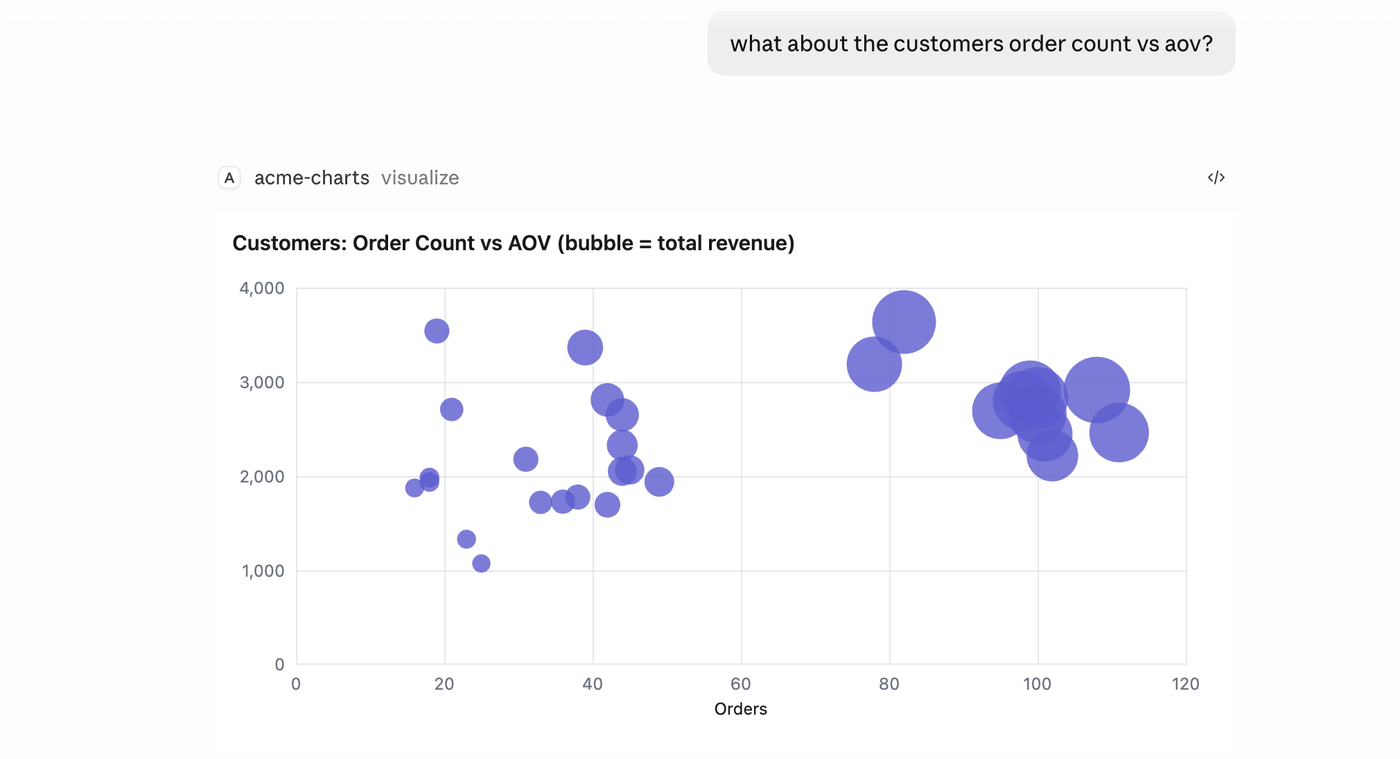
@bonnard/mcp-charts adds a visualize tool plus an embedded chart widget to any MCP server. The agent writes SQL, your database returns the rows, and the result renders as an interactive chart inside the host (Claude, ChatGPT, and other MCP Apps clients). You write no frontend code.
Pre-1.0: the API may change before a 1.0 release.
Install
npm install @bonnard/mcp-charts
Quickstart
Call addCharts on your existing MCP server and give it a read-only query callback:
import { addCharts } from "@bonnard/mcp-charts";
import { postgresRunSql } from "@bonnard/mcp-charts/postgres";

addCharts(server, {
  runSql: postgresRunSql(pool), // maps pg column types to chart field kinds
  discovery: { toolName: "explore_schema" }, // tell the agent to discover tables first
});
That registers a visualize tool and a ui://bonnard/chart widget resource. The agent calls it
with SQL; the rows render as a chart in the host, with a text fallback for non-widget clients.
Adapters ship for postgres, bigquery, snowflake, databricks, and duckdb. For an engine
without one, build typed ChartData with buildChartData (or declare fields yourself) so
numeric/temporal columns aren't inferred from raw driver values.
How it works
- The agent calls
visualizewith a query (SQL / semantic query / chart params). - Your callback runs it against your warehouse / ORM and returns rows.
- Bonnard infers the chart encoding from the typed result and renders it as an MCP App
(a sandboxedui://widget) in Claude or ChatGPT. One widget, both hosts.
Why
- Grounded in real data. Charts render the rows your query returned, not numbers the model typed into a tool call. No hallucinated figures.
- A few lines, no frontend. One function, one widget that works across every MCP Apps host. You don't maintain per-client rendering code.
- Interactive, not static images. Tooltips, legends, and axis formatting, native to the client.
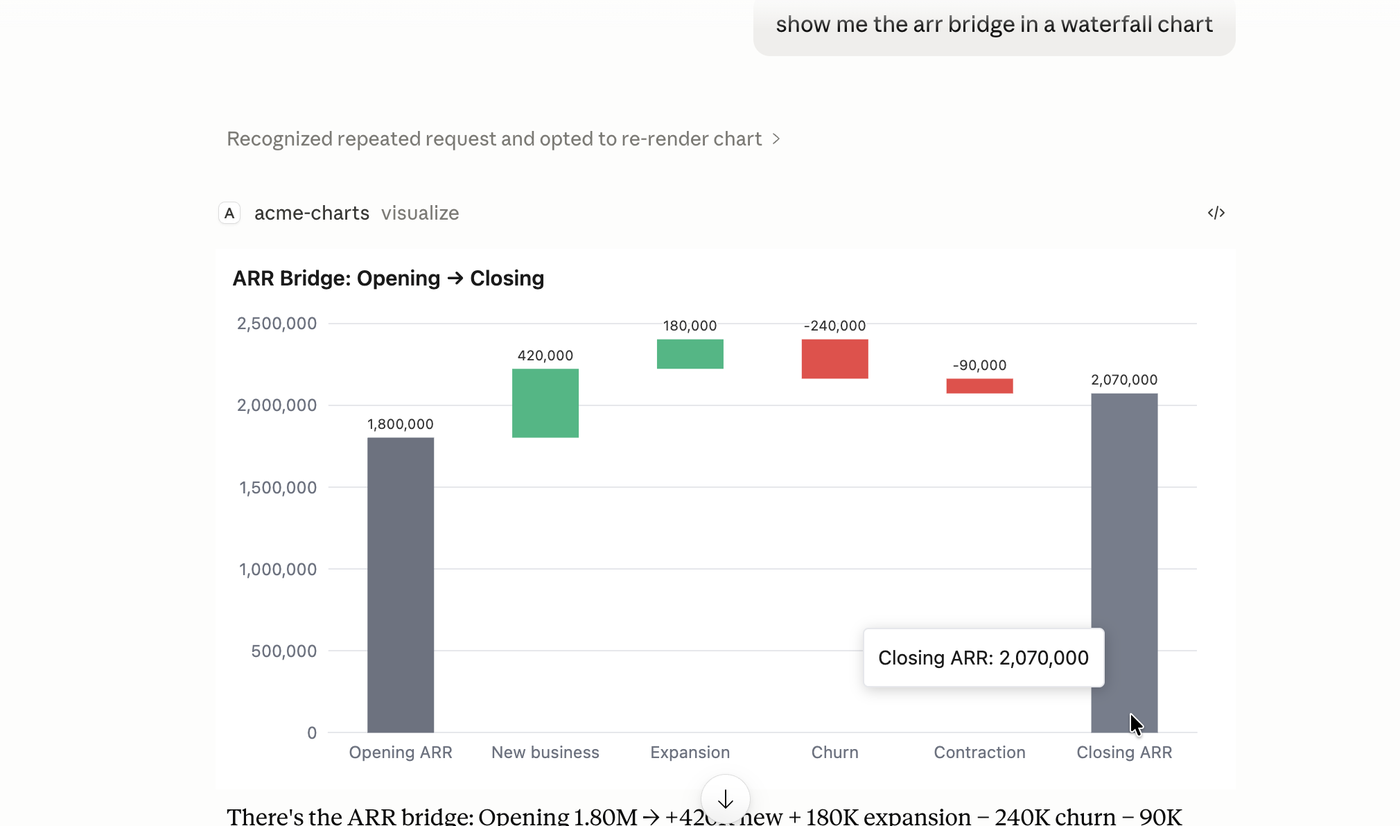
Chart types
Eight types, chosen automatically from the shape of your data or set explicitly: bar, line, area, pie, scatter, funnel, waterfall, table. Plus bar variants (stacked, grouped, 100% stacked, horizontal), dual-axis combos, bubble sizing, and reference lines. See the chart types reference.
Warehouse adapters
Skip writing runSql by hand. Each adapter wraps your driver and maps native column types to chart roles (dimension, measure, time):
import { postgresRunSql } from "@bonnard/mcp-charts/postgres";
addCharts(server, { runSql: postgresRunSql(pool) });
Bundled for Postgres, BigQuery, Snowflake, Databricks, and DuckDB. Each driver is an optional peer dependency, installed only if you import its subpath. See warehouse adapters.
Security
visualize executes agent-written SQL against your database. Treat it as untrusted input: connect runSql to a read-only, least-privilege role scoped to the data you want exposed. Your database permissions are the security boundary; the SDK does not sandbox queries. See Security.
Links
- Website: https://bonnard.dev
- Docs: https://docs.bonnard.dev/mcp-charts/getting-started
- Issues: https://github.com/bonnard-data/mcp-charts/issues
- Contact: [email protected]
Repo layout
This is a pnpm monorepo.
packages/core— the SDK (@bonnard/mcp-charts): thevisualizetool, theresolve()encoding logic, theChartDatacontract, and theui://widget resource.packages/widget— the in-iframe renderer (ECharts), bundled to a single HTML file and embedded into core.examples— runnable example servers.
Development
pnpm install
pnpm build       # widget -> core (embeds the widget)
pnpm check       # format, lint, typecheck
pnpm test
License
MIT
Reviews (0)
Sign in to leave a review.
Leave a reviewNo results found