x-harness
Health Pass
- License — License: MIT
- Description — Repository has a description
- Active repo — Last push 0 days ago
- Community trust — 10 GitHub stars
Code Pass
- Code scan — Scanned 12 files during light audit, no dangerous patterns found
Permissions Pass
- Permissions — No dangerous permissions requested
No AI report is available for this listing yet.
A small, file-first verification harness that turns an AI agent's "I'm done" claim into an auditable admission decision. 100% offline & zero-infra
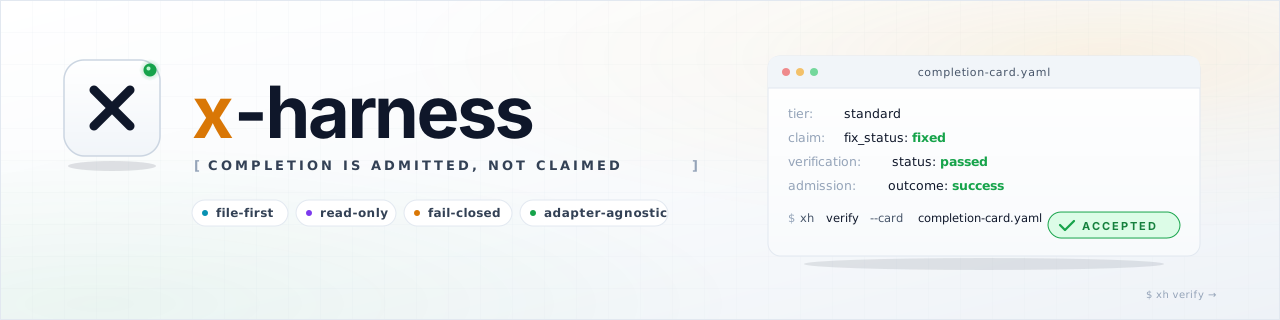
⚡ x-harness
Completion is admitted, not claimed.
A lightweight, file-first verification harness for AI-agent workflows.


New to x-harness? Read
docs/GETTING_STARTED.mdfor a conceptual primer, then try the Quickstart.
What is x-harness?
x-harness is a small, opinionated verification harness for AI coding agents. It does not run your agents, replace your CI, or guarantee that code is correct. It does one bounded job:
Turn an AI agent's "I'm done" claim into an auditable admission decision —
acceptedorwithheld— against a repository policy.
It works locally, offline, and file-first. No daemon, no database, no server, no MCP service, no LLM calls, no network credentials. The source of truth is the files in your repository: schemas, policies, templates, and completion cards.
How is it different from existing tools?
| Concern | Typical AI tooling | x-harness |
|---|---|---|
| Who decides "done"? | The agent itself | A read-only verification gate in this repo |
| Where does state live? | A remote server / SaaS | Files in your repository |
| Does it need a runtime? | Often a daemon, MCP, or cloud service | No. A single static binary |
| Is the decision auditable? | Hidden inside a model or dashboard | A structured completion card + JSONL trace |
| Is verification trusted? | Mixed with generation | Decoupled. verify never edits the work product |
| Can it fail closed? | Often "best effort" | Yes. Anything other than success is withheld |
In short: x-harness is not an agent runtime, an issue tracker, a planning system, an LLM gateway, or a deployment engine. It is a policy gate that decides whether an agent's claim of completion should be admitted.
The core idea in 60 seconds
   Agent writes code
        │
        ▼
   Agent writes a "completion card" (a small YAML file)
        │
        ▼
   xh verify --card completion-card.yaml
         │
         ▼
    Read-only verification gate evaluates the card
    against schemas + policies (no source mutation)
         │
         ▼
    ┌───────────────────────────────────────────┐
    │  acceptance_status: accepted   → exit 0  │   ✅ done
    │  acceptance_status: withheld   → exit 1  │   🚧 not done, with a recovery path
    └───────────────────────────────────────────┘
checkis an alias forverify— both run the same read-only gate.
The verifier is read-only. It inspects your card and evidence; it never edits your source to "fix" things while checking. The agent must produce a passing card itself.
Beginner concepts (read this first)
| Term | What it means in x-harness |
|---|---|
| Completion card | A YAML file (e.g. completion-card.yaml) where an agent records what it claims to have done, with what evidence. |
| Verify gate | The xh verify command (alias xh check). It runs the read-only admission logic. |
| Accepted | Verification passed. Exit code 0. The task is officially done. |
| Withheld | Any non-success outcome (failed, blocked, skipped, timeout, error). Exit code 1. |
| Tier | One of light, standard, or deep. Determines how much evidence is required. |
| PGV | Pre-Gate Validation. Advisory only. It can suggest things, but it never grants admission. |
| Adapter | A small set of convention files (e.g. CLAUDE.md, .cursor/rules/x-harness.mdc) for a specific agent platform. |
Install (from source checkout)
x-harness ships a native Go CLI (recommended) and a TypeScript compatibility CLI (source-checkout fallback only).
Option A — Native Go CLI (recommended)
# Build a single static binary
go build ./cmd/x-harness

# Verify
./x-harness --version
Requires Go 1.22+. The resulting
./x-harnessbinary is self-contained.
Option B — TypeScript compatibility CLI (source checkout)
Use this only when you want to run the parity baseline from source:
npm install
npm run build
node packages/cli/dist/index.js --version
Requires Node.js ≥ 20. The published
x-harnessnpm package is a Go-only wrapper; the Node fallback only works from a source checkout wheredist/exists.
Pre-built release binaries
Pre-built native binaries for linux/amd64, linux/arm64, darwin/amd64, darwin/arm64, windows/amd64, and windows/arm64 are attached to each GitHub release. Download the binary that matches your platform, place it on your PATH, and rename it to xh (or x-harness).
Package managers (Windows / macOS / Linux)
Scoop and Homebrew manifests are generated automatically at release time from packaging/ and scripts/. They will appear in their respective buckets once those buckets are published; until then, please use the pre-built binaries above or build from source.
Quick start (5 minutes)
Fast track
Run this in the project where you want to use x-harness:
xh init --minimal
xh doctor --root . --json
xh verify --card completion-card.yaml
Or try the repository fixtures first:
xh doctor --root . --json
xh verify --card examples/golden/regression/success-light/completion-card.yaml
1. Initialize a workspace
To start using x-harness in another project, run init at its root:
xh init --minimal        # default: contracts, templates, policies, schemas
# xh init --standard     # adds schemas and example solo-agent scenarios
# xh init --full         # adds multi-agent examples, adapters, and a GitHub Action
init stops with a blocked summary if it finds conflicting files; re-run with --force only when you intentionally want to overwrite them.
2. Health-check the workspace
./x-harness doctor
This validates that schemas, policies, templates, and adapter links are present and consistent. Look for "healthy": true in JSON output (./x-harness doctor --json).
3. Run verification
The repo ships with 28 golden scenario directories across regression, capability, adversarial, conformance-strict, and recovery suites — 26 card-backed fixtures plus 2 conformance-strict reference scenarios (README-only, no completion card). Try a known-good one:
xh verify --card examples/golden/regression/success-light/completion-card.yaml
Expected output:
outcome: success
acceptance_status: accepted
checks: 2 passed, 0 failed
Now try one that is missing required evidence:
xh verify --card examples/golden/regression/blocked-missing-evidence/completion-card.yaml
# exit code 1
Expected output:
outcome: failed
acceptance_status: withheld
checks: 0 passed, 5 failed
The task is withheld, not silently marked as done. This is the fail-closed default.
Daily core commands
Most users should start with this narrow loop. The full command matrix is in docs/CLI_COMMANDS.md and xh --help-all.
| Action | What it does |
|---|---|
init |
Install harness assets into a workspace |
doctor |
Validate workspace health and configuration |
verify |
Run read-only verification against a completion card |
check |
Alias for verify |
Terminal:
xh <action>(e.g.xh check)
Agent chat:/xh:<action>(e.g./xh:check) — seedocs/ADAPTERS.md
Use handoff, recover, report, trace, and benchmark when you need more workflow structure. Governance, federation, cost, evolution, attribution, and other experimental commands are intentionally kept out of the default onboarding path; see docs/CLI_COMMANDS.md for maturity labels.
Boundary checks (xh boundary)
xh boundary runs deterministic, path-glob + import-regex checks against policies/boundaries.yaml (V1 scope; no AST, no semgrep, no LLM). Subcommands:
xh boundary lint                              # validate the policy file against the schema
xh boundary check --all                       # scan the whole repo
xh boundary check --changed                   # scan only files in `git diff --name-only`
xh boundary explain <file>                    # show which rules apply to a single file
When policies/boundaries.yaml is absent, xh boundary check exits 0 with a warning (opt-in feature). See docs/BOUNDARY.md and schemas/boundary-policy.schema.json for the rule shape (id, from, to_import, action, severity, intermediate?, allow?, applies_to_languages?).
Canonical handoff tiers
Task delegation uses only these three tiers. The labels small, medium, and large are not allowed in active runtime handoffs.
| Tier | Use when | Minimum evidence floor | Human approval |
|---|---|---|---|
light |
Narrow, low-ceremony work (1–3 files, near read-only). | files_changed + (command_evidence or manual_rationale). |
Optional |
standard |
Normal multi-step work, bounded synthesis. | files_changed + command_evidence + done_checklist + prediction. |
Optional |
deep |
High-stakes work: architectural changes, migrations, multi-dependency. | Everything standard requires, plus evidence_scope, untested_regions, remaining_risks, execution_controls, rollback_policy, verification_artifacts, state.read_set, state.write_set. |
Required |
See docs/ADMISSION_POLICY.md for the full rules.
How a verify run flows
┌──────────────┐
│ Agent worker │  writes code + writes a completion card
└──────┬───────┘
       │
       ▼
┌──────────────┐
│ xh verify ...│  loads schema, loads policy, evaluates evidence floor
└──────┬───────┘
       │  read-only
       ▼
┌──────────────┐
│   Outcome    ├─── accepted   (exit 0)
│              ├─── withheld   (exit 1, with recovery routing)
└──────────────┘
Optional, opt-in verify stages (off by default):
xh verify --contract-oracles— rule-based line-level assertions (grep_rules,dependency_rules).xh verify --context-floor— minimal file/ref presence checks.xh verify --context-enforce off|advisory|block— enforce context-manifest alignment.xh verify --boundary-enforce off|advisory|block_high|block_all— enforce boundary policy.xh verify --decision-enforce off|advisory|block— enforce decision-memory linkage.xh verify --intent-enforce off|advisory|block— enforce product-intent declaration.xh verify --strict— strict-schema mode forwithheld_reasonoutput.xh verify --mutation-guard— detect any verifier-side source mutation.
When verification fails, the engine emits a structured recovery object routing the work back to the right owner (e.g. evidence_missing → implementation-worker, approval_missing → user).
Platform adapters
x-harness is adapter-agnostic. Pick the one that matches how you already work:
| Adapter | Use when | Key files |
|---|---|---|
| Generic | You want plain Markdown conventions, no platform lock-in. | AGENTS.md |
| Claude Code | You use Claude Code. | CLAUDE.md, worker / verifier agents, skills |
| Cursor | You use Cursor. | .cursor/rules/x-harness.mdc |
| OpenCode | You use OpenCode. | verify-agent.md, worker / verifier agents |
| Antigravity | You use Antigravity. | rules + workflows under rules/ and workflows/ |
| Codex | You use Codex. | AGENTS.md |
You only need one. Adapters are thin wrappers around the same CLI; they do not fork the contract.
Documentation
| Document | What it covers |
|---|---|
docs/GETTING_STARTED.md |
Conceptual primer: what x-harness solves and core ideas. |
docs/QUICKSTART.md |
Step-by-step local setup and first verify. |
docs/FAQ.md |
Frequently asked questions (Go vs TS, LLM usage, etc.). |
docs/ARCHITECTURE.md |
Layer model, validation cycle, design notes. |
docs/VERIFY_GATE.md |
How the read-only verify gate works. |
docs/ADMISSION_POLICY.md |
Fail-closed admission rules and evidence floors. |
docs/SCHEMAS.md |
JSON schema inventory. |
docs/RECOVERY.md |
Recovery routing and playbook generation. |
docs/ADAPTERS.md |
Full adapter guide and tier-selection reference. |
docs/BOUNDARY.md |
Boundary policy lint, check, and verify integration. |
docs/INTAKE.md |
Task intake tiering and readiness evaluation. |
docs/DECISION.md |
Decision-memory records (ADR-lite) and linkage. |
docs/CONFORMANCE_STRICT_PROFILE.md |
Strict-profile rules and verification criteria. |
docs/TYPESCRIPT_MAINTENANCE.md |
Maintenance policy for the TypeScript fallback. |
docs/CI.md |
CI integration and dual-run gates. |
docs/RELEASE_SECURITY.md |
Release signing, SBOM, and provenance. |
docs/RELEASE_CANDIDATE.md |
Release-candidate checklist. |
docs/PRODUCTION_READINESS.md |
Pre-stable checklist and RC status. |
docs/THREAT_MODEL.md |
Trust boundaries, attacker capabilities, and non-goals. |
docs/EVIDENCE_PROVENANCE.md |
Command evidence provenance, CI binding, checksums, and attestation guidance. |
docs/CLI_COMMANDS.md |
Generated command maturity matrix. |
docs/PACKETS.md |
Immutable claim packets and chain integrity. |
docs/REPORT_FORMATS.md |
Report output formats (Markdown, JSON, HTML). |
The authoritative contract is X_HARNESS.md.
Examples at a glance
- 28 golden scenario directories — 26 card-backed fixtures plus 2 conformance-strict reference scenarios (README-only) across regression, capability, adversarial, conformance-strict, and recovery suites under
examples/golden/. - Real-world examples — Next.js app and monorepo boundary setups under
examples/real-world/.
Project status
- Version:
1.0.0(stable). The CLI is feature-complete for the v1.0 contract. - Native runtime: Go CLI (recommended). The TypeScript CLI is a source-checkout compatibility baseline only and is no longer shipped in the published npm package.
- No production claims: A passing
xh verifyis not a guarantee of correctness. It means your card matches the policy. Seedocs/VERIFY_GATE.mdfor what the gate does and does not check.
Contributing
Contributions are welcome. Please read CONTRIBUTING.md first.
Harness-sensitive changes (admission policy, schemas, templates, CLI verify, adapters, skills) must include a completed templates/HARNESS_CHANGE_CONTRACT.md and pass ./x-harness doctor, ./x-harness examples verify, and ./x-harness benchmark --filter adversarial --gate locally.
All contributors are expected to follow CODE_OF_CONDUCT.md.
Security
Please do not open public issues for suspected vulnerabilities. Use GitHub private vulnerability reporting or contact the maintainer privately. See SECURITY.md for the full disclosure process and supported versions.
License
MIT — Copyright (c) 2026 Brian Nguyen.
Reviews (0)
Sign in to leave a review.
Leave a reviewNo results found