glyphic
Health Pass
- License — License: AGPL-3.0
- Description — Repository has a description
- Active repo — Last push 0 days ago
- Community trust — 16 GitHub stars
Code Pass
- Code scan — Scanned 12 files during light audit, no dangerous patterns found
Permissions Pass
- Permissions — No dangerous permissions requested
No AI report is available for this listing yet.
Glyphic gives you a visual interface to configure, manage, and use Claude Code -- the AI coding assistant from Anthropic. Instead of editing JSON files and markdown by hand, Glyphic lets you manage everything through a modern desktop app.

Glyphic
The desktop app for managing Claude Code
Features • Installation • Development • Screenshots




Glyphic gives you a visual interface to configure, manage, and use Claude Code -- the AI coding assistant from Anthropic. Instead of editing JSON files and markdown by hand, Glyphic lets you manage everything through a modern desktop app.
Screenshots
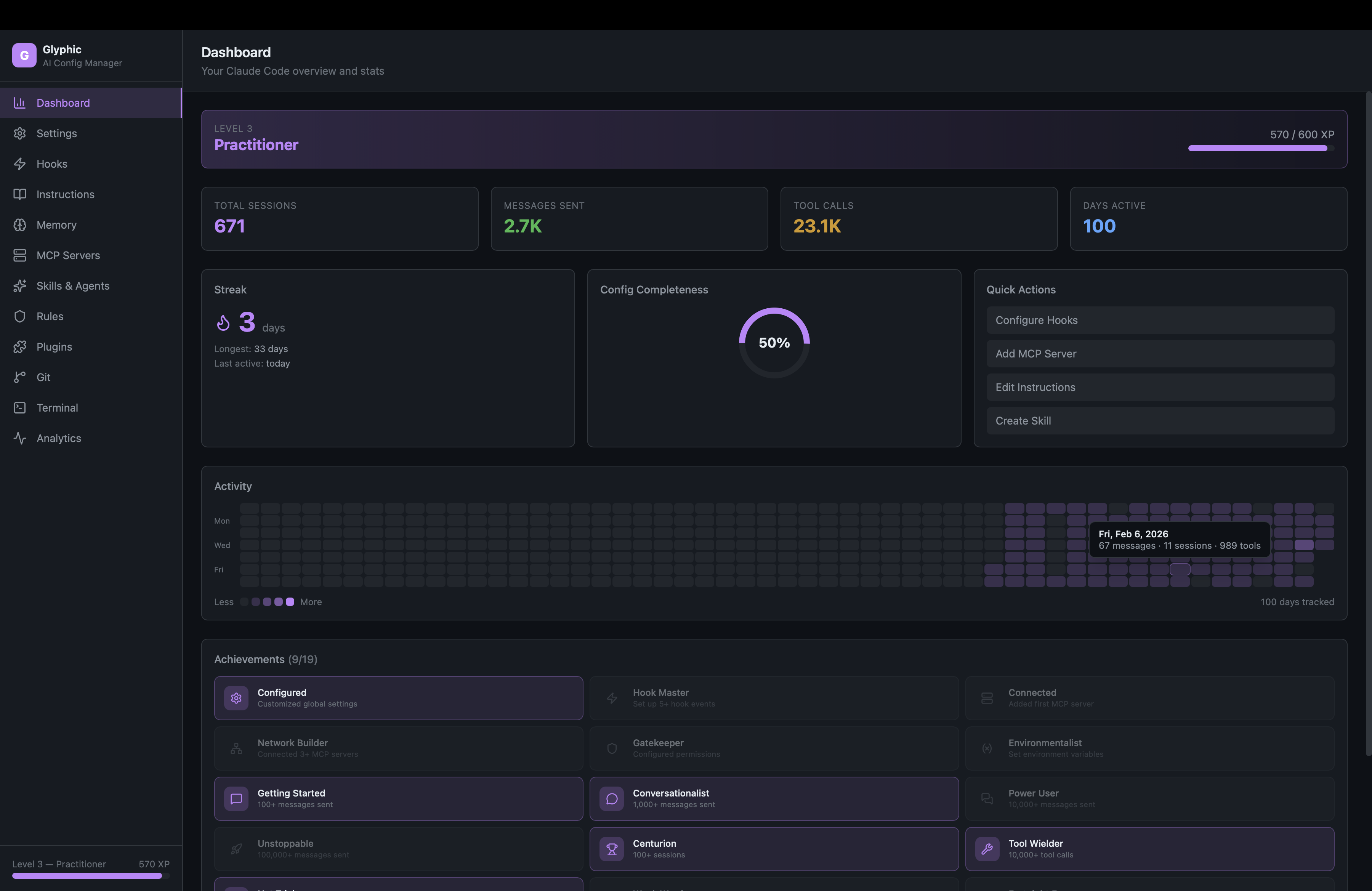
Dashboard — Live stats, XP levels, streaks, activity heatmap, achievements
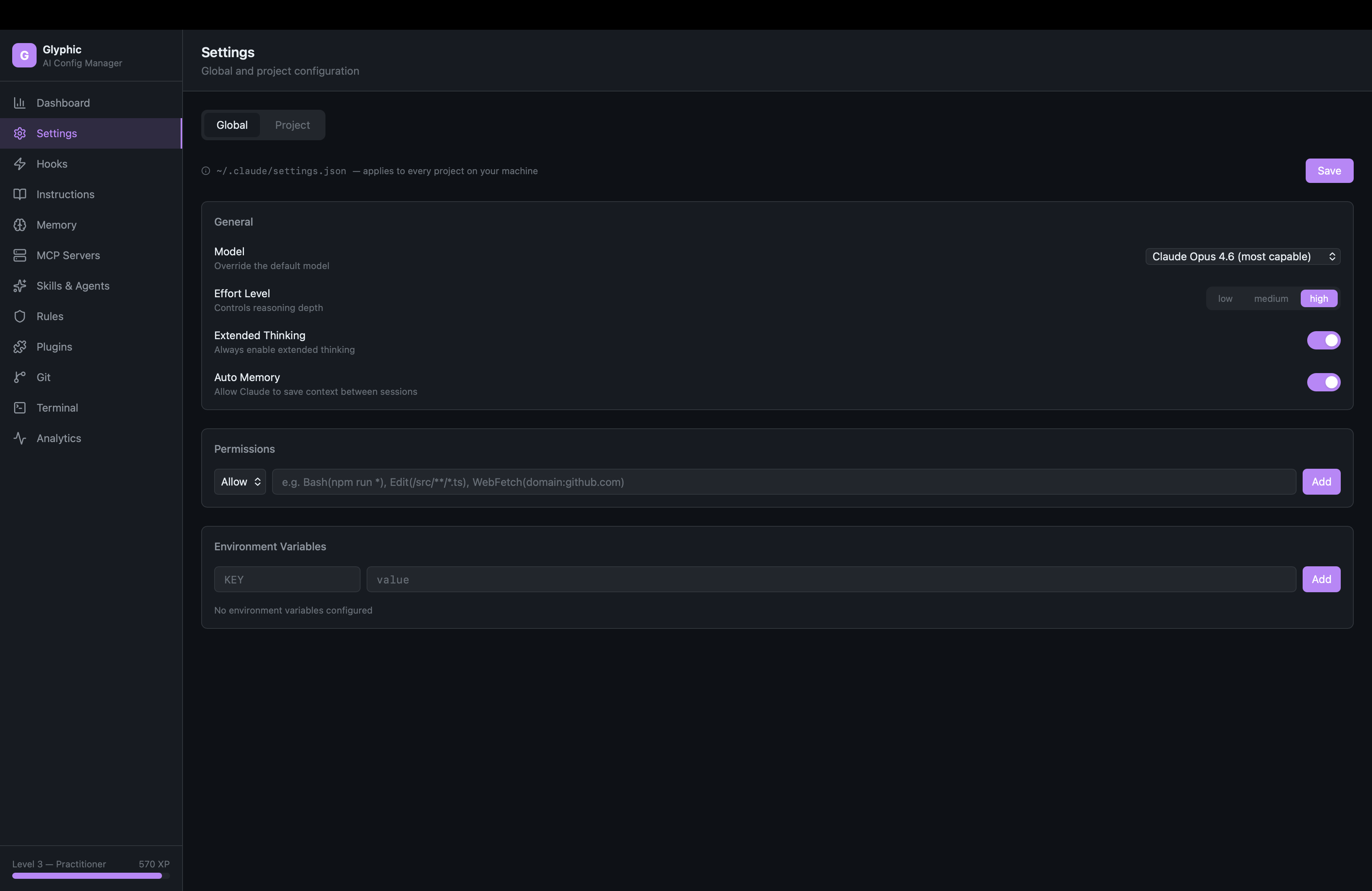
Settings — Global and project configuration with model selector
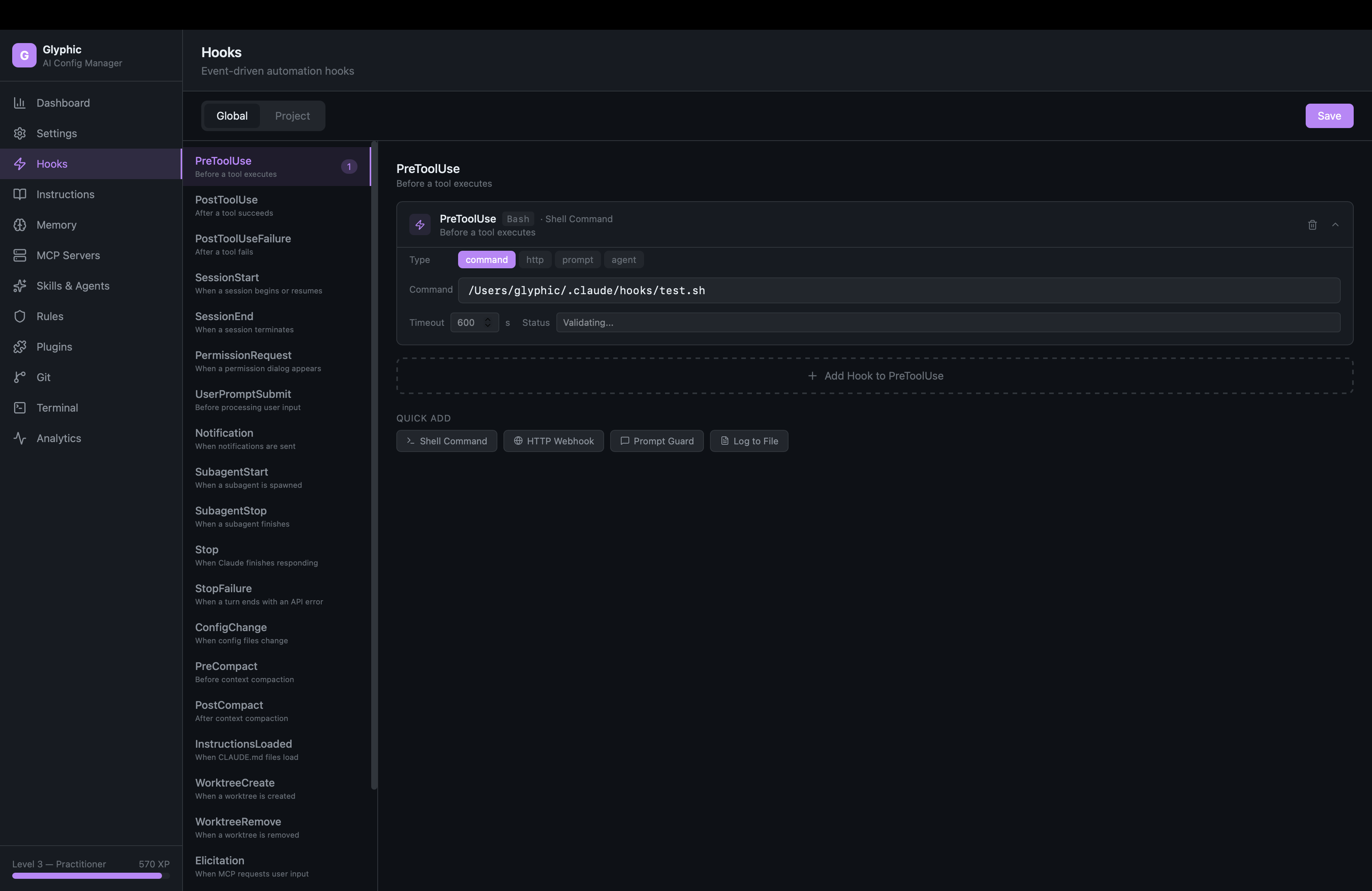
Hooks — Event sidebar with hook cards and quick-add templates
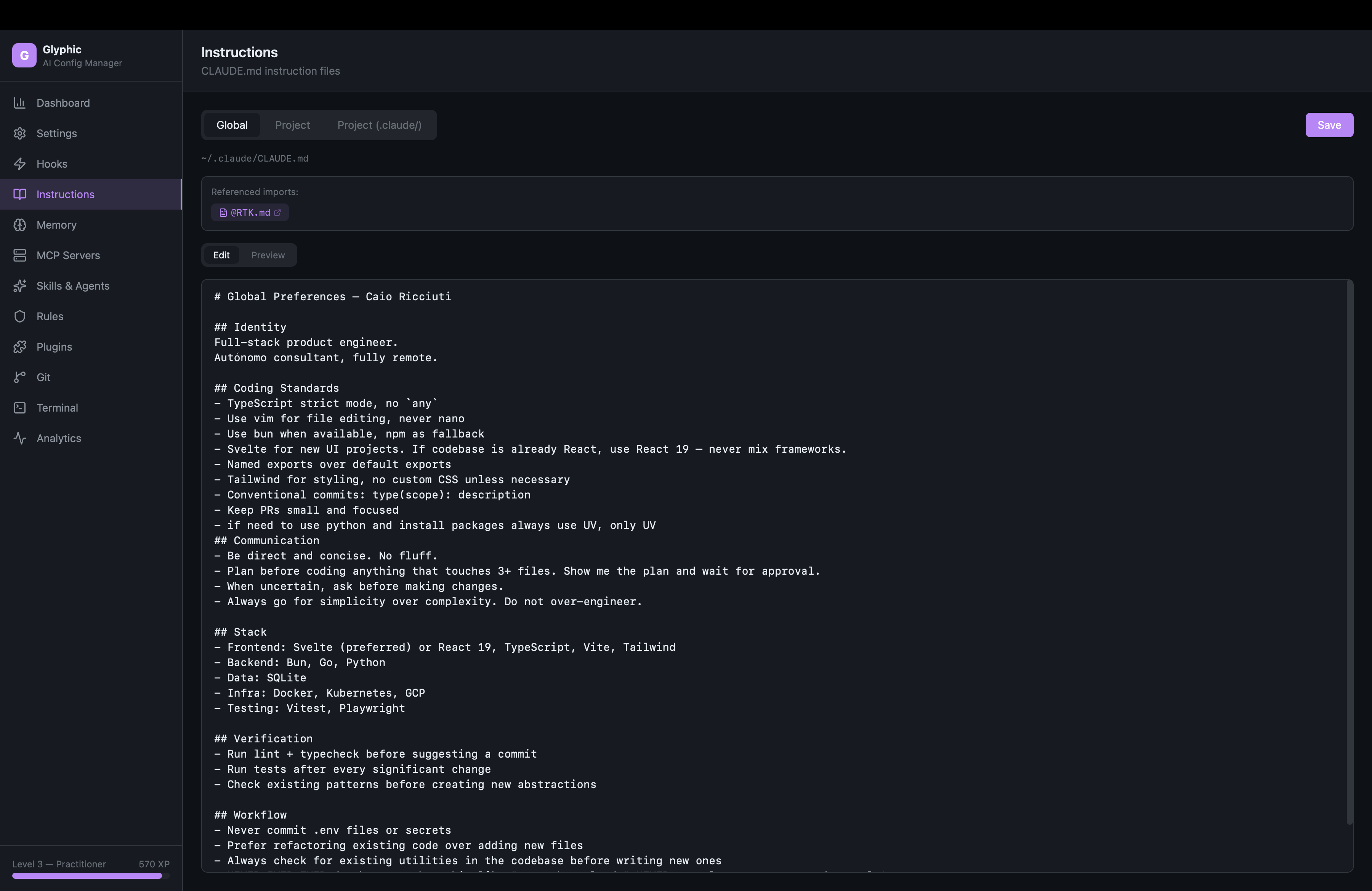
Instructions — CLAUDE.md editor with preview and clickable @imports
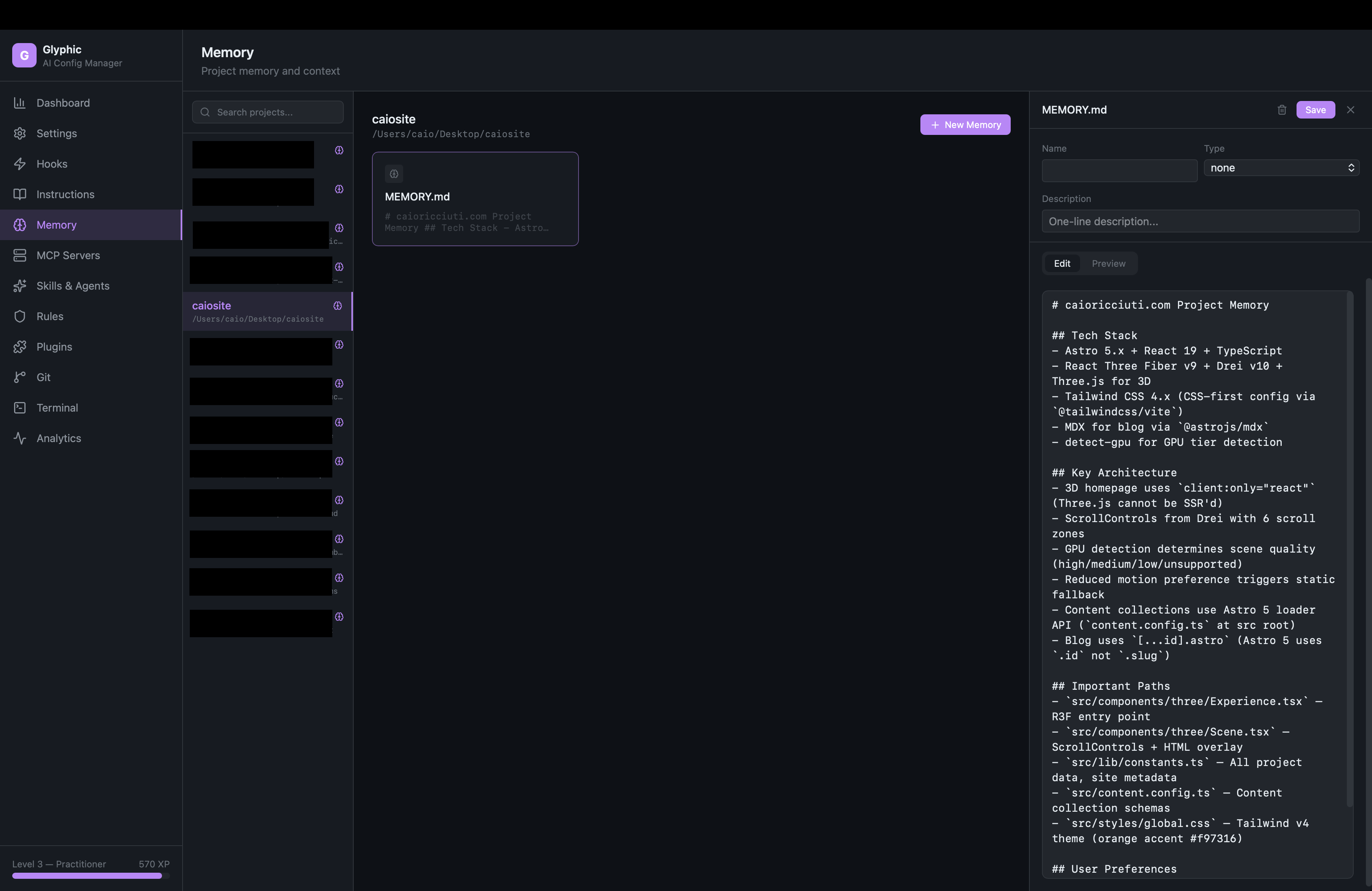
Memory — Project memory browser with card grid and editor
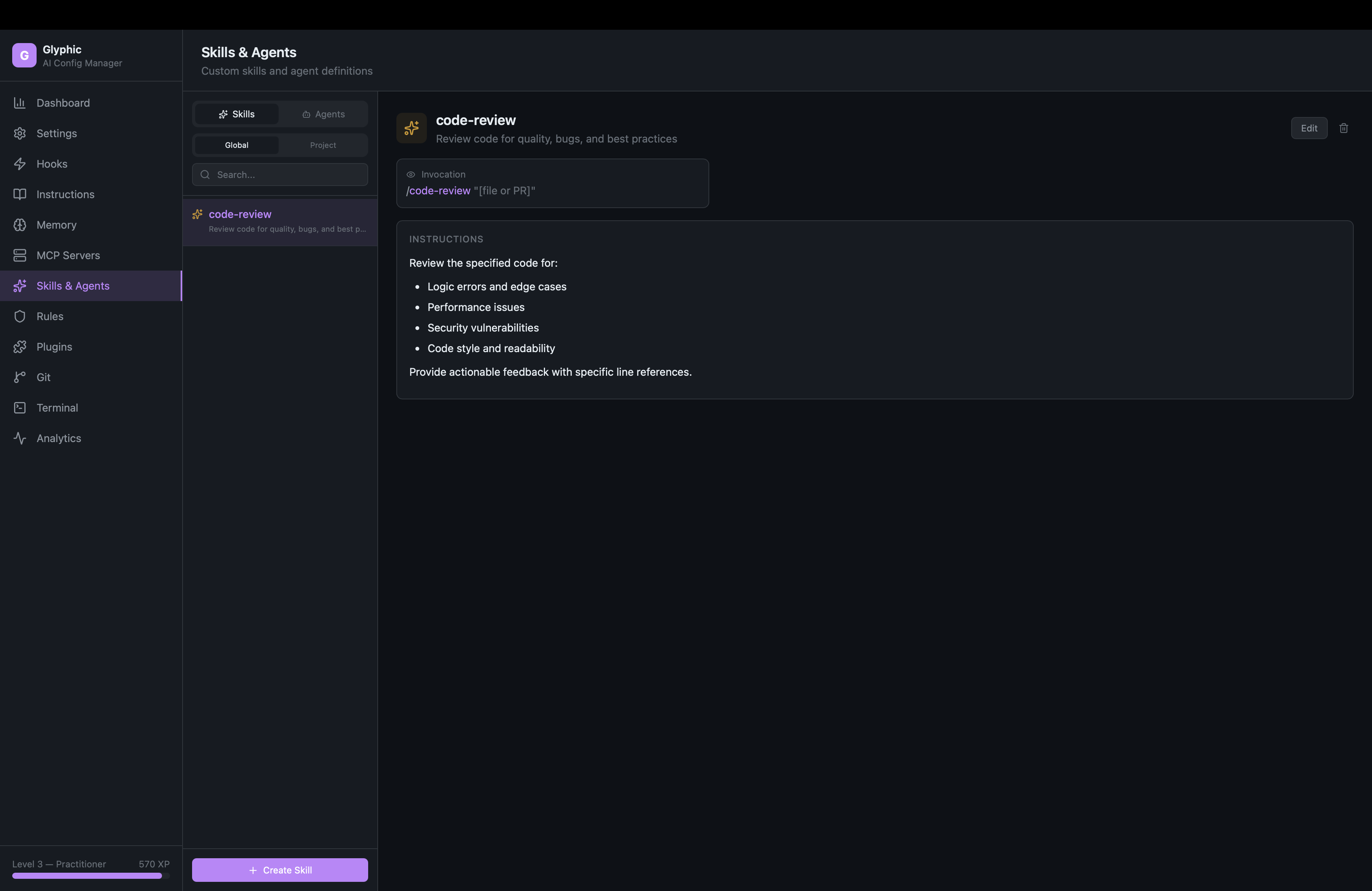
Skills & Agents — Detail view with config cards and connections
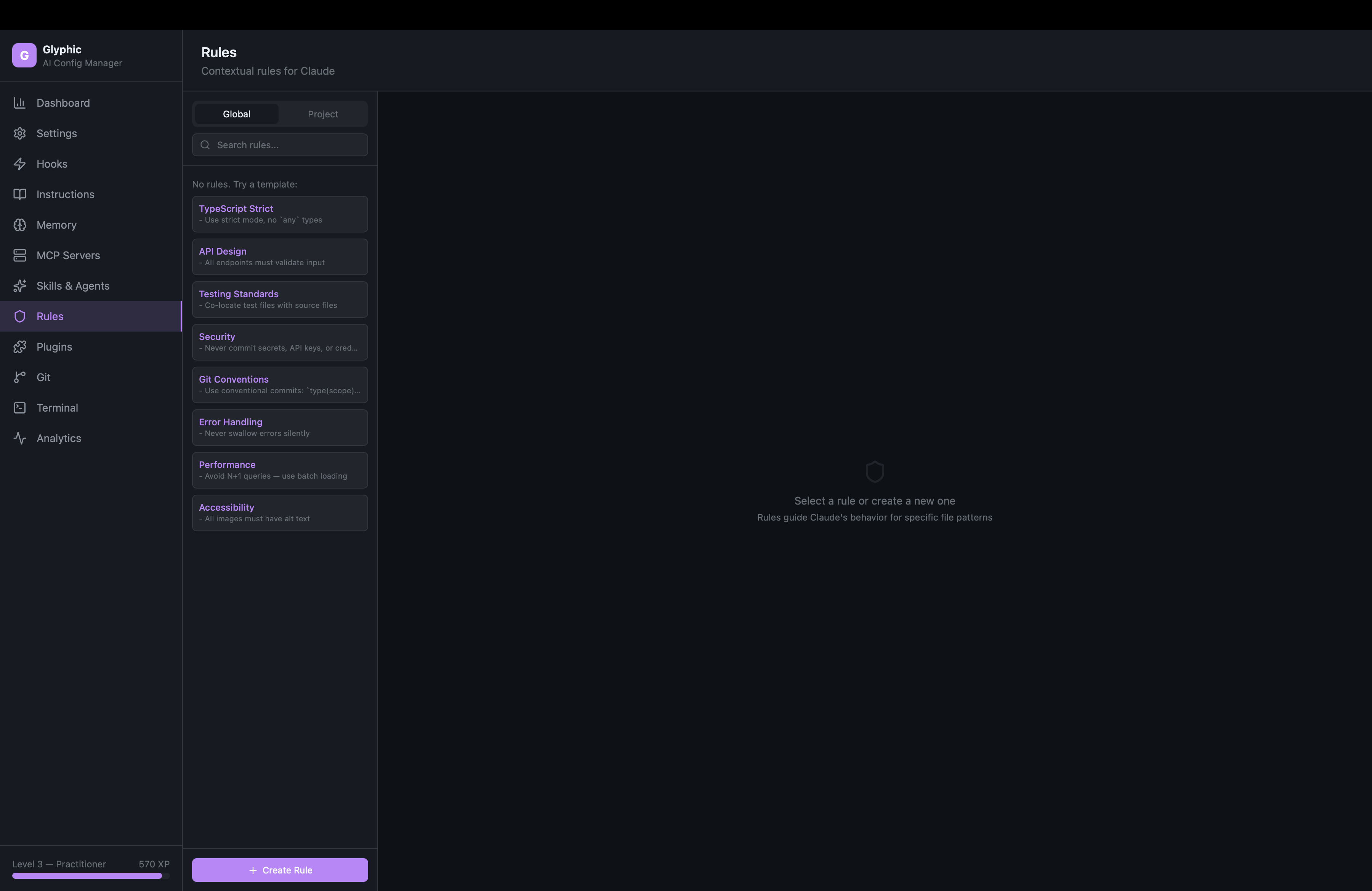
Rules — Contextual rules with path filters and templates
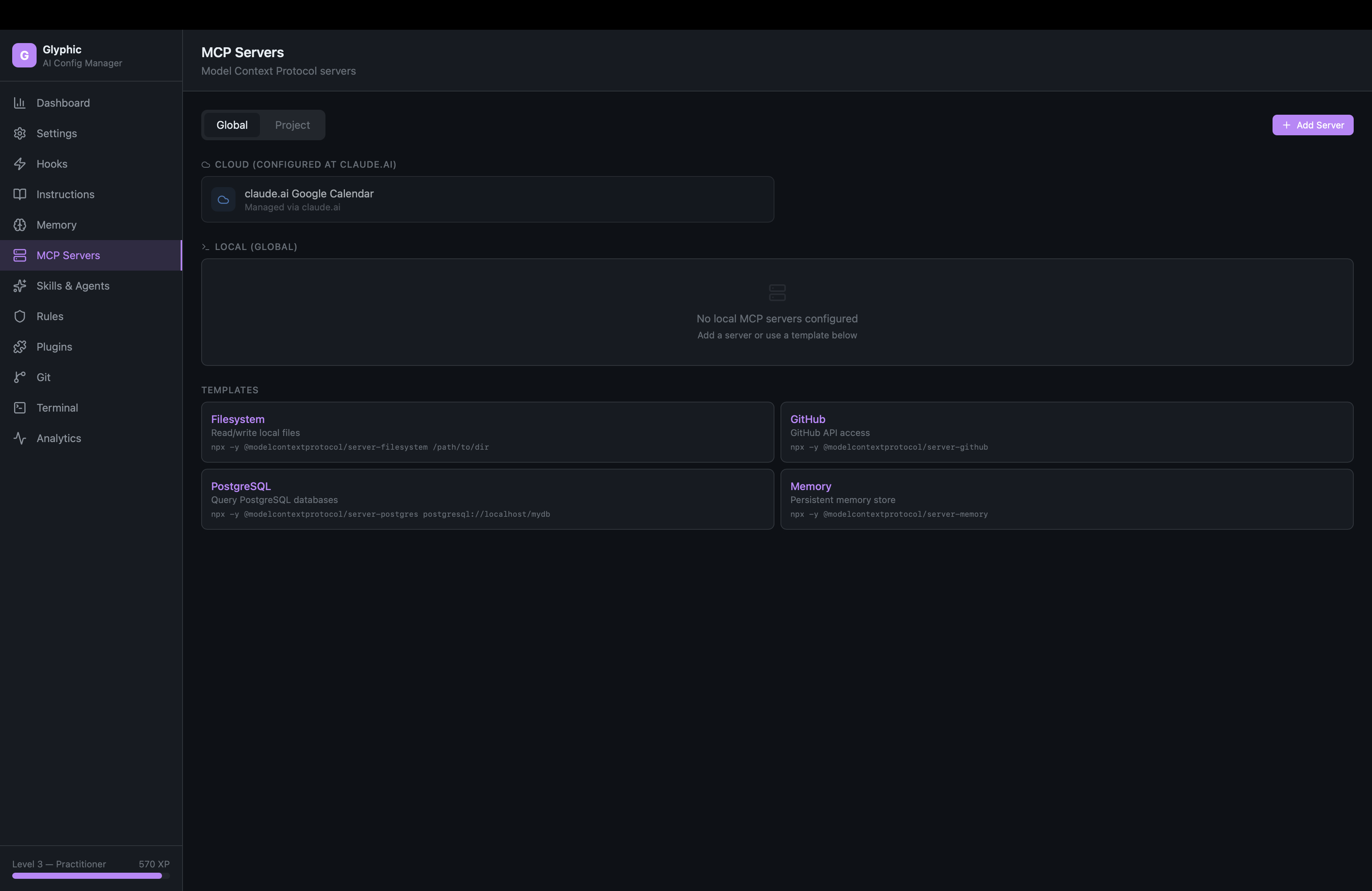
MCP Servers — Cloud and local MCP management with templates
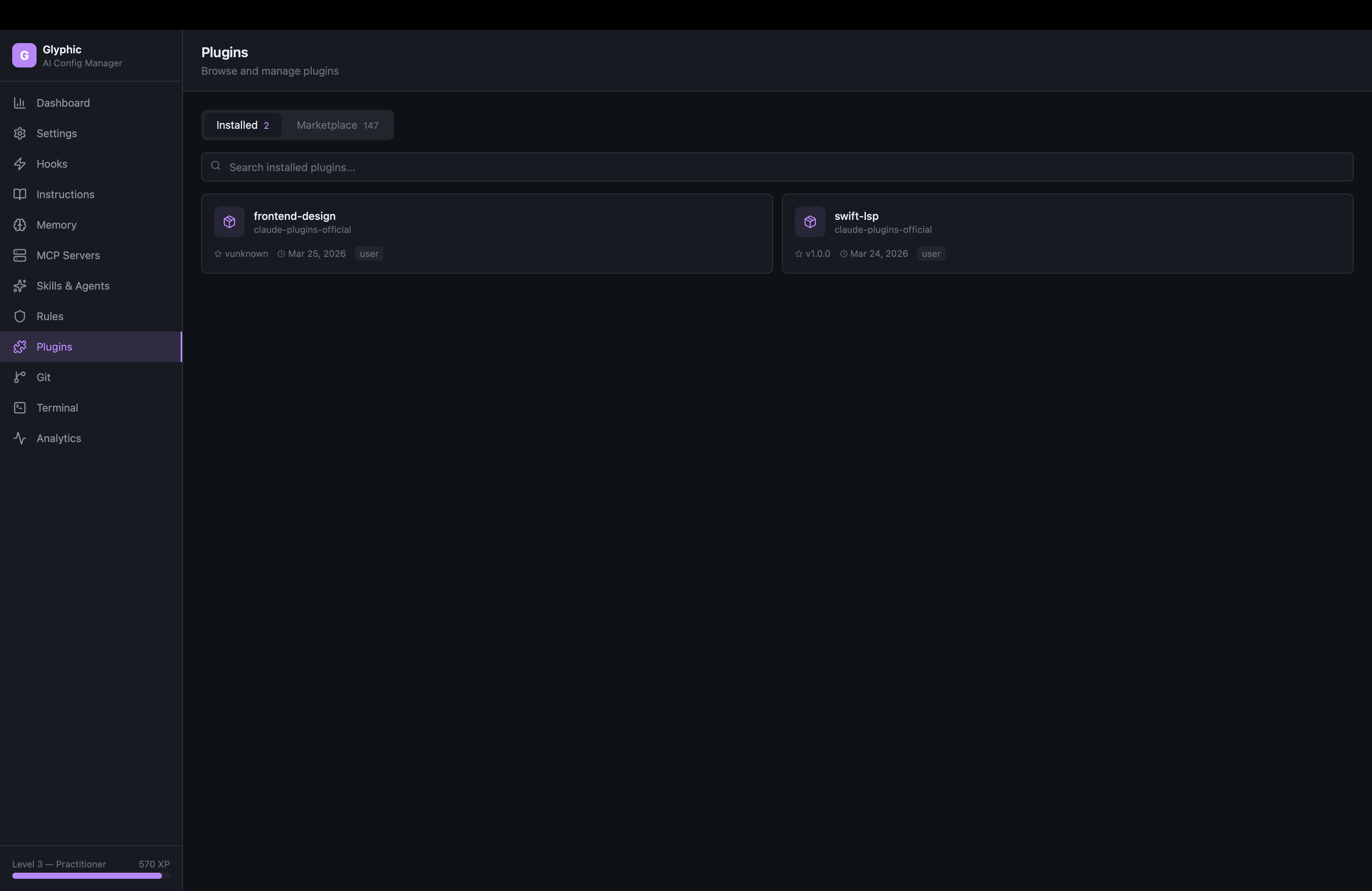
Plugins — Browse marketplace, install plugins, manage installed
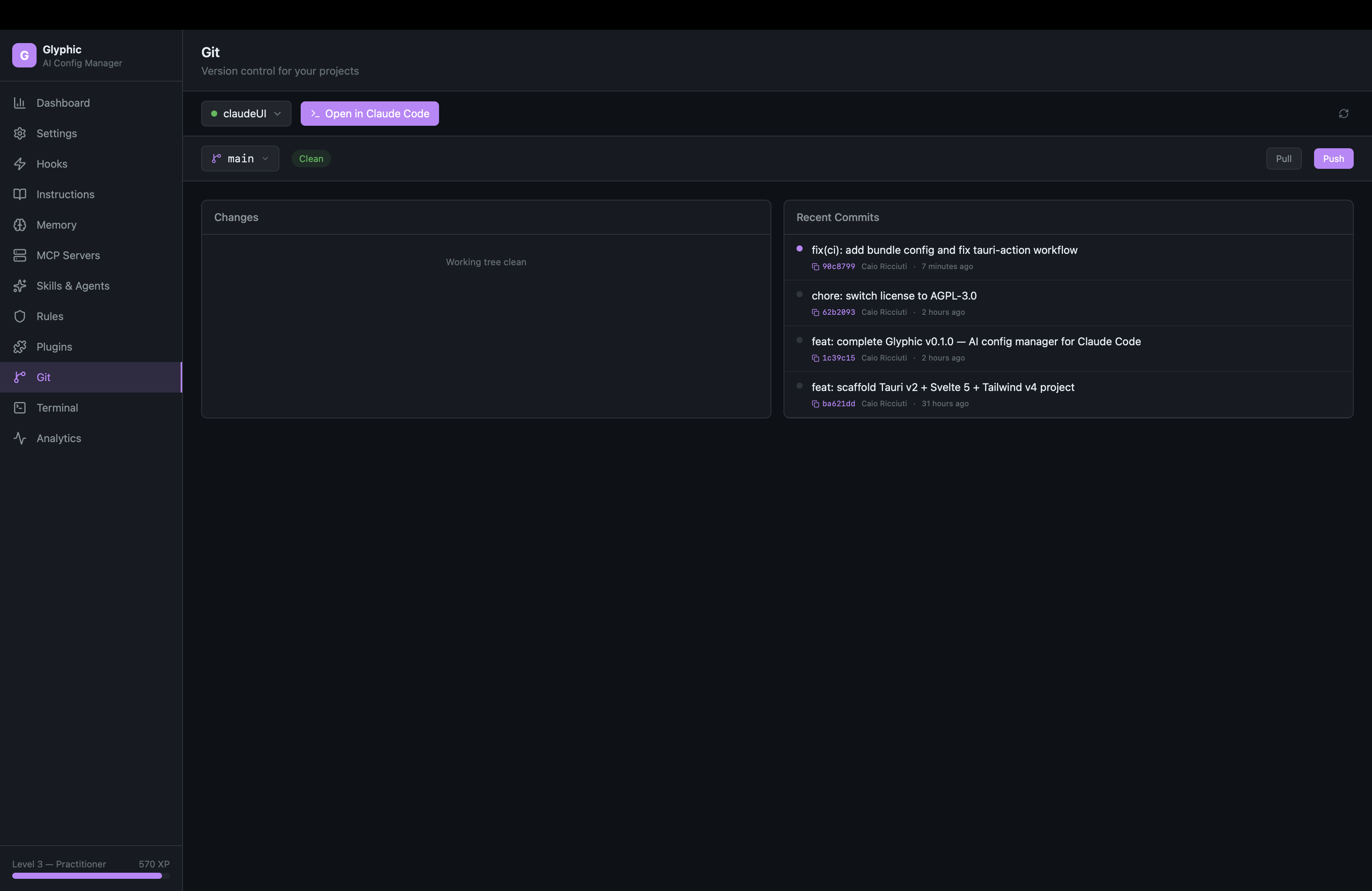
Git — Branch switcher, conventional commits, commit timeline
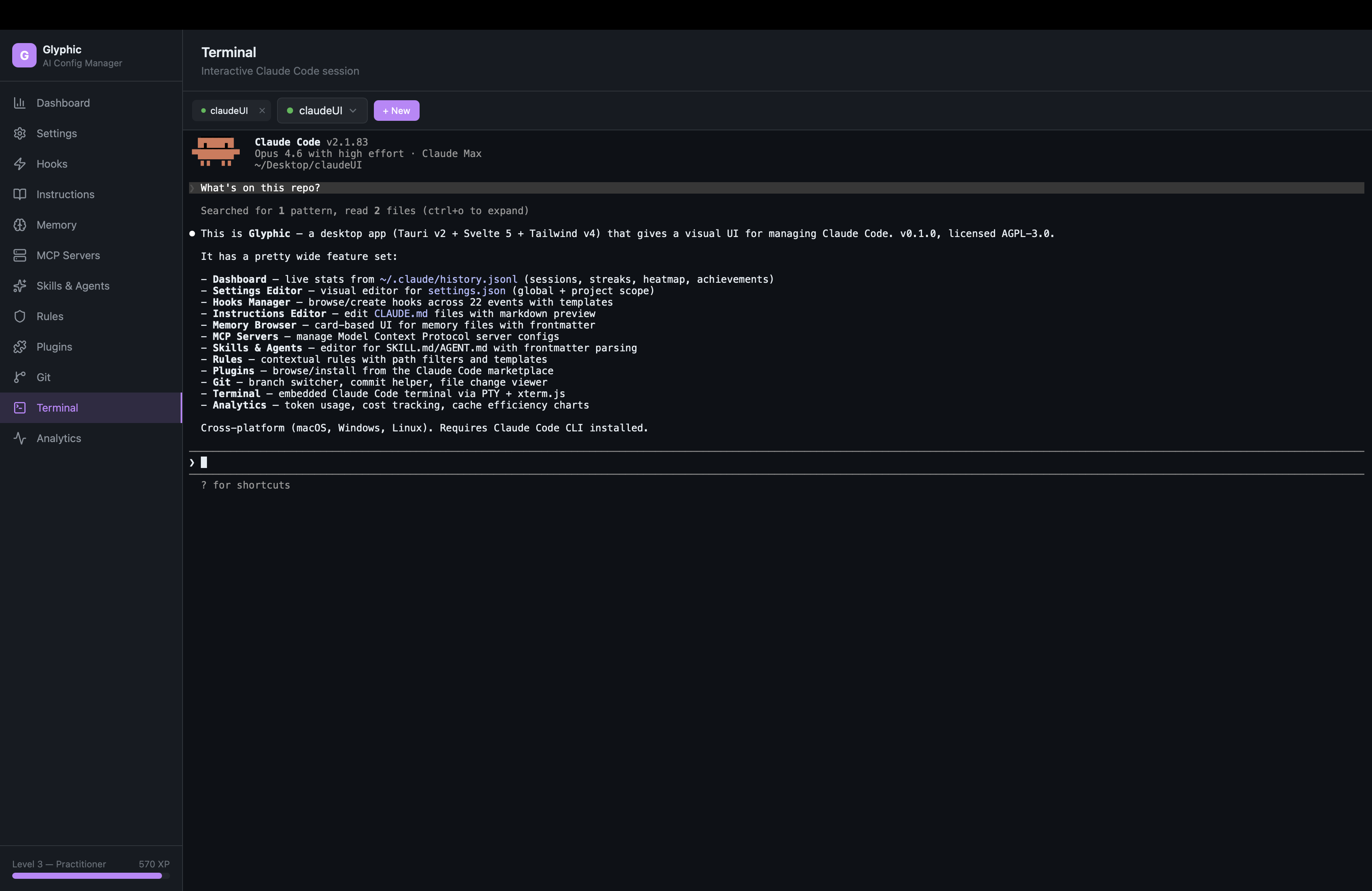
Terminal — Embedded Claude Code with persistent multi-tab sessions
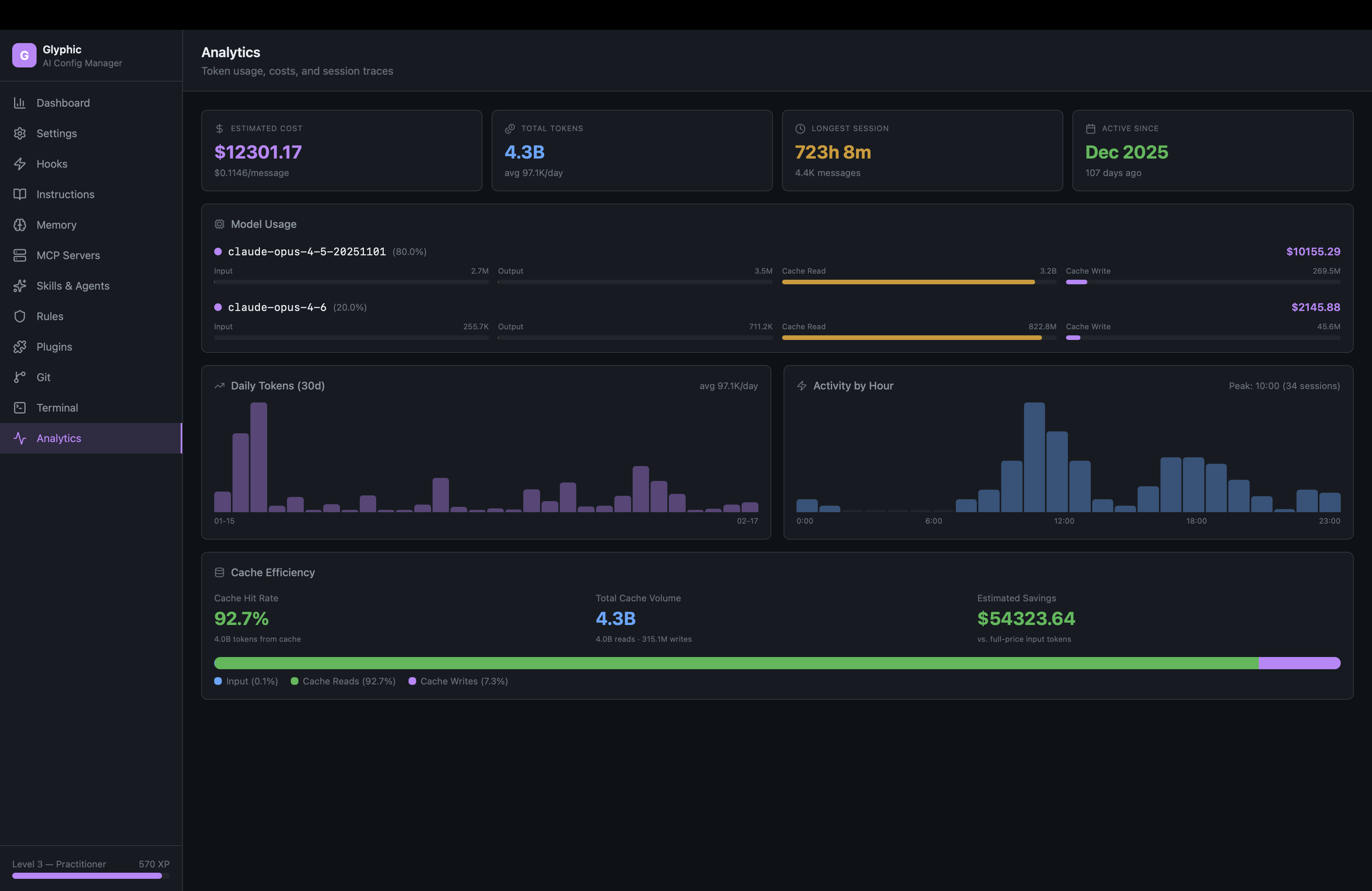
Analytics — Token costs, daily trends, hourly activity, cache efficiency
Features
Dashboard
Live stats computed from your Claude Code history -- sessions, messages, streaks, activity heatmap, XP levels, and 19 achievements. All data is real, pulled directly from ~/.claude/history.jsonl.
Settings Editor
Visual editor for settings.json at global and project scope. Model selector, effort level, toggle switches, permissions editor (allow/ask/deny rules), and environment variables. Project settings show shared (git-tracked) and local (gitignored) overrides side by side.
Hooks Manager
Browse all 22 hook events in a sidebar, create hooks with a visual form or one-click templates (Shell Command, HTTP Webhook, Prompt Guard, Log to File). Each hook renders as a collapsible card with type selector, matcher, and configuration fields.
Instructions Editor
Read and write CLAUDE.md files at global, project, and .claude/ scopes. Edit/Preview toggle with proper dark-mode markdown rendering. Click @import references to open referenced files in a slide-in sheet.
Memory Browser
Browse project memory files with a card-based UI. Each card shows type badge (user/feedback/project/reference), name, description, and content preview. Create new memory files with frontmatter editor.
MCP Servers
Manage Model Context Protocol servers. See cloud-configured MCPs (from claude.ai) as read-only cards, add/edit/delete local MCPs with templates for Filesystem, GitHub, PostgreSQL, and Memory servers.
Skills & Agents
Full-featured editor for SKILL.md and AGENT.md files. Detail view shows parsed frontmatter as visual cards (model, tools, permissions, memory, hooks, preloaded skills, inline MCP). Connection visualization shows relationships. 8 starter templates with proper frontmatter.
Rules
Contextual rules with path-based filtering. Visual path filter badges, rendered markdown preview, 8 templates (TypeScript Strict, API Design, Testing, Security, Git Conventions, Error Handling, Performance, Accessibility).
Plugins
Browse and install plugins from the Claude Code marketplace. See install counts, search across 100+ plugins, one-click install. Installed plugins show version, scope, and install date.
Git
Branch switcher, grouped file changes (modified/added/deleted/untracked with colored icons), conventional commit helper (feat/fix/refactor dropdown), commit timeline with hash copy. Auto-refreshes every 30 seconds.
Terminal
Embedded Claude Code terminal via PTY + xterm.js. Sessions persist when navigating away. Multi-tab support for concurrent sessions across different projects. Full ANSI rendering -- colors, progress bars, everything Claude Code outputs works perfectly.
Pipelines
Visual workflow builder powered by Svelte Flow. Drag-and-drop node canvas with zoom, pan, and minimap. 8 node types: Claude Prompt, Bash Command, GitHub Action, HTTP Request, Transform, Delay, Input, Output. Connect nodes to chain data flow -- use {{input}} or {{NodeName}} to reference outputs. Async execution with real-time status updates on the canvas. Save, load, and manage multiple pipelines.
Session Replay
Browse and replay past Claude Code sessions step by step. Full-text search across all sessions. Tag sessions (bug-fix, feature, refactor). Export as Markdown. Live session detection with green pulse. Paginated loading for large sessions.
Templates
Unified template gallery with 30+ pre-built configurations across skills, agents, rules, hooks, and MCP servers. Always accessible from every page. One-click to add.
Analytics
Token usage and cost tracking per model with plan-aware labels (Max/Pro/API). Daily token trend and hourly activity charts with hover tooltips. Cache efficiency visualization. Cost monitoring widget in sidebar with budget alerts.
Other
- Light/Dark theme toggle with persisted preference
- Auto-updates — notified of new versions, one-click update
- Apple-signed macOS builds — no Gatekeeper warnings
- Cost monitoring — sidebar widget with daily/monthly costs and budget alerts
- Storage maintenance — disk usage breakdown with one-click cleanup
- About dialog — version, author, links
Installation
Download
Go to Releases and download the latest version for your platform:
- macOS (Apple Silicon):
Glyphic_x.x.x_aarch64.dmg - macOS (Intel):
Glyphic_x.x.x_x64.dmg - Windows:
.msiinstaller or.exesetup - Linux:
.debpackage,.AppImage, or.rpm
macOS builds are signed and notarized with an Apple Developer certificate. Just download, drag to Applications, and open.
The app includes auto-updates — you'll be notified when a new version is available and can update in one click.
Prerequisites
- Claude Code must be installed and configured (
claudeCLI available in PATH)
Development
Requirements
Setup
# Clone
git clone https://github.com/caioricciuti/glyphic.git
cd glyphic

# Install dependencies
bun install

# Run in development
bun run tauri dev

# Build for production
bun run tauri build
Project Structure
glyphic/
├── src/                    # Svelte 5 frontend
│   ├── lib/
│   │   ├── components/     # 28 Svelte components (12 page modules)
│   │   ├── stores/         # Reactive stores (navigation, project context, terminal)
│   │   ├── tauri/          # Typed Tauri command wrappers
│   │   ├── types/          # TypeScript interfaces
│   │   └── utils/          # Streaks, achievements, formatting
│   └── app.css             # Tailwind v4 + dark theme + markdown styles
├── src-tauri/              # Rust backend
│   └── src/
│       ├── commands/       # 11 command modules (settings, hooks, git, etc.)
│       ├── pty.rs          # PTY manager for embedded terminal
│       └── paths.rs        # Smart path resolution for project hashes
└── static/                 # App icons
Tech Stack
| Layer | Technology |
|---|---|
| Framework | Tauri v2 |
| Frontend | Svelte 5 (runes) |
| Styling | Tailwind CSS v4 |
| Icons | Lucide |
| Terminal | xterm.js + portable-pty |
| Markdown | Marked |
| Language | TypeScript (strict) + Rust |
| Package Manager | Bun |
How It Works
Glyphic reads and writes the same configuration files that Claude Code uses:
~/.claude/settings.json-- global settings~/.claude/CLAUDE.md-- global instructions~/.claude/history.jsonl-- session history (read-only, for stats)~/.claude/projects/-- per-project memory and config.claude/settings.json-- project settings (shared).claude/settings.local.json-- local overrides (gitignored).claude/skills/,.claude/agents/,.claude/rules/-- custom extensions
No server, no account, no telemetry. Everything runs locally on your machine.
License
Credits
Built by Caio Ricciuti
Reviews (0)
Sign in to leave a review.
Leave a reviewNo results found