picode
Health Pass
- License — License: NOASSERTION
- Description — Repository has a description
- Active repo — Last push 0 days ago
- Community trust — 12 GitHub stars
Code Pass
- Code scan — Scanned 12 files during light audit, no dangerous patterns found
Permissions Pass
- Permissions — No dangerous permissions requested
No AI report is available for this listing yet.
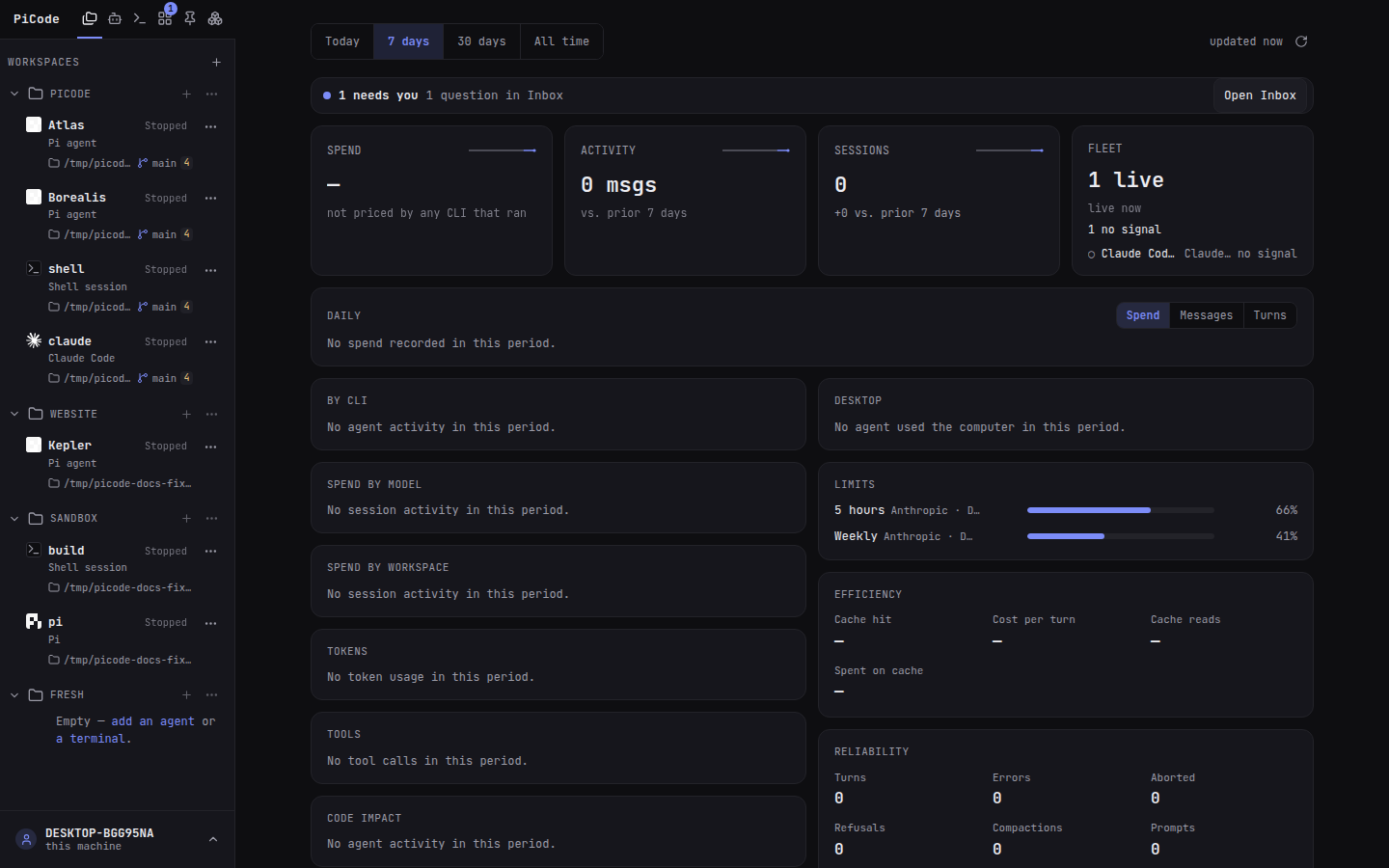
PiCode — browser-based Agent Development Environment (ADE) for coding-agent CLIs: Pi, Claude Code, Codex, Grok, Hermes, OpenCode, Muse Code, Antigravity, Omp. Create, configure and orchestrate agents across workspaces: no terminal fear required.

PiCode
Run and supervise your coding agents from your browser — whichever CLI each one runs.
Create agents, connect them to projects, watch their work and step in when
they need you — from a desktop or a phone.




Get started · Documentation · Architecture
[!IMPORTANT]
PiCode is pre-alpha. The core workflow is usable, but interfaces, storage
migrations and installation paths may still change between releases.
Why PiCode
Coding-agent CLIs — Pi, Claude Code, Codex, Grok, Hermes Agent, OpenCode,
Muse Code, Antigravity, Omp — each give a great terminal experience. A
terminal is also a hard place to supervise several long-running agents across
projects, especially when the person directing them does not live in a shell.
PiCode adds the orchestration layer: one browser workspace for creating,
configuring and steering a fleet of agents, whichever CLI each one runs. It
does not replace the CLIs: every agent is the real CLI process, and its
genuine TUI remains one tab away.
PiCode works with whichever of those CLIs you install; none is required, and
PiCode itself needs only tmux (ADR-0179); installing a CLI from Agent CLIs
uses Node.js and npm. An agent is a workspace or
free instance of any of them (ADR-0160). Pi is the one CLI that also has a
managed mode — structured chat and a composer over its own RPC (ADR-0091);
the others run their TUI in a PiCode terminal until they get a managed
adapter. Agent CLIs is the central manager for installs, launches,
sessions, providers, settings, packages and activity reporting.
The browser is a door, not a cage.
What you can do today
| Capability | What it gives you |
|---|---|
| Agent fleet | Create free agents or attach several agents to a workspace, each with its own model, provider and working directory. |
| Chat and terminal | Use the CLI's own TUI in a tmux-backed browser terminal; Pi agents also get a structured conversation view. |
| Project tools | Browse and edit files, inspect diffs and Git history, manage sessions, and open persistent project terminals. |
| Agent CLIs | Configure installed CLI executables, arguments, environment, PATH and activity reporting; open, stop or restart individual terminals. |
| Human inbox | Collect questions, approvals and finished work in one place; reply without hunting for the right agent tab. |
| Automations | Start fresh agent runs on a schedule or webhook, with templates, limits and run history. |
| Desktop and phone | Supervise the same fleet through the desktop UI or the installable mobile PWA, with pairing and push notifications. |
| CLI ecosystems | Manage providers, packages, connectors and settings for every CLI while keeping each CLI's native files authoritative. |
PiCode is designed for solo developers running a few agents, terminal-averse
users who still want direct control, and teams hosting agents on a machine they
manage.
What stays yours
PiCode is deliberately a thin layer over the tools and files you already own.
| Concern | Source of truth |
|---|---|
| Agent runtime | The CLIs you installed (pi, claude, codex, …); none is required |
| Conversations | Each CLI's own session files (Pi's under ~/.pi/agent/sessions/) |
| Credentials and configuration | Each CLI's own auth, settings, package and extension files |
| Interactive processes | tmux sessions that survive browser and daemon restarts |
| Orchestration | PiCode's local SQLite database under ~/.picode/ |
If PiCode is not running, your sessions and configuration are still each
CLI's regular data. See the architecture for the
full trust and persistence model.
Quick start
The supported install is a GitHub release on Linux or WSL. Follow
Getting started:
install tmux, download picode-linux-amd64, run picode install, openhttps://localhost:8445, then add the CLIs you use from Agent CLIs.
Windows uses PiCode Desktop.
A machine you reach from elsewhere uses
On a server.
From source
To change PiCode, not to run it. Needs Go 1.26+,
Node.js 22 (the version used by CI) and tmux 3.5+.
The agent CLIs you want to run are installed afterwards, from Agent CLIs
in the app or with the vendor's command.
git clone https://github.com/cfpperche/picode.git
cd picode
make build
./bin/picode install
Open https://localhost:8445, add a workspace, create an agent, then
Run. Closing the browser does not stop the agent. make cert installs
a locally trusted mkcert certificate when you want the browser warning to
disappear. Full page: From source.
The docs also cover phone pairing
and the Chrome extension.
Useful commands
| Command | Purpose |
|---|---|
make dev |
Run from the repository; run make web once on a fresh clone. |
make deploy |
Rebuild this checkout and restart the installed service. |
picode pair |
Print a one-time link for another browser or phone. |
picode update |
Download and verify a newer GitHub release. |
picode uninstall |
Remove the service; add --purge to delete ~/.picode. |
How it works
Desktop browser / mobile PWA
            │ HTTPS + WebSocket + server-sent events
            ▼
┌─────────────────────────────────────────────────────┐
│ picode · one Go server                              │
│                                                     │
│ lifecycle · inbox · automations · files · event feed│
│             │                         │             │
│       tmux-backed PTY          JSONL RPC bridge     │
└─────────────┼─────────────────────────┼─────────────┘
              ▼                         ▼
   CLI TUIs (pi, claude, codex…)   pi --mode rpc (Pi only)
              └──── each CLI's own sessions and config ────┘
A Pi agent uses one live channel at a time, so the TUI and RPC view never
write the same session concurrently; every other CLI runs its own TUI in the
terminal PiCode gives it. The browser can disconnect without owning the
agent process. Details and trade-offs live in
docs/architecture.md and the
architecture decision records.
Project documentation
- Public documentation — tutorials,
guides, command reference and HTTP API - Current project state —
make handoffrenders it from git, the open topics
underdocs/handoff/open/and the session notes - Architecture — components, protocols and security
- Decision records — the reasoning behind architectural
choices - Release process — maintainer checklist for public
releases (cadence proposal pending) - Engineering benchmarks — the product and quality bars
used in review
Contributing
Humans and coding agents work under the same repository contract. Read
CONTRIBUTING.md and AGENTS.md before making a
change. Pull requests keep code, tests, documentation, changelog and handoff in
sync.
License
PiCode is source-available. Personal and noncommercial use is covered by the
PolyForm Noncommercial License. Enterprise and other commercial use
requires a paid license; see LICENSE-COMMERCIAL.md and
LICENSING.md.
Reviews (0)
Sign in to leave a review.
Leave a reviewNo results found