herdr-blueprint-app
Health Warn
- License — License: MIT
- Description — Repository has a description
- Active repo — Last push 0 days ago
- Low visibility — Only 6 GitHub stars
Code Fail
- exec() — Shell command execution in mods/blueprint/main.js
- exec() — Shell command execution in mods/blueprint/mermaid.js
- exec() — Shell command execution in mods/blueprint/store.js
- network request — Outbound network request in mods/blueprint/update.js
Permissions Pass
- Permissions — No dangerous permissions requested
No AI report is available for this listing yet.
Blueprint for Herdr: a live diagram of what your coding agent is building, right next to it
Blueprint for Herdr
See what your coding agent is building, as a diagram, right next to it.



Using the Herdr TUI in a terminal? You want herdr-blueprint, the plugin for it.
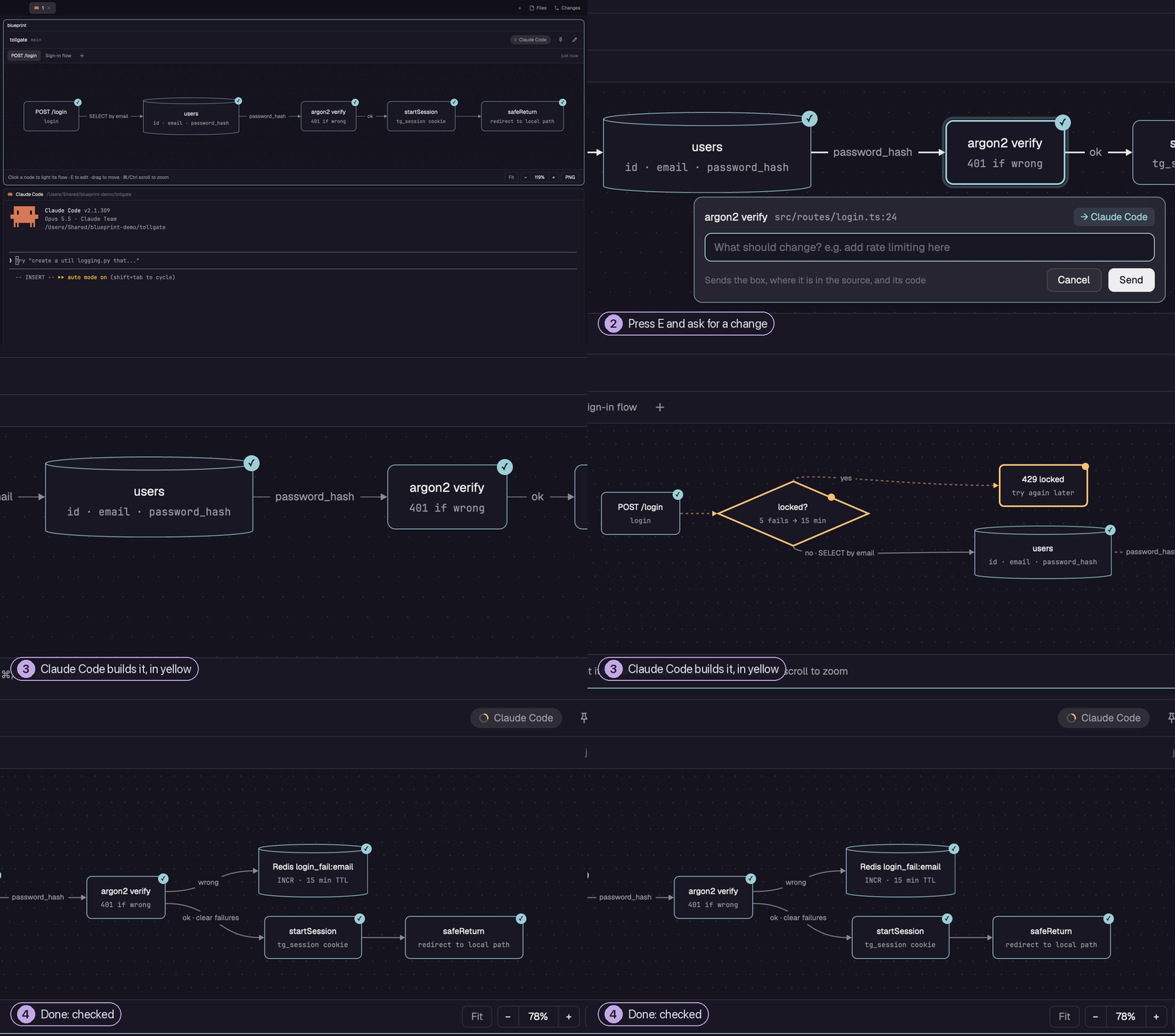
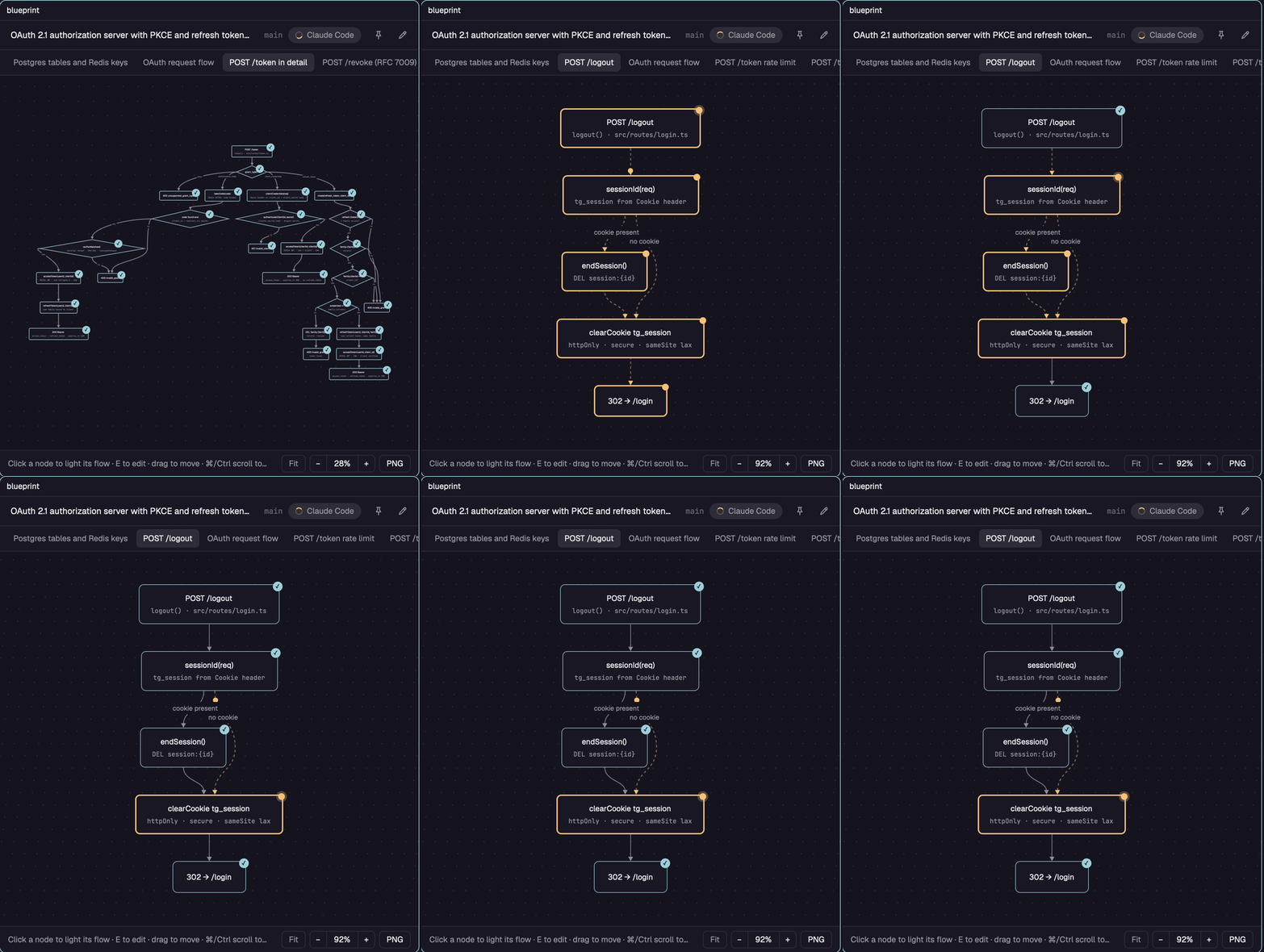
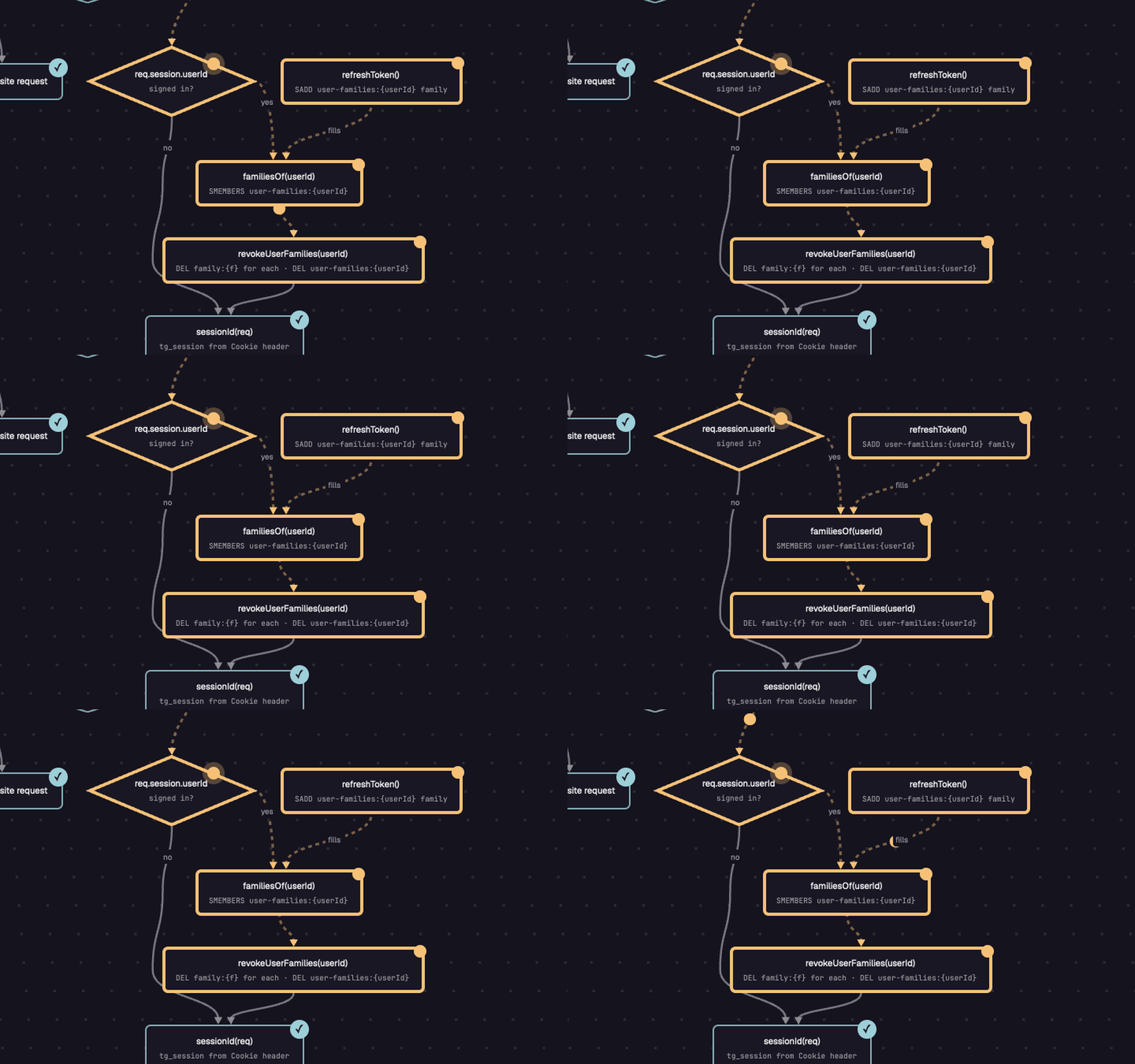
Pick a box, press E, ask. Claude Code builds the change; the new boxes are yellow while it works and get a check when they do. Recorded live, the agent's minute squeezed into two seconds. (MP4)
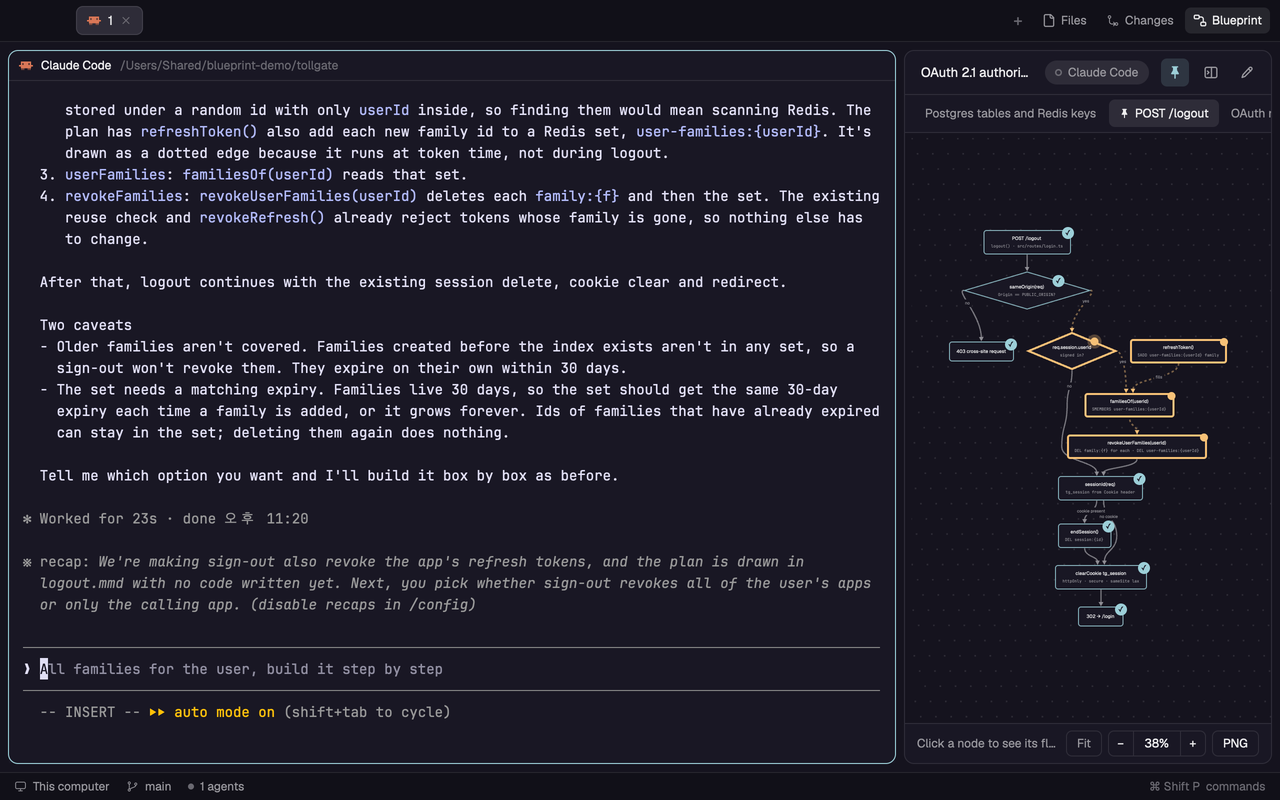
Blueprint is a mod for the Herdr desktop app. Your agent draws the code it is building as a Mermaid flowchart, and Blueprint shows it beside the chat while the work goes on.
- The code at a glance. Boxes are pieces of your code, tied to their file and line. Finished parts get a check and the part being built is yellow, so you see where the agent is without reading the chat.
- Ask where you look. Pick a box, press
Eand write what should change. The agent gets the box, its place in the code and your note. - Kept out of your repo. Diagrams live in Herdr's app folder, one set per project and worktree, and the ones nobody looks at go away after 7 days unless you pin them.
Requires the Herdr desktop app 0.1.10 or newer · tested on macOS (written for Windows and Linux too, not tried there yet).
Install
Run an agent inside Herdr and ask it:
Add the Herdr mod from https://github.com/chappse6/herdr-blueprint-app, then open it and add its tab bar button
Herdr's AGENTS.md tells the agent what to do: copy mods/blueprint into your Herdr app folder and check it. By hand, copy mods/blueprint into the mods folder there (~/.config/herdr-app/mods/ on macOS) and run herdr-app check ~/.config/herdr-app/mods/blueprint.
Then, from any terminal in Herdr, open it once and add the Blueprint button next to Files and Changes (recommended; from then on the button opens it):
herdr-app do pane.split --direction right --mod blueprint
herdr-app do blueprint.add-button
herdr-app do blueprint.remove-button takes the button away again.
A tour
1. Connect your agent
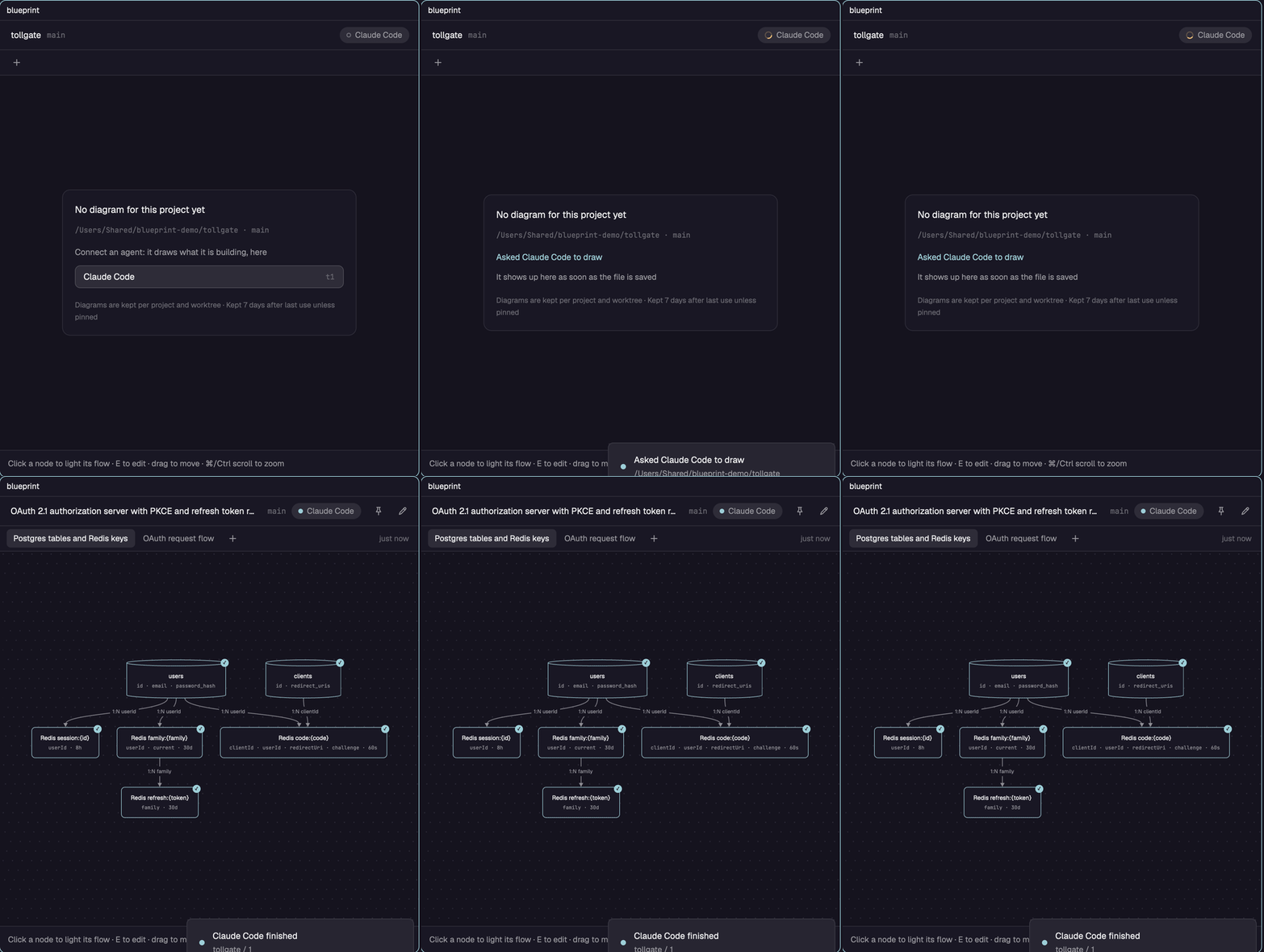
The first time, Blueprint lists the agents in the tab. Pick one and Blueprint asks it to draw the code it is working on, in a folder of Blueprint's own. The diagram shows up as soon as the file is saved.
2. Follow a flow
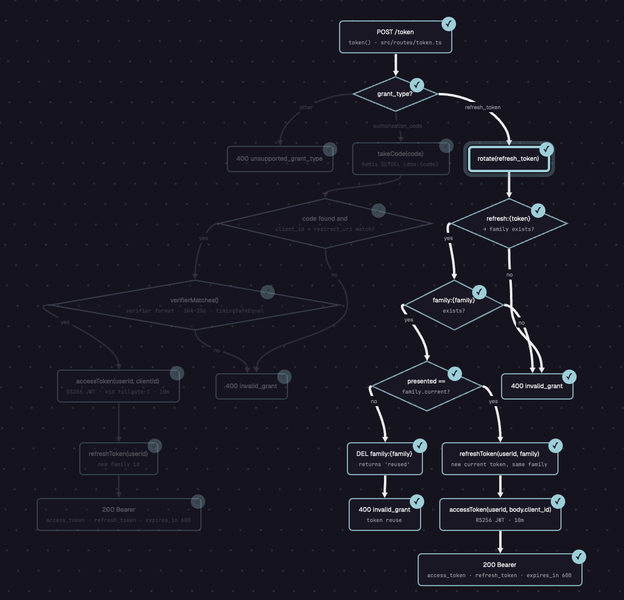
Click a box and everything upstream and downstream of it stays lit; the rest fades. Drag to move, ⌘ or Ctrl + scroll to zoom, F to fit.
3. Point at a box and ask
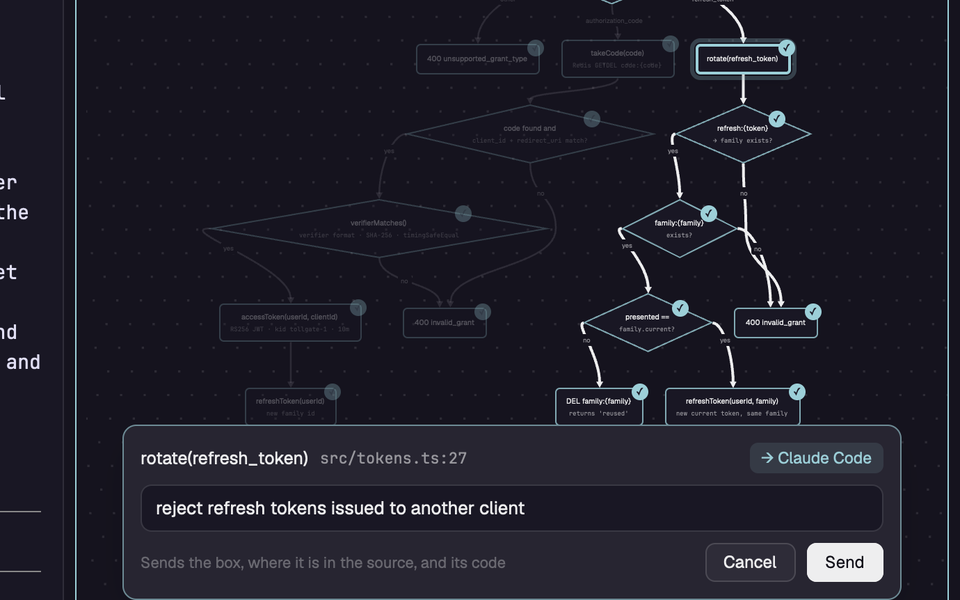
With a box picked, press E and write the change. Blueprint types it into the agent's terminal with the box, its line in the source, the code path it stands for and the whole diagram, and asks the agent to update the drawing when it is done.
4. Watch the work move
The agent marks what it is building active and what it is on right now current. Those boxes turn yellow, and while the pane has focus a dot runs along the yellow edges. When the agent starts a new diagram for a feature, Blueprint switches to it.
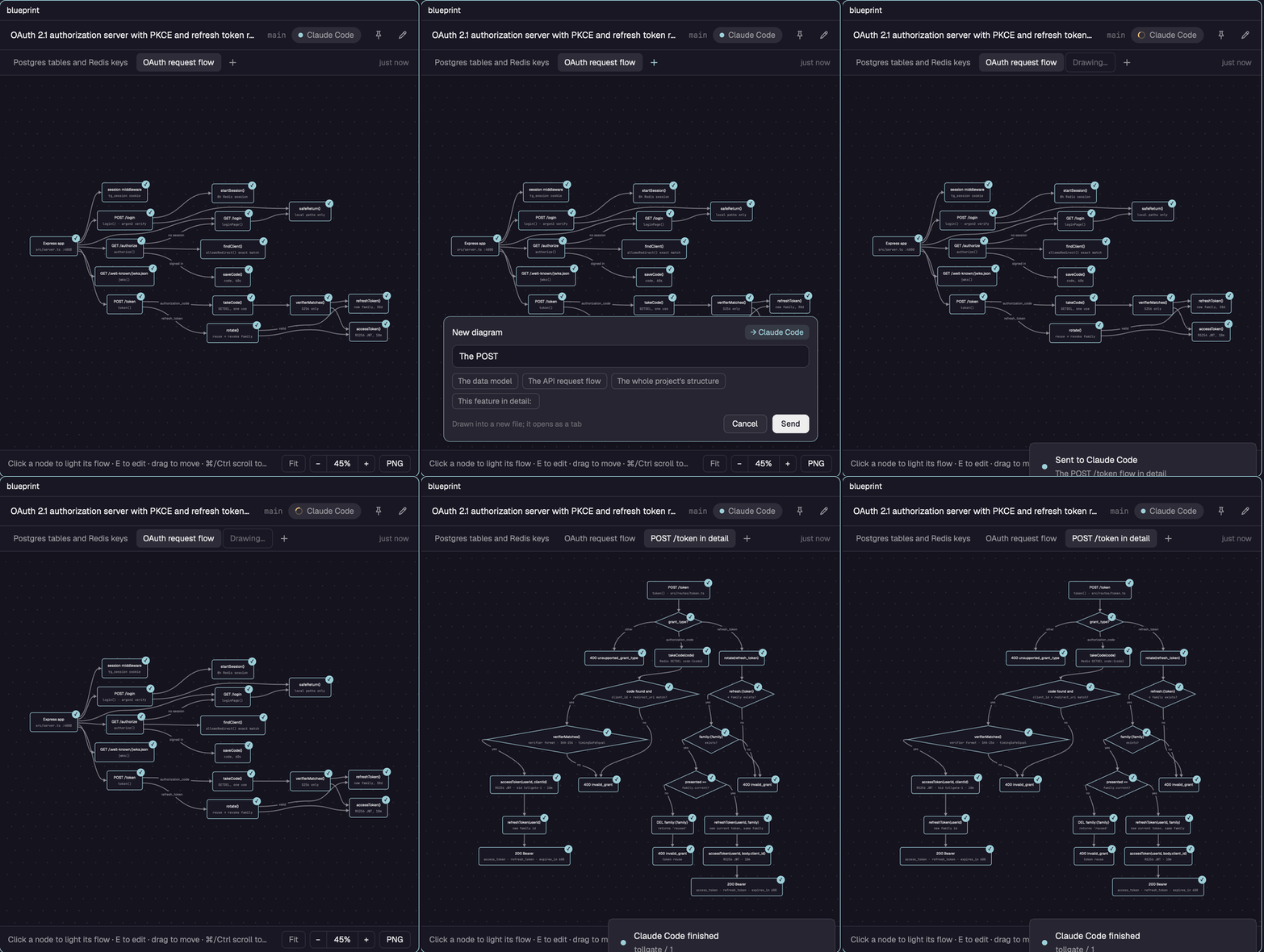
5. Ask for another diagram
+ next to the tabs asks the agent for a new diagram: the data model, one endpoint in detail, the whole project. It opens as a tab when it arrives.
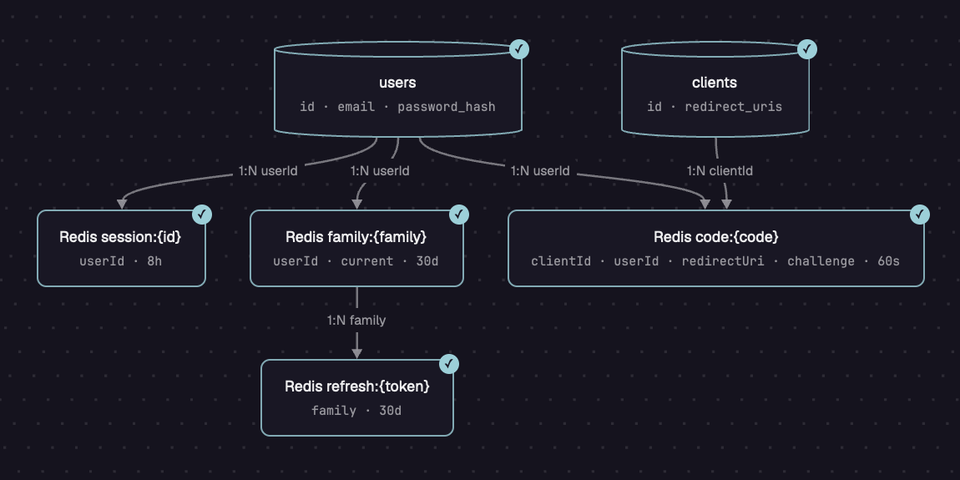
6. Only what the code has
Agents are told to draw only what exists. Here Claude Code drew the two real Postgres tables as cylinders and the Redis keys as plain boxes, with the relations on the edges. In a project with no database it says so and draws what plays that part under its real name.
7. In the tab bar
The Blueprint button (see Install) opens Blueprint as a side panel that follows the tab you are on, and its pane icon moves it into the tab as a pane. Pin a diagram to keep it past 7 days.
Good to know
- Agents. Claude Code, Codex, Grok, Gemini, OpenCode and other agents Herdr knows. Requests are typed into their terminal with
hc send. - Language. English, Korean or Japanese. It follows Claude Code's
languagesetting and is English otherwise (Codex, Grok and others have no such setting it reads). Pick one for good withherdr-app do blueprint.lang-ko(orlang-en,lang-ja;lang-autoto follow Claude Code again). - Where diagrams live.
data/blueprint/projects/<name>-<hash>/in Herdr's app folder: one.mmdfile per diagram and aproject.jsonfor pins and the connected agent. A project is the git top level of the terminal's folder, so every worktree is its own. - What it runs.
git rev-parseto find the project,hc sendto reach the agent, andsipsandosascriptfor PNG export on macOS. It reads~/.claude/settings.jsonfor the language. The only network use is the update check below. - Updates. Once a day Blueprint reads the version in this repository's
mods/blueprint/mod.jsonon GitHub. When it is newer than yours, an ↑ button shows in the header; a click asks the tab's agent to update the mod and tell you what changed.herdr-app do blueprint.update-check-offstops the check. - Platforms. Written for macOS, Linux and Windows with no shell, Python or Node. It has been run on macOS (Herdr 0.1.10); Windows and Linux are not tested yet. PNG export is macOS only.
FAQ
How many more tokens does it cost? Blueprint itself uses none; the agent does when it writes a diagram. Measured in one Claude Code session (Opus 5.5) on a 230-line project:
| What | Output tokens | Time |
|---|---|---|
| First drawing after connecting | about 3k | 30 s |
A new diagram with + |
about 2k | 20 s |
A change asked with E (code, tests, and the diagram updated about 3 times) |
2.4k of the turn's 6.5k | 17 s of 89 s |
A feature where you ask it to move current at every step |
35 to 55% of the turn | about half of it |
Updates reread the conversation, which prompt caching makes cheap but which still counts toward usage limits. Numbers change with the model, the language and the size of the diagram.
Does it slow the agent down? A little: each diagram update is one more step, 5 to 10 seconds in the session above. By default the agent updates after each unit of work, and only when the flow changed. If you ask it to show every step, expect the work to take about twice as long.
Why not just ask the agent for a Mermaid diagram? You can, and you get a map to read after the work is done. Blueprint keeps the map alive while the agent works, shows which part is being built, and lets you point at a box to have it changed.
Contributing
Issues and pull requests are welcome. For Herdr itself, there is the Herdr Discord.
Develop
Tests run in Node 24 or newer, with Herdr's modules stubbed: node --import ./tests/stubs.mjs --test 'tests/*.test.mjs'. They also run on every pull request.
scripts/sync.sh copies mods/blueprint into the Herdr app folder (Herdr doesn't reload a symlinked mod), and --watch copies on every change. scripts/demo/ rebuilds the pictures on this page from a real session in a Herdr window of its own: start.sh, then record.py while you drive it, then make.py clips.json. RECIPE.md describes the mod for an agent that wants to build it from scratch.
License
MIT
Reviews (0)
Sign in to leave a review.
Leave a reviewNo results found