whatsmyagentdoing
Health Pass
- License — License: MIT
- Description — Repository has a description
- Active repo — Last push 0 days ago
- Community trust — 53 GitHub stars
Code Fail
- child_process — Shell command execution capability in bin/cli.js
- network request — Outbound network request in bin/cli.js
- fs module — File system access in scripts/pack-scene.js
- fs.rmSync — Destructive file system operation in src/scenes.js
- os.homedir — User home directory access in src/scenes.js
- process.env — Environment variable access in src/scenes.js
- fs module — File system access in src/scenes.js
- fs module — File system access in src/server.js
Permissions Pass
- Permissions — No dangerous permissions requested
No AI report is available for this listing yet.
See what every Claude Code and Codex agent on your machine is doing — live, in a little office.
👀 whatsmyagentdoing
A Claude Code / Codex skill: type /myoffice and see what every Claude Code, Codex and Gemini CLI agent on your machine is doing — live, in a little office.
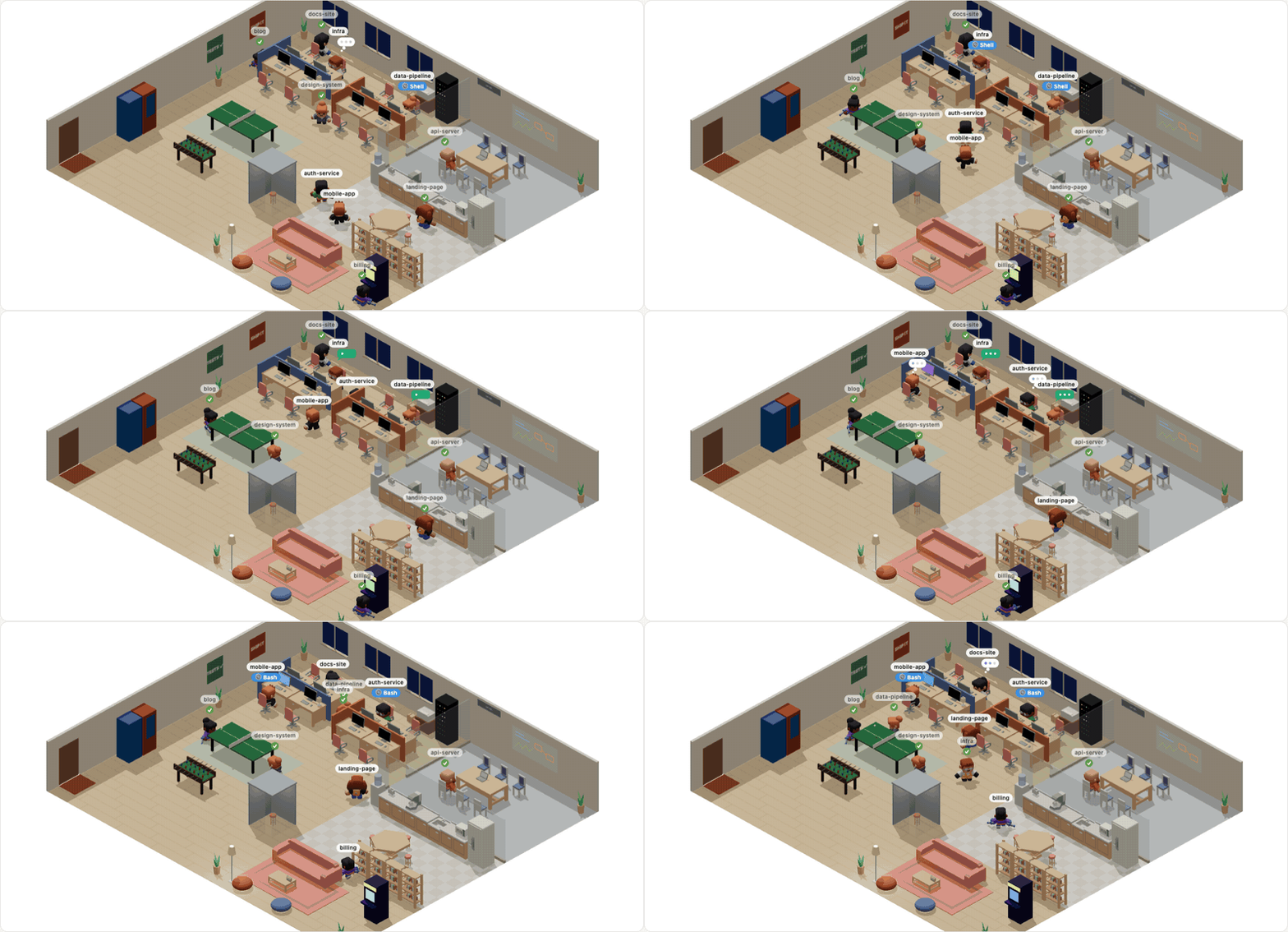
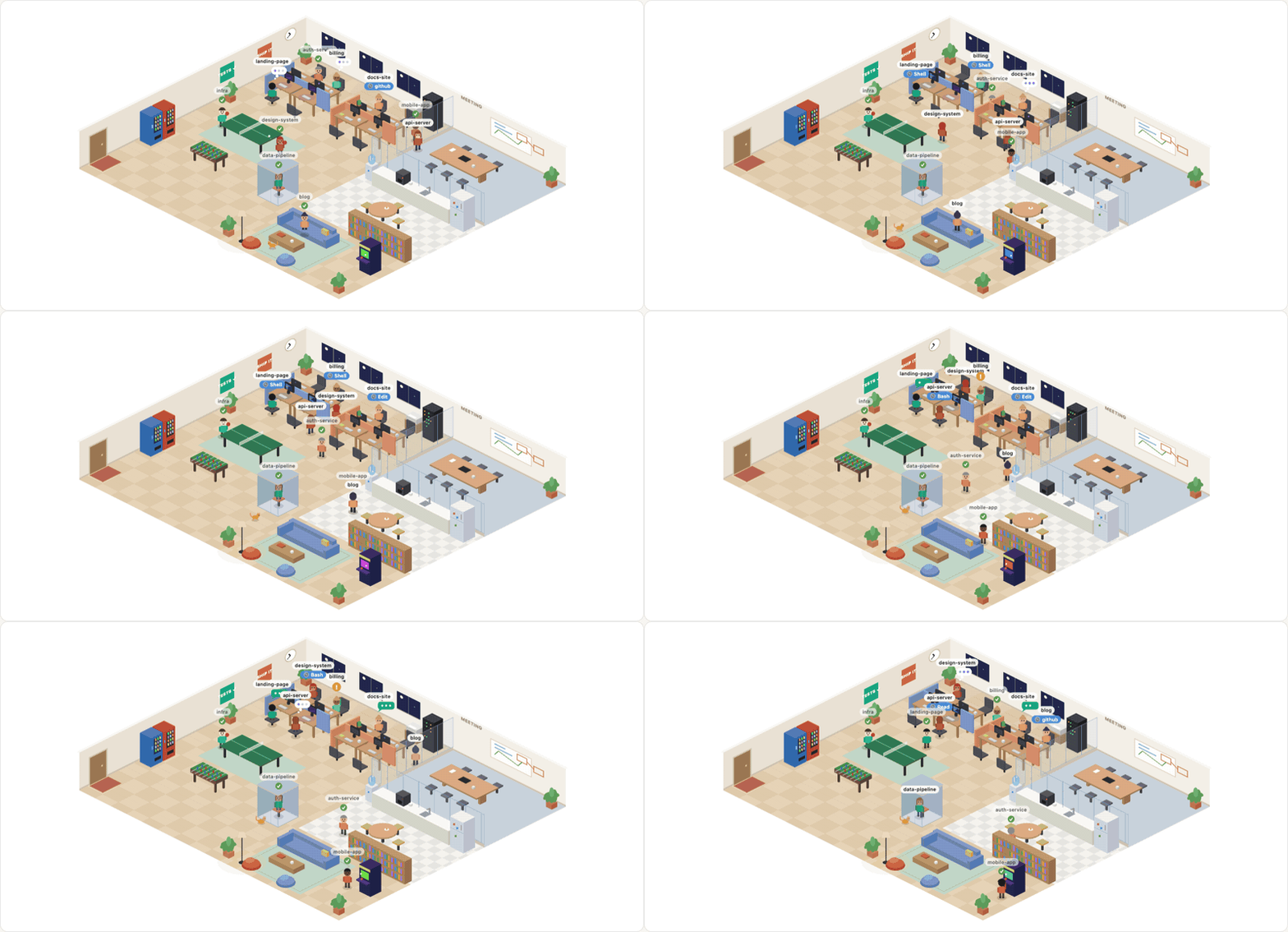
| Medium (2D) | List |
|---|---|
 |
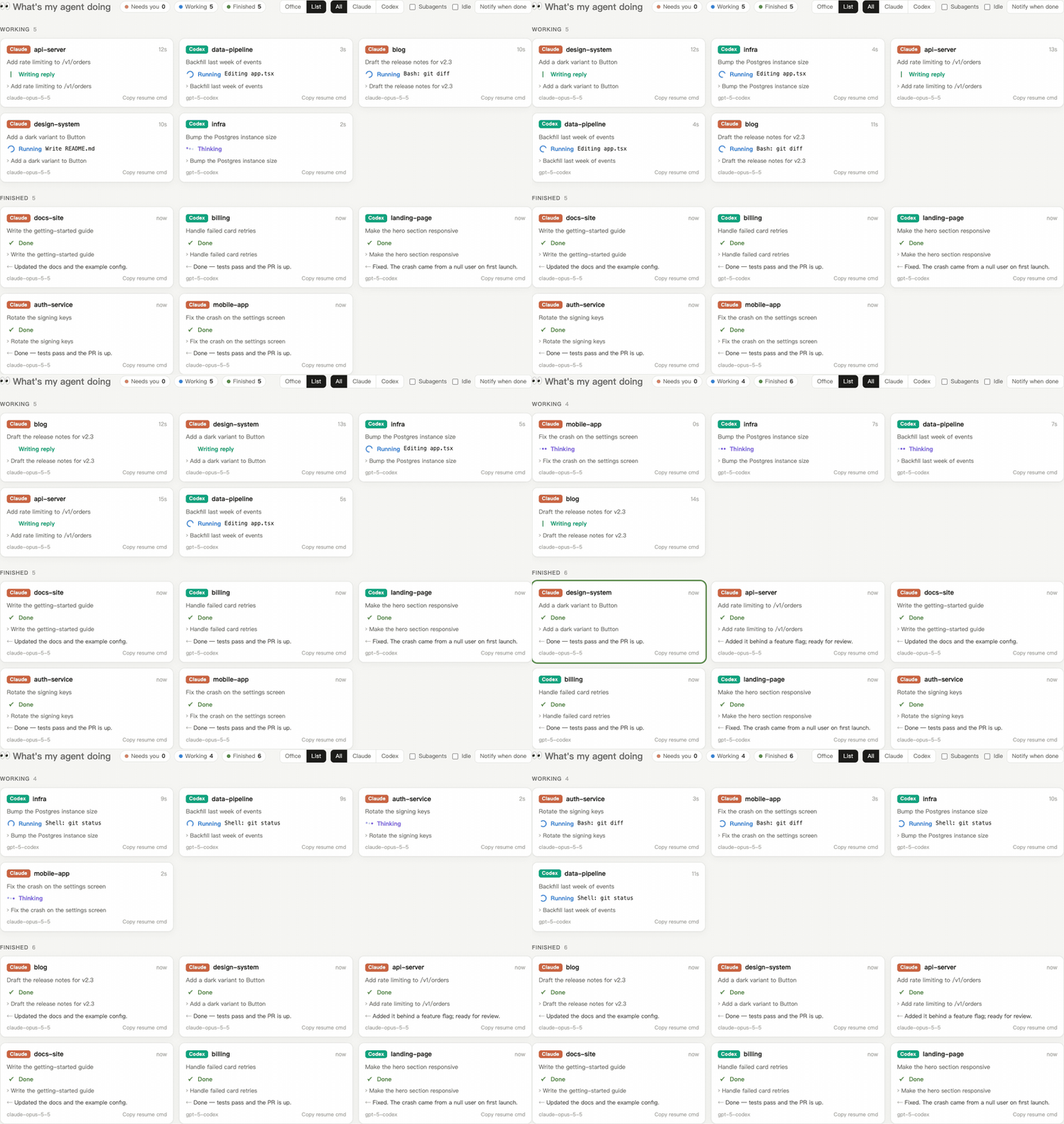 |
Recorded with --demo (a made-up team), so no real sessions are shown.
Install
Easiest: ask your agent. Paste this into Claude Code or Codex:
Install the myoffice skill from https://github.com/Charonyuu/whatsmyagentdoing: clone it with
git clone --depth 1into~/.claude/skills/myoffice(for Codex:~/.codex/skills/myoffice), check thatnode --versionis 18 or newer, then tell me to start a new session and type /myoffice.
Or do it yourself:
# Claude Code
git clone --depth 1 https://github.com/Charonyuu/whatsmyagentdoing ~/.claude/skills/myoffice

# Codex
git clone --depth 1 https://github.com/Charonyuu/whatsmyagentdoing ~/.codex/skills/myoffice
Then type /myoffice (or just ask "what are my agents doing?"). The office opens in your browser. Update later with git -C ~/.claude/skills/myoffice pull.
Needs Node.js 18+. Nothing to npm install — the repo runs as cloned. Prefer no skill? node bin/cli.js from a clone works too.
It opens an isometric office. Agents that are working sit at cubicle desks: a thought bubble while thinking, typing with code scrolling on the monitor while a tool runs, standing up and waving when they need you. A handful of recently finished agents stay around off duty and wander: coffee and water in the pantry, the couch and beanbags, the bookshelf, the meeting-room whiteboard, the arcade cabinet, ping-pong and foosball (when two of them are free), the phone booth, or a nap at an empty desk. Everyone else has gone home. The windows follow your local time of day (and in Medium there's an office cat). Hover anyone to see what they're on.
Two looks: Medium is a hand-drawn 2D canvas (zero dependencies). High (3D) renders the same office with real-time lighting and shadows using Kenney's CC0 Mini Characters (with their walk / sit / interact animations) and Furniture Kit; drag to rotate, scroll to zoom. The 3D bundle (three.js, ~180 KB gzipped) and models (~1.3 MB, meshopt-compressed) only load when you pick High.
Scenes (3D): the office is built in; other scenes are small downloadable packs (the Pirate Cove is ~140 KB), fetched only when you pick one from the scene buttons, run --scene pirate, or ask your agent for it. Packs are data only (a manifest plus Kenney CC0 models) and are checked against a pinned SHA-256 before they're installed into ~/.whatsmyagentdoing/scenes.
Prefer plain cards? Switch to List. Either way, each session updates in real time:
| Status | Meaning |
|---|---|
| 💭 Thinking | reasoning, or reading a tool result |
| ⏳ Running | a tool call is in flight — shows which (Bash: npm test, Edit app.ts, github · create_pr) |
| ✍️ Writing reply | started its answer, turn not finished yet |
| 🟠 Waiting for you | asked you a question / needs approval |
| ✅ Done | turn finished, with the last reply |
| ■ Interrupted / ❗ Error / – Idle |
The UI speaks English, 繁體中文, 简体中文, 日本語, 한국어, Español, Français, Deutsch and Português. By default it uses the language you write your prompts in (falling back to your browser's); pick one from the 🌐 menu to override.
In list view, sessions are grouped into Needs you → Working → Finished, with a live timer for the current turn, a copy button for the resume command (claude --resume … / codex resume …), optional browser notifications when an agent finishes, and filters for Claude / Codex / subagents. The tab title shows how many agents are working.
Works with Claude Code (CLI, desktop, IDE), Codex (CLI, desktop, IDE) and Gemini CLI — anything that writes session logs to disk. (Google Antigravity keeps its conversations in an undocumented binary store and isn't supported yet.)
Options
-p, --port <n>    Port (default 4545; next free one if taken)
--hours <n>       Sessions active in the last n hours (default 24)
--no-open         Don't open the browser
--private         Hide prompts, replies and titles — status only (screen-share safe)
--json            Print one snapshot as JSON and exit
--demo            Show a made-up team instead of your sessions (screenshots, trying it out)
--stop            Stop a running dashboard (or say /myoffice stop)
--scenes          List 3D scenes, installed and downloadable
--scene <id>      Download a scene if needed and open the office in it
Running it again while it's up just reopens the tab.
How it works
No hooks, no config, no API keys. Both tools already append every message and tool call to JSONL files as they work:
- Claude Code:
~/.claude/projects/<project>/<session>.jsonl(+subagents/) - Codex:
~/.codex/sessions/YYYY/MM/DD/rollout-*.jsonl - Gemini CLI:
~/.gemini/tmp/<project>/chats/session-*.jsonl(project paths from~/.gemini/projects.json)
whatsmyagentdoing tails those files (read-only), turns the latest event into a status, and pushes it to the page over Server-Sent Events. Set CLAUDE_CONFIG_DIR / CODEX_HOME / GEMINI_CLI_HOME if yours live elsewhere.
Privacy: nothing leaves your machine. The server binds to 127.0.0.1 only and rejects requests that aren't addressed to localhost. No runtime dependencies — read src/ in five minutes. (web/office3d.js is the 3D source; npm run build bundles it with three.js into public/office3d.js.)
Limits
- Logs are written per finished block, not per token, so "Writing reply" means a reply block has landed and the turn isn't over — not a live keystroke stream.
- Claude Code doesn't log permission prompts, so a tool waiting on your approval shows as "Running" until you answer (Codex and Gemini CLI do log it, so those show "Waiting for you").
- Gemini CLI writes its thoughts together with the reply, so between your prompt and its first tool call or reply it simply shows "Thinking".
- The log formats aren't public APIs. If an update changes them, statuses may degrade — please open an issue.
License
MIT. 3D models in assets/kenney/ are by Kenney, released under CC0 (see the license files there).
Reviews (0)
Sign in to leave a review.
Leave a reviewNo results found