expo_boilerplate
Health Pass
- License — License: MIT
- Description — Repository has a description
- Active repo — Last push 0 days ago
- Community trust — 28 GitHub stars
Code Fail
- rm -rf — Recursive force deletion command in package.json
Permissions Pass
- Permissions — No dangerous permissions requested
No AI report is available for this listing yet.
AI-first React Native and Expo boilerplate. Feature-first architecture, TypeScript, auth, i18n, theming, Redux Toolkit, plus Cursor and Claude rules. Lite tier of AI Mobile Launcher.
AI Mobile Launcher
The AI-first React Native + Expo boilerplate.
Feature-first architecture, TypeScript strict, auth, i18n, theming, Redux Toolkit, and Expo SDK 54 with the New Architecture. Structured so Cursor, Claude Code, and Antigravity generate consistent code without hallucinating your patterns.


Created by Malik Chohra · Code Meet AI newsletter
Sponsored by AI Mobile Launcher and CasaInnov
Need the complete, production-ready boilerplate? This is the open Lite starter. The full AI Mobile Launcher (auth, payments, AI features, and the rest) is at aimobilelauncher.com.
Why this boilerplate?
Most React Native starters give you a blank canvas. That's fine for a side project — it's a liability on production work or when you're using AI coding tools.
After 7 years of shipping React Native apps — enterprise clients, health tech, coaching platforms — I kept rebuilding the same foundation from scratch. Authentication, onboarding, theming, i18n, state management, folder structure, TypeScript config. Every time.
This is that foundation, extracted and open-sourced.
Three reasons to use it over npx create-expo-app:
- Production-grade from day one. Auth flow, onboarding, secure storage, RTK Query, MMKV, Reanimated, FlashList — already wired together and tested.
- Feature-first architecture that scales. Code organized by business feature, not technical layer. Onboard new engineers in a day. Delete features without touching unrelated code.
- AI-native by design. Includes
CLAUDE.mdandAGENTS.mdso Claude Code, Cursor, and Antigravity understand your architecture from session one. No re-priming. No hallucinated patterns.
🚀 Features
- Feature-First Architecture — organized by business features, not technical layers
- Authentication — complete login system with secure token storage
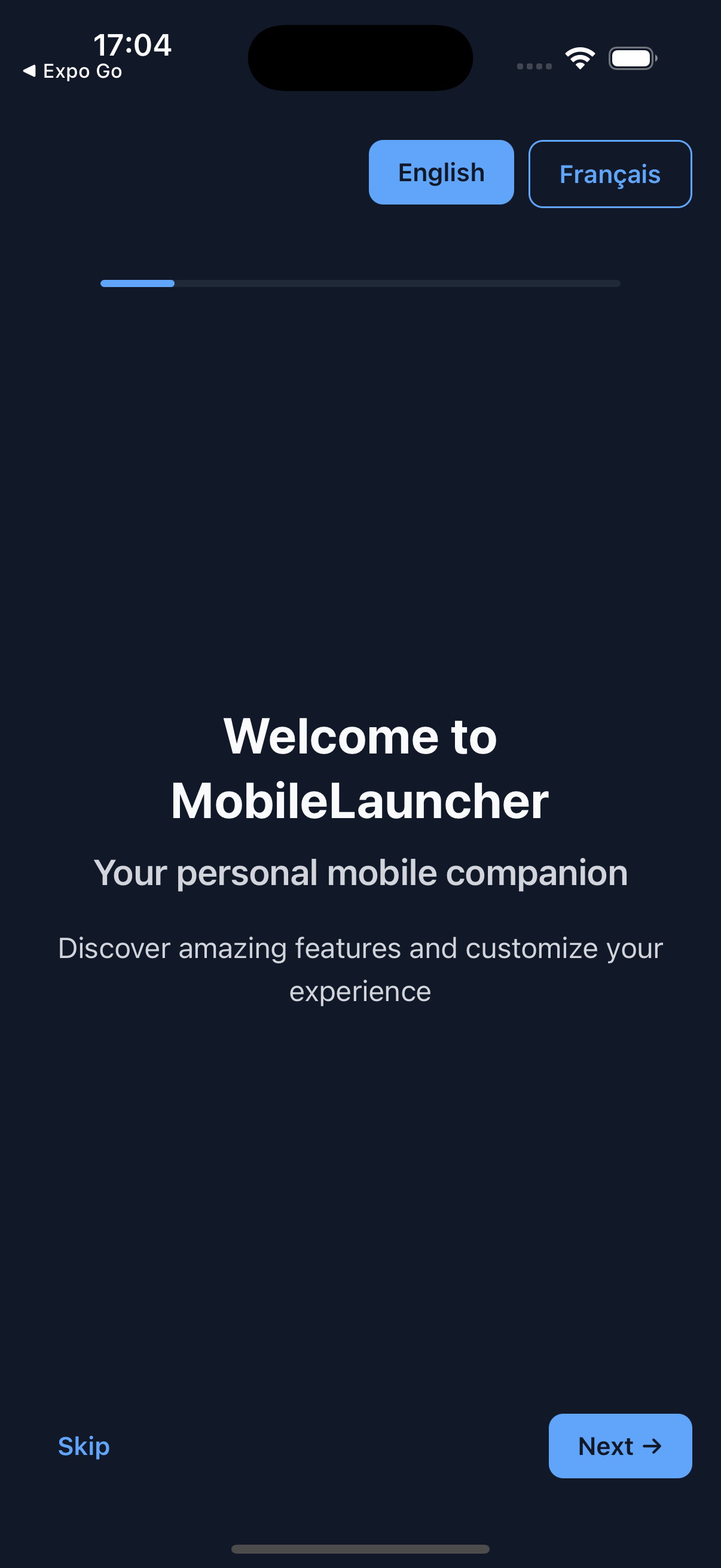
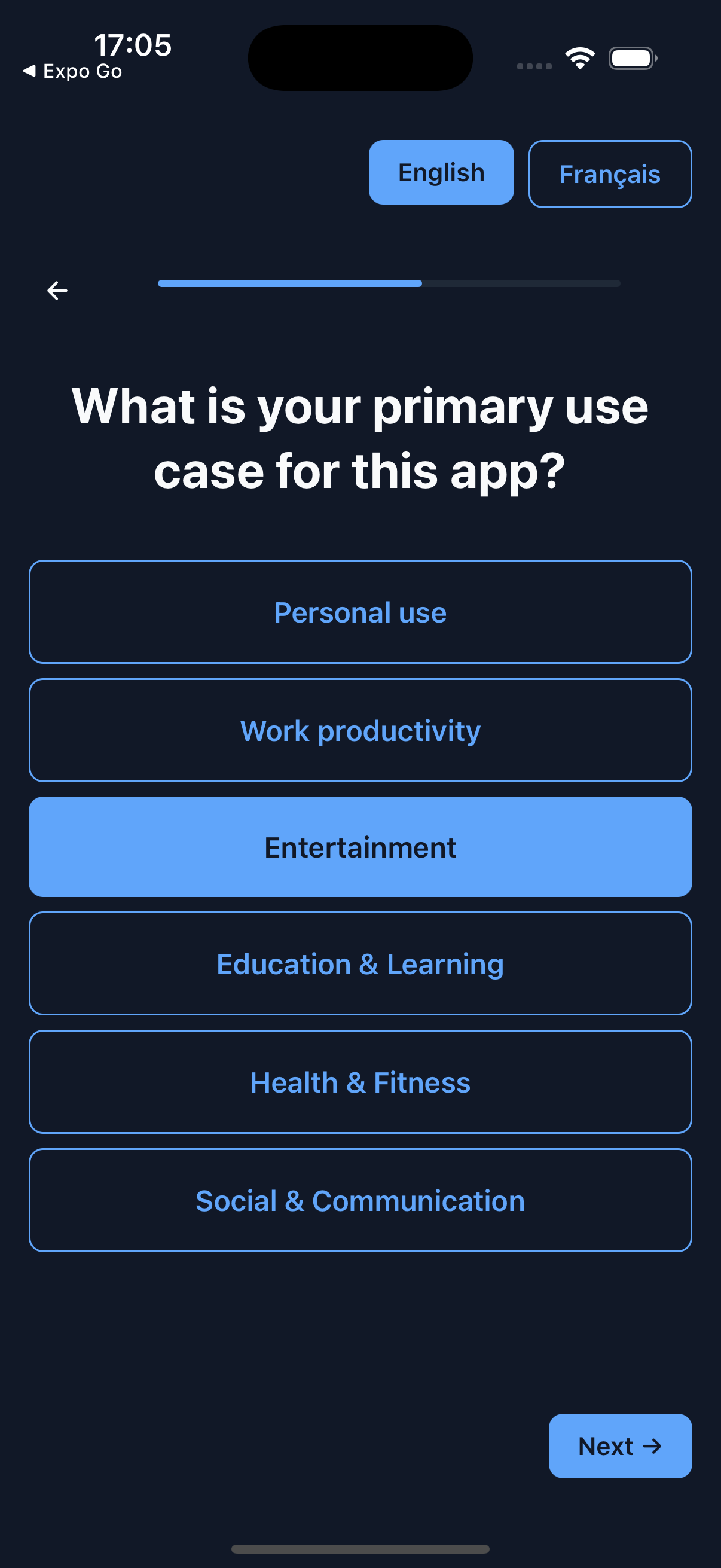
- Onboarding — 3-step onboarding flow with questionnaires
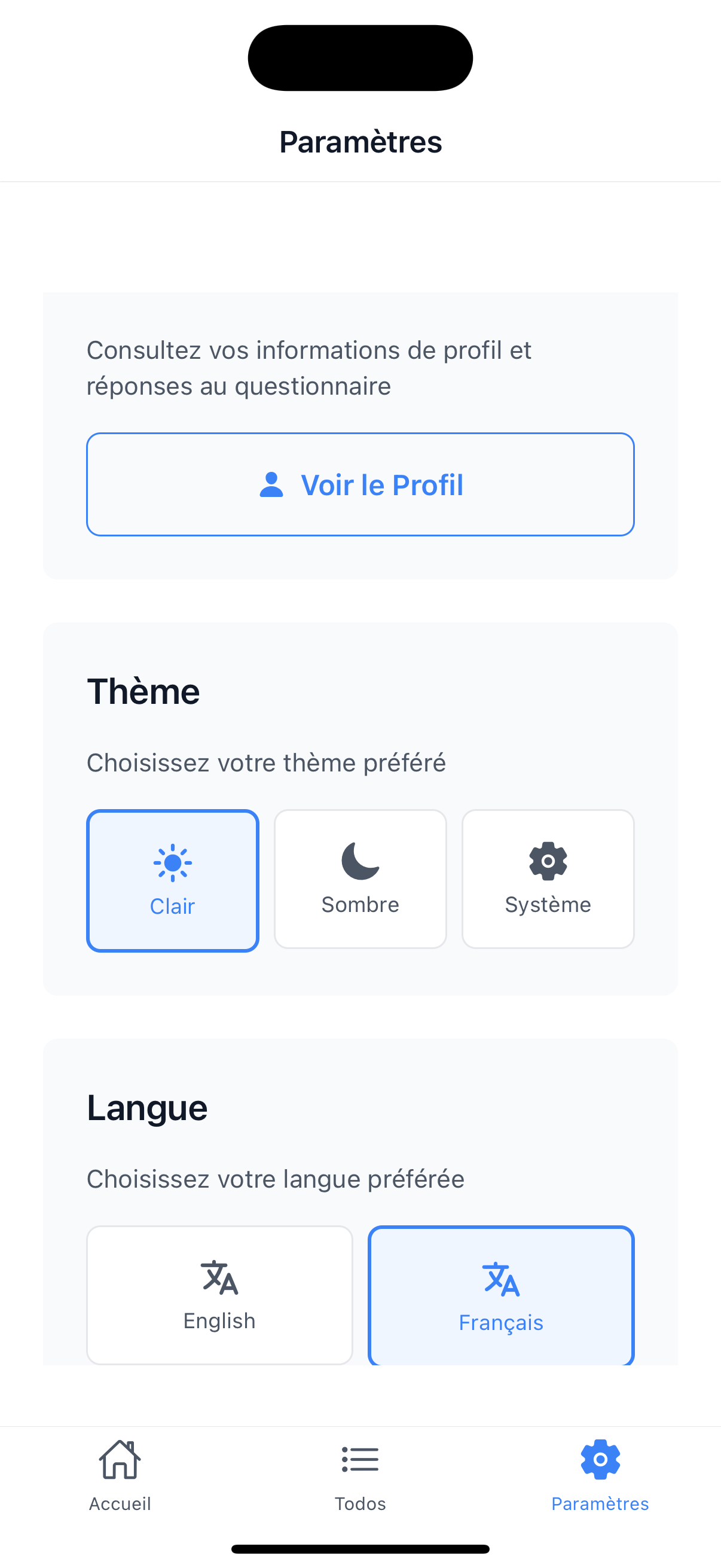
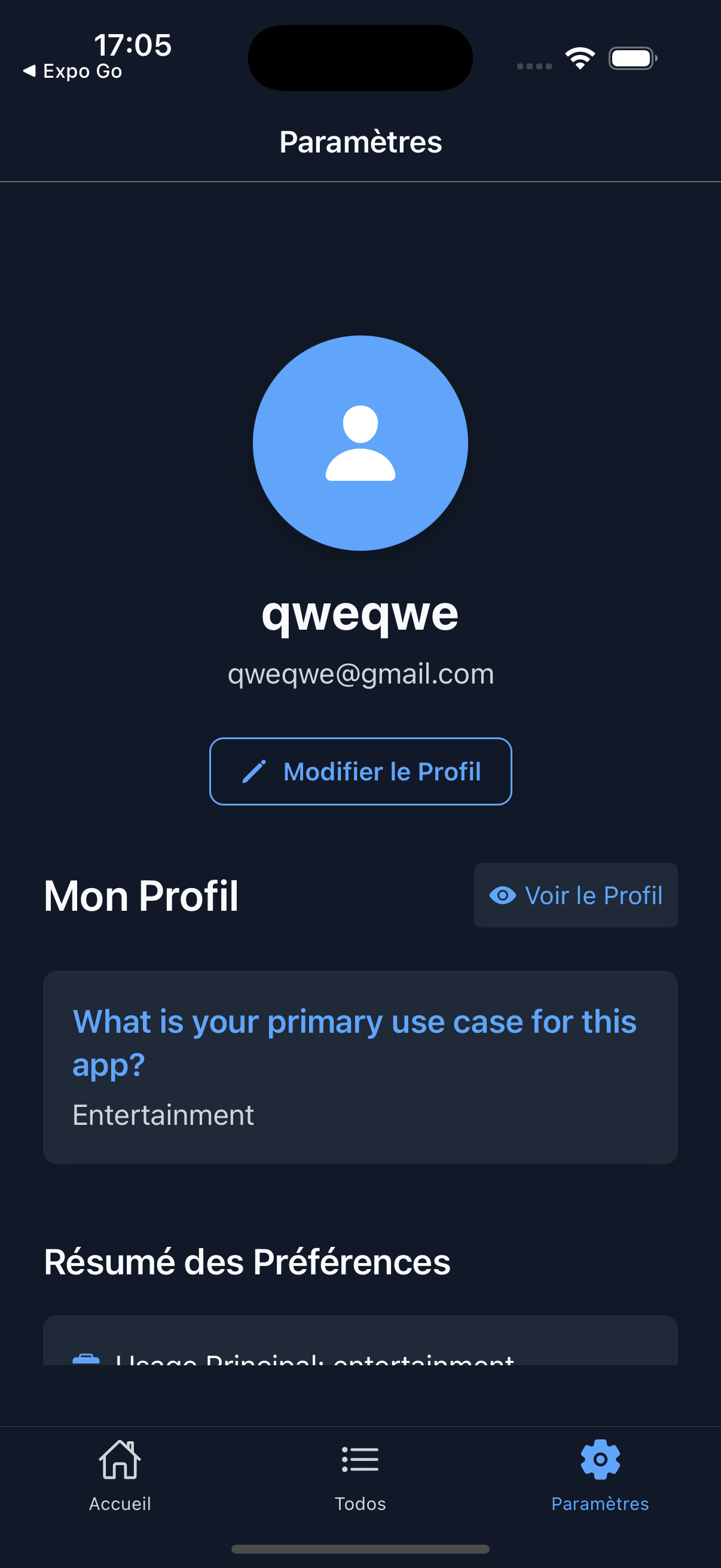
- Internationalization — English and French language support
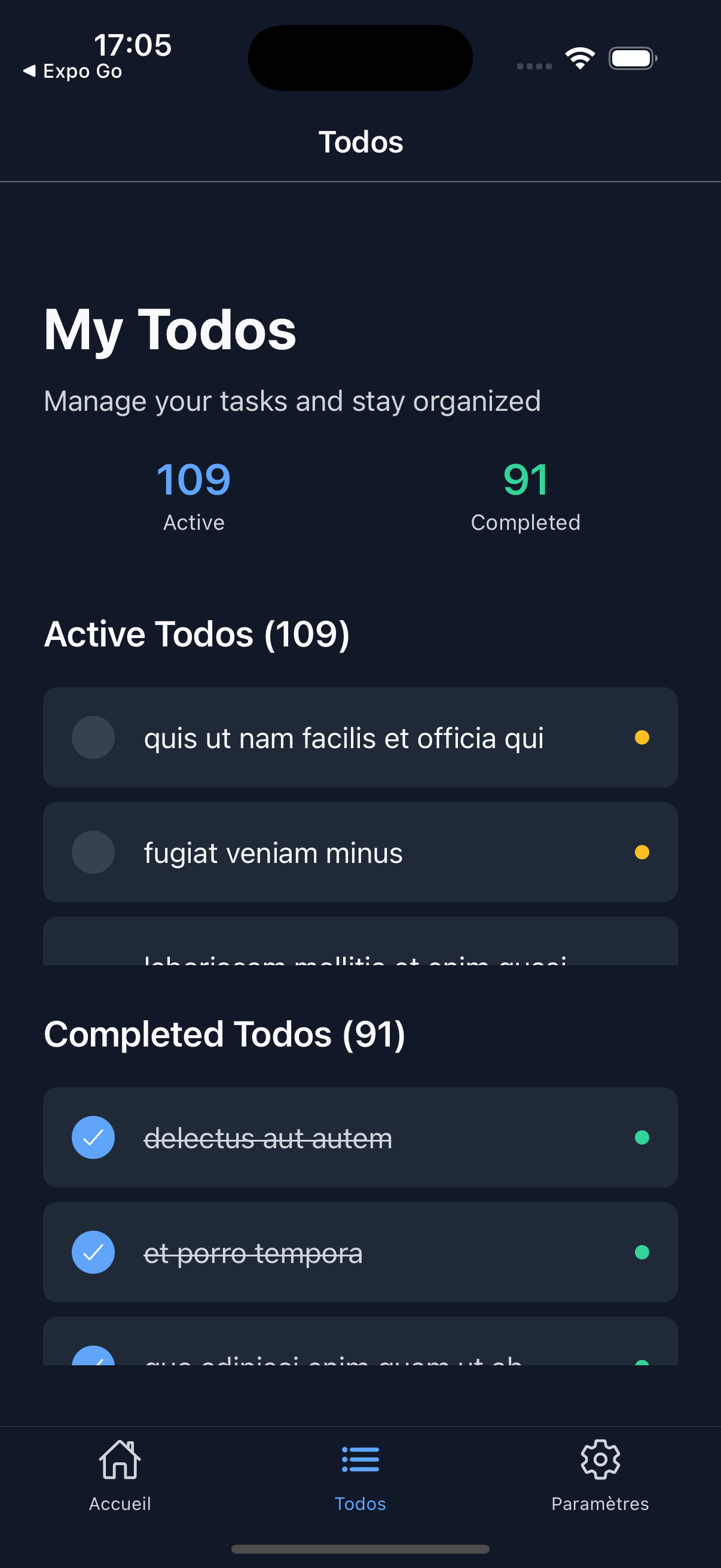
- Theming — Light/Dark/System theme support with Restyle
- State Management — Redux Toolkit with RTK Query
- Navigation — React Navigation with type-safe routing
- UI Components — reusable components built with Restyle
- TypeScript — strict configuration, no implicit any
- Secure Storage — encrypted storage for sensitive data
- Performance — MMKV, FlashList, and optimized animations
- Error Handling — global error boundary with recovery
- Analytics — built-in logging and analytics service
- AI Context Files —
CLAUDE.mdandAGENTS.mdfor AI coding tools
📱 Screenshots
App Flow Overview
Experience the complete user journey from onboarding to main features
Welcome & Onboarding
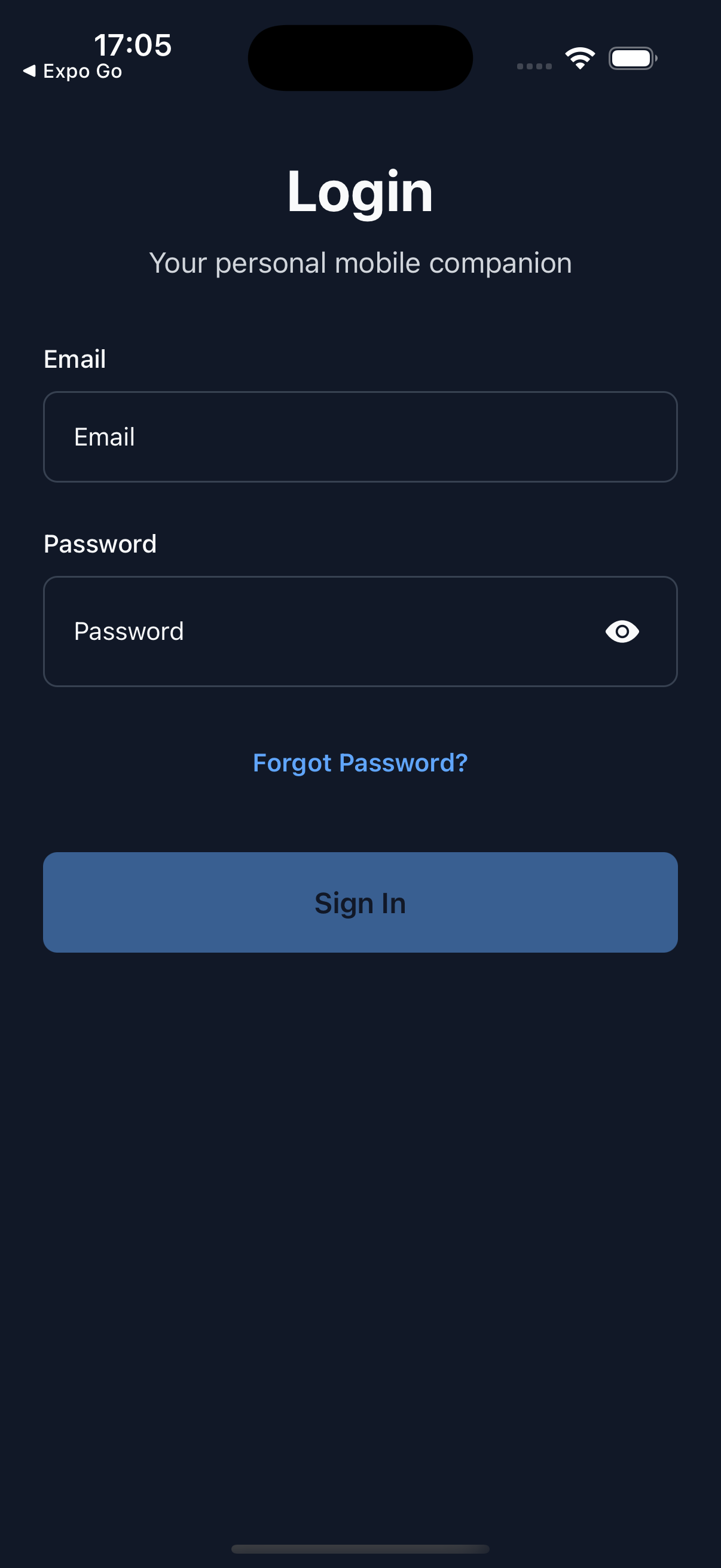
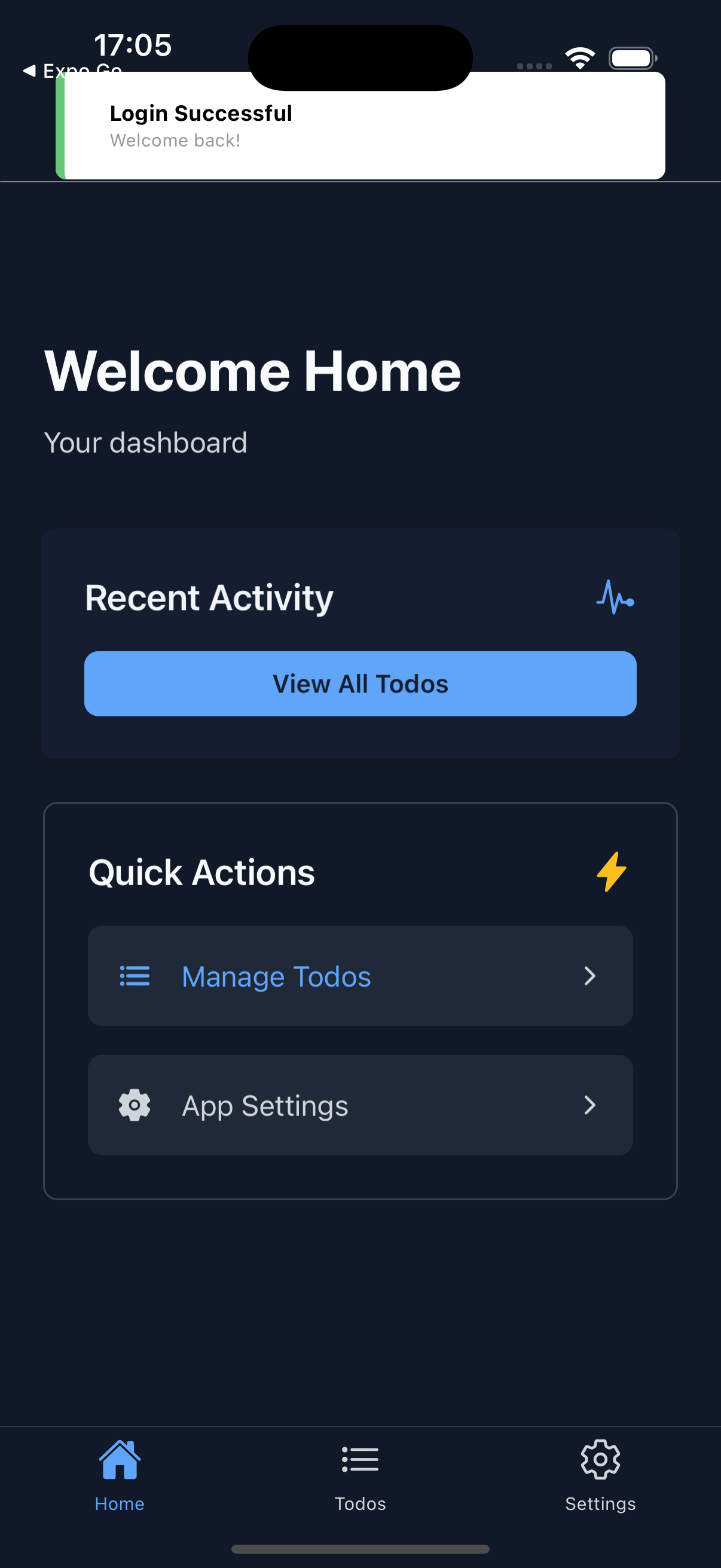
Authentication & Main Features
📁 Project Structure
src/
├── features/                    # Feature-specific code
│   ├── auth/                   # Authentication feature
│   │   ├── api/               # API calls and endpoints
│   │   ├── components/        # Feature-specific components
│   │   ├── hooks/            # Custom hooks
│   │   ├── screens/          # Screen components
│   │   ├── services/         # Business logic
│   │   ├── store/            # State management
│   │   └── types/            # Type definitions
│   ├── onboarding/           # Onboarding flow
│   ├── home/                 # Home screen
│   ├── settings/             # Settings screen
│   └── todos/                # Todos feature
├── navigation/                 # Navigation configuration
│   ├── navigators/           # Navigator components
│   ├── routes.ts             # Route definitions
│   └── routes.types.ts       # Navigation types
├── services/                  # Global services
│   ├── api/                  # API configuration
│   ├── storage/              # Storage services
│   ├── analytics/            # Analytics service
│   └── logging/              # Logging services
├── store/                     # Global store configuration
│   ├── store.ts              # Store setup
│   ├── reducers.ts           # Root reducer
│   └── app.slice.ts          # App-level state
├── ui/                        # Shared UI components
│   ├── components/           # Reusable components
│   ├── style/                # Theme and styling
│   └── tokens/               # Design tokens
├── utils/                     # Utility functions
├── schemas/                   # Data validation schemas
├── config/                    # Configuration files
├── entrypoints/              # App entry points
├── providers/                # App providers
└── locales/                  # Translation files
🛠️ Tech Stack
- React Native with Expo SDK 55 + New Architecture
- TypeScript — strict mode, no implicit any
- Redux Toolkit — state management
- RTK Query — data fetching and caching
- React Navigation — type-safe navigation
- Restyle — styling and theming system
- React Hook Form + Zod — form validation
- i18next — internationalization
- Expo Secure Store — encrypted storage
- MMKV — high-performance local storage
- Redux Persist — state persistence
- Biome — linting and formatting
- React Native Reanimated — animations
- FlashList — optimized lists
🤖 AI Coding Tool Setup
This boilerplate ships with a layered AI rules system. Every tool — Claude Code, Cursor, Antigravity, or any agent — reads from the same source of truth and generates architecture-consistent code from session one.
What's tracked in git (shipped with the boilerplate)
| File | Tool | Purpose |
|---|---|---|
CLAUDE.md |
Claude Code | Loaded automatically at session start. Routes to rule files, surfaces the project skill. |
AGENTS.md |
Cursor, Antigravity, all agents | Cross-tool context: architecture, banned patterns, what to generate and what not to. |
CLAUDE_SKILL.md |
Claude Code | Documents the /mobilelauncher skill and all available commands. |
boilerplate_content.md |
Reference | Full architecture reference: every package, every pattern, every rule in one file. |
.claude/skills/mobilelauncher/ |
Claude Code | Executable skill — generates features, screens, components, hooks, slices, endpoints, and schemas that match this codebase exactly. |
The Claude Code skill
Once you clone the repo, run /mobilelauncher orient to get a full project briefing. Then use the skill to scaffold new code:
/mobilelauncher feature notifications    → full feature scaffold (8 files)
/mobilelauncher screen home dashboard    → typed, memoized screen
/mobilelauncher component avatar         → Restyle UI component
/mobilelauncher hook use-pagination      → custom hook
/mobilelauncher schema invoice           → Zod schema
Every generated file follows the repo's conventions — feature-first, Restyle-only, typed selectors, FlashList, i18next — with a post-generation checklist of what to register (reducer, route, translations, tests).
Why this approach works
Without these files, AI tools guess your patterns and produce code you have to rewrite. With them:
- Cursor reads
.cursor/rules/before writing any code - Claude Code reads
CLAUDE.md, then the skill generates compliant files - Any new agent reads
AGENTS.mdand knows exactly what to produce and what to never generate - The memory bank in
ai_articles/memory-bank/gives AI tools architectural context that doesn't fit in rules
One set of rules. Every tool, every session, every engineer.
🚀 Getting Started
Prerequisites
- Node.js (v16 or higher)
- Yarn package manager
- Expo CLI
- iOS Simulator or Android Emulator
Installation
- Clone the repository:
git clone https://github.com/chohra-med/expo_boilerplate.git
cd expo_boilerplate
- Install dependencies:
yarn install
- Start the development server:
yarn start
- Run on your preferred platform:
# iOS
yarn ios

# Android
yarn android

# Web
yarn web
🏗️ Architecture Overview
Feature-First Structure
Each feature is self-contained with its own:
- Components — feature-specific UI components
- Screens — screen components
- Hooks — custom hooks for business logic
- Store — Redux slice and selectors
- API — RTK Query endpoints
- Services — business logic services
- Types — TypeScript type definitions
No cross-feature imports. Each feature can be deleted or moved without breaking others.
State Management
- Redux Toolkit — modern Redux with less boilerplate
- RTK Query — data fetching and caching
- Redux Persist — automatic state persistence with MMKV
- Type-safe selectors — using createSelector
Theming System
- Restyle — type-safe styling system
- Light/Dark themes — automatic theme switching
- System theme — follows device preference
- Design tokens — consistent spacing, colors, and typography
Navigation
- Type-safe navigation — full TypeScript support
- Nested navigators — Stack → Tab navigation
- Authentication guards — automatic route protection
- Deep linking — URL-based navigation support
🔧 Configuration
Environment Variables
Create a .env file in the root directory:
API_BASE_URL=https://your-api-url.com
Path Mapping
The project uses path mapping for clean imports:
// Instead of
import { Button } from '../../../ui/components/button';

// Use
import { Button } from '#ui/components/button';
Adding New Features
- Create feature directory:
mkdir -p src/features/new-feature/{api,components,hooks,screens,services,store,types}
- Follow the established patterns:
- Create types in
types/index.ts - Add Redux slice in
store/ - Create components in
components/ - Add screens in
screens/ - Implement hooks in
hooks/
- Create types in
🌐 Internationalization
Adding New Languages
- Create translation file in
src/locales/:
{
  "common": {
    "loading": "Loading...",
    "error": "An error occurred"
  }
}
- Update
src/config/i18n.tsto include the new language
Using Translations
import { useTranslation } from 'react-i18next';

const MyComponent = () => {
  const { t } = useTranslation();
  return <Text>{t('common.loading')}</Text>;
};
🎨 Theming
Adding New Colors
- Update
src/ui/tokens/colors.ts:
const palette = {
  brand: '#FF6B6B',
};
- Use in components:
<Box backgroundColor="brand" />
Creating New Components
import { createBox } from '@shopify/restyle';
import { Theme } from '#ui/style/theme';

const StyledComponent = createBox<Theme>();

export const MyComponent = ({ ...props }) => {
  return <StyledComponent {...props} />;
};
🔐 Authentication
Secure token storage, automatic token refresh, login/logout, protected routes, and user profile management — all pre-wired.
import { useAuth } from '#features/auth';

const MyComponent = () => {
  const { user, isAuthenticated, login, logout } = useAuth();
};
📱 Navigation
Adding New Routes
- Update
src/navigation/routes.ts:
export const routes = {
  NewFeature: {
    name: 'NewFeature',
    args: noArgs,
  } as const,
};
- Update navigation types in
src/navigation/routes.types.ts
🗄️ Storage
Secure Storage
import { secureStorage } from '#services/storage/secure-storage';

await secureStorage.setItem('auth_token', token);
const token = await secureStorage.getItem('auth_token');
MMKV Storage
import { mmkv } from '#services/storage/mmkv-storage';

mmkv.set('user_preferences', JSON.stringify(preferences));
const preferences = mmkv.getString('user_preferences');
🎭 Animations
import Animated, { useSharedValue, withSpring } from 'react-native-reanimated';

const MyComponent = () => {
  const scale = useSharedValue(1);

  const handlePress = () => {
    scale.value = withSpring(1.2);
  };

  return (
    <Animated.View style={{ transform: [{ scale }] }}>
      {/* content */}
    </Animated.View>
  );
};
📊 Performance
FlashList
import { FlashList } from '@shopify/flash-list';

const MyList = () => (
  <FlashList
    data={data}
    renderItem={renderItem}
    estimatedItemSize={100}
  />
);
Performance Monitoring
import { logger } from '#services/logging';

logger.logEvent('screen_load_time', {
  screen: 'HomeScreen',
  loadTime: 150,
});
🧪 Development
Testing
yarn test
yarn test:watch
yarn test:coverage
- Unit Tests — custom hooks, Redux slices, utility functions
- Component Tests — React Native Testing Library
- API Tests — RTK Query endpoint testing
- Coverage — 70%+ required
Linting and Formatting
yarn lint
yarn lint:fix
yarn format
yarn format:fix
📦 Available Scripts
| Script | Description |
|---|---|
yarn start |
Start Expo dev server |
yarn ios |
Run on iOS simulator |
yarn android |
Run on Android emulator |
yarn web |
Run in browser |
yarn test |
Run all tests |
yarn test:watch |
Run tests in watch mode |
yarn test:coverage |
Run tests with coverage |
yarn lint |
Check linting issues |
yarn lint:fix |
Fix linting issues |
yarn format |
Format code |
yarn format:fix |
Fix formatting issues |
🤝 Contributing
- Fork the repository
- Create your feature branch (
git checkout -b feature/your-feature) - Commit your changes (
git commit -m 'Add your feature') - Push to the branch (
git push origin feature/your-feature) - Open a Pull Request
Built with Spec Harness
This repo ships with the Spec Harness dev workflow baked in (.claude/ agents and commands, constitution.md, and a persistent .memory/ bank). Every feature runs the same loop: spec, plan, tasks, build, VERIFY, learn.
Lessons get captured into a memory bank that survives across sessions, so contributions stay specced, verified, and consistent. See SPEC-HARNESS.md for the integrate guide.
📄 License
MIT — see the LICENSE file for details.
📞 Support
- Open an issue
- Follow the build in public on LinkedIn
- Weekly signal in Code Meet AI newsletter
🙏 Acknowledgments
- Expo — development platform
- React Navigation — navigation
- Redux Toolkit — state management
- Restyle — styling
- React Native Reanimated — animations
Built by Malik Chohra — AI-first mobile engineer, founder of CasaInnov and AI Mobile Launcher.
More from Code Meet AI
Open source: wireai-rn · colorway-c-brand · claude_design_skill
Products: AI Mobile Launcher · AI Web Launcher · Wire AI · CasaInnov
Follow: Newsletter · YouTube
Reviews (0)
Sign in to leave a review.
Leave a reviewNo results found