prompt-maker-studio
Health Warn
- License — License: Apache-2.0
- Description — Repository has a description
- Active repo — Last push 0 days ago
- Low visibility — Only 7 GitHub stars
Code Fail
- exec() — Shell command execution in .claude/skills/impeccable/scripts/modern-screenshot.umd.js
- network request — Outbound network request in .claude/skills/impeccable/scripts/modern-screenshot.umd.js
Permissions Pass
- Permissions — No dangerous permissions requested
No AI report is available for this listing yet.
Self-hosted prompt library and template editor with an MCP server for ChatGPT. Save prompts as sections with {{variables}}, version them, and bring your own LLM provider. FastAPI + Next.js, Apache-2.0.
Prompt Maker Studio
A self-hosted workspace for prompts you want to use again. Keep them organised,
refine the wording, and test how they perform before your next edit.


Get started · Connect ChatGPT or Claude · Contribute
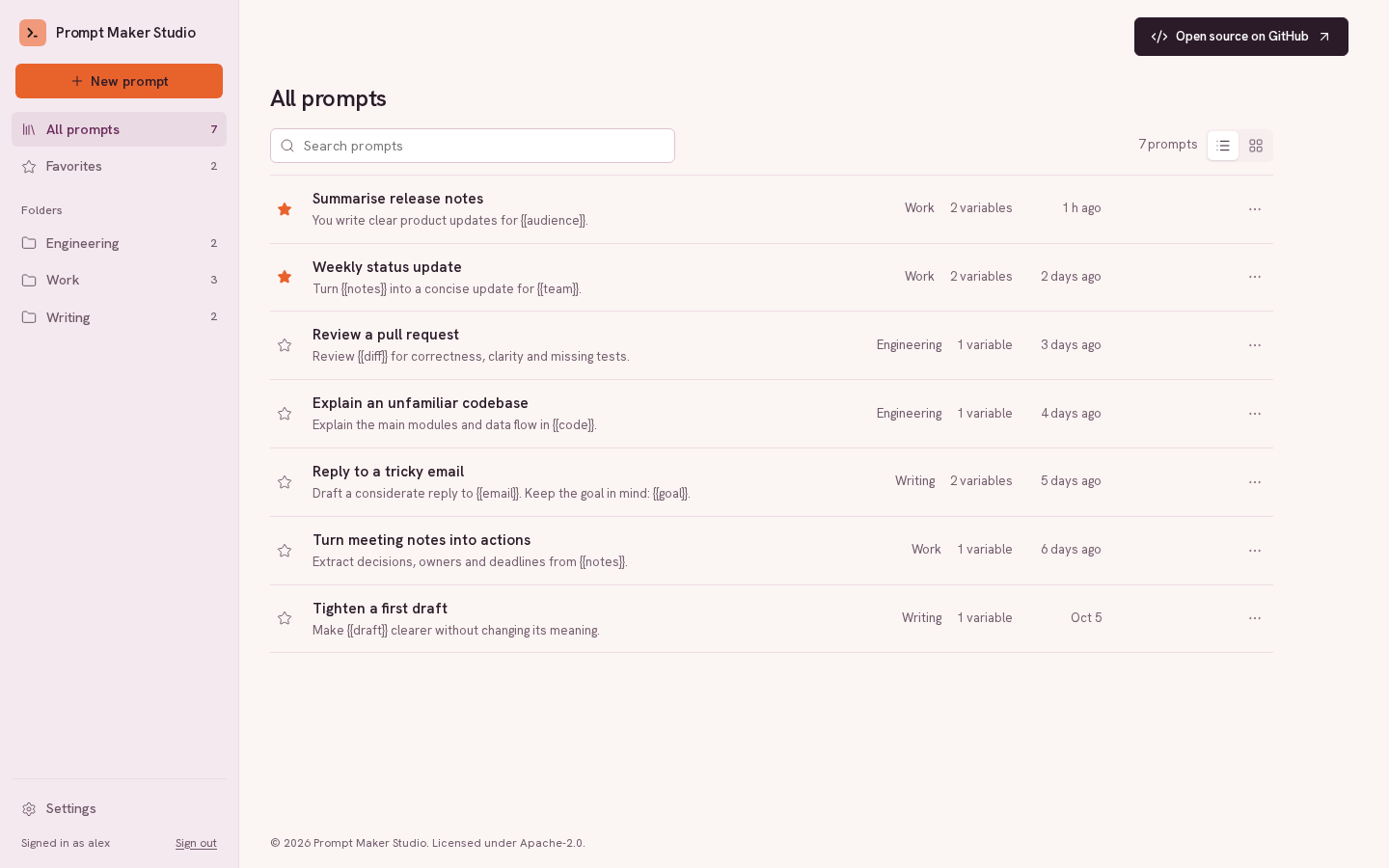
Keep your useful prompts close
Find prompts with search, folders and favourites. Write reusable sections with{{variables}}, fill them in, and copy the result into any chat app. Saved
versions let you compare edits and restore an earlier approach.
Turn a working prompt into a reusable template
Choose Add existing prompts in the library and then Make reusable with AI, or
Paste a prompt in the editor. AI turns unstructured text
into XML-style sections and identifies variables with their original values
filled in. Review and edit the variables, keep an input fixed, and copy either
the template or filled prompt. Apply to the draft with Undo; Save keeps it.
Example inputs are separate from template content and require an explicit choice.
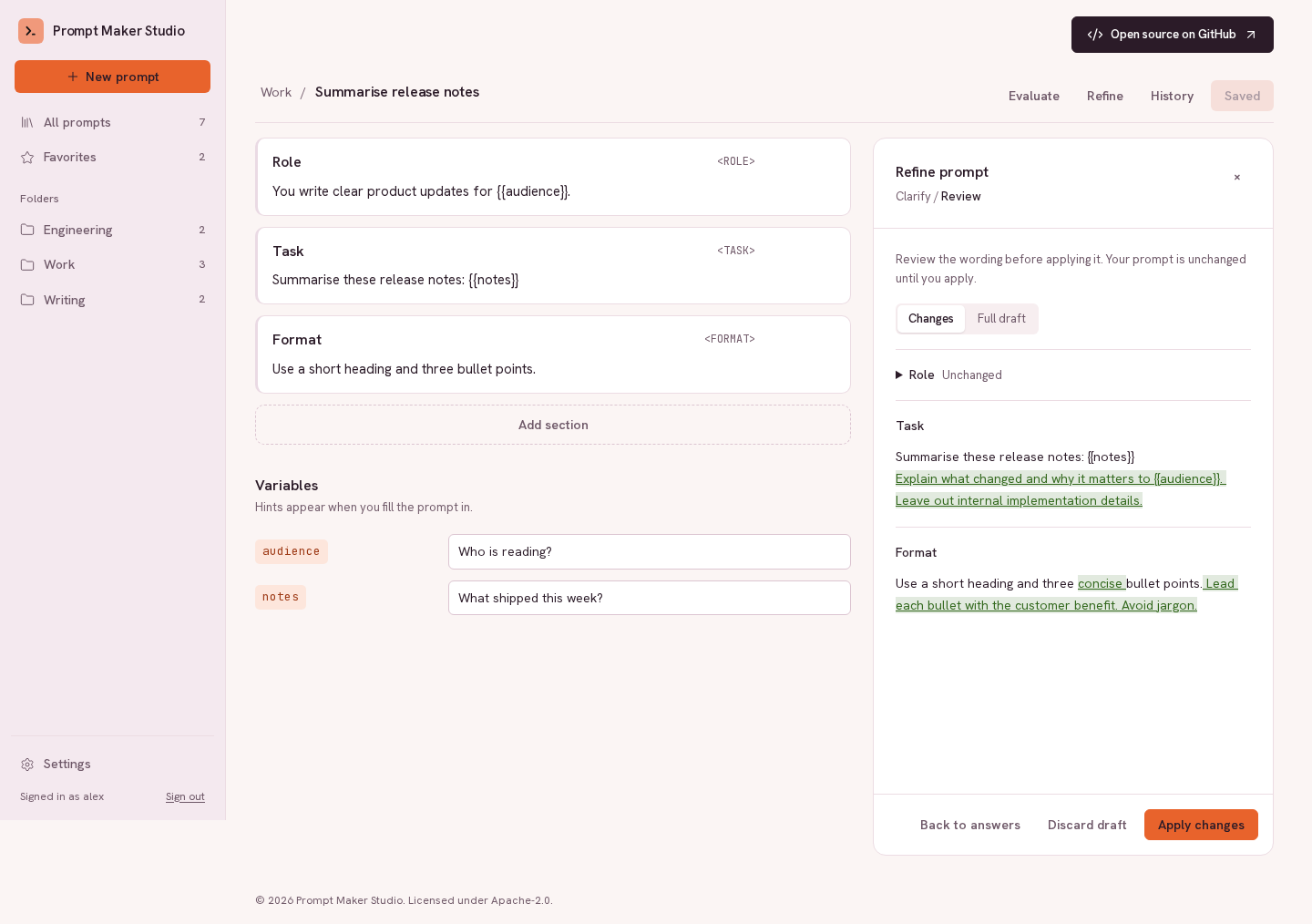
Refine with a clear view of what changes
Answer clarifying questions, then review a proposed draft section by section.
See the wording changes before applying them; undo or save when you're ready.
Test with examples that matter
Give a saved prompt test inputs and choose automatic checks, AI review or your
own rating. Inspect model outputs and feedback, then compare runs to understand
the effect of an edit. Keep your test cases reusable with CSV import and export.
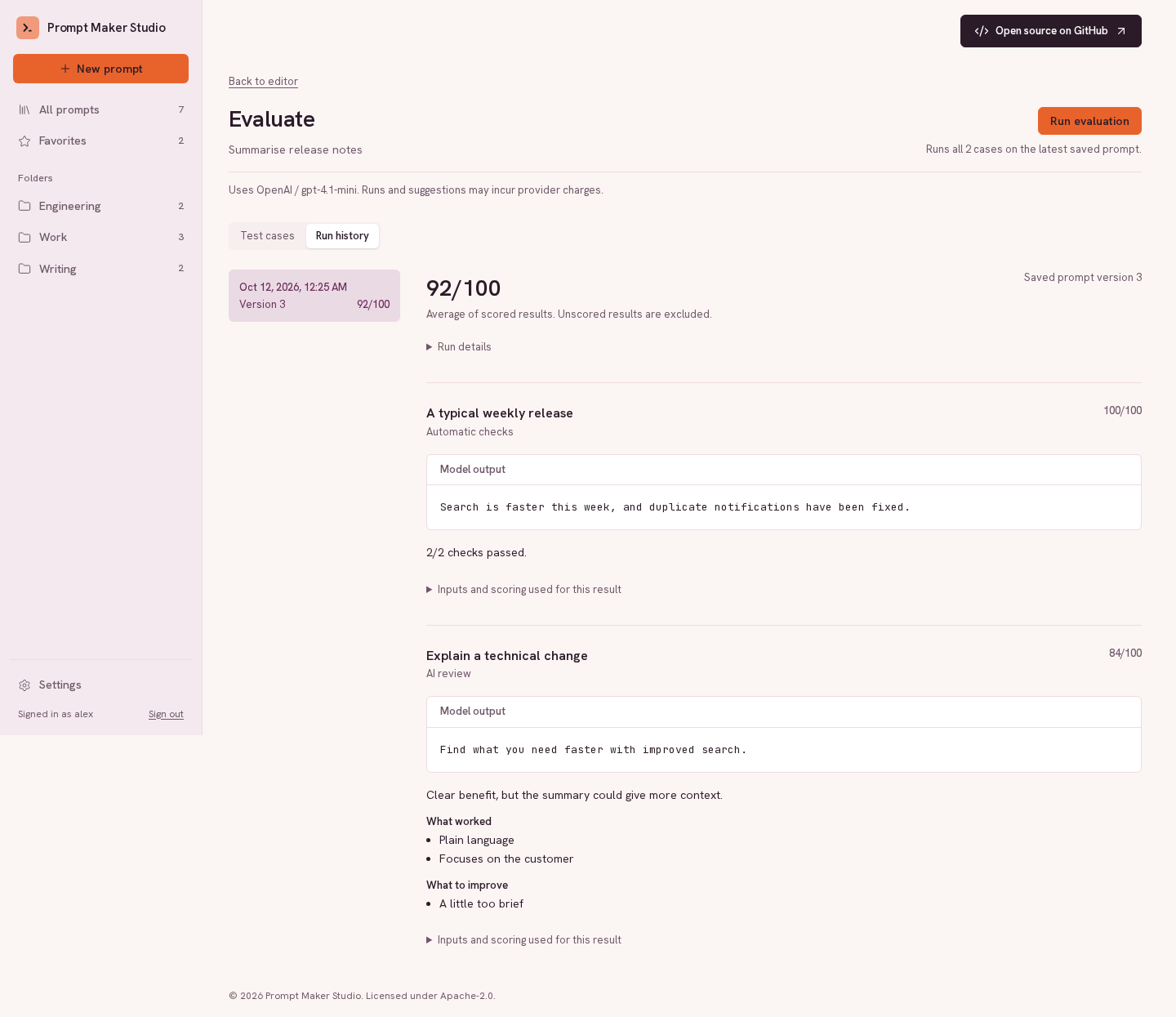
Screenshots use synthetic demo data, including illustrative AI outputs and scores.
Free tools, templates and guides without an account
Every deployment also serves public pages for visitors who are not signed in: free
tools to fill in templates, check a prompt, compare two
versions and estimate tokens and cost (plus an optional free refiner on the server's AI
connection), a gallery of ready-to-use prompt templates, practical guides, and an About page.
They are server-rendered with structured data, a sitemap and /llms.txt, so search engines
and AI assistants can find them.
Prompt management works without an AI connection. Prompt conversion, refinement,
Try once and evaluation use your configured provider: OpenAI, Anthropic, Gemini, Ollama,
vLLM or another OpenAI-compatible endpoint. Hosted calls may incur provider
charges; operators can set monthly spending limits.
Quick Start with Docker
You'll need Git, Docker with Compose, Make and OpenSSL.
git clone https://github.com/chrysogonus/prompt-maker-studio.git
cd prompt-maker-studio
make setup
make up
Open localhost:3000 and create your account.
Registration is open by default; set REGISTRATION_MODE=closed to admit only the first account.
For AI features, connect a provider under Settings → AI connection, or use
the operator's optional server default when configured.
make setup creates local configuration with a generated signing key.
Browser API calls stay on the same origin through the frontend proxy.
Run make down to stop the app. See the Docker guide for
configuration and local email testing.
Architecture
flowchart LR
    Browser[Browser] --> Edge["Caddy · HTTPS"]
    MCP["ChatGPT / Claude / MCP client"] --> Edge
    Edge -->|Web app| UI["Next.js · React"]
    Edge -->|REST / MCP / OAuth| API[FastAPI]
    API --> DB[(SQLite)]
    API -.->|Import · refine · evaluate| AI["Configured AI provider"]
Caddy handles production HTTPS and routing. Locally, Next.js proxies /api
to FastAPI. SQLite stores accounts, prompts, versions and evaluation history;
REST and MCP share the same prompt services. AI calls are optional.
The stack: Python 3.12 with FastAPI and SQLAlchemy 2.1 on SQLite; Next.js 16, React 18 and
TypeScript; Docker Compose with Caddy, plus Prometheus and Grafana for monitoring.
Go further
- Documentation index — current guides, architecture, product records and release history.
- Development — local setup, commands and tests.
- Deployment — hosting, HTTPS and backups.
- Monitoring — dashboards, metrics, alerts and operator logs.
- Configuration template — available settings and defaults.
- API reference — REST routes; interactive schemas at localhost:8000/docs.
- MCP integration — use your library from ChatGPT, Claude and other clients.
- Contributing · Code of Conduct · Security.
Project status
Early-stage, 0.x. APIs and database schemas may change between releases.
Back up before upgrading; see the changelog. The
0.14.0 release record records publication, immutable
image digests and verification for the latest release: dependency updates for the backend,
frontend and CI, and a visual how-it-works overview, with no migrations. Each release record lists its own
migrations and upgrade notes; follow them for every release you skip.
Upgrades from before 0.5.0 must also follow the
0.5.0 upgrade checks,
including rehearsing migrations on an isolated production-backup copy.
License
Apache 2.0. See NOTICE and
third-party notices for attribution.
Reviews (0)
Sign in to leave a review.
Leave a reviewNo results found