salience-macos
Health Warn
- No license — Repository has no license file
- Description — Repository has a description
- Active repo — Last push 0 days ago
- Community trust — 13 GitHub stars
Code Warn
- network request — Outbound network request in package-lock.json
Permissions Pass
- Permissions — No dangerous permissions requested
No AI report is available for this listing yet.
Ambient developer dashboard that follows the git branch across your tools — ticket → PR → CI → deploy and surfaces the joined state on a second monitor.
Salience
Know the state of your work without opening five tabs.
Salience is a macOS app that knows what you're working on. It connects to the tools you already use — GitHub, Jira, CI, Docker, AWS, Sentry — and joins what they know into one live picture: every branch, PR, ticket and build, what state it's in, and what needs you.
You glance at it. Your AI agents query it. Nothing leaves your machine.
Download for macOS → · Documentation → · Gallery → · Discord →
Features
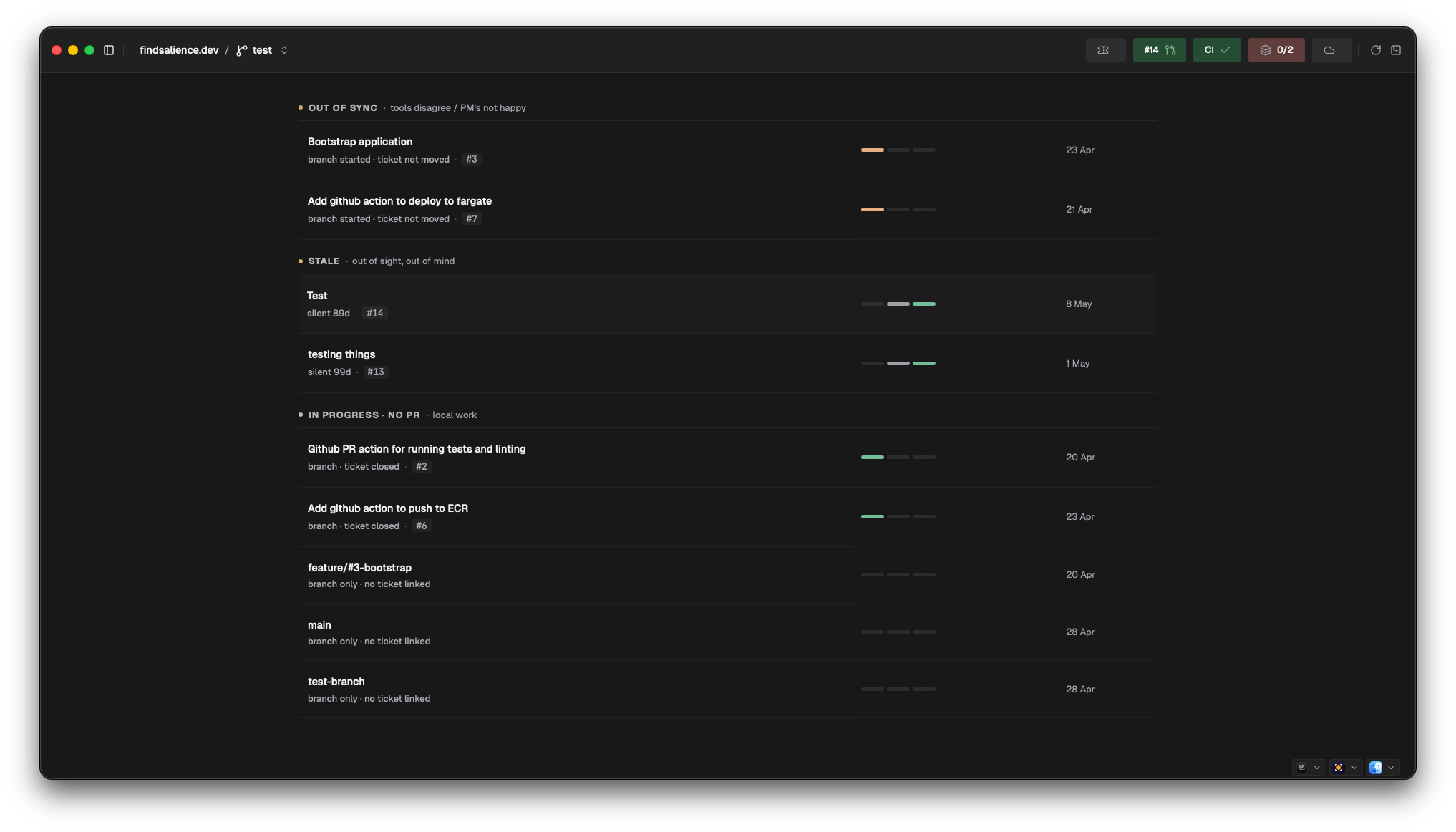
- My Work — everything you have in flight — branch, PR, ticket, CI — joined into one list, worst first. Includes the state no single tool can show you: PR merged but the ticket still open.
- Stand-up — the ticket board with branches and PRs joined on. Read your update straight off the screen.
- Worktrees — clean up after your AI agents. Every checkout with its PR state, uncommitted changes and disk size — and a verdict on which are safe to reclaim.
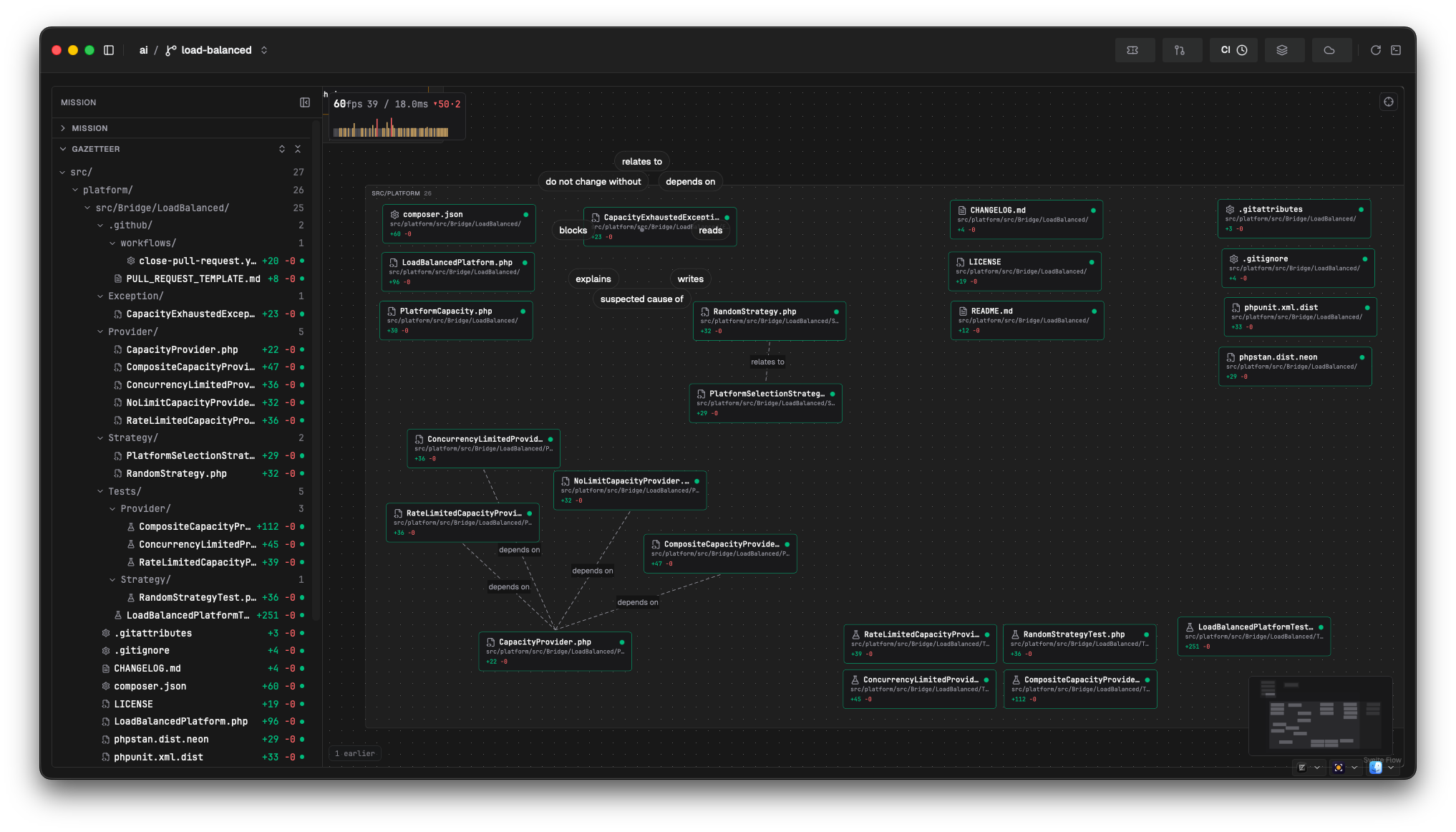
- The Map — your changed files as a map you arrange yourself, Compose services as buildings lit by their containers, and your agents moving as they work. Sentry stack traces draw directly over your working copy.
- Suggested actions — change a test file and "run this test" appears, with the exact command — host or container. Results stay on the row.
- Checks — one-click
composer audit, PHPStan, Psalm, schema validation. Verdicts are cached, so you can always see what they said last time. - Stack — your Docker Compose services with live health state. Start, stop, restart, tail logs.
- Review — your branch's diff against the right base, before you push. Double-click any file to open it in your editor.
- Code Graph — your routes, like API docs — except each one opens the actual call graph. Pick a route, see the code it touches, ⌘-click into your IDE (PHP today).
- MCP server — point Claude, Codex or Cursor at the same joined graph. "What's my stand-up?" "Which worktrees can I delete?" No more scraping five tabs.
- Command palette — ⌘K for every task, container, PR URL and map jump.
- Private by design — an encrypted database on your machine, credentials in the macOS Keychain, and a built-in network monitor showing every request the app makes. You're the customer, not the product.
Works with: GitHub (PRs, reviews, CI, issues) · Jira · AWS (ECR/ECS) · Sentry · Docker Compose — connect your tools →
Writing PHP? Start here
Salience works with any git repository, but it goes deepest on PHP today. It reads your composer.json, cues PHPUnit, Pest and PHPCS runs for the files you changed, one-clicks PHPStan, Psalm and composer audit, syncs your Symfony or Laravel routes, and answers a question grep can't: what code does this route actually touch? — in the app, and for your agents over MCP.
Why
Salience is Home Assistant for your dev tools. Each tool knows its own slice; none of them can answer the questions that span them — is my ticket in sync with my PR? What's actually deployed right now? Salience joins the slices and turns the questions into answers. The full story →
Getting started
- Download the latest release — macOS 13+, Apple Silicon and Intel.
- Add a project (any local git repository).
- Connect a tool — GitHub, Jira, AWS, Sentry, Docker — and watch the picture fill in.
Full walkthrough: First run →
Pre-release: Salience is in early development. Expect rough edges — please report what you find on the issues page.
This repository
This repo hosts the documentation site and the release distribution for Salience.
Reviews (0)
Sign in to leave a review.
Leave a reviewNo results found