memora
Health Warn
- License — License: AGPL-3.0
- Description — Repository has a description
- Active repo — Last push 0 days ago
- Low visibility — Only 7 GitHub stars
Code Warn
- network request — Outbound network request in crates/http/assets/sw.js
Permissions Pass
- Permissions — No dangerous permissions requested
No AI report is available for this listing yet.
Second brain for your AI: a self-hosted memory vault your AI agents read and write over MCP. Install with npm, Docker or one command.

Memora
Second brain for your AI.
Long-term memory for AI agents, on your own server.




Website · Documentation · Quick start · npm · Releases
npm install -g @codrihub/memora
Memora is a self-hosted memory vault for AI agents. Notes are plain markdown
files in a git-backed folder. Agents read and write them over the Model Context
Protocol (MCP); you browse, edit and govern them in a web UI. One Rust binary
serves the HTTP API, the MCP endpoint, the web UI and realtime updates on a
single port, with all server state in one embedded SQLite database.
Screenshots
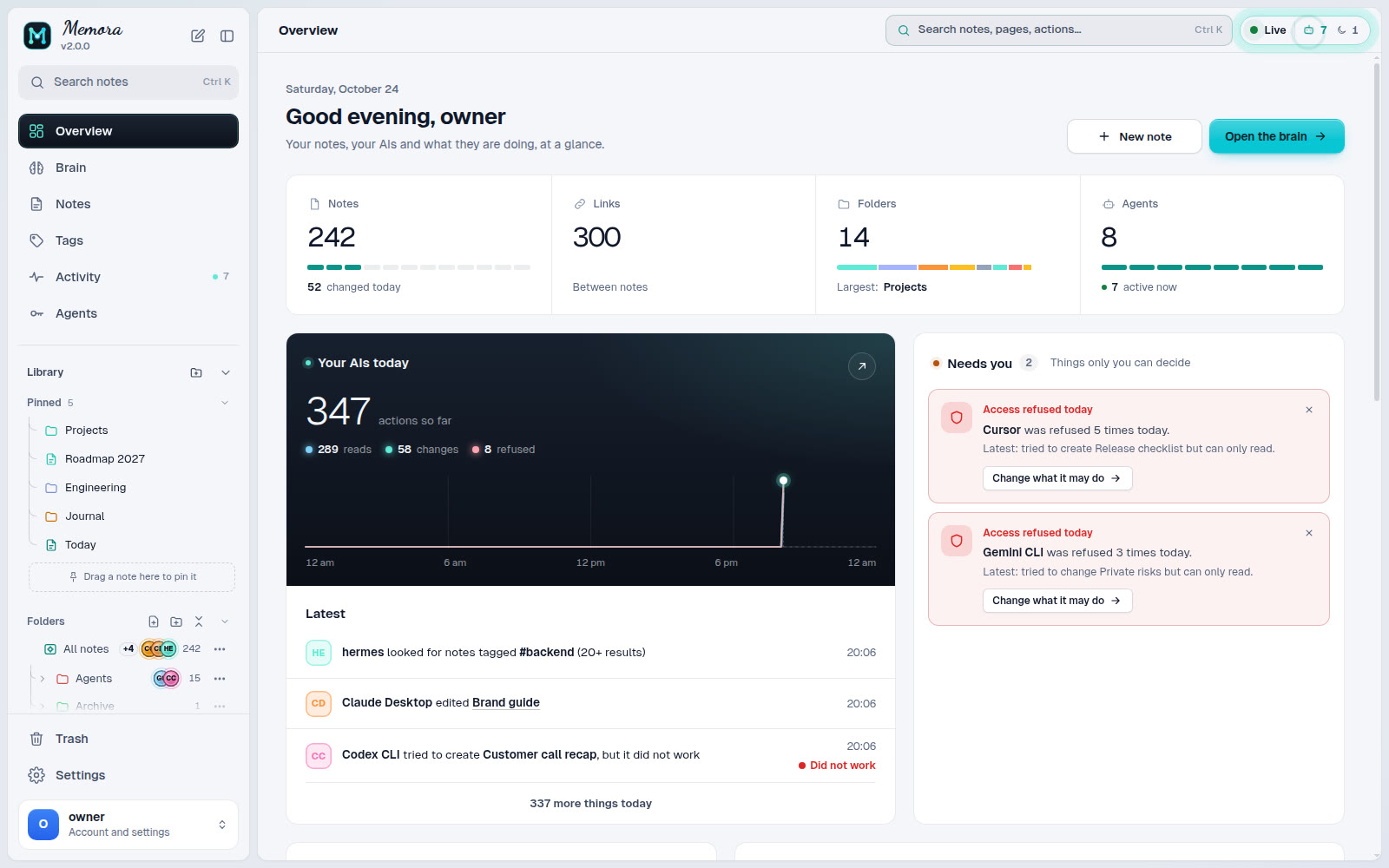
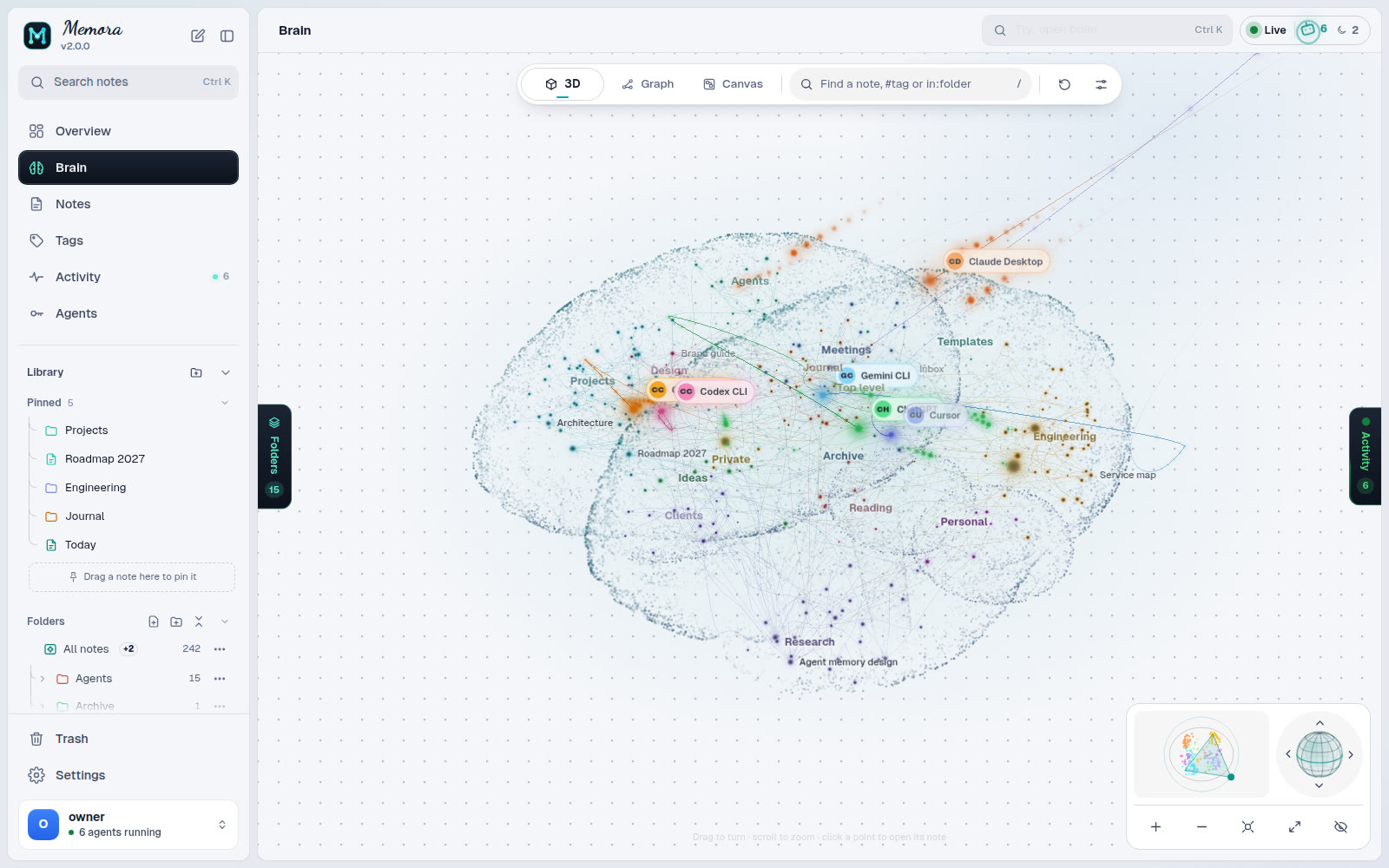 Brain: every folder is a region, every note a node Brain: every folder is a region, every note a node |
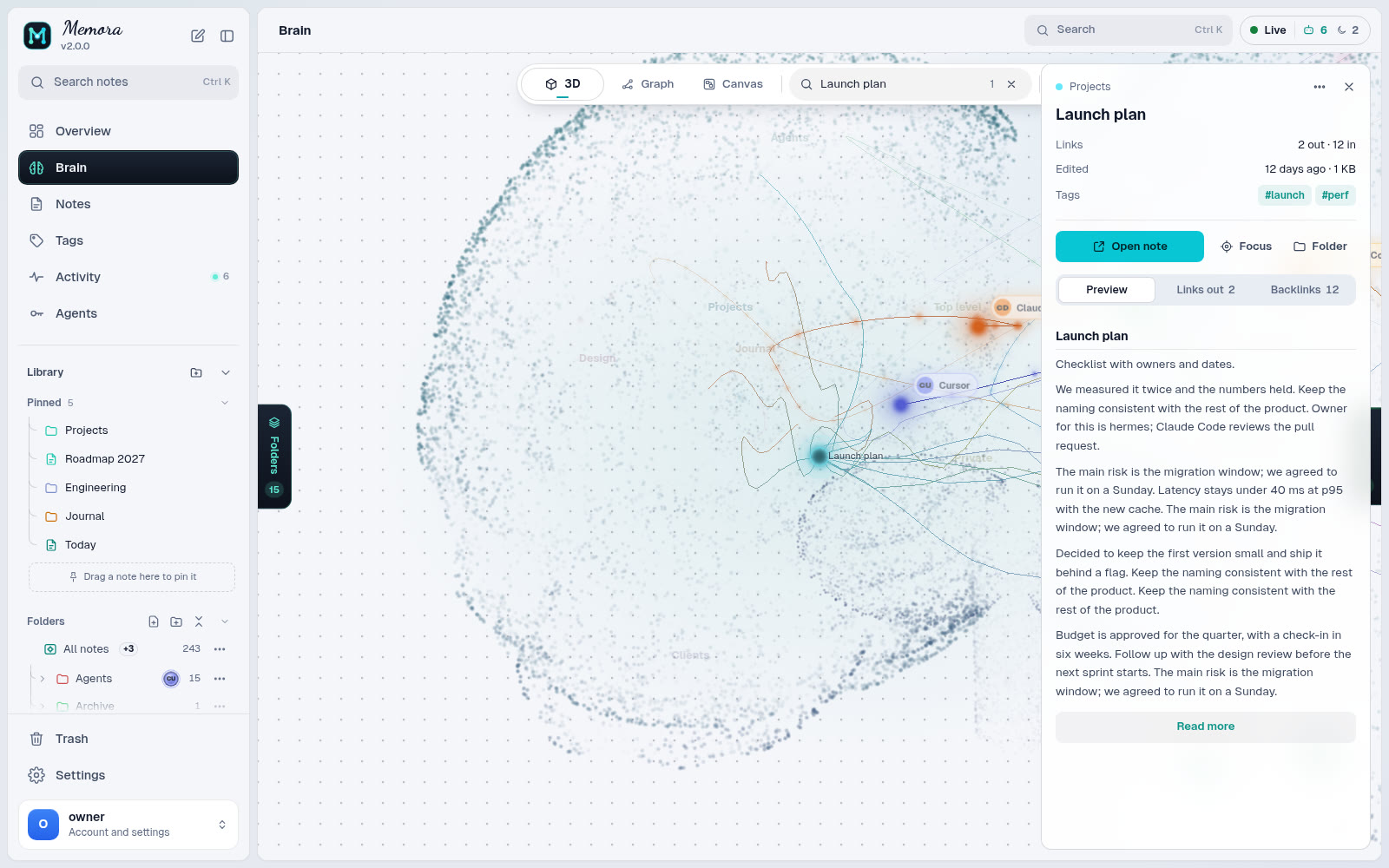 Node card: links, backlinks and a preview Node card: links, backlinks and a preview |
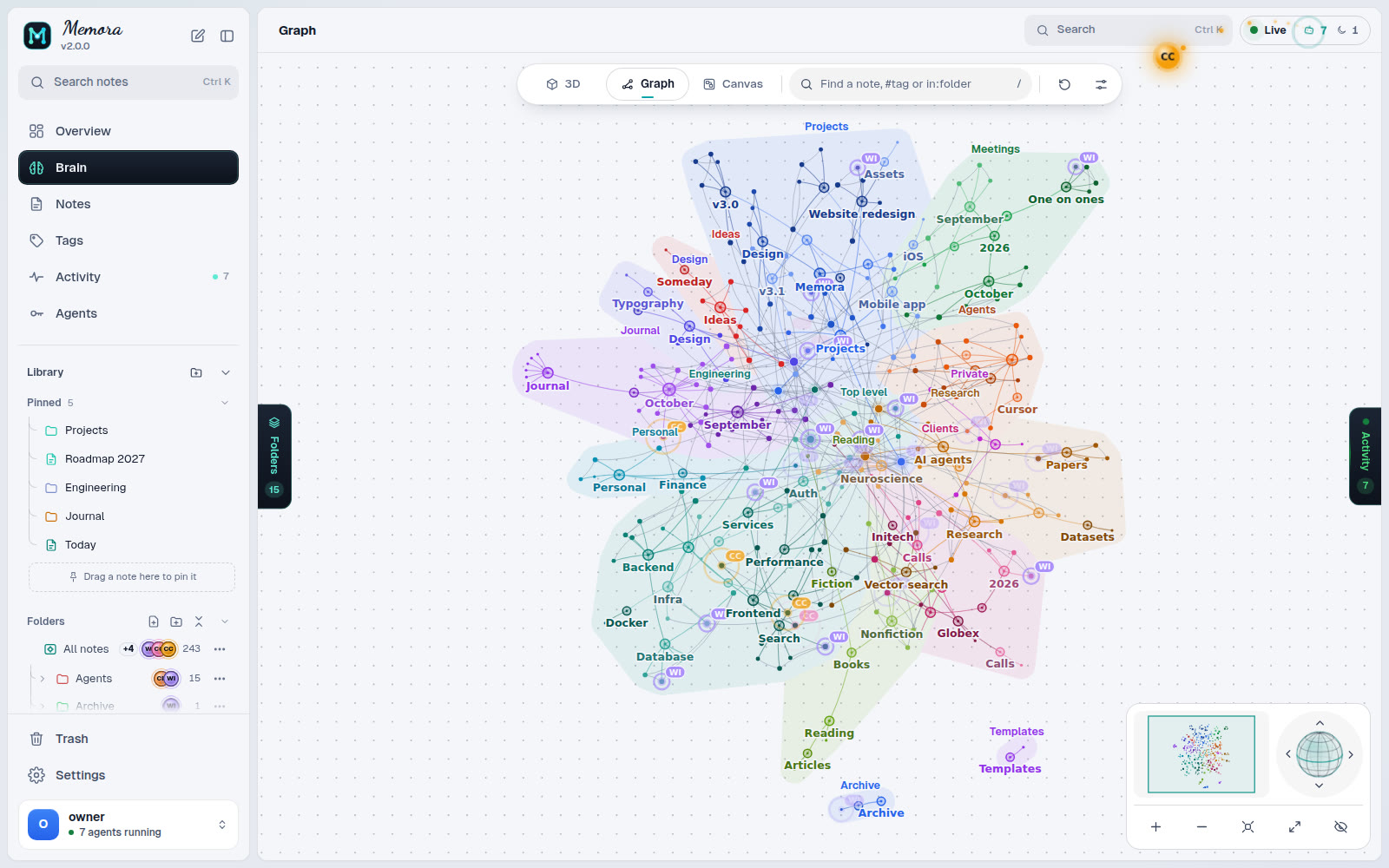 Graph: force, radial or cluster layouts Graph: force, radial or cluster layouts |
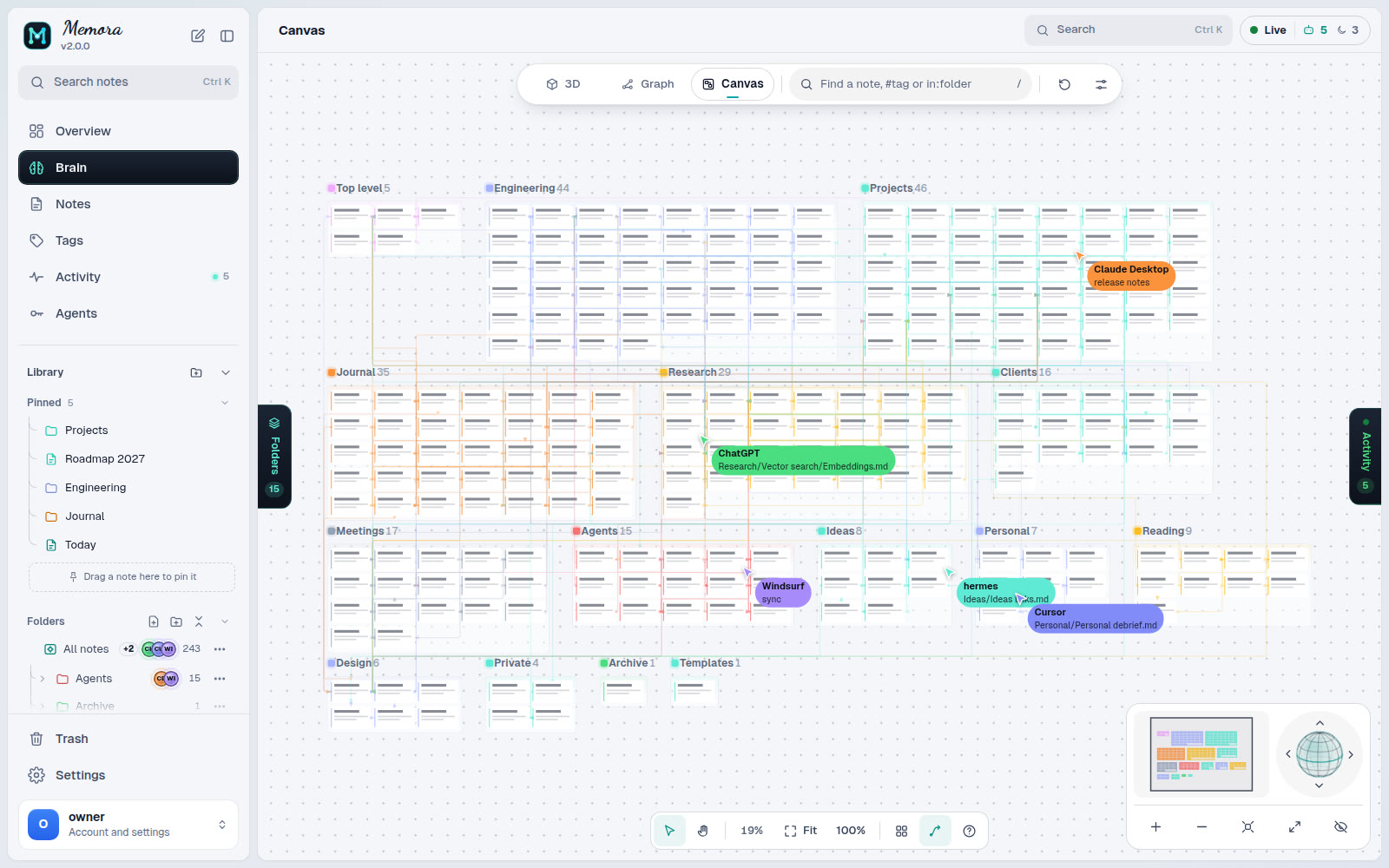 Canvas: one frame per folder Canvas: one frame per folder |
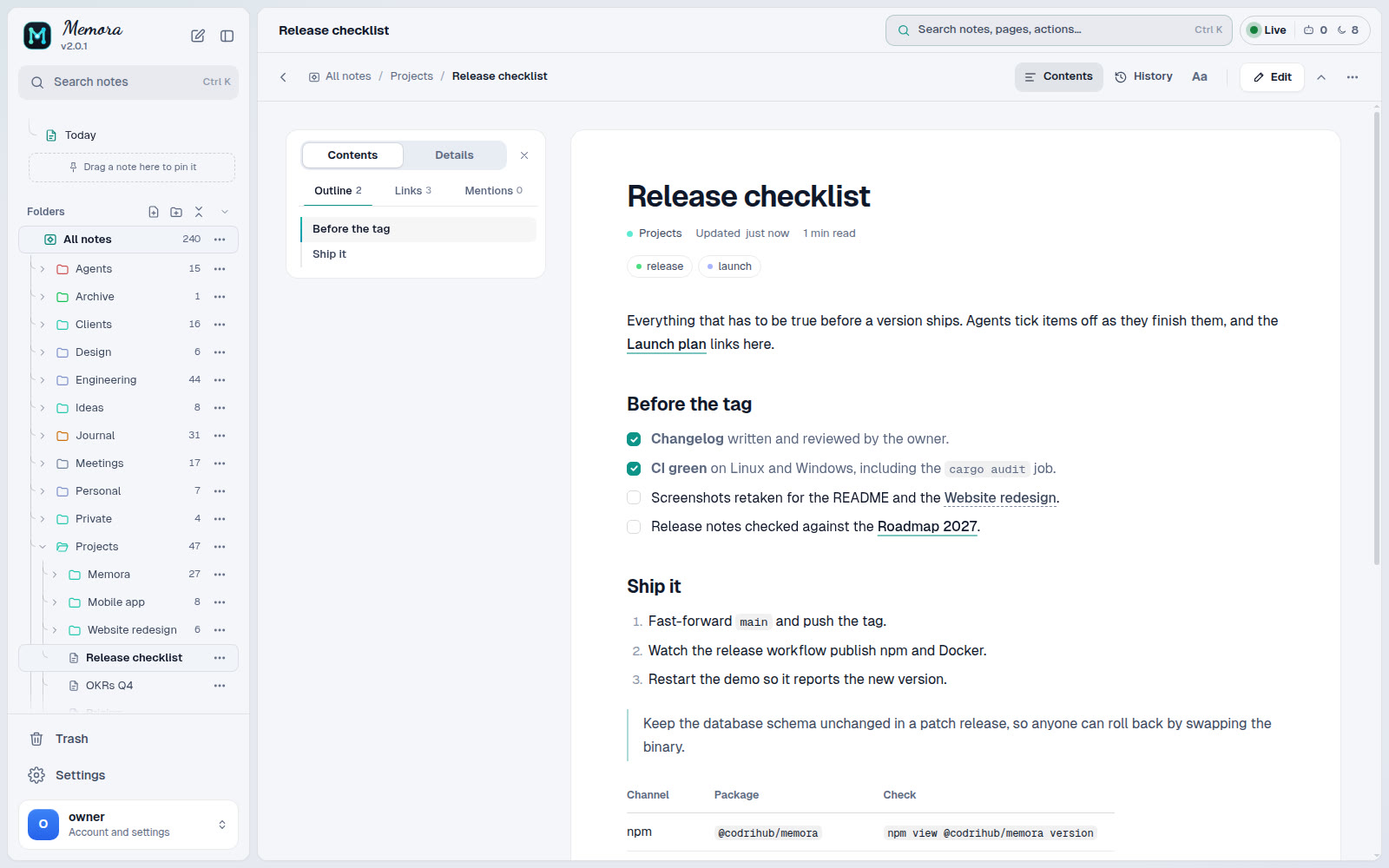 Reader with contents and reading settings Reader with contents and reading settings |
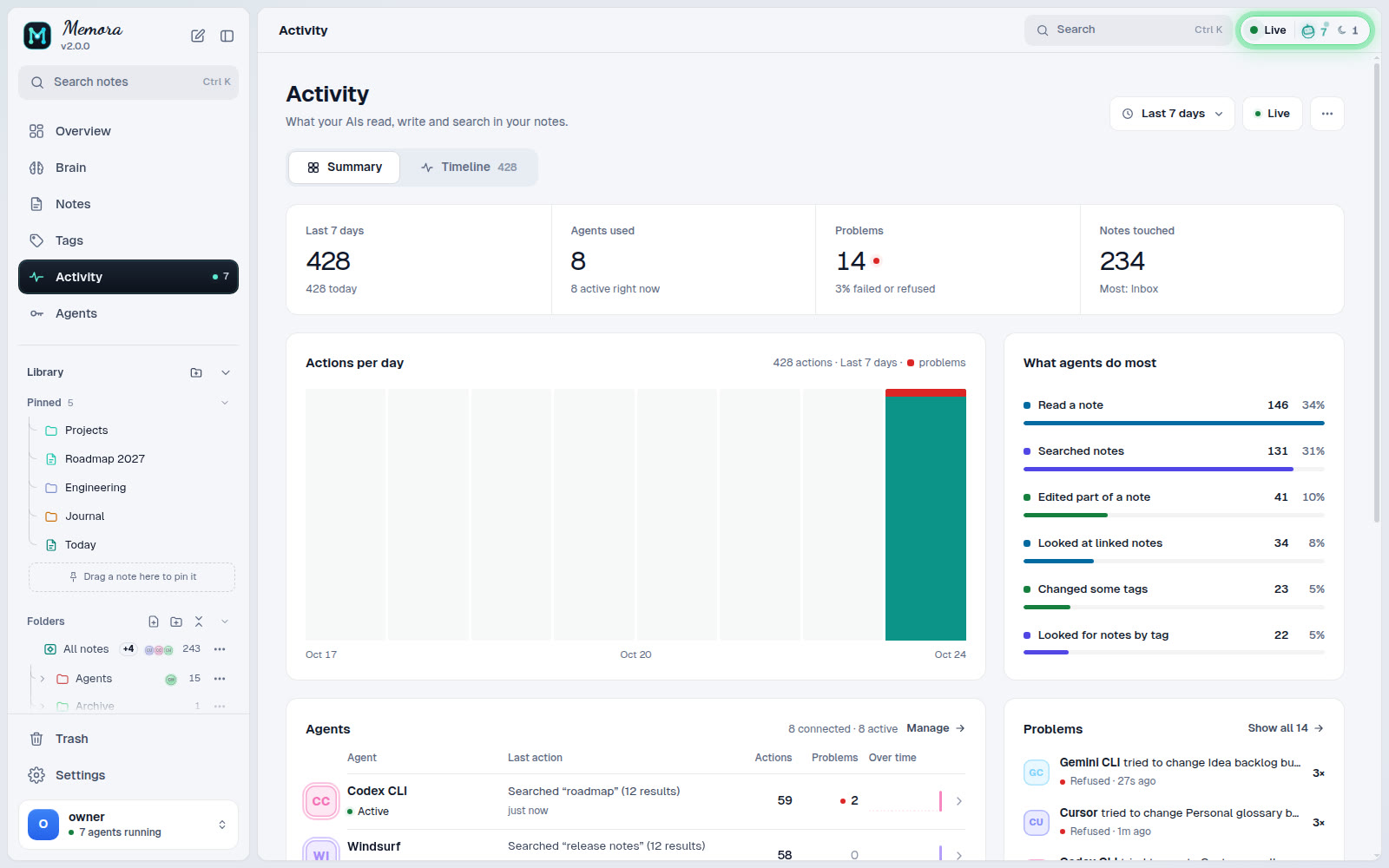 Activity: every agent call, live Activity: every agent call, live |
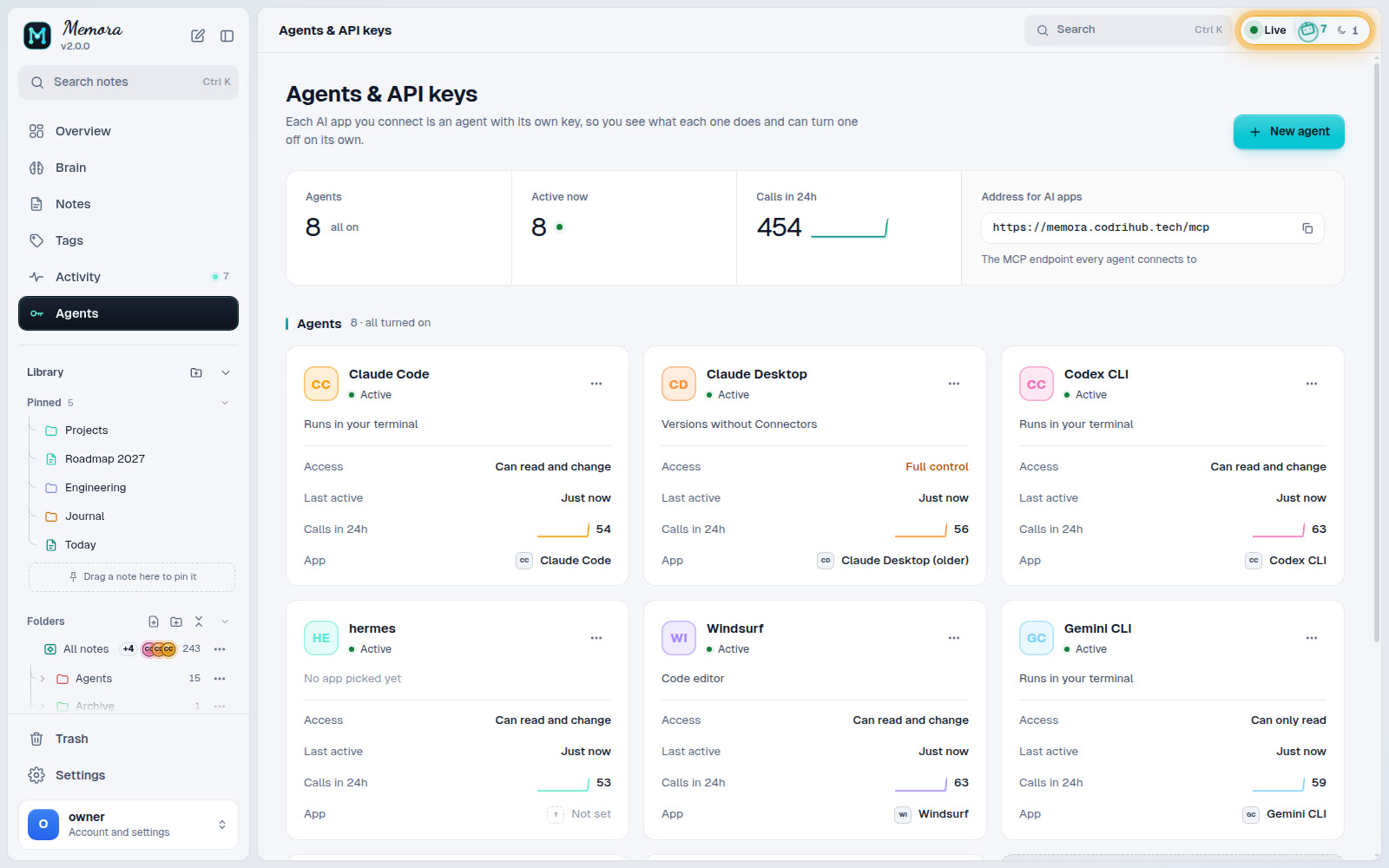 Agents & API keys: one key per agent, scoped Agents & API keys: one key per agent, scoped |
Screenshots use a demo vault.
Features
- Markdown you own. Every note is a
.mdfile with optional frontmatter and[[wikilinks]]. Edit it with any tool; nothing is locked in a database. - Git history. Changes are committed, so any revision can be listed, diffed
and restored (get_history,diff,restore_memory). - MCP for agents. 75 tools for notes, folders, search, tags, graph traversal,
history, locks, activity, pins and import/export, plus admin tools, over the
streamable HTTP transport. - API keys or OAuth. Give each agent its own key, or let MCP clients such as
Claude or ChatGPT connect with OAuth after you approve them in the browser. - Per-agent control. Scopes (
mcp,read,write,admin), per-key tool
lists, server-wide tool switches, and privacy rules that hide notes or
folders from chosen agents. - Web UI. Brain and graph views, a canvas, the vault editor, tags, live
agent activity, keys, tools, access rules and settings. Installable as a PWA. - Safe first run. An unclaimed instance cannot be taken over by whoever
finds the port: the operator console opens a short setup window and you
finish in the browser. - One port, one process. HTTP API, MCP, UI and WebSocket share port 8400.
The database has no network port.
Quick start
Three steps, about two minutes.
1. Install (pick one, in this order of ease)
# npm (Linux x86_64 / arm64, Windows x64; Node.js 22 or newer): install, then keep it running
npm install -g @codrihub/memora && memora

# Docker (any OS with Docker)
docker run -d --name memora --restart unless-stopped -p 8400:8400 \
  -v memora-data:/data -v memora-state:/state ghcr.io/codrihub/memora:latest

# Native installer (Linux server with systemd, x86_64 or aarch64)
curl -fsSL https://raw.githubusercontent.com/Codrihub/memora/main/scripts/install.sh | sudo sh
On Windows, install Node.js 22 or newer and use npm (see npm).
2. Get a one-time setup code
memora-cli setup --minutes 15                         # npm, in a second terminal
docker exec -it memora memora-cli setup --minutes 15  # Docker
sudo memora-cli setup --minutes 15                    # native
3. Open the link it prints (http://<your-server>:8400/login), enter the code
and create your account. Memora then asks which folder to use as the vault and
shows how to connect your first agent.
That is all. The sections below cover every other option.
npm (Linux x86_64 / arm64, Windows x64)
npm install -g @codrihub/memora
mkdir -p ~/memora && cd ~/memora
MEMORA_VAULT=./vault MEMORA_STATE=./state memora
# in a second terminal, same folder:
MEMORA_STATE=./state memora-cli setup --minutes 15
On Windows (PowerShell):
npm install -g @codrihub/memora
mkdir ~\memora; cd ~\memora
$env:MEMORA_VAULT = '.\vault'; $env:MEMORA_STATE = '.\state'; memora
# in a second terminal, same folder:
$env:MEMORA_STATE = '.\state'; memora-cli setup --minutes 15
The package carries the prebuilt release binaries and the web UI (no install
script, nothing downloaded at install time) and needs Node.js 22 or newer. It is
handy for trying Memora or running it under your own user; for a server, the
native installer adds the systemd service. On macOS use Docker or build from
source. Update with npm install -g @codrihub/memora@latest.
Docker (any OS)
One container, notes and state in named volumes (no clone, no folder
permissions):
docker run -d --name memora --restart unless-stopped -p 8400:8400 \
  -v memora-data:/data -v memora-state:/state ghcr.io/codrihub/memora:latest
docker exec -it memora memora-cli setup --minutes 15
With Docker Compose from the repository instead:
git clone https://github.com/Codrihub/memora.git && cd memora
cp .env.example .env                     # optional, every value has a default
mkdir -p data state && sudo chown -R 1000:1000 data state
docker compose up -d
docker compose exec -it gateway memora-cli setup --minutes 15
The image is ghcr.io/codrihub/memora (linux/amd64 and linux/arm64). See
docker/README.md for volumes, upgrades and local builds.
Native installer (Linux x86_64 / aarch64 with systemd)
One command:
curl -fsSL https://raw.githubusercontent.com/Codrihub/memora/main/scripts/install.sh | sudo sh
Or download it and read it first:
curl -fsSL https://raw.githubusercontent.com/Codrihub/memora/main/scripts/install.sh -o install.sh
less install.sh                          # read it first
sudo sh install.sh                       # add --behind-proxy for a local reverse proxy
sudo memora-cli                          # then type /web
The installer downloads the release for your CPU, verifies it against the
release SHA256SUMS, creates a memora system user, and installs a hardenedmemora.service unit. Data lives in /var/lib/memora. Runsh install.sh --help for every option, and see
docs/INSTALL.md for details.
From source
git clone https://github.com/Codrihub/memora.git && cd memora
cargo build --release
MEMORA_VAULT=./data MEMORA_STATE=./state ./target/release/memora
# in a second terminal:
./target/release/memora-cli              # then type /web
The server binds to 127.0.0.1:8400 by default. To install your build as a
service: sudo ./scripts/install.sh --from-source. The web UI is built fromweb/ (see CONTRIBUTING.md).
First run
- Run
memora-cli setup(or type/webin thememora-cliconsole). It
prints a one-time setup code and the link to open. - Open
http://<host>:8400/login, enter the code and create the owner account. - Choose the vault folder (
/var/lib/memora/vaultnatively,/datain Docker). - Add an agent: Agents, then New agent. Pick the app and paste the config it
shows. One agent per app or device.
If a setup code expires unused, nothing breaks: run memora-cli setup again
for a new code.
Configuration
Settings come from the environment (systemd unit, .env for Docker) and can be
overridden in the state database with memora-cli -> /config; a stored value
wins until you clear it. The most common ones:
| Name | Default | Meaning |
|---|---|---|
MEMORA_PORT |
8400 |
HTTP port for API, MCP, UI and WebSocket |
MEMORA_BIND |
127.0.0.1 |
Bind address (0.0.0.0 in the container) |
MEMORA_STATE |
state |
Directory holding memora.db |
MEMORA_VAULT |
empty | Suggested vault folder; the vault is confirmed in the browser |
MEMORA_BASE_URL |
empty | Public URL behind a reverse proxy |
MEMORA_DOMAIN |
empty (any) | Allowed hostnames; other hosts get 404 |
MEMORA_TRUSTED_PROXIES |
empty | Remote proxies whose forwarding headers are trusted |
MEMORA_ADMIN_PASSWORD[_FILE], MEMORA_API_KEY[_FILE] |
unset | Provision an owner or an agent key at startup; only hashes are stored |
RUST_LOG |
info |
Log filter |
The full list, precedence rules and the Docker Compose variables are in
docs/CONFIGURATION.md. For TLS, reverse proxies and
hardening, see docs/DEPLOYMENT.md.
Connecting agents over MCP
The MCP endpoint is /mcp on the same port. Authenticate with an API key inAuthorization: Bearer <key> (or X-API-Key), or let the client use OAuth.
Claude Code:
claude mcp add --transport http memora https://memory.example.com/mcp \
  --header "Authorization: Bearer memora_live_REPLACE_WITH_YOUR_KEY"
Clients with an mcpServers JSON config:
{
  "mcpServers": {
    "memora": {
      "type": "http",
      "url": "http://localhost:8400/mcp",
      "headers": {
        "Authorization": "Bearer memora_live_REPLACE_WITH_YOUR_KEY"
      }
    }
  }
}
Clients that support MCP authorization can connect with only the URL; you
approve them in the browser and they appear as keys you can restrict or revoke.
The discovery card is at /.well-known/mcp.json and a readable tool catalog at/tools. docs/MCP.md covers OAuth, other clients, every tool and
the error codes; docs/API.md lists the HTTP API.
Operating
sudo systemctl status memora             # native service
sudo journalctl -u memora -f             # logs
sudo memora-cli                          # console: /status, /keys, /tools, /config, /backup ...
sudo memora-cli db backup                # consistent copy of memora.db, safe while running
sudo /usr/local/share/memora/install.sh --upgrade
docker compose pull && docker compose up -d   # Docker upgrade
Back up the vault folder and memora.db (with memora-cli db backup, never a
plain cp of the live file). See docs/INSTALL.md.
Start, stop and restart
memora-cli start          # or /start in the console
memora-cli stop           # or /shutdown
memora-cli restart        # or /restart
memora-cli uninstall      # or /uninstall
They work out how this install runs: a systemd service is driven withsystemctl, an npm or source install runs in the background (pid and
log in the state folder), and inside Docker the console prints the host
commands (docker start / stop / restart memora). Uninstall asks, with a
checklist, whether to also delete your settings and your vault; both are kept
unless you tick them. Details: docs/INSTALL.md.
Update, uninstall, troubleshooting
memora-cli update prints the right steps for your install (npm:npm install -g @codrihub/memora@latest, then memora-cli restart). Check
your version with memora --version. Per install method, and for older
versions without memora-cli uninstall (before 1.3.2), see
Update,
Uninstall by hand and
Troubleshooting.
The owner can also shut the server down from the browser: Settings, Server,
Shut down. Every browser and agent is disconnected until it is started again on
the server. When a supervisor restarts it on its own (systemd Restart=always,
Docker --restart unless-stopped), the confirmation says so and shows the stop
command to use instead.
Security notes
- The owner password is hashed with argon2id. API keys (
memora_live_...) and
session ids are stored only as SHA-256 hashes; a key is shown once. - Session cookies are
HttpOnlyandSameSite=Lax, cookie writes are checked
against the request origin, and pages use a nonce-based Content-Security-Policy. - Login and setup are rate limited with per-IP cooldowns; many failures from
many IPs only slow sign-ins down and never lock the owner out. - Forwarding headers are trusted only from loopback and
MEMORA_TRUSTED_PROXIES. - Access rules can allow or block by IP, range, CIDR and domain; loopback always
stays allowed so you cannot lock yourself out. - Terminate TLS at a reverse proxy before exposing Memora to the internet.
Report vulnerabilities privately as described in SECURITY.md.
Documentation
| Document | Contents |
|---|---|
| docs/INSTALL.md | Native installer, Docker, npm, updates, uninstall, troubleshooting, reverse proxy, backups |
| docs/CONFIGURATION.md | Every setting and where it lives |
| docs/DEPLOYMENT.md | Production deployment and hardening |
| docs/MCP.md | Connecting agents, OAuth, tool reference |
| docs/API.md | HTTP API |
| docs/ARCHITECTURE.md | Crates, request flow, vault files |
| docs/DATABASE.md | State database schema |
Project layout
crates/core      vault: markdown, wikilinks, search, graph, git history
crates/state     SQLite state database (memora.db)
crates/gateway   password and key hashing, access checks, environment provisioning
crates/mcp       MCP server: tool catalog, permissions, privacy
crates/http      axum server: middleware, API, OAuth, UI assets (binary: memora)
crates/cli       operator console (binary: memora-cli)
web/             web UI (TypeScript), built into crates/http/assets
docker/          container entrypoint and release Dockerfile
docs/            user and operator documentation
scripts/         installer and maintenance scripts
Versioning
Memora follows Semantic Versioning. Each release is avX.Y.Z tag with a GitHub Release
(static Linux binaries for x86_64 and aarch64 plus SHA256SUMS), npm
packages for Linux and Windows, and a
multi-arch image ghcr.io/codrihub/memora:X.Y.Z. Changes are listed in
CHANGELOG.md.
Contributing
Contributions are welcome. Read CONTRIBUTING.md and the
Code of Conduct before opening a pull request.
License
Memora is free software under the GNU Affero General Public License v3.0 or
later. You may use, modify and share it, including commercially. If
you distribute a modified version, or run one as a service for others, you must
publish its source under the same license and keep the attribution in
NOTICE: "Based on Memora by Codrihub Tech". The name and logo are
covered by TRADEMARK.md.
Versions 1.3.8 and earlier were released under the MIT License.
Reviews (0)
Sign in to leave a review.
Leave a reviewNo results found