norte
Health Warn
- License — License: AGPL-3.0
- Description — Repository has a description
- Active repo — Last push 0 days ago
- Low visibility — Only 5 GitHub stars
Code Fail
- rm -rf — Recursive force deletion command in .claude/settings.json
Permissions Pass
- Permissions — No dangerous permissions requested
No AI report is available for this listing yet.
Open-source two-pane file manager: terminal, native window, CLI and AI agents (MCP) on one Rust core. Journaled operations, scoped agents, SFTP/S3.





norte is a two-pane, orthodox file manager built for how people work now:
a person at the keyboard, and an AI agent that also needs to touch files.
One headless Rust core does the work. The terminal UI, the window, the CLI and
the agent all talk to it through the same protocol, and everything an agent
does passes through policy and is journaled with its author.
norte-gui, recorded by a script from the current build. Nothing on this page is a mockup.
Why norte
⌨️ Orthodox, and fastTwo panes: one is where you are, the other is where things go. F-keys, |
🧭 One core, every surfaceA headless core with a stable, versioned protocol. |
🤖 Agents, governed
|
🔒 Yours, and only yoursNo telemetry, not even opt-in. WASM plugins run sandboxed and ask for each |
Features
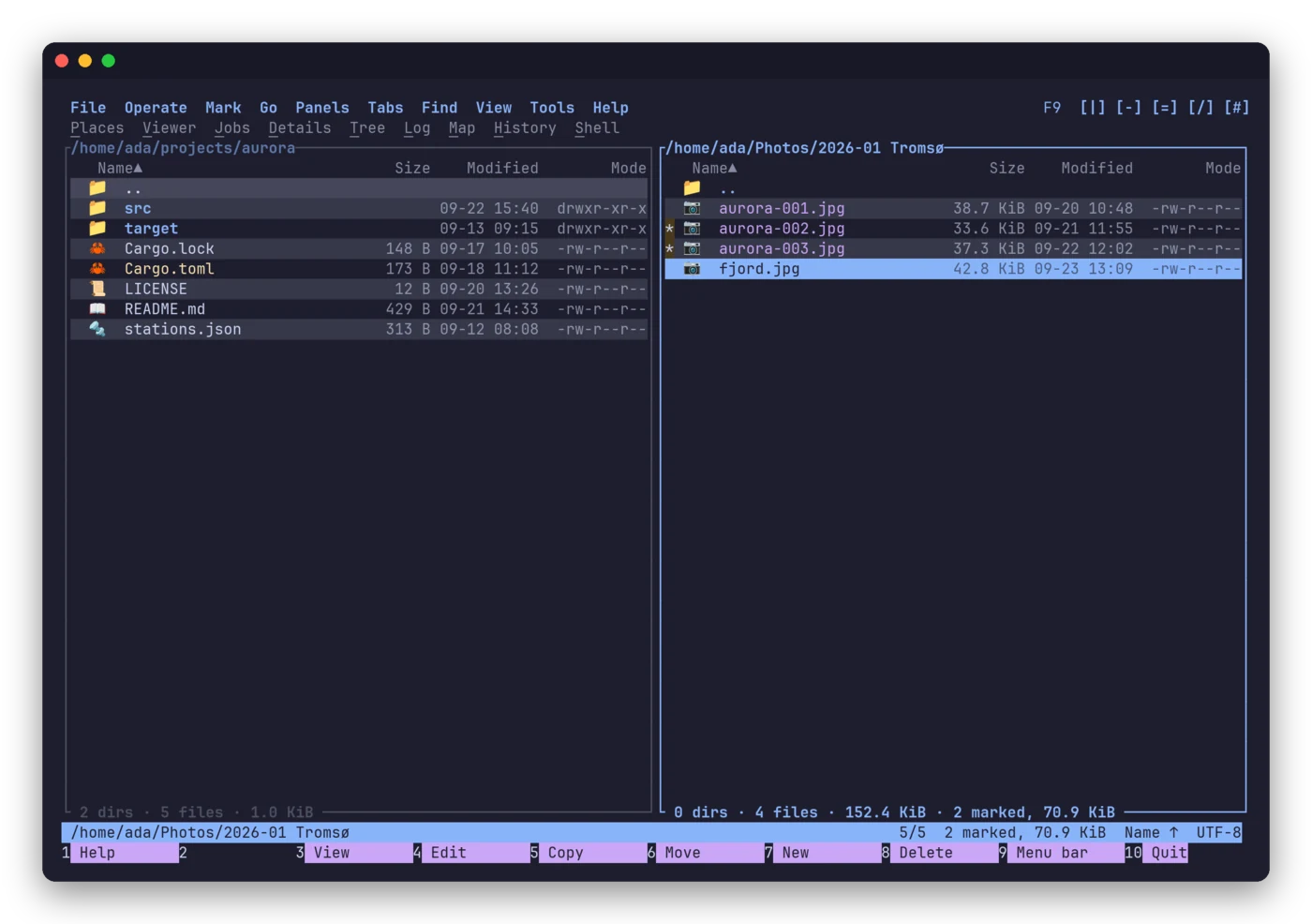
Two panes, one destination. Mark files, see the totals, send them across. Local disks, SFTP, FTP, S3 and ZIP/TAR/RAR archives all open as plain directories through one virtual filesystem. |
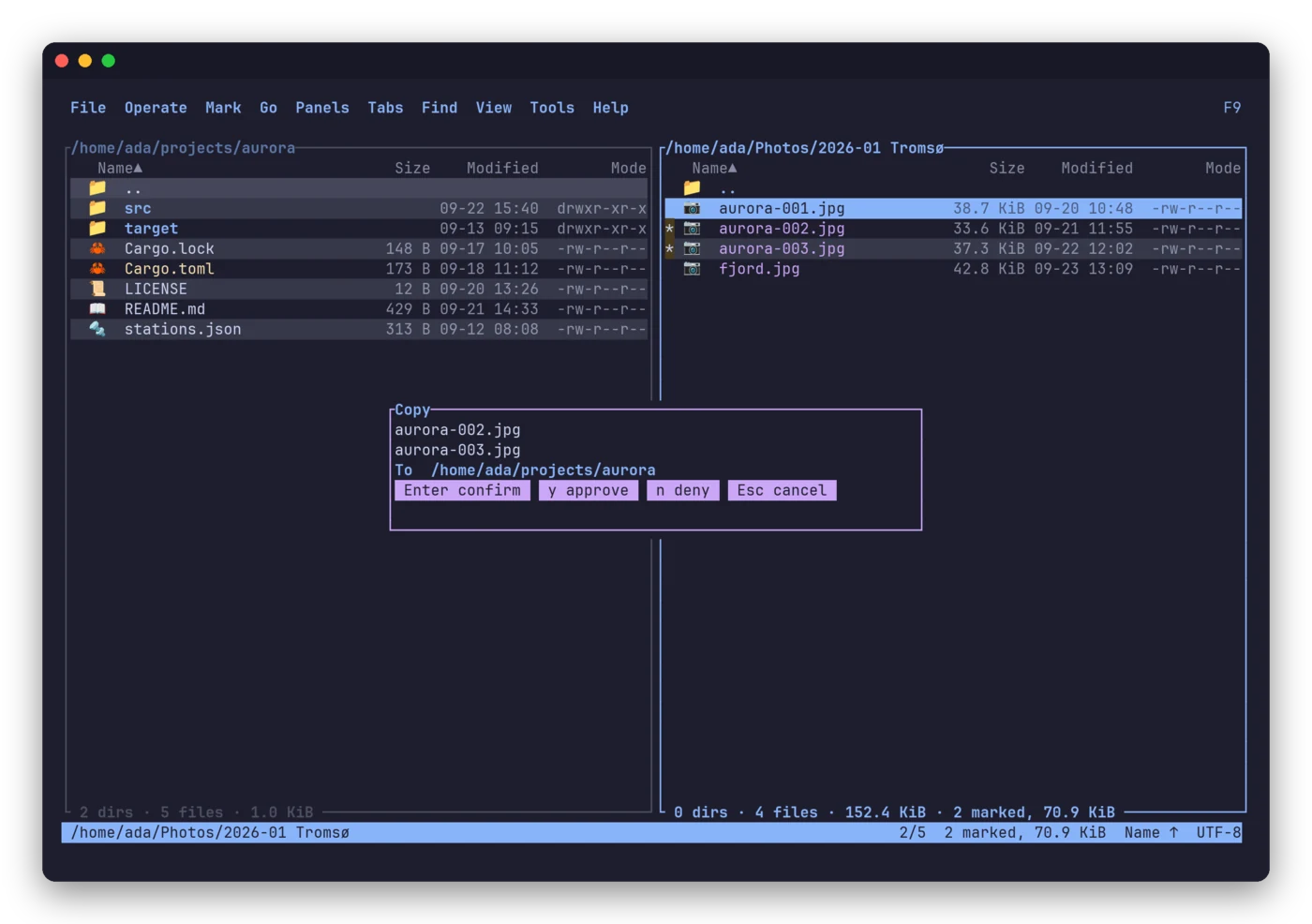
Copies are tasks; you keep working. Queued, resumable,
cancelable with |
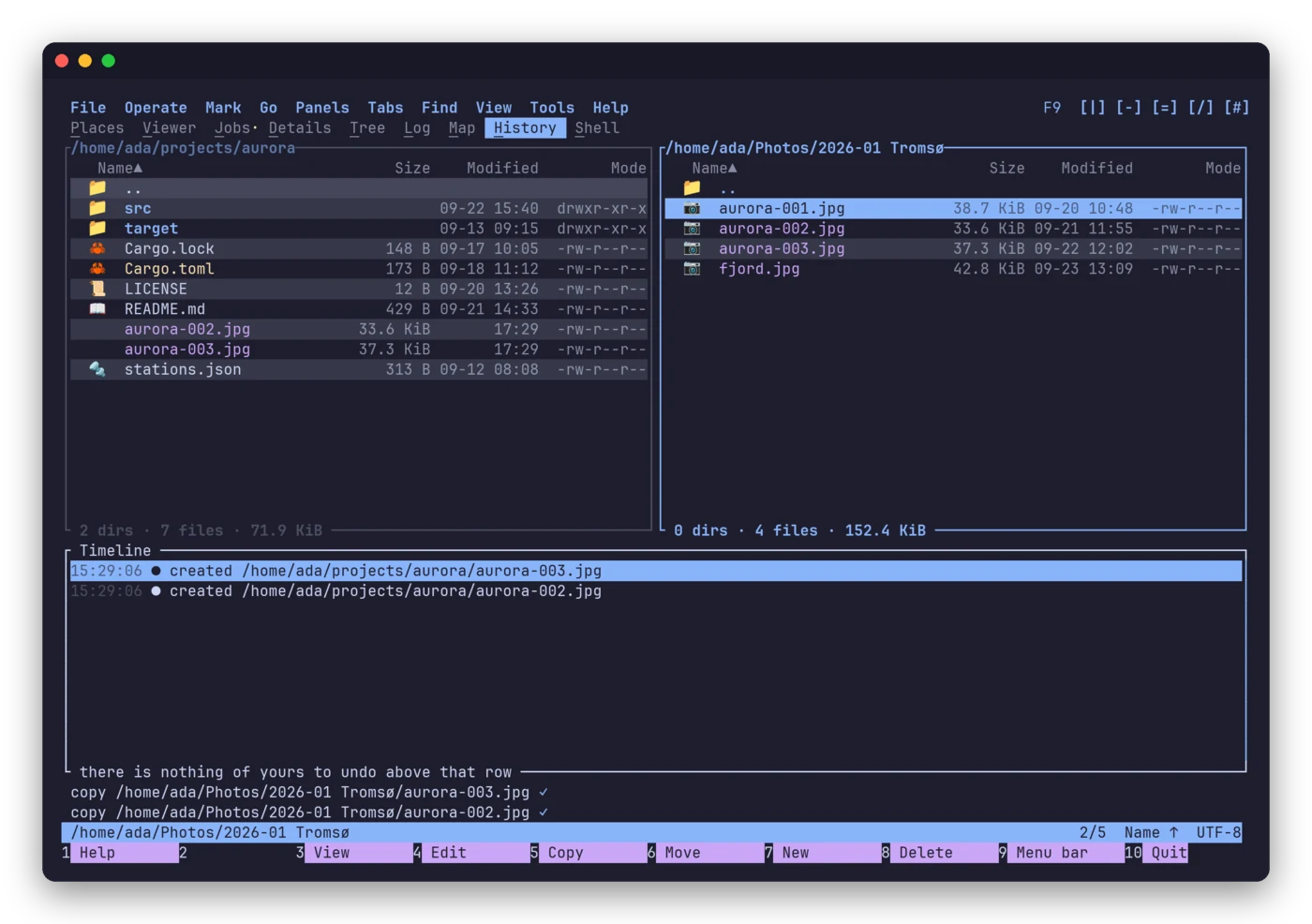
Everything that changed, and who did it. Every operation — yours, an agent's, a plugin's — lands in one journal you can browse. |
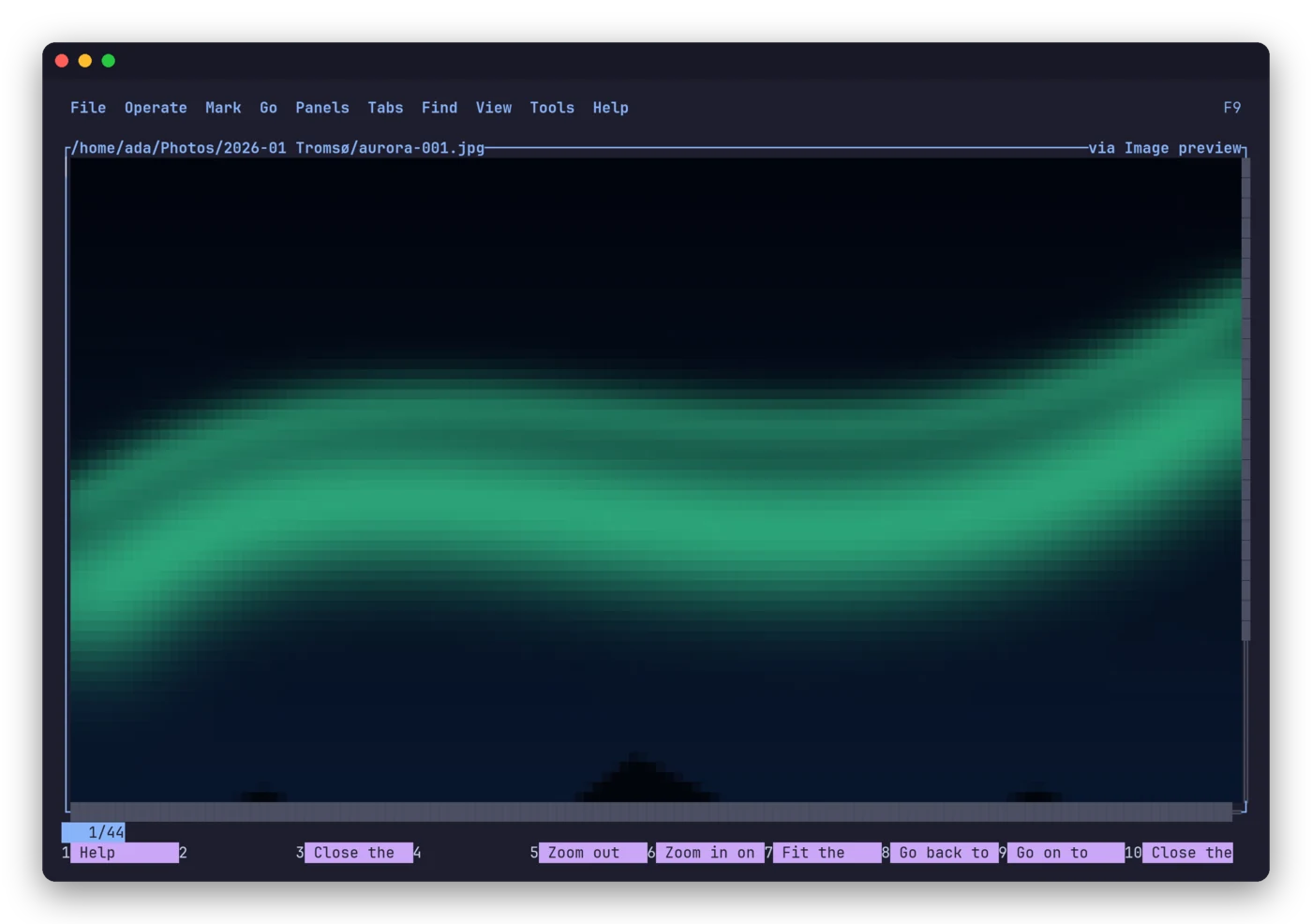
An image is shown as an image. Even in a terminal. Markdown is rendered, code is highlighted, and every previewer is a sandboxed plugin that never sees more than the one file it renders. |
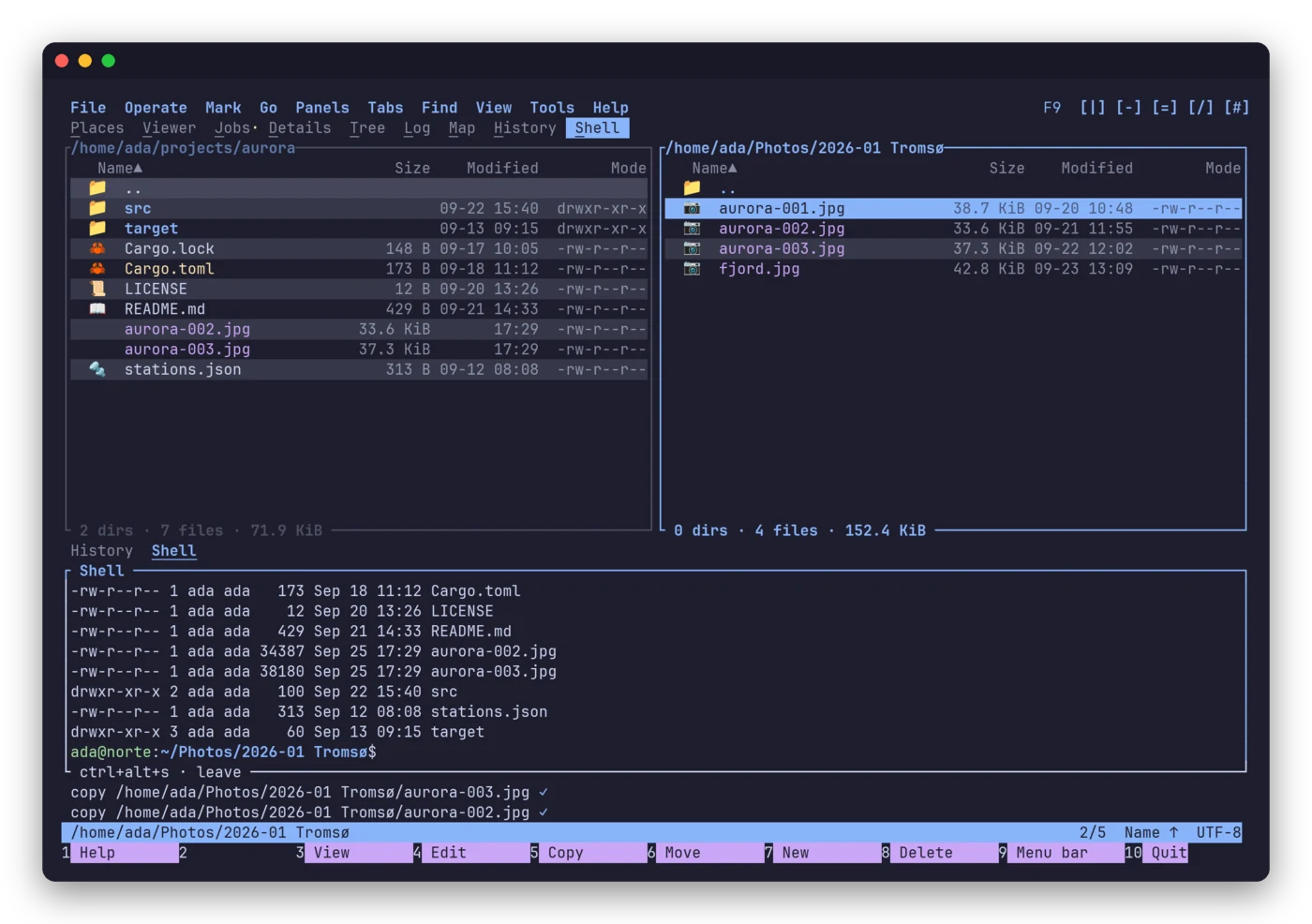
A shell inside a panel. |
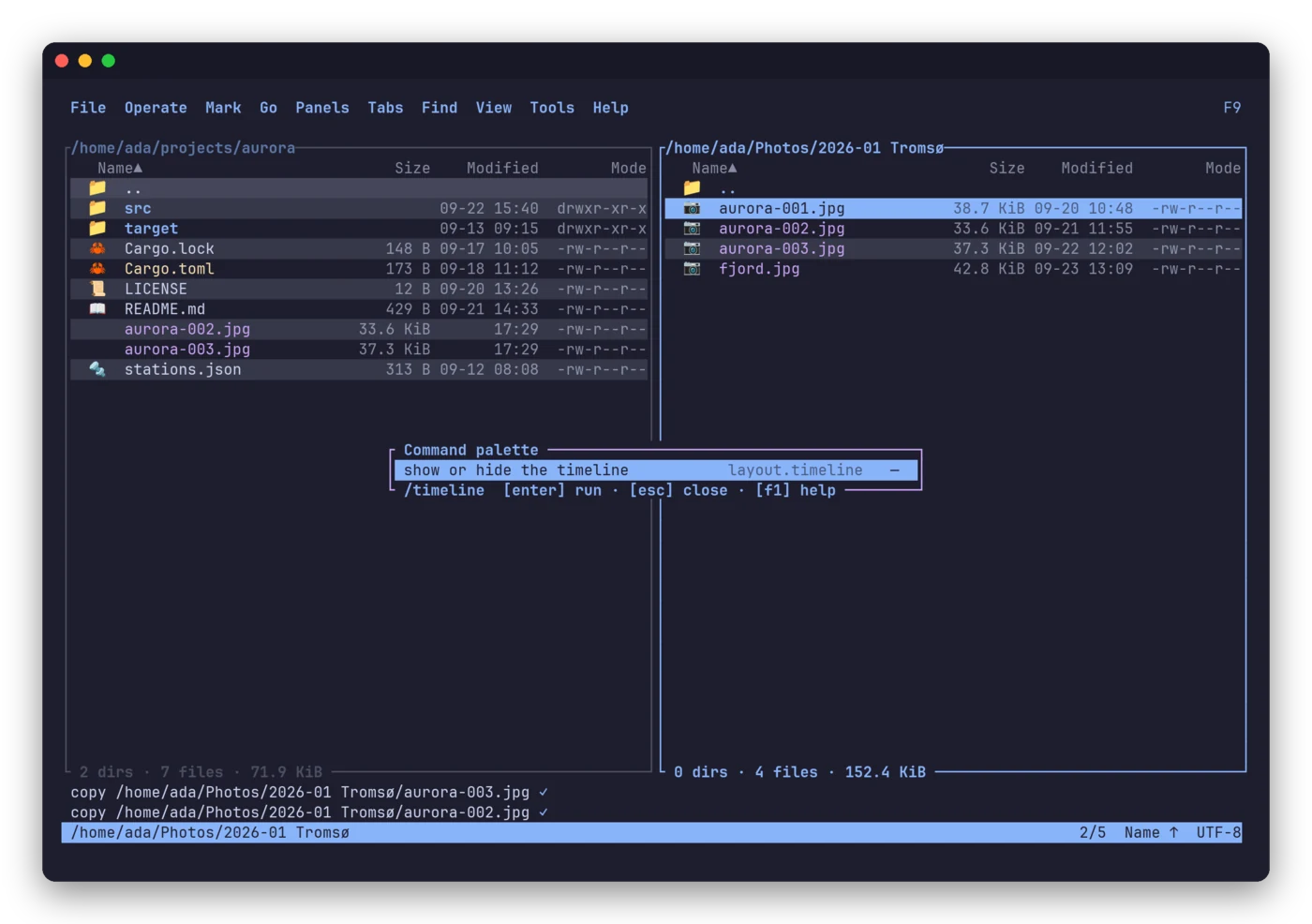
Every command, one keystroke away. The palette, the F9 menus and the help list all of them, each with the key your preset gives it. |
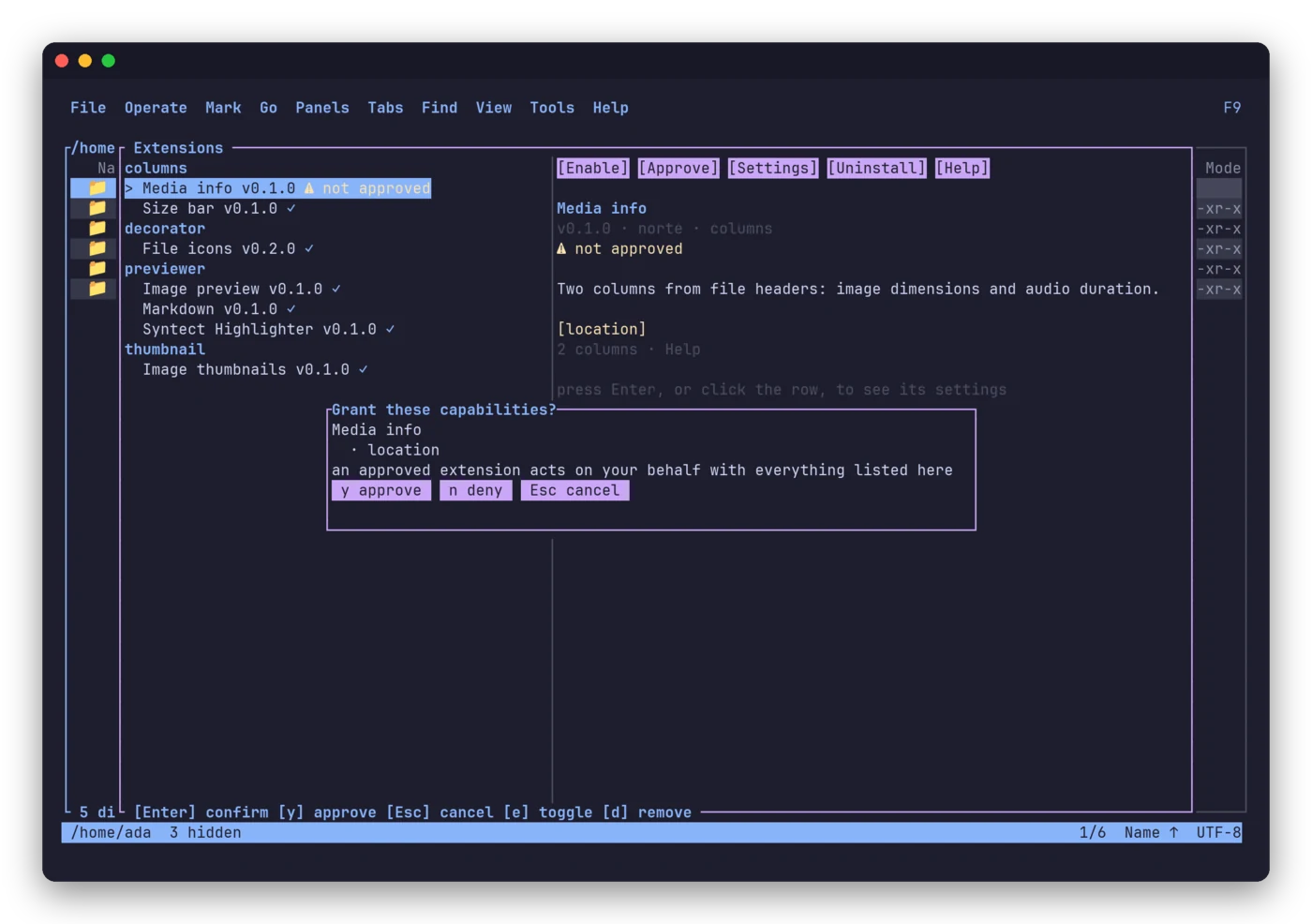
Installing is not consenting. A plugin arrives unapproved and asks for each capability it needs. Replace its binary and the approval is withdrawn. |
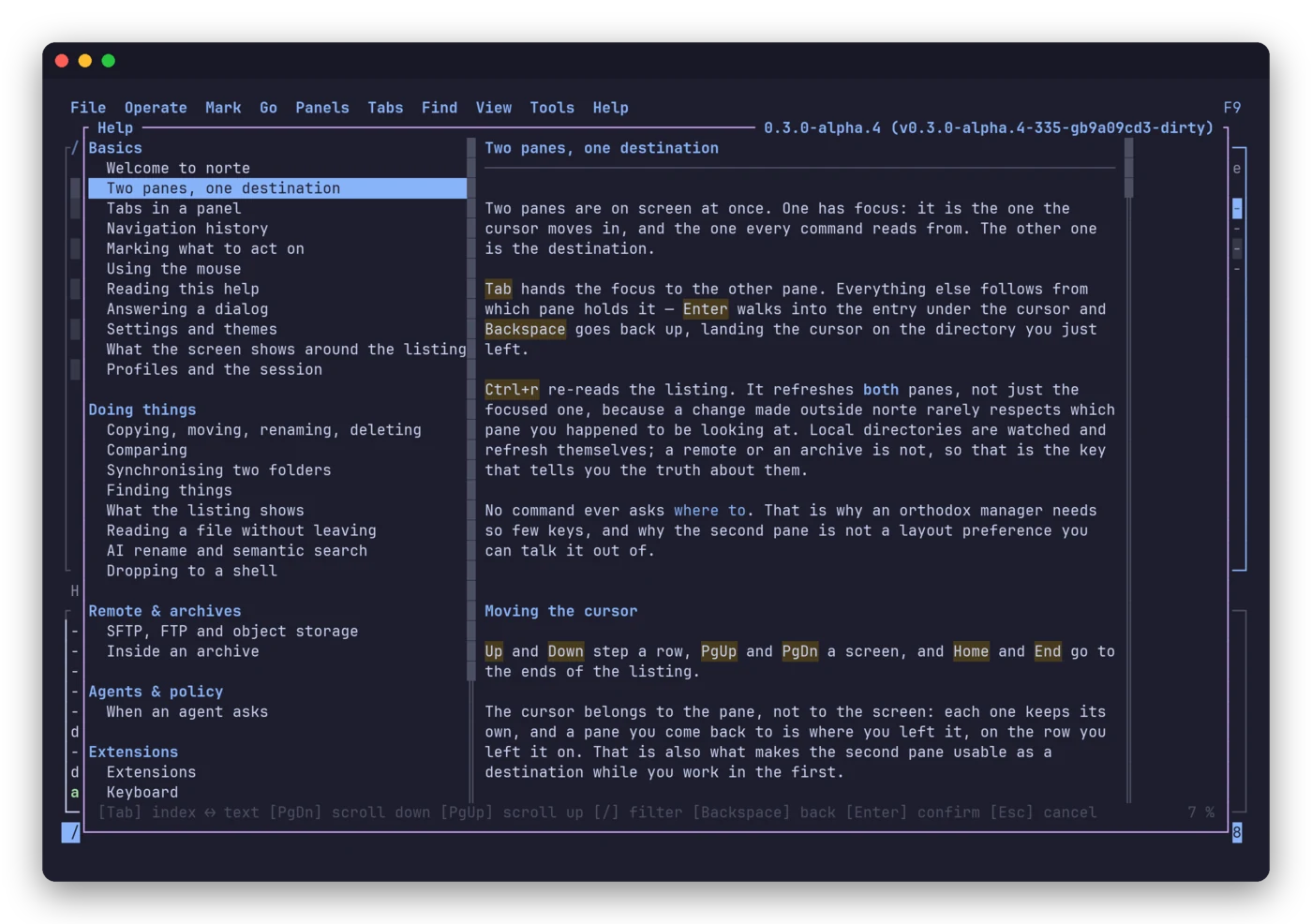
A manual that knows your keys. The help is written for your preset and your language — English and Spanish — and every plugin brings its own page. |
- Compare and sync two trees, locally or across hosts.
norte compare
andnorte syncanswer in the exit code, so they script cleanly; sync
always shows its plan and asks before applying. - A search index over any tree:
norte index build/norte index query. - AI suggestions, opt-in.
norte aiproduces a reviewable plan
(e.g. a batch rename) that you confirm before anything moves. - Disk map, tree view, details pane, bookmarks, history and a quick
go-to that decodes each suggestion with the pane's own encoding. - Shell integration: add
eval "$(norte shell-init bash)"to your rc
file and quitting norte leaves your shell where you were. - Bring your VS Code theme:
norte theme import. norte doctorandnorte pathstell you what is loaded and where
every file lives.
Themes
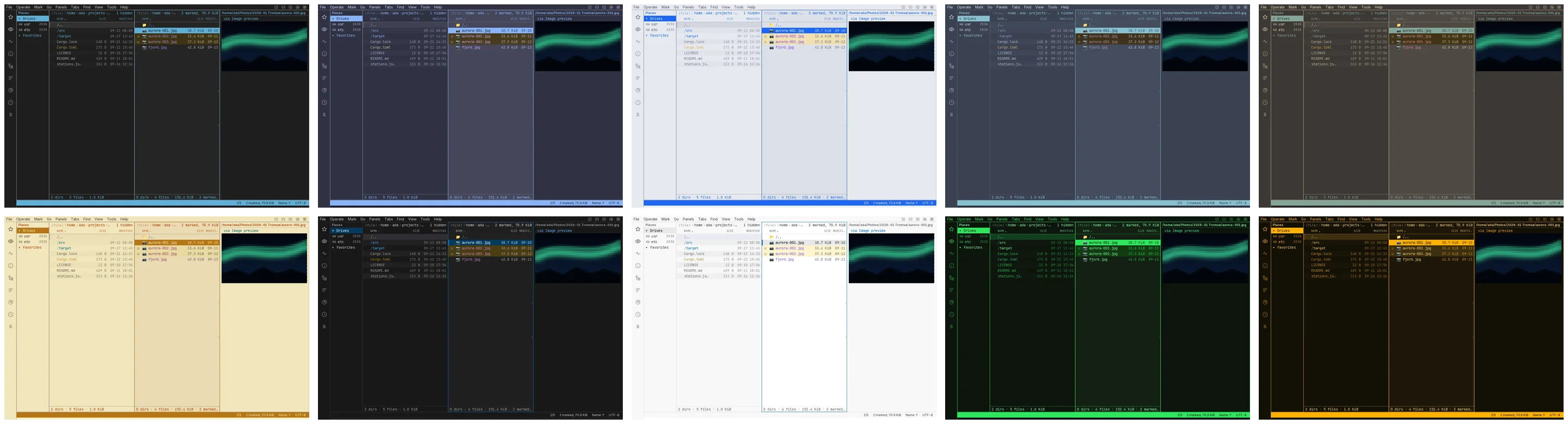
Ten built-in themes, live-switchable, in the terminal and the window alike —
or import one from VS Code.
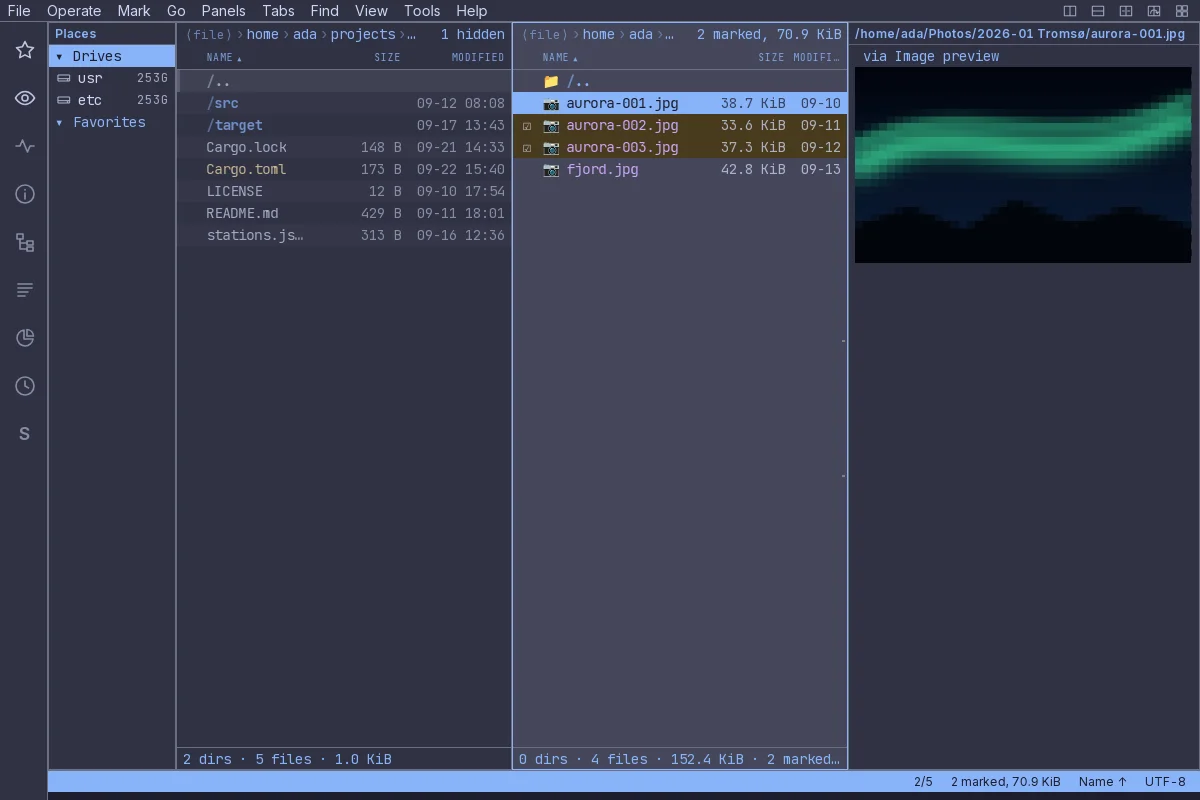
The same program, in a window
 |
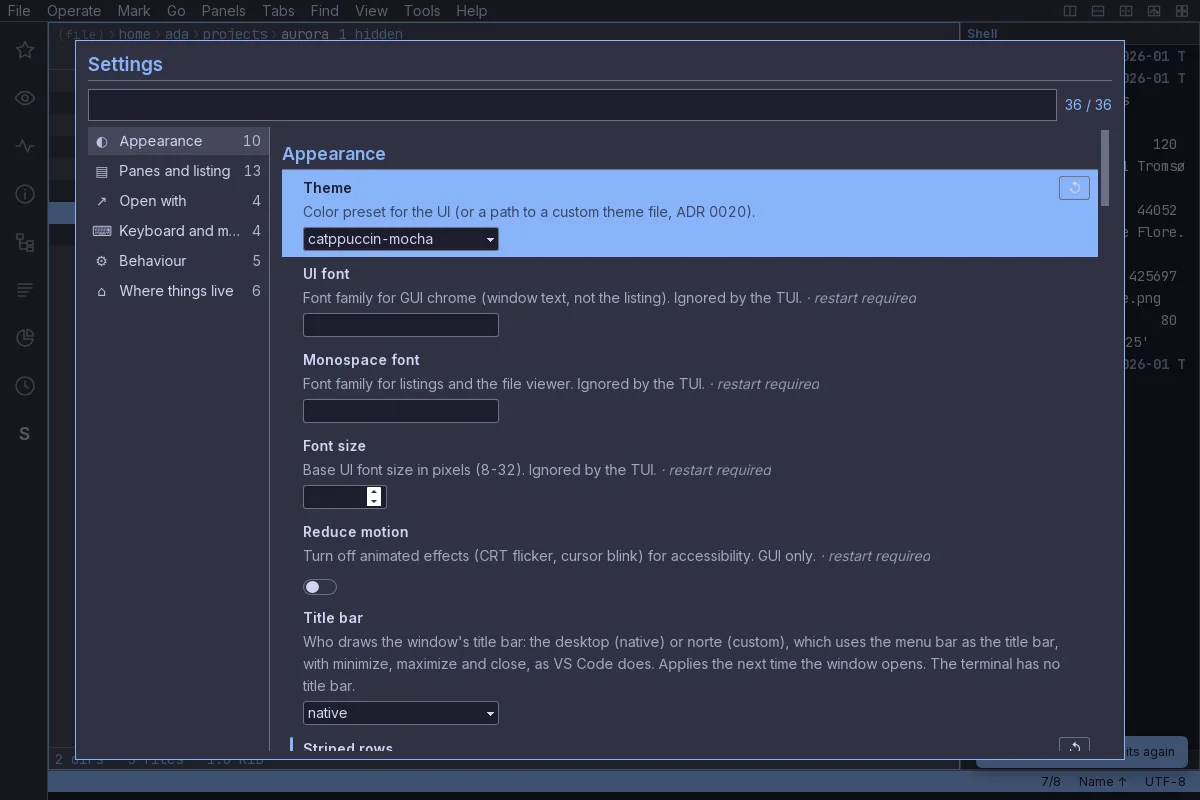 |
norte-gui is a native Tauri window over the same core. It ships as .deb,.rpm or AppImage and brings the norte and ntc binaries with it, so a
clean install has a daemon to talk to.
Install
[!NOTE]
Alpha. The current release, v0.3.0-alpha.16, ships x86_64 Linux
binaries and, as a first preview, an unsigned x86_64 Windows installer
and portable ZIP. macOS builds from source today. Interfaces and
configuration may still change.
Two binaries, each with its own installer — ntc, the file manager, andnorte, the command line (daemon, connections, policy, index, doctor):
curl --proto '=https' --tlsv1.2 -LsSf \
  https://github.com/compilando/norte/releases/download/v0.3.0-alpha.16/norte-tui-installer.sh | sh
curl --proto '=https' --tlsv1.2 -LsSf \
  https://github.com/compilando/norte/releases/download/v0.3.0-alpha.16/norte-cli-installer.sh | sh
The links name the tag on purpose: GitHub's releases/latest skips
pre-releases, and every alpha is one.
make setup prepares a fresh machine, even one without Rust or just. Then:
cargo install --path crates/norte-cli --locked   # the `norte` command
cargo install --path crates/norte-tui --locked   # the `ntc` file manager
norte-gui)
Grab the .deb, .rpm or AppImage from the
releases, or build it — this
needs the system's WebKitGTK, GTK3 and libsoup3 development packages:
cargo install --path crates/norte-gui-tauri --locked
The window is a supported frontend with its own gate (just gui-ci). It is
not yet exercised against screen readers, IME input or fractional scaling
(#261), and the packages target a current glibc/WebKitGTK. The TUI remains
the frontend with the most surface.
Quick start
norte tui                 # the file manager, in the current directory
norte tui ~/code          # ...somewhere else
norte tui --preset vim    # ...with your keys: orthodox, vim, cua, krusader,
                          #    far, norton or total-commander
norte tui hands over to ntc, which you can also run directly. It embeds
the core, so there is nothing to start first. The norte command is the
scriptable side:
norte ls ~/code                                         # ls, cp, mv, rm, mkdir, connect…
norte sync --mode update ~/photos /mnt/backup --dry-run # the plan, nothing touched
norte help keys                                         # the keys your preset really gives you
Agents, governed, not trusted
Most tools hand an agent your shell and hope. norte gives it a file
interface with a gatekeeper.
sequenceDiagram
    autonumber
    participant A as Agent (Claude Code, Codex…)
    participant M as norte mcp serve
    participant P as Policy engine
    participant Y as You
    participant J as Journal
    A->>M: request_scope ~/projects/x
    M-->>Y: request_id to grant
    Y->>P: norte policy grant <id>
    A->>M: rename 40 files
    M->>P: allowed here?
    P-->>Y: ask (your rule said so)
    Y-->>P: approve
    P->>J: applied, hash-chained
    Y->>J: norte audit  (verify the chain, export it)
Hook it up in your agent's MCP config:
{
  "mcpServers": {
    "norte": { "command": "norte", "args": ["mcp", "serve", "--session", "mcp"] }
  }
}
Then write the rules. First match wins; without a policy, an agent is
denied even inside a granted scope:
# policy.toml, in norte's config directory (`norte paths` shows where)
[[rule]]              # never let agents delete
op = "delete"
actor = "agent"
action = "deny"

[[rule]]              # nothing over SFTP
scheme = "sftp"
actor = "agent"
action = "deny"

[[rule]]              # everything else: ask me
action = "ask"
norte audit verifies the journal's hash chain and exports it. Seedocs/policy-example.toml for every knob.
Plugins
Plugins are WASM components (wasm32-wasip2) that run sandboxed, with
only the capabilities you approve. The official ones:
| Plugin | Kind | What it does |
|---|---|---|
git-status |
columns | Which files changed against the index |
file-icons |
decorator | An icon per entry: emoji, ASCII or Nerd Font |
media-info |
columns | Image dimensions and audio duration, from the header only |
size-bar |
columns | Each file's size as a █░ bar |
age |
columns | How long ago it changed: 3h, 2d, 5mo |
markdown |
previewer | Markdown rendered as styled lines |
image-ansi |
previewer | Images as half-block cells in the terminal |
image-thumb |
thumbnail | Verified thumbnails for the window's viewer |
syntect |
previewer | Syntax highlighting for the viewer |
date-prefix |
renamer | Proposes YYYY-MM-DD_name, reviewed before it runs |
rename-log |
hook | Keeps a .norte-renames.log of every rename |
just plugins                        # build and install them all
norte plugin install <dir>          # install one — it arrives unapproved
norte plugin list                   # id, kind, approved, enabled, capabilities
A provider plugin can even serve a new URL scheme, such as webdav://.
Start from plugins/template/ and the
plugin author guide.
Architecture
flowchart LR
    subgraph clients [Clients]
        TUI["ntc<br/>terminal UI"]
        GUI["norte-gui<br/>Tauri window"]
        CLI["norte<br/>CLI"]
        MCP["norte mcp<br/>agents"]
    end
    subgraph core [norte core]
        PROTO(["protocol<br/>versioned"])
        ENG["engine<br/>tasks · trash"]
        POL["policy"]
        JRN[("journal<br/>hash-chained")]
        PLG["plugin host<br/>WASM sandbox"]
    end
    subgraph vfs [Virtual filesystem]
        LOCAL[local]
        SFTP[SFTP / FTP]
        OBJ[S3]
        ARC["ZIP · TAR · RAR"]
    end
    TUI & GUI & CLI & MCP --> PROTO --> ENG
    ENG --> POL --> JRN
    ENG --> PLG
    ENG --> LOCAL & SFTP & OBJ & ARC
The core runs embedded in any client or as a daemon over a Unix socket.
Deep dives: ARCHITECTURE.md, the
specification and
176 architecture decisions.
Roadmap
- Two-pane TUI with seven keymap presets
- SFTP, FTP, S3 and archives through one VFS
- MCP bridge with scopes, policy and journal
- WASM plugin system with per-capability consent
-
norte-gui, a native window over the same core - Releases built in CI for macOS and Windows
- Accessibility: screen readers, IME, fractional scaling (#261)
- Plugin signing and a registry
See the changelog for what landed in each alpha.
How norte is built
Most of norte's code is written with AI coding agents, mostly Claude Code:
about four in five commits carry a Co-Authored-By: Claude line. The
reasoning behind the code is recorded in the
architecture decisions, and just ci (format, lint,
tests, docs) is the gate before anything merges.
Contributing
Issues and pull requests are welcome — start with
CONTRIBUTING.md and the Code of Conduct.
make setup   # a fresh machine, with or without Rust or just
just ci      # format, lint, tests and docs — the gate before merging
just test    # the test suite, with cargo-nextest
make dev     # a debug build of the TUI
just hooks   # install the pre-push hook
The gates run locally — the CI, GUI and release workflows are disabled
on GitHub; only the nightly remote-integration run and the manual Windows
packaging run there — so install the hook. The toolchain is pinned in rust-toolchain.toml; the
MSRV is at most stable minus two (currently 1.95, which wasmtime 48 needs).
Found a vulnerability? Please follow SECURITY.md instead of
opening an issue.
License
norte follows the same split as Zed. The protocol, VFS providers, test kit
and plugin SDK are MIT or Apache-2.0, so anyone can build clients,
providers and plugins on them. The core and official frontends are
AGPL-3.0-only. Each crate carries its own license files.
Telemetry
None. Not even opt-in. Diagnostics stay on your machine.
Built in Rust. No telemetry. Ever.
Reviews (0)
Sign in to leave a review.
Leave a reviewNo results found