mcp-server
Health Pass
- License — License: MIT
- Description — Repository has a description
- Active repo — Last push 0 days ago
- Community trust — 30 GitHub stars
Code Pass
- Code scan — Scanned 12 files during light audit, no dangerous patterns found
Permissions Pass
- Permissions — No dangerous permissions requested
No AI report is available for this listing yet.
Persistent memory and cross-session learning for AI coding assistants. Cloud-based context management via MCP.

ContextStream MCP Server
Give your AI coding assistant brilliant memory, deep context, and superpowers it never had.



npx @contextstream/mcp-server@latest setup
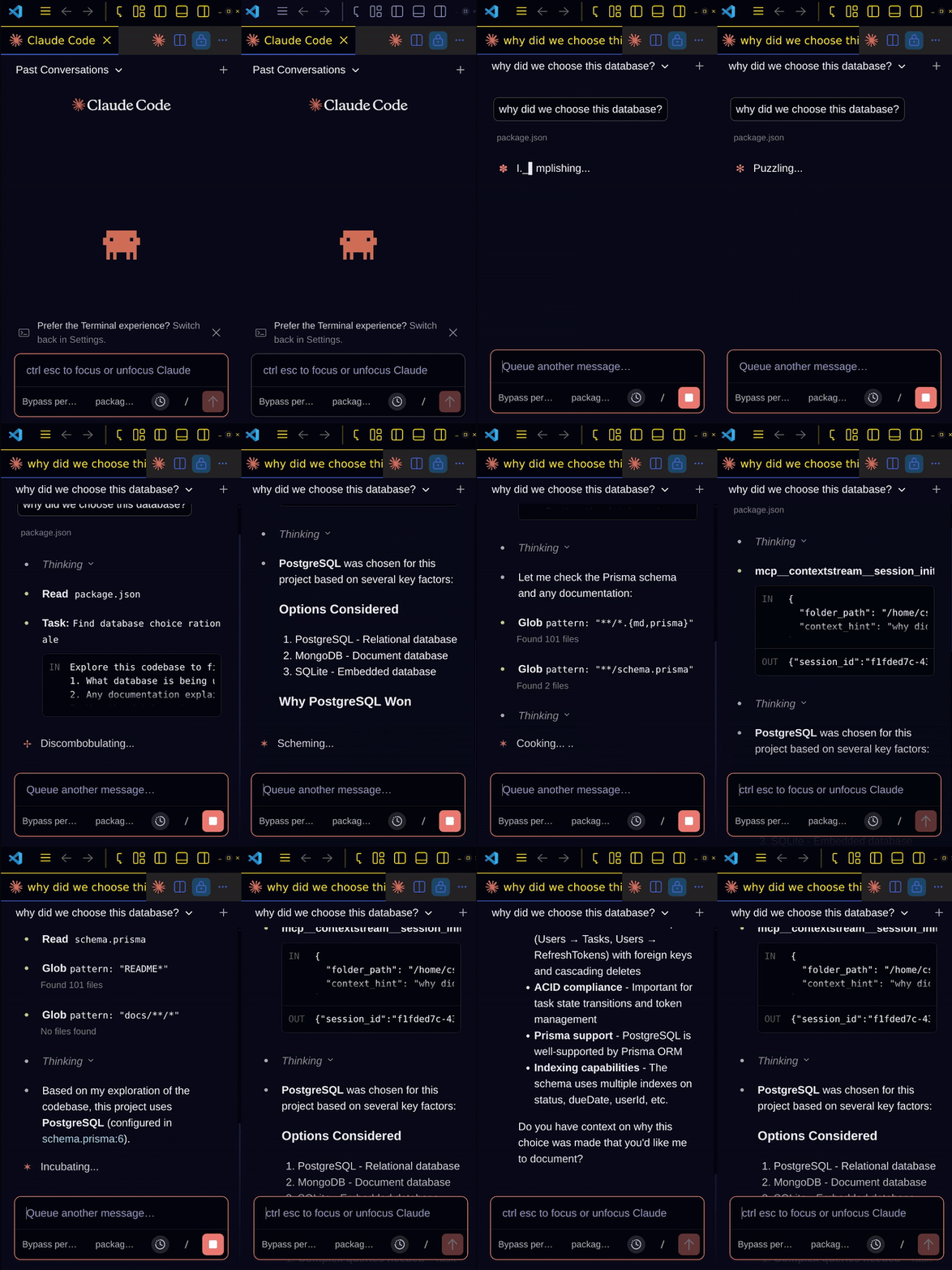
This Isn't Just Memory. This Is Intelligence.
Other tools give your AI a notepad. ContextStream gives it a brain.
Your AI doesn't just remember things—it understands your entire codebase, learns from every conversation, pulls knowledge from your team's GitHub, Slack, and Notion, and delivers exactly the right context at exactly the right moment.
One setup. Instant transformation.
What Changes When You Install This
| Before | After |
|---|---|
| AI searches files one-by-one, burning tokens | Semantic search finds code by meaning in milliseconds |
| Context lost when conversations get long | Smart compression preserves what matters before compaction |
| Team knowledge scattered across tools | Unified intelligence from GitHub, Slack, Notion—automatically |
| Same mistakes repeated across sessions | Lessons system ensures your AI learns from every failure |
| Generic responses, no project awareness | Deep context about your architecture, decisions, patterns |
The Power Under the Hood
Semantic Code Intelligence
Ask "where do we handle authentication?" and get the answer instantly. No grep chains. No reading 10 files. Your AI understands your code at a conceptual level.
SmartRouter Context Delivery
Every message is analyzed. Risky refactor? Relevant lessons surface automatically. Making a decision? Your AI knows to capture it. The right context, every time, without you asking.
Team Knowledge Fusion
Connect GitHub, Slack, and Notion. Discussions from months ago? Surfaced when relevant. That architecture decision buried in a PR comment? Your AI knows about it.
Code Graph Analysis
"What depends on UserService?" "What's the impact of changing this function?" Your AI sees the connections across your entire codebase.
Context Pressure Awareness
Long conversation? ContextStream tracks token usage, auto-saves critical state, and ensures nothing important is lost when context compacts.
Choose Your Runtime (VS Code/Copilot)
For VS Code + Copilot users, we recommend the Rust runtime because it gives the lowest-friction local install and startup path.
Recommended: Rust MCP
curl -fsSL https://contextstream.io/scripts/mcp.sh | bash
irm https://contextstream.io/scripts/mcp.ps1 | iex
Alternative: Node MCP server
npx --prefer-online -y @contextstream/mcp-server@latest setup
Marketplace install limitation
MCP marketplace installs for npm packages can install and run the package entrypoint, but they do not run arbitrary shell bootstrap commands such as curl ... | bash or irm ... | iex. That means Rust bootstrap must currently be a separate explicit user step unless/ until the Rust runtime is distributed in a marketplace-compatible package format.
Quickest Post-Install Path (VS Code + Copilot)
- Install a runtime (Rust recommended).
- Run the setup wizard:
contextstream-mcp setup
- In wizard prompts, keep Copilot selected and confirm canonical file writes.
- Restart VS Code/Copilot.
This path is the default recommendation. Manual JSON config snippets below are backup options.
Setup Takes 30 Seconds (Node)
npx --prefer-online -y @contextstream/mcp-server@latest setup
The wizard handles authentication, configuration, editor integration, and optional hooks that supercharge your workflow.
Works with: Claude Code • Cursor • VS Code • Claude Desktop • Codex CLI • OpenCode • Antigravity
The Tools Your AI Gets
init            → Loads your workspace context instantly
context         → Delivers relevant context every single message
search          → Semantic, hybrid, keyword—find anything by meaning
session         → Captures decisions, preferences, lessons automatically
memory          → Builds a knowledge graph of your project
graph           → Maps dependencies and analyzes impact
project         → Indexes your codebase for semantic understanding
media           → Index and search video, audio, images (great for Remotion)
integration     → Queries GitHub, Slack, Notion directly
Your AI uses these automatically. You just code.
Manual Configuration
Claude CodeSkip this if you ran the setup wizard.
claude mcp add contextstream -- npx @contextstream/mcp-server
claude mcp update contextstream -e CONTEXTSTREAM_API_KEY=your_key
{
  "mcpServers": {
    "contextstream": {
      "command": "npx",
      "args": ["-y", "@contextstream/mcp-server"],
      "env": { "CONTEXTSTREAM_API_KEY": "your_key" }
    }
  }
}
Locations: ~/.cursor/mcp.json • ~/Library/Application Support/Claude/claude_desktop_config.json
Local server:
{
  "$schema": "https://opencode.ai/config.json",
  "mcp": {
    "contextstream": {
      "type": "local",
      "command": ["npx", "-y", "contextstream-mcp"],
      "environment": {
        "CONTEXTSTREAM_API_KEY": "{env:CONTEXTSTREAM_API_KEY}"
      },
      "enabled": true
    }
  }
}
Remote server:
{
  "$schema": "https://opencode.ai/config.json",
  "mcp": {
    "contextstream": {
      "type": "remote",
      "url": "https://mcp.contextstream.com",
      "enabled": true
    }
  }
}
For the local variant, export CONTEXTSTREAM_API_KEY before launching OpenCode.
Locations: ./opencode.json • ~/.config/opencode/opencode.json
For GitHub Copilot in VS Code, use project-level MCP at .vscode/mcp.json.
Rust MCP (recommended)
{
  "servers": {
    "contextstream": {
      "type": "stdio",
      "command": "contextstream-mcp",
      "args": [],
      "env": { "CONTEXTSTREAM_API_KEY": "your_key" }
    }
  }
}
Node MCP server
{
  "servers": {
    "contextstream": {
      "type": "stdio",
      "command": "npx",
      "args": ["-y", "@contextstream/mcp-server"],
      "env": { "CONTEXTSTREAM_API_KEY": "your_key" }
    }
  }
}
Use the Copilot CLI to interactively add the MCP server:
/mcp add
Or add to ~/.copilot/mcp-config.json (pick one runtime):
Rust MCP (recommended)
{
  "mcpServers": {
    "contextstream": {
      "command": "contextstream-mcp",
      "args": [],
      "env": { "CONTEXTSTREAM_API_KEY": "your_key" }
    }
  }
}
Node MCP server
{
  "mcpServers": {
    "contextstream": {
      "command": "npx",
      "args": ["-y", "@contextstream/mcp-server"],
      "env": { "CONTEXTSTREAM_API_KEY": "your_key" }
    }
  }
}
For more information, see the GitHub Copilot CLI documentation.
VS Code + Copilot Canonical Setup
Select Copilot in setup; setup handles both configs automatically.
For the most reliable Copilot behavior with ContextStream, configure all three artifacts:
- Global Copilot CLI MCP config:
~/.copilot/mcp-config.json - Project VS Code MCP config:
.vscode/mcp.json - Project rules and skill files:
.github/copilot-instructions.md.github/skills/contextstream-workflow/SKILL.md
This gives you MCP connectivity plus explicit no-hooks workflow guidance for Copilot sessions.
If you installed Rust MCP, use contextstream-mcp as the command in both MCP files. If you installed via npm/marketplace, use npx --prefer-online -y @contextstream/mcp-server@latest.
Troubleshooting (Why Copilot/VS Code "isn't working")
- Wrong config location: verify both
~/.copilot/mcp-config.jsonand.vscode/mcp.jsonfor project-specific VS Code usage. - Malformed JSON: remove comments/trailing commas in MCP JSON files.
- Stale config shape: ensure root keys are correct (
mcpServersfor Copilot CLI,serversfor VS Code). - Rules missing: ensure
.github/copilot-instructions.mdand the companionSKILL.mdexist. - Context discipline not followed: first turn must call
init(...)thencontext(...); subsequent turns should callcontext(...)first. - Indexing not ready: after setup, allow indexing to complete; retry
search(mode="auto", ...)before falling back to local scans.
Migration Notes
- If you previously configured only one path, migrate to the canonical setup above.
- If migrating from Node to Rust MCP, update both command fields (
~/.copilot/mcp-config.jsonand.vscode/mcp.json) fromnpx ... @contextstream/mcp-server@latesttocontextstream-mcp. - If older rules exist, regenerate rules and replace stale instructions with the current Copilot files.
- Preserve other MCP servers in your JSON files; only update the
contextstreamentry.
Marketplace + Rust MCP Feasibility
- Current
server.jsonmarketplace metadata for this package points to npm install, which is why one-click install resolves to Node MCP. - Marketplace clients do not execute external bootstrap scripts during package install, so they cannot trigger Rust install commands directly.
- Once Rust MCP is published in a marketplace-supported package form (for example an additional registry package entry),
server.jsoncan expose both Node and Rust install targets for true one-click runtime choice.
Hook Coverage Matrix (Claude, Cursor, Antigravity)
| Editor | Hook support | ContextStream strategy |
|---|---|---|
| Claude Code | Full lifecycle hooks | Hard enforcement + reminders + lifecycle persistence hooks |
| Cursor | Lifecycle hooks (tool/MCP/shell/file/session) | Hard enforcement + reminder hooks + post-action indexing hooks |
| Windsurf | Cascade hooks (pre/post tool and response events) | Hard enforcement via pre hooks + post-write/session hooks |
| Antigravity | No documented lifecycle hooks | Strict rules-first flow + no-hooks operational guardrails |
Troubleshooting (ContextStream was skipped)
- Claude Code
- Confirm hooks exist in
~/.claude/settings.jsonor project.claude/settings.json. - Verify ContextStream hook commands are present for
PreToolUse,UserPromptSubmit,SessionStart, andPreCompact. - Check
CONTEXTSTREAM_HOOK_ENABLEDis not set tofalse.
- Confirm hooks exist in
- Cursor
- Confirm
.cursor/hooks.jsonincludespreToolUseandbeforeSubmitPrompt. - Verify
beforeMCPExecution/beforeShellExecution/beforeReadFilehook entries exist after setup. - If hooks are stale, rerun setup to regenerate ContextStream entries without deleting user hooks.
- Confirm
- Antigravity
- Verify
~/.gemini/antigravity/mcp_config.jsonhas a healthycontextstreamserver block. - Since hooks are unavailable, enforce manual discipline:
init(...)thencontext(...), andsearch(mode="auto", ...)before local scans. - Re-index when search appears stale and retry ContextStream search before fallback.
- Verify
- Windsurf
- Confirm
~/.codeium/windsurf/mcp_config.jsonincludescontextstream. - Confirm hooks in
~/.codeium/windsurf/hooks.jsonincludepre_mcp_tool_useandpre_user_prompt. - If behavior is stale, rerun setup to regenerate ContextStream hook entries while preserving user hooks.
- Confirm
- All editors
- Validate JSON shape (
mcpServersvsservers) and remove trailing commas/comments. - Keep first-call protocol strict: first turn
init(...)thencontext(...). - Preserve non-ContextStream entries when regenerating configs.
- Validate JSON shape (
Rust/Node Parity Checklist
- Claude hook matrix includes current lifecycle events in both Rust and Node setup flows.
- Cursor hook matrix includes tool/MCP/shell/file/session enforcement hooks in both implementations.
- Windsurf hook matrix includes pre/post Cascade hook coverage in both implementations.
- Antigravity remains explicit no-hooks with strengthened rules guidance in both implementations.
- Hook/rules installers stay idempotent and avoid deleting non-ContextStream user entries.
Links
Website: https://contextstream.io
Docs: https://contextstream.io/docs
Stop teaching your AI the same things over and over.
ContextStream makes it brilliant from the first message.
Reviews (0)
Sign in to leave a review.
Leave a reviewNo results found