memory
Health Pass
- License — License: MIT
- Description — Repository has a description
- Active repo — Last push 0 days ago
- Community trust — 11 GitHub stars
Code Warn
- process.env — Environment variable access in mcp-server/src/dify.js
- network request — Outbound network request in mcp-server/src/dify.js
- process.env — Environment variable access in mcp-server/src/index.js
Permissions Pass
- Permissions — No dangerous permissions requested
No AI report is available for this listing yet.
Inspectable local project memory for AI coding agents.
🧠 Local Dify MCP Memory — the self-learning RAG that makes your AI stop repeating its mistakes
Typed, deduplicated, self-improving project memory for AI coding agents.
A local Dify Knowledge stack for high-precision RAG, a stdio MCP bridge for every modern agent client, a two-stage flush + compile pipeline that distils sessions into typed atoms instead of dumping transcripts, and a dedicated self_improvement dataset where the agent records every correction you give it (and looks up the lesson before related work, so it stops making the same mistake twice).










Install | Pipeline | Categories | Updates | Clients | Stack docs | Contributing | Security | Changelog
Why this exists
Dumping raw transcripts into a vector store turns a signal-to-noise problem into an embedding-space problem: at scale, retrieval surfaces the noise.
This boilerplate replaces the dump with a two-stage pipeline:
- Flush. Lifecycle hooks (
PreCompact,PostCompact,SessionEnd) call your local LLM (Claude Code CLI by default; Codex, Anthropic, or OpenAI also supported) to extract typed atoms (decisions, bug root causes, feedback rules, lore, references, gotchas) into onedaily-<YYYY-MM-DD-HHMMSSmmm>.mddocument per flush. - Compile. The first
SessionStartof each new UTC day spawnscompile.mjsin the background. It reads enableddaily-*.mddocs, dedup-merges atoms against existingknowledge-*.mddocs (LLM decides create / update / skip), then disables the source dailies (kept for audit, hidden from search).
Most sessions contribute 0 to 3 small atoms, dedup-merged across history, with metadata that makes retrieval boringly correct.
Install
The boilerplate is consumed as ./memory/ inside your project, with its own git history retained for git pull updates. Two phases, drive each manually or via an AI prompt:
| Phase | What it does | Manual | AI-driven |
|---|---|---|---|
| 1. Host install | clone, render configs, start Docker stack | Manual install | 🤖 AI-driven install |
| 2. Dify onboarding (after MCP-client restart) | API key, dataset slots, metadata schema, optional doc absorb | Manual flow | 🤖 AI-driven flow |
Why two prompts? The MCP server only becomes callable AFTER your client (Claude Desktop, Cursor, Codex) restarts to pick it up. Phase 2 uses MCP tools (
list_datasets,create_dataset,absorb_files, ...) that don't exist before that restart, so it can't share a session with Phase 1. Run Phase 1, restart your client, then run Phase 2.
Prerequisites
- Docker Desktop 4.x+ with Docker Compose 2.24.4+
- Node 20+ (used at install AND runtime; no
jqor other extras needed) - bash 3.2+, plus standard POSIX utilities (
awk,sed,grep,find,mktemp,tr,cut) git,curl
Cross-platform: macOS and Linux are first-class. Windows works via WSL2 or Git Bash: bootstrap is bash-only and intentionally avoids jq, realpath, gsed, or any other non-portable binary.
- Line endings: the repo ships
.gitattributesforcing LF on shell + Node + config files. If you cloned withcore.autocrlf=true(Git for Windows default) BEFORE these directives existed locally, rungit add --renormalize . && git checkout .to fix any CRLF in your working tree, otherwisebashwill choke on#!/usr/bin/env bash\r. - Docker Desktop file sharing: under Docker Desktop → Settings → Resources, enable the drive (non-WSL) or the WSL2 distro that contains your project. Without this, the workspace bind mounts empty and
scan_documents/absorb_filessee no source files. - Symlinks: the repo ships zero symlinks; do not introduce any locally without enabling Windows Developer Mode (or accept that Git will substitute a 1-line text file for the symlink target).
Manual install
# from inside the project root
git clone https://github.com/ctxr-dev/memory ./memory
./memory/bootstrap.sh --slug <project-slug>
./memory/scripts/up.sh    # FIRST RUN IS SLOW: clones the upstream Dify repo
                          # into memory/vendor/dify, pulls Dify images, and
                          # builds the bridge. First-run cold pull is 2-5 min
                          # multi-GB; warm cache is ~30-60s. up.sh prints
                          # the Dify UI URL
                          # at the end.
bootstrap.sh renders .agents/ (vendor-neutral, for Cursor / Codex / Claude Desktop / generic MCP clients) and (when --install-hooks is on, default) also .claude/settings.json (Claude Code hooks) AND .mcp.json at the workspace root (Claude Code's project-scope MCP server registration; without this, /mcp does NOT see the new memory server even when the bridge is up). It also appends a /memory block to .gitignore, detects available LLM CLIs (claude, codex, falls back to anthropic / openai), and creates memory/.env from the template.
Existing config files are structurally merged, never overwritten: your hooks, MCP servers, and permissions all pass through verbatim and only boilerplate-owned entries are added or refreshed (see Updates → Merge contract). Re-runs leave memory/.env untouched.
After the stack is up, finish wiring with the onboarding wizard (or the AI-driven flow).
🤖 AI-driven install
Phase 1 of 2. Host-side install only (clone, bootstrap, docker stack up). Run Phase 2 AFTER the stack is up AND your MCP client restarts.
Paste this prompt into your agent (Claude Code, Cursor, Codex) running inside the target project root:
Install the local Dify MCP memory boilerplate into this project. Target the current working directory unless I explicitly give you another path.

Steps:

1. Confirm the boilerplate Git URL with me first if you cannot infer it. Default: https://github.com/ctxr-dev/memory

2. Ask me for the project slug. Lowercase ASCII a-z, 0-9, hyphen (e.g. billing-api, docs-site). If I give you a name, propose a sanitised slug derived from the project folder name and confirm. The slug becomes the per-project Docker container, image, and Compose project name, so multiple projects can run their own memory stacks without collisions.

3. Ask me which LLM provider to use for the flush + compile pipeline:
   - claude (recommended; spawns `claude -p`, no API key needed)
   - codex (spawns `codex exec --json`, no API key needed)
   - anthropic (REST with ANTHROPIC_API_KEY in memory/.env)
   - openai (REST with OPENAI_API_KEY in memory/.env)
   Detect which CLIs are on PATH before asking. If only one is available, default to it and ask me to confirm.

4. Ask whether to install Claude Code hooks (default: yes). Hooks live in .claude/settings.json and wire SessionStart, PreCompact, PostCompact, SessionEnd, and PostToolUse (matcher ExitPlanMode, for auto-capturing approved plans into the `plans` slot) to ./memory/scripts/hooks/. Other clients can adapt .agents/hooks.json manually.

5. Ask which MCP clients I want registered: Claude Desktop, Cursor, Codex/OpenAI, generic. Note the choices for step 8; the actual snippets only exist after bootstrap.sh runs.

6. Verify host prerequisites or tell me exactly what is missing:
   - docker (Docker Desktop or engine) with `docker compose` 2.24.4+
   - node 20+
   - git, curl, bash 3.2+
   bootstrap.sh itself only enforces docker + node + docker-compose-version; git and curl are needed by `git clone` and the Dify-version probe. No `jq`, `realpath`, or other extras are required (the install path is intentionally portable to Git Bash on Windows).

7. Run the install. If I chose Codex/OpenAI as a client in step 5 AND the `codex` CLI is on PATH, append `--register-codex` so bootstrap auto-runs `codex mcp add` for me; otherwise tell me to run that command manually after step 8:
   git clone <boilerplate-git-url> ./memory
   ./memory/bootstrap.sh --slug <slug> --llm-provider <provider> [--no-hooks if I declined] [--register-codex if Codex picked]

8. Static verification only (Docker not yet required; the stack is not up yet):
   bash -n ./memory/bootstrap.sh ./memory/scripts/*.sh ./memory/scripts/hooks/*.sh
   node --check ./memory/scripts/compile.mjs ./memory/scripts/hooks/flush.mjs ./memory/scripts/hooks/session-start.mjs
   node --check ./memory/scripts/lib/*.mjs ./memory/mcp-server/src/*.js
   ( cd ./memory && npm test )

   Then print the requested client snippets from `./memory/.agents/clients/` (now that bootstrap has rendered them):
   ./memory/scripts/mcp-config.sh all
   For Codex (if not auto-registered in step 7):
   codex mcp add <slug>-memory -- docker exec -i <slug>-memory node src/index.js

9. Start the stack. WARN ME this is slow on first run: dify-bootstrap clones the upstream Dify repo (~hundreds of MB) and `up.sh` then pulls and builds Dify + the bridge image (2-5 minutes on a cold pull, multi-GB; ~30-60s once the Docker image cache is warm):
   ./memory/scripts/up.sh
   (`up.sh` invokes `ui-url.sh` itself, so the Dify UI URL is printed when it finishes.)

10. Tell me the exact next steps after the stack is up:
    a) Open the printed Dify UI URL.
    b) Create the admin account, configure an embedding model under Settings -> Model Provider (REQUIRED before any high_quality dataset can be created).
    c) Open Knowledge -> Service API, create a Knowledge API key.
    d) Restart your MCP client (Claude Desktop / Cursor / Codex / your terminal-spawned agent) so it picks up the new memory MCP server. The server only becomes callable after this restart.
    e) Run `./memory/scripts/dify-setup.sh` to wire datasets, install the per-document metadata schema, and (optionally) absorb my existing docs. ALTERNATIVELY paste the second AI prompt from the README (under "Onboarding -> AI-driven flow") to a fresh agent session for an MCP-driven walkthrough that uses list_datasets / create_dataset / scan_documents / absorb_files instead of the wizard.
    f) Final end-to-end smoke (only valid after step e): `./memory/scripts/mcp-smoke.sh` — read-only round-trip across get_memory_config, search_memory (plain + filtered), and recall_lessons.

Stop and ask me whenever you would otherwise guess. Do not proceed past any step on assumption. Do not edit memory/.env directly, even after install: the wizard handles that.
Onboarding
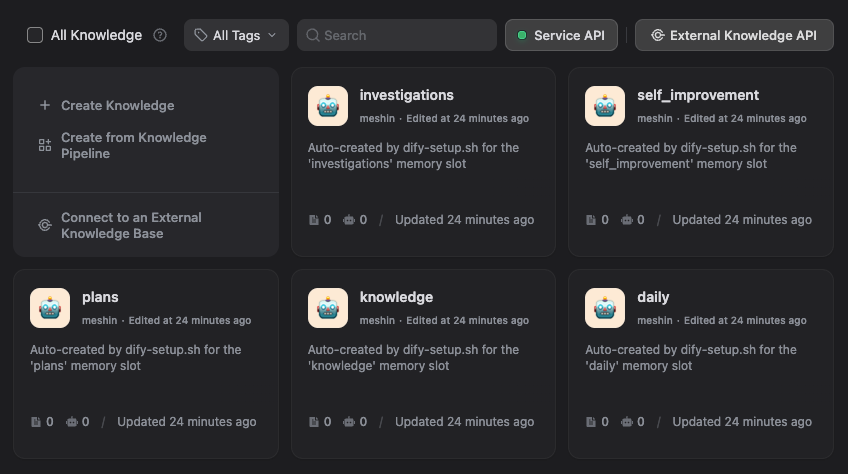
dify-setup.sh is a re-runnable wizard. Once Dify is up and you've configured an embedding model under Settings → Model Provider in the UI, it asks at most:
DIFY_KNOWLEDGE_API_KEY: paste it (or skip if already inmemory/.env).- For each dataset slot (every
DIFY_DATASET_<NAME>_ID=line inmemory/.env; defaults:daily, knowledge, plans, investigations, self_improvement): auto-create with that name (high_quality + hybrid_search), paste an existing id, or skip. - Metadata schema: installs the six per-document fields (
atom_type,tags,project_module,language,task_type,error_pattern) on every bound slot, plus optional Dify built-ins (document_name,upload_date,last_update_date). - Bridge restart: propagates new env to the MCP bridge.
- Absorb existing docs?: optional. Scans the workspace, picks files into slots (default
knowledge), upserts each asrelative_path_with_underscores.md. Re-running overwrites instead of duplicating.
Add a slot later by appending a new DIFY_DATASET_<NAME>_ID= line to memory/.env and re-running dify-setup.sh; it only asks about new slots.
Manual flow
./memory/scripts/up.sh           # start Dify + MCP bridge
./memory/scripts/ui-url.sh       # open the printed Dify UI URL
                                 # In Dify: admin -> embedding model -> Service API -> create Knowledge API key
./memory/scripts/dify-setup.sh   # paste key, bind/create slots, optional absorb
./memory/scripts/mcp-smoke.sh    # validate
After upgrading the boilerplate via git pull, recreate the bridge so it picks up new env lines:
./memory/scripts/up.sh memory_mcp   # rebuilds + recreates only the bridge service
                                    # (small image, typically <10s)
(A raw docker compose ... up -d memory_mcp from the workspace root would fail because Docker Compose can't find docker-compose.yaml there; the ./memory/scripts/ wrappers add the correct -f flags via scripts/lib.sh.)
🤖 AI-driven flow
Phase 2 of 2. Run Phase 1 FIRST, then restart your MCP client so the new
<slug>-memoryserver is registered. Only paste this prompt after that restart: it uses MCP tools (list_datasets,create_dataset,scan_documents,absorb_files,save_lesson,recall_lessons) that don't exist until then.
Paste the prompt below to your agent (Claude Code, Cursor, Codex with the MCP server registered):
Set up the Dify memory boilerplate for this project. The MCP server is `<project-slug>-memory`. Do this:

1. Call `get_memory_config` to confirm DIFY_KNOWLEDGE_API_KEY is set (the bridge surfaces `apiKeyConfigured: true|false` without leaking the key). If false, STOP and tell me to:
   (a) Open the Dify UI URL printed by ./memory/scripts/ui-url.sh
   (b) Sign in, configure an embedding model under Settings → Model Provider (REQUIRED before any high_quality dataset can be created)
   (c) Knowledge → Service API → create a Knowledge API key
   (d) Paste the key into memory/.env as DIFY_KNOWLEDGE_API_KEY=<key>
   (e) Recreate the bridge so the new env is picked up:
       ./memory/scripts/up.sh memory_mcp
   THEN re-run me. Do not attempt to proceed without the key — `dify-setup.sh --non-interactive` will exit FATAL.

2. Call `list_datasets` to see what already exists in Dify.
3. For each of these slots (daily, knowledge, plans, investigations, self_improvement), check whether a dataset with that name already exists.
   - If it exists, tell me the id and ask whether to bind it.
   - If it does not, ask whether to call `create_dataset` to create it (high_quality + hybrid_search; requires the embedding model from step 1).
4. Tell me which DIFY_DATASET_<NAME>_ID values to put in memory/.env, then I will run `./memory/scripts/dify-setup.sh --non-interactive --auto-create` to commit them, OR you tell me the exact lines to paste. The wizard also installs the per-document metadata schema (atom_type, tags, project_module, language, task_type, error_pattern) on every bound slot.
5. Then call `scan_documents` (default globs cover .md/.mdx/.markdown/.txt/.rst/.adoc) and show me the file list with proposed doc names.
6. Ask which subset I want absorbed and into which slot (default: knowledge). Use `absorb_files` with `dryRun=true` first, show me the result, and only do the real call after I confirm.

7. Sanity round-trip (proves the metadata schema you installed in step 4 actually works): call `save_lesson` with a deliberately-tagged smoke lesson (title "Onboarding smoke", error_pattern "smoke-test", project_module "smoke", task_type "unknown"), then immediately call `recall_lessons(query="smoke", project_module="smoke")`. The lesson must round-trip. If it does NOT, the metadata schema install probably failed; tell me to re-run `./memory/scripts/dify-setup.sh`.

8. Tell me about the cleanup tools available. Three MCP tools handle retracting auto-captured / absorbed docs: `delete_document` (permanent, accepts any slot — use sparingly on lessons / compile-managed slots), `disable_document` (soft, hides from search but keeps audit trail), `enable_document` (reverses a disable). Mention these so I know how to clean up if a plan title changes (the auto-capture writes a new doc under the new slug; the old slug stays unless I explicitly remove it).

Stop and ask me whenever you would otherwise guess. This is configuration, not refactoring.
Saving plans, investigations, or other artefacts manually
save_to_dataset(dataset, name, text, metadata?) does upsert-by-exact-name: same name overwrites, no duplicates. Iterate freely on a plan-auth-rewrite.md and the second save replaces the first. Same applies to absorbed files. The optional metadata map applies the per-document Dify fields so the doc is filterable in future search_memory and recall_lessons calls.
Plans approved via ExitPlanMode are auto-captured to the plans slot by the boilerplate's PostToolUse hook (scripts/hooks/exit-plan-mode.mjs, invoked via the exit-plan-mode.sh wrapper). The doc name is plan-<slugified-title>.md, derived from the first H1 in the plan body, so iterating on the same titled plan overwrites the same Dify doc. Tagged atom_type=plan, task_type=planning (no project_module so it doesn't pollute filters; add one via a manual save_to_dataset if you want per-module scoping). The hook is a no-op when the user rejects the plan (tool_response.approved !== true), when the plan body is empty, when the plans slot isn't bound, or when the bridge is unavailable. The hook only fires once Claude Code reloads .claude/settings.json, so after a fresh install or an upgrade you must restart Claude Code before the first plan capture will trigger. See the plan-capture skill for the agent-facing contract. Investigations remain manual: call save_to_dataset(dataset="investigations", name=...) directly until the equivalent capture point exists.
Self-improvement loop
A dedicated self_improvement dataset captures lessons learned only from negative or corrective user feedback. Agents check it before related work via recall_lessons.
Two MCP entry points
recall_lessons(query, project_module?, language?, task_type?, error_pattern?, tags?, includeKnowledge?, scoreThreshold?, maxResults?)— call BEFORE non-trivial work. Filtersself_improvementbyatom_type=self-improvement-lessonplus context. Broadens via fall-back ladder (dropserror_pattern→language→task_type) untilmin(3, maxResults)UNIQUE hits or the ladder is exhausted.project_moduleandtagsare caller-chosen scoping signals and are NEVER dropped. Defaults:scoreThreshold=0.55,maxResults=5. Whenproject_moduleis set ANDincludeKnowledge !== false(default true), also pulls topbug-root-cause+feedback-rulefromknowledge(max 2, appended after lessons, never displacing them).save_lesson(title, body, metadata, tags?, evidence?)— call IMMEDIATELY when the user corrects you (before replying). Requiredmetadata.error_patternis the dedup key: sameerror_patternMERGES rather than multiplies in compile. The doc namelesson-<slug>-<ts>.mdmatches the format compile recognises, so inline-saved lessons participate in the same dedup-merge pipeline. Available on the next turn.
Two capture paths feed self_improvement
- Inline (
save_lesson): agent observes correction mid-session and persists immediately. Queryable on the very next turn. - Flush extraction:
prompts/flush.mdrecognises aself-improvement-lessonatom type with the same triggers; lessons missed mid-session are captured at hook boundaries. Compile then routes them toself_improvementand dedup-merges byerror_pattern.
Lesson triggers
| ✅ Save | ❌ Don't save |
|---|---|
| Direct correction ("no", "stop doing X", reverting your work, "wrong") | Routine clarification or neutral redirection ("let's switch to X") |
| Repeat correction ("I told you before", "again", "same mistake") | User changing their mind about scope |
| Wrong-tool / wrong-step / wrong-format | User self-blame ("oh wait, I gave you the wrong file") |
| Exploration or thinking out loud |
Metadata schema
Six per-document fields, installed by dify-setup.sh on every bound slot (Dify only supports string/number/time, so tags is comma-separated, queried with contains):
| Field | Used by recall_lessons for |
Notes |
|---|---|---|
atom_type |
filter by atom type | one of eight types (seven extracted by flush+compile, plus plan set by the ExitPlanMode hook); self-improvement-lesson is the lesson key |
project_module |
filter by part-of-codebase | lowercase, hyphenated; unknown when unsure |
language |
filter by programming language | empty for language-agnostic lessons |
task_type |
filter by task category | enum: planning, implementation, debugging, refactor, review, deploy, docs, unknown |
error_pattern |
filter and DEDUP by failure mode | required for save_lesson; short kebab-case slug like missing-await, bsd-sed-no-arg |
tags |
fulltext-style fallback | comma-separated list, queried with contains |
Built-in Dify fields (document_name, upload_date, last_update_date) can be enabled by the wizard for recency-based filtering.
Retrieval contract
search_memory({ query, datasets?, filters?, scoreThreshold?, maxResults? }) applies filters as a Dify metadata_condition (AND-combined; tags uses contains, others use is) BEFORE the embedding rank, then drops anything below scoreThreshold. Do not load the whole store: filtered + thresholded retrieval is the contract.
How memory is built
flowchart TB
subgraph Capture["① Capture (per session)"]
direction TB
Hook["PreCompact / PostCompact / SessionEnd"] --> Flush["scripts/hooks/flush.mjs"]
Flush --> LLM1["LLM extract (typed atoms)"]
end
LLM1 --> DailyDataset[("Dify dataset 'daily'<br/>daily-<ts>.md")]
subgraph Promote["② Promote (lazy, once/UTC day)"]
direction TB
Start["SessionStart"] --> Compile["scripts/compile.mjs"]
Compile --> ReadDaily["Read enabled daily-*.md"]
ReadDaily --> LLM2["LLM dedup-merge vs 'knowledge'"]
end
DailyDataset --> ReadDaily
LLM2 --> KnowledgeDataset[("Dify dataset 'knowledge'<br/>knowledge-<slug>-<ts>.md")]
LLM2 --> SelfImprovement[("Dify dataset 'self_improvement'<br/>lesson-<slug>-<ts>.md")]
Compile --> DisableDaily["Disable processed daily-*.md"]
subgraph OnDemand["③ On-demand (any session)"]
direction TB
Absorb["MCP absorb_files"]
Save["MCP save_to_dataset / save_lesson / write_memory"]
end
subgraph PlanCapture["④ ExitPlanMode auto-capture (per approval)"]
direction TB
ExitPlan["PostToolUse: ExitPlanMode (approved=true)"] --> ExitPlanScript["scripts/hooks/exit-plan-mode.mjs"]
end
Absorb --> KnowledgeDataset
Save --> AnyDataset[("Dify named slots<br/>plans, investigations, ...")]
Save --> SelfImprovement
ExitPlanScript --> PlansDataset[("Dify dataset 'plans'<br/>plan-<slug>.md")]
DailyDataset --> Search(["MCP search_memory / recall_lessons"])
KnowledgeDataset --> Search
SelfImprovement --> Search
AnyDataset --> Search
PlansDataset --> Search
Everything lives in Dify, organised by named slots, retrieved via metadata-filtered queries.
- Named slots: each
DIFY_DATASET_<NAME>_ID=line inmemory/.envdeclares one slot. Defaults:daily,knowledge,plans,investigations,self_improvement. Add lines to add slots (DIFY_DATASET_RUNBOOKS_ID=, ...). No second list to maintain. - Per-atom-type routing: compile sends
self-improvement-lessonatoms toself_improvementand everything else toknowledge. Inlinesave_lessonhitsself_improvementdirectly. - Naming inside Dify:
daily-<YYYY-MM-DD-HHMMSSmmm>.md: one per flush event (dedup-merged out by compile).knowledge-<slug>-<YYYY-MM-DD-HHMMSSmmm>.md: one per deduped fact (compile may write a new version with the same<slug>and a new<ts>, then disable the prior).lesson-<slug>-<YYYY-MM-DD-HHMMSSmmm>.md: self-improvement lessons inself_improvement.<relative_path_with_underscores>.md: absorbed user docs (docs/auth/jwt.mdbecomesdocs_auth_jwt.md).<your-name>.md: anything you upsert viasave_to_dataset(plans, investigations, decisions). Same name overwrites; iterate freely.
- Daily docs are kept after promotion but disabled (audit trail in UI, hidden from
search_memory). - No local memory files. Only on-disk state is
./memory/.compile-state.json(last compile attempt date). - Recursion guard:
CLAUDE_INVOKED_BY=memory_compileprevents compile from triggering its own compile. - Failure modes are explicit: missing LLM provider, missing Dify keys, or stopped MCP container all cause flush/compile/absorb to skip with a stderr message and exit 0. Hooks never block your session and never write fallback files.
What gets saved
Two routes: automatic distillation (flush + compile) and on-demand upserts (absorb + save_to_dataset).
Atoms extracted by flush+compile
Seven atom types are produced by the flush LLM extractor (prompts/flush.md) and routed by compile. Each carries the metadata block (project_module, language, task_type, optional error_pattern) plus tags. The compile prompt biases toward update over create when atom_type, project_module, and (for lessons) error_pattern match: same fact never gets written twice; same lesson converges into one canonical document.
| Type | Use when | Routes to |
|---|---|---|
decision |
"We chose X over Y because Z." Architectural or product choice with rationale. | knowledge |
bug-root-cause |
The misleading symptom, the actual cause, and the trap to avoid. (Not the diff: that's in git.) | knowledge |
feedback-rule |
A workflow rule the user gave you. Conventions, exit predicates, do/don't. | knowledge |
project-lore |
Who's doing what, deadlines, integration quirks not in the code. Decays fast; atoms include dates. | knowledge |
reference |
A pointer to a dashboard, runbook, or external project, with the reason to consult it. | knowledge |
pattern-gotcha |
A reusable code-level lesson: API quirk, framework footgun, library behavior. | knowledge |
self-improvement-lesson |
NEGATIVE OR CORRECTIVE user feedback revealing a behaviour the AI should change next time. | self_improvement |
Atoms set by hooks (not extracted from transcripts)
| Type | Set by | Routes to |
|---|---|---|
plan |
PostToolUse/ExitPlanMode hook on approval, or manual save_to_dataset(dataset="plans", ...). The flush extractor is explicitly forbidden from producing this type (see prompts/flush.md). |
plans |
On-demand uploads
Both use upsert-by-exact-name (delete-then-create): same name → updated content; different name → new document.
| MCP tool | When | Naming + identity |
|---|---|---|
absorb_files(files[], dataset?, dryRun?) |
Index existing project docs (docs/**/*.md, ARCHITECTURE.md, RFCs). |
relative/path/with/slashes.md becomes relative_path_with_slashes.md. Re-running overwrites the same Dify document. |
save_to_dataset(dataset, name, text, metadata?) |
Save a plan, investigation, decision record, runbook. | The name IS the identity. Polishing the same plan-auth-rewrite.md later replaces the prior version. |
MCP tools
| Tool | Purpose |
|---|---|
search_memory |
Retrieve scored chunks across configured datasets. Accepts filters (metadata) + scoreThreshold for precise, context-efficient recall. |
recall_lessons |
"Look before you leap" entry point. Filters self_improvement by inferred task context with broadening fall-back; optionally pulls bug-root-cause + feedback-rule from knowledge. |
get_memory_config |
Inspect bridge configuration without exposing secrets. |
write_memory / update_memory |
Create-or-supersede a single document (low-level; compile uses update_memory). |
save_to_dataset |
Upsert by exact name with optional metadata (durable-artefact path). |
save_lesson |
Sugar over save_to_dataset for self_improvement; required metadata.error_pattern is the dedup key. |
list_datasets / create_dataset |
Inspect or create Dify datasets; bind via dify-setup.sh. create_dataset auto-installs the per-document metadata schema (the six fields). |
delete_document / disable_document / enable_document |
Clean up an upserted doc by id. delete_document is permanent (warns about lessons/compile-managed slots); disable_document hides from search but keeps the audit trail; enable_document reverses a soft-delete. Use to retract a stale plan-<old-slug>.md after a title change, or any auto-captured / absorbed doc you no longer want indexed. |
audit_memory |
Walk the plans, knowledge, and self_improvement slots and return a list of cleanup candidates across four classes: stale-plans (slug substring of newer plan, leftover renames), missing-metadata (atom-type required fields absent), stale-project-lore (older than MEMORY_AUDIT_LORE_STALE_DAYS, default 90), duplicate-error-pattern (lessons sharing a pattern with a newer canonical). List-only; act via delete_document / disable_document. |
scan_documents |
Walk the workspace mount; return matches + suggested doc names. The default ignore list (.git, node_modules, .venv, __pycache__, target, vendor, dist, build, .next, Pods, DerivedData, _build, .terraform, .idea, etc., at any nesting depth) is ALWAYS applied; user ignore patterns are added on top, never used as a replacement. include defaults to markdown/text; pass include to override. |
absorb_files |
Read selected files; upsert each into the chosen dataset. |
Updates
cd memory && git pull && cd .. && ./memory/bootstrap.sh --slug <project-slug>
./memory/scripts/up.sh memory_mcp   # recreate the bridge so it picks up env changes
Re-running bootstrap is idempotent: memory/.env is preserved across upgrades; only template-derived files (.agents/*, .claude/settings.json, .agents/rules/*, .claude/skills/*) are re-rendered. The bridge reads memory/.env via Compose's env_file:, so any new DIFY_DATASET_<NAME>_ID= line takes effect only after a recreate.
If you're upgrading across a plan-capture release, also re-run ./memory/scripts/dify-setup.sh after git pull so the per-document metadata schema gets retro-installed on existing slots. See the callout below for the full upgrade recipe.
Upgrading to plan-capture (PostToolUse/ExitPlanMode hook):
Required steps in order:
- Re-run
./memory/scripts/dify-setup.shaftergit pull. The wizard'sinstall_metadata_schemastep is idempotent: it inspects every bound slot, only installs missing fields, and silently skips ones already present. Pre-existing slots created by an OLDERcreate_datasetMCP tool (which did NOT auto-install the schema before this commit) get the six per-document fields retro-installed in seconds. Without this, the new ExitPlanMode hook will succeed in writing plans but logmetadata warning: no fields matched dataset metadata schemaon every save until the wizard runs.- Recreate the bridge container to pick up env + image changes:
./memory/scripts/up.sh memory_mcp. The bridge readsmemory/.envonly at container start time, so any newMEMORY_HOOK_EXITPLANMODE_*knob you added is invisible until restart.- Restart your MCP client (Claude Code / Cursor / Codex) so it picks up the new
.claude/settings.json/.agents/hooks.jsonhook entries. Already-running sessions won't fire the new hook until restart.Optional: copy the new
MEMORY_HOOK_EXITPLANMODE_DISABLEandMEMORY_HOOK_EXITPLANMODE_MAX_BYTESknobs from.env.exampleinto your existingmemory/.envif you want to tune (re-runs preserve user edits, so they aren't auto-merged). If you set them, redo step 2 to refresh bridge env.Behavior change to be aware of:
upsertDocumentByNamenow reduces same-name documents to one per upsert (closes a concurrent-write race window). If you had transient duplicates from a prior bug, this commit silently merges them on the next upsert. Verify in the Dify UI before relying on the upsert path for non-plan content.
Merge contract
| File class | Behaviour on re-run |
|---|---|
Mixed-content (.claude/settings.json, .agents/{hooks,mcp}.json, .mcp.json) |
Structurally merged via scripts/merge-config.mjs (pure Node, no jq). Your existing entries (your own MCP servers, your own hook commands, your permissions, your model, anything else at the top level) pass through verbatim. Only entries whose command carries the boilerplate's signature ("$CLAUDE_PROJECT_DIR"/memory/scripts/hooks/...) are stripped and re-installed; for .mcp.json, only the <slug>-memory server entry is owned by the boilerplate. Re-runs are byte-stable when nothing changes. |
Owned-only (.agents/clients/*, .agents/mcp/<server>.mcp.json, .agents/README.md) |
100% generated by the boilerplate. Bootstrap REFUSES to overwrite if you have edited them: prints a conflict list and exits non-zero. Either delete the file then re-run, or move your edits elsewhere. |
Skill / rule files (.claude/skills/*.md, .agents/rules/*.md) |
Always overwritten on re-run; treat them as canonical from the boilerplate. |
What gets committed
| Path | Tracked | Why |
|---|---|---|
/memory |
No | The cloned boilerplate has its own .git. |
/.memory |
No | Host-mounted Dify runtime data. |
/.agents, /.claude/settings.json, /.mcp.json |
Yes | Per-project agent config: vendor-neutral hooks/MCP + Claude Code hooks + project-scope MCP server registration. |
memory/.env |
No | Contains your Dify API key. |
memory/.compile-state.json, memory/.compile.lock |
No | One-line ops state / transient lockfile. Not memory. |
Upgrading from a pre-
pwd -Pcheckout (one-time): if you cloned into a path with a symlink in it (common on macOS with iCloud-synced~/Documents, or Linux dev VMs with bind-mounted project trees) AND ran the boilerplate before scripts standardised onpwd -P, the nextup.shaftergit pullresolvesMEMORY_DATA_DIRto the physical path. Docker treats that as a different bind source, so existing Dify storage volumes appear empty (your data is still on disk under the old, symlink-form path). Run./memory/scripts/migrate-persistent-data.shonce to copy state into the resolved location, then./memory/scripts/up.sh. Fresh installs are unaffected.
Client config
Generated client snippets live under .agents/clients/ after bootstrap:
./memory/scripts/mcp-config.sh all              # print every client snippet
./memory/scripts/mcp-config.sh codex            # | claude-desktop | cursor
For Codex/OpenAI:
codex mcp add <project-slug>-memory -- docker exec -i <project-slug>-memory node src/index.js
For Claude Desktop, Cursor, or generic MCP clients, merge .agents/mcp.json (or the matching .agents/clients/<client> snippet) into your client's MCP config. Do not paste API keys into client configs; they live only in memory/.env.
When --install-hooks is on (default), .claude/settings.json is rendered with the four lifecycle events wired to ./memory/scripts/hooks/. Other clients can adapt .agents/hooks.json to their own hook format; see STACK.md for the event-to-script table.
Skills + rules
bootstrap.sh renders every templates/skills/*.md into BOTH:
.claude/skills/<name>.md(only when--install-hooks): Claude Code's project skills directory; auto-loaded..agents/rules/<name>.md(always): vendor-neutral. Cursor / Codex / generic clients can import from here.
Today the boilerplate ships three skills: self-improvement.md (the recall_lessons + save_lesson contract), plan-capture.md (how the ExitPlanMode auto-capture and manual save_to_dataset paths interact for the plans slot), and investigation-capture.md (when and how to save a long debugging session as a durable artefact in the investigations slot; agent-side rule, no hook).
Hook reference
| Event | Script | Effect |
|---|---|---|
SessionStart |
scripts/hooks/session-start.mjs |
Emits an additionalContext reminder; lazily spawns compile in the background once per UTC day. |
PreCompact |
scripts/hooks/flush.mjs pre-compact |
Distils the recent transcript into typed atoms; writes ONE new daily-<ts>.md doc to the Dify daily dataset. Skips if fewer than MEMORY_HOOK_PRECOMPACT_MIN_TURNS turns. |
PostCompact |
scripts/hooks/flush.mjs post-compact |
Distils Claude Code's compact_summary into atoms. Min-turns check bypassed for compact_summary input. |
SessionEnd |
scripts/hooks/flush.mjs session-end |
Same as PreCompact, with MEMORY_HOOK_SESSION_END_MIN_TURNS floor. |
PostToolUse (matcher ExitPlanMode) |
scripts/hooks/exit-plan-mode.mjs |
When the user approves a plan, upserts plan-<slug>.md into the plans dataset slot (deterministic, no LLM, no timestamp; same title overwrites). Body is redacted + wrapped in an untrusted-content fence. Skips cleanly (exit 0) with a stderr message on rejection, empty plan, oversized plan (MEMORY_HOOK_EXITPLANMODE_MAX_BYTES, default 256KB), unbound slot, bridge failure, or MEMORY_HOOK_EXITPLANMODE_DISABLE=true. See plan-capture skill. |
Hook timeouts: 130s for flush hooks (LLM defaults to 120s per call + headroom), 30s for PostToolUse/ExitPlanMode (no LLM, but multiple bridge round-trips: find + create + metadata + re-list + dedupe-delete), 15s for SessionStart (only emits a reminder + spawns compile detached).
Verification
Each tier lists its prereqs; stop at the latest one your environment can satisfy.
# Tier 1 — Static. Requires: bootstrap.sh only. No Docker, no LLM.
bash -n ./memory/bootstrap.sh ./memory/scripts/*.sh ./memory/scripts/hooks/*.sh
node --check ./memory/scripts/compile.mjs ./memory/scripts/hooks/flush.mjs ./memory/scripts/hooks/session-start.mjs
node --check ./memory/scripts/lib/*.mjs ./memory/mcp-server/src/*.js

# Tier 2 — Hermetic unit tests. Requires: node 20+.
( cd ./memory && npm test )
# (`npm test` invokes `node --test test/*.test.mjs` from inside ./memory/,
# so the glob is expanded against ./memory/test/. Running it from the parent
# would fail because the glob expands BEFORE the cd.)

# Tier 3 — Stack health. Requires: up.sh has been run.
./memory/scripts/ps.sh
./memory/scripts/ui-url.sh

# Tier 4 — End-to-end MCP smoke. Requires: up.sh + dify-setup.sh + DIFY_KNOWLEDGE_API_KEY + ≥1 dataset bound.
# Read-only by design: initialize, get_memory_config, plain + filtered search_memory,
# recall_lessons round-trip with a deliberately-no-match query. Fails with a
# "Run dify-setup.sh" hint if any prereq is missing.
./memory/scripts/mcp-smoke.sh

# Tier 5 — Entry-point smoke. Requires: bootstrap only.
# Without bridge + slots + LLM provider, both scripts SKIP gracefully (stderr, exit 0).
# That's the property we verify here: hooks never block the user's session.
echo '{"session_id":"smoke","hook_event_name":"PostCompact","compact_summary":"Decision: Dify is the canonical store for project memory."}' \
  | ./memory/scripts/hooks/post-compact.sh
node ./memory/scripts/compile.mjs --dry-run

# Tier 6 — Direct CLI checks. Requires: bridge container running.
# Verify the metadata schema is installed on the self_improvement slot.
docker exec -i "$(grep '^MCP_CONTAINER_NAME=' ./memory/.env | cut -d= -f2 | tr -d '\r')" \
  node src/memory-cli.js list-metadata-fields --datasetId self_improvement
# expect doc_metadata to include atom_type, tags, project_module,
# language, task_type, error_pattern.

# Filtered search smoke against the self_improvement slot.
# (RETRIEVES only; pair with a save_lesson MCP call from your agent for a
# true save -> recall round-trip.)
docker exec -i "$(grep '^MCP_CONTAINER_NAME=' ./memory/.env | cut -d= -f2 | tr -d '\r')" \
  node src/memory-cli.js search --datasetId self_improvement \
  --query "smoke" --filters '{"atom_type":"self-improvement-lesson"}'
If mcp-smoke.sh fails with "No datasets configured" or "Flush slot 'daily' has no configured id", run ./memory/scripts/dify-setup.sh to bind the slots.
Tier 4.5 — Plan-capture write-path smoke (opt-in)
mcp-smoke.sh is intentionally read-only (no writes that would dirty your dataset). To verify the ExitPlanMode auto-capture write path end-to-end against your real Dify:
./memory/scripts/plan-capture-smoke.sh           # writes + verifies + deletes a synthetic plan-mcp-smoke-*.md
./memory/scripts/plan-capture-smoke.sh --keep    # leaves the smoke doc in place for visual inspection
Skips with a clear SKIP: message if the bridge isn't running, the plans slot isn't bound, or MCP_CONTAINER_NAME isn't set in memory/.env. Use this once after install (or after any upgrade that touches the hook) to prove the full pipeline works against your tenant.
Repository layout (cloned ./memory/)
memory/
├── bootstrap.sh                # render project-root files; idempotent
├── compose.mcp.yaml            # Docker Compose override for the MCP bridge
├── .env.example                # template for memory/.env
├── scripts/
│   ├── up.sh, down.sh, ps.sh   # stack lifecycle
│   ├── ui-url.sh               # discover the host UI port
│   ├── dify-bootstrap.sh       # resolve + pin Dify version, clone vendor
│   ├── dify-setup.sh           # interactive dataset binding + metadata
│   │                           # schema installer + absorb wizard
│   ├── mcp-config.sh           # print client snippets
│   ├── mcp-smoke.sh            # JSON-RPC smoke against the bridge
│   ├── compile.mjs             # daily -> knowledge / self_improvement
│   │                           # promotion (per-atom-type routing,
│   │                           # metadata-filtered dedup-merge)
│   ├── merge-config.mjs        # CLI used by bootstrap.sh to structurally
│   │                           # merge our hooks/MCP entries into the
│   │                           # user's existing config without losing
│   │                           # user content
│   ├── lib/{env,llm,dify-write,redact,slug,datasets,lock,merge-config}.mjs
│   └── hooks/
│       ├── session-start.{sh,mjs}    # lazy compile trigger + reminder
│       ├── pre-compact.sh            # -> flush.mjs pre-compact
│       ├── post-compact.sh           # -> flush.mjs post-compact
│       ├── session-end.sh            # -> flush.mjs session-end
│       └── flush.mjs                 # shared extractor (incl. self-
│                                     # improvement-lesson type + metadata)
├── prompts/{flush,compile}.md  # LLM extraction + dedup-merge prompts
├── mcp-server/src/{index,dify,memory-cli,glob,slug}.js
├── templates/
│   ├── agents/                       # rendered to <project>/.agents/
│   ├── claude/settings.json          # rendered to <project>/.claude/
│   ├── skills/self-improvement.md    # rendered to .claude/skills/ AND .agents/rules/
│   ├── skills/plan-capture.md        # rendered to .claude/skills/ AND .agents/rules/
│   ├── skills/investigation-capture.md # rendered to .claude/skills/ AND .agents/rules/
│   └── gitignore.append              # appended to <project>/.gitignore
└── vendor/dify/                # cloned at first dify-bootstrap

# Memory is stored entirely in Dify, organised by named slot, named:
#   daily-<YYYY-MM-DD-HHMMSSmmm>.md             (one per flush event, daily slot)
#   knowledge-<slug>-<YYYY-MM-DD-HHMMSSmmm>.md  (one per deduped fact, knowledge slot)
#   lesson-<slug>-<YYYY-MM-DD-HHMMSSmmm>.md     (one per deduped lesson, self_improvement slot)
For deeper Dify configuration, knowledge-base creation, retrieval tuning, persistence, and troubleshooting, see STACK.md.
Reviews (0)
Sign in to leave a review.
Leave a reviewNo results found