potemkin-pipeline
Health Warn
- License — License: MIT
- Description — Repository has a description
- Active repo — Last push 0 days ago
- Low visibility — Only 7 GitHub stars
Code Fail
- rm -rf — Recursive force deletion command in build-saver.sh
- exec() — Shell command execution in src/content-banks/snippets.js
Permissions Pass
- Permissions — No dangerous permissions requested
No AI report is available for this listing yet.
Offline single-file screensaver/PWA that simulates an AI coding agent at work — fake terminal, fake dashboards, zero real code, all theater, zero dependencies.
Potemkin Pipeline
A fake AI coding agent screensaver. Offline, single-file, installable PWA —
zero dependencies, zero real code, 100% convincing from across the room.





An offline, single-file browser app that simulates the theater of an autonomous
AI coding agent at work — streaming tool calls, second-guessing itself, fixing
bugs it invented moments earlier, shipping to prod, and surviving the occasional
boss-level drama (a runaway process on a critical box, a flailing CI pipeline,
a flame graph, a btop meltdown, a volumetric DDoS). Think hacker-typer, but for
vibe-coding an AI agent instead of hammering a keyboard.
It does not write any code. It performs the idea of writing code — the way a
community-theater actor performs the idea of brain surgery. Every counter, graph,
and "172× faster" is a confident lie computed by a seeded PRNG. It's a Potemkin
village for your terminal: real-looking and convincing to a non-technical observer
from across the room, but it will not survive anyone who actually reads it (nor
is it trying to).
Use cases, in descending order of honesty: a fun screensaver, a demo of how much
theater modern tooling involves, and an airtight excuse — instead of "it's
compiling," you say "the agent is busy" and gesture at the screen.
▶ Run it live · f force a random drama · d pick a specific scene · b boss key · ? all hotkeys
The agent introduces itself with a fresh, maximally-confident codename each load —
ORION, COLOSSUS, SINGULARITY, PLUS-ULTRA, STRAWBERRY-Q — drawn from a list of names
the next frontier model is definitely going to be called. It's seed-derived, so a
shared?seed=link summons the same legend twice.
The show
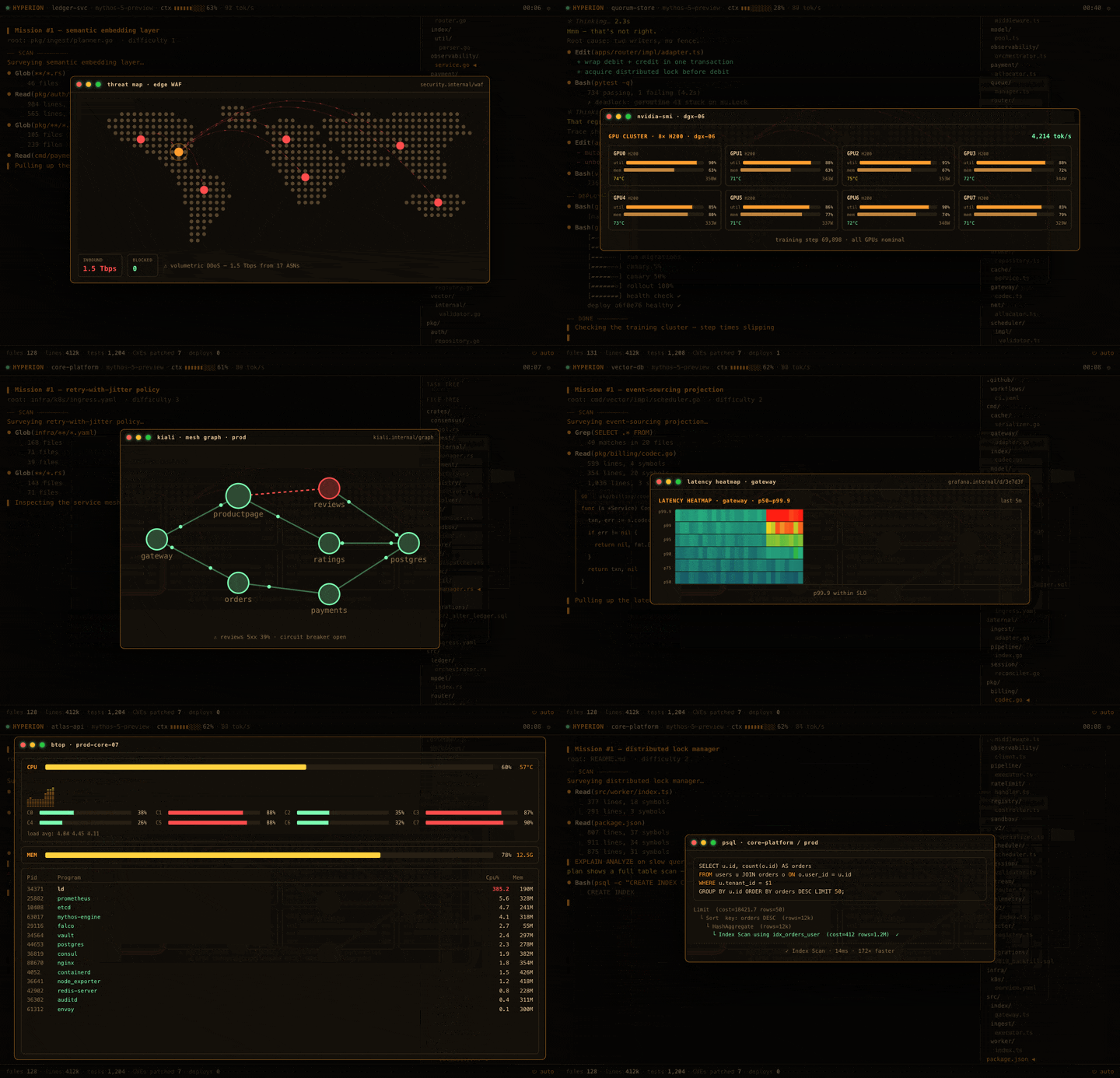
Every so often the agent hits a "boss" — a production crisis that pops a full-screen
overlay, panics convincingly for a few seconds, then resolves it with the calm of
someone who has never once been on call. Here's the highlight reel:
The full roster
Fifty-odd distinct dramas, each a tidy crisis → the-agent-acts → recovery arc
that always, always ends in green. A sampling (the rest — vim hero sessions, a tmux
war room, terraform plan/apply, an on-call page, DNS propagation, a chaos game-day,
kafka consumer lag, a Postgres replica failover, a thermal-throttle map, a
replication-lag wave, a training run whose loss curve spikes and visibly rewinds
to a checkpoint, a service radar that catches a rogue blip, a global traffic map
evacuating a browned-out region, a 40-shard CI matrix wall, a runaway-spend
autoscaler loop with a live dollar counter, a migration that corrupts every row
while every check stays green — you'll meet by leaving it running):
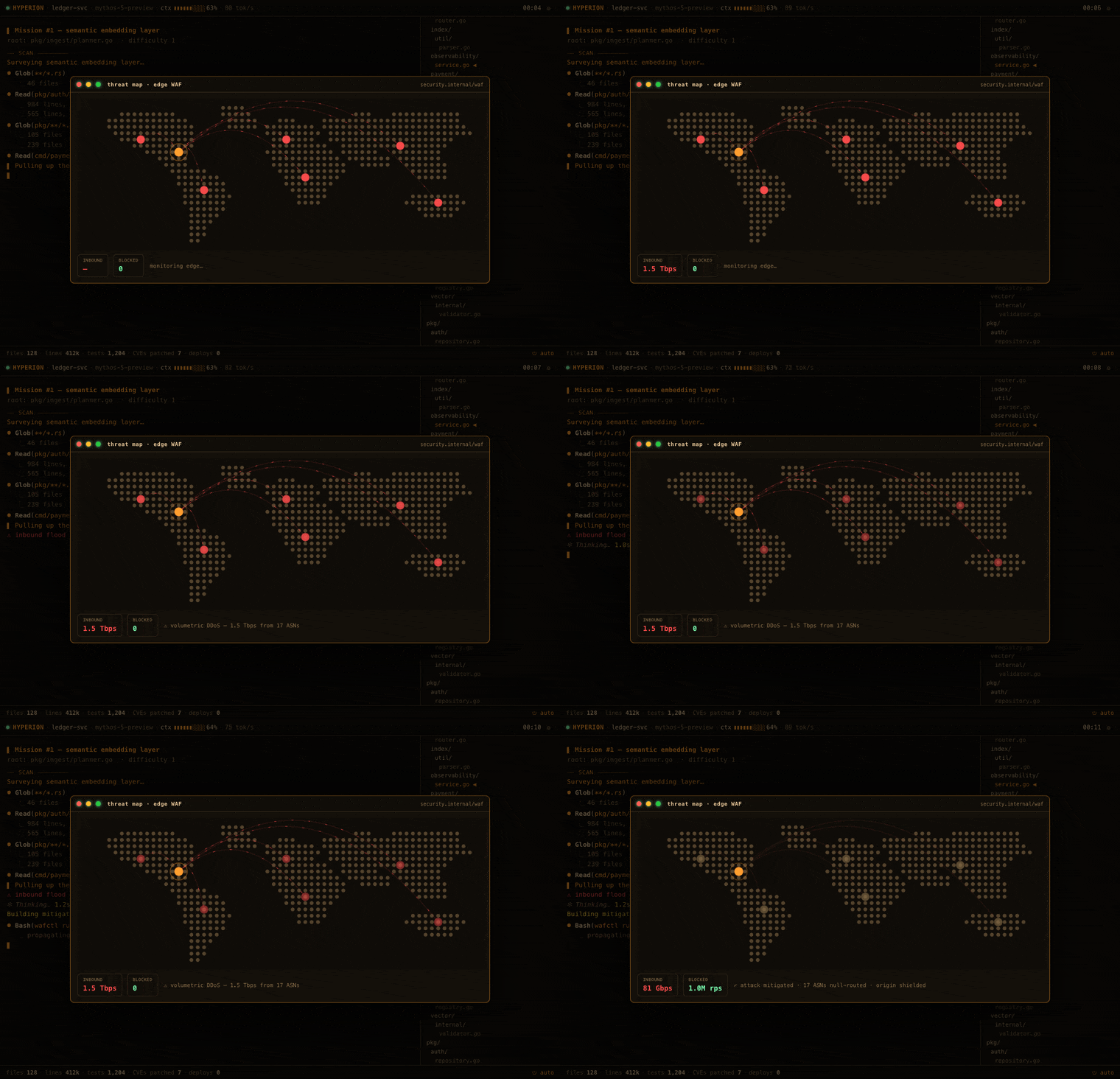 🌍 Threat map — a volumetric DDoS converges on the edge WAF; the agent null-routes the offending ASNs. |
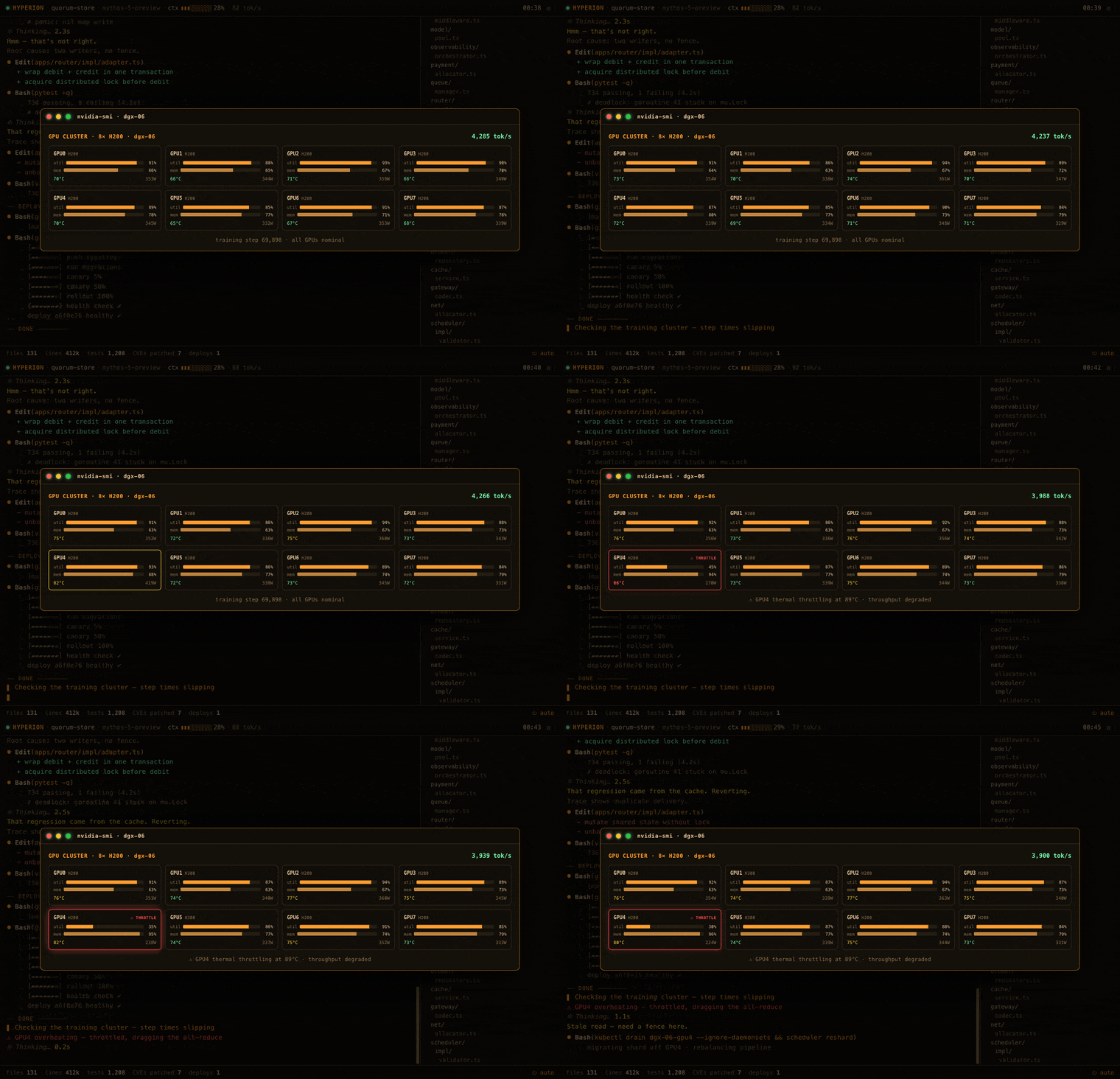 🎛️ GPU farm — an H200 overheats and throttles; the training shard rebalances across the cluster. |
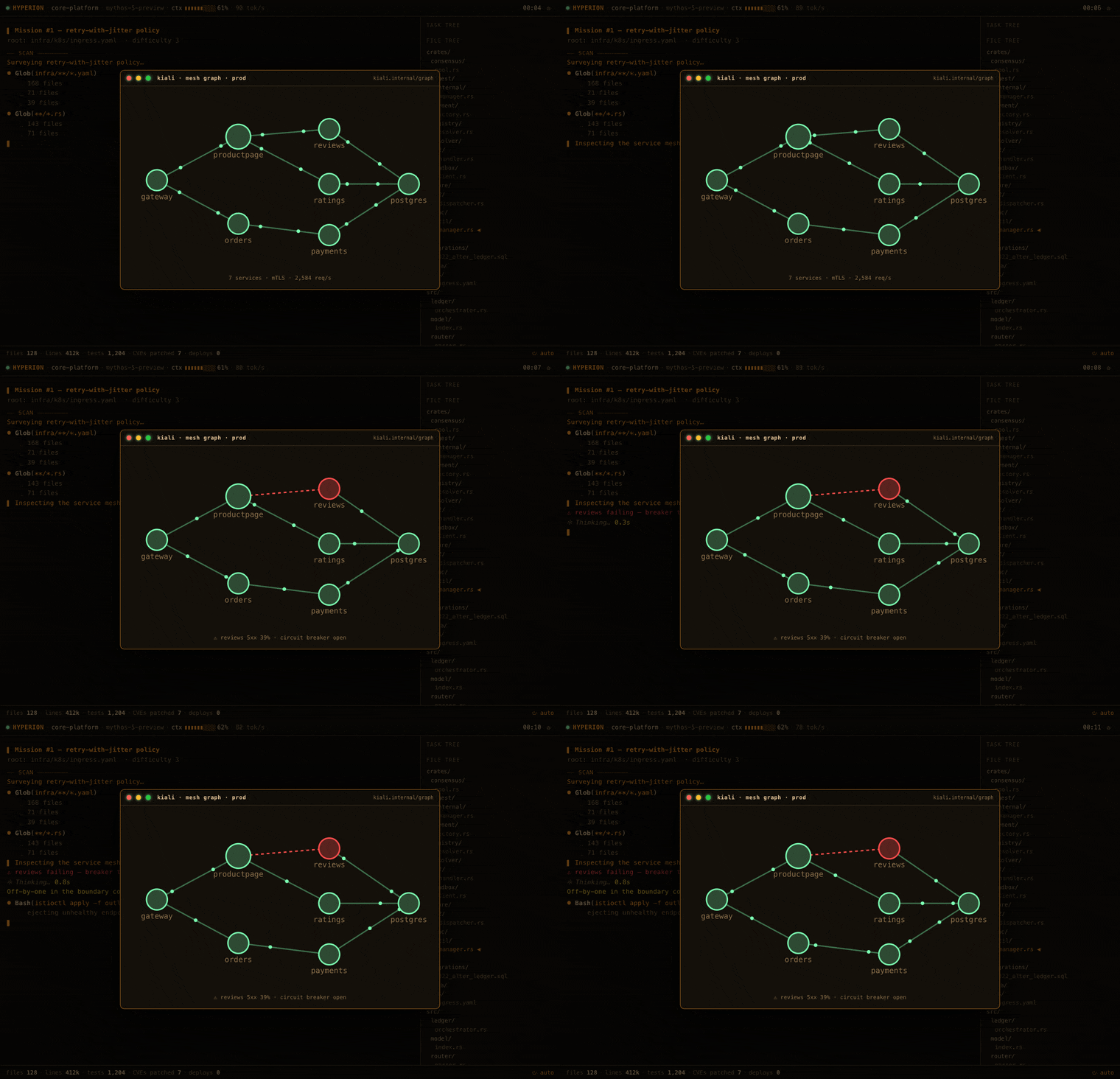 🛰️ Service mesh — a circuit breaker trips an edge red; bad endpoints are ejected and traffic flows again. |
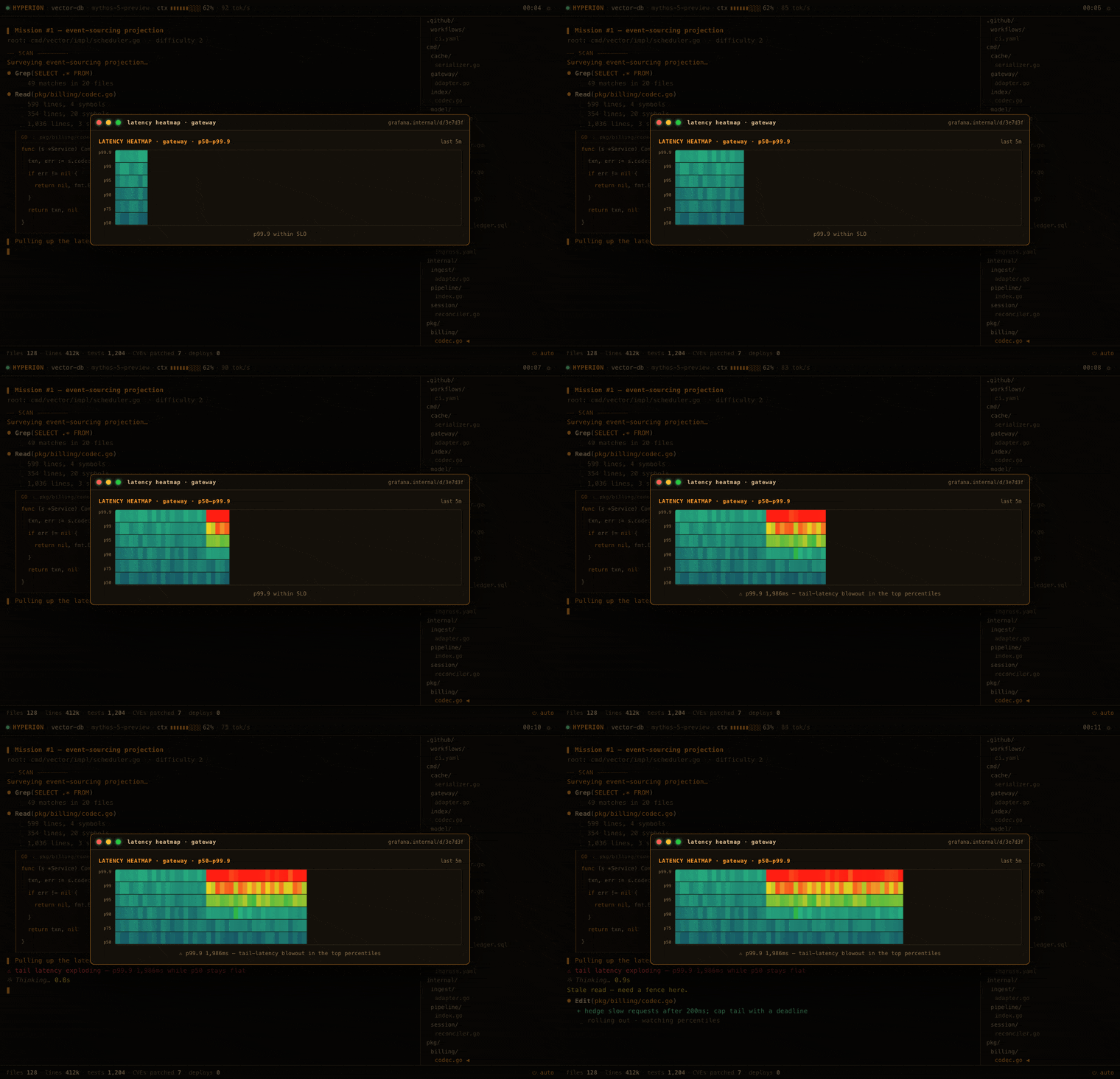 🔥 Latency heatmap — the p99.9 tail blows out while p50 stays flat, then cools after a hedging fix. |
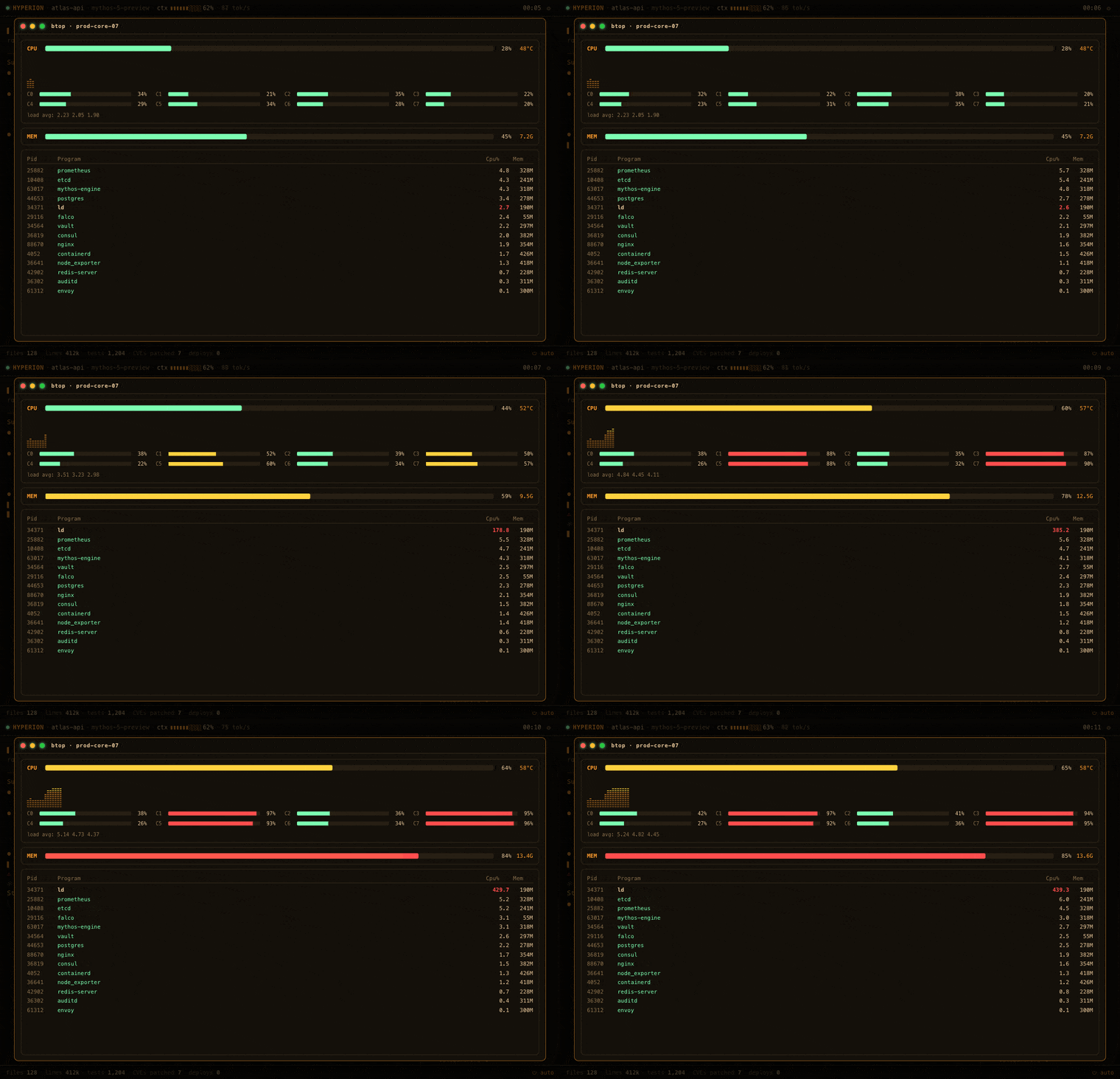 📊 btop meltdown — a runaway process pins several cores; resolved via kill -9 and pure confidence. |
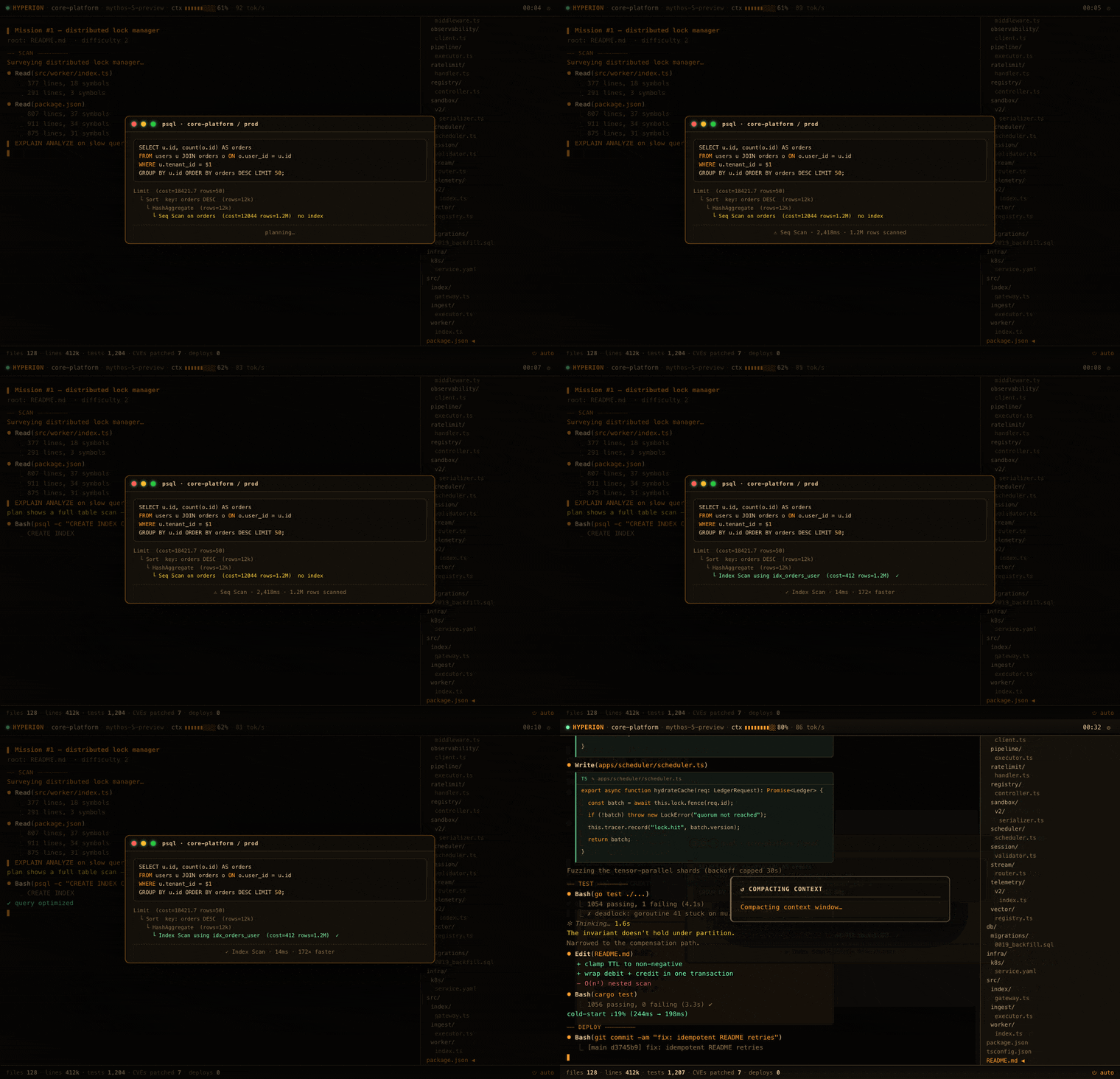 🗄️ Slow query — EXPLAIN ANALYZE reveals a seq scan; a concurrent index makes it 172× faster. |
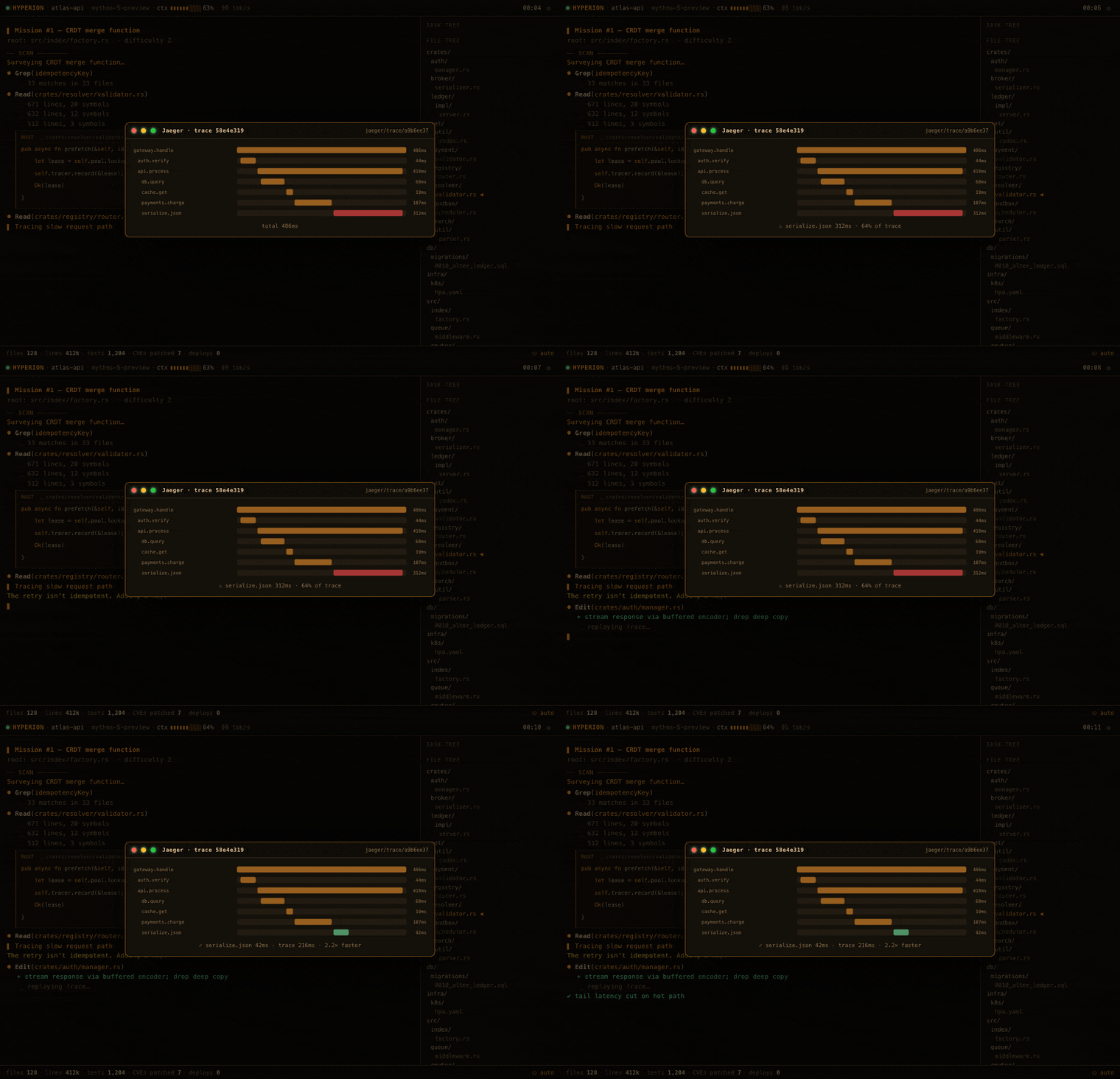 🔍 Distributed trace — a Jaeger trace pins a slow serialize span; streaming the encoder cuts tail latency. |
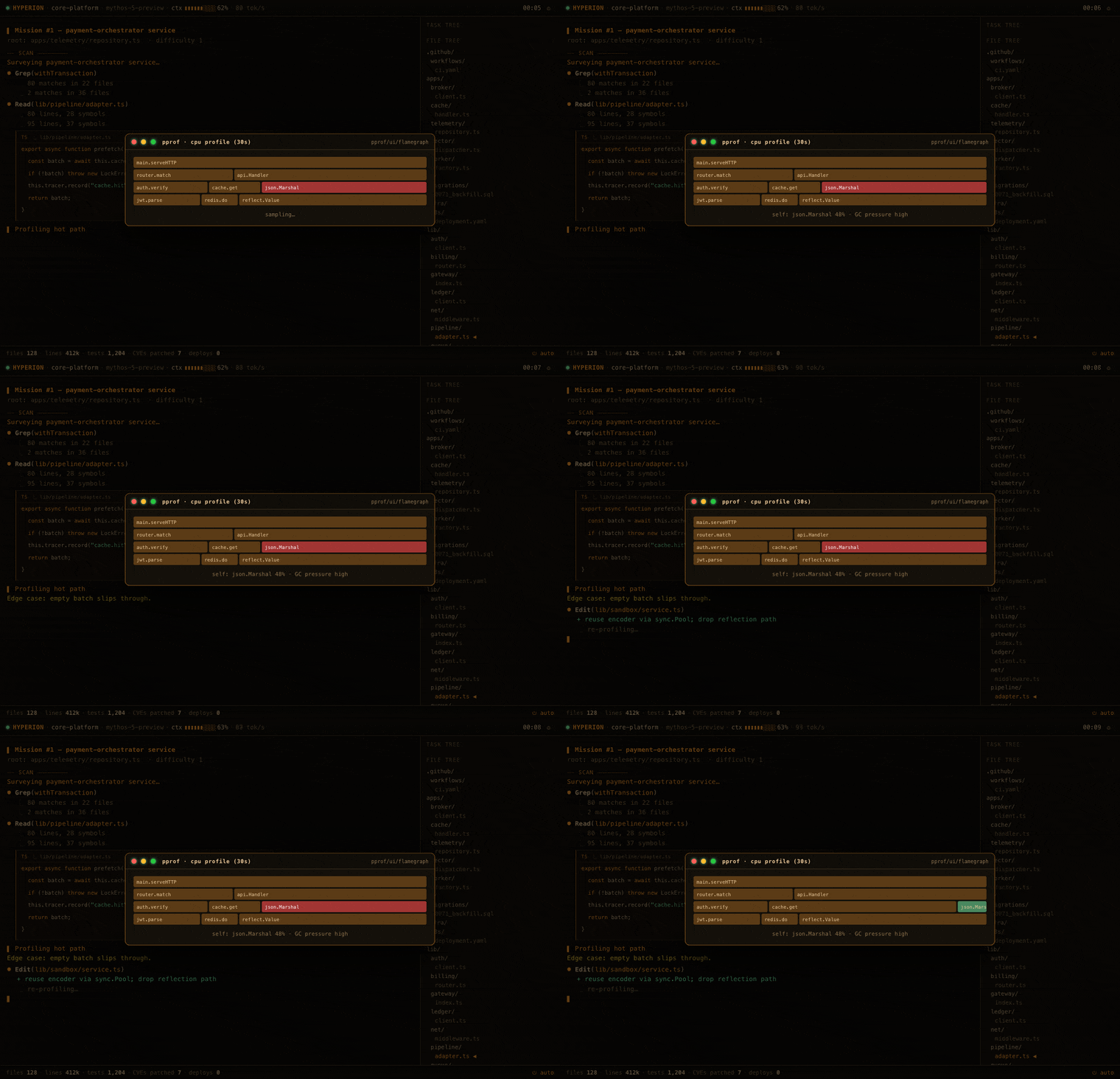 🔥 Flame graph — pprof shows a hot json.Marshal path; a sync.Pool rewrite lands ~4× faster. |
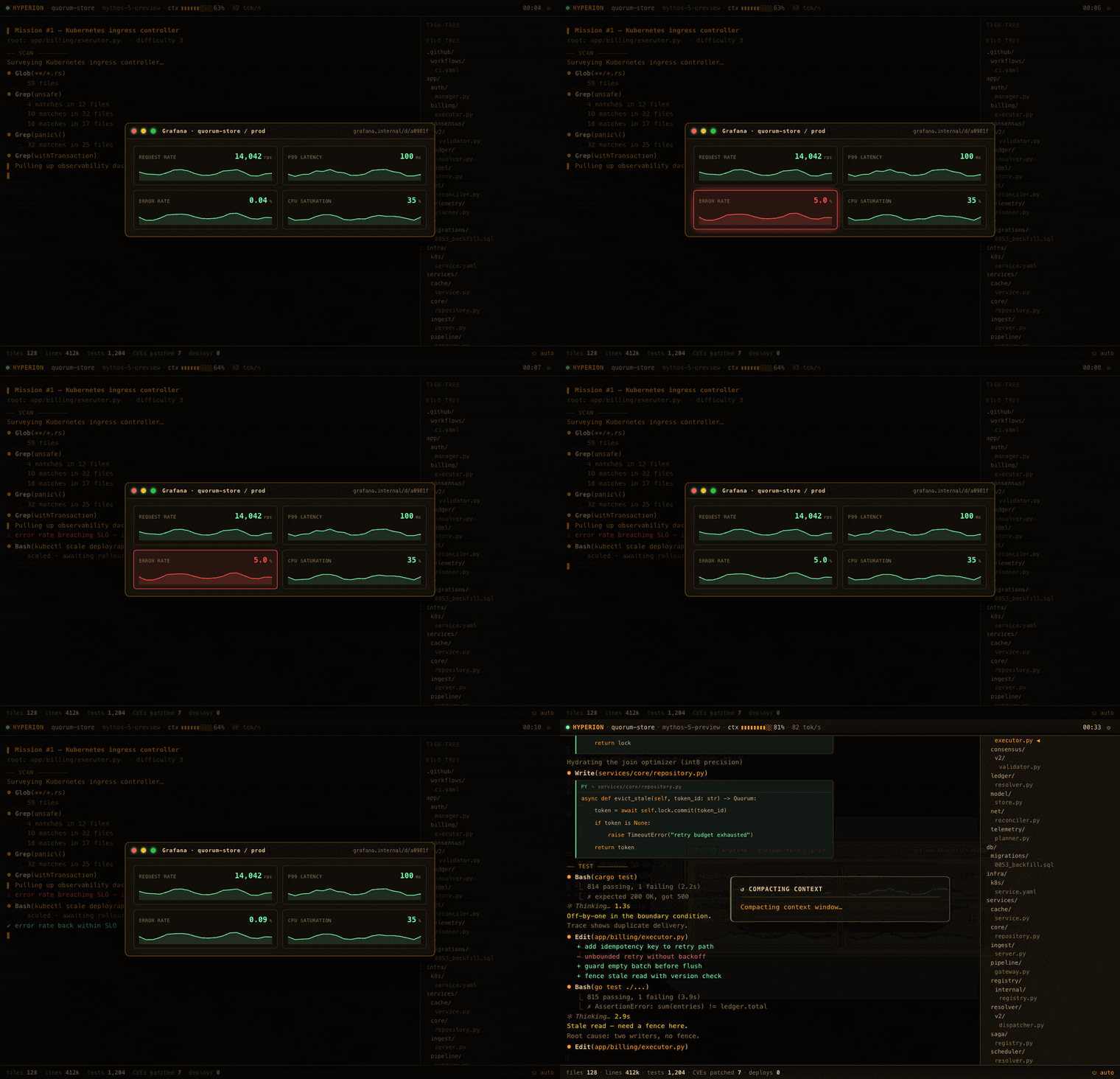 📈 Grafana SLO — the error rate breaches the SLO; scaling the deployment pulls it back into the green. |
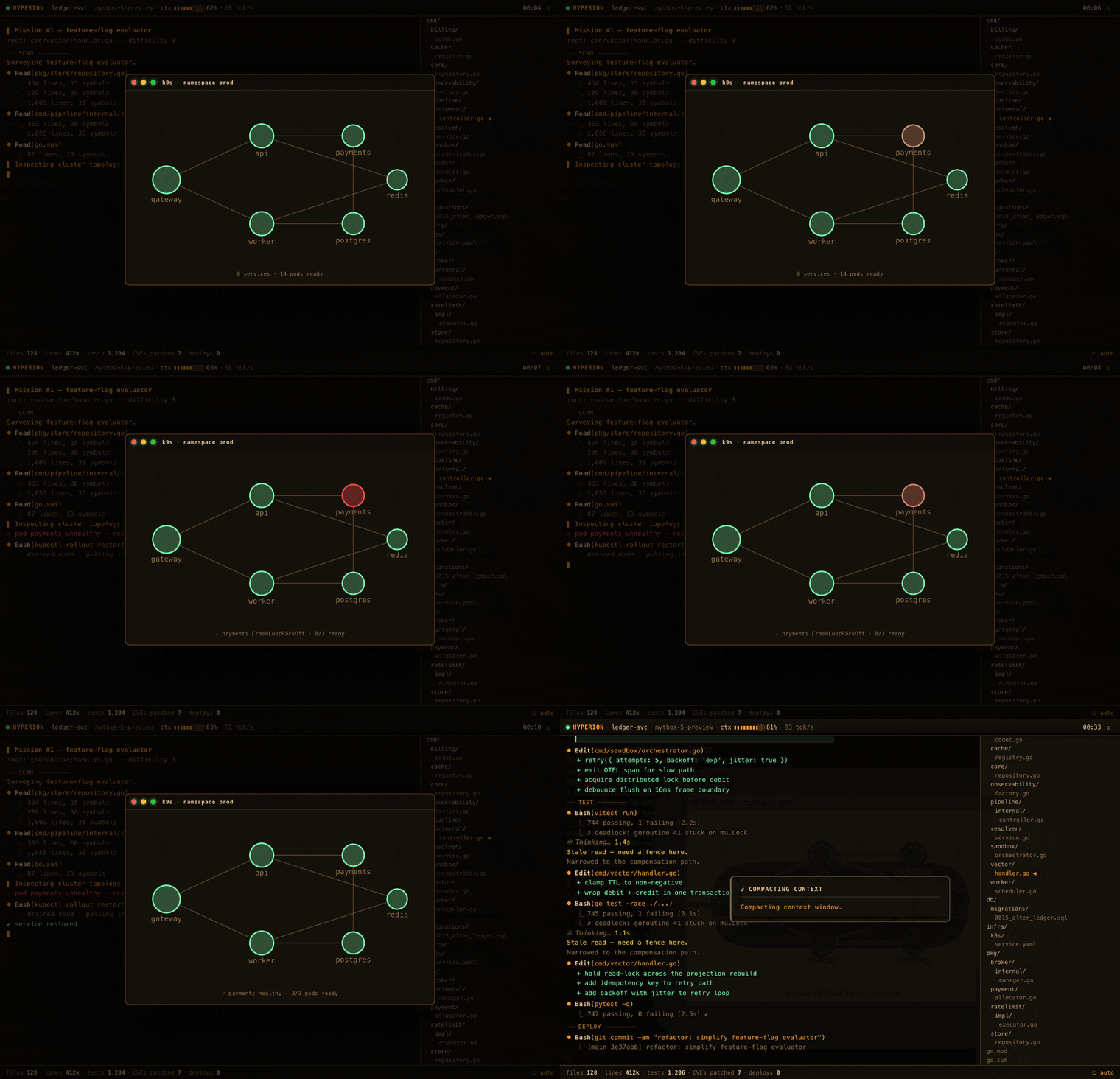 ☸️ Cluster — a pod hits CrashLoopBackOff; a rollout restart reschedules it healthy. |
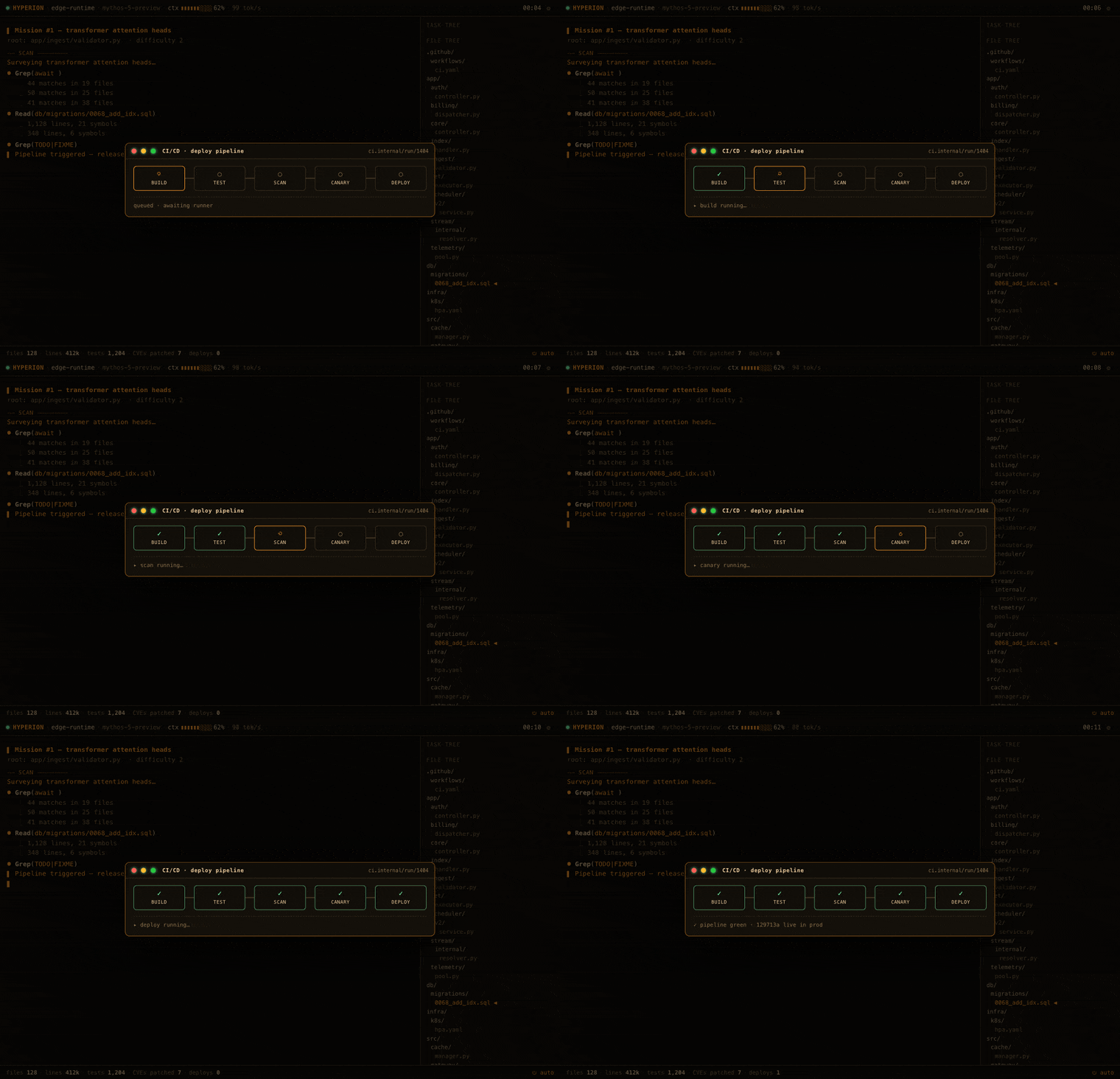 🔧 CI/CD pipeline — build → test → scan → canary → deploy marches green and ships to prod. |
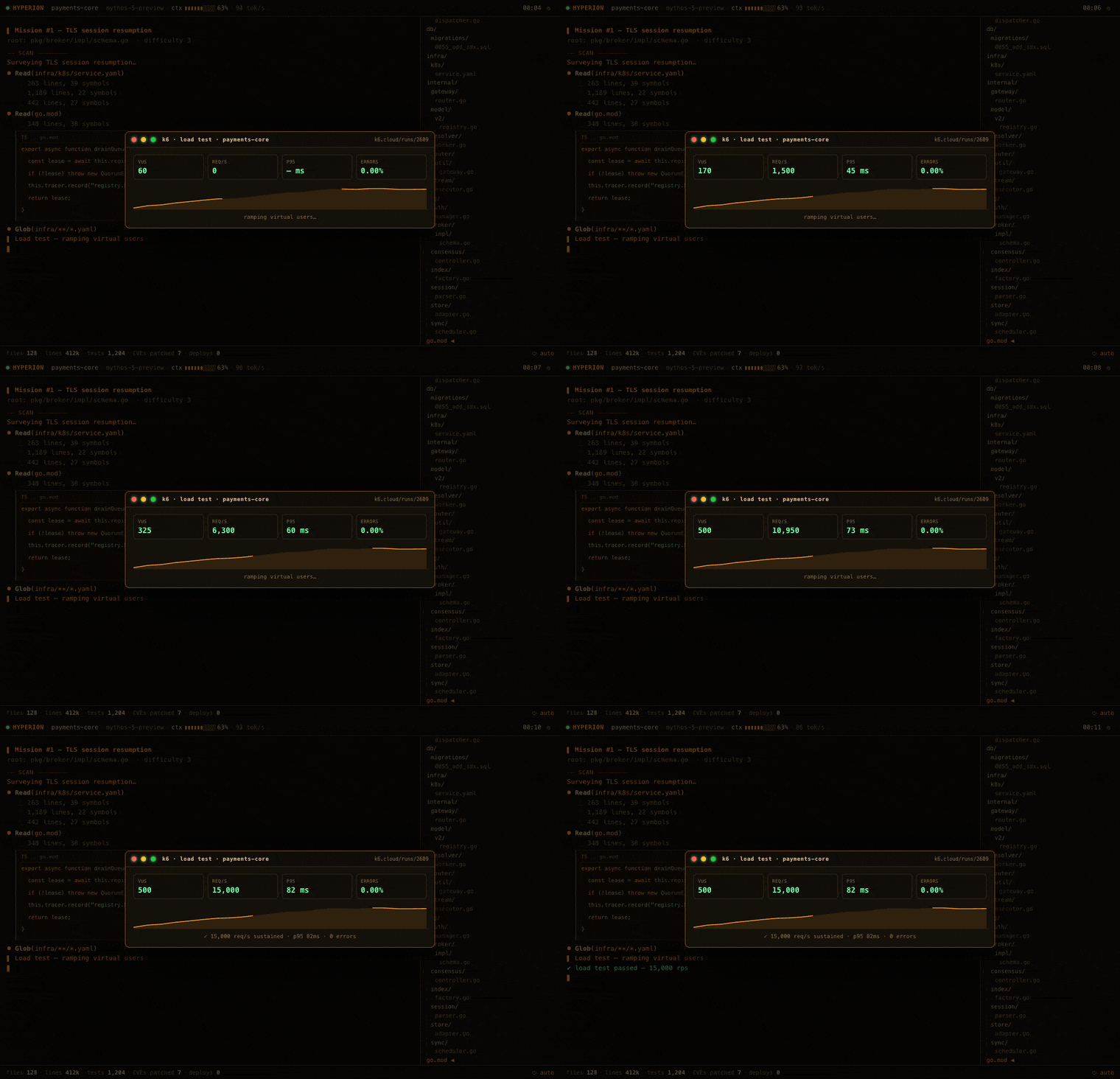 🚦 Load test — k6 ramps virtual users to a sustained peak rps at a healthy p95 with zero errors. |
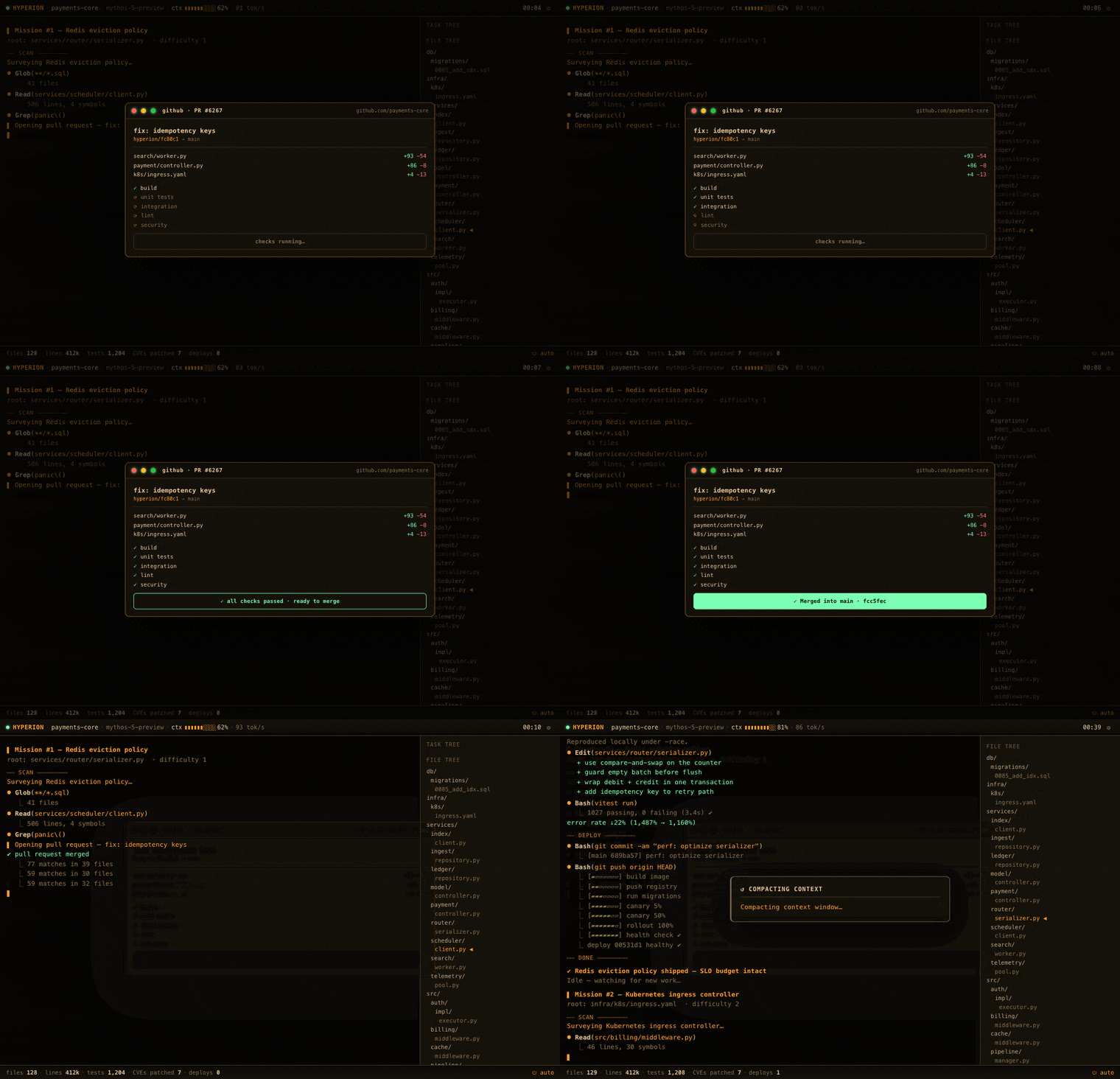 🔀 Pull request — every check goes green and the PR merges into main with zero review comments. |
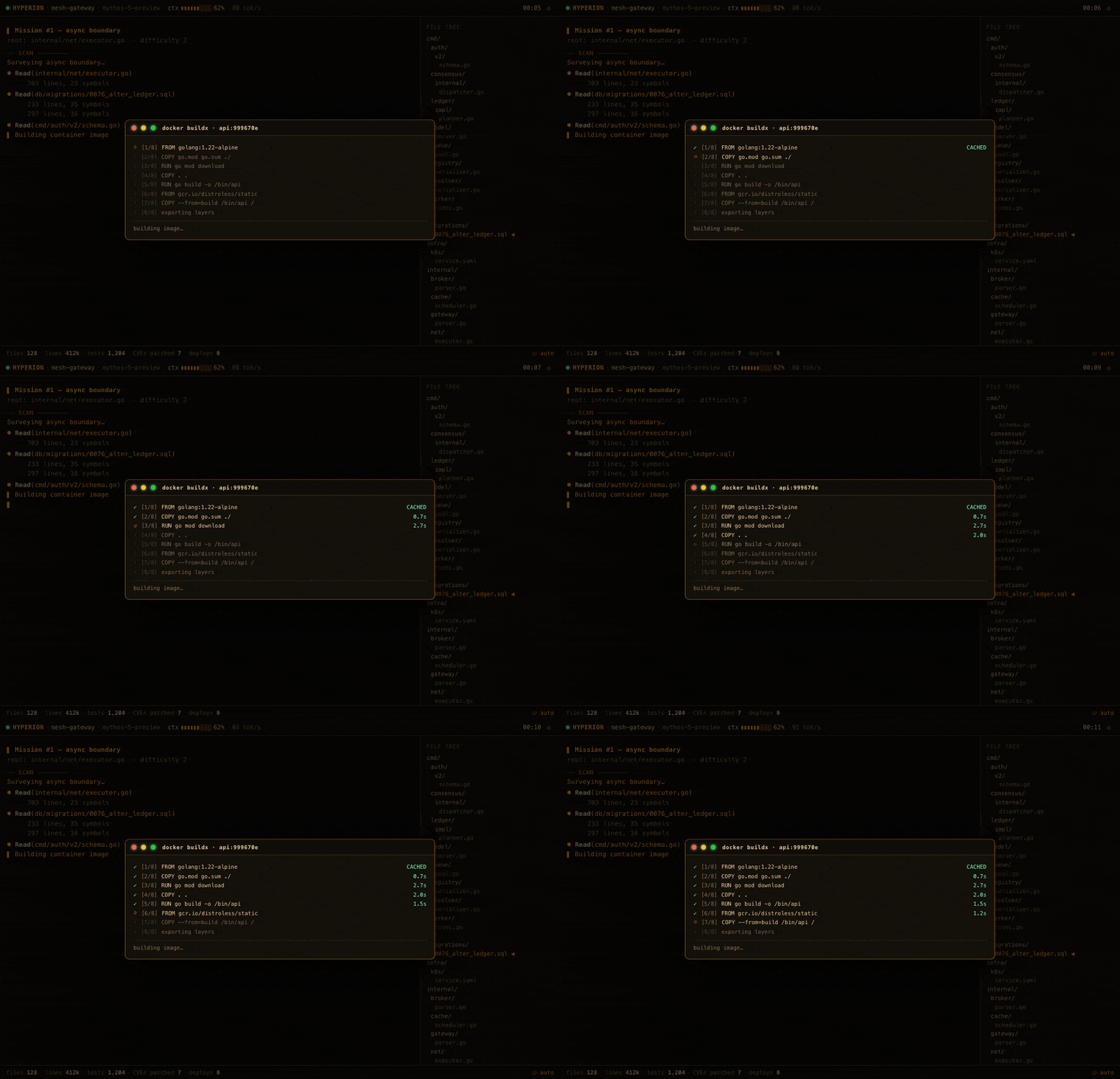 🐳 Docker build — a multi-stage buildx runs layer by layer and pushes to the registry. |
GIFs are short loops captured at default cadence. They re-render slightly
differently every run — every story beat is driven by a seeded RNG.
Under the hood
For a project about fake software, the engine is real and small (~190 KB of JS, no
framework). The interesting parts:
One render loop, one clock. A single
requestAnimationFramedrives a logical
clock — nothing usessetIntervalor wall time. Tab away and it pauses instead of
replaying four thousand catch-up frames the instant you come back.The script is a generator. Every ticket and boss drama is a JS generator
(function*) that yields typed events —TOOL('Bash', …),DIFF('+', …),THINK(),WAIT(900),OV('app', …). A scheduler pumps each event when the clock
passes its due time. ~14 event constructors compose 45 scripted scenes — 25 boss
app-windows, 12 ambient incident beats, and 8 git-theater arcs — on top of a
never-ending stream of fake tickets, plus a deep-work "away" grind.Determinism by seed. A 32-bit
mulberry32PRNG seeds everything narratively
load-bearing: the procedurally generated file tree, the project, the agent's codename,
which crisis strikes and how bad it gets.?seed=Nreproduces a run to the beat.
Cosmetic per-frame jitter deliberately usesMath.random()instead — you want the
graphs to shimmer, not to be byte-for-byte reproducible.Overlays are tiny fake apps. Each boss scene registers a builder in an
APP_BUILDERSmap (tool → builder) that constructs a faux window — nvidia-smi, btop,
Jaeger, a Kiali-ish mesh, a threat map. The script then mutates it live through[data-k]hooks (no re-render): flip a GPU toTHROTTLE, turn a pod red, blow out the
tail. Continents on the threat map are a hand-rolled dot bitmap; mesh packets ride SMILanimateMotion; the heatmap and btop graphs are<canvas>.Theming & a11y. Five palettes (amber / green / cyan / outrun / daylight) via CSS custom properties.
All motion sits behindbody:not(.reduce)and honorsprefers-reduced-motion, so the
office screensaver doesn't induce a seizure.
Press 1–5 to swap palettes live.Sound from nothing. Turn audio on (
?audio=onor the config dialog) and the whole
show is scored live by WebAudio — every tool call chirps, phases whoosh, text clatters
like a typewriter, thinking hums, a boss drama slams in on an alarm klaxon and a deploy
rings out a fanfare. All synthesized on the fly from oscillators and noise; no audio files,
because audio files are dependencies and we don't do those here. (It can only start after
your first click or keypress — browsers forbid autoplay — so a chime confirms it's live.)One file, zero requests.
build.shis a tinyawkscript that inlines the CSS and
JS intoindex.html— the only "bundler" a no-dependency project is allowed. The result
opens overfile://on a plane: no server, no fonts, no trackers, nonode_modules
bending spacetime in your repo.
Knobs
Hotkeys (also in the in-app ? drawer):
| key | does |
|---|---|
| m | toggle autopilot ↔ performer mode |
| space | pause / resume |
| 1 2 3 4 5 | theme: amber / green / cyan / outrun / daylight |
| + − | speed up / down |
| f | force a random drama |
| d | open the scene picker and fire any drama on demand |
| b | boss key — instant innocent "Connecting to corporate VPN…" screen |
| s | configuration dialog (also writes a shareable URL) |
In performer mode, the show stops running itself and you mash any key to stream
the next tokens under your own fingertips — for when someone's watching and you need
to look 100× productive on demand. The boss key is the emergency eject: one tap
and the screen becomes a perfectly boring VPN spinner.
Leave the keyboard alone for a while and it slips into deep-work "away" mode: the
agent clears the log and settles into a single, unbroken, multi-minute grind toward a
suitably heroic goal — "Backfilling the ledger from genesis · 14% · 2,278,901 /
15,736,440 rows" — counters ticking up the whole time. Walk away from the desk and
the machine looks like it's earning its keep; touch any key (or the mouse) and it
parks the pass and snaps back to the regular show. Boss dramas still cut in mid-grind
— the agent heroically firefighting while you're at lunch — and the grind resumes
after. Tune the delay (or switch it off) with ?idle=N or the config dialog;
defaults to 90s.
Vibe presets bundle a seed, theme, model, pacing, and drama-weighting into one
shareable link: ?vibe=startup-crunch (amber, fast, ship-happy),?vibe=enterprise-migration (cyan, slow, git- and infra-heavy),?vibe=security-incident (green, frantic, all DDoS/CVE/page). A badge in the header
(SPRINT / MIGRATION / ● SEV-1) marks the active vibe, and each one opens on a
signature scene within seconds as extra feedback that the setting took — startup
ships a deploy, enterprise kicks off a rebase, security trips an anomaly. The seed is
curated by tools/seed-search.js, which exhaustively scans all 2³² seeds (≈15s on 16
cores) and picks the one whose load-time identity fits the vibe — the agent whose
temperament reinforces it, an on-theme project, and even footer counters that match the
story: startup→CURSOR-X on intent-router (lean, 2 CVEs), enterprise→FORGE on
compliance-reactor (585k lines), security→PILOT on blast-radius-index (12 CVEs). Each
leans the scheduler toward its signature scenes; override any piece with the params below.
URL params (all optional, all persist via the config dialog's Copy link):?seed=N · ?agent=NAME · ?project=NAME · ?platform=typescript|react|go|rust|python (pins the repo's tech stack — file tree + code snippets; default is random per seed) · ?theme=amber|green|cyan|outrun|daylight ·?speed=0.25–4 · ?dramas=on|off · ?freq=0.25–4 (drama cadence) ·?vibe=startup-crunch|enterprise-migration|security-incident ·?mode=performer · ?idle=N
(seconds before deep-work mode; 0 disables) · ?audio=on · ?crt=on ·?debug (exposes a window.__HYP test hook — __HYP.drama('gpu'), __HYP.deepwork(), __HYP.state()).
Layout
Developed as split files and re-inlined into a standalone distributable:
hyperion.html— markuphyperion.css— styles (themes, overlays, the boss-window chrome)hyperion.js— the engine (RNG, ticket/drama generators, scheduler, overlay + app builders, live tickers, WebAudio)build.sh— inlines CSS + JS intoindex.htmlindex.html— the generated single-file artifact you deploy (also the GitHub Pages root)manifest.webmanifest·sw.js·icon-192.png·icon-512.png·apple-touch-icon.png— PWA scaffolding (sit besideindex.html; see Install)assets/— README GIFs only; not shipped in the app
In-app the simulated product is branded with a random codename (HYPERION is one of
them); Potemkin Pipeline is the project name. Source files keep thehyperion.*
prefix for historical reasons / sentimental value.
Build
./build.sh # → index.html (~240 KB, zero external requests)
There is no test suite, because there is nothing to test, because none of it is real.
(There is a ?debug hook, used to capture the GIFs above via headless Chrome.)
Live
- GitHub Pages: https://davidveksler.github.io/potemkin-pipeline/
Install
It's a PWA — install it for a chromeless, full-screen window (great as a literal screensaver
on a second monitor):
- Desktop Chrome/Edge: open the live URL, click the install icon in the address bar.
- iOS/iPadOS Safari: Share → Add to Home Screen.
- Android Chrome: menu → Install app / Add to Home Screen.
A service worker (sw.js) precaches the app, so once installed it runs fully offline. The
PWA bits live as sibling files next to index.html; the app itself stays a single inlined
file. Opening the raw index.html over file:// skips the service worker and works as before.
License
MIT — do whatever you want with it.
Reviews (0)
Sign in to leave a review.
Leave a reviewNo results found