deskive
Health Warn
- License — License: AGPL-3.0
- Description — Repository has a description
- Active repo — Last push 0 days ago
- Low visibility — Only 8 GitHub stars
Code Warn
- network request — Outbound network request in backend/package.json
- fs module — File system access in backend/scripts/convert-schema-to-sql.js
- fs module — File system access in backend/scripts/generate-integrations-seed.js
Permissions Pass
- Permissions — No dangerous permissions requested
This is a self-hostable, open-source workspace collaboration platform. It provides teams with real-time chat, video conferencing, project management, file sharing, and AI productivity tools in a single application.
Security Assessment
Overall risk: Medium. The application is designed to handle highly sensitive data, including private team chats, shared files, and internal project details. The codebase makes outbound network requests, which is typical for a platform featuring real-time communication and integrations. Additionally, file system access is utilized in backend scripts, likely for local database and schema management. No hardcoded secrets or explicitly dangerous permissions were detected during the scan. However, because the project has very low community visibility, a comprehensive manual review for hidden vulnerabilities in how it processes data and routes network traffic is strongly recommended.
Quality Assessment
The project appears to be actively maintained with a very recent push. It is legally transparent, using the standard GNU AGPL-3.0 license, which is excellent for self-hosted software. However, community trust and visibility are currently quite low. With only 8 stars on GitHub, the tool has not yet undergone the extensive peer review and testing that larger open-source projects benefit from.
Verdict
Use with caution — ensure you conduct a thorough code review before self-hosting to protect your team's private data.
Open-source workspace collaboration platform - chat, video calls, projects, files, calendar, notes, AI tools

Deskive
Open-source workspace collaboration platform
Real-time chat, video calls, project management, file sharing, calendar, notes, AI tools -- all in one place.
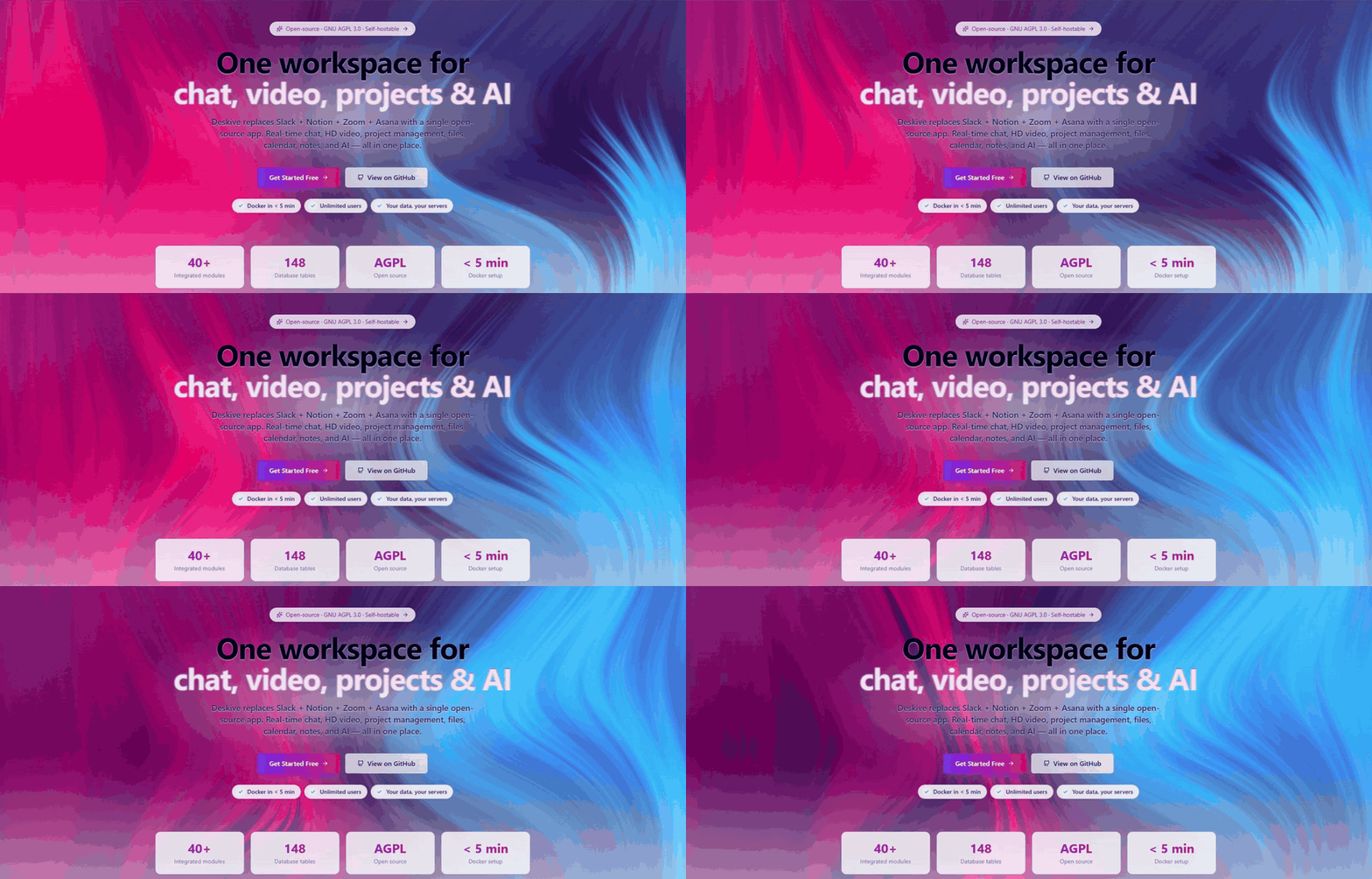




Website | Quick Start | Discussions | Contributing
English | 日本語 | 中文 | 한국어 | Español | Français | Deutsch | Português | Русский | हिन्दी | العربية
What is Deskive?
Deskive is a self-hostable workspace collaboration platform that brings together real-time communication, project management, and productivity tools. Built for teams who want complete control over their data, Deskive gives you Slack + Notion + Zoom + Asana functionality in a single open-source application.
Unlike Slack that requires paid plans for video calls or Notion that lacks real-time chat, Deskive gives you everything you need to collaborate effectively -- chat, video calls, project boards, file sharing, AI assistance -- without vendor lock-in or proprietary licensing.
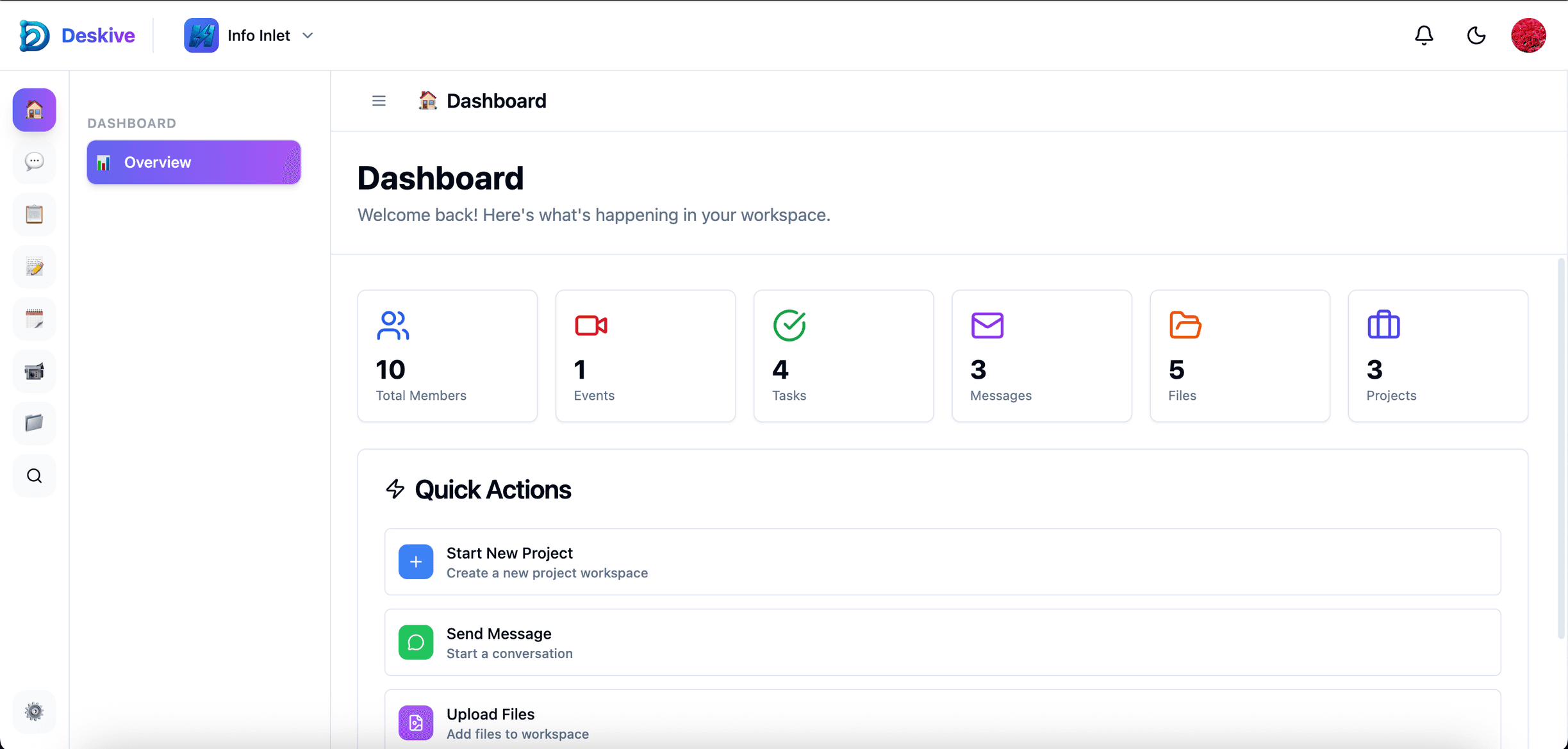
Deskive workspace dashboard with integrated communication and project management
How It Works
- Create Your Workspace -- Set up team workspaces with channels, projects, and custom roles
- Communicate in Real-Time -- Chat with threads, reactions, mentions, GIFs, and HD video calls
- Manage Projects -- Organize work with Kanban boards, sprints, task dependencies, and time tracking
- Collaborate on Documents -- Share notes, whiteboards, files with version control and digital signatures
- Automate with AI -- Let AutoPilot handle scheduling, meeting summaries, and daily briefings
Key Capabilities
- 💬 Real-Time Communication -- Channels, direct messages, threads, reactions, mentions, and GIF support
- 📹 HD Video Conferencing -- Built-in video calls with screen sharing, recording, and transcription via LiveKit
- 📋 Project Management -- Kanban boards, sprints, milestones, task dependencies, and time tracking
- 📁 File Management -- Cloud storage with versioning, sharing, and Google Drive integration
- 📝 Collaborative Notes -- Block-based editor with real-time collaboration and templates
- 📅 Calendar & Scheduling -- Event management, recurring events, meeting rooms, and availability tracking
- 🎨 Whiteboard -- Visual collaboration workspace for brainstorming and planning
- 🤖 AI Assistant -- AutoPilot for scheduling, meeting intelligence, and document analysis
- 📊 Forms & Analytics -- Custom form builder with response tracking and workspace metrics
- ✅ Approval Workflows -- Built-in approval system for documents and processes
- 💰 Budget Tracking -- Expense management, billing rates, and budget monitoring
- 🔗 Integrations -- Connect with Slack, Google Drive, GitHub, Dropbox, and more
- 🔍 Semantic Search -- AI-powered search across all content types
- 🌍 Internationalization -- Multi-language support (English, Japanese, expandable)
What Problem We Solve
The Collaboration Tool Fragmentation Dilemma
Modern teams juggle multiple subscriptions: Slack for chat ($8.75/user/mo), Zoom for video ($15.99/user/mo), Asana for projects ($10.99/user/mo), Notion for docs ($10/user/mo). This creates fragmented workflows, data silos, security risks from multiple vendors, and costs that scale linearly with team size.
Common pain points we address:
- ❌ Tool Fragmentation -- Switching between 5+ tools daily disrupts focus and productivity
- ❌ Rising Costs -- SaaS subscriptions add up to $50+/user/month for basic collaboration
- ❌ Data Lock-In -- Your data lives on someone else's servers with limited export options
- ❌ Privacy Concerns -- Sensitive business data shared with multiple third-party vendors
- ❌ Integration Complexity -- Each tool requires separate API integrations and authentication
- ❌ Feature Gaps -- No single platform offers comprehensive collaboration features
Deskive's Solution
✅ All-in-One Platform -- Chat, video, projects, files, calendar, notes, and AI in one application
✅ Self-Hosted & Open Source -- Complete data ownership with GNU AGPL 3.0 license
✅ Zero Per-User Costs -- One infrastructure cost regardless of team size
✅ Deep Integration -- All features share context and data seamlessly
✅ Enterprise-Ready -- Digital signatures, approval workflows, audit logs, and SSO support
Why Deskive? (Comparison)
| Feature | Deskive | Slack | Notion | Asana | Microsoft Teams |
|---|---|---|---|---|---|
| Real-time Chat | ✅ Channels, threads, reactions | ✅ | ⚠️ Comments only | ⚠️ Comments only | ✅ |
| Video Calls | ✅ HD, recording, transcription | ⚠️ Huddles (basic) | ❌ | ❌ | ✅ |
| Project Management | ✅ Kanban, sprints, dependencies | ❌ | ⚠️ Basic boards | ✅ Full-featured | ⚠️ Planner |
| File Management | ✅ Versioning, sharing, Drive sync | ⚠️ Basic uploads | ⚠️ Embedded | ⚠️ Attachments | ✅ SharePoint |
| Notes & Docs | ✅ Block editor, real-time collab | ⚠️ Canvas (basic) | ✅ Full-featured | ❌ | ⚠️ Loop |
| Calendar | ✅ Events, rooms, availability | ❌ | ❌ | ⚠️ Timeline view | ✅ |
| Whiteboard | ✅ Collaborative workspace | ❌ | ❌ | ❌ | ✅ |
| AI Assistant | ✅ AutoPilot, meeting intel | ⚠️ Summary | ⚠️ Writing | ⚠️ Status | ✅ Copilot |
| Forms Builder | ✅ Custom forms with analytics | ❌ | ❌ | ✅ | ✅ |
| Budget Tracking | ✅ Expenses, billing, budgets | ❌ | ❌ | ❌ | ❌ |
| Approval Workflows | ✅ Built-in system | ⚠️ Workflow Builder | ❌ | ✅ | ✅ Power Automate |
| Bot Automation | ✅ Custom bots, triggers/actions | ✅ Bolt SDK | ❌ | ⚠️ Rules | ✅ Power Automate |
| Email Integration | ✅ Gmail OAuth, SMTP/IMAP | ❌ | ❌ | ⚠️ Email-to-task | ✅ Outlook |
| Self-Hosted | ✅ Docker Compose | ❌ | ❌ | ❌ | ❌ |
| Open Source | ✅ GNU AGPL 3.0 | ❌ | ❌ | ❌ | ❌ |
| Desktop Apps | ✅ Tauri (Mac, Win, Linux) | ✅ Electron | ✅ Electron | ❌ | ✅ Electron |
| Learning Curve | 🟢 Low | 🟢 Low | 🟡 Medium | 🟡 Medium | 🔴 High |
| Pricing | 🟢 Free (self-hosted) | 💰 $8.75/user/mo | 💰 $10/user/mo | 💰 $10.99/user/mo | 💰 $4/user/mo |
Deskive vs Open-Source Alternatives
The proprietary comparison above is the "should I stop paying Slack + Notion + Asana" story. If you're comparing against other open-source workspace tools, this is the honest picture. Specialist tools beat us on depth per pillar; nobody else ships every pillar in one repo.
| Feature | Deskive | AppFlowy | Huly | Plane | Nextcloud Hub | Mattermost |
|---|---|---|---|---|---|---|
| Real-time Chat | ✅ Channels, threads, reactions | ❌ | ✅ | ❌ | ✅ Talk | ✅ Best-in-class |
| Video Calls | ✅ HD, recording, transcription (LiveKit) | ❌ | ✅ Virtual office | ❌ | ✅ Talk | ⚠️ Basic calls |
| Docs / Notes | ✅ Tiptap + Yjs block editor | ✅ Best-in-class | ✅ Deep | ⚠️ Pages | ✅ OnlyOffice/Collabora | ❌ |
| Project Management | ✅ Kanban, sprints, milestones | ⚠️ Board view | ✅ Linear-grade tracker | ✅ Cycles + modules | ⚠️ Deck plugin | ⚠️ Boards (ex-Focalboard) |
| Whiteboard | ✅ Excalidraw-based | ❌ | ❌ | ❌ | ⚠️ Optional app | ❌ |
| Calendar | ✅ Events, rooms, availability | ❌ | ⚠️ Team planner | ❌ | ✅ Groupware | ❌ |
| Forms Builder | ✅ 19 field types, analytics | ⚠️ Grid view | ❌ | ❌ | ⚠️ Optional app | ❌ |
| Approvals | ✅ Built-in workflows | ❌ | ❌ | ❌ | ⚠️ Flow | ⚠️ Playbooks |
| Budget Tracking | ✅ Expenses, billing | ❌ | ❌ | ❌ | ❌ | ❌ |
| AI Agent | ✅ AutoPilot + vector search | ✅ Local LLMs (Mistral/Llama) | 📋 Coming soon | ⚠️ Pages assist | ✅ Assistant | ⚠️ Copilot |
| Bots / Automation | ✅ Custom bots, triggers | ❌ | ❌ | ⚠️ | ✅ Flow | ✅ Webhooks |
| Integrations Catalog | 180+ in catalog, 6+ pre-wired OAuth | ~1 (Zapier link) | 1 (GitHub bidi) | ~16 (GH, GL, Slack, Sentry, + importers) | 200+ (Nextcloud app store) | ~40–50 (marketplace) |
| Plugin Marketplace | ❌ (catalog is static, no third-party) | ❌ | ❌ | ❌ | ✅ Best-in-class | ✅ |
| Self-Hosted | ✅ Docker Compose | ✅ | ✅ | ✅ | ✅ | ✅ |
| Pluggable Providers (storage / AI / email / push / search / auth) | ✅ All 7 swappable via env var | ❌ | ❌ | ❌ | ❌ (plugins) | ❌ (plugins) |
Honest summary:
- On depth per feature, specialists win their category: AppFlowy has the richer docs editor, Huly has a deeper Linear-grade tracker, Plane has more mature cycles/modules, Mattermost is production-proven chat at scale, Nextcloud has the biggest app ecosystem. We lose a 1v1 on any single pillar.
- On breadth under one data model, we're the only OSS project shipping all 12 pillars natively in one repo under one login and one permission model. Huly comes closest but has no forms / approvals / budget / whiteboard. That "one unified workspace" story is real and not marketing.
- On the pluggable-provider pattern (swap storage / AI / email / push / search / auth / video at the env-var level), we're the only one doing it — every other project hardcodes its backing services.
If you need one tool for all of chat + video + docs + PM + forms + approvals + budget + AI — and you want to swap the infrastructure freely — deskive is the clearest choice today. If you need only one of those pillars and care about maximum depth on it, the specialist probably wins.
What Makes Deskive Unique?
- Truly Unified Platform -- All features share the same data model and permission model; a task, a chat message, a doc, and a calendar event are first-class citizens of the same workspace
- Pluggable Infrastructure -- Storage, AI, email, push, search, auth, and video backends are all swappable via env var. Move from R2 to GCS, OpenAI to Ollama, Gmail to Postmark, LiveKit to Jitsi — no code changes
- Self-Hosting Without Compromise -- Full feature parity with SaaS alternatives, including video calls and AI
- Modern Tech Stack -- Built with React 19, NestJS 11, TypeScript, Tiptap/Yjs, Excalidraw, LiveKit, and Qdrant
- AI-Native Design -- Vector search, conversation memory, and AutoPilot agent built into the core platform
- Cost-Effective Scaling -- One infrastructure cost serves unlimited users, unlike per-seat SaaS pricing
📊 Project Activity & Statistics
Deskive is an actively maintained project with a growing community. Here's what's happening:
GitHub Activity


Community Metrics
| Metric | Status | Details |
|---|---|---|
| Total Contributors |  |
Growing community of developers worldwide |
| Total Commits |  |
Active development since inception |
| Monthly Commits |  |
Regular updates and improvements |
| Code Quality |  |
TypeScript, ESLint, Prettier enforced |
| Documentation |  |
Detailed guides and API documentation |
Language & Code Statistics


Recent Activity Highlights
- ✅ 40+ Modules -- Comprehensive backend API with modular architecture
- ✅ 148 Database Tables -- Production-ready schema with migrations
- ✅ HD Video Conferencing -- LiveKit integration with recording and transcription
- ✅ AI AutoPilot -- Intelligent agent for task automation and scheduling
- ✅ Multi-Language Support -- i18n with English and Japanese
- ✅ Desktop Apps -- Tauri-based apps for macOS, Windows, and Linux
Why These Numbers Matter
Active Maintenance -- Regular commits and quick response to issues show the project is actively maintained and supported
Modern Codebase -- TypeScript throughout ensures type safety, better developer experience, and fewer runtime errors
Production-Ready -- Comprehensive feature set with 40+ backend modules demonstrates maturity beyond MVP stage
Community Growth -- Growing contributor base and active discussions indicate healthy community engagement
Open Development -- All development happens in public with transparent decision-making and roadmap
Join the Activity!
Want to see your contributions here? Check out our Quick Contribution Guide below!
Quick Start
Docker (Recommended)
Run these commands from the project root:
git clone https://github.com/deskive/deskive.git
cd deskive
cp .env.docker .env
# Edit .env with your configuration (database credentials, API keys, etc.)
docker compose up -d
That's it! Access the app at http://localhost:5175 and the API at http://localhost:3000.
Manual Setup
Prerequisites: Node.js 20+, PostgreSQL 15+, Redis 7+
# Clone
git clone https://github.com/deskive/deskive.git
cd deskive

# Backend
cd backend
cp .env.example .env    # Edit .env with your configuration
npm install
npm run migrate         # Run database migrations
npm run start:dev

# Frontend (in a new terminal)
cd frontend
cp .env.example .env
npm install
npm run dev
Frontend: http://localhost:5175 | Backend: http://localhost:3000
One-Command Start
For development environments:
./start.sh
Architecture
┌─────────────────────────────────────────────────────────────┐
│                     Frontend (React 19)                      │
│  ┌──────────┐  ┌──────────┐  ┌──────────┐  ┌──────────┐   │
│  │   Chat   │  │ Projects │  │  Files   │  │ Calendar │   │
│  └──────────┘  └──────────┘  └──────────┘  └──────────┘   │
│         Vite + TypeScript + Tailwind CSS + Radix UI         │
└────────────────────────┬────────────────────────────────────┘
                         │ REST API + Socket.io
┌────────────────────────┴────────────────────────────────────┐
│                    Backend (NestJS 11)                       │
│  ┌──────────┐  ┌──────────┐  ┌──────────┐  ┌──────────┐   │
│  │   Auth   │  │   Chat   │  │  Tasks   │  │    AI    │   │
│  └──────────┘  └──────────┘  └──────────┘  └──────────┘   │
│         40+ Modules with TypeScript + Raw SQL               │
└────────┬─────────────┬─────────────┬─────────────┬──────────┘
         │             │             │             │
    ┌────┴────┐   ┌────┴────┐  ┌────┴────┐   ┌────┴────┐
    │Postgres │   │  Redis  │  │ Qdrant  │   │LiveKit  │
    │(Storage)│   │(Cache)  │  │(Vector) │   │(Video)  │
    └─────────┘   └─────────┘  └─────────┘   └─────────┘
Frontend (/frontend) -- React 19 with Vite, TypeScript, Tailwind CSS, Radix UI components, Zustand for state management, React Query for data fetching
Backend (/backend) -- NestJS 11 with TypeScript, PostgreSQL with raw SQL queries, Redis for caching and real-time features, Socket.io for WebSocket connections
AI & Search -- Qdrant for vector embeddings, OpenAI for GPT-4o-mini and Whisper transcription
Video -- LiveKit for HD video calls, screen sharing, recording, and real-time transcription
Feature Modules
Deskive ships with 40+ integrated modules across these categories:
| Category | Modules |
|---|---|
| Communication | Chat (channels, DMs, threads), Video Calls (HD, recording), Email (Gmail OAuth, SMTP/IMAP), Notifications |
| Project Management | Tasks, Milestones, Sprints, Kanban Boards, Time Tracking, Dependencies, Labels |
| Content | Notes (block editor), Documents (digital signatures), Whiteboards, File Management (versioning, sharing) |
| Productivity | Calendar (events, rooms), Forms (builder, analytics), Approvals (workflows), Budgets (expenses, billing) |
| AI & Automation | AutoPilot (agent), Meeting Intelligence, Document Analysis, Bots (triggers, actions, scheduling) |
| Platform | Auth (OAuth, SSO), Workspace Management, Roles & Permissions, Search (semantic), Analytics, Integrations |
View detailed feature documentation →
Pluggable Providers
Every backing service is swappable via a single env var. Defaults keep Deskive runnable with zero cloud credentials; swap in a managed provider when you're ready.
| Domain | Env var | Providers shipped |
|---|---|---|
| Storage (PR #28) | STORAGE_PROVIDER |
local-fs (default), s3, r2, minio, b2, gcs, azure, none |
| Email (PR #30) | EMAIL_PROVIDER |
smtp, resend, sendgrid, postmark, ses, mailgun, none |
| Push (PR #31) | PUSH_PROVIDER |
webpush, fcm, onesignal, expo, none |
| Search (PR #32) | SEARCH_PROVIDER |
pg-trgm (default, zero extra infra), meilisearch, typesense, none |
| Auth / SSO (PR #33) | AUTH_PROVIDERS |
local, google, github, magic-link (passwordless, JWT-based) |
| Video | VIDEO_PROVIDER |
livekit, jitsi, daily, agora, whereby, none |
| AI | AI_PROVIDER |
openai, anthropic, gemini, groq, ollama (local) |
- Keyword + semantic search coexist.
SearchProviderServicehandles trigram/faceted keyword search;SearchServicekeeps handling Qdrant vector/semantic search. - Optional SDKs are lazy-loaded —
@azure/storage-blob,@google-cloud/storage,firebase-admin,livekit-server-sdk, andagora-tokenareoptionalDependencies, so pickinglocal-fs/smtp/webpush/pg-trgmadds zero install cost. - Smoke tests ship with each adapter (
backend/scripts/smoke-test-*-providers.ts) — 27 / 45 / 61 / 55 / 37 assertions for storage / email / push / search / auth respectively, all passing. - Full docs: see
backend/docs/providers/for per-provider env vars and setup.
i18n
Deskive supports multiple languages via react-i18next:
- English (en), Japanese (ja)
Want to add a new language? Contribute translations in frontend/src/i18n/locales/. See the translation guide.
🚀 Why Contribute to Deskive?
Deskive is more than just another open-source project -- it's an opportunity to build the future of team collaboration while mastering modern development practices.
What You'll Gain
📚 Learn Modern Tech Stack
- React 19 -- Latest React with concurrent features and server components
- NestJS 11 -- Enterprise-grade Node.js framework with dependency injection
- TypeScript Throughout -- Strong typing, better IDE support, fewer bugs
- PostgreSQL + Raw SQL -- Database design without ORM magic
- Real-Time Systems -- Socket.io for WebSockets, Redis for pub/sub
- AI Integration -- OpenAI embeddings, vector search with Qdrant
💼 Build Your Portfolio
- Contribute to a production-ready platform used by teams worldwide
- Work on features that appear on your GitHub profile
- Get recognition in our contributor hall of fame
- Build expertise in collaboration platforms and real-time systems -- highly valued skills in 2026
🤝 Join a Growing Community
- Connect with developers from around the world
- Get code reviews from experienced maintainers
- Learn best practices in software architecture
- Participate in technical discussions and design decisions
🎯 Make Real Impact
- Your code will help teams break free from expensive SaaS subscriptions
- See your features being used in production environments
- Influence the direction of open-source collaboration tools
⚡ Quick Onboarding
- Docker Compose gets you running in under 5 minutes
- Well-documented codebase with clear architecture
- Friendly maintainers who respond to PRs within 48 hours
- "Good first issue" labels for newcomers
🎯 Quick Contribution Guide
Get started contributing in under 10 minutes:
Step 1: Set Up Your Environment
# Fork the repository on GitHub, then clone your fork
git clone https://github.com/YOUR_USERNAME/deskive.git
cd deskive

# Start with Docker (easiest way)
cp .env.docker .env
docker compose up -d

# Access the app
# Frontend: http://localhost:5175
# Backend API: http://localhost:3000
That's it! You're running Deskive locally.
Step 2: Find Something to Work On
Choose based on your experience level:
🟢 Beginner-Friendly
- 📝 Fix typos or improve documentation
- 🌍 Add translations -- We support English and Japanese
- 🐛 Fix simple bugs
- ✨ Improve UI/UX
🟡 Intermediate
- 🔗 Add new integrations -- See our Integration Guide
- 🧪 Write tests
- 🚀 Performance improvements
- 📱 Mobile responsiveness
🔴 Advanced
- 🤖 AI features -- AutoPilot enhancements, new AI capabilities
- ⚙️ Core engine enhancements
- 🏗️ Architecture improvements
- 🔐 Security features
Step 3: Make Your Changes
# Create a new branch
git checkout -b feature/your-feature-name

# Make your changes
# - Backend code: /backend/src/modules
# - Frontend code: /frontend/src
# - Database migrations: /backend/migrations

# Test your changes
npm test

# Commit with a clear message
git commit -m "feat: add new integration for XYZ"
Step 4: Submit Your Pull Request
# Push to your fork
git push origin feature/your-feature-name

# Open a PR on GitHub
# - Describe what you changed and why
# - Link to any related issues
# - Add screenshots if it's a UI change
What happens next?
- ✅ Automated tests run on your PR
- 👀 A maintainer reviews your code (usually within 48 hours)
- 💬 We may suggest changes or improvements
- 🎉 Once approved, your code gets merged!
Contribution Tips
✨ Start small -- Your first PR doesn't need to be a huge feature
📖 Read the code -- Browse existing modules in backend/src/modules for reference
❓ Ask questions -- Open a GitHub Discussion if you're stuck
🧪 Write tests -- PRs with tests get merged faster
📝 Document your code -- Add comments for complex logic
Need Help?
- 💡 GitHub Discussions -- Ask questions, share ideas
- 📖 Contributing Guide -- Detailed contribution guidelines
- 🐛 GitHub Issues -- Report bugs or request features
Contributing
We welcome contributions! See our Contributing Guide to get started.
Ways to contribute:
- Report bugs or request features via GitHub Issues
- Submit pull requests for bug fixes or new features
- Add new integrations (see the Integration Guide)
- Improve documentation
- Add translations
Contributors
Thank you to all the amazing people who have contributed to Deskive! 🎉
Want to see your face here? Check out our Contributing Guide and start contributing today!
💬 Join Our Community
Connect with developers, get help, and stay updated on Deskive's latest developments!

Where to Find Us
| Platform | Purpose | Link |
|---|---|---|
| 💡 GitHub Discussions | Ask questions, share ideas, feature requests | Start Discussion |
| 🐛 GitHub Issues | Bug reports, feature requests | Open Issue |
| 🌐 Website | Documentation, guides, updates | deskive.com |
Community Guidelines
- 🤝 Be Respectful -- Treat everyone with respect and kindness
- 💡 Share Knowledge -- Help others learn and grow
- 🐛 Report Issues -- Found a bug? Let us know on GitHub Issues
- 🎉 Celebrate Wins -- Share your Deskive implementations and use cases
- 🌍 Think Global -- We're a worldwide community supporting multiple languages
License
This project is licensed under the GNU Affero General Public License v3.0.
Copyright 2025 Deskive Contributors.
Acknowledgments
Built with NestJS, React, PostgreSQL, Redis, TypeScript, Tailwind CSS, LiveKit, OpenAI, and Qdrant.
Website | Docs | Discussions
Built with ❤️ by the Deskive community
If you find this project useful, please consider giving it a star! ⭐
Reviews (0)
Sign in to leave a review.
Leave a reviewNo results found