devopness
Health Pass
- License — License: MIT
- Description — Repository has a description
- Active repo — Last push 0 days ago
- Community trust — 434 GitHub stars
Code Fail
- child_process — Shell command execution capability in .github/scripts/pr-validate-description-test.js
- execSync — Synchronous shell command execution in .github/scripts/pr-validate-description-test.js
- fs.rmSync — Destructive file system operation in .github/scripts/pr-validate-description-test.js
- fs module — File system access in .github/scripts/pr-validate-description-test.js
Permissions Pass
- Permissions — No dangerous permissions requested
No AI report is available for this listing yet.
DevOps Happiness: 1-click or 1-prompt MCP. Deploy apps + infra + CI/CD on your cloud. Happy humans + reliable agents. 🚀

Devopness
Stop managing DevOps. Ship more, stress less.
Deploy apps and provision cloud infrastructure from scratch in your own accounts (AWS, Azure, GCP, DigitalOcean, Hetzner): networks, subnets, static IPs, servers, Linux configuration, and deploys. One platform instead of Terraform, Jenkins, PaaS (Vercel, Heroku, etc), and server and app management panels.
One MCP server for Cursor, VS Code, and other AI agents: manage any cloud, any infrastructure, any Linux version, and any stack (C#, Docker, Go, HTML, Java, Node.js, PHP, Python, Ruby, TypeScript, and more).


Create free account · Docs · Website · Discord
For AI agents (MCP)
Ask your AI agent to provision servers, deploy apps, migrate between clouds, and manage infrastructure. Devopness executes through a secure MCP server.
One-click install


Example prompt:
Migrate my app from AWS to Hetzner.
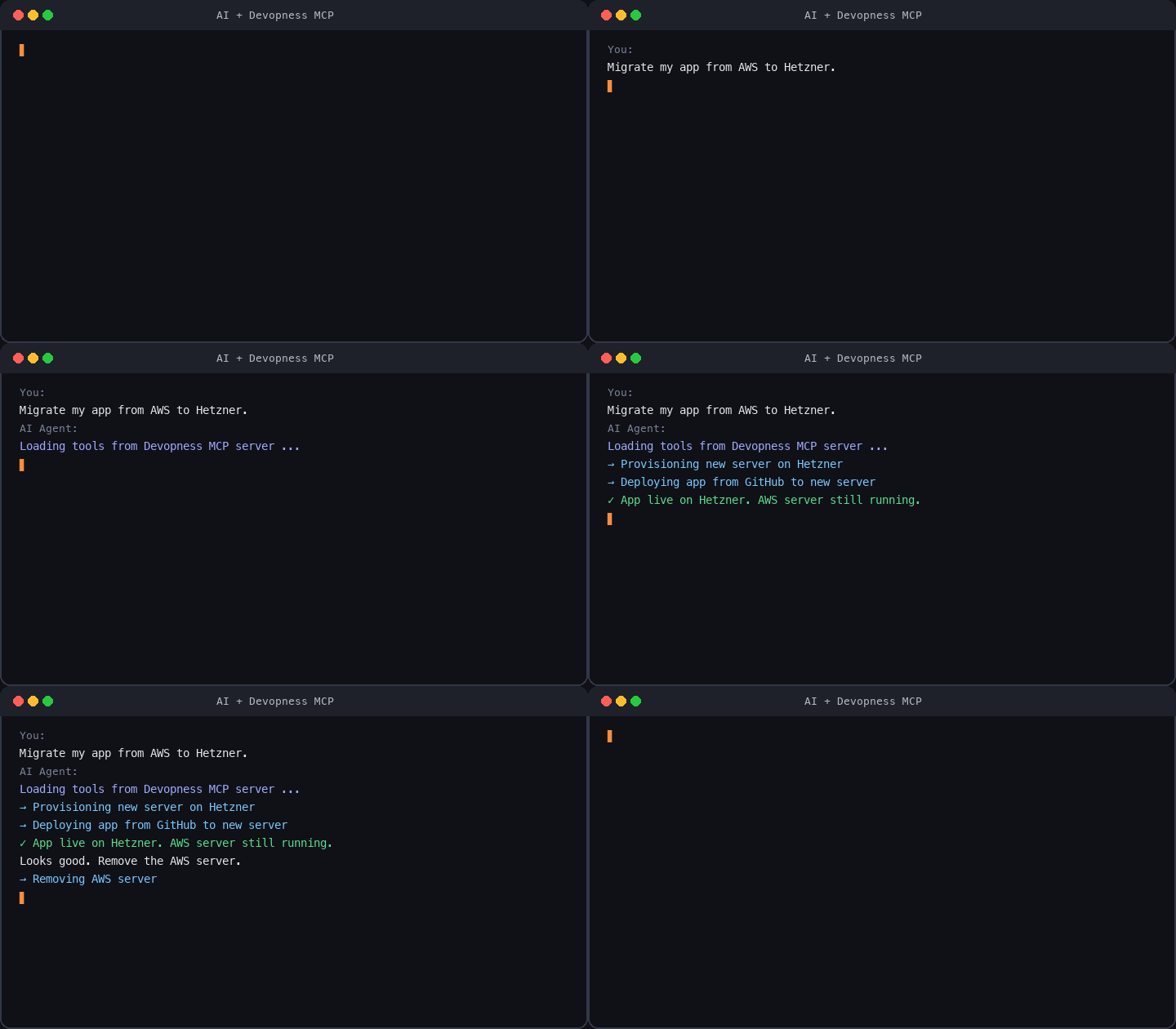
When you start the MCP server, you will be asked to log in with your Devopness account to authenticate.
Other supported tools: Claude Code, Codex CLI, Gemini CLI, Windsurf, Zed, Warp, JetBrains AI, and more. See step-by-step guides in MCP docs.

Provision from scratch, not just connect a server
Many self-hosted deploy tools (Coolify, Dokploy, and similar) assume you already provisioned a server and can connect over SSH.
Devopness provisions infrastructure in your cloud from scratch, configures Linux, and deploys your apps. Routine work runs from the web app, API, or MCP: no SSH and no cloud console for everyday tasks.
What Devopness replaces
Devopness combines what teams usually split across multiple tools into one platform:
Cloud infrastructure from scratch
- Networks, subnets, static IPs, servers, and Linux configuration in your cloud accounts (instead of Terraform, Ansible, and manual cloud console work)
CI/CD and hosted PaaS
- Deploy pipelines and hosted platforms (instead of Jenkins, GitHub Actions, GitLab CI, Vercel, Heroku, Netlify, Railway, Render, and similar PaaS)
Server and app management panels
Instead of separate panels per stack, use one platform for all stacks. Devopness replaces:
- PHP: cPanel, Laravel Forge/Envoyer, Plesk, RunCloud, ServerPanel.app
- Python: FastAPI Cloud, and similar stack-focused tools
- Ruby: Cloud 66, Hatchbox, Kamal (popular in Rails, works for any stack)
- Self-hosted (bring your own server): Coolify, Dokploy
One workflow everywhere
- One simpler workflow for any tech stack and any cloud provider, in accounts you control
What you get
- Ship your apps to infrastructure you own, with more frequent and safer deploys
- Trigger zero-downtime deploys automatically when you push to git
- See deploy history and infrastructure changes in one place, even from mobile, without SSH or cloud console access
- Provision networks, subnets, static IPs, and servers in your cloud, then configure Linux and deploy apps without SSH for routine tasks
- Fine-grained, role-based permissions per environment so teammates deploy without direct cloud-console access
- Run DevOps operations in natural language through MCP when connected to your AI agents
Quick start
- Create an account: free, no credit card required
- Follow Getting Started: workspace → project → environment → first deploy
- Connect MCP: optional; one-click in Cursor or VS Code above
Who this is for
- Developers who ship apps, side projects, and cloud infrastructure
- Team leads who want to simplify deploy workflows, speed up releases, and cut down on complex tooling
- Founders and solo builders deploying from day one on cloud infrastructure they control
- Freelancers and agencies who need fast deploys and separate client infrastructure at an affordable cost
This repository
Open source packages and documentation for Devopness:
| Path | Package | Description |
|---|---|---|
| /docs | Documentation | Product docs (published at devopness.com/docs) |
| /packages/sdks/javascript | @devopness/sdk-js |
JavaScript/TypeScript API SDK  |
| /packages/sdks/python | devopness |
Python API SDK  |
| /packages/ui/react | @devopness/ui-react |
React design system  |
| /examples/applications | Examples | Sample app integrations (Rails, Express, Laravel, and more) |
Community
Contributing
Contributions are welcome. See CONTRIBUTING.md. If you use AI tools, also read AGENTS.md.
All contributions are subject to the Code of Conduct.
Like the project? Star this repo: it helps others discover Devopness.
Changelog
Release notes: GitHub Releases
License
MIT License unless otherwise specified in a package LICENSE file.
Reviews (0)
Sign in to leave a review.
Leave a reviewNo results found